Introduction
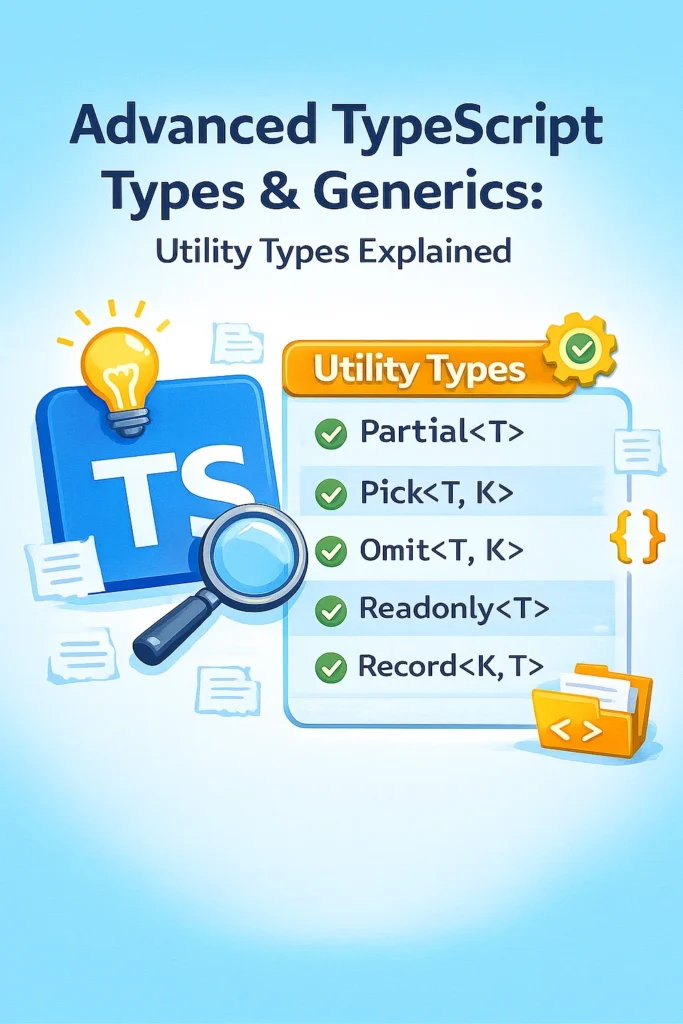
TypeScript becomes truly powerful when you move beyond basic interfaces and primitive types. As applications grow in complexity, reusable and expressive type logic becomes essential for safety, maintainability, and developer productivity. Utility types and generics allow you to transform existing types, enforce constraints, extract type information, and reduce duplication without writing repetitive code.
In this comprehensive guide, you’ll learn how advanced TypeScript utility types work under the hood, how generics provide type-safe flexibility, and how to build custom utility types for real-world projects including API clients, state management, and form handling.
Why Advanced Types Matter in TypeScript
Static typing is only valuable when it scales with complexity. TypeScript’s type system is expressive enough to model complex logic while catching bugs at compile time rather than runtime.
- Reduce duplication: Transform existing types instead of defining new ones.
- Compile-time safety: Catch type errors before running code.
- Better DX: Enhanced IDE autocomplete, refactoring, and documentation.
- Express intent: Types document expected behavior and constraints.
- Safer refactoring: Change types and let the compiler find all affected code.
Understanding Generics in Practice
Generics allow types to work with many shapes while maintaining type safety. Think of generics as type parameters—placeholders that get filled in when the type is used.
// Basic generic function
function identity<T>(value: T): T {
  return value;
}

// Type is inferred from argument
const str = identity('hello');  // string
const num = identity(42);       // number

// Explicit type parameter
const explicit = identity<string>('hello');

// Generic interface
interface Box<T> {
  value: T;
  timestamp: Date;
}

const stringBox: Box<string> = {
  value: 'contents',
  timestamp: new Date(),
};

// Generic type alias
type Result<T, E = Error> =
  | { success: true; data: T }
  | { success: false; error: E };

function fetchUser(id: string): Result<User> {
  try {
    const user = db.findUser(id);
    return { success: true, data: user };
  } catch (error) {
    return { success: false, error: error as Error };
  }
}
Multiple Type Parameters
// Multiple generic parameters
function map<T, U>(array: T[], fn: (item: T) => U): U[] {
  return array.map(fn);
}

const numbers = [1, 2, 3];
const strings = map(numbers, (n) => n.toString()); // string[]

// Generic class
class Cache<K, V> {
  private store = new Map<K, V>();

  set(key: K, value: V): void {
    this.store.set(key, value);
  }

  get(key: K): V | undefined {
    return this.store.get(key);
  }

  has(key: K): boolean {
    return this.store.has(key);
  }
}

const userCache = new Cache<string, User>();
userCache.set('user-1', { id: '1', name: 'Alice' });
Generic Constraints
Constraints limit what types can be passed to generics, enabling safe property access while maintaining flexibility.
// Basic constraint with extends
interface HasId {
  id: string;
}

function getId<T extends HasId>(item: T): string {
  return item.id;  // Safe: T always has 'id'
}

// Works with any object that has 'id'
getId({ id: '123', name: 'Alice' });  // OK
getId({ id: '456', email: 'bob@example.com' });  // OK
// getId({ name: 'Charlie' });  // Error: missing 'id'

// Constraint with keyof
function getProperty<T, K extends keyof T>(obj: T, key: K): T[K] {
  return obj[key];
}

const user = { id: '1', name: 'Alice', age: 30 };
const name = getProperty(user, 'name');  // string
const age = getProperty(user, 'age');    // number
// getProperty(user, 'email');  // Error: 'email' not in keyof User

// Multiple constraints
interface Serializable {
  toJSON(): string;
}

interface Identifiable {
  id: string;
}

function saveEntity<T extends Serializable & Identifiable>(entity: T): void {
  const json = entity.toJSON();
  storage.save(entity.id, json);
}

// Constructor constraint
interface Constructor<T> {
  new (...args: any[]): T;
}

function createInstance<T>(ctor: Constructor<T>, ...args: any[]): T {
  return new ctor(...args);
}

class User {
  constructor(public name: string) {}
}

const user = createInstance(User, 'Alice');  // User
Built-In Utility Types Deep Dive
TypeScript ships with powerful utility types that transform existing types. Understanding how they work internally helps you build custom utilities.
Partial and Required
// Partial<T> makes all properties optional
type User = {
  id: string;
  name: string;
  email: string;
};

type PartialUser = Partial<User>;
// { id?: string; name?: string; email?: string; }

// How Partial works internally
type MyPartial<T> = {
  [K in keyof T]?: T[K];
};

// Required<T> makes all properties required
type OptionalUser = {
  id?: string;
  name?: string;
};

type RequiredUser = Required<OptionalUser>;
// { id: string; name: string; }

// How Required works internally
type MyRequired<T> = {
  [K in keyof T]-?: T[K];  // -? removes optional modifier
};

// Practical usage: Update functions
function updateUser(id: string, updates: Partial<User>): User {
  const existing = getUserById(id);
  return { ...existing, ...updates };
}

updateUser('1', { name: 'New Name' });  // Only update name
Pick and Omit
// Pick<T, K> extracts specific properties
type User = {
  id: string;
  name: string;
  email: string;
  password: string;
  createdAt: Date;
};

type PublicUser = Pick<User, 'id' | 'name' | 'email'>;
// { id: string; name: string; email: string; }

// How Pick works internally
type MyPick<T, K extends keyof T> = {
  [P in K]: T[P];
};

// Omit<T, K> removes specific properties
type UserWithoutPassword = Omit<User, 'password'>;
// { id: string; name: string; email: string; createdAt: Date; }

// How Omit works internally
type MyOmit<T, K extends keyof any> = Pick<T, Exclude<keyof T, K>>;

// Practical usage: API response shaping
type CreateUserInput = Omit<User, 'id' | 'createdAt'>;
type UserResponse = Omit<User, 'password'>;

function createUser(input: CreateUserInput): UserResponse {
  const user: User = {
    ...input,
    id: generateId(),
    createdAt: new Date(),
  };
  const { password, ...response } = user;
  return response;
}
Record for Typed Dictionaries
// Record<K, T> creates an object type with keys K and values T
type RolePermissions = Record<string, boolean>;

const permissions: RolePermissions = {
  canRead: true,
  canWrite: false,
  canDelete: false,
};

// How Record works internally
type MyRecord<K extends keyof any, T> = {
  [P in K]: T;
};

// Type-safe key constraints
type Role = 'admin' | 'user' | 'guest';
type Permission = 'read' | 'write' | 'delete';

type RolePermissionMatrix = Record<Role, Record<Permission, boolean>>;

const matrix: RolePermissionMatrix = {
  admin: { read: true, write: true, delete: true },
  user: { read: true, write: true, delete: false },
  guest: { read: true, write: false, delete: false },
};

// Lookup table pattern
type HttpMethod = 'GET' | 'POST' | 'PUT' | 'DELETE';
type RouteHandler = (req: Request) => Response;

const routes: Record<HttpMethod, RouteHandler> = {
  GET: (req) => new Response('GET handler'),
  POST: (req) => new Response('POST handler'),
  PUT: (req) => new Response('PUT handler'),
  DELETE: (req) => new Response('DELETE handler'),
};
Readonly and ReadonlyArray
// Readonly<T> makes all properties readonly
type User = {
  id: string;
  name: string;
};

type ImmutableUser = Readonly<User>;

const user: ImmutableUser = { id: '1', name: 'Alice' };
// user.name = 'Bob';  // Error: Cannot assign to 'name'

// How Readonly works internally
type MyReadonly<T> = {
  readonly [K in keyof T]: T[K];
};

// Deep readonly for nested objects
type DeepReadonly<T> = {
  readonly [K in keyof T]: T[K] extends object
    ? DeepReadonly<T[K]>
    : T[K];
};

type NestedUser = {
  id: string;
  profile: {
    name: string;
    settings: {
      theme: string;
    };
  };
};

type ImmutableNestedUser = DeepReadonly<NestedUser>;
// All nested properties are also readonly

// ReadonlyArray prevents mutations
function processItems(items: ReadonlyArray<string>): void {
  // items.push('new');  // Error: push doesn't exist
  // items[0] = 'changed';  // Error: Index signature readonly

  // OK: Create new arrays
  const sorted = [...items].sort();
}
Conditional Types
Conditional types enable type-level logic using the extends keyword in a ternary expression.
// Basic conditional type
type IsString<T> = T extends string ? true : false;

type A = IsString<'hello'>;  // true
type B = IsString<42>;       // false

// Conditional with union distribution
type NonNullable<T> = T extends null | undefined ? never : T;

type C = NonNullable<string | null | undefined>;  // string

// Extract and Exclude
type Extract<T, U> = T extends U ? T : never;
type Exclude<T, U> = T extends U ? never : T;

type Union = 'a' | 'b' | 'c' | 1 | 2;

type Strings = Extract<Union, string>;  // 'a' | 'b' | 'c'
type Numbers = Extract<Union, number>;  // 1 | 2
type WithoutA = Exclude<Union, 'a'>;    // 'b' | 'c' | 1 | 2

// Practical: API response types
type ApiResponse<T> = T extends void
  ? { success: boolean }
  : { success: boolean; data: T };

type VoidResponse = ApiResponse<void>;  // { success: boolean }
type UserResponse = ApiResponse<User>;  // { success: boolean; data: User }
The Infer Keyword
The infer keyword extracts types within conditional type expressions.
// Extract return type of a function
type ReturnType<T> = T extends (...args: any[]) => infer R ? R : never;

function getUser(): User {
  return { id: '1', name: 'Alice' };
}

type UserResult = ReturnType<typeof getUser>;  // User

// Extract parameter types
type Parameters<T> = T extends (...args: infer P) => any ? P : never;

function createUser(name: string, age: number): User {
  return { id: '1', name, age };
}

type CreateUserParams = Parameters<typeof createUser>;  // [string, number]

// Extract first parameter
type FirstParameter<T> = T extends (first: infer F, ...rest: any[]) => any
  ? F
  : never;

type FirstParam = FirstParameter<typeof createUser>;  // string

// Extract Promise value
type Awaited<T> = T extends Promise<infer V>
  ? Awaited<V>  // Recursively unwrap nested promises
  : T;

type A = Awaited<Promise<string>>;           // string
type B = Awaited<Promise<Promise<number>>>;  // number

// Extract array element type
type ArrayElement<T> = T extends (infer E)[] ? E : never;

type Element = ArrayElement<string[]>;  // string

// Extract object value types
type ValueOf<T> = T[keyof T];

type UserValues = ValueOf<User>;  // string (union of all value types)
Mapped Types
Mapped types transform each property of a type using a mapping operation.
// Basic mapped type
type Stringify<T> = {
  [K in keyof T]: string;
};

type User = { id: number; name: string; active: boolean };
type StringifiedUser = Stringify<User>;
// { id: string; name: string; active: string }

// Key remapping with 'as'
type Getters<T> = {
  [K in keyof T as `get${Capitalize<string & K>}`]: () => T[K];
};

type UserGetters = Getters<User>;
// { getId: () => number; getName: () => string; getActive: () => boolean }

type Setters<T> = {
  [K in keyof T as `set${Capitalize<string & K>}`]: (value: T[K]) => void;
};

type UserSetters = Setters<User>;
// { setId: (value: number) => void; setName: (value: string) => void; ... }

// Filter properties by type
type FilterByType<T, U> = {
  [K in keyof T as T[K] extends U ? K : never]: T[K];
};

type StringProperties = FilterByType<User, string>;
// { name: string }

type NumberProperties = FilterByType<User, number>;
// { id: number }

// Nullable version of all properties
type Nullable<T> = {
  [K in keyof T]: T[K] | null;
};

type NullableUser = Nullable<User>;
// { id: number | null; name: string | null; active: boolean | null }
Template Literal Types
// Basic template literal types
type Greeting = `Hello, ${string}`;

const greeting: Greeting = 'Hello, World';  // OK
// const invalid: Greeting = 'Hi, World';   // Error

// Event handlers pattern
type EventName = 'click' | 'focus' | 'blur';
type EventHandler = `on${Capitalize<EventName>}`;
// 'onClick' | 'onFocus' | 'onBlur'

// API routes
type HttpMethod = 'get' | 'post' | 'put' | 'delete';
type ApiRoute = `/api/${string}`;
type ApiMethod = `${Uppercase<HttpMethod>} ${ApiRoute}`;
// 'GET /api/...' | 'POST /api/...' | etc.

// CSS property pattern
type CssProperty = 'margin' | 'padding';
type CssSide = 'top' | 'right' | 'bottom' | 'left';
type CssSpacing = `${CssProperty}-${CssSide}` | CssProperty;
// 'margin-top' | 'margin-right' | ... | 'margin' | 'padding'

// Extracting from template literals
type ExtractRouteParams<T extends string> =
  T extends `${infer _Start}:${infer Param}/${infer Rest}`
    ? Param | ExtractRouteParams<`/${Rest}`>
    : T extends `${infer _Start}:${infer Param}`
      ? Param
      : never;

type Params = ExtractRouteParams<'/users/:userId/posts/:postId'>;
// 'userId' | 'postId'
Building Custom Utility Types
// Deep partial for nested objects
type DeepPartial<T> = T extends object
  ? { [K in keyof T]?: DeepPartial<T[K]> }
  : T;

type Config = {
  database: {
    host: string;
    port: number;
    credentials: {
      username: string;
      password: string;
    };
  };
};

type PartialConfig = DeepPartial<Config>;
// All nested properties are optional

// Make specific keys required
type RequireKeys<T, K extends keyof T> = T & Required<Pick<T, K>>;

type PartialUser = Partial<User>;
type UserWithRequiredId = RequireKeys<PartialUser, 'id'>;
// { id: string; name?: string; email?: string }

// Make specific keys optional
type OptionalKeys<T, K extends keyof T> = Omit<T, K> & Partial<Pick<T, K>>;

type UserWithOptionalEmail = OptionalKeys<User, 'email'>;
// { id: string; name: string; email?: string }

// Merge two types with second type taking precedence
type Merge<T, U> = Omit<T, keyof U> & U;

type Base = { id: string; name: string; version: number };
type Override = { name: number; extra: boolean };
type Merged = Merge<Base, Override>;
// { id: string; name: number; version: number; extra: boolean }

// Strict object type (no extra properties)
type Strict<T> = T & { [K in Exclude<string, keyof T>]?: never };

// Function overload types
type Overloads<T> = T extends {
  (...args: infer A1): infer R1;
  (...args: infer A2): infer R2;
}
  ? [(...args: A1) => R1, (...args: A2) => R2]
  : T extends (...args: infer A) => infer R
    ? [(...args: A) => R]
    : never;
Real-World Utility Types
// Type-safe event emitter
type EventMap = {
  userCreated: { user: User };
  userDeleted: { userId: string };
  error: { message: string; code: number };
};

class TypedEventEmitter<T extends Record<string, any>> {
  private listeners = new Map<keyof T, Set<Function>>();

  on<K extends keyof T>(event: K, callback: (data: T[K]) => void): void {
    if (!this.listeners.has(event)) {
      this.listeners.set(event, new Set());
    }
    this.listeners.get(event)!.add(callback);
  }

  emit<K extends keyof T>(event: K, data: T[K]): void {
    this.listeners.get(event)?.forEach((cb) => cb(data));
  }
}

const emitter = new TypedEventEmitter<EventMap>();

emitter.on('userCreated', (data) => {
  console.log(data.user.name);  // Fully typed
});

emitter.emit('userCreated', { user: { id: '1', name: 'Alice' } });
// emitter.emit('userCreated', { wrong: 'data' });  // Error

// Type-safe API client
type ApiEndpoints = {
  'GET /users': { response: User[] };
  'GET /users/:id': { params: { id: string }; response: User };
  'POST /users': { body: CreateUserInput; response: User };
  'PUT /users/:id': { params: { id: string }; body: Partial<User>; response: User };
  'DELETE /users/:id': { params: { id: string }; response: void };
};

type ExtractMethod<T extends string> = T extends `${infer M} ${string}` ? M : never;
type ExtractPath<T extends string> = T extends `${string} ${infer P}` ? P : never;

async function apiClient<E extends keyof ApiEndpoints>(
  endpoint: E,
  options?: ApiEndpoints[E] extends { params: infer P } ? { params: P } : never,
  body?: ApiEndpoints[E] extends { body: infer B } ? B : never
): Promise<ApiEndpoints[E]['response']> {
  // Implementation
}

// Type-safe form state
type FormState<T> = {
  values: T;
  errors: Partial<Record<keyof T, string>>;
  touched: Partial<Record<keyof T, boolean>>;
  isValid: boolean;
  isSubmitting: boolean;
};

type FormActions<T> = {
  setValue: <K extends keyof T>(field: K, value: T[K]) => void;
  setError: <K extends keyof T>(field: K, error: string) => void;
  setTouched: <K extends keyof T>(field: K) => void;
  reset: () => void;
  submit: () => Promise<void>;
};

function useForm<T extends Record<string, any>>(
  initialValues: T,
  validate: (values: T) => Partial<Record<keyof T, string>>
): [FormState<T>, FormActions<T>] {
  // Implementation
}
Common Mistakes to Avoid
1. Over-Engineering Types
// WRONG - Overly complex type that's hard to understand
type ComplexType<T, K, V, U extends keyof T, R extends V[]> = {
  [P in keyof T as P extends U ? never : P]: T[P] extends R[number] ? V : K;
};

// CORRECT - Break down complex types or use simpler alternatives
type SimpleMapping<T> = {
  [K in keyof T]: string;
};
2. Using ‘any’ Instead of Proper Generics
// WRONG - Loses type safety
function process(data: any): any {
  return data;
}

// CORRECT - Preserves type information
function process<T>(data: T): T {
  return data;
}
3. Forgetting Distribution in Conditional Types
// Conditional types distribute over unions by default
type ToArray<T> = T extends any ? T[] : never;

type Distributed = ToArray<string | number>;  // string[] | number[]

// To prevent distribution, wrap in tuple
type ToArrayNonDist<T> = [T] extends [any] ? T[] : never;

type NonDistributed = ToArrayNonDist<string | number>;  // (string | number)[]
Best Practices Summary
- Start simple: Use built-in utility types before creating custom ones.
- Name descriptively: Type names should explain what transformation they perform.
- Document complex types: Add JSDoc comments explaining purpose and usage.
- Test edge cases: Verify types work with unions, optionals, and nested objects.
- Prefer composition: Build complex types from simpler, reusable pieces.
- Use const assertions:
as constpreserves literal types for better inference. - Leverage inference: Let TypeScript infer types when possible instead of explicit annotations.
Conclusion
Advanced TypeScript utility types and generics unlock the full power of the type system. By mastering Partial, Pick, Omit, conditional types, mapped types, and template literal types, you can model complex domain logic while keeping code safe and readable. Custom utility types let you encode your application’s specific patterns and constraints directly in the type system.
If you want to scale TypeScript projects confidently, read Modern ECMAScript Features You Might Have Missed and Configuring Prettier and ESLint for TypeScript/JavaScript Projects. For architectural guidance, see Monorepos with Nx or Turborepo: When and Why. For official documentation, explore the TypeScript utility types reference and the TypeScript generics handbook.


3 Comments