Introduction
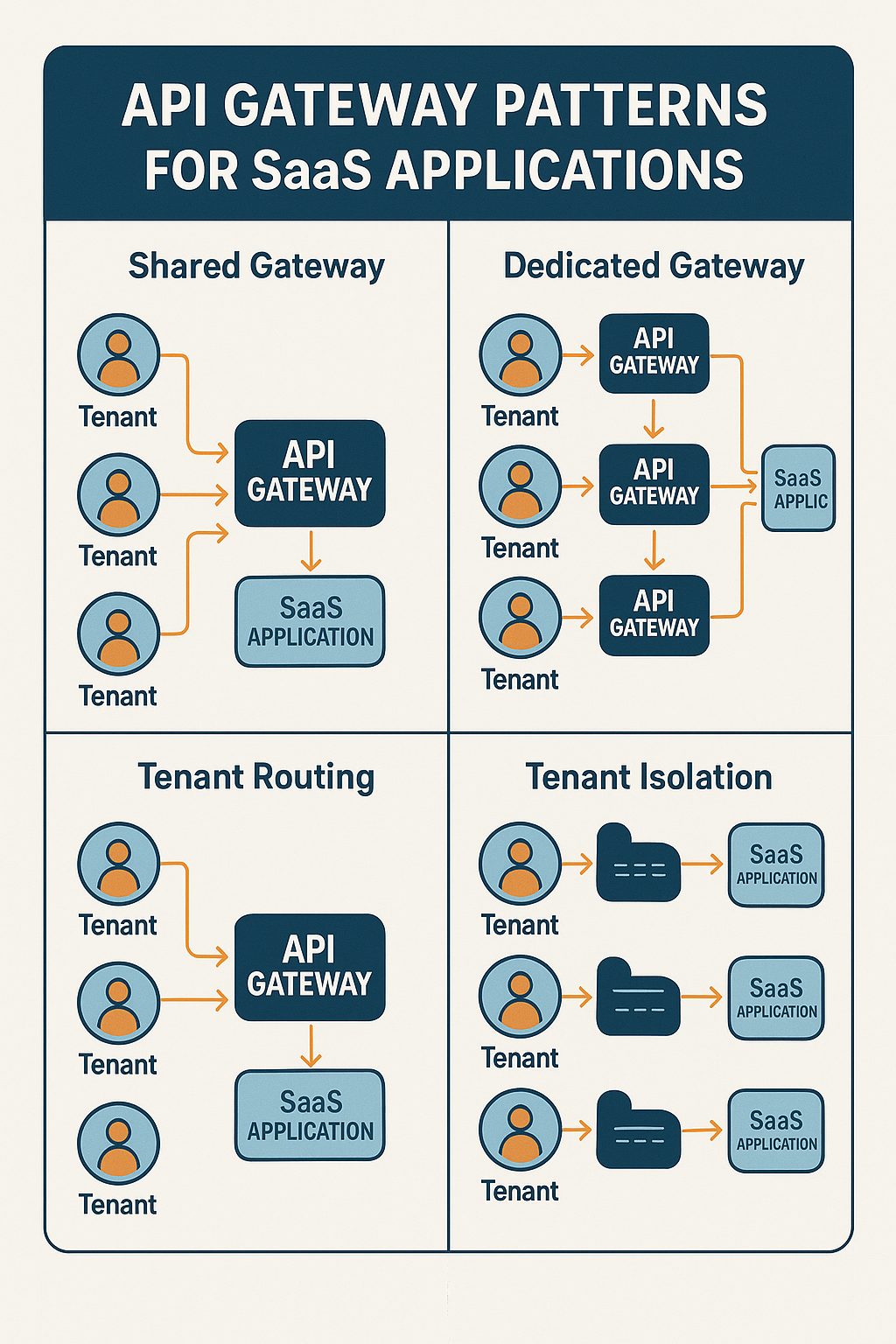
In a Software-as-a-Service (SaaS) environment, multiple services often power different parts of the platform—user accounts, billing, analytics, feature flags, and more. As these services multiply and tenants scale into the thousands, managing API traffic, authentication, and routing becomes increasingly complex. An API gateway acts as a single entry point for all client requests, providing a unified layer for routing, security, rate limiting, and observability. Companies like Stripe, Twilio, and Shopify rely heavily on sophisticated API gateway patterns to serve millions of API requests per minute while maintaining tenant isolation and consistent policies. In this comprehensive guide, we’ll explore API gateway patterns that make SaaS systems secure, maintainable, and scalable, with practical implementation examples.
What Is an API Gateway?
An API gateway is a layer that sits between clients (web apps, mobile apps, third-party integrations) and your backend services. Instead of clients calling each service directly, all requests flow through the gateway.
Core responsibilities:
Request routing: Direct traffic to appropriate backend services based on path, headers, or tenant.
Authentication: Validate API keys, JWTs, or OAuth tokens before requests reach services.
Rate limiting: Protect services from abuse with per-tenant or per-endpoint limits.
Request transformation: Modify headers, aggregate responses, or translate protocols.
Observability: Centralized logging, metrics, and distributed tracing.
Why API Gateways Matter for SaaS
SaaS platforms face unique challenges that make API gateways essential:
Multi-tenancy: Hundreds or thousands of tenants share infrastructure. The gateway enforces isolation through authentication and rate limits.
Consistent policies: Apply security, logging, and rate limiting uniformly across all APIs without duplicating logic in each service.
API versioning: Manage multiple API versions simultaneously while migrating tenants gradually.
Custom domains: Route api.tenant1.com and api.tenant2.com to the same infrastructure with tenant-specific configuration.
Usage metering: Track API calls per tenant for billing, analytics, and capacity planning.
API Gateway Patterns for SaaS
1. Single Gateway Pattern
All client requests flow through one centralized gateway that handles routing to all backend services.
# Kong Gateway configuration example
# kong.yml
_format_version: "3.0"

services:
  - name: user-service
    url: http://user-service:3000
    routes:
      - name: user-routes
        paths:
          - /api/v1/users
        strip_path: false
    plugins:
      - name: rate-limiting
        config:
          minute: 100
          policy: local

  - name: billing-service
    url: http://billing-service:3000
    routes:
      - name: billing-routes
        paths:
          - /api/v1/billing
    plugins:
      - name: jwt
        config:
          secret_is_base64: false
      - name: rate-limiting
        config:
          minute: 50

  - name: analytics-service
    url: http://analytics-service:3000
    routes:
      - name: analytics-routes
        paths:
          - /api/v1/analytics
Best for: Simpler SaaS applications with fewer services and straightforward routing needs.
2. Tenant-Aware Gateway Pattern
The gateway extracts tenant information from tokens, headers, or subdomains and applies tenant-specific policies:
// Express middleware for tenant-aware routing
import express from 'express';
import jwt from 'jsonwebtoken';

interface TenantContext {
  tenantId: string;
  plan: 'free' | 'pro' | 'enterprise';
  rateLimits: {
    requestsPerMinute: number;
    requestsPerDay: number;
  };
}

const TENANT_CONFIGS: Record = {
  'tenant-123': {
    tenantId: 'tenant-123',
    plan: 'enterprise',
    rateLimits: { requestsPerMinute: 1000, requestsPerDay: 100000 },
  },
  'tenant-456': {
    tenantId: 'tenant-456',
    plan: 'pro',
    rateLimits: { requestsPerMinute: 100, requestsPerDay: 10000 },
  },
};

function extractTenantMiddleware(req: express.Request, res: express.Response, next: express.NextFunction) {
  // Extract tenant from JWT
  const token = req.headers.authorization?.replace('Bearer ', '');

  if (!token) {
    return res.status(401).json({ error: 'Missing authorization token' });
  }

  try {
    const decoded = jwt.verify(token, process.env.JWT_SECRET!) as { tenantId: string };
    const tenantConfig = TENANT_CONFIGS[decoded.tenantId];

    if (!tenantConfig) {
      return res.status(403).json({ error: 'Unknown tenant' });
    }

    // Attach tenant context to request
    req.tenant = tenantConfig;
    next();
  } catch (error) {
    return res.status(401).json({ error: 'Invalid token' });
  }
}

// Rate limiting based on tenant plan
function tenantRateLimiter(req: express.Request, res: express.Response, next: express.NextFunction) {
  const tenant = req.tenant;
  const key = `ratelimit:${tenant.tenantId}`;

  // Check rate limit from Redis
  // Implementation depends on your rate limiting strategy

  // Add rate limit headers
  res.setHeader('X-RateLimit-Limit', tenant.rateLimits.requestsPerMinute);
  res.setHeader('X-RateLimit-Remaining', remaining);
  res.setHeader('X-RateLimit-Reset', resetTime);

  next();
}

const app = express();
app.use(extractTenantMiddleware);
app.use(tenantRateLimiter);
3. Backend-for-Frontend (BFF) Pattern
Create separate gateways optimized for different clients (web, mobile, third-party):
// BFF Gateway for mobile clients
import express from 'express';
import axios from 'axios';

const mobileBFF = express();

// Aggregate multiple service calls into one response
mobileBFF.get('/api/mobile/dashboard', async (req, res) => {
  try {
    // Parallel requests to multiple services
    const [userResponse, billingResponse, notificationsResponse] = await Promise.all([
      axios.get(`${USER_SERVICE}/users/${req.user.id}`, {
        headers: { Authorization: req.headers.authorization },
      }),
      axios.get(`${BILLING_SERVICE}/subscriptions/${req.user.tenantId}`, {
        headers: { Authorization: req.headers.authorization },
      }),
      axios.get(`${NOTIFICATION_SERVICE}/unread/${req.user.id}`, {
        headers: { Authorization: req.headers.authorization },
      }),
    ]);

    // Aggregate and transform for mobile
    const dashboard = {
      user: {
        name: userResponse.data.name,
        avatarUrl: userResponse.data.avatarUrl,
      },
      subscription: {
        plan: billingResponse.data.plan,
        renewsAt: billingResponse.data.currentPeriodEnd,
      },
      notifications: {
        unreadCount: notificationsResponse.data.count,
        preview: notificationsResponse.data.items.slice(0, 3),
      },
    };

    res.json(dashboard);
  } catch (error) {
    res.status(500).json({ error: 'Failed to load dashboard' });
  }
});

// Web BFF might have different aggregations
const webBFF = express();

webBFF.get('/api/web/dashboard', async (req, res) => {
  // Web dashboard includes more detailed data
  // Different aggregation pattern
});
4. Edge Gateway Pattern
Deploy gateway logic at CDN edge locations for lower latency:
// Cloudflare Workers edge gateway example
export default {
  async fetch(request: Request): Promise {
    const url = new URL(request.url);

    // Authenticate at edge
    const authHeader = request.headers.get('Authorization');
    if (!authHeader) {
      return new Response(JSON.stringify({ error: 'Unauthorized' }), {
        status: 401,
        headers: { 'Content-Type': 'application/json' },
      });
    }

    // Extract tenant from subdomain
    const tenant = url.hostname.split('.')[0];

    // Check rate limit in edge KV
    const rateLimitKey = `ratelimit:${tenant}`;
    const currentCount = await RATE_LIMITS.get(rateLimitKey);

    if (currentCount && parseInt(currentCount) > 1000) {
      return new Response(JSON.stringify({ error: 'Rate limit exceeded' }), {
        status: 429,
        headers: { 'Content-Type': 'application/json' },
      });
    }

    // Route to origin based on path
    const origin = getOriginForPath(url.pathname);

    // Forward request with tenant context
    const modifiedRequest = new Request(origin + url.pathname + url.search, {
      method: request.method,
      headers: {
        ...Object.fromEntries(request.headers),
        'X-Tenant-ID': tenant,
      },
      body: request.body,
    });

    return fetch(modifiedRequest);
  },
};
Popular API Gateway Solutions
| Gateway | Best For | Key Features |
|---|---|---|
| Kong | Complex microservices | Plugin ecosystem, Kubernetes-native |
| AWS API Gateway | AWS-native apps | Lambda integration, managed service |
| Traefik | Docker/Kubernetes | Auto-discovery, Let’s Encrypt |
| NGINX Plus | High performance | Load balancing, caching |
| Cloudflare Workers | Edge computing | Global distribution, low latency |
Common Mistakes to Avoid
Single point of failure: Always deploy gateways in HA configuration with multiple instances and load balancing.
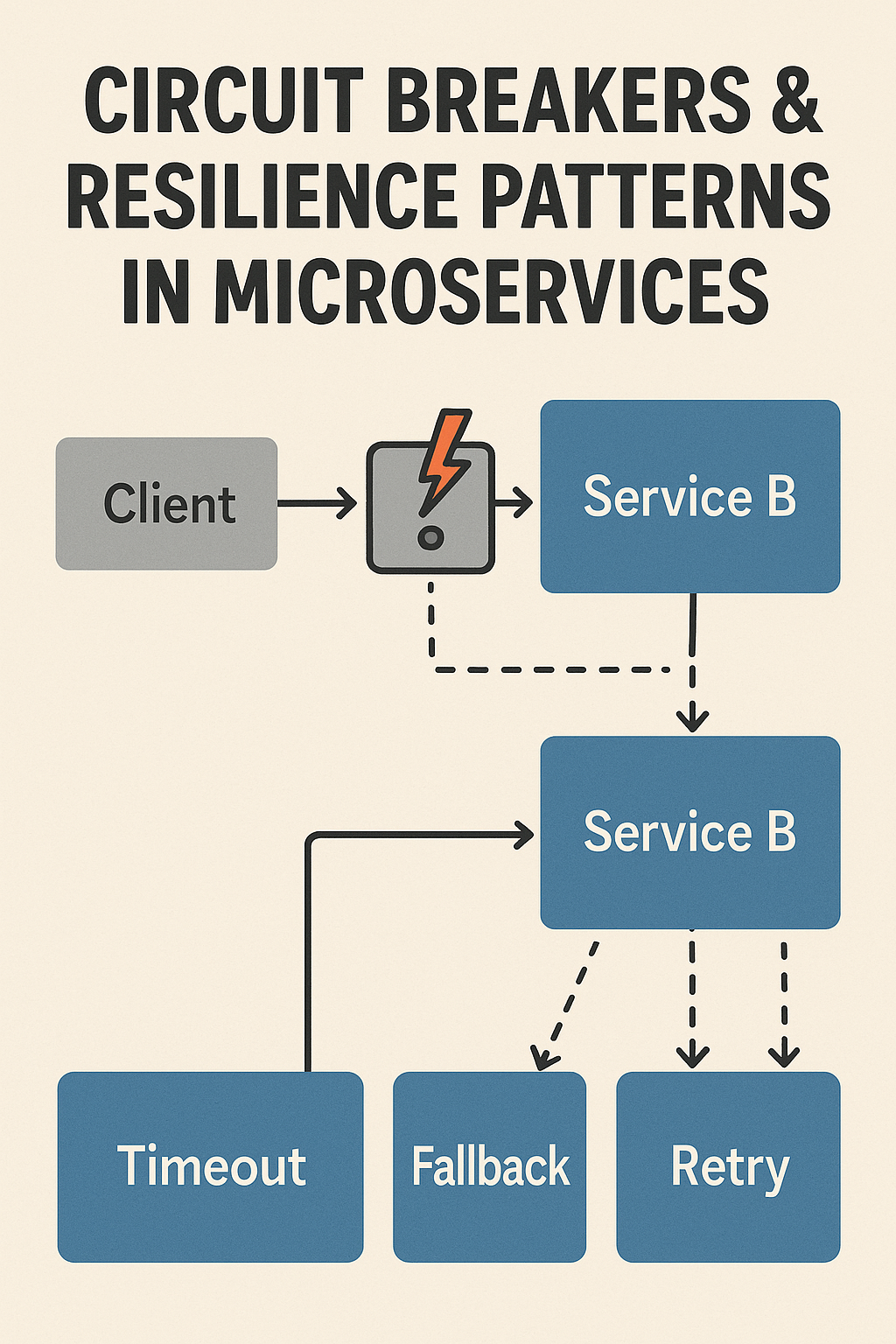
No circuit breakers: When backend services fail, the gateway should fail fast rather than queuing requests indefinitely.
Hardcoded configurations: Use dynamic configuration that can be updated without gateway restarts.
Missing observability: Without proper logging and metrics, debugging production issues becomes impossible.
Over-aggregation in BFF: Don’t make BFF gateways do too much work. Keep transformations simple.
Conclusion
API gateways are essential infrastructure for SaaS platforms, providing centralized control over routing, authentication, rate limiting, and observability. The single gateway pattern works well for simpler architectures, while tenant-aware gateways add the multi-tenancy features SaaS requires. BFF patterns optimize for different client types, and edge gateways minimize latency for global users. Choose the pattern—or combination of patterns—that matches your scale, team size, and operational capabilities. Start simple and evolve as your SaaS grows. For more on resilient service patterns, check out Circuit Breakers & Resilience Patterns in Microservices. For implementation guidance, explore the Kong Gateway documentation.

2 Comments