Introduction
For many developers, writing documentation is the least exciting part of a project. Yet, good docs are essential for onboarding new contributors, reducing support requests, and ensuring long-term maintainability. Studies show that developers spend up to 50% of their time reading and understanding code—proper documentation dramatically reduces this overhead.
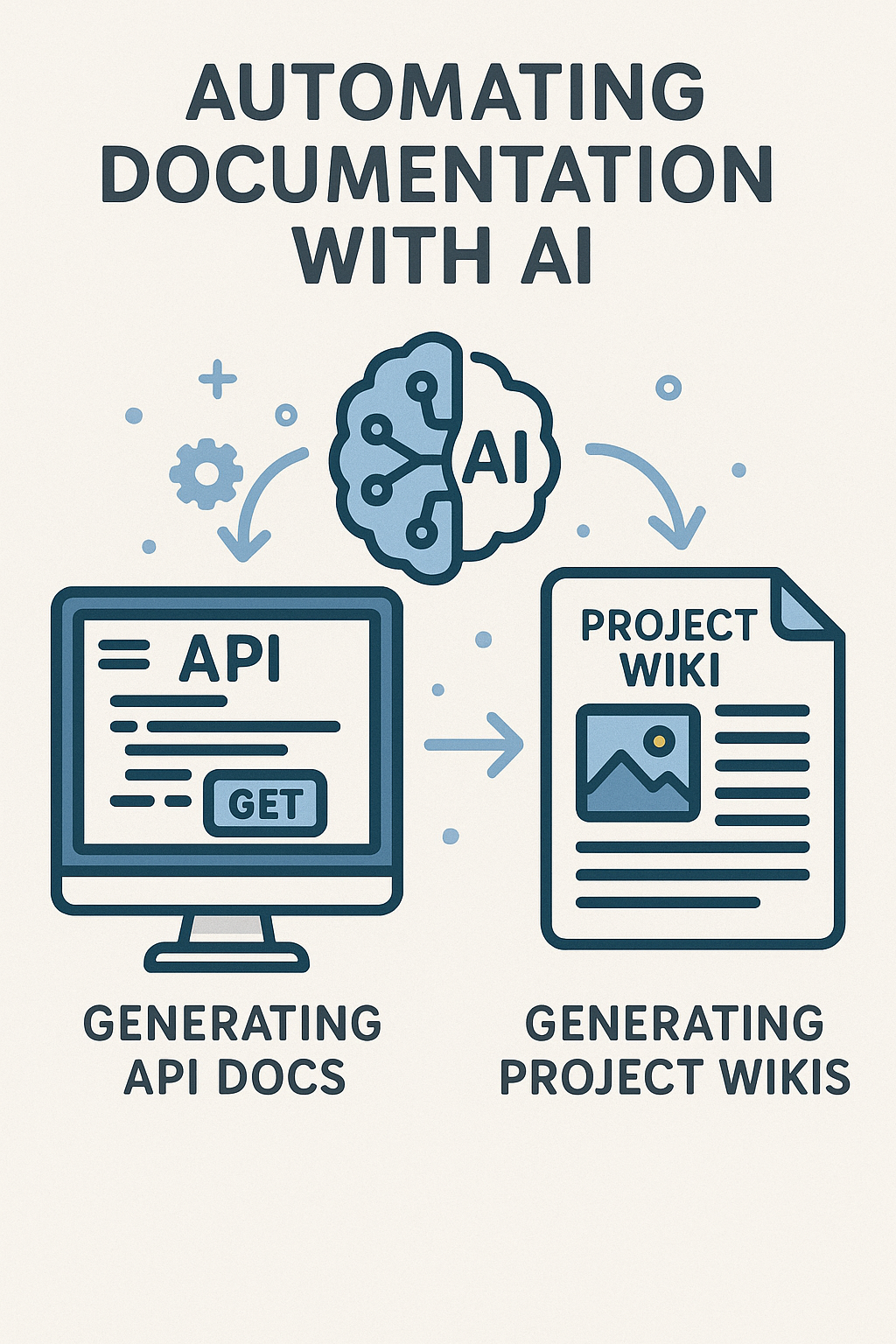
Thanks to AI tools, generating and maintaining documentation is becoming much easier. From API references to project wikis, AI can handle the heavy lifting while developers focus on building features. Companies like Stripe, Twilio, and GitHub have integrated AI into their documentation workflows, producing consistent, high-quality docs at scale.
In this comprehensive guide, we’ll explore how to use AI for automating documentation, including generating API docs and project wikis, with practical implementation examples, tool comparisons, and strategies for integrating documentation automation into your CI/CD pipeline.
Why Automate Documentation?
Manual documentation has a few common problems:
- Significant developer time: Technical writers and developers spend hours documenting APIs and features
- Documentation drift: Docs become outdated as code changes, creating confusion and bugs
- Inconsistent style: Different authors produce different tones, structures, and levels of detail
- Deprioritization: Documentation gets pushed aside when deadlines loom
- Incomplete coverage: Edge cases, error handling, and complex flows often go undocumented
Automating parts of the process ensures documentation stays accurate and up to date with minimal effort. AI-powered documentation can reduce documentation time by 60-80% while improving consistency across your entire codebase.
AI Documentation Architecture
Before diving into implementations, let’s understand how AI documentation systems work:
// Documentation generation pipeline architecture
interface DocumentationPipeline {
  // Stage 1: Code Analysis
  codeParser: {
    extractFunctions: (code: string) => FunctionMetadata[];
    extractTypes: (code: string) => TypeDefinition[];
    extractComments: (code: string) => CommentBlock[];
    analyzeImports: (code: string) => DependencyGraph;
  };

  // Stage 2: Context Building
  contextBuilder: {
    buildFunctionContext: (fn: FunctionMetadata) => DocumentationContext;
    resolveTypeReferences: (types: TypeDefinition[]) => ResolvedTypes;
    linkRelatedCode: (context: DocumentationContext) => EnrichedContext;
  };

  // Stage 3: AI Generation
  generator: {
    generateDescription: (context: EnrichedContext) => string;
    generateExamples: (context: EnrichedContext) => CodeExample[];
    generateWarnings: (context: EnrichedContext) => Warning[];
  };

  // Stage 4: Output Formatting
  formatter: {
    toMarkdown: (docs: GeneratedDocs) => string;
    toOpenAPI: (docs: GeneratedDocs) => OpenAPISpec;
    toHTML: (docs: GeneratedDocs) => string;
  };
}

interface FunctionMetadata {
  name: string;
  parameters: Parameter[];
  returnType: string;
  comments: string[];
  decorators: string[];
  complexity: number;
  filePath: string;
  lineNumber: number;
}

interface DocumentationContext {
  function: FunctionMetadata;
  relatedTypes: TypeDefinition[];
  usageExamples: string[];
  callers: string[];
  callees: string[];
}
Using AI to Generate API Documentation
Code Annotations and Comments
AI can scan your codebase and turn inline comments into structured API documentation. Here’s a complete implementation using OpenAI’s API:
// src/documentation/api-doc-generator.ts
import OpenAI from 'openai';
import * as ts from 'typescript';
import * as fs from 'fs';
import * as path from 'path';
interface APIEndpoint {
path: string;
method: 'GET' | 'POST' | 'PUT' | 'DELETE' | 'PATCH';
handler: string;
parameters: ParameterDoc[];
requestBody?: TypeDoc;
responses: ResponseDoc[];
description?: string;
tags: string[];
}
interface ParameterDoc {
name: string;
in: 'path' | 'query' | 'header';
type: string;
required: boolean;
description: string;
}
interface ResponseDoc {
statusCode: number;
description: string;
schema?: TypeDoc;
}
interface TypeDoc {
type: string;
properties?: Record;
items?: TypeDoc;
}
interface PropertyDoc {
type: string;
description: string;
required: boolean;
example?: any;
}
class APIDocumentationGenerator {
private openai: OpenAI;
private cache: Map = new Map();
constructor(apiKey: string) {
this.openai = new OpenAI({ apiKey });
}
async generateFromCode(filePath: string): Promise {
const sourceCode = fs.readFileSync(filePath, 'utf-8');
const sourceFile = ts.createSourceFile(
filePath,
sourceCode,
ts.ScriptTarget.Latest,
true
);
const endpoints: APIEndpoint[] = [];
// Walk the AST to find route handlers
const visit = (node: ts.Node) => {
if (this.isRouteDecorator(node)) {
const endpoint = this.extractEndpointInfo(node, sourceFile);
if (endpoint) {
endpoints.push(endpoint);
}
}
ts.forEachChild(node, visit);
};
visit(sourceFile);
// Enrich with AI-generated descriptions
for (const endpoint of endpoints) {
endpoint.description = await this.generateDescription(endpoint, sourceCode);
endpoint.responses = await this.generateResponseDocs(endpoint, sourceCode);
}
return endpoints;
}
private async generateDescription(endpoint: APIEndpoint, sourceCode: string): Promise {
const cacheKey = `${endpoint.method}:${endpoint.path}`;
if (this.cache.has(cacheKey)) {
return this.cache.get(cacheKey)!;
}
const prompt = `
Analyze this API endpoint and generate a clear, concise description:
Endpoint: ${endpoint.method} ${endpoint.path}
Handler function: ${endpoint.handler}
Source code context:
${this.extractRelevantCode(endpoint.handler, sourceCode)}
Generate:
1. A one-sentence summary (max 100 characters)
2. A detailed description (2-3 sentences)
3. Important notes or warnings
Format as JSON: { "summary": "...", "description": "...", "notes": ["..."] }
`;
const response = await this.openai.chat.completions.create({
model: 'gpt-4',
messages: [{ role: 'user', content: prompt }],
temperature: 0.3,
});
const result = JSON.parse(response.choices[0].message.content || '{}');
const description = `${result.summary}\n\n${result.description}`;
this.cache.set(cacheKey, description);
return description;
}
private async generateResponseDocs(endpoint: APIEndpoint, sourceCode: string): Promise {
const handlerCode = this.extractRelevantCode(endpoint.handler, sourceCode);
const prompt = `
Analyze this API handler and identify all possible HTTP responses:
${handlerCode}
For each response, provide:
- Status code
- Description of when this response occurs
- Response body schema (if applicable)
Format as JSON array: [{ "statusCode": 200, "description": "...", "schema": {...} }]
`;
const response = await this.openai.chat.completions.create({
model: 'gpt-4',
messages: [{ role: 'user', content: prompt }],
temperature: 0.2,
});
return JSON.parse(response.choices[0].message.content || '[]');
}
private isRouteDecorator(node: ts.Node): boolean {
if (ts.isDecorator(node)) {
const decoratorText = node.getText();
return /^@(Get|Post|Put|Delete|Patch)/.test(decoratorText);
}
return false;
}
private extractEndpointInfo(node: ts.Node, sourceFile: ts.SourceFile): APIEndpoint | null {
// Extract route information from decorators
// Implementation depends on your framework (Express, NestJS, etc.)
return null;
}
private extractRelevantCode(handlerName: string, sourceCode: string): string {
// Extract the handler function and its dependencies
const functionRegex = new RegExp(
`(async\\s+)?${handlerName}\\s*\\([^)]*\\)\\s*{[^}]+}`,
'g'
);
const match = sourceCode.match(functionRegex);
return match ? match[0] : '';
}
async exportToOpenAPI(endpoints: APIEndpoint[]): Promise Auto-Generated Reference Docs
Tools like Swagger, Redocly, or Docusaurus can be combined with AI to automatically generate clean, readable API references. Here’s how to integrate AI enhancement with Swagger:
// src/documentation/swagger-enhancer.ts
import { OpenAPIObject, PathItemObject, OperationObject } from 'openapi3-ts';
import OpenAI from 'openai';

class SwaggerEnhancer {
  private openai: OpenAI;

  constructor(apiKey: string) {
    this.openai = new OpenAI({ apiKey });
  }

  async enhanceSpec(spec: OpenAPIObject): Promise {
    const enhancedSpec = { ...spec };

    // Enhance each path
    for (const [path, pathItem] of Object.entries(spec.paths || {})) {
      enhancedSpec.paths![path] = await this.enhancePath(path, pathItem as PathItemObject);
    }

    // Generate better schema descriptions
    if (spec.components?.schemas) {
      for (const [schemaName, schema] of Object.entries(spec.components.schemas)) {
        enhancedSpec.components!.schemas![schemaName] =
          await this.enhanceSchema(schemaName, schema);
      }
    }

    return enhancedSpec;
  }

  private async enhancePath(path: string, pathItem: PathItemObject): Promise {
    const enhanced = { ...pathItem };
    const methods = ['get', 'post', 'put', 'delete', 'patch'] as const;

    for (const method of methods) {
      if (pathItem[method]) {
        enhanced[method] = await this.enhanceOperation(
          method.toUpperCase(),
          path,
          pathItem[method] as OperationObject
        );
      }
    }

    return enhanced;
  }

  private async enhanceOperation(
    method: string,
    path: string,
    operation: OperationObject
  ): Promise {
    // Skip if already has good documentation
    if (operation.description && operation.description.length > 100) {
      return operation;
    }

    const prompt = `
Enhance this API endpoint documentation:

Endpoint: ${method} ${path}
Current summary: ${operation.summary || 'None'}
Current description: ${operation.description || 'None'}
Parameters: ${JSON.stringify(operation.parameters || [], null, 2)}
Request body: ${JSON.stringify(operation.requestBody || {}, null, 2)}

Generate:
1. A clear, action-oriented summary (e.g., "Create a new user account")
2. A detailed description explaining:
   - What the endpoint does
   - Required permissions
   - Rate limiting information (if applicable)
   - Common use cases
3. Enhanced parameter descriptions
4. Example request/response

Format as JSON.
`;

    const response = await this.openai.chat.completions.create({
      model: 'gpt-4',
      messages: [{ role: 'user', content: prompt }],
      temperature: 0.3,
    });

    const enhancements = JSON.parse(response.choices[0].message.content || '{}');

    return {
      ...operation,
      summary: enhancements.summary || operation.summary,
      description: enhancements.description || operation.description,
      'x-code-samples': enhancements.examples,
    };
  }

  private async enhanceSchema(name: string, schema: any): Promise {
    if (schema.description && schema.description.length > 50) {
      return schema;
    }

    const prompt = `
Generate documentation for this data schema:

Schema name: ${name}
Schema definition: ${JSON.stringify(schema, null, 2)}

Provide:
1. A clear description of what this schema represents
2. Descriptions for each property
3. Example values for each property
4. Validation notes (min/max, patterns, etc.)

Format as JSON with 'description', 'properties' (with descriptions), and 'example'.
`;

    const response = await this.openai.chat.completions.create({
      model: 'gpt-4',
      messages: [{ role: 'user', content: prompt }],
      temperature: 0.3,
    });

    const enhancements = JSON.parse(response.choices[0].message.content || '{}');

    return {
      ...schema,
      description: enhancements.description,
      example: enhancements.example,
      properties: this.mergePropertyDescriptions(schema.properties, enhancements.properties),
    };
  }

  private mergePropertyDescriptions(original: any, enhanced: any): any {
    if (!original || !enhanced) return original;

    const merged = { ...original };
    for (const [key, value] of Object.entries(enhanced)) {
      if (merged[key]) {
        merged[key] = {
          ...merged[key],
          description: (value as any).description || merged[key].description,
          example: (value as any).example,
        };
      }
    }
    return merged;
  }
}
Generating Code Examples
LLMs can create human-readable summaries of endpoints, including example requests and responses in multiple programming languages:
// src/documentation/example-generator.ts
import OpenAI from 'openai';

interface CodeExample {
  language: string;
  label: string;
  source: string;
}

class ExampleGenerator {
  private openai: OpenAI;
  private languages = ['curl', 'javascript', 'python', 'go', 'ruby'];

  constructor(apiKey: string) {
    this.openai = new OpenAI({ apiKey });
  }

  async generateExamples(endpoint: {
    method: string;
    path: string;
    parameters?: any[];
    requestBody?: any;
    responses?: any;
  }): Promise {
    const examples: CodeExample[] = [];

    for (const language of this.languages) {
      const example = await this.generateForLanguage(endpoint, language);
      examples.push(example);
    }

    return examples;
  }

  private async generateForLanguage(
    endpoint: any,
    language: string
  ): Promise {
    const prompt = `
Generate a ${language} code example for this API endpoint:

Endpoint: ${endpoint.method} ${endpoint.path}
Parameters: ${JSON.stringify(endpoint.parameters || [], null, 2)}
Request body: ${JSON.stringify(endpoint.requestBody || {}, null, 2)}
Expected response: ${JSON.stringify(endpoint.responses?.['200'] || {}, null, 2)}

Requirements:
- Use realistic example values
- Include error handling
- Add comments explaining each step
- Use the most popular HTTP client for the language
- Include authentication header placeholder

Provide only the code, no explanations.
`;

    const response = await this.openai.chat.completions.create({
      model: 'gpt-4',
      messages: [{ role: 'user', content: prompt }],
      temperature: 0.2,
    });

    return {
      language,
      label: this.getLanguageLabel(language),
      source: response.choices[0].message.content || '',
    };
  }

  private getLanguageLabel(language: string): string {
    const labels: Record = {
      curl: 'cURL',
      javascript: 'JavaScript (fetch)',
      python: 'Python (requests)',
      go: 'Go (net/http)',
      ruby: 'Ruby (Net::HTTP)',
    };
    return labels[language] || language;
  }
}
Building Project Wikis with AI
Beyond APIs, AI can also help maintain project wikis or knowledge bases. Here’s a comprehensive wiki generator:
// src/documentation/wiki-generator.ts
import * as fs from 'fs';
import * as path from 'path';
import OpenAI from 'openai';

interface WikiPage {
  title: string;
  slug: string;
  content: string;
  category: string;
  order: number;
}

class ProjectWikiGenerator {
  private openai: OpenAI;
  private projectRoot: string;

  constructor(apiKey: string, projectRoot: string) {
    this.openai = new OpenAI({ apiKey });
    this.projectRoot = projectRoot;
  }

  async generateWiki(): Promise {
    const pages: WikiPage[] = [];

    // Generate README
    pages.push(await this.generateReadme());

    // Generate architecture overview
    pages.push(await this.generateArchitectureDoc());

    // Generate getting started guide
    pages.push(await this.generateGettingStarted());

    // Generate module documentation
    const modules = await this.discoverModules();
    for (const module of modules) {
      pages.push(await this.generateModuleDoc(module));
    }

    // Generate contributing guide
    pages.push(await this.generateContributingGuide());

    return pages;
  }

  private async generateReadme(): Promise {
    const packageJson = this.readPackageJson();
    const projectStructure = await this.analyzeProjectStructure();

    const prompt = `
Generate a comprehensive README.md for this project:

Project name: ${packageJson.name}
Description: ${packageJson.description}
Dependencies: ${Object.keys(packageJson.dependencies || {}).join(', ')}
Dev dependencies: ${Object.keys(packageJson.devDependencies || {}).join(', ')}
Scripts: ${Object.keys(packageJson.scripts || {}).join(', ')}

Project structure:
${projectStructure}

Include:
1. Project title and badges (build status, npm version, license)
2. Brief description (2-3 sentences)
3. Key features (bullet points)
4. Quick start installation steps
5. Basic usage example
6. Links to detailed documentation
7. Contributing section
8. License

Use markdown formatting.
`;

    const response = await this.openai.chat.completions.create({
      model: 'gpt-4',
      messages: [{ role: 'user', content: prompt }],
      temperature: 0.4,
    });

    return {
      title: packageJson.name || 'Project',
      slug: 'readme',
      content: response.choices[0].message.content || '',
      category: 'Overview',
      order: 0,
    };
  }

  private async generateArchitectureDoc(): Promise {
    const structure = await this.analyzeProjectStructure();
    const dependencies = await this.analyzeDependencies();

    const prompt = `
Generate an architecture documentation page:

Project structure:
${structure}

Key dependencies and their purposes:
${dependencies}

Include:
1. High-level architecture overview
2. Directory structure explanation
3. Data flow diagrams (as ASCII or Mermaid)
4. Key design patterns used
5. Module interactions
6. External service integrations
7. Configuration management

Use markdown with Mermaid diagrams where helpful.
`;

    const response = await this.openai.chat.completions.create({
      model: 'gpt-4',
      messages: [{ role: 'user', content: prompt }],
      temperature: 0.3,
    });

    return {
      title: 'Architecture Overview',
      slug: 'architecture',
      content: response.choices[0].message.content || '',
      category: 'Overview',
      order: 1,
    };
  }

  private async generateGettingStarted(): Promise {
    const packageJson = this.readPackageJson();
    const envExample = this.readEnvExample();

    const prompt = `
Generate a Getting Started guide:

Package manager: ${packageJson.packageManager || 'npm'}
Scripts available: ${JSON.stringify(packageJson.scripts || {}, null, 2)}
Environment variables needed: ${envExample}

Include:
1. Prerequisites (Node.js version, etc.)
2. Installation steps
3. Environment setup
4. Database setup (if applicable)
5. Running the development server
6. Running tests
7. Building for production
8. Troubleshooting common issues

Provide clear, copy-paste-able commands.
`;

    const response = await this.openai.chat.completions.create({
      model: 'gpt-4',
      messages: [{ role: 'user', content: prompt }],
      temperature: 0.3,
    });

    return {
      title: 'Getting Started',
      slug: 'getting-started',
      content: response.choices[0].message.content || '',
      category: 'Guides',
      order: 0,
    };
  }

  private async generateModuleDoc(modulePath: string): Promise {
    const moduleCode = this.readModuleCode(modulePath);
    const moduleName = path.basename(modulePath);

    const prompt = `
Generate documentation for this module:

Module: ${moduleName}
Path: ${modulePath}

Code:
${moduleCode}

Include:
1. Module purpose and responsibilities
2. Public API reference
3. Usage examples
4. Configuration options
5. Error handling
6. Testing notes

Use markdown with code blocks.
`;

    const response = await this.openai.chat.completions.create({
      model: 'gpt-4',
      messages: [{ role: 'user', content: prompt }],
      temperature: 0.3,
    });

    return {
      title: moduleName,
      slug: `modules/${moduleName.toLowerCase()}`,
      content: response.choices[0].message.content || '',
      category: 'Modules',
      order: 10,
    };
  }

  private async generateContributingGuide(): Promise {
    const gitConfig = this.readGitConfig();

    const prompt = `
Generate a CONTRIBUTING.md guide:

Branching strategy: ${gitConfig.branches || 'main/feature branches'}

Include:
1. Code of Conduct summary
2. How to report bugs
3. How to suggest features
4. Development workflow
5. Code style guidelines
6. Commit message format
7. Pull request process
8. Review criteria

Make it welcoming to new contributors.
`;

    const response = await this.openai.chat.completions.create({
      model: 'gpt-4',
      messages: [{ role: 'user', content: prompt }],
      temperature: 0.4,
    });

    return {
      title: 'Contributing',
      slug: 'contributing',
      content: response.choices[0].message.content || '',
      category: 'Community',
      order: 0,
    };
  }

  private readPackageJson(): any {
    const pkgPath = path.join(this.projectRoot, 'package.json');
    if (fs.existsSync(pkgPath)) {
      return JSON.parse(fs.readFileSync(pkgPath, 'utf-8'));
    }
    return {};
  }

  private readEnvExample(): string {
    const envPath = path.join(this.projectRoot, '.env.example');
    if (fs.existsSync(envPath)) {
      return fs.readFileSync(envPath, 'utf-8');
    }
    return 'No .env.example found';
  }

  private async analyzeProjectStructure(): Promise {
    // Walk directory and build tree representation
    return this.buildDirectoryTree(this.projectRoot, 0, 3);
  }

  private buildDirectoryTree(dir: string, depth: number, maxDepth: number): string {
    if (depth >= maxDepth) return '';

    const items = fs.readdirSync(dir);
    let tree = '';

    for (const item of items) {
      if (item.startsWith('.') || item === 'node_modules') continue;

      const itemPath = path.join(dir, item);
      const stats = fs.statSync(itemPath);
      const indent = '  '.repeat(depth);

      if (stats.isDirectory()) {
        tree += `${indent}${item}/\n`;
        tree += this.buildDirectoryTree(itemPath, depth + 1, maxDepth);
      } else {
        tree += `${indent}${item}\n`;
      }
    }

    return tree;
  }

  private async analyzeDependencies(): Promise {
    const pkg = this.readPackageJson();
    const deps = { ...pkg.dependencies, ...pkg.devDependencies };
    return Object.entries(deps)
      .map(([name, version]) => `- ${name}: ${version}`)
      .join('\n');
  }

  private async discoverModules(): Promise {
    const srcPath = path.join(this.projectRoot, 'src');
    if (!fs.existsSync(srcPath)) return [];

    return fs.readdirSync(srcPath)
      .filter(item => {
        const itemPath = path.join(srcPath, item);
        return fs.statSync(itemPath).isDirectory();
      })
      .map(dir => path.join(srcPath, dir));
  }

  private readModuleCode(modulePath: string): string {
    const indexFile = path.join(modulePath, 'index.ts');
    if (fs.existsSync(indexFile)) {
      return fs.readFileSync(indexFile, 'utf-8');
    }
    return 'No index file found';
  }

  private readGitConfig(): any {
    return { branches: 'main with feature branches' };
  }
}
CI/CD Integration for Documentation
Automate documentation generation and updates as part of your build pipeline:
# .github/workflows/documentation.yml
name: Generate Documentation

on:
  push:
    branches: [main]
    paths:
      - 'src/**/*.ts'
      - 'src/**/*.tsx'
      - 'package.json'
  pull_request:
    branches: [main]

jobs:
  generate-docs:
    runs-on: ubuntu-latest

    steps:
      - uses: actions/checkout@v4
        with:
          fetch-depth: 0

      - name: Setup Node.js
        uses: actions/setup-node@v4
        with:
          node-version: '20'
          cache: 'npm'

      - name: Install dependencies
        run: npm ci

      - name: Generate API documentation
        run: npm run docs:api
        env:
          OPENAI_API_KEY: ${{ secrets.OPENAI_API_KEY }}

      - name: Generate wiki pages
        run: npm run docs:wiki
        env:
          OPENAI_API_KEY: ${{ secrets.OPENAI_API_KEY }}

      - name: Build documentation site
        run: npm run docs:build

      - name: Check for documentation drift
        run: |
          git diff --exit-code docs/ || {
            echo "Documentation is out of date. Please run 'npm run docs:generate' locally."
            exit 1
          }

      - name: Deploy to GitHub Pages
        if: github.ref == 'refs/heads/main'
        uses: peaceiris/actions-gh-pages@v3
        with:
          github_token: ${{ secrets.GITHUB_TOKEN }}
          publish_dir: ./docs-site/build

  validate-docs:
    runs-on: ubuntu-latest

    steps:
      - uses: actions/checkout@v4

      - name: Check for broken links
        uses: lycheeverse/lychee-action@v1
        with:
          args: --verbose --no-progress './docs/**/*.md'

      - name: Validate OpenAPI spec
        run: npx @redocly/cli lint docs/api/openapi.yaml
Best Practices for AI-Generated Documentation
- Always review AI outputs: Use them as drafts, not final versions. AI can miss nuances and project-specific context.
- Combine with CI/CD: Regenerate and update docs automatically during builds to catch drift early.
- Keep human context: Business logic, architectural decisions, and unique constraints need manual explanation.
- Version your docs: Ensure generated docs match the version of the code being released. Tag documentation with release versions.
- Use templates: Provide AI with consistent templates to ensure uniform structure across all documentation.
- Cache strategically: AI API calls are expensive. Cache generated content and only regenerate when source code changes.
- Review before commit: Add documentation review as part of your PR process.
Common Mistakes to Avoid
Blindly trusting AI output: AI-generated documentation can contain inaccuracies, hallucinated features, or incorrect examples. Always verify against actual code behavior.
Ignoring sensitive information: AI might inadvertently include API keys, internal URLs, or configuration details. Always filter outputs before publishing.
Over-generating documentation: Not everything needs AI-generated docs. Simple utility functions with clear names may not need verbose explanations.
Skipping the human review loop: Documentation is communication. AI provides structure and bulk content, but humans ensure clarity and accuracy.
Not updating prompts: As your codebase evolves, update your AI prompts to reflect new patterns, conventions, and requirements.
Forgetting about versioning: Generated docs should be versioned alongside code. Don’t regenerate docs for old versions with new AI prompts.
Conclusion
Automating documentation with AI saves time, reduces technical debt, and makes projects easier to maintain. From generating API references to building project wikis, AI tools can provide strong first drafts that developers refine and publish. The key is treating AI as an assistant rather than a replacement—let it handle structure and bulk content generation while humans provide accuracy, context, and polish.
Start by automating the most tedious parts: API endpoint descriptions, parameter documentation, and code examples. Then gradually expand to architecture docs and guides. With proper CI/CD integration, your documentation will stay current with every code change.
If you’re already streamlining your development with automation, you may also like our post on CI/CD using GitHub Actions, Firebase Hosting & Docker. For a broader look at AI-powered development, explore OpenAI’s guide on technical writing with LLMs.