Introduction
Mobile users often face unstable or slow network connections. Subways, rural areas, airplane mode, and spotty cellular coverage are part of everyday mobile life. Apps that depend entirely on real-time APIs feel unreliable and frustrating in these situations. An offline-ready approach ensures that your React Native app continues to work even when the network is unavailable, providing a seamless experience regardless of connectivity.
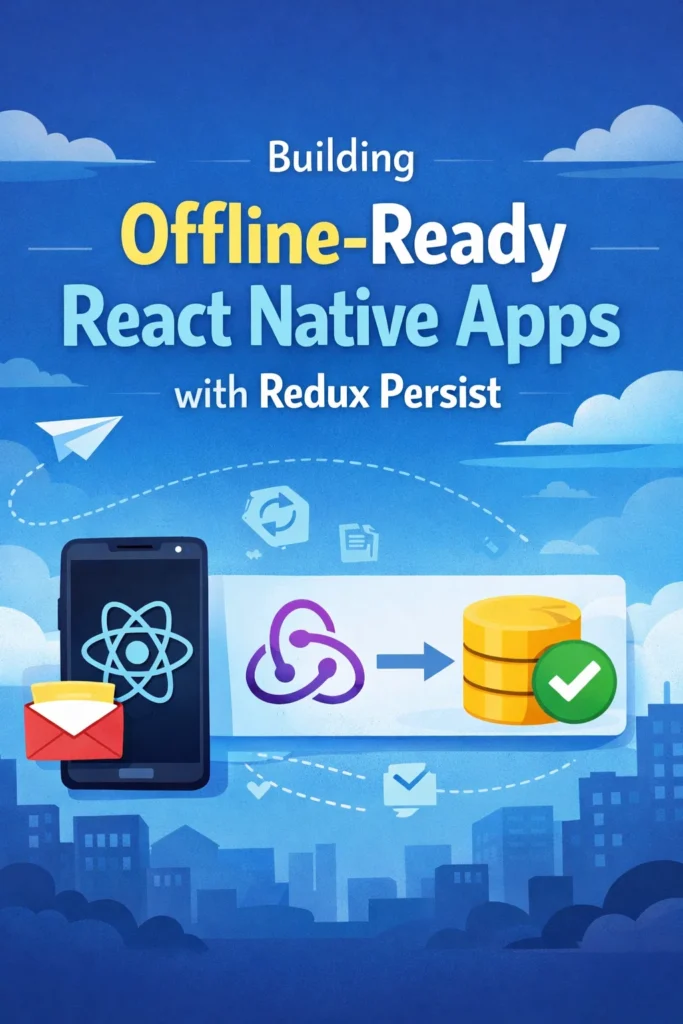
By combining Redux with Redux Persist, you can store application state locally and restore it seamlessly across app restarts and connectivity changes. In this comprehensive guide, you will learn how Redux Persist works under the hood, how to integrate it into a React Native app, and how to design reliable offline-ready state management that keeps users productive regardless of their network situation.
Why Offline-Ready Matters in React Native
Network conditions vary widely on mobile devices. Unlike web apps where stable connections are common, mobile apps must handle constant connectivity changes gracefully.
- Continued functionality: Users can read, write, and navigate without connectivity
- State survival: App state persists across restarts, crashes, and updates
- Faster startup: Restored cached data appears instantly instead of showing spinners
- Reduced network requests: Serve from cache when data has not changed
- Better perceived performance: The app feels responsive even on slow networks
- Graceful degradation: Features work with reduced functionality rather than failing completely
Offline-ready apps feel stable and professional. Users trust them more because they work consistently.
What Is Redux Persist
Redux Persist is a library that automatically saves your Redux store to persistent storage and restores it when the app launches. It handles the serialization, storage, and rehydration process transparently.
- Automatic persistence: State changes are saved without manual intervention
- Flexible storage engines: Works with AsyncStorage, Secure Storage, or custom backends
- Selective persistence: Choose which reducers to persist with whitelist/blacklist
- Migration support: Handle schema changes between app versions
- Integration with Redux Toolkit: Works seamlessly with modern Redux patterns
How Redux Persist Works
Understanding the persistence and rehydration flow helps avoid common issues.
// Persistence Flow:
// 1. Redux action dispatched
// 2. Reducer updates state
// 3. Redux Persist serializes changed state
// 4. State written to AsyncStorage (async, debounced)
// 5. App closes or crashes - state is safe

// Rehydration Flow:
// 1. App launches
// 2. Redux Persist reads from AsyncStorage
// 3. REHYDRATE action dispatched with stored state
// 4. Reducers merge persisted state with initial state
// 5. PersistGate renders children (app is ready)
The REHYDRATE action is important: your reducers should handle it to merge persisted data correctly.
Project Setup
Start by installing the required dependencies.
# Core dependencies
npm install @reduxjs/toolkit react-redux redux-persist
npm install @react-native-async-storage/async-storage

# For network detection
npm install @react-native-community/netinfo

# iOS only - install native modules
cd ios && pod install && cd ..
Configuring Redux Persist
Configure persistence in your Redux store setup.
// store/index.ts
import { configureStore, combineReducers } from '@reduxjs/toolkit';
import {
  persistStore,
  persistReducer,
  FLUSH,
  REHYDRATE,
  PAUSE,
  PERSIST,
  PURGE,
  REGISTER,
} from 'redux-persist';
import AsyncStorage from '@react-native-async-storage/async-storage';

import authReducer from './slices/authSlice';
import userReducer from './slices/userSlice';
import settingsReducer from './slices/settingsSlice';
import offlineQueueReducer from './slices/offlineQueueSlice';

const rootReducer = combineReducers({
  auth: authReducer,
  user: userReducer,
  settings: settingsReducer,
  offlineQueue: offlineQueueReducer,
});

const persistConfig = {
  key: 'root',
  version: 1,
  storage: AsyncStorage,
  whitelist: ['auth', 'user', 'settings', 'offlineQueue'], // Only persist these
  // blacklist: ['navigation'], // Or exclude specific reducers
};

const persistedReducer = persistReducer(persistConfig, rootReducer);

export const store = configureStore({
  reducer: persistedReducer,
  middleware: (getDefaultMiddleware) =>
    getDefaultMiddleware({
      serializableCheck: {
        // Ignore redux-persist actions in serializable check
        ignoredActions: [FLUSH, REHYDRATE, PAUSE, PERSIST, PURGE, REGISTER],
      },
    }),
});

export const persistor = persistStore(store);

export type RootState = ReturnType<typeof store.getState>;
export type AppDispatch = typeof store.dispatch;
Wiring PersistGate in React Native
PersistGate delays rendering until rehydration completes, preventing UI flicker and state inconsistencies during startup.
// App.tsx
import React from 'react';
import { Provider } from 'react-redux';
import { PersistGate } from 'redux-persist/integration/react';
import { ActivityIndicator, View, StyleSheet } from 'react-native';
import { store, persistor } from './store';
import AppNavigator from './navigation/AppNavigator';

const LoadingView = () => (
  <View style={styles.loading}>
    <ActivityIndicator size="large" color="#007AFF" />
  </View>
);

export default function App() {
  return (
    <Provider store={store}>
      <PersistGate loading={<LoadingView />} persistor={persistor}>
        <AppNavigator />
      </PersistGate>
    </Provider>
  );
}

const styles = StyleSheet.create({
  loading: {
    flex: 1,
    justifyContent: 'center',
    alignItems: 'center',
  },
});
Building an Offline Action Queue
For true offline-ready functionality, queue actions when offline and replay them when connectivity returns.
// store/slices/offlineQueueSlice.ts
import { createSlice, PayloadAction } from '@reduxjs/toolkit';

interface QueuedAction {
  id: string;
  type: string;
  payload: any;
  timestamp: number;
  retryCount: number;
}

interface OfflineQueueState {
  queue: QueuedAction[];
  isOnline: boolean;
  isSyncing: boolean;
}

const initialState: OfflineQueueState = {
  queue: [],
  isOnline: true,
  isSyncing: false,
};

const offlineQueueSlice = createSlice({
  name: 'offlineQueue',
  initialState,
  reducers: {
    setOnlineStatus: (state, action: PayloadAction<boolean>) => {
      state.isOnline = action.payload;
    },
    enqueueAction: (state, action: PayloadAction<Omit<QueuedAction, 'id' | 'timestamp' | 'retryCount'>>) => {
      state.queue.push({
        ...action.payload,
        id: `${Date.now()}-${Math.random()}`,
        timestamp: Date.now(),
        retryCount: 0,
      });
    },
    dequeueAction: (state, action: PayloadAction<string>) => {
      state.queue = state.queue.filter((item) => item.id !== action.payload);
    },
    incrementRetry: (state, action: PayloadAction<string>) => {
      const item = state.queue.find((i) => i.id === action.payload);
      if (item) {
        item.retryCount += 1;
      }
    },
    setSyncing: (state, action: PayloadAction<boolean>) => {
      state.isSyncing = action.payload;
    },
    clearQueue: (state) => {
      state.queue = [];
    },
  },
});

export const {
  setOnlineStatus,
  enqueueAction,
  dequeueAction,
  incrementRetry,
  setSyncing,
  clearQueue,
} = offlineQueueSlice.actions;

export default offlineQueueSlice.reducer;
Detecting Network Connectivity
React to connectivity changes and trigger sync when the network returns.
// hooks/useNetworkStatus.ts
import { useEffect } from 'react';
import NetInfo, { NetInfoState } from '@react-native-community/netinfo';
import { useDispatch, useSelector } from 'react-redux';
import { setOnlineStatus } from '../store/slices/offlineQueueSlice';
import { syncOfflineQueue } from '../services/syncService';
import { RootState } from '../store';

export function useNetworkStatus() {
  const dispatch = useDispatch();
  const { queue, isOnline } = useSelector((state: RootState) => state.offlineQueue);

  useEffect(() => {
    const unsubscribe = NetInfo.addEventListener((state: NetInfoState) => {
      const wasOffline = !isOnline;
      const nowOnline = state.isConnected && state.isInternetReachable;

      dispatch(setOnlineStatus(!!nowOnline));

      // Trigger sync when coming back online
      if (wasOffline && nowOnline && queue.length > 0) {
        syncOfflineQueue();
      }
    });

    return () => unsubscribe();
  }, [dispatch, isOnline, queue.length]);

  return isOnline;
}
Building the Sync Service
// services/syncService.ts
import { store } from '../store';
import { dequeueAction, incrementRetry, setSyncing } from '../store/slices/offlineQueueSlice';
import { api } from './api';

const MAX_RETRIES = 3;

export async function syncOfflineQueue() {
  const { offlineQueue } = store.getState();

  if (offlineQueue.isSyncing || offlineQueue.queue.length === 0) {
    return;
  }

  store.dispatch(setSyncing(true));

  for (const action of offlineQueue.queue) {
    try {
      // Execute the queued action
      await executeQueuedAction(action);
      store.dispatch(dequeueAction(action.id));
    } catch (error) {
      if (action.retryCount >= MAX_RETRIES) {
        // Move to dead letter queue or notify user
        store.dispatch(dequeueAction(action.id));
        console.error('Action failed after max retries:', action);
      } else {
        store.dispatch(incrementRetry(action.id));
      }
    }
  }

  store.dispatch(setSyncing(false));
}

async function executeQueuedAction(action: QueuedAction) {
  switch (action.type) {
    case 'CREATE_POST':
      return api.createPost(action.payload);
    case 'UPDATE_PROFILE':
      return api.updateProfile(action.payload);
    case 'SEND_MESSAGE':
      return api.sendMessage(action.payload);
    default:
      throw new Error(`Unknown action type: ${action.type}`);
  }
}
Building Offline-Aware Components
// components/CreatePostButton.tsx
import React from 'react';
import { TouchableOpacity, Text, StyleSheet } from 'react-native';
import { useDispatch, useSelector } from 'react-redux';
import { enqueueAction } from '../store/slices/offlineQueueSlice';
import { addOptimisticPost } from '../store/slices/postsSlice';
import { RootState } from '../store';
import { api } from '../services/api';

export function CreatePostButton({ content }: { content: string }) {
  const dispatch = useDispatch();
  const isOnline = useSelector((state: RootState) => state.offlineQueue.isOnline);

  const handlePress = async () => {
    const optimisticId = `temp-${Date.now()}`;
    const postData = { content, createdAt: new Date().toISOString() };

    // Add optimistic post to UI immediately
    dispatch(addOptimisticPost({ id: optimisticId, ...postData, pending: true }));

    if (isOnline) {
      try {
        const result = await api.createPost(postData);
        dispatch(replaceOptimisticPost({ tempId: optimisticId, post: result }));
      } catch (error) {
        // Queue for later if request fails
        dispatch(enqueueAction({ type: 'CREATE_POST', payload: { ...postData, tempId: optimisticId } }));
      }
    } else {
      // Queue immediately when offline
      dispatch(enqueueAction({ type: 'CREATE_POST', payload: { ...postData, tempId: optimisticId } }));
    }
  };

  return (
    <TouchableOpacity style={styles.button} onPress={handlePress}>
      <Text style={styles.text}>
        {isOnline ? 'Post' : 'Post (will sync later)'}
      </Text>
    </TouchableOpacity>
  );
}
Handling State Migrations
When your state shape changes between app versions, migrations ensure existing users do not lose data.
// store/migrations.ts
import { createMigrate } from 'redux-persist';

const migrations = {
  // Migration from version 0 to 1
  1: (state: any) => {
    return {
      ...state,
      user: {
        ...state.user,
        // Add new field with default value
        preferences: state.user?.preferences || { theme: 'light' },
      },
    };
  },
  // Migration from version 1 to 2
  2: (state: any) => {
    return {
      ...state,
      settings: {
        ...state.settings,
        // Rename field
        notifications: state.settings?.pushEnabled ?? true,
      },
    };
  },
};

export const migrate = createMigrate(migrations, { debug: __DEV__ });

// Update persist config
const persistConfig = {
  key: 'root',
  version: 2, // Increment when adding migrations
  storage: AsyncStorage,
  migrate,
  whitelist: ['auth', 'user', 'settings', 'offlineQueue'],
};
When to Use Redux Persist
Redux Persist fits specific use cases well. Understanding its strengths helps you choose the right approach.
Ideal For
- User preferences and settings: Theme, language, notification preferences
- Authentication state: Tokens, user profile data
- Cached API responses: Recent data that can be shown while fetching fresh data
- Offline action queues: Pending changes waiting for sync
- Form drafts: Unsaved user input
Consider Alternatives When
- Large datasets: Use SQLite or Realm for relational data or large collections
- Sensitive data: Use secure storage solutions for tokens and credentials
- Complex queries: Databases offer better query capabilities than flat storage
- File storage: Images and documents need different storage strategies
Common Pitfalls to Avoid
Persisting Too Much Data
Large persisted stores slow startup and consume memory. Only persist what you need for offline functionality.
Ignoring the REHYDRATE Action
If your reducers do not handle REHYDRATE properly, you may lose data or have merge conflicts.
Skipping Migrations
State shape changes without migrations cause crashes or data loss for existing users.
Not Handling Stale Data
Add timestamps to cached data and refresh when appropriate. Show staleness indicators to users.
Conclusion
Building offline-ready React Native apps with Redux Persist improves reliability, performance, and user trust. By persisting only essential state, implementing an offline action queue, handling connectivity changes gracefully, and designing clear sync strategies, you can deliver a smooth experience regardless of network conditions. The key is treating offline as a first-class state rather than an error condition.
For similar patterns in Flutter development, read Building Offline-First Flutter Apps: Local Storage and Sync. To implement push notifications that work alongside your offline strategy, see Push Notifications in React Native with Firebase Cloud Messaging. For state management patterns and alternatives, explore State Management in React Native: Context API vs Redux vs Zustand. Reference the official Redux Persist documentation and the AsyncStorage documentation for the latest APIs and best practices.
2 Comments