Introduction
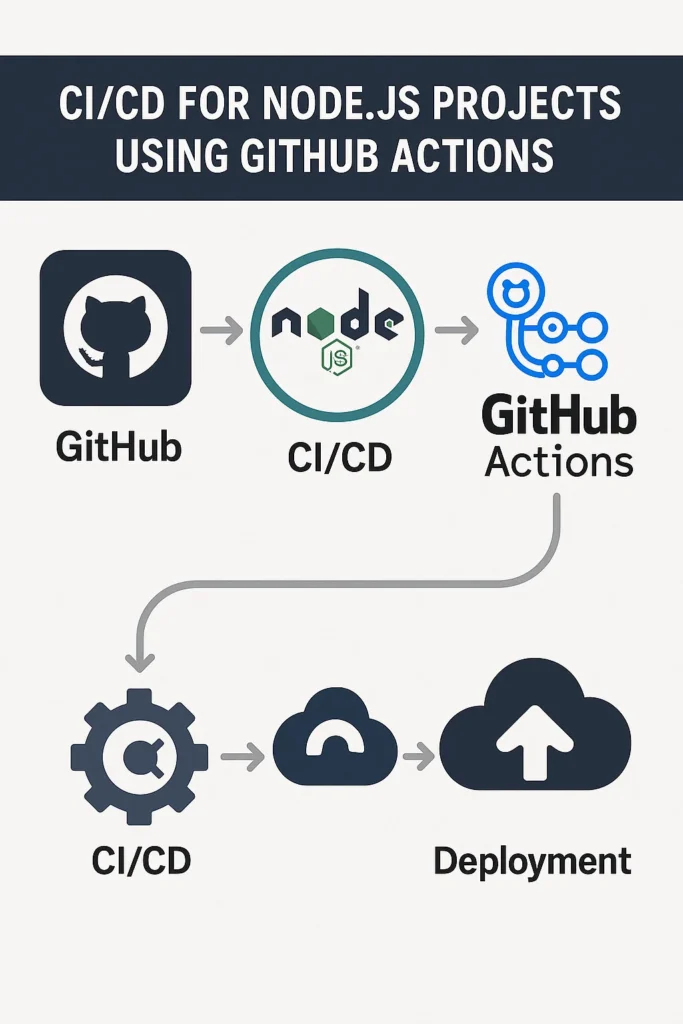
Modern Node.js projects move fast, and manual deployments quickly become a bottleneck. Continuous Integration and Continuous Deployment (CI/CD) solve this problem by automating testing, builds, and releases. GitHub Actions provides a powerful and flexible CI/CD platform that integrates directly with your repository. In this guide, you will learn how to design CI/CD for Node.js projects using GitHub Actions, understand common workflow patterns, and avoid typical pitfalls. These practices help you ship code faster while keeping quality and stability high.
Why CI/CD Matters for Node.js Projects
As teams grow and codebases expand, manual processes become risky and slow. CI/CD ensures that every change is tested and deployed in a consistent way. For Node.js projects, this is especially important due to frequent dependency updates, fast release cycles, and the ecosystem’s rapid evolution.
Automated pipelines catch bugs early with consistent test execution across every pull request. They ensure builds work identically across development machines, CI servers, and production environments. Additionally, CI/CD reduces human error during deployments by removing manual steps that developers might forget or execute incorrectly. The faster feedback loops mean developers learn about issues within minutes rather than hours or days.
Because GitHub Actions runs close to your code and integrates seamlessly with pull requests, it has become the default choice for many Node.js teams.
How GitHub Actions Works
GitHub Actions uses workflows defined in YAML files stored in your repository. Each workflow reacts to events such as pushes, pull requests, releases, or scheduled triggers.
Core Components
A workflow represents a complete automation pipeline containing one or more jobs. A job groups steps that run on the same runner machine. A step executes a single task such as installing dependencies, running tests, or deploying artifacts. An action is a reusable unit of logic that you can share across workflows. The runner is the virtual machine that executes your job.
Understanding these components helps you design clean and maintainable pipelines that scale with your project.
Basic CI Workflow for Node.js
A fundamental CI workflow installs dependencies, runs linting, and executes tests. Create a file at .github/workflows/ci.yml in your repository.
name: Node.js CI

on:
  push:
    branches: ["main"]
  pull_request:
    branches: ["main"]

jobs:
  build:
    runs-on: ubuntu-latest

    steps:
      - name: Checkout repository
        uses: actions/checkout@v4

      - name: Set up Node.js
        uses: actions/setup-node@v4
        with:
          node-version: "20"
          cache: "npm"

      - name: Install dependencies
        run: npm ci

      - name: Run linter
        run: npm run lint

      - name: Run tests
        run: npm test

      - name: Build project
        run: npm run build
This workflow triggers on every push and pull request to the main branch. The npm ci command provides faster and more reliable dependency installation than npm install by using the exact versions specified in package-lock.json. The built-in cache feature speeds up subsequent runs by reusing downloaded packages.
Testing Multiple Node.js Versions
Many projects need to support multiple Node.js versions, especially libraries published to npm. The matrix strategy runs your workflow across multiple configurations in parallel.
jobs:
  test:
    runs-on: ubuntu-latest
    strategy:
      matrix:
        node-version: [18, 20, 22]
      fail-fast: false

    steps:
      - uses: actions/checkout@v4

      - name: Use Node.js ${{ matrix.node-version }}
        uses: actions/setup-node@v4
        with:
          node-version: ${{ matrix.node-version }}
          cache: "npm"

      - run: npm ci
      - run: npm test
The fail-fast: false setting ensures all matrix combinations complete even if one fails. This helps identify which specific Node.js versions have compatibility issues.
Adding Code Coverage Reports
Tracking test coverage helps identify untested code paths. You can generate coverage reports and upload them to services like Codecov.
      - name: Run tests with coverage
        run: npm test -- --coverage

      - name: Upload coverage to Codecov
        uses: codecov/codecov-action@v4
        with:
          token: ${{ secrets.CODECOV_TOKEN }}
          files: ./coverage/lcov.info
          fail_ci_if_error: true
Coverage reports provide visibility into which parts of your codebase lack test coverage. Setting fail_ci_if_error: true ensures the workflow fails if coverage upload encounters problems.
Automated Deployments with CD
Once CI validates your code, the next step is automating deployments. A common pattern separates CI and CD into different jobs or workflows.
name: Deploy

on:
  push:
    branches: ["main"]

jobs:
  test:
    runs-on: ubuntu-latest
    steps:
      - uses: actions/checkout@v4
      - uses: actions/setup-node@v4
        with:
          node-version: "20"
          cache: "npm"
      - run: npm ci
      - run: npm test

  deploy:
    needs: test
    runs-on: ubuntu-latest
    if: github.ref == 'refs/heads/main'
    environment: production

    steps:
      - uses: actions/checkout@v4

      - uses: actions/setup-node@v4
        with:
          node-version: "20"
          cache: "npm"

      - run: npm ci
      - run: npm run build

      - name: Deploy to production
        env:
          DEPLOY_TOKEN: ${{ secrets.DEPLOY_TOKEN }}
          SERVER_HOST: ${{ secrets.SERVER_HOST }}
        run: |
          # Your deployment script here
          echo "Deploying to production..."
The needs: test directive ensures deployment only runs after tests pass. The environment: production setting enables environment-specific secrets and protection rules.
Docker-Based Deployments
Many Node.js applications deploy as Docker containers. GitHub Actions can build and push images to container registries.
  deploy:
    needs: test
    runs-on: ubuntu-latest

    steps:
      - uses: actions/checkout@v4

      - name: Log in to Container Registry
        uses: docker/login-action@v3
        with:
          registry: ghcr.io
          username: ${{ github.actor }}
          password: ${{ secrets.GITHUB_TOKEN }}

      - name: Build and push Docker image
        uses: docker/build-push-action@v5
        with:
          context: .
          push: true
          tags: |
            ghcr.io/${{ github.repository }}:latest
            ghcr.io/${{ github.repository }}:${{ github.sha }}
Tagging images with both latest and the commit SHA provides flexibility for rollbacks while maintaining a clear deployment trail.
Real-World Production Scenario
Consider a startup with a team of 5-8 developers working on a Node.js API backend serving a mobile application. Before implementing CI/CD, the team deployed manually by SSHing into servers and running deployment scripts. Releases happened weekly because deployments were time-consuming and risky.
After implementing GitHub Actions, the team established a workflow where every pull request triggers automated tests. Merging to main automatically deploys to a staging environment. Production deployments require manual approval through GitHub’s environment protection rules.
The results typically include faster iteration cycles since developers get immediate feedback on their changes. Deployment frequency often increases from weekly to multiple times per day. Rollbacks become straightforward because each deployment corresponds to a specific commit. Teams commonly report reduced anxiety around deployments because the automated pipeline catches issues before they reach production.
Optimizing Pipeline Performance
Slow pipelines reduce productivity and delay feedback. Several techniques can significantly improve workflow speed.
Dependency Caching
The actions/setup-node action includes built-in caching, but you can also configure custom caching for other directories.
      - name: Cache node modules
        uses: actions/cache@v4
        with:
          path: ~/.npm
          key: ${{ runner.os }}-node-${{ hashFiles('**/package-lock.json') }}
          restore-keys: |
            ${{ runner.os }}-node-
Parallel Jobs
Split independent tasks into separate jobs that run in parallel.
jobs:
  lint:
    runs-on: ubuntu-latest
    steps:
      - uses: actions/checkout@v4
      - uses: actions/setup-node@v4
      - run: npm ci
      - run: npm run lint

  test:
    runs-on: ubuntu-latest
    steps:
      - uses: actions/checkout@v4
      - uses: actions/setup-node@v4
      - run: npm ci
      - run: npm test

  build:
    needs: [lint, test]
    runs-on: ubuntu-latest
    steps:
      - uses: actions/checkout@v4
      - uses: actions/setup-node@v4
      - run: npm ci
      - run: npm run build
Linting and testing run simultaneously, and the build job waits for both to complete successfully.
When to Use GitHub Actions for Node.js CI/CD
GitHub Actions works especially well when your code already lives on GitHub and you want tight integration with pull requests. The YAML-based configuration is straightforward for teams familiar with similar tools. The large ecosystem of prebuilt actions accelerates pipeline development.
Choose GitHub Actions when you need flexible and customizable workflows without managing CI infrastructure. The generous free tier covers most small to medium projects.
When NOT to Use GitHub Actions
Consider alternatives if your organization has strict requirements for self-hosted CI infrastructure due to security or compliance reasons. GitLab CI or Jenkins might be better choices in those scenarios.
Additionally, if your pipelines require extensive customization beyond what YAML configuration allows, tools like Dagger or custom scripts might provide more flexibility.
Common Mistakes
The most frequent mistake is not caching dependencies, which makes every workflow run slow. Always enable caching for npm or yarn packages.
Another common issue involves exposing secrets in logs. Never echo secret values or use them in ways that might print to console output. GitHub masks known secrets, but custom processing might accidentally expose them.
Teams sometimes create overly complex workflows that become difficult to maintain. Keep workflows focused and split large pipelines into reusable components using composite actions or reusable workflows.
Finally, ignoring flaky tests undermines trust in CI. Tests that intermittently fail should be fixed immediately or quarantined until resolved.
Conclusion
GitHub Actions offers a powerful and developer-friendly way to build CI/CD pipelines for Node.js projects. By automating testing, linting, building, and deployment, teams ship code faster while maintaining high quality. Start with a basic workflow covering tests and linting, then gradually add deployment automation as your confidence grows.
If you want to strengthen your backend workflows, read “Serverless Node.js on AWS Lambda: Patterns and Pitfalls.” For secure backend setups, see “Authentication in Express with Passport and JWT.” You can also explore the GitHub Actions documentation and the Node.js documentation. With the right CI/CD setup, your Node.js projects become more reliable, scalable, and easier to maintain.

10 Comments