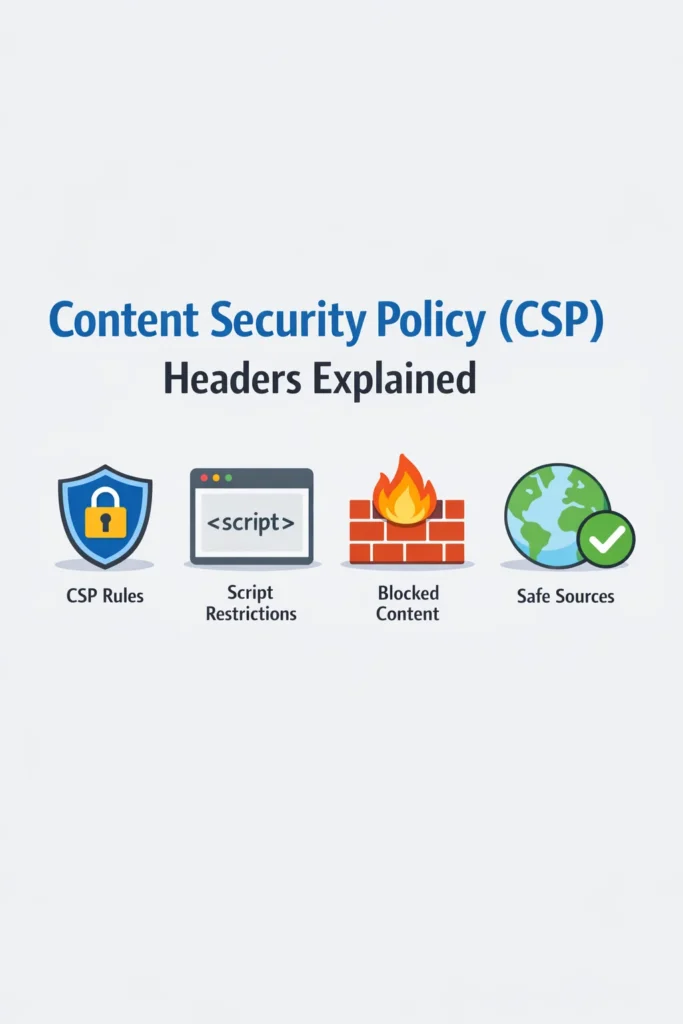
Content Security Policy (CSP) is one of the most powerful browser security mechanisms available to web developers. It tells the browser exactly which sources of content your application trusts — scripts, styles, images, fonts, and connections. When configured correctly, CSP blocks entire categories of attacks, including cross-site scripting (XSS), clickjacking, and data injection. However, a misconfigured CSP can break your application, provide false security, or both.
This tutorial walks through how Content Security Policy works, how to configure it step by step, and how to avoid the pitfalls that trip up most teams during implementation. Whether you run a React SPA, a server-rendered application, or a traditional multi-page site, CSP belongs in your security stack.
How Content Security Policy Works
CSP operates through an HTTP response header that your server sends with every page. The header contains a set of directives, each specifying which sources the browser should trust for a particular type of content. When the browser loads the page, it enforces these directives by blocking any resource that violates the policy.
Content-Security-Policy: default-src 'self'; script-src 'self' https://cdn.example.com; style-src 'self' 'unsafe-inline'; img-src 'self' data: https:;
This header tells the browser four things: load resources from the same origin by default, allow scripts only from the same origin and cdn.example.com, allow styles from the same origin plus inline styles, and allow images from the same origin, data URIs, and any HTTPS source.
If an attacker injects a <script> tag pointing to https://evil.com/malware.js, the browser blocks it because evil.com is not in the script-src allowlist. This protection works even if your application has an XSS vulnerability — the browser refuses to execute the injected script regardless.
Essential CSP Directives
Each directive controls a specific content type. Understanding the most important ones helps you build an effective policy without over-restricting your application.
default-src
The fallback directive for any content type that does not have its own directive. Start with default-src 'self' to restrict everything to same-origin by default, then selectively open up specific content types.
script-src
Controls which scripts the browser executes. This is the most critical directive for preventing XSS. Common values include:
| Value | Meaning |
|---|---|
'self' | Scripts from your own domain |
'nonce-abc123' | Scripts with a matching nonce attribute |
'strict-dynamic' | Trust scripts loaded by already-trusted scripts |
https://cdn.example.com | Scripts from a specific CDN |
'unsafe-inline' | Allow inline scripts (weakens CSP significantly) |
'unsafe-eval' | Allow eval() and similar functions |
style-src
Controls stylesheets and inline styles. Many CSS-in-JS libraries require 'unsafe-inline' for styles, which is less risky than allowing inline scripts but still reduces protection.
img-src
Controls image sources. Typically set to 'self' data: https: to allow same-origin images, base64-encoded images, and images from any HTTPS source.
connect-src
Controls which URLs your JavaScript can connect to via fetch(), XMLHttpRequest, WebSockets, and EventSource. This directive prevents exfiltration — even if an attacker executes JavaScript on your page, they cannot send stolen data to their server if connect-src blocks the destination.
frame-ancestors
Controls which sites can embed your page in an iframe. Setting frame-ancestors 'none' prevents clickjacking attacks entirely. This directive replaces the older X-Frame-Options header.
font-src, media-src, object-src
Control fonts, media files, and plugin content respectively. Set object-src 'none' to block Flash and other plugins, which eliminates an entire class of attacks.
Step-by-Step CSP Implementation
Rolling out CSP in one step often breaks existing functionality. A phased approach avoids disruptions while building toward a strict policy.
Step 1: Start with Report-Only Mode
Deploy your initial policy in report-only mode. The browser logs violations without blocking anything, so you can identify what your policy needs to allow before enforcing it.
import express from 'express';

const app = express();

app.use((req, res, next) => {
  res.setHeader(
    'Content-Security-Policy-Report-Only',
    "default-src 'self'; script-src 'self'; style-src 'self'; img-src 'self' data: https:; connect-src 'self'; report-uri /api/csp-report"
  );
  next();
});

// Collect violation reports
app.post('/api/csp-report', express.json({ type: 'application/csp-report' }), (req, res) => {
  console.log('CSP Violation:', JSON.stringify(req.body, null, 2));
  res.status(204).end();
});
Run this for a week in production and review the violation reports. They reveal which scripts, styles, and connections your application actually uses — including third-party analytics, ad scripts, and CDN resources you might have forgotten about.
Step 2: Build Your Policy from Violations
Analyze the collected reports and add legitimate sources to your policy. For each violation, decide whether the blocked resource is necessary and add it to the appropriate directive.
// Policy built from report analysis
const cspPolicy = [
  "default-src 'self'",
  "script-src 'self' https://cdn.jsdelivr.net https://www.googletagmanager.com",
  "style-src 'self' 'unsafe-inline' https://fonts.googleapis.com",
  "font-src 'self' https://fonts.gstatic.com",
  "img-src 'self' data: https:",
  "connect-src 'self' https://api.example.com https://www.google-analytics.com",
  "frame-ancestors 'none'",
  "object-src 'none'",
  "base-uri 'self'",
].join('; ');
Step 3: Switch to Enforcement Mode
Once your report-only policy produces zero (or near-zero) violations, switch to enforcement by changing the header name.
app.use((req, res, next) => {
  res.setHeader('Content-Security-Policy', cspPolicy);
  next();
});
Keep the reporting endpoint active even after enforcement. New violations can appear when developers add third-party scripts or when existing third-party services change their domains.
Step 4: Add Nonce-Based Script Allowlisting
For the strongest protection, replace domain-based script allowlisting with nonce-based CSP. Generate a unique nonce for each request and include it in both the CSP header and your script tags.
import crypto from 'crypto';

app.use((req, res, next) => {
  const nonce = crypto.randomBytes(16).toString('base64');
  res.locals.cspNonce = nonce;

  res.setHeader(
    'Content-Security-Policy',
    `default-src 'self'; script-src 'nonce-${nonce}' 'strict-dynamic'; style-src 'self' 'unsafe-inline'; img-src 'self' data: https:; connect-src 'self' https://api.example.com; frame-ancestors 'none'; object-src 'none'; base-uri 'self'`
  );
  next();
});
In your HTML templates, add the nonce to every legitimate script tag:
<script nonce="<%= cspNonce %>">
  // This script executes because the nonce matches
  initializeApp();
</script>

<!-- This injected script gets blocked — no matching nonce -->
<script>stealCookies();</script>
The 'strict-dynamic' directive tells the browser to trust any script loaded by a nonced script. As a result, your bundled application code can dynamically load additional modules without listing every possible script URL in the policy.
CSP for React and Next.js Applications
Single-page applications and server-rendered frameworks require specific CSP considerations.
React with Create React App or Vite
Client-side React apps typically load a single JavaScript bundle. Your CSP should allow that bundle and restrict everything else.
// Express server serving a React SPA
app.use((req, res, next) => {
  const nonce = crypto.randomBytes(16).toString('base64');
  res.locals.cspNonce = nonce;

  res.setHeader(
    'Content-Security-Policy',
    `default-src 'self'; script-src 'nonce-${nonce}'; style-src 'self' 'unsafe-inline'; img-src 'self' data: https:; connect-src 'self' ${process.env.API_URL}; frame-ancestors 'none'; object-src 'none'`
  );
  next();
});
For teams optimizing React performance with memoization patterns, CSP adds no runtime overhead — the browser handles enforcement before React even initializes.
Next.js CSP Configuration
Next.js supports CSP through middleware or custom headers in next.config.js. For nonce-based CSP with Server Components, use middleware to generate a fresh nonce per request.
// middleware.js
import { NextResponse } from 'next/server';

export function middleware(request) {
  const nonce = Buffer.from(crypto.randomUUID()).toString('base64');
  const cspHeader = `
    default-src 'self';
    script-src 'self' 'nonce-${nonce}' 'strict-dynamic';
    style-src 'self' 'unsafe-inline';
    img-src 'self' data: https:;
    connect-src 'self' ${process.env.NEXT_PUBLIC_API_URL};
    frame-ancestors 'none';
    object-src 'none';
  `.replace(/\n/g, '');

  const response = NextResponse.next();
  response.headers.set('Content-Security-Policy', cspHeader);
  response.headers.set('x-nonce', nonce);
  return response;
}
For applications using Next.js Server Actions, ensure that the connect-src directive allows the same-origin connection that Server Actions use under the hood.
CSP with Helmet in Express
The helmet npm package simplifies CSP configuration in Express applications. It provides sensible defaults and a clean API for customization.
import helmet from 'helmet';

app.use((req, res, next) => {
  res.locals.cspNonce = crypto.randomBytes(16).toString('base64');
  next();
});

app.use(helmet({
  contentSecurityPolicy: {
    directives: {
      defaultSrc: ["'self'"],
      scriptSrc: ["'self'", (req, res) => `'nonce-${res.locals.cspNonce}'`],
      styleSrc: ["'self'", "'unsafe-inline'"],
      imgSrc: ["'self'", 'data:', 'https:'],
      connectSrc: ["'self'", 'https://api.example.com'],
      fontSrc: ["'self'", 'https://fonts.gstatic.com'],
      frameAncestors: ["'none'"],
      objectSrc: ["'none'"],
      baseUri: ["'self'"],
    },
  },
}));
Helmet also sets other security headers like X-Content-Type-Options, Strict-Transport-Security, and Referrer-Policy. Using it covers multiple security concerns in a single middleware. For teams building scalable Express applications, placing Helmet at the top of your middleware stack ensures every response includes security headers.
Real-World Scenario: Rolling Out CSP on an E-Commerce Platform
A team runs an e-commerce platform that loads scripts from six third-party services: Google Analytics, a payment processor, a chat widget, a product recommendation engine, an A/B testing tool, and a CDN for static assets. The team decides to implement CSP after a competitor suffers a Magecart-style attack where attackers inject card-skimming scripts through a compromised third-party.
First, the team deploys a Content-Security-Policy-Report-Only header with default-src 'self' and a reporting endpoint. Within 48 hours, they collect over 2,000 violation reports showing which domains their application loads resources from — including several they did not know about (sub-domains used by their analytics provider for beacon requests).
Next, they build an allowlist from the reports, adding each legitimate domain to the appropriate directive. The payment processor requires frame-src for its hosted payment form. The chat widget needs both script-src and connect-src entries for WebSocket connections.
After two weeks in report-only mode with near-zero violations, they switch to enforcement. Within the first day, the A/B testing tool breaks because it uses eval() internally, which script-src blocks by default. Rather than adding 'unsafe-eval' (which weakens the policy significantly), they contact the vendor and learn that a newer SDK version avoids eval(). After updating, the policy enforces cleanly.
The result: even if an attacker compromises one of their third-party scripts, the browser blocks any attempt to load additional scripts from unauthorized domains or exfiltrate data to attacker-controlled servers.
When to Use Content Security Policy
- Every production web application should have a CSP, even a basic one
- Applications that handle sensitive data (authentication, payments, personal information) benefit most from strict CSP
- Sites that load third-party scripts need CSP to limit the damage from compromised dependencies
- Server-rendered applications can use nonce-based CSP for the strongest protection
- Applications with a history of XSS vulnerabilities should prioritize CSP as defense-in-depth
When NOT to Rely Solely on CSP
- CSP does not replace input validation and output encoding — it complements them
- CSP cannot protect against server-side vulnerabilities (SQL injection, SSRF, auth bypass)
- Report-only mode provides visibility but zero protection — always plan to move to enforcement
- CSP with
'unsafe-inline'and'unsafe-eval'inscript-srcprovides minimal XSS protection, since those directives allow the exact patterns attackers exploit
Common Mistakes with Content Security Policy
- Adding
'unsafe-inline'toscript-srcto fix broken functionality, which defeats CSP’s primary XSS protection - Adding
'unsafe-eval'instead of updating third-party libraries that useeval()unnecessarily - Setting the policy too broadly (e.g.,
script-src *) to avoid dealing with violations - Forgetting to include
frame-ancestors 'none'or'self', leaving the application vulnerable to clickjacking - Deploying in report-only mode and never switching to enforcement
- Not monitoring CSP reports after enforcement, missing new violations from code changes or third-party updates
- Duplicating CSP headers across multiple layers (application, reverse proxy, CDN), which causes the browser to reject responses
- Using
metatags for CSP instead of HTTP headers, which does not supportframe-ancestorsandreport-uri
Building a Production-Ready CSP
Content Security Policy delivers the most value when you treat it as a living configuration rather than a one-time setup. Start in report-only mode to discover what your application needs. Build a strict policy based on actual usage data. Switch to enforcement once violations stabilize. Then monitor reports continuously so that new third-party integrations or code changes do not silently weaken your policy.
The strongest CSP uses nonce-based script allowlisting with 'strict-dynamic', avoids both 'unsafe-inline' and 'unsafe-eval', and blocks object embeds and frame nesting. Reaching that level takes incremental effort, but each step reduces your application’s attack surface. Combined with proper authentication and rate limiting, CSP forms a critical layer in a defense-in-depth security strategy.