Introduction
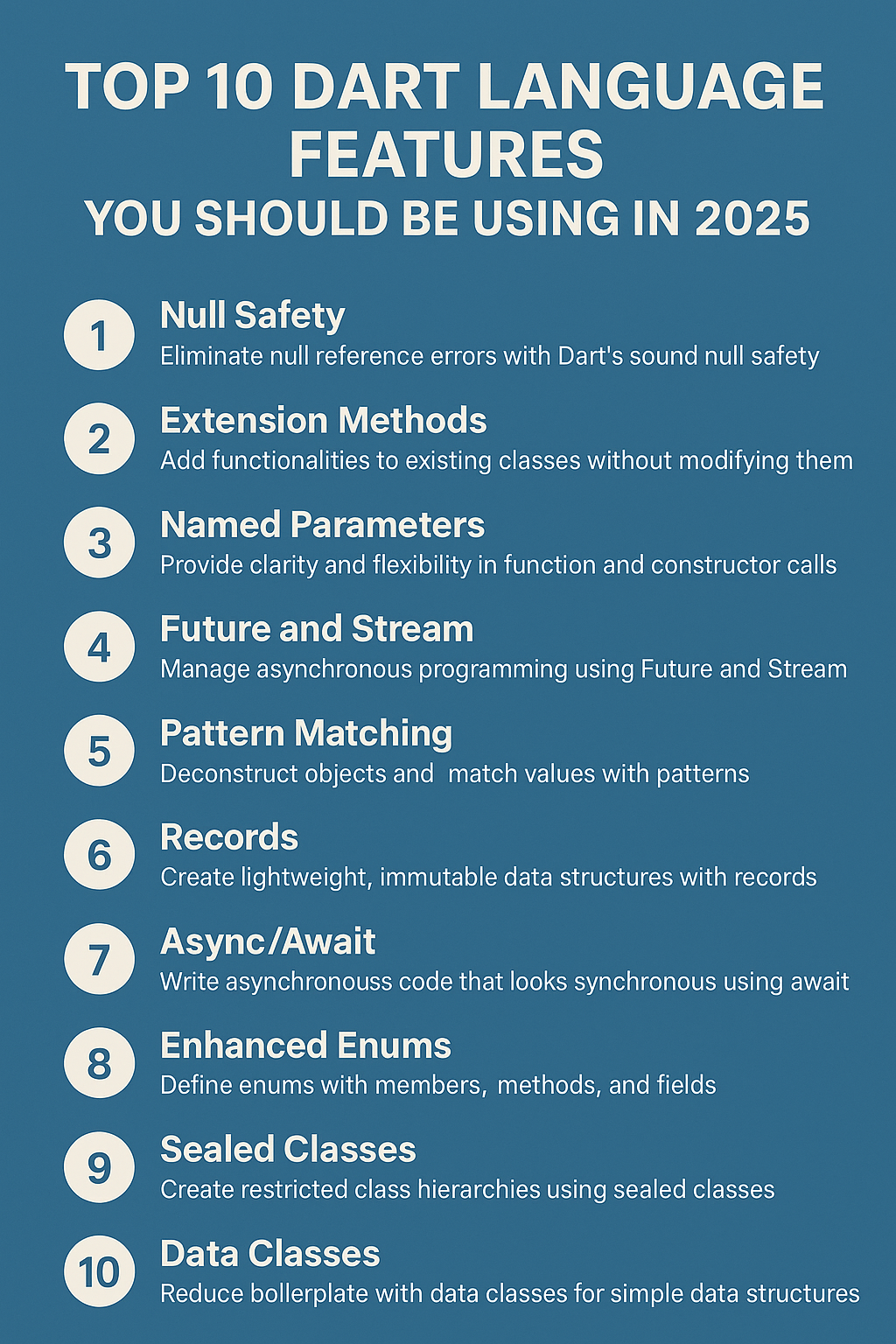
Dart has grown into a mature, powerful language—especially for Flutter developers building cross-platform applications. With each new version, Dart continues to offer modern features that enhance developer productivity, safety, and performance. The language has evolved significantly since its early days at Google, and 2025 brings a refined set of tools that make writing clean, efficient code easier than ever. Whether you’re building mobile apps with Flutter, server-side applications with Dart, or command-line tools, understanding these language features will elevate your development workflow. In this comprehensive guide, we’ll explore the top 10 Dart features you should absolutely be using in 2025, complete with practical examples and real-world applications.
1. Records
Dart’s Record type lets you group values without needing to define a class, reducing boilerplate while maintaining type safety. Records are immutable by default and support both positional and named fields, making them incredibly versatile for returning multiple values from functions.
// Positional record
(String, int) userInfo = ('Alice', 30);
print(userInfo.$1); // Alice
print(userInfo.$2); // 30

// Named record fields
({String name, int age}) user = (name: 'Bob', age: 25);
print(user.name); // Bob
print(user.age);  // 25

// Function returning a record
(double latitude, double longitude) getCoordinates() {
  return (37.7749, -122.4194);
}

// Destructuring records
final (lat, lng) = getCoordinates();
print('Latitude: $lat, Longitude: $lng');
Records shine when you need to return multiple values from a function without creating a dedicated class. They’re especially useful for intermediate calculations, API response parsing, and any scenario where creating a full class feels like overkill. Unlike tuples in other languages, Dart records support both positional access and named fields, giving you flexibility in how you structure your data.
2. Pattern Matching
Pattern matching transforms how you write conditional logic in Dart. It makes your code more expressive, concise, and eliminates the need for verbose if-else chains when handling complex data structures.
// Basic pattern matching with switch
String describeUser((String role, bool isActive) user) {
  return switch (user) {
    ('admin', true) => 'Active administrator',
    ('admin', false) => 'Inactive administrator',
    (_, true) => 'Active user',
    (_, false) => 'Inactive user',
  };
}

// Object pattern matching
class Point {
  final int x, y;
  Point(this.x, this.y);
}

String describePoint(Point p) {
  return switch (p) {
    Point(x: 0, y: 0) => 'Origin',
    Point(x: 0, y: var y) => 'On Y-axis at $y',
    Point(x: var x, y: 0) => 'On X-axis at $x',
    Point(x: var x, y: var y) when x == y => 'On diagonal',
    Point(x: var x, y: var y) => 'Point at ($x, $y)',
  };
}

// List pattern matching
void processItems(List items) {
  switch (items) {
    case []:
      print('Empty list');
    case [var single]:
      print('Single item: $single');
    case [var first, var second]:
      print('Two items: $first and $second');
    case [var first, ...var rest]:
      print('First: $first, remaining: ${rest.length} items');
  }
}
Pattern matching excels at destructuring complex objects, handling API responses with varying shapes, and implementing state machines in Flutter applications. The guard clause (when) adds conditional logic directly into patterns, making your switch expressions both powerful and readable.
3. Sealed Classes
Use sealed classes to enforce exhaustive checks in your switch statements. When you switch over a sealed class, the compiler ensures you handle every possible subtype, eliminating runtime errors from forgotten cases.
sealed class AuthState {}

class Authenticated extends AuthState {
  final String userId;
  final String token;
  Authenticated(this.userId, this.token);
}

class Unauthenticated extends AuthState {}

class AuthLoading extends AuthState {}

class AuthError extends AuthState {
  final String message;
  AuthError(this.message);
}

// Exhaustive switch - compiler ensures all cases handled
Widget buildAuthUI(AuthState state) {
  return switch (state) {
    Authenticated(userId: var id) => UserDashboard(userId: id),
    Unauthenticated() => LoginScreen(),
    AuthLoading() => LoadingSpinner(),
    AuthError(message: var msg) => ErrorWidget(message: msg),
  };
}
Sealed classes are essential for state management in Flutter applications. They work beautifully with BLoC, Riverpod, and other state management solutions, ensuring your UI handles every possible state. If you add a new subclass later, the compiler immediately flags every switch statement that needs updating.
4. Enhanced Enums
Enums in Dart now support methods, fields, constructors, and interfaces, transforming them from simple constants into powerful domain objects.
enum HttpStatus implements Comparable {
  ok(200, 'OK'),
  created(201, 'Created'),
  badRequest(400, 'Bad Request'),
  unauthorized(401, 'Unauthorized'),
  notFound(404, 'Not Found'),
  serverError(500, 'Internal Server Error');

  final int code;
  final String message;

  const HttpStatus(this.code, this.message);

  bool get isSuccess => code >= 200 && code < 300;
  bool get isClientError => code >= 400 && code < 500;
  bool get isServerError => code >= 500;

  @override
  int compareTo(HttpStatus other) => code.compareTo(other.code);

  static HttpStatus? fromCode(int code) {
    return HttpStatus.values.where((s) => s.code == code).firstOrNull;
  }
}

// Usage
void handleResponse(HttpStatus status) {
  if (status.isSuccess) {
    print('Success: ${status.message}');
  } else if (status.isClientError) {
    print('Client error ${status.code}: ${status.message}');
  }
}
Enhanced enums eliminate the need for separate utility classes or extension methods for enum-related logic. They’re perfect for representing HTTP status codes, user roles, application states, and any other fixed set of values that benefit from associated data and behavior.
5. Named Arguments with Default Values
Named arguments with default values create self-documenting APIs that are easy to use and maintain. This underrated feature significantly improves code readability, especially in Flutter widget constructors.
// Clean API with named parameters
class ApiClient {
  final String baseUrl;
  final Duration timeout;
  final int maxRetries;
  final bool enableLogging;

  ApiClient({
    required this.baseUrl,
    this.timeout = const Duration(seconds: 30),
    this.maxRetries = 3,
    this.enableLogging = false,
  });

  Future get(
    String path, {
    Map? headers,
    Map? queryParams,
    bool? useCache,
  }) async {
    // Implementation
  }
}

// Usage is clear and self-documenting
final client = ApiClient(
  baseUrl: 'https://api.example.com',
  timeout: Duration(seconds: 60),
  enableLogging: true,
);

await client.get('/users', queryParams: {'limit': 10});
Named arguments shine in Flutter widgets where constructors often have many optional parameters. They make widget trees readable and allow callers to specify only the parameters they care about while relying on sensible defaults for the rest.
6. Late Variables
Use late for lazy initialization when null safety gets in the way of legitimate patterns. Late variables defer initialization until first access, which is perfect for expensive computations or values that depend on runtime context.
class DatabaseService {
  // Lazy initialization - computed only when accessed
  late final Database _db = _initDatabase();

  Database _initDatabase() {
    print('Initializing database...');
    return Database.connect('connection_string');
  }

  Future> getUsers() async {
    return _db.query('SELECT * FROM users');
  }
}

// Late with guaranteed initialization in constructor body
class UserWidget extends StatefulWidget {
  @override
  _UserWidgetState createState() => _UserWidgetState();
}

class _UserWidgetState extends State {
  late final AnimationController _controller;

  @override
  void initState() {
    super.initState();
    _controller = AnimationController(
      vsync: this,
      duration: Duration(milliseconds: 300),
    );
  }

  @override
  void dispose() {
    _controller.dispose();
    super.dispose();
  }
}
Late variables are invaluable for dependency injection scenarios, Flutter’s initState patterns, and any situation where you know a value will be initialized before use but can’t prove it to the compiler at declaration time. Use late final for values that should only be set once.
7. Extension Methods
Extensions let you add functionality to existing types without inheritance or modification. They keep utility logic organized and make it discoverable through IDE autocomplete.
extension StringExtensions on String {
  String capitalize() => isEmpty ? this : '${this[0].toUpperCase()}${substring(1)}';

  String truncate(int maxLength, {String suffix = '...'}) {
    if (length <= maxLength) return this;
    return '${substring(0, maxLength - suffix.length)}$suffix';
  }

  bool get isValidEmail {
    return RegExp(r'^[\w-\.]+@([\w-]+\.)+[\w-]{2,4}$').hasMatch(this);
  }
}

extension ListExtensions on List {
  List distinctBy(K Function(T) keySelector) {
    final seen = {};
    return where((item) => seen.add(keySelector(item))).toList();
  }

  T? firstWhereOrNull(bool Function(T) test) {
    for (final element in this) {
      if (test(element)) return element;
    }
    return null;
  }
}

extension DateTimeExtensions on DateTime {
  String toRelativeString() {
    final now = DateTime.now();
    final diff = now.difference(this);

    if (diff.inDays > 365) return '${diff.inDays ~/ 365} years ago';
    if (diff.inDays > 30) return '${diff.inDays ~/ 30} months ago';
    if (diff.inDays > 0) return '${diff.inDays} days ago';
    if (diff.inHours > 0) return '${diff.inHours} hours ago';
    if (diff.inMinutes > 0) return '${diff.inMinutes} minutes ago';
    return 'Just now';
  }
}

// Usage
print('hello'.capitalize()); // Hello
print('user@email.com'.isValidEmail); // true
print(DateTime.now().subtract(Duration(hours: 5)).toRelativeString()); // 5 hours ago
Extensions are perfect for adding domain-specific methods to core types, creating fluent APIs, and organizing utility functions that would otherwise scatter across helper classes. They improve discoverability because methods appear in autocomplete suggestions.
8. Async-Await and Future.wait
Dart’s async model is intuitive and powerful. Understanding how to combine concurrent operations efficiently can dramatically improve your application’s performance.
// Sequential execution (slow)
Future loadProfileSequential(String userId) async {
  final user = await fetchUser(userId);        // Wait
  final posts = await fetchPosts(userId);      // Then wait
  final followers = await fetchFollowers(userId); // Then wait
  return UserProfile(user, posts, followers);
}

// Parallel execution (fast)
Future loadProfileParallel(String userId) async {
  final results = await Future.wait([
    fetchUser(userId),
    fetchPosts(userId),
    fetchFollowers(userId),
  ]);
  return UserProfile(
    results[0] as User,
    results[1] as List,
    results[2] as List,
  );
}

// Named parallel with records (cleaner)
Future loadProfileNamed(String userId) async {
  final (user, posts, followers) = await (
    fetchUser(userId),
    fetchPosts(userId),
    fetchFollowers(userId),
  ).wait;
  return UserProfile(user, posts, followers);
}

// Error handling with parallel operations
Future loadWithErrorHandling() async {
  try {
    final results = await Future.wait(
      [fetchA(), fetchB(), fetchC()],
      eagerError: true, // Fail fast on first error
    );
  } on ApiException catch (e) {
    print('API call failed: $e');
  }
}
When operations are independent, always use Future.wait to run them concurrently. The tuple-based .wait extension provides type-safe destructuring, making parallel code both efficient and readable. Remember that eagerError: true cancels remaining futures when one fails.
9. Const Constructors and Const Contexts
Use const wherever possible for performance and memory optimization. In Flutter, const widgets are cached and never rebuild, dramatically reducing the widget tree reconstruction cost.
// Const constructor definition
class AppColors {
  static const primary = Color(0xFF2196F3);
  static const secondary = Color(0xFF03DAC6);
  static const error = Color(0xFFB00020);

  const AppColors._();
}

class AppStrings {
  static const appName = 'MyApp';
  static const welcomeMessage = 'Welcome to $appName!';

  const AppStrings._();
}

// Const widgets in Flutter
class MyWidget extends StatelessWidget {
  const MyWidget({super.key});

  @override
  Widget build(BuildContext context) {
    return const Column(
      children: [
        Text('This never rebuilds'),
        SizedBox(height: 16),
        Icon(Icons.check, color: Colors.green),
        Divider(),
      ],
    );
  }
}

// Const in collections
const defaultSettings = {
  'theme': 'dark',
  'language': 'en',
  'notifications': true,
};

const allowedRoles = ['admin', 'editor', 'viewer'];
In Flutter applications, marking widgets as const prevents unnecessary rebuilds during state changes. The framework can skip the entire subtree when it detects const widgets. Always add const constructors to your custom widgets and use const when instantiating widgets with literal values.
10. Null Safety
Sound null safety, introduced in Dart 2.12, is a game-changer for avoiding null reference errors. Combined with type promotion, it makes your code predictable and eliminates an entire class of runtime bugs.
// Nullable vs non-nullable
String name = 'Alice';      // Cannot be null
String? nickname;            // Can be null

// Safe access operators
print(nickname?.length);     // null if nickname is null
print(nickname ?? 'No nickname'); // Default value
print(nickname!.length);     // Assert non-null (use sparingly!)

// Type promotion
void processUser(User? user) {
  if (user == null) {
    print('No user provided');
    return;
  }
  // user is promoted to non-nullable User here
  print(user.name);
}

// Required named parameters
class UserService {
  Future createUser({
    required String email,
    required String password,
    String? displayName,
  }) async {
    // email and password guaranteed non-null
    // displayName might be null
  }
}

// Collection null safety
List names = [];           // Non-nullable list of non-nullable strings
List nullableNames = [];  // Non-nullable list of nullable strings
List? maybeNames;          // Nullable list of non-nullable strings
Embrace null safety by preferring non-nullable types whenever possible. Use required for mandatory parameters, avoid the null assertion operator (!) unless you’re absolutely certain, and let type promotion work for you in conditional blocks.
Common Mistakes to Avoid
Even experienced Dart developers make these mistakes when using language features:
Overusing late: Don’t use late as a way to avoid thinking about initialization. It just moves null errors to runtime. Prefer nullable types with proper null checks when the value truly might be absent.
Ignoring const opportunities: Many developers forget to mark widgets and values as const. Run dart fix --apply regularly to catch these opportunities automatically.
Excessive null assertions: Using ! everywhere defeats the purpose of null safety. If you find yourself using it often, reconsider your data model or use pattern matching to handle null cases explicitly.
Not leveraging sealed classes: When you have a fixed set of related types, sealed classes provide compile-time exhaustiveness checking that enums or abstract classes cannot match.
Final Thoughts
If you’re building Flutter apps or backend services with Dart in 2025, these language features can save you time, prevent bugs, and make your codebase more modern and maintainable. Records and pattern matching reduce boilerplate dramatically, sealed classes ensure exhaustive state handling, and enhanced enums bring object-oriented power to your constants. Combined with Dart’s excellent null safety and async support, you have a language that’s both powerful and approachable. Start adopting these features today, and you’ll write cleaner, safer, and more expressive code. For more Flutter development insights, explore our guide on Top Flutter Libraries and Packages, and check the official Dart Language Tour for comprehensive documentation.