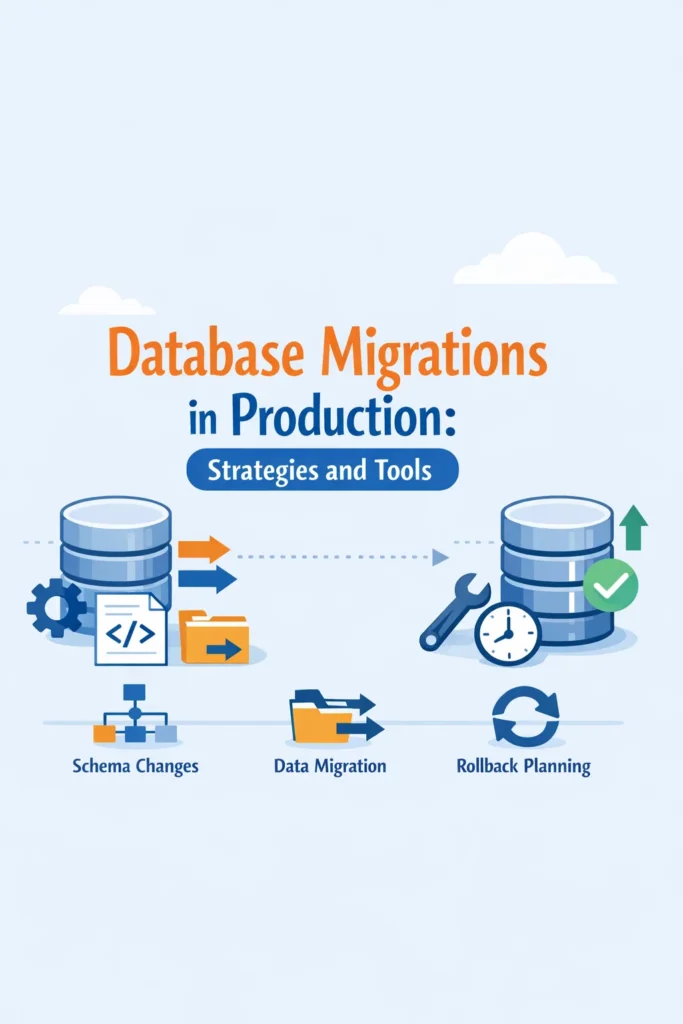
Database migrations are easy in development and unforgiving in production. A migration that works locally can lock tables, break running queries, or silently corrupt assumptions when deployed to live systems. Database migrations in production require a different mindset: safety first, reversibility always, and observability throughout.
This guide explains how to approach database migrations in production, which strategies reduce risk, and how to choose tools that scale with growing systems.
Why Production Migrations Are Risky
In production, databases are shared resources. They serve live traffic, background jobs, and analytics simultaneously. Any schema change competes with real workloads.
The most common risks include:
- Table locks that block reads or writes
- Long-running migrations that exceed deployment windows
- Backward-incompatible schema changes
- Partial failures that leave systems in undefined states
Many incidents blamed on “bad deploys” are actually migration failures. This is why database migrations must be treated as first-class operational events, not side effects of code deployment.
If you are already thinking about performance and locking behavior, lessons from PostgreSQL performance tuning apply directly to migration planning as well.
Separate Schema Changes from Code Changes
One of the most important production migration principles is decoupling.
Instead of deploying schema changes and code changes together, break them into phases:
- Deploy backward-compatible schema changes
- Deploy application code that uses the new schema
- Remove deprecated schema elements later
This approach prevents runtime errors when old code encounters new schemas or vice versa. It also enables safer rollbacks, since the database remains compatible with multiple application versions.
This pattern mirrors deployment strategies discussed in blue-green vs canary deployments, where compatibility across versions is essential.
Zero-Downtime Migration Strategies
Zero downtime does not mean zero impact. It means no user-visible outages.
Common zero-downtime techniques include:
- Adding nullable columns before enforcing constraints
- Creating indexes concurrently
- Writing data to old and new columns during transitions
- Backfilling data in controlled batches
For example, renaming a column directly is usually unsafe. A safer approach is to add a new column, migrate data gradually, update code, and remove the old column later.
These strategies trade speed for safety, which is almost always the right choice in production.
Handling Long-Running Migrations
Large tables turn simple migrations into operational risks.
Operations such as adding indexes, updating rows, or enforcing constraints can take minutes or hours. Running them during peak traffic increases the chance of timeouts and lock contention.
Best practices include:
- Running heavy migrations during low-traffic windows
- Breaking large updates into batches
- Monitoring progress and lock usage
- Being prepared to pause or abort safely
If your system already uses background processing, techniques similar to those described in distributed task queues can be applied to controlled backfills.
Rollbacks Are Not Optional
A migration without a rollback plan is incomplete.
Rollbacks can be:
- Logical (deploy code that ignores the change)
- Structural (drop or revert schema changes)
- Operational (restore from backup)
Not all migrations are easily reversible, especially destructive ones. In those cases, mitigation plans must be explicit and tested.
Production teams often assume rollbacks will not be needed. Experience proves otherwise.
Tooling for Database Migrations
Migration tools provide structure, repeatability, and auditability. However, tools do not replace strategy.
Popular migration tool capabilities include:
- Versioned migration files
- Ordered execution
- Environment awareness
- Transaction support
- Drift detection
The best tool is the one that integrates cleanly with your deployment workflow and enforces discipline. If migrations are optional or bypassed, failures are inevitable.
For teams already working with CI/CD, ideas from CI/CD pipelines with Docker and GitHub Actions reinforce why migrations should be automated and visible.
Testing Migrations Before Production
Testing migrations only on empty databases is misleading.
Production-like testing should include:
- Realistic data volumes
- Concurrent reads and writes
- Failure simulation
- Rollback rehearsals
Staging environments are useful, but they must reflect production scale and access patterns to be meaningful.
This mirrors testing principles discussed in unit, integration, and system testing, where realism matters more than coverage.
A Realistic Migration Scenario
Consider a SaaS application adding a new billing feature. The change requires new tables, foreign keys, and indexes.
A risky approach deploys everything at once. A safer approach:
- Deploys new tables without constraints
- Releases code that writes to both old and new structures
- Backfills historical data incrementally
- Enables constraints after validation
- Cleans up legacy structures later
The result is a migration that users never notice, even though it spans multiple releases.
Common Migration Mistakes
Some mistakes appear repeatedly:
- Running migrations automatically on app startup
- Combining destructive changes with feature releases
- Ignoring lock behavior
- Skipping backups before major changes
Each of these increases blast radius unnecessarily.
When to Slow Down Migrations
Not every migration needs to ship immediately.
Slow down when:
- Tables are large and heavily used
- Changes affect critical paths
- Rollback is complex
- Observability is limited
Production safety improves when migrations are treated as controlled operations, not background chores.
Database Migrations and System Architecture
As systems grow, migrations reflect architectural maturity. Monoliths often tolerate riskier migrations. Distributed systems do not.
In microservices or multi-tenant systems, schema changes ripple across services. Coordination becomes as important as correctness. If this sounds familiar, lessons from multi-tenant SaaS app design apply directly to database evolution.
Conclusion
Database migrations in production are not just about changing schemas. They are about managing risk, preserving availability, and maintaining trust.
The safest migrations are incremental, observable, and reversible. A good next step is to review your last few production migrations and ask one question: Could we have rolled this back safely at any point? The answer often reveals where strategy and tooling need to improve.

1 Comment