Every modern application depends on hundreds of third-party packages. Each package is a potential entry point for attackers when known vulnerabilities go unpatched. The Log4Shell vulnerability demonstrated how a single dependency flaw can affect millions of applications overnight, and smaller vulnerabilities appear in npm, PyPI, and Maven registries every week. Dependency vulnerability scanning automates the process of detecting these known flaws before attackers exploit them.
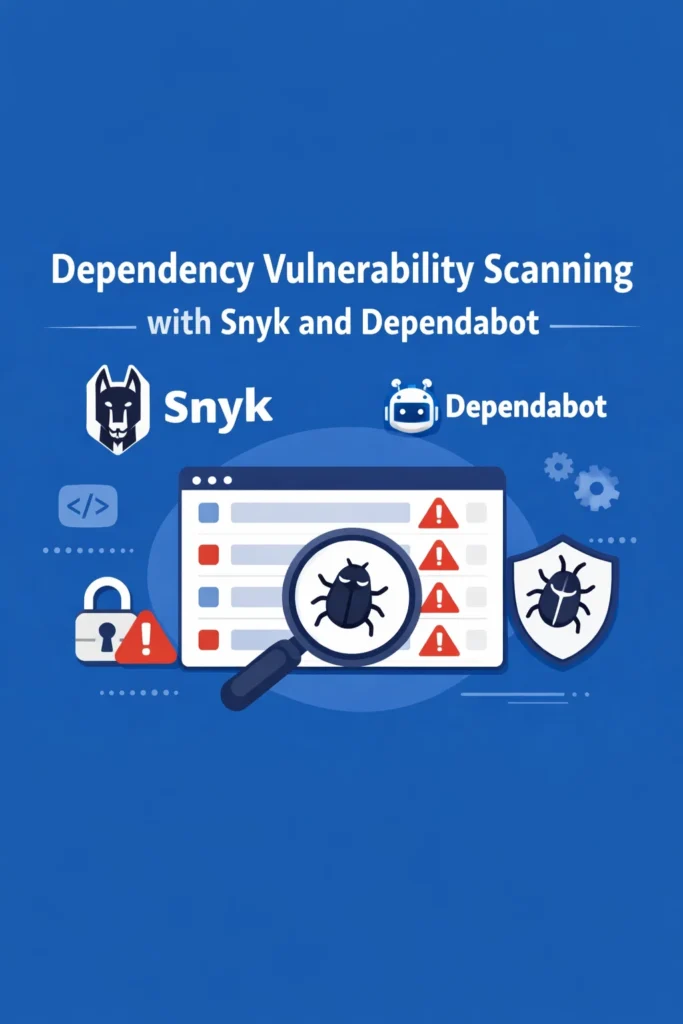
Snyk and GitHub Dependabot are the two most widely adopted tools for this job. Both scan your dependency tree, alert you to known vulnerabilities, and create pull requests with fixes. However, they differ in depth, configuration options, and how they fit into your development workflow. This tutorial shows you how to set up both tools, configure them for production use, and build a workflow that keeps your dependencies secure without drowning your team in alerts.
Why Dependency Vulnerability Scanning Matters
Third-party dependencies make up 70-90% of the code in a typical application. When a researcher discovers a vulnerability in a popular package and publishes a CVE, every application using that package becomes a target. Attackers actively scan for known vulnerable versions, so the window between vulnerability disclosure and exploitation keeps shrinking.
Manual dependency auditing does not scale. A mid-sized Node.js project might have 500+ transitive dependencies, and a Python project with scientific libraries can easily exceed 200. Tracking CVEs across that many packages manually is impractical. Automated dependency vulnerability scanning closes this gap by monitoring vulnerability databases continuously and alerting you the moment a known issue affects your project.
Setting Up GitHub Dependabot
Dependabot comes built into GitHub and requires no external accounts or billing. It scans your repository’s dependency files (package.json, requirements.txt, pom.xml, etc.) and creates pull requests when it finds vulnerable versions or available updates.
Enabling Dependabot Alerts
Dependabot security alerts activate automatically for public repositories on GitHub. For private repositories, enable them in Settings > Code security and analysis > Dependabot alerts.
Once enabled, GitHub scans your lockfiles against the GitHub Advisory Database and surfaces vulnerabilities directly in the Security tab of your repository.
Configuring Dependabot Version Updates
Beyond security alerts, Dependabot can proactively open PRs to keep dependencies up to date. Configure this by adding a dependabot.yml file to your repository.
# .github/dependabot.yml
version: 2
updates:
  # Node.js / npm dependencies
  - package-ecosystem: "npm"
    directory: "/"
    schedule:
      interval: "weekly"
      day: "monday"
      time: "09:00"
      timezone: "America/New_York"
    open-pull-requests-limit: 10
    reviewers:
      - "your-team/security"
    labels:
      - "dependencies"
      - "security"
    commit-message:
      prefix: "chore(deps):"

  # Python dependencies
  - package-ecosystem: "pip"
    directory: "/"
    schedule:
      interval: "weekly"
    open-pull-requests-limit: 5

  # GitHub Actions
  - package-ecosystem: "github-actions"
    directory: "/"
    schedule:
      interval: "weekly"
This configuration tells Dependabot to check npm dependencies every Monday morning, limit open PRs to 10, assign your security team as reviewers, and use conventional commit prefixes. Additionally, it scans Python dependencies and GitHub Actions workflows on the same weekly cadence.
Grouping Dependabot Updates
By default, Dependabot creates one PR per dependency update. For projects with many dependencies, this floods your PR queue. Grouping related updates into single PRs reduces noise.
# .github/dependabot.yml
version: 2
updates:
  - package-ecosystem: "npm"
    directory: "/"
    schedule:
      interval: "weekly"
    groups:
      # Group all minor and patch updates together
      minor-and-patch:
        update-types:
          - "minor"
          - "patch"
      # Keep major updates separate for careful review
      dev-dependencies:
        dependency-type: "development"
        update-types:
          - "minor"
          - "patch"
With grouping enabled, Dependabot creates one PR for all minor/patch production dependency updates and another for development dependency updates. Major version bumps still get individual PRs because they are more likely to introduce breaking changes.
Auto-Merging Safe Updates
For teams using GitHub Actions CI/CD, you can auto-merge Dependabot PRs that pass your test suite. This keeps patch-level security fixes flowing without manual intervention.
# .github/workflows/dependabot-auto-merge.yml
name: Auto-merge Dependabot PRs
on: pull_request

permissions:
  contents: write
  pull-requests: write

jobs:
  auto-merge:
    runs-on: ubuntu-latest
    if: github.actor == 'dependabot[bot]'
    steps:
      - name: Fetch Dependabot metadata
        id: metadata
        uses: dependabot/fetch-metadata@v2
        with:
          github-token: "${{ secrets.GITHUB_TOKEN }}"

      - name: Auto-merge patch and minor updates
        if: steps.metadata.outputs.update-type == 'version-update:semver-patch' || steps.metadata.outputs.update-type == 'version-update:semver-minor'
        run: gh pr merge --auto --squash "$PR_URL"
        env:
          PR_URL: ${{ github.event.pull_request.html_url }}
          GH_TOKEN: ${{ secrets.GITHUB_TOKEN }}
This workflow auto-merges patch and minor Dependabot updates after CI passes. Major version updates still require manual review, which keeps the automation safe.
Setting Up Snyk
Snyk provides deeper vulnerability scanning than Dependabot, including license compliance checks, container image scanning, and infrastructure-as-code scanning. The free tier covers unlimited tests for open-source projects and limited tests for private projects.
Installing the Snyk CLI
# Install globally via npm
npm install -g snyk

# Authenticate with your Snyk account
snyk auth

# Run a vulnerability test
snyk test

# Monitor your project (sends results to Snyk dashboard)
snyk monitor
The snyk test command scans your dependency tree and reports known vulnerabilities with severity levels, available fixes, and exploit maturity information.
Snyk in CI/CD Pipelines
Integrate Snyk into your CI pipeline to block deployments that introduce new high-severity vulnerabilities.
# .github/workflows/security.yml
name: Security Scan
on:
  push:
    branches: [main]
  pull_request:
    branches: [main]

jobs:
  snyk:
    runs-on: ubuntu-latest
    steps:
      - uses: actions/checkout@v4
      - uses: actions/setup-node@v4
        with:
          node-version: '20'
      - run: npm ci

      - name: Run Snyk vulnerability test
        uses: snyk/actions/node@master
        env:
          SNYK_TOKEN: ${{ secrets.SNYK_TOKEN }}
        with:
          args: --severity-threshold=high
The --severity-threshold=high flag tells Snyk to fail the build only for high and critical vulnerabilities. This prevents low-severity issues from blocking your pipeline while ensuring serious vulnerabilities never reach production.
Snyk Fix and Upgrade Commands
Snyk provides automated fix suggestions that go beyond simple version bumps. When a vulnerable dependency does not have a patched version, Snyk suggests alternative packages or patches.
# Automatically fix vulnerabilities where possible
snyk fix

# Show available upgrade paths
snyk test --json | snyk-to-html -o report.html

# Ignore a specific vulnerability for 30 days
snyk ignore --id=SNYK-JS-LODASH-590103 --expiry=2026-04-25 --reason="No fix available, low risk in our context"
The snyk ignore command is useful when a vulnerability has no available fix and low risk in your specific context. Always include a reason and an expiry date so the team revisits the decision rather than ignoring it permanently.
Snyk vs Dependabot: Feature Comparison
| Feature | Dependabot | Snyk (Free Tier) |
|---|---|---|
| Vulnerability alerts | Yes | Yes |
| Automated fix PRs | Yes | Yes |
| Transitive dependency scanning | Partial | Full |
| License compliance | No | Yes |
| Container image scanning | No | Yes |
| IaC scanning (Terraform, K8s) | No | Yes |
| Custom severity policies | No | Yes |
| IDE integration | No | Yes (VS Code, IntelliJ) |
| CLI tool | No | Yes |
| CI/CD integration | GitHub Actions only | Any CI platform |
| Cost | Free (GitHub only) | Free tier + paid plans |
| Vulnerability database | GitHub Advisory DB | Snyk Vulnerability DB |
Choosing Between Snyk and Dependabot
The two tools complement each other rather than compete directly. Many teams run both.
Use Dependabot When
You host your code on GitHub and want zero-configuration vulnerability alerts. Dependabot activates with a single YAML file, requires no external accounts, and handles the most common use case — keeping npm, pip, and Maven dependencies updated. For teams that primarily need automated version bumps and security patches, Dependabot covers the essentials.
Use Snyk When
You need deeper analysis than version bumps. Snyk’s vulnerability database often includes vulnerabilities before they appear in the GitHub Advisory Database. Additionally, Snyk scans transitive dependencies more thoroughly, checks license compliance, and supports container images and infrastructure-as-code. Teams working in regulated industries or handling sensitive data benefit from Snyk’s richer policy controls.
Use Both When
You want layered coverage. Dependabot handles routine version updates and auto-merging. Snyk provides deeper scanning in CI and catches issues that Dependabot misses. Running both creates redundancy without conflict — each tool creates its own PRs and alerts independently.
Handling Vulnerability Alerts Effectively
The biggest risk with dependency vulnerability scanning is alert fatigue. Without a clear triage process, teams ignore alerts, and the tools lose their protective value.
Triage by Severity and Exploitability
Not every vulnerability needs immediate action. Prioritize based on:
- Critical + exploitable — fix within 24 hours
- High severity — fix within one week
- Medium severity — fix within one sprint
- Low severity — batch with routine maintenance
Snyk provides exploit maturity data (Proof of Concept, Mature, No Known Exploit) that helps you distinguish between theoretical vulnerabilities and actively exploited ones. A critical vulnerability with a mature exploit demands immediate attention, while a critical vulnerability with no known exploit can wait for a planned fix.
Ignore Responsibly
Both tools let you suppress alerts for specific vulnerabilities. Always document why you suppressed the alert and set a review date.
# .snyk policy file
ignore:
  SNYK-JS-AXIOS-6032459:
    - '*':
        reason: "Only affects server-side usage; we use axios client-side only"
        expires: 2026-06-01
For Dependabot, dismiss alerts through the GitHub UI with a reason. Never dismiss without documentation — future team members need to understand why a known vulnerability was accepted.
Track Remediation Metrics
Monitor your team’s vulnerability response time. Key metrics include:
- Mean time to remediate (MTTR) — average days between alert and fix
- Open vulnerability count by severity — trending up means your team is falling behind
- Auto-merge rate — percentage of dependency PRs merged automatically
These metrics help engineering leadership understand whether the scanning tools deliver actual protection or just generate noise.
Real-World Scenario: Securing a Microservices Platform
A team maintains a microservices platform with eight Node.js services and three Python services. Each service has its own repository. Before implementing dependency vulnerability scanning, the team discovers during a quarterly security review that four services run package versions with known critical vulnerabilities — some disclosed over six months ago.
They implement a two-tool strategy. Dependabot handles routine updates across all 11 repositories with auto-merging for patch-level changes. Snyk runs in the CI pipeline with --severity-threshold=high, blocking any PR that introduces a new high or critical vulnerability.
Within the first month, Dependabot creates 47 PRs across the repositories. The auto-merge workflow handles 38 of them automatically. The remaining 9 require manual review because they involve major version bumps. Meanwhile, Snyk catches three vulnerabilities in transitive dependencies that Dependabot missed — packages not listed directly in package.json but pulled in by other dependencies.
After three months, the team’s mean time to remediate critical vulnerabilities drops from over 180 days to under 7 days. The combination of automated PRs, CI enforcement, and clear triage policies transforms dependency security from a quarterly audit item into a continuous process. For teams managing CI/CD pipelines, adding vulnerability scanning takes minimal effort but delivers measurable security improvements.
When to Use Dependency Vulnerability Scanning
- Every production application with third-party dependencies should run automated scanning
- Applications handling sensitive data (authentication, payments, PII) need CI-level enforcement that blocks vulnerable deployments
- Teams managing multiple repositories benefit from Dependabot’s auto-merge workflow to reduce manual overhead
- Regulated industries (finance, healthcare) need Snyk’s license compliance and audit trail features
When NOT to Rely on Scanning Alone
- Vulnerability scanners only catch known, published CVEs — zero-day vulnerabilities require additional protections like Content Security Policy and input validation
- Scanner alerts do not replace code review — a dependency update can introduce breaking changes that tests do not cover
- Auto-merging should only apply to patch and minor updates with passing CI — major versions need manual review
- Scanning your own code for vulnerabilities requires SAST tools (like Snyk Code or CodeQL), not just dependency scanning
Common Mistakes with Dependency Vulnerability Scanning
- Enabling alerts but never acting on them, which creates a false sense of security
- Auto-merging all dependency updates including major versions without review
- Ignoring vulnerabilities permanently without expiry dates or documented reasons
- Running scans only locally instead of integrating them into CI where the entire team benefits
- Scanning direct dependencies but overlooking transitive dependencies that Snyk catches more thoroughly
- Not scanning GitHub Actions workflow files, which can also contain vulnerable actions
- Treating vulnerability count as a vanity metric instead of tracking mean time to remediate
Building a Sustainable Scanning Workflow
Dependency vulnerability scanning works best when it becomes invisible — updates flow through automatically for low-risk changes, CI blocks high-risk introductions, and your team only sees alerts that require human judgment. Start with Dependabot for automated version updates and auto-merging. Add Snyk for deeper scanning in CI and policy enforcement. Define clear SLAs for each severity level so alerts get triaged consistently. Then track your remediation metrics to verify that the tools actually reduce your exposure window.
The goal is not zero vulnerabilities — that is unrealistic for any application with real-world dependencies. The goal is a short, predictable gap between vulnerability disclosure and fix deployment. With both Dependabot and Snyk working together, that gap shrinks from months to days, which makes your application a far less attractive target for attackers who rely on unpatched known vulnerabilities.