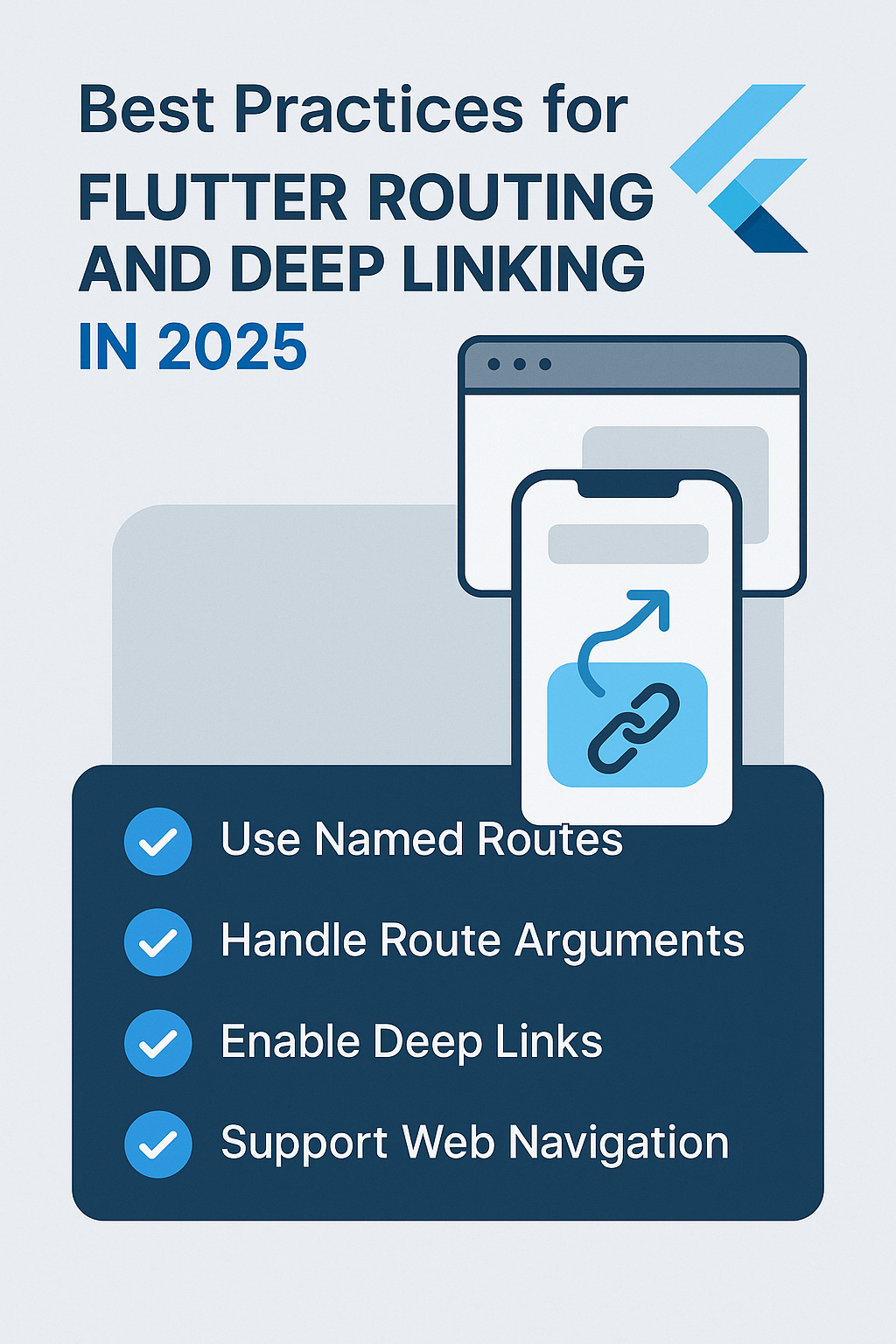
Routing is one of the most crucial parts of Flutter app development, especially when you’re building scalable, multi-screen apps. Combine that with deep linking, and you unlock seamless navigation from external sources like push notifications, email campaigns, QR codes, and browser URLs.
In this comprehensive guide, we’ll cover the best practices for Flutter routing and deep linking in 2025, including complete GoRouter configurations, shell routes for persistent navigation, authentication guards, and platform-specific deep link setup.
What is Routing in Flutter?
Routing refers to how you navigate between screens in your Flutter app. There are two main approaches:
- Imperative routing – Direct navigation commands like
Navigator.push - Declarative routing – URL-based navigation with packages like GoRouter or AutoRoute
Flutter officially recommends GoRouter for declarative, flexible, and deep-link-friendly navigation. It handles browser history on web, maintains state across rebuilds, and provides powerful redirect capabilities.
What is Deep Linking?
Deep linking allows your app to open specific screens via URLs:
- Custom scheme:
myapp://product/123 - Universal links:
https://yourapp.com/product/123 - App links (Android):
https://yourapp.com/order/abc
Deep links are essential for marketing campaigns, push notifications, email CTAs, QR codes, and web-to-app transitions.
Complete GoRouter Setup
Let’s build a production-ready routing configuration with authentication, shell routes, and type-safe navigation.
lib/router/app_router.dart
import 'package:flutter/material.dart';
import 'package:go_router/go_router.dart';
import 'package:flutter_riverpod/flutter_riverpod.dart';
import '../providers/auth_provider.dart';
import '../screens/screens.dart';

// Route names as constants to prevent typos
class AppRoutes {
  static const home = 'home';
  static const login = 'login';
  static const register = 'register';
  static const forgotPassword = 'forgot-password';
  static const products = 'products';
  static const productDetail = 'product-detail';
  static const cart = 'cart';
  static const checkout = 'checkout';
  static const orders = 'orders';
  static const orderDetail = 'order-detail';
  static const profile = 'profile';
  static const settings = 'settings';
  static const notFound = 'not-found';
}

// Type-safe route parameters
class ProductDetailParams {
  final String productId;
  final String? variant;

  ProductDetailParams({required this.productId, this.variant});

  Map<String, String> toPathParams() => {'productId': productId};
  Map<String, String> toQueryParams() =>
      variant != null ? {'variant': variant!} : {};
}

final routerProvider = Provider<GoRouter>((ref) {
  final authState = ref.watch(authProvider);

  return GoRouter(
    initialLocation: '/',
    debugLogDiagnostics: true,
    refreshListenable: GoRouterRefreshStream(ref.read(authProvider.notifier).stream),

    // Global redirect for authentication
    redirect: (context, state) {
      final isLoggedIn = authState.status == AuthStatus.authenticated;
      final isLoggingIn = state.matchedLocation == '/login' ||
          state.matchedLocation == '/register' ||
          state.matchedLocation == '/forgot-password';

      // If not logged in and not on auth page, redirect to login
      if (!isLoggedIn && !isLoggingIn) {
        // Preserve the intended destination for after login
        return '/login?redirect=${Uri.encodeComponent(state.matchedLocation)}';
      }

      // If logged in and on auth page, redirect to home
      if (isLoggedIn && isLoggingIn) {
        final redirect = state.uri.queryParameters['redirect'];
        return redirect != null ? Uri.decodeComponent(redirect) : '/';
      }

      return null; // No redirect needed
    },

    // 404 handler
    errorBuilder: (context, state) => NotFoundScreen(
      path: state.matchedLocation,
    ),

    routes: [
      // Auth routes (no shell)
      GoRoute(
        path: '/login',
        name: AppRoutes.login,
        builder: (context, state) => const LoginScreen(),
      ),
      GoRoute(
        path: '/register',
        name: AppRoutes.register,
        builder: (context, state) => const RegisterScreen(),
      ),
      GoRoute(
        path: '/forgot-password',
        name: AppRoutes.forgotPassword,
        builder: (context, state) => const ForgotPasswordScreen(),
      ),

      // Main app with bottom navigation shell
      StatefulShellRoute.indexedStack(
        builder: (context, state, navigationShell) => MainShell(
          navigationShell: navigationShell,
        ),
        branches: [
          // Home branch
          StatefulShellBranch(
            routes: [
              GoRoute(
                path: '/',
                name: AppRoutes.home,
                builder: (context, state) => const HomeScreen(),
                routes: [
                  GoRoute(
                    path: 'products',
                    name: AppRoutes.products,
                    builder: (context, state) {
                      final category = state.uri.queryParameters['category'];
                      final search = state.uri.queryParameters['q'];
                      return ProductsScreen(
                        category: category,
                        searchQuery: search,
                      );
                    },
                    routes: [
                      GoRoute(
                        path: ':productId',
                        name: AppRoutes.productDetail,
                        builder: (context, state) {
                          final productId = state.pathParameters['productId']!;
                          final variant = state.uri.queryParameters['variant'];
                          return ProductDetailScreen(
                            productId: productId,
                            selectedVariant: variant,
                          );
                        },
                      ),
                    ],
                  ),
                ],
              ),
            ],
          ),

          // Orders branch
          StatefulShellBranch(
            routes: [
              GoRoute(
                path: '/orders',
                name: AppRoutes.orders,
                builder: (context, state) => const OrdersScreen(),
                routes: [
                  GoRoute(
                    path: ':orderId',
                    name: AppRoutes.orderDetail,
                    builder: (context, state) {
                      final orderId = state.pathParameters['orderId']!;
                      return OrderDetailScreen(orderId: orderId);
                    },
                  ),
                ],
              ),
            ],
          ),

          // Cart branch
          StatefulShellBranch(
            routes: [
              GoRoute(
                path: '/cart',
                name: AppRoutes.cart,
                builder: (context, state) => const CartScreen(),
                routes: [
                  GoRoute(
                    path: 'checkout',
                    name: AppRoutes.checkout,
                    builder: (context, state) => const CheckoutScreen(),
                  ),
                ],
              ),
            ],
          ),

          // Profile branch
          StatefulShellBranch(
            routes: [
              GoRoute(
                path: '/profile',
                name: AppRoutes.profile,
                builder: (context, state) => const ProfileScreen(),
                routes: [
                  GoRoute(
                    path: 'settings',
                    name: AppRoutes.settings,
                    builder: (context, state) => const SettingsScreen(),
                  ),
                ],
              ),
            ],
          ),
        ],
      ),
    ],
  );
});

// Helper class to refresh router when auth state changes
class GoRouterRefreshStream extends ChangeNotifier {
  GoRouterRefreshStream(Stream<dynamic> stream) {
    stream.listen((_) => notifyListeners());
  }
}
Main Shell with Bottom Navigation
The shell maintains state across tab switches and preserves navigation history within each branch.
lib/screens/main_shell.dart
import 'package:flutter/material.dart';
import 'package:go_router/go_router.dart';

class MainShell extends StatelessWidget {
  final StatefulNavigationShell navigationShell;

  const MainShell({required this.navigationShell, super.key});

  @override
  Widget build(BuildContext context) {
    return Scaffold(
      body: navigationShell,
      bottomNavigationBar: NavigationBar(
        selectedIndex: navigationShell.currentIndex,
        onDestinationSelected: (index) {
          // Navigate to branch, preserving state
          navigationShell.goBranch(
            index,
            // Go to initial location if tapping current tab
            initialLocation: index == navigationShell.currentIndex,
          );
        },
        destinations: const [
          NavigationDestination(
            icon: Icon(Icons.home_outlined),
            selectedIcon: Icon(Icons.home),
            label: 'Home',
          ),
          NavigationDestination(
            icon: Icon(Icons.receipt_long_outlined),
            selectedIcon: Icon(Icons.receipt_long),
            label: 'Orders',
          ),
          NavigationDestination(
            icon: Icon(Icons.shopping_cart_outlined),
            selectedIcon: Icon(Icons.shopping_cart),
            label: 'Cart',
          ),
          NavigationDestination(
            icon: Icon(Icons.person_outline),
            selectedIcon: Icon(Icons.person),
            label: 'Profile',
          ),
        ],
      ),
    );
  }
}
Type-Safe Navigation Extension
Create an extension for type-safe navigation throughout your app.
lib/router/navigation_extensions.dart
import 'package:flutter/material.dart';
import 'package:go_router/go_router.dart';
import 'app_router.dart';

extension NavigationExtensions on BuildContext {
  // Go to home
  void goHome() => goNamed(AppRoutes.home);

  // Go to product detail
  void goToProduct(String productId, {String? variant}) {
    goNamed(
      AppRoutes.productDetail,
      pathParameters: {'productId': productId},
      queryParameters: variant != null ? {'variant': variant} : {},
    );
  }

  // Go to products with optional filters
  void goToProducts({String? category, String? search}) {
    goNamed(
      AppRoutes.products,
      queryParameters: {
        if (category != null) 'category': category,
        if (search != null) 'q': search,
      },
    );
  }

  // Go to order detail
  void goToOrder(String orderId) {
    goNamed(
      AppRoutes.orderDetail,
      pathParameters: {'orderId': orderId},
    );
  }

  // Go to cart
  void goToCart() => goNamed(AppRoutes.cart);

  // Go to checkout (push, not replace)
  void pushCheckout() => pushNamed(AppRoutes.checkout);

  // Go to login with redirect back to current page
  void goToLogin({String? redirectAfter}) {
    goNamed(
      AppRoutes.login,
      queryParameters: redirectAfter != null ? {'redirect': redirectAfter} : {},
    );
  }
}

// Usage in screens:
// context.goToProduct('abc123', variant: 'blue');
// context.goToProducts(category: 'electronics');
// context.goToOrder('order-456');
Platform-Specific Deep Link Setup
Configure deep links for each platform to handle both custom schemes and universal links.
Android Configuration
android/app/src/main/AndroidManifest.xml
<manifest xmlns:android="http://schemas.android.com/apk/res/android">
  <application ...>
    <activity
      android:name=".MainActivity"
      android:exported="true"
      android:launchMode="singleTop">

      <!-- Standard launcher intent -->
      <intent-filter>
        <action android:name="android.intent.action.MAIN"/>
        <category android:name="android.intent.category.LAUNCHER"/>
      </intent-filter>

      <!-- Custom URL scheme (myapp://...) -->
      <intent-filter>
        <action android:name="android.intent.action.VIEW"/>
        <category android:name="android.intent.category.DEFAULT"/>
        <category android:name="android.intent.category.BROWSABLE"/>
        <data android:scheme="myapp"/>
      </intent-filter>

      <!-- App Links (https://yourapp.com/...) -->
      <intent-filter android:autoVerify="true">
        <action android:name="android.intent.action.VIEW"/>
        <category android:name="android.intent.category.DEFAULT"/>
        <category android:name="android.intent.category.BROWSABLE"/>
        <data
          android:scheme="https"
          android:host="yourapp.com"/>
      </intent-filter>

    </activity>
  </application>
</manifest>
assetlinks.json (host at https://yourapp.com/.well-known/assetlinks.json)
[{
  "relation": ["delegate_permission/common.handle_all_urls"],
  "target": {
    "namespace": "android_app",
    "package_name": "com.yourcompany.yourapp",
    "sha256_cert_fingerprints": [
      "AA:BB:CC:DD:EE:FF:00:11:22:33:44:55:66:77:88:99:AA:BB:CC:DD:EE:FF:00:11:22:33:44:55:66:77:88:99"
    ]
  }
}]
iOS Configuration
ios/Runner/Info.plist
<?xml version="1.0" encoding="UTF-8"?>
<!DOCTYPE plist PUBLIC "-//Apple//DTD PLIST 1.0//EN" "http://www.apple.com/DTDs/PropertyList-1.0.dtd">
<plist version="1.0">
<dict>
  <!-- Custom URL scheme -->
  <key>CFBundleURLTypes</key>
  <array>
    <dict>
      <key>CFBundleTypeRole</key>
      <string>Editor</string>
      <key>CFBundleURLName</key>
      <string>com.yourcompany.yourapp</string>
      <key>CFBundleURLSchemes</key>
      <array>
        <string>myapp</string>
      </array>
    </dict>
  </array>

  <!-- Universal Links -->
  <key>FlutterDeepLinkingEnabled</key>
  <true/>

  <!-- ... other plist entries -->
</dict>
</plist>
apple-app-site-association (host at https://yourapp.com/.well-known/apple-app-site-association)
{
  "applinks": {
    "apps": [],
    "details": [
      {
        "appID": "TEAMID.com.yourcompany.yourapp",
        "paths": [
          "/products/*",
          "/orders/*",
          "/cart",
          "/profile/*"
        ]
      }
    ]
  }
}
Handling Deep Links in the App
Process incoming deep links and extract parameters for navigation.
lib/services/deep_link_service.dart
import 'package:app_links/app_links.dart';
import 'package:flutter_riverpod/flutter_riverpod.dart';
import 'package:go_router/go_router.dart';
import '../router/app_router.dart';

class DeepLinkService {
  final AppLinks _appLinks = AppLinks();
  final GoRouter _router;

  DeepLinkService(this._router) {
    _init();
  }

  Future<void> _init() async {
    // Handle link that opened the app (cold start)
    final initialLink = await _appLinks.getInitialLink();
    if (initialLink != null) {
      _handleDeepLink(initialLink);
    }

    // Handle links while app is running (warm start)
    _appLinks.uriLinkStream.listen(_handleDeepLink);
  }

  void _handleDeepLink(Uri uri) {
    // Convert external URL to internal path
    final path = _convertToInternalPath(uri);
    if (path != null) {
      _router.go(path);
    }
  }

  String? _convertToInternalPath(Uri uri) {
    // Handle custom scheme: myapp://product/123
    if (uri.scheme == 'myapp') {
      return '/${uri.host}${uri.path}';
    }

    // Handle universal links: https://yourapp.com/products/123
    if (uri.host == 'yourapp.com') {
      return uri.path;
    }

    // Handle Firebase Dynamic Links or other shortened URLs
    if (uri.queryParameters.containsKey('link')) {
      final innerLink = Uri.parse(uri.queryParameters['link']!);
      return _convertToInternalPath(innerLink);
    }

    return null;
  }
}

final deepLinkServiceProvider = Provider((ref) {
  final router = ref.watch(routerProvider);
  return DeepLinkService(router);
});
Deep Link Analytics Tracking
Track deep link opens for marketing attribution and user journey analysis.
// lib/services/analytics_service.dart
import 'package:firebase_analytics/firebase_analytics.dart';

class AnalyticsService {
  final FirebaseAnalytics _analytics = FirebaseAnalytics.instance;

  Future<void> trackDeepLinkOpen({
    required Uri uri,
    required String source,
    String? campaign,
    String? medium,
  }) async {
    await _analytics.logEvent(
      name: 'deep_link_open',
      parameters: {
        'full_url': uri.toString(),
        'path': uri.path,
        'source': source,
        if (campaign != null) 'campaign': campaign,
        if (medium != null) 'medium': medium,
        'timestamp': DateTime.now().toIso8601String(),
      },
    );
  }

  Future<void> trackScreenView(String screenName, String screenClass) async {
    await _analytics.logScreenView(
      screenName: screenName,
      screenClass: screenClass,
    );
  }
}

// Usage in deep link handler:
// await analyticsService.trackDeepLinkOpen(
//   uri: uri,
//   source: uri.queryParameters['utm_source'] ?? 'direct',
//   campaign: uri.queryParameters['utm_campaign'],
//   medium: uri.queryParameters['utm_medium'],
// );
Custom Route Transitions
Add custom page transitions for a polished navigation experience.
// lib/router/page_transitions.dart
import 'package:flutter/material.dart';
import 'package:go_router/go_router.dart';

CustomTransitionPage<void> buildFadeTransition({
  required BuildContext context,
  required GoRouterState state,
  required Widget child,
}) {
  return CustomTransitionPage<void>(
    key: state.pageKey,
    child: child,
    transitionDuration: const Duration(milliseconds: 200),
    transitionsBuilder: (context, animation, secondaryAnimation, child) {
      return FadeTransition(
        opacity: CurveTween(curve: Curves.easeInOut).animate(animation),
        child: child,
      );
    },
  );
}

CustomTransitionPage<void> buildSlideTransition({
  required BuildContext context,
  required GoRouterState state,
  required Widget child,
}) {
  return CustomTransitionPage<void>(
    key: state.pageKey,
    child: child,
    transitionDuration: const Duration(milliseconds: 300),
    transitionsBuilder: (context, animation, secondaryAnimation, child) {
      final offsetAnimation = Tween<Offset>(
        begin: const Offset(1.0, 0.0),
        end: Offset.zero,
      ).animate(CurvedAnimation(
        parent: animation,
        curve: Curves.easeOutCubic,
      ));

      return SlideTransition(
        position: offsetAnimation,
        child: child,
      );
    },
  );
}

// Usage in route definition:
// GoRoute(
//   path: '/product/:id',
//   pageBuilder: (context, state) => buildSlideTransition(
//     context: context,
//     state: state,
//     child: ProductDetailScreen(productId: state.pathParameters['id']!),
//   ),
// )
Common Mistakes to Avoid
1. Using string-based navigation
// Wrong: Prone to typos and breaks when paths change
context.go('/porduct/123'); // Typo goes unnoticed until runtime

// Correct: Use named routes with constants
context.goNamed(AppRoutes.productDetail, pathParameters: {'productId': '123'});
2. Not preserving shell state
// Wrong: Loses scroll position and state when switching tabs
context.go('/orders');

// Correct: Use StatefulShellRoute with goBranch
navigationShell.goBranch(1); // Preserves state
3. Missing redirect after login
// Wrong: Always goes to home after login
if (isLoggedIn && isOnLoginPage) return '/';

// Correct: Return to intended destination
if (isLoggedIn && isOnLoginPage) {
  final redirect = state.uri.queryParameters['redirect'];
  return redirect != null ? Uri.decodeComponent(redirect) : '/';
}
4. Not validating path parameters
// Wrong: Crashes if parameter is missing
final productId = state.pathParameters['productId']!;

// Correct: Validate and handle missing parameters
final productId = state.pathParameters['productId'];
if (productId == null || productId.isEmpty) {
  return const NotFoundScreen();
}
return ProductDetailScreen(productId: productId);
5. Forgetting to handle app links verification
<!-- Wrong: Links won't work without verification -->
<intent-filter>
  <data android:scheme="https" android:host="yourapp.com"/>
</intent-filter>

<!-- Correct: Include autoVerify for App Links -->
<intent-filter android:autoVerify="true">
  <data android:scheme="https" android:host="yourapp.com"/>
</intent-filter>
Testing Deep Links
Test your deep links during development and in production builds.
# Test on Android emulator
adb shell am start -a android.intent.action.VIEW \
  -d "myapp://products/123" com.yourcompany.yourapp

# Test universal links on Android
adb shell am start -a android.intent.action.VIEW \
  -d "https://yourapp.com/products/123" com.yourcompany.yourapp

# Test on iOS simulator
xcrun simctl openurl booted "myapp://products/123"

# Test universal links on iOS
xcrun simctl openurl booted "https://yourapp.com/products/123"

# Verify Android App Links setup
adb shell pm get-app-links com.yourcompany.yourapp
Tools and Plugins
- GoRouter – Official Flutter navigation package
- app_links – Handle incoming deep links
- AutoRoute – Alternative with code generation
- Firebase Dynamic Links – Smart deep links with fallbacks
Related
- Flutter Navigation 2.0 vs GoRouter: Which One Should You Use?
- Flutter State Management: Provider vs Riverpod
- Flutter Freezed: Immutable Data Classes and Union Types
Final Thoughts
Flutter routing and deep linking have evolved significantly. In 2025, the combination of GoRouter, StatefulShellRoute for persistent navigation, and proper platform configuration provides a polished and scalable navigation experience across all platforms.
The key to success is planning your route structure early, using type-safe navigation helpers, and thoroughly testing deep links on both platforms before release. Remember to set up universal links and app links verification for the best user experience when users tap links in emails, messages, or social media.