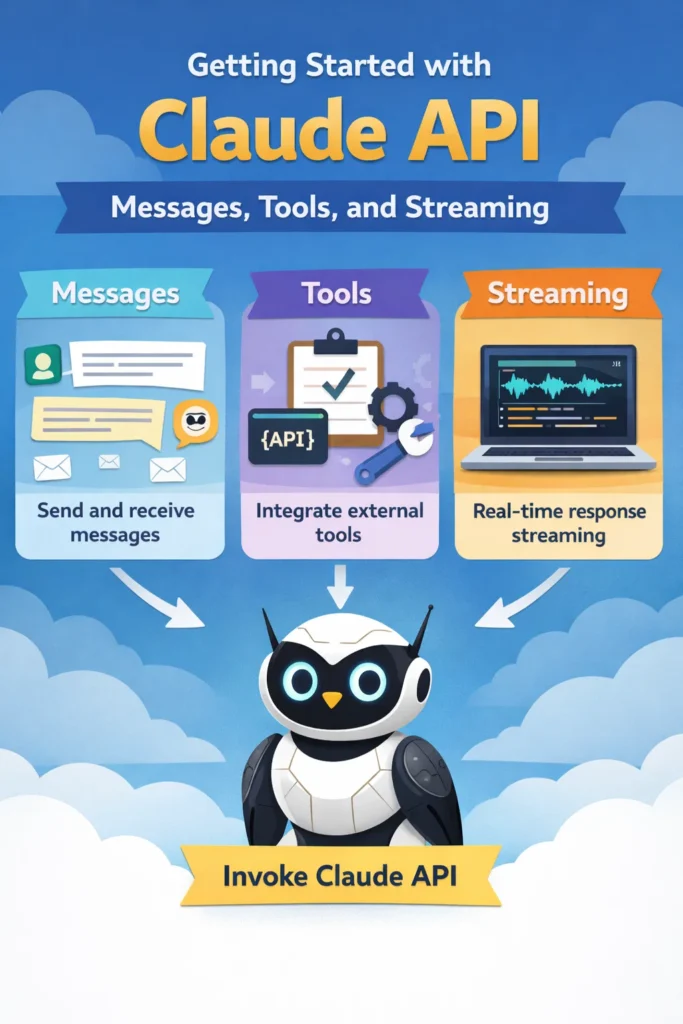
If you are integrating large language models into real applications, the API design matters as much as the model itself. The Claude API focuses on structured conversations, explicit tool usage, and first-class streaming support. Understanding these concepts early prevents brittle integrations and makes AI features easier to scale.
This guide is written for developers who want to use the Claude API in production. You will learn how messages are structured, how tools enable controlled model behavior, and how streaming responses improve user experience for real-time applications.
Why the Claude API Is Designed Around Messages
Unlike simple prompt-completion APIs, the Claude API is built around messages. Each request represents a conversation state rather than a single string input. This approach encourages clearer intent and more predictable outputs.
Messages are explicitly typed by role, typically including user and assistant entries. Because the full conversation context is sent with each request, Claude can reason consistently across turns without relying on hidden state.
This design aligns well with patterns already used in chat systems, collaborative tools, and developer assistants. If you are building conversational interfaces similar to those discussed in AI-powered pair programming best practices, the message-based model feels natural and easier to reason about.
Understanding Message Structure in the Claude API
At a high level, a Claude API request contains a list of messages, each with a role and content. The model processes them in order and generates the next assistant response.
The key advantage here is clarity. Instead of embedding instructions inside a long prompt, system-level guidance, user intent, and previous outputs are all represented explicitly. This reduces prompt fragility and makes debugging much easier.
In practice, this structure helps teams avoid issues such as instruction leakage or inconsistent behavior across requests, which are common pitfalls when working with loosely structured prompts.
Using Tools to Control Model Behavior
Tools are one of the most important concepts in the Claude API. They allow the model to request structured actions instead of producing free-form text.
Rather than asking the model to “figure things out,” you define a set of tools with clear input and output schemas. Claude can then decide when to call a tool and with what parameters.
This pattern is especially useful for:
- Fetching data from APIs
- Executing business logic
- Validating or transforming user input
- Enforcing strict output formats
If you are already familiar with function-calling patterns from other LLM platforms, Claude’s tools will feel familiar but more explicit. This explicitness reduces hallucinations and makes integrations safer, particularly in systems that interact with external services.
Architecturally, tools pair well with patterns discussed in building custom GPT models for your team, where controlling model boundaries is critical.
When and Why to Use Streaming Responses
Streaming is not just a performance optimization. It fundamentally changes how users perceive AI features.
With streaming enabled, Claude sends partial responses incrementally as they are generated. This allows interfaces to display output in real time, rather than waiting for the full response to complete.
Streaming is particularly valuable for:
- Chat interfaces
- Code generation tools
- Long-running reasoning tasks
- Real-time assistants
From a user experience perspective, streaming reduces perceived latency and keeps users engaged. From a technical perspective, it allows better cancellation handling and progressive rendering.
If you have built real-time systems before, such as those described in real-time APIs with WebSockets and server-sent events, the benefits of streaming responses should feel familiar.
A Realistic Claude API Integration Scenario
Consider a mid-sized SaaS product adding an AI assistant for internal support. The assistant answers questions, fetches documentation, and performs simple actions such as creating tickets.
Using plain text prompts quickly becomes fragile. Small wording changes lead to inconsistent behavior, and debugging becomes difficult. By switching to the Claude API with structured messages and tools, the team gains explicit control over conversation flow and action execution.
Streaming responses further improve usability by allowing the UI to display answers progressively, making the assistant feel responsive even when processing complex requests. Over time, this approach reduces support friction and improves trust in AI-driven features.
This scenario mirrors patterns seen across many production AI systems, where reliability matters more than raw model capability.
Common Mistakes When Starting with the Claude API
One common mistake is treating the Claude API like a simple prompt-completion endpoint. Doing so ignores the advantages of structured messages and tools.
Another frequent issue is overloading the model with too many responsibilities. Tools should handle deterministic logic, while the model focuses on reasoning and language. Mixing the two leads to unpredictable behavior.
Finally, some teams enable streaming without adjusting their frontend architecture. Streaming requires proper state handling, cancellation support, and UI updates. Without those, the benefits are lost.
When to Use the Claude API
- You need structured, multi-turn conversations
- You want explicit control over model actions
- Your application benefits from real-time responses
- Reliability and debuggability matter
When NOT to Use the Claude API
- You only need simple, one-off text generation
- Your application does not require conversational context
- Streaming and tool usage add unnecessary complexity
Claude API vs Other LLM APIs
Compared to simpler completion-based APIs, Claude emphasizes structure and safety. This makes it well suited for production systems, but it may feel heavier for quick experiments.
If you are evaluating multiple platforms, concepts discussed in REST vs GraphQL vs gRPC offer a useful analogy. Simpler interfaces are faster to start with, while more structured ones scale better as systems grow.
Conclusion
The Claude API is designed for developers building real applications, not just demos. Messages provide clarity, tools enforce boundaries, and streaming improves user experience. Together, these features make AI integrations more reliable and easier to maintain.
A good next step is to prototype a small feature using messages and one or two tools, then enable streaming to observe how it changes user perception. From there, you can gradually expand toward more advanced AI-driven workflows without sacrificing control or stability.