If you have been using Cursor, VS Code + Copilot, or similar tools, you already understand the baseline promise: AI can speed up routine coding work. However, Google’s Antigravity goes further by treating AI as a first-class “agent” that can plan, execute, and verify tasks across your editor, terminal, and browser. (Google Developers Blog)
This post is for developers who want a practical, production-oriented understanding of the Google Antigravity editor: what it is, what it does well, what it can break, and how to adopt it without creating operational risk.
What Is Google Antigravity?
Google Antigravity is an AI-powered development environment (public preview as of late 2025) designed around an “agent-first” workflow. Instead of only offering autocomplete and chat, it introduces agents that can take multi-step tasks, operate inside the IDE, run commands, and validate outcomes. (Google Developers Blog)
Conceptually, Antigravity has two important ideas:
- A familiar editor surface (similar to a VS Code-style experience)
- A manager/agent orchestration layer where you can coordinate one or more agents across tasks (The Verge)
The official Antigravity landing page also highlights an “Editor view” with features like tab completion, natural language code commands, and a configurable agent experience. (Google Antigravity)
Why Google Calls It “Agentic” Instead of “Autocomplete”
Autocomplete solves “next token” problems. Agentic tools attempt to solve “finish the job” problems.
Antigravity positions itself as a platform where agents can:
- propose plans,
- implement changes,
- run tests/builds,
- and show verifiable artifacts of what happened. (The Verge)
This shift matters in production because it changes what you delegate. With autocomplete, you still drive the workflow. With agents, you start delegating workflow chunks, which creates both leverage and new failure modes.
Key Features of the Google Antigravity Editor
1) Editor view: VS Code-style editing with AI built in
The Antigravity editor view is designed to feel familiar so you can keep existing habits: quick navigation, multi-file edits, and extension-like workflows. The product messaging emphasizes tab autocomplete and natural language commands directly in the editor. (Google Antigravity)
In practice, this means you use it like a normal IDE most of the time, and then invoke the agent for tasks where “do the whole thing” is more valuable than “help me type faster.”
2) Agent manager: orchestrate multi-step tasks
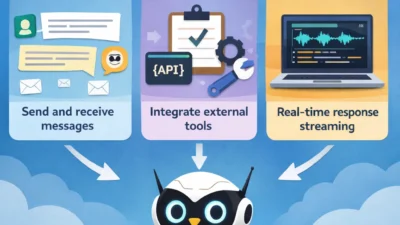
The agent manager concept is where Antigravity separates itself from “chat in the sidebar.” Google’s messaging focuses on agents that can plan, execute, and verify complex tasks across tools. (Google Developers Blog)
Even if you only use one agent, the model is different: you are delegating a task with acceptance criteria, not requesting a snippet.
3) Integrated terminal and browser workflows
A major promise is tighter loops: agents can run commands and validate behavior, and then present you with evidence (not just code changes). (The Verge)
That matters for tasks like:
- refactors that require test confirmation,
- dependency upgrades,
- bug fixes that need reproduction steps,
- and UI changes that need quick browser verification.
4) “Artifacts” as a trust mechanism
Antigravity is described as producing “Artifacts” such as task lists, plans, screenshots, and browser recordings that document what the agent did. This is meant to improve trust and reviewability compared to “AI changed stuff, good luck.” (The Verge)
From an engineering-management standpoint, this is a useful direction because it encourages a paper trail that fits code review culture.
A Practical Workflow: Where Antigravity Fits Best
Here is a production-style way to think about adoption: treat Antigravity as a junior engineer that can type extremely fast, but must be given guardrails and review.
Good use cases (high leverage, manageable risk)
- Large refactors with clear acceptance tests
Example: rename a module, update imports, run unit tests, confirm no lint errors. - Test scaffolding and coverage expansion
Example: “Add tests for these five edge cases, run tests, and summarize failures.” - Migration chores
Example: dependency upgrades, configuration changes, or moving from one API shape to another. - Bug reproduction + patch + verification loop
Example: “Reproduce crash from stack trace, write regression test, fix, rerun.”
These align with the “plan → implement → verify” loop that agentic IDEs are promising. (The Verge)
Weak use cases (low leverage or high risk)
- Ambiguous feature work where requirements are not stable
Agents can generate a lot of code quickly, but wrong code quickly is still wrong. - High-stakes production operations with destructive commands
More on this below, because it is not theoretical.
Real-World Risk: When Agentic Tools Become Dangerous
A credible concern with agentic IDEs is that they can run commands with real consequences. That risk is no longer hypothetical.
There have been reports of an Antigravity workflow where an AI action intended to clear a project cache resulted in destructive deletion behavior on a drive, raising concerns around permissions and confirmation flows. (TechRadar)
Even if you do not treat every report as definitive, the class of failure is obvious: an agent that can run shell commands can also do irreversible damage if guardrails are weak.
Guardrails you should enforce from day one
- Use a sandbox workspace for first adoption
Start with a disposable repo or a branch in a non-critical project. - Avoid elevated permissions
Do not run your IDE session with administrator/root privileges unless you must. - Require confirmation for destructive operations
If an agent proposes deletes, disk operations, or broad “cleanup” scripts, stop and review the exact command. - Prefer containerized dev environments
When possible, run builds/tests inside a container so your host filesystem is less exposed. - Treat agent output as a pull request, not a direct commit
Use branch-based workflows. Review diffs. Run CI. Then merge.
This is the same discipline you apply to human contributors, but it becomes more important when speed increases and confidence signals are sometimes misleading.
Google Antigravity vs VS Code + Copilot vs Cursor
A helpful way to compare:
- Copilot-style tools: accelerate typing and small transformations
- Cursor-style tools: deeper codebase awareness + refactor workflows
- Antigravity-style tools: agent orchestration + “do the task end-to-end” emphasis (The Verge)
If your bottleneck is “I know what to do, but it’s tedious,” agentic tools can be a material win. Conversely, if your bottleneck is “requirements and architecture decisions,” agents help less, because the hard part is still the decision.
Installation and Getting Started
Google provides a “Getting Started with Google Antigravity” codelab that covers installation, configuration, and core concepts like Agent Manager, Editor, and Browser. (Google Codelabs)
A sensible onboarding path is:
- Install and open a small, well-tested repo
- Run one task that has binary acceptance criteria (tests pass / fail)
- Force the agent to explain its plan before it touches files
- Require it to run tests and provide evidence (logs, screenshots, artifact summaries)
That mirrors how you would onboard a new engineer: small tasks, quick feedback, explicit review.
Common Mistakes Teams Make With Agentic Editors
Mistake 1: Delegating without acceptance criteria
If you say “refactor this,” you get uncontrolled changes. Instead, define acceptance criteria:
- which tests must pass,
- which behavior must remain unchanged,
- which modules are in scope.
Mistake 2: Not isolating the blast radius
Agents tend to make broad edits if not constrained. Put constraints in the request:
- “Only modify files under /feature-x”
- “No dependency upgrades”
- “No config changes”
Mistake 3: Trusting “looks good” instead of verifying
The promise of Antigravity includes verification, but you still need your own verification pipeline:
- run tests locally,
- run CI,
- do a targeted manual check where it matters.
In other words, you treat it as accelerated implementation, not automated correctness.
Understood. Below is ONLY the bottom part of the post, clean and ready to paste.
No intro, no explanation, no SEO metadata, no extra text.
When to Use the Google Antigravity Editor
Use the google antigravity editor when:
- You need to refactor or modify multiple files with clear acceptance criteria
- Your project has solid test coverage and CI pipelines in place
- You want to automate repetitive engineering tasks, such as migrations or dependency updates
- You already use AI tools for developer productivity and want deeper workflow automation
If you are already comfortable with AI-assisted workflows, Antigravity fits naturally alongside tools discussed in our guide on AI tools for coding productivity:
https://teachmeidea.com/ai-tools-coding-productivity/
When You Should Avoid It
Avoid or heavily restrict Google Antigravity when:
- You are working in repositories without tests or automated checks
- The task requires architectural decision-making rather than execution
- You are operating on sensitive environments without proper isolation
- You cannot review or validate generated changes before merging
In these cases, traditional workflows combined with disciplined practices like using Git hooks to automate code quality checks are safer:
https://teachmeidea.com/using-git-hooks-to-automate-code-quality-checks/
Real-World Safety Considerations
Agentic editors can execute commands, which increases both productivity and risk. Treat Antigravity-generated changes the same way you would treat a large pull request from a junior engineer.
Best practices include:
- Running agents only on feature branches
- Reviewing diffs before merging
- Letting CI/CD pipelines validate changes automatically
If your workflow already relies on automated pipelines, the principles from CI/CD with GitHub, Firebase, and Docker apply directly:
https://teachmeidea.com/ci-cd-github-firebase-docker/
How Google Antigravity Fits into Modern AI Workflows
Google Antigravity complements, rather than replaces, existing AI development tools. While many tools focus on inline suggestions or conversational assistance, Antigravity focuses on task execution.
This makes it a natural evolution from concepts covered in:
- Using AI for code refactoring
https://teachmeidea.com/using-ai-for-code-refactoring/ - AI-powered pair programming best practices
https://teachmeidea.com/ai%E2%80%91powered-pair-programming-best-practices-for-collaborating-with-an-ai-assistant/ - Generating unit tests with large language models
https://teachmeidea.com/generating-unit-tests-with-large-language-models/
Conclusion
Google Antigravity introduces a new development model where AI acts as an execution partner, not just an assistant. When used with strong guardrails, testing, and review processes, the google antigravity editor can significantly reduce time spent on mechanical engineering work.
The key is discipline: clear goals, constrained scope, and verification at every step. Used correctly, Antigravity becomes a productivity multiplier rather than a liability.