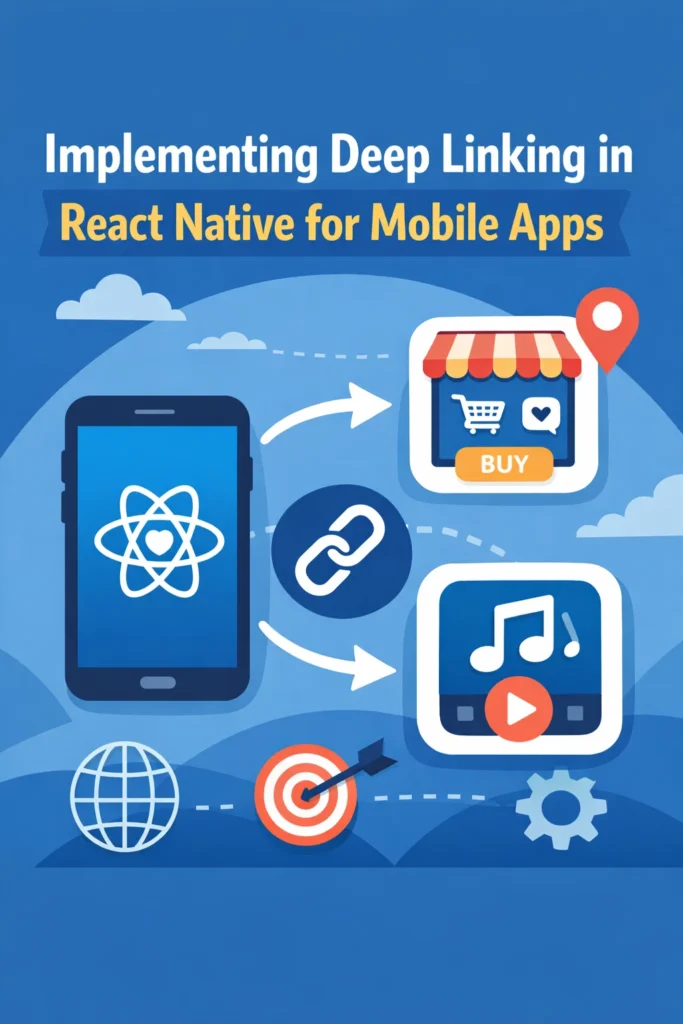
Introduction
Deep linking allows mobile apps to open specific screens directly from external sources such as emails, websites, push notifications, social media posts, or QR codes. Instead of landing on the home screen and navigating manually, users are taken exactly where they need to be. In React Native, deep linking is essential for creating seamless user experiences, driving marketing campaign conversions, and enabling features like password reset flows and content sharing.
In this comprehensive guide, you will learn how deep linking works on iOS and Android, how to configure both custom URL schemes and Universal Links/App Links, and how to handle incoming links safely inside a React Native app. By the end, you will have a production-ready deep linking implementation that works reliably across both platforms.
Why Deep Linking Matters in Mobile Apps
Deep linking improves both usability and engagement. Users expect to tap a link and arrive exactly where it promises to take them.
- Direct screen access: Skip navigation and show specific content immediately
- Improved onboarding: Land users on personalized welcome screens
- Higher campaign conversion: Links in emails and ads lead directly to purchase pages
- Better push notification UX: Notifications open relevant screens instead of the home page
- Seamless web-to-app transitions: Continue web sessions in the native app
- Content sharing: Users can share specific items with friends
Without deep linking, every external entry point dumps users at the home screen, forcing them to navigate manually.
Types of Deep Links
Before implementation, understand the different deep link types and their trade-offs.
Custom URL Schemes
Custom schemes like myapp://profile/123 are the simplest form of deep linking.
- Work only when the app is installed
- Fail silently if the app is missing (bad UX)
- No verification required (any app can claim any scheme)
- Good for development and internal navigation
Universal Links (iOS) and App Links (Android)
These use standard HTTPS URLs like https://example.com/profile/123.
- Work whether or not the app is installed
- Open the app if available, fall back to website otherwise
- Require domain verification (more secure)
- Recommended for production apps
Deferred Deep Links
Deferred deep links preserve the destination through app installation. When a user without the app clicks a link, they are sent to the app store. After installation, the app opens to the originally intended screen. Services like Branch.io or Firebase Dynamic Links enable this.
Configuring iOS Deep Linking
iOS requires native configuration for both URL schemes and Universal Links.
Custom URL Scheme
Add a URL scheme to your Info.plist:
<!-- ios/YourApp/Info.plist -->
<key>CFBundleURLTypes</key>
<array>
  <dict>
    <key>CFBundleTypeRole</key>
    <string>Editor</string>
    <key>CFBundleURLName</key>
    <string>com.yourcompany.yourapp</string>
    <key>CFBundleURLSchemes</key>
    <array>
      <string>myapp</string>
    </array>
  </dict>
</array>
This enables links like myapp://profile/123 or myapp://settings.
Universal Links
Universal Links require additional setup:
1. Enable Associated Domains capability in Xcode under Signing & Capabilities.
2. Add your domain to the Associated Domains list:
applinks:example.com
applinks:www.example.com
3. Host an apple-app-site-association file on your server at https://example.com/.well-known/apple-app-site-association:
{
  "applinks": {
    "apps": [],
    "details": [
      {
        "appID": "TEAM_ID.com.yourcompany.yourapp",
        "paths": [
          "/profile/*",
          "/product/*",
          "/invite/*",
          "NOT /api/*"
        ]
      }
    ]
  }
}
4. Update AppDelegate.m to handle Universal Links:
// ios/YourApp/AppDelegate.m
#import <React/RCTLinkingManager.h>

- (BOOL)application:(UIApplication *)application
   openURL:(NSURL *)url
   options:(NSDictionary<UIApplicationOpenURLOptionsKey,id> *)options
{
  return [RCTLinkingManager application:application openURL:url options:options];
}

- (BOOL)application:(UIApplication *)application
 continueUserActivity:(NSUserActivity *)userActivity
   restorationHandler:(void (^)(NSArray<id<UIUserActivityRestoring>> *))restorationHandler
{
  return [RCTLinkingManager application:application
                   continueUserActivity:userActivity
                     restorationHandler:restorationHandler];
}
Configuring Android Deep Linking
Android uses intent filters to handle deep links.
Custom URL Scheme
<!-- android/app/src/main/AndroidManifest.xml -->
<activity
  android:name=".MainActivity"
  android:launchMode="singleTask">

  <!-- Custom URL scheme -->
  <intent-filter>
    <action android:name="android.intent.action.VIEW" />
    <category android:name="android.intent.category.DEFAULT" />
    <category android:name="android.intent.category.BROWSABLE" />
    <data android:scheme="myapp" />
  </intent-filter>

</activity>
App Links (Verified HTTPS Links)
<!-- App Links with auto-verify -->
<intent-filter android:autoVerify="true">
  <action android:name="android.intent.action.VIEW" />
  <category android:name="android.intent.category.DEFAULT" />
  <category android:name="android.intent.category.BROWSABLE" />
  <data
    android:scheme="https"
    android:host="example.com"
    android:pathPrefix="/profile" />
  <data
    android:scheme="https"
    android:host="example.com"
    android:pathPrefix="/product" />
</intent-filter>
Host an assetlinks.json file at https://example.com/.well-known/assetlinks.json:
[
  {
    "relation": ["delegate_permission/common.handle_all_urls"],
    "target": {
      "namespace": "android_app",
      "package_name": "com.yourcompany.yourapp",
      "sha256_cert_fingerprints": [
        "AA:BB:CC:DD:EE:FF:00:11:22:33:44:55:66:77:88:99:AA:BB:CC:DD:EE:FF:00:11:22:33:44:55:66:77:88:99"
      ]
    }
  }
]
Handling Deep Links in JavaScript
React Native’s Linking API handles incoming URLs on both platforms.
// src/hooks/useDeepLinking.ts
import { useEffect } from 'react';
import { Linking } from 'react-native';
import { useNavigation } from '@react-navigation/native';

export function useDeepLinking() {
  const navigation = useNavigation();

  useEffect(() => {
    // Handle links when app is already open
    const subscription = Linking.addEventListener('url', ({ url }) => {
      handleDeepLink(url, navigation);
    });

    // Handle initial URL when app opens from closed state
    Linking.getInitialURL().then((url) => {
      if (url) {
        handleDeepLink(url, navigation);
      }
    });

    return () => subscription.remove();
  }, [navigation]);
}

function handleDeepLink(url: string, navigation: any) {
  try {
    const parsed = parseDeepLink(url);

    if (!parsed) {
      console.warn('Invalid deep link:', url);
      return;
    }

    switch (parsed.route) {
      case 'profile':
        if (parsed.params.id) {
          navigation.navigate('Profile', { userId: parsed.params.id });
        }
        break;
      case 'product':
        if (parsed.params.id) {
          navigation.navigate('ProductDetail', { productId: parsed.params.id });
        }
        break;
      case 'invite':
        if (parsed.params.code) {
          navigation.navigate('JoinTeam', { inviteCode: parsed.params.code });
        }
        break;
      case 'reset-password':
        if (parsed.params.token) {
          navigation.navigate('ResetPassword', { token: parsed.params.token });
        }
        break;
      default:
        console.warn('Unknown deep link route:', parsed.route);
    }
  } catch (error) {
    console.error('Error handling deep link:', error);
  }
}

function parseDeepLink(url: string): { route: string; params: Record<string, string> } | null {
  try {
    // Handle both custom schemes and https URLs
    const urlObj = new URL(url.replace('myapp://', 'https://example.com/'));
    const pathParts = urlObj.pathname.split('/').filter(Boolean);

    if (pathParts.length === 0) return null;

    const route = pathParts[0];
    const params: Record<string, string> = {};

    // Path parameters (e.g., /profile/123)
    if (pathParts.length > 1) {
      params.id = pathParts[1];
    }

    // Query parameters (e.g., ?code=ABC123)
    urlObj.searchParams.forEach((value, key) => {
      params[key] = value;
    });

    return { route, params };
  } catch {
    return null;
  }
}
Integrating with React Navigation
React Navigation provides built-in deep linking configuration that handles URL parsing and navigation automatically.
// src/navigation/linking.ts
import { LinkingOptions } from '@react-navigation/native';

export const linking: LinkingOptions<RootStackParamList> = {
  prefixes: [
    'myapp://',
    'https://example.com',
    'https://www.example.com',
  ],
  config: {
    screens: {
      // Tab Navigator
      Main: {
        screens: {
          Home: 'home',
          Search: 'search',
          Profile: {
            path: 'profile/:userId',
            parse: {
              userId: (userId: string) => userId,
            },
          },
        },
      },
      // Stack screens
      ProductDetail: {
        path: 'product/:productId',
        parse: {
          productId: (productId: string) => productId,
        },
      },
      JoinTeam: 'invite/:code',
      ResetPassword: 'reset-password',
      NotFound: '*',
    },
  },
  // Custom URL parsing (optional)
  getStateFromPath: (path, options) => {
    // Custom logic if needed
    return getStateFromPath(path, options);
  },
};

// Use in NavigationContainer
import { NavigationContainer } from '@react-navigation/native';
import { linking } from './navigation/linking';

function App() {
  return (
    <NavigationContainer linking={linking} fallback={<LoadingScreen />}>
      <RootNavigator />
    </NavigationContainer>
  );
}
Security and Validation
Never trust incoming deep links blindly. Validate all parameters before using them.
// Validation examples
function validateUserId(id: string): boolean {
  // Check format (UUID, numeric, etc.)
  return /^[0-9a-f]{8}-[0-9a-f]{4}-[0-9a-f]{4}-[0-9a-f]{4}-[0-9a-f]{12}$/i.test(id);
}

function validateInviteCode(code: string): boolean {
  // Check length and characters
  return /^[A-Z0-9]{6,12}$/.test(code);
}

// In your handler
if (parsed.route === 'profile' && validateUserId(parsed.params.id)) {
  navigation.navigate('Profile', { userId: parsed.params.id });
} else {
  // Redirect to safe fallback
  navigation.navigate('Home');
}
Testing Deep Links
Test deep links thoroughly on both platforms:
# iOS Simulator
xcrun simctl openurl booted "myapp://profile/123"
xcrun simctl openurl booted "https://example.com/product/456"

# Android Emulator
adb shell am start -a android.intent.action.VIEW -d "myapp://profile/123"
adb shell am start -a android.intent.action.VIEW -d "https://example.com/product/456"
Test these scenarios:
- Cold start (app not running)
- Warm start (app in background)
- Invalid URLs and missing parameters
- Universal Links with app not installed (should open website)
- Authentication-required screens (should redirect to login first)
Common Mistakes to Avoid
Forgetting Initial URL Handling
The Linking.addEventListener only handles links when the app is already running. Use getInitialURL() for cold starts.
Missing singleTask Launch Mode on Android
Without android:launchMode="singleTask", Android may create multiple activity instances, causing navigation issues.
No Input Validation
Deep links are user-controlled input. Always validate before navigating or making API calls.
Authentication Race Conditions
If a deep link requires authentication, wait for auth state to resolve before navigating.
Conclusion
Implementing deep linking in React Native allows users to reach the right screen instantly, whether they come from the web, push notifications, emails, or other apps. By combining native configuration with proper JavaScript handling and React Navigation integration, you can build reliable deep link flows that improve user experience and drive engagement. The key is configuring both platforms correctly, validating all incoming data, and testing thoroughly across cold and warm start scenarios.
For engagement features that complement deep linking, read Push Notifications in React Native with Firebase Cloud Messaging. To understand when to use Expo’s managed workflow for simpler deep linking setup, see Expo vs React Native CLI: Deciding Which to Use. For offline support in your navigation flows, explore Building Offline-Ready React Native Apps with Redux Persist. Reference the official React Native Linking documentation and the React Navigation deep linking guide for the latest APIs and best practices.
1 Comment
Comments are closed.