Introduction
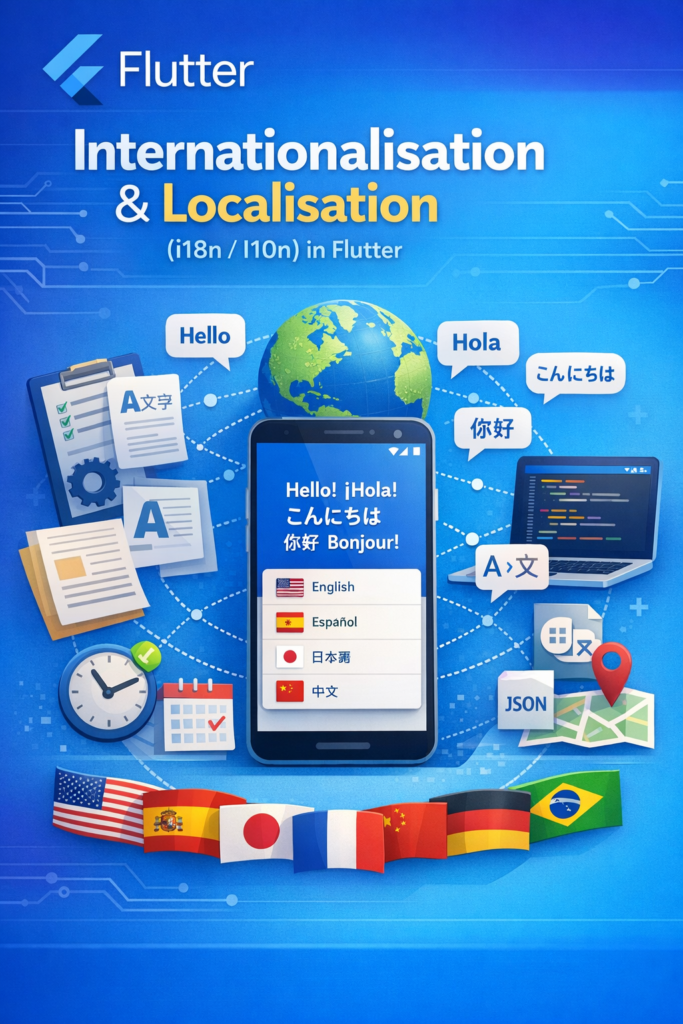
Modern apps often target users across different countries, cultures, and language preferences. Supporting multiple languages, date/time formats, currencies, and text directions is no longer optional—it’s essential for reaching global audiences. Internationalisation (i18n) prepares your Flutter app’s architecture for multiple locales, while localisation (l10n) provides the actual translated content and region-specific formatting.
In this comprehensive guide, you’ll learn how i18n and l10n work in Flutter, how to set up the official localization system with code generation, handle plurals and parameters, format dates and currencies correctly, support RTL languages, and implement runtime language switching.
Why i18n and l10n Matter in Flutter Apps
Language and regional support directly affect usability, accessibility, and market adoption. Proper localisation demonstrates respect for users’ cultures and improves their experience.
- Reach global audiences: Over 75% of internet users prefer content in their native language.
- Improve accessibility: Support users with different cultural contexts and reading directions.
- Increase user trust: Native language content feels more professional and trustworthy.
- Support regional formats: Dates, numbers, and currencies vary by locale.
- Reduce refactoring costs: i18n architecture is easier to add early than retrofit later.
Understanding i18n vs l10n
Although the terms are often used interchangeably, they serve different purposes:
- Internationalisation (i18n): The technical preparation of your app to support multiple locales—extracting strings, setting up locale infrastructure, making layouts flexible.
- Localisation (l10n): The process of adapting content for specific locales—translating text, formatting dates and currencies, adjusting images and icons.
Flutter Localization Setup
Step 1: Add Dependencies
# pubspec.yaml
dependencies:
  flutter:
    sdk: flutter
  flutter_localizations:
    sdk: flutter
  intl: ^0.19.0

dev_dependencies:
  flutter_test:
    sdk: flutter

flutter:
  generate: true  # Enable code generation
Step 2: Configure l10n.yaml
# l10n.yaml - Localization configuration
arb-dir: lib/l10n
template-arb-file: app_en.arb
output-localization-file: app_localizations.dart
output-class: AppLocalizations
nullable-getter: false
synthetic-package: false
output-dir: lib/l10n/generated
Step 3: Create ARB Translation Files
// lib/l10n/app_en.arb - English (template)
{
  "@@locale": "en",

  "appTitle": "My App",
  "@appTitle": {
    "description": "The title of the application"
  },

  "welcomeMessage": "Welcome, {userName}!",
  "@welcomeMessage": {
    "description": "Welcome message with user name",
    "placeholders": {
      "userName": {
        "type": "String",
        "example": "John"
      }
    }
  },

  "itemCount": "{count, plural, =0{No items} =1{1 item} other{{count} items}}",
  "@itemCount": {
    "description": "Number of items with pluralization",
    "placeholders": {
      "count": {
        "type": "int"
      }
    }
  },

  "selectedDate": "Selected: {date}",
  "@selectedDate": {
    "description": "Shows selected date",
    "placeholders": {
      "date": {
        "type": "DateTime",
        "format": "yMMMd"
      }
    }
  },

  "price": "Price: {amount}",
  "@price": {
    "description": "Product price",
    "placeholders": {
      "amount": {
        "type": "double",
        "format": "currency",
        "optionalParameters": {
          "symbol": "$",
          "decimalDigits": 2
        }
      }
    }
  },

  "homeTab": "Home",
  "settingsTab": "Settings",
  "profileTab": "Profile",

  "loginButton": "Log In",
  "logoutButton": "Log Out",
  "signUpButton": "Sign Up",

  "emailLabel": "Email",
  "passwordLabel": "Password",
  "emailHint": "Enter your email address",
  "passwordHint": "Enter your password",

  "errorRequired": "This field is required",
  "errorInvalidEmail": "Please enter a valid email",
  "errorPasswordTooShort": "Password must be at least {minLength} characters",
  "@errorPasswordTooShort": {
    "placeholders": {
      "minLength": {
        "type": "int"
      }
    }
  },

  "confirmDelete": "Are you sure you want to delete {itemName}?",
  "@confirmDelete": {
    "placeholders": {
      "itemName": {
        "type": "String"
      }
    }
  },

  "cancel": "Cancel",
  "confirm": "Confirm",
  "save": "Save",
  "delete": "Delete",
  "edit": "Edit"
}
// lib/l10n/app_de.arb - German
{
"@@locale": "de",
"appTitle": "Meine App",
"welcomeMessage": "Willkommen, {userName}!",
"itemCount": "{count, plural, =0{Keine Artikel} =1{1 Artikel} other{{count} Artikel}}",
"selectedDate": "Ausgewählt: {date}",
"price": "Preis: {amount}",
"homeTab": "Startseite",
"settingsTab": "Einstellungen",
"profileTab": "Profil",
"loginButton": "Anmelden",
"logoutButton": "Abmelden",
"signUpButton": "Registrieren",
"emailLabel": "E-Mail",
"passwordLabel": "Passwort",
"emailHint": "Geben Sie Ihre E-Mail-Adresse ein",
"passwordHint": "Geben Sie Ihr Passwort ein",
"errorRequired": "Dieses Feld ist erforderlich",
"errorInvalidEmail": "Bitte geben Sie eine gültige E-Mail-Adresse ein",
"errorPasswordTooShort": "Das Passwort muss mindestens {minLength} Zeichen lang sein",
"confirmDelete": "Möchten Sie {itemName} wirklich löschen?",
"cancel": "Abbrechen",
"confirm": "Bestätigen",
"save": "Speichern",
"delete": "Löschen",
"edit": "Bearbeiten"
}// lib/l10n/app_ar.arb - Arabic (RTL)
{
"@@locale": "ar",
"appTitle": "تطبيقي",
"welcomeMessage": "مرحباً، {userName}!",
"itemCount": "{count, plural, =0{لا توجد عناصر} =1{عنصر واحد} =2{عنصران} few{{count} عناصر} other{{count} عنصر}}",
"selectedDate": "المحدد: {date}",
"price": "السعر: {amount}",
"homeTab": "الرئيسية",
"settingsTab": "الإعدادات",
"profileTab": "الملف الشخصي",
"loginButton": "تسجيل الدخول",
"logoutButton": "تسجيل الخروج",
"signUpButton": "إنشاء حساب",
"emailLabel": "البريد الإلكتروني",
"passwordLabel": "كلمة المرور",
"emailHint": "أدخل بريدك الإلكتروني",
"passwordHint": "أدخل كلمة المرور",
"errorRequired": "هذا الحقل مطلوب",
"errorInvalidEmail": "يرجى إدخال بريد إلكتروني صالح",
"errorPasswordTooShort": "يجب أن تكون كلمة المرور {minLength} أحرف على الأقل",
"confirmDelete": "هل أنت متأكد من حذف {itemName}؟",
"cancel": "إلغاء",
"confirm": "تأكيد",
"save": "حفظ",
"delete": "حذف",
"edit": "تعديل"
}Step 4: Generate Localization Code
# Generate localization files
flutter gen-l10n

# Or run with build
flutter pub get
Step 5: Configure MaterialApp
// lib/main.dart - App Configuration
import 'package:flutter/material.dart';
import 'package:flutter_localizations/flutter_localizations.dart';
import 'l10n/generated/app_localizations.dart';

void main() {
  runApp(const MyApp());
}

class MyApp extends StatelessWidget {
  const MyApp({super.key});

  @override
  Widget build(BuildContext context) {
    return MaterialApp(
      title: 'Localized App',

      // Localization delegates
      localizationsDelegates: const [
        AppLocalizations.delegate,
        GlobalMaterialLocalizations.delegate,
        GlobalWidgetsLocalizations.delegate,
        GlobalCupertinoLocalizations.delegate,
      ],

      // Supported locales
      supportedLocales: const [
        Locale('en'),
        Locale('de'),
        Locale('es'),
        Locale('ar'),
        Locale('ja'),
        Locale('zh', 'CN'),  // Simplified Chinese
        Locale('zh', 'TW'),  // Traditional Chinese
      ],

      // Optional: Force specific locale
      // locale: const Locale('de'),

      // Locale resolution callback
      localeResolutionCallback: (locale, supportedLocales) {
        // Check if device locale is supported
        for (final supportedLocale in supportedLocales) {
          if (supportedLocale.languageCode == locale?.languageCode) {
            return supportedLocale;
          }
        }
        // Default to English
        return const Locale('en');
      },

      home: const HomePage(),
    );
  }
}
Using Localizations in Widgets
// lib/pages/home_page.dart
import 'package:flutter/material.dart';
import '../l10n/generated/app_localizations.dart';

class HomePage extends StatelessWidget {
  const HomePage({super.key});

  @override
  Widget build(BuildContext context) {
    // Access localizations
    final l10n = AppLocalizations.of(context);

    return Scaffold(
      appBar: AppBar(
        title: Text(l10n.appTitle),
      ),
      body: Padding(
        padding: const EdgeInsets.all(16.0),
        child: Column(
          crossAxisAlignment: CrossAxisAlignment.start,
          children: [
            // Simple string
            Text(
              l10n.welcomeMessage('John'),
              style: Theme.of(context).textTheme.headlineMedium,
            ),
            const SizedBox(height: 16),

            // Pluralization
            Text(l10n.itemCount(0)),  // "No items"
            Text(l10n.itemCount(1)),  // "1 item"
            Text(l10n.itemCount(5)),  // "5 items"
            const SizedBox(height: 16),

            // Formatted date
            Text(l10n.selectedDate(DateTime.now())),
            const SizedBox(height: 16),

            // Formatted currency
            Text(l10n.price(29.99)),
            const SizedBox(height: 16),

            // Form validation
            TextFormField(
              decoration: InputDecoration(
                labelText: l10n.emailLabel,
                hintText: l10n.emailHint,
              ),
              validator: (value) {
                if (value?.isEmpty ?? true) {
                  return l10n.errorRequired;
                }
                if (!value!.contains('@')) {
                  return l10n.errorInvalidEmail;
                }
                return null;
              },
            ),
            const SizedBox(height: 16),

            // Buttons
            Row(
              children: [
                ElevatedButton(
                  onPressed: () {},
                  child: Text(l10n.loginButton),
                ),
                const SizedBox(width: 8),
                TextButton(
                  onPressed: () {},
                  child: Text(l10n.signUpButton),
                ),
              ],
            ),
          ],
        ),
      ),
    );
  }
}
Runtime Language Switching
// lib/providers/locale_provider.dart
import 'package:flutter/material.dart';
import 'package:shared_preferences/shared_preferences.dart';

class LocaleProvider extends ChangeNotifier {
  static const String _localeKey = 'selected_locale';

  Locale _locale = const Locale('en');
  Locale get locale => _locale;

  final List<Locale> supportedLocales = const [
    Locale('en'),
    Locale('de'),
    Locale('es'),
    Locale('ar'),
    Locale('ja'),
  ];

  LocaleProvider() {
    _loadSavedLocale();
  }

  Future<void> _loadSavedLocale() async {
    final prefs = await SharedPreferences.getInstance();
    final languageCode = prefs.getString(_localeKey);

    if (languageCode != null) {
      _locale = Locale(languageCode);
      notifyListeners();
    }
  }

  Future<void> setLocale(Locale locale) async {
    if (!supportedLocales.contains(locale)) return;

    _locale = locale;
    notifyListeners();

    final prefs = await SharedPreferences.getInstance();
    await prefs.setString(_localeKey, locale.languageCode);
  }

  String getLanguageName(Locale locale) {
    switch (locale.languageCode) {
      case 'en': return 'English';
      case 'de': return 'Deutsch';
      case 'es': return 'Español';
      case 'ar': return 'العربية';
      case 'ja': return '日本語';
      default: return locale.languageCode;
    }
  }
}

// lib/main.dart - With Provider
import 'package:flutter/material.dart';
import 'package:provider/provider.dart';
import 'providers/locale_provider.dart';

void main() {
  runApp(
    ChangeNotifierProvider(
      create: (_) => LocaleProvider(),
      child: const MyApp(),
    ),
  );
}

class MyApp extends StatelessWidget {
  const MyApp({super.key});

  @override
  Widget build(BuildContext context) {
    return Consumer<LocaleProvider>(
      builder: (context, localeProvider, child) {
        return MaterialApp(
          locale: localeProvider.locale,
          localizationsDelegates: const [
            AppLocalizations.delegate,
            GlobalMaterialLocalizations.delegate,
            GlobalWidgetsLocalizations.delegate,
            GlobalCupertinoLocalizations.delegate,
          ],
          supportedLocales: localeProvider.supportedLocales,
          home: const HomePage(),
        );
      },
    );
  }
}

// Language selector widget
class LanguageSelector extends StatelessWidget {
  const LanguageSelector({super.key});

  @override
  Widget build(BuildContext context) {
    final localeProvider = context.watch<LocaleProvider>();

    return ListView.builder(
      itemCount: localeProvider.supportedLocales.length,
      itemBuilder: (context, index) {
        final locale = localeProvider.supportedLocales[index];
        final isSelected = locale == localeProvider.locale;

        return ListTile(
          title: Text(localeProvider.getLanguageName(locale)),
          trailing: isSelected ? const Icon(Icons.check) : null,
          onTap: () => localeProvider.setLocale(locale),
        );
      },
    );
  }
}
Date, Number, and Currency Formatting
// lib/utils/formatters.dart
import 'package:flutter/material.dart';
import 'package:intl/intl.dart';

class LocaleFormatters {
  final BuildContext context;
  late final String _localeString;

  LocaleFormatters(this.context) {
    _localeString = Localizations.localeOf(context).toString();
  }

  // Date formatting
  String formatDate(DateTime date) {
    return DateFormat.yMMMd(_localeString).format(date);
  }

  String formatDateTime(DateTime date) {
    return DateFormat.yMMMd(_localeString).add_jm().format(date);
  }

  String formatTime(DateTime date) {
    return DateFormat.jm(_localeString).format(date);
  }

  String formatRelativeDate(DateTime date) {
    final now = DateTime.now();
    final difference = now.difference(date);

    if (difference.inDays == 0) {
      return 'Today';
    } else if (difference.inDays == 1) {
      return 'Yesterday';
    } else if (difference.inDays < 7) {
      return DateFormat.EEEE(_localeString).format(date);
    } else {
      return formatDate(date);
    }
  }

  // Number formatting
  String formatNumber(num number) {
    return NumberFormat.decimalPattern(_localeString).format(number);
  }

  String formatPercentage(double value) {
    return NumberFormat.percentPattern(_localeString).format(value);
  }

  String formatCompact(num number) {
    return NumberFormat.compact(locale: _localeString).format(number);
  }

  // Currency formatting
  String formatCurrency(double amount, {String? symbol}) {
    return NumberFormat.currency(
      locale: _localeString,
      symbol: symbol ?? _getCurrencySymbol(),
    ).format(amount);
  }

  String _getCurrencySymbol() {
    switch (Localizations.localeOf(context).countryCode) {
      case 'DE':
      case 'ES':
      case 'FR':
        return '€';
      case 'GB':
        return '£';
      case 'JP':
        return '¥';
      default:
        return '\$';
    }
  }
}

// Usage
class FormattedContent extends StatelessWidget {
  const FormattedContent({super.key});

  @override
  Widget build(BuildContext context) {
    final formatters = LocaleFormatters(context);
    final now = DateTime.now();

    return Column(
      children: [
        Text('Date: ${formatters.formatDate(now)}'),
        Text('Time: ${formatters.formatTime(now)}'),
        Text('Number: ${formatters.formatNumber(1234567.89)}'),
        Text('Percentage: ${formatters.formatPercentage(0.1234)}'),
        Text('Currency: ${formatters.formatCurrency(1234.56)}'),
        Text('Compact: ${formatters.formatCompact(1500000)}'),
      ],
    );
  }
}
Right-to-Left (RTL) Language Support
// lib/widgets/rtl_aware_widget.dart
import 'package:flutter/material.dart';

class RTLAwareWidget extends StatelessWidget {
  const RTLAwareWidget({super.key});

  @override
  Widget build(BuildContext context) {
    final isRTL = Directionality.of(context) == TextDirection.rtl;

    return Row(
      children: [
        // Use start/end instead of left/right
        Icon(
          isRTL ? Icons.arrow_back : Icons.arrow_forward,
        ),
        const SizedBox(width: 8),
        const Expanded(
          child: Text('This text will flow correctly'),
        ),
      ],
    );
  }
}

// RTL-aware padding and margins
class RTLAwarePadding extends StatelessWidget {
  const RTLAwarePadding({super.key});

  @override
  Widget build(BuildContext context) {
    return Container(
      // Use start/end instead of left/right
      padding: const EdgeInsetsDirectional.only(
        start: 16,  // Left in LTR, Right in RTL
        end: 8,     // Right in LTR, Left in RTL
        top: 12,
        bottom: 12,
      ),
      child: Row(
        children: [
          // Icon on the leading side
          const Icon(Icons.person),
          const SizedBox(width: 8),
          const Expanded(
            child: Text('Profile'),
          ),
          // Chevron on the trailing side
          Icon(
            Directionality.of(context) == TextDirection.rtl
                ? Icons.chevron_left
                : Icons.chevron_right,
          ),
        ],
      ),
    );
  }
}

// Force LTR for specific content (like phone numbers)
class ForceDirectionWidget extends StatelessWidget {
  final String phoneNumber;

  const ForceDirectionWidget({super.key, required this.phoneNumber});

  @override
  Widget build(BuildContext context) {
    return Directionality(
      textDirection: TextDirection.ltr,
      child: Text(phoneNumber),
    );
  }
}
Testing Localization
// test/localization_test.dart
import 'package:flutter/material.dart';
import 'package:flutter_test/flutter_test.dart';
import 'package:flutter_localizations/flutter_localizations.dart';
import 'package:my_app/l10n/generated/app_localizations.dart';

void main() {
  Widget createTestWidget(Locale locale, Widget child) {
    return MaterialApp(
      locale: locale,
      localizationsDelegates: const [
        AppLocalizations.delegate,
        GlobalMaterialLocalizations.delegate,
        GlobalWidgetsLocalizations.delegate,
        GlobalCupertinoLocalizations.delegate,
      ],
      supportedLocales: const [
        Locale('en'),
        Locale('de'),
        Locale('ar'),
      ],
      home: child,
    );
  }

  testWidgets('displays English text', (tester) async {
    await tester.pumpWidget(
      createTestWidget(
        const Locale('en'),
        Builder(
          builder: (context) => Text(AppLocalizations.of(context).appTitle),
        ),
      ),
    );

    expect(find.text('My App'), findsOneWidget);
  });

  testWidgets('displays German text', (tester) async {
    await tester.pumpWidget(
      createTestWidget(
        const Locale('de'),
        Builder(
          builder: (context) => Text(AppLocalizations.of(context).appTitle),
        ),
      ),
    );

    expect(find.text('Meine App'), findsOneWidget);
  });

  testWidgets('handles pluralization correctly', (tester) async {
    await tester.pumpWidget(
      createTestWidget(
        const Locale('en'),
        Builder(
          builder: (context) {
            final l10n = AppLocalizations.of(context);
            return Column(
              children: [
                Text(l10n.itemCount(0)),
                Text(l10n.itemCount(1)),
                Text(l10n.itemCount(5)),
              ],
            );
          },
        ),
      ),
    );

    expect(find.text('No items'), findsOneWidget);
    expect(find.text('1 item'), findsOneWidget);
    expect(find.text('5 items'), findsOneWidget);
  });

  testWidgets('RTL layout for Arabic', (tester) async {
    await tester.pumpWidget(
      createTestWidget(
        const Locale('ar'),
        Builder(
          builder: (context) {
            return Text(
              Directionality.of(context) == TextDirection.rtl
                  ? 'RTL'
                  : 'LTR',
            );
          },
        ),
      ),
    );

    expect(find.text('RTL'), findsOneWidget);
  });
}
Common Mistakes to Avoid
1. Hard-Coded Strings
// WRONG - Hard-coded string
Text('Welcome to our app');

// CORRECT - Localized string
Text(AppLocalizations.of(context).welcomeMessage('User'));
2. Concatenating Translated Strings
// WRONG - Word order varies by language
final message = l10n.hello + ' ' + userName + '!';

// CORRECT - Use placeholders
final message = l10n.welcomeMessage(userName);
3. Fixed-Width Layouts
// WRONG - Text may overflow in other languages
Container(
  width: 100,
  child: Text(l10n.loginButton),  // May be longer in German
);

// CORRECT - Flexible layout
ConstrainedBox(
  constraints: const BoxConstraints(minWidth: 100),
  child: Text(l10n.loginButton),
);
4. Left/Right Instead of Start/End
// WRONG - Breaks in RTL languages
Padding(
  padding: const EdgeInsets.only(left: 16),
  child: child,
);

// CORRECT - Works in both LTR and RTL
Padding(
  padding: const EdgeInsetsDirectional.only(start: 16),
  child: child,
);
Best Practices Summary
- Set up i18n early: Easier to add from the start than retrofit later.
- Use code generation: Type-safe access prevents typos and missing keys.
- Add descriptions: Help translators understand context with @description.
- Use placeholders: Never concatenate translated strings.
- Test text expansion: German and other languages can be 30% longer.
- Support RTL: Use EdgeInsetsDirectional and TextDirection-aware widgets.
- Format locally: Use intl package for dates, numbers, and currencies.
- Test all locales: Verify layouts and content in each supported language.
Conclusion
Internationalisation and localisation in Flutter allow you to build apps that feel native to users worldwide. By setting up i18n architecture early, using ARB files with code generation, handling plurals and parameters correctly, and supporting RTL languages, you can deliver a polished global experience without costly rewrites.
If you're building resilient mobile architectures, read Building Offline-First Flutter Apps: Local Storage and Sync. For advanced UI control, see Custom Animations with AnimationController & Tween. For official documentation, explore the Flutter internationalisation guide and the intl package documentation.


1 Comment