Introduction
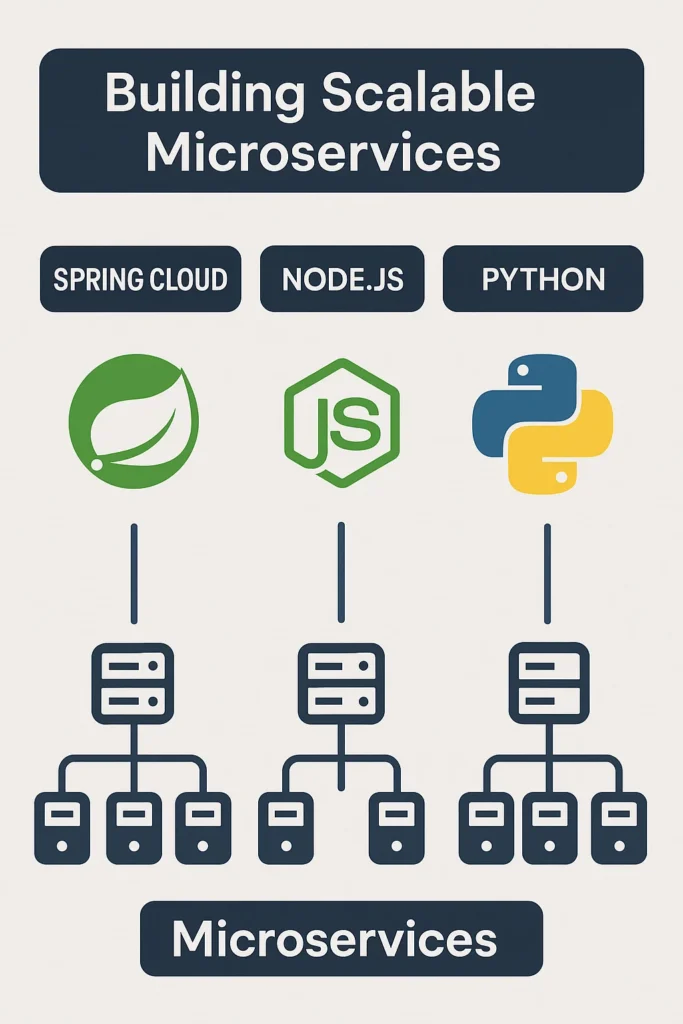
When building microservices, choosing the right stack shapes everything from development velocity to operational complexity. In 2025, three stacks dominate the microservices landscape: Spring Cloud (Java), Node.js, and Python (FastAPI/Django). Netflix runs its platform on Java microservices, PayPal processes billions through Node.js, and companies like Instagram and Spotify leverage Python extensively. Each stack excels in different scenarios, and the “best” choice depends on your team’s expertise, performance requirements, and integration needs. This comprehensive guide provides an in-depth comparison with practical code examples, performance characteristics, ecosystem analysis, and real-world patterns to help you make an informed decision for your microservices architecture.
Spring Cloud: Enterprise-Grade Java Framework
Spring Cloud builds on the mature Spring ecosystem to provide comprehensive tooling for distributed systems. It’s the default choice for enterprise environments where reliability, type safety, and long-term maintainability are paramount.
Spring Cloud Service Example
// OrderService.java - Spring Boot microservice with Spring Cloud
@SpringBootApplication
@EnableDiscoveryClient
@EnableCircuitBreaker
public class OrderServiceApplication {
    public static void main(String[] args) {
        SpringApplication.run(OrderServiceApplication.class, args);
    }
}

// OrderController.java
@RestController
@RequestMapping("/api/orders")
public class OrderController {

    private final OrderService orderService;
    private final InventoryClient inventoryClient;

    public OrderController(OrderService orderService, InventoryClient inventoryClient) {
        this.orderService = orderService;
        this.inventoryClient = inventoryClient;
    }

    @PostMapping
    public ResponseEntity createOrder(@Valid @RequestBody CreateOrderRequest request) {
        // Check inventory via Feign client with circuit breaker
        InventoryStatus status = inventoryClient.checkStock(request.getProductId());

        if (!status.isAvailable()) {
            return ResponseEntity.badRequest()
                .body(OrderResponse.error("Product out of stock"));
        }

        Order order = orderService.createOrder(request);
        return ResponseEntity.status(HttpStatus.CREATED)
            .body(OrderResponse.success(order));
    }

    @GetMapping("/{orderId}")
    public ResponseEntity getOrder(@PathVariable String orderId) {
        return orderService.findById(orderId)
            .map(ResponseEntity::ok)
            .orElse(ResponseEntity.notFound().build());
    }
}

// InventoryClient.java - Feign client with Resilience4j circuit breaker
@FeignClient(name = "inventory-service", fallback = InventoryClientFallback.class)
public interface InventoryClient {

    @GetMapping("/api/inventory/{productId}/status")
    @CircuitBreaker(name = "inventory", fallbackMethod = "checkStockFallback")
    InventoryStatus checkStock(@PathVariable String productId);
}

@Component
public class InventoryClientFallback implements InventoryClient {
    @Override
    public InventoryStatus checkStock(String productId) {
        // Return cached or default response when inventory service is down
        return InventoryStatus.unknown();
    }
}

// application.yml - Spring Cloud configuration
spring:
  application:
    name: order-service
  cloud:
    config:
      uri: http://config-server:8888

eureka:
  client:
    serviceUrl:
      defaultZone: http://eureka-server:8761/eureka/

resilience4j:
  circuitbreaker:
    instances:
      inventory:
        failureRateThreshold: 50
        waitDurationInOpenState: 30s
        slidingWindowSize: 10
Spring Cloud Strengths
Battle-tested patterns: Service discovery (Eureka), configuration management (Config Server), circuit breakers (Resilience4j), and distributed tracing (Sleuth) come out of the box.
Type safety: Compile-time checking catches errors early. Refactoring is safe with IDE support.
Kubernetes integration: Spring Cloud Kubernetes provides native service discovery and config maps integration.
Performance: With GraalVM native images, Spring Boot 3+ achieves sub-second startup times.
Node.js: Lightweight and Event-Driven
Node.js uses a non-blocking event loop, making it exceptionally efficient for I/O-bound workloads. It’s the natural choice for real-time applications and teams with JavaScript expertise.
Node.js Service Example
// order-service/src/app.ts - Express with TypeScript
import express from 'express';
import { createClient } from 'redis';
import CircuitBreaker from 'opossum';
import { register, Counter, Histogram } from 'prom-client';

const app = express();
app.use(express.json());

// Metrics
const requestCounter = new Counter({
  name: 'http_requests_total',
  help: 'Total HTTP requests',
  labelNames: ['method', 'path', 'status'],
});

const requestDuration = new Histogram({
  name: 'http_request_duration_seconds',
  help: 'HTTP request duration',
  labelNames: ['method', 'path'],
});

// Circuit breaker for inventory service
const inventoryBreaker = new CircuitBreaker(
  async (productId: string) => {
    const response = await fetch(
      `${process.env.INVENTORY_SERVICE_URL}/api/inventory/${productId}/status`
    );
    if (!response.ok) throw new Error('Inventory service error');
    return response.json();
  },
  {
    timeout: 3000,
    errorThresholdPercentage: 50,
    resetTimeout: 30000,
  }
);

inventoryBreaker.fallback(() => ({ available: false, cached: true }));

// Order routes
app.post('/api/orders', async (req, res) => {
  const end = requestDuration.startTimer({ method: 'POST', path: '/api/orders' });

  try {
    const { productId, quantity, customerId } = req.body;

    // Check inventory with circuit breaker
    const inventoryStatus = await inventoryBreaker.fire(productId);

    if (!inventoryStatus.available) {
      requestCounter.inc({ method: 'POST', path: '/api/orders', status: 400 });
      return res.status(400).json({ error: 'Product out of stock' });
    }

    // Create order
    const order = await orderService.create({
      productId,
      quantity,
      customerId,
      status: 'pending',
    });

    // Publish event for async processing
    await publishEvent('order.created', {
      orderId: order.id,
      productId,
      quantity,
    });

    requestCounter.inc({ method: 'POST', path: '/api/orders', status: 201 });
    res.status(201).json(order);
  } catch (error) {
    requestCounter.inc({ method: 'POST', path: '/api/orders', status: 500 });
    res.status(500).json({ error: 'Internal server error' });
  } finally {
    end();
  }
});

app.get('/api/orders/:orderId', async (req, res) => {
  const order = await orderService.findById(req.params.orderId);

  if (!order) {
    return res.status(404).json({ error: 'Order not found' });
  }

  res.json(order);
});

// Health and metrics endpoints
app.get('/health', (req, res) => {
  res.json({ status: 'healthy', timestamp: new Date().toISOString() });
});

app.get('/metrics', async (req, res) => {
  res.set('Content-Type', register.contentType);
  res.end(await register.metrics());
});

// Graceful shutdown
process.on('SIGTERM', async () => {
  console.log('Received SIGTERM, shutting down gracefully');
  await redis.quit();
  process.exit(0);
});

app.listen(3000, () => {
  console.log('Order service listening on port 3000');
});
Node.js Strengths
Concurrency: Handles thousands of concurrent connections efficiently with its event loop.
Fast startup: Services start in milliseconds, ideal for serverless and auto-scaling.
Full-stack teams: JavaScript/TypeScript everywhere simplifies context switching.
NPM ecosystem: Vast library ecosystem for rapid development.
Python: Simplicity with Data Integration
Python combines clean syntax with powerful libraries, making it ideal for microservices that integrate with data science, ML models, or complex business logic.
Python FastAPI Service Example
# order_service/main.py - FastAPI microservice
from fastapi import FastAPI, HTTPException, Depends
from pydantic import BaseModel
from typing import Optional
import httpx
from circuitbreaker import circuit
from prometheus_client import Counter, Histogram, generate_latest
from starlette.responses import Response
import asyncio

app = FastAPI(title="Order Service")

# Metrics
REQUEST_COUNT = Counter(
    'http_requests_total',
    'Total HTTP requests',
    ['method', 'endpoint', 'status']
)
REQUEST_LATENCY = Histogram(
    'http_request_duration_seconds',
    'HTTP request latency',
    ['method', 'endpoint']
)

# Models
class CreateOrderRequest(BaseModel):
    product_id: str
    quantity: int
    customer_id: str

class Order(BaseModel):
    id: str
    product_id: str
    quantity: int
    customer_id: str
    status: str
    total_price: Optional[float] = None

# Circuit breaker for external calls
@circuit(failure_threshold=5, recovery_timeout=30)
async def check_inventory(product_id: str) -> dict:
    async with httpx.AsyncClient() as client:
        response = await client.get(
            f"{settings.INVENTORY_SERVICE_URL}/api/inventory/{product_id}/status",
            timeout=3.0
        )
        response.raise_for_status()
        return response.json()

@circuit(failure_threshold=5, recovery_timeout=30)
async def get_product_price(product_id: str) -> float:
    async with httpx.AsyncClient() as client:
        response = await client.get(
            f"{settings.PRODUCT_SERVICE_URL}/api/products/{product_id}",
            timeout=3.0
        )
        response.raise_for_status()
        return response.json()["price"]

# Routes
@app.post("/api/orders", response_model=Order, status_code=201)
async def create_order(request: CreateOrderRequest):
    with REQUEST_LATENCY.labels(method='POST', endpoint='/api/orders').time():
        try:
            # Parallel calls to external services
            inventory_task = check_inventory(request.product_id)
            price_task = get_product_price(request.product_id)

            inventory_status, price = await asyncio.gather(
                inventory_task,
                price_task,
                return_exceptions=True
            )

            # Handle circuit breaker failures
            if isinstance(inventory_status, Exception):
                REQUEST_COUNT.labels(method='POST', endpoint='/api/orders', status='503').inc()
                raise HTTPException(
                    status_code=503,
                    detail="Inventory service unavailable"
                )

            if not inventory_status.get("available", False):
                REQUEST_COUNT.labels(method='POST', endpoint='/api/orders', status='400').inc()
                raise HTTPException(
                    status_code=400,
                    detail="Product out of stock"
                )

            # Calculate total
            total_price = price * request.quantity if not isinstance(price, Exception) else None

            # Create order
            order = await order_repository.create(
                product_id=request.product_id,
                quantity=request.quantity,
                customer_id=request.customer_id,
                status="pending",
                total_price=total_price
            )

            # Publish event
            await event_publisher.publish("order.created", {
                "order_id": order.id,
                "product_id": request.product_id,
                "quantity": request.quantity
            })

            REQUEST_COUNT.labels(method='POST', endpoint='/api/orders', status='201').inc()
            return order

        except HTTPException:
            raise
        except Exception as e:
            REQUEST_COUNT.labels(method='POST', endpoint='/api/orders', status='500').inc()
            raise HTTPException(status_code=500, detail="Internal server error")

@app.get("/api/orders/{order_id}", response_model=Order)
async def get_order(order_id: str):
    order = await order_repository.find_by_id(order_id)
    if not order:
        raise HTTPException(status_code=404, detail="Order not found")
    return order

# ML-powered recommendation (Python's strength)
@app.get("/api/orders/{order_id}/recommendations")
async def get_recommendations(order_id: str):
    order = await order_repository.find_by_id(order_id)
    if not order:
        raise HTTPException(status_code=404, detail="Order not found")

    # Call ML model (easy integration with Python)
    recommendations = await ml_service.get_product_recommendations(
        product_id=order.product_id,
        customer_id=order.customer_id
    )
    return {"recommendations": recommendations}

@app.get("/health")
async def health():
    return {"status": "healthy"}

@app.get("/metrics")
async def metrics():
    return Response(generate_latest(), media_type="text/plain")
Python Strengths
ML/AI integration: Native access to TensorFlow, PyTorch, scikit-learn for ML-powered services.
Readability: Clean syntax reduces cognitive load and onboarding time.
FastAPI performance: Async support with Starlette delivers Node.js-like throughput.
Rapid prototyping: Quick iteration from concept to working service.
Detailed Comparison
| Aspect | Spring Cloud | Node.js | Python (FastAPI) |
|---|---|---|---|
| Startup Time | 2-5s (native: <1s) | <100ms | <500ms |
| Memory Usage | Higher (JVM) | Low | Low-Medium |
| Throughput | Very High | Very High (I/O) | High (async) |
| CPU-bound Tasks | Excellent | Poor | Good (multiprocess) |
| Type Safety | Strong | Good (TypeScript) | Good (type hints) |
| Cloud Native | Excellent | Good | Good |
| ML Integration | Limited | Limited | Excellent |
When to Choose Each Stack
Choose Spring Cloud when: You’re building enterprise systems with strict compliance requirements, your team has Java expertise, you need robust distributed patterns out of the box, or you’re integrating with existing Java infrastructure.
Choose Node.js when: You’re building real-time APIs, chat systems, or streaming services, your team is full-stack JavaScript, startup time and resource efficiency are critical, or you’re targeting serverless deployment.
Choose Python when: Your services integrate with ML models or data pipelines, rapid development and iteration are priorities, you need complex data processing logic, or your team prioritizes code readability.
Common Mistakes to Avoid
Choosing based on hype: Pick the stack your team knows best. A well-built Node.js service outperforms a poorly built Spring service.
Ignoring operational complexity: Spring Cloud’s rich features come with learning curves. Node.js requires careful memory management. Python needs GIL workarounds for CPU tasks.
Mixing too many stacks: Polyglot architectures increase operational burden. Stick to 2-3 stacks maximum.
Neglecting observability: All stacks need proper metrics, logging, and tracing from day one.
Conclusion
There’s no universal winner for microservices—Spring Cloud, Node.js, and Python each excel in different scenarios. Spring Cloud provides enterprise-grade reliability with comprehensive distributed patterns. Node.js delivers exceptional performance for I/O-bound workloads with minimal resource usage. Python offers unmatched simplicity and ML integration capabilities. Many successful architectures use multiple stacks: Python for ML services, Node.js for real-time APIs, and Java for core business services. Choose based on your team’s expertise, specific service requirements, and operational capabilities rather than benchmarks alone. For more on microservices communication patterns, check out REST vs GraphQL vs gRPC. To explore event-driven patterns, see Designing Event-Driven Microservices with Kafka. For Spring-specific guidance, visit the Spring Cloud Documentation.

2 Comments