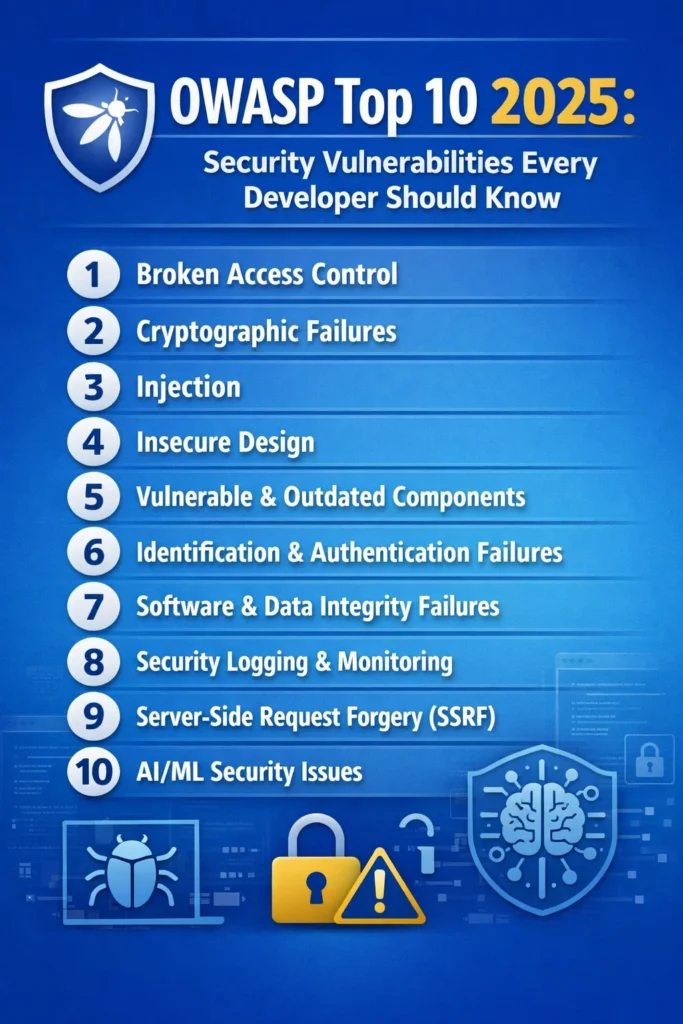
The OWASP Top 10 is the most widely referenced list of web application security risks. Originally published by the Open Web Application Security Project, it ranks the ten most critical vulnerability categories based on real-world breach data, security research, and community surveys. As a result, every developer who builds web applications, APIs, or microservices needs to understand these categories — not as abstract concepts, but as concrete coding mistakes that attackers exploit daily.
The current OWASP Top 10 (2021 edition) reflects a significant restructuring from previous versions. Notably, Broken Access Control moved to the top position, while Injection dropped from first to third. In addition, entirely new categories like Insecure Design and Software Integrity Failures appeared. This guide walks through each category with modern code examples, explains why each vulnerability matters in current development practices, and ultimately shows you how to prevent them in your own codebase.
A01: Broken Access Control
Broken access control sits at the top of the OWASP Top 10 because it appears in an overwhelming number of applications. Essentially, access control enforces policies so that users cannot act outside their intended permissions. However, when access control is broken, attackers can view other users’ data, modify records they should not touch, or even escalate their privileges to admin level.
How It Happens
The most common pattern is Insecure Direct Object Reference (IDOR), where an API endpoint uses a user-supplied identifier without verifying that the requesting user owns that resource.
// VULNERABLE: No ownership check
app.get('/api/orders/:orderId', async (req, res) => {
  const order = await Order.findById(req.params.orderId);
  res.json(order); // Any authenticated user can view any order
});

// SECURE: Verify the requesting user owns the resource
app.get('/api/orders/:orderId', authenticate, async (req, res) => {
  const order = await Order.findOne({
    _id: req.params.orderId,
    userId: req.user.id,
  });

  if (!order) {
    return res.status(404).json({ error: 'Order not found' });
  }
  res.json(order);
});
Additionally, another common vector is missing function-level access control. In these cases, admin endpoints that lack proper role checks allow regular users to perform privileged operations simply by guessing the URL.
// VULNERABLE: No role verification
app.delete('/api/admin/users/:userId', authenticate, async (req, res) => {
  await User.findByIdAndDelete(req.params.userId);
  res.json({ message: 'User deleted' });
});

// SECURE: Verify admin role
app.delete('/api/admin/users/:userId', authenticate, authorize('admin'), async (req, res) => {
  await User.findByIdAndDelete(req.params.userId);
  res.json({ message: 'User deleted' });
});
Prevention
First and foremost, deny access by default — every endpoint should require explicit authorization. Furthermore, implement access control checks server-side, and never rely on client-side hiding of UI elements. Instead, use a centralized authorization middleware rather than scattering permission checks across individual handlers. For APIs that handle resource ownership, always include the authenticated user’s ID in database queries. Teams using JWT-based authentication should verify both token validity and resource-level permissions on every request.
A02: Cryptographic Failures
Previously known as “Sensitive Data Exposure,” this category now focuses on failures related to cryptography — or the lack of it. Specifically, when applications store passwords in plain text, use weak hashing algorithms, transmit data without TLS, or manage encryption keys poorly, sensitive data becomes vulnerable.
How It Happens
# VULNERABLE: Storing passwords with MD5
import hashlib

def store_password(password: str) -> str:
    return hashlib.md5(password.encode()).hexdigest()  # Crackable in seconds

# SECURE: Using bcrypt with proper cost factor
import bcrypt

def store_password(password: str) -> str:
    salt = bcrypt.gensalt(rounds=12)
    return bcrypt.hashpw(password.encode(), salt).decode()

def verify_password(password: str, hashed: str) -> bool:
    return bcrypt.checkpw(password.encode(), hashed.encode())
Beyond password storage, however, cryptographic failures also include transmitting sensitive data over HTTP instead of HTTPS, using deprecated algorithms like SHA-1 for digital signatures, hardcoding encryption keys in source code, and similarly storing API keys or database credentials in plain text configuration files.
Prevention
Always use strong, current algorithms: bcrypt or Argon2 for passwords, AES-256-GCM for encryption at rest, and TLS 1.2+ for data in transit. Moreover, never implement your own cryptography — instead, use well-maintained libraries. Store secrets in environment variables or dedicated secrets management tools rather than in code. Finally, classify your data and apply appropriate protection levels: personally identifiable information needs encryption, while public marketing content does not.
A03: Injection
Injection attacks occur when untrusted data is sent to an interpreter as part of a command or query. Although SQL injection is the classic example, the category also includes NoSQL injection, OS command injection, LDAP injection, and expression language injection.
How It Happens
// VULNERABLE: String concatenation in SQL
app.get('/api/users', async (req, res) => {
  const { search } = req.query;
  const query = `SELECT * FROM users WHERE name LIKE '%${search}%'`;
  const users = await db.query(query); // SQL injection via search param
  res.json(users);
});

// SECURE: Parameterized query
app.get('/api/users', async (req, res) => {
  const { search } = req.query;
  const users = await db.query(
    'SELECT * FROM users WHERE name LIKE $1',
    [`%${search}%`]
  );
  res.json(users);
});
NoSQL injection targets MongoDB and similar databases:
// VULNERABLE: Unsanitized MongoDB query
app.post('/api/login', async (req, res) => {
  const { username, password } = req.body;
  // An attacker can send { "$gt": "" } as password
  const user = await User.findOne({ username, password });
  res.json(user);
});

// SECURE: Validate input types explicitly
app.post('/api/login', async (req, res) => {
  const { username, password } = req.body;

  if (typeof username !== 'string' || typeof password !== 'string') {
    return res.status(400).json({ error: 'Invalid input' });
  }

  const user = await User.findOne({ username });
  if (!user || !await bcrypt.compare(password, user.passwordHash)) {
    return res.status(401).json({ error: 'Invalid credentials' });
  }
  res.json({ token: generateToken(user) });
});
Prevention
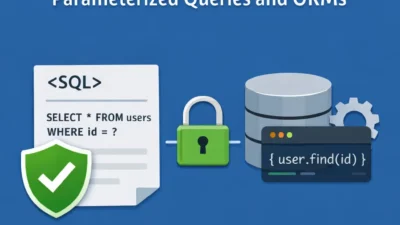
Always use parameterized queries or prepared statements for all database interactions. Fortunately, ORMs like Prisma, TypeORM, and SQLAlchemy handle parameterization automatically when used correctly. In addition, validate and sanitize all user input on the server side. For command injection specifically, avoid calling system commands with user input entirely — instead, use language-native libraries rather than shell commands.
A04: Insecure Design
Insecure Design was introduced in the 2021 OWASP Top 10 as a new category distinct from implementation bugs. Unlike the other categories, it addresses fundamental flaws in application architecture — situations where even a perfect implementation of a flawed design still remains vulnerable.
How It Happens
For example, a common case is a password reset flow that relies on easily guessable security questions, or a booking system that does not limit the number of seats a single user can reserve. Importantly, these are not coding bugs — they are design decisions that create exploitable gaps.
// INSECURE DESIGN: No rate limiting on password reset
app.post('/api/password-reset', async (req, res) => {
  const { email } = req.body;
  const resetCode = Math.floor(1000 + Math.random() * 9000); // 4-digit code
  await sendResetEmail(email, resetCode);
  res.json({ message: 'Reset code sent' });
  // Attacker can brute-force 10,000 combinations in minutes
});

// SECURE DESIGN: Rate limiting + longer code + expiration
import rateLimit from 'express-rate-limit';
import crypto from 'crypto';

const resetLimiter = rateLimit({
  windowMs: 15 * 60 * 1000,
  max: 3,
  keyGenerator: (req) => req.body.email,
});

app.post('/api/password-reset', resetLimiter, async (req, res) => {
  const { email } = req.body;
  const resetToken = crypto.randomBytes(32).toString('hex');
  await storeResetToken(email, resetToken, Date.now() + 15 * 60 * 1000);
  await sendResetEmail(email, resetToken);
  res.json({ message: 'If that email exists, a reset link was sent' });
});
Also notice that the secure version avoids confirming whether the email exists — consequently preventing user enumeration.
Prevention
Threat modeling during the design phase catches these issues before code is written. For every feature, ask: “How could an attacker abuse this?” Additionally, implement rate limiting on sensitive operations. Above all, design business logic with abuse scenarios in mind and use the principle of least privilege throughout your architecture.
A05: Security Misconfiguration
Security misconfiguration is the broadest category in the OWASP Top 10. In particular, it includes default credentials left unchanged, unnecessary features enabled, overly permissive CORS policies, verbose error messages that leak stack traces, missing security headers, and cloud storage buckets left publicly accessible.
How It Happens
// VULNERABLE: Overly permissive CORS
app.use(cors({ origin: '*' })); // Allows any domain

// SECURE: Restrictive CORS
const allowedOrigins = ['https://myapp.com', 'https://admin.myapp.com'];
app.use(cors({
  origin: (origin, callback) => {
    if (!origin || allowedOrigins.includes(origin)) {
      callback(null, true);
    } else {
      callback(new Error('Not allowed by CORS'));
    }
  },
  credentials: true,
}));
// VULNERABLE: Stack traces exposed in production
app.use((err, req, res, next) => {
  res.status(500).json({
    error: err.message,
    stack: err.stack, // Leaks internal paths and library versions
  });
});

// SECURE: Generic error response in production
app.use((err, req, res, next) => {
  console.error(err); // Log internally for debugging
  res.status(500).json({
    error: process.env.NODE_ENV === 'production'
      ? 'Internal server error'
      : err.message,
  });
});
Prevention
First, maintain hardened configurations for every environment. Then, automate security configuration checks in your CI/CD pipeline. Also remove default accounts, disable unnecessary services, and apply the principle of least privilege to service accounts. Furthermore, use security headers (Content-Security-Policy, X-Content-Type-Options, Strict-Transport-Security). Finally, review cloud permissions regularly — after all, a single misconfigured S3 bucket has caused multiple high-profile breaches.
A06: Vulnerable and Outdated Components
Every modern application depends on hundreds of third-party packages. Consequently, when those packages contain known vulnerabilities and remain unpatched, attackers can exploit them. For instance, the Log4Shell vulnerability (CVE-2021-44228) demonstrated how a single dependency flaw can affect millions of applications.
How It Happens
Typically, teams install dependencies and never update them. Over months, known vulnerabilities gradually accumulate. As a result, attackers scan for specific library versions and exploit published CVEs against unpatched applications.
# Check for known vulnerabilities in your dependencies
npm audit

# Automated dependency updates in CI
npx npm-check-updates --doctor -u

# For Python projects
pip-audit
safety check
Prevention
Therefore, run automated vulnerability scanning in every CI/CD build. Use tools like Dependabot, Snyk, or Renovate to create automatic pull requests for dependency updates. Additionally, maintain an inventory of all direct and transitive dependencies. Also remove unused dependencies — since every package is an attack surface. For teams using GitHub Actions, Dependabot integrates directly and raises pull requests when vulnerabilities are discovered.
A07: Identification and Authentication Failures
Specifically, this category covers weaknesses in authentication mechanisms: weak passwords permitted, credential stuffing not mitigated, session IDs exposed in URLs, sessions not invalidated on logout, and missing multi-factor authentication for sensitive operations.
How It Happens
// VULNERABLE: No brute-force protection on login
app.post('/api/login', async (req, res) => {
  const { email, password } = req.body;
  const user = await User.findOne({ email });

  if (!user || !await bcrypt.compare(password, user.passwordHash)) {
    return res.status(401).json({ error: 'Invalid email or password' });
  }

  const token = jwt.sign({ userId: user.id }, process.env.JWT_SECRET);
  res.json({ token });
});

// SECURE: Rate limiting + account lockout + secure session
import rateLimit from 'express-rate-limit';

const loginLimiter = rateLimit({
  windowMs: 15 * 60 * 1000,
  max: 5,
  keyGenerator: (req) => req.body.email,
  handler: (req, res) => {
    res.status(429).json({ error: 'Too many attempts. Try again later.' });
  },
});

app.post('/api/login', loginLimiter, async (req, res) => {
  const { email, password } = req.body;
  const user = await User.findOne({ email });

  if (!user || !await bcrypt.compare(password, user.passwordHash)) {
    await recordFailedAttempt(email);
    return res.status(401).json({ error: 'Invalid email or password' });
  }

  if (await isAccountLocked(email)) {
    return res.status(423).json({ error: 'Account temporarily locked' });
  }

  await clearFailedAttempts(email);
  const token = jwt.sign(
    { userId: user.id, role: user.role },
    process.env.JWT_SECRET,
    { expiresIn: '1h' }
  );
  res.json({ token });
});
Prevention
First, implement rate limiting on authentication endpoints. Next, enforce minimum password complexity. Also add multi-factor authentication for sensitive operations. In addition, set short expiration times on session tokens and JWTs. Meanwhile, invalidate sessions server-side on logout, and use secure, httpOnly, sameSite cookies for session storage. Teams building authentication flows with Passport and JWT should implement all these protections from the start.
A08: Software and Data Integrity Failures
This category addresses assumptions about software updates, critical data, and CI/CD pipelines without verifying integrity. For example, it includes using libraries from untrusted sources, auto-update mechanisms without signature verification, and insecure deserialization.
How It Happens
A common vector is pulling dependencies without verifying checksums or using lockfiles. Consequently, if an attacker compromises a popular npm package, every application that installs it without integrity checks is affected.
// package-lock.json provides integrity hashes
{
  "packages": {
    "node_modules/express": {
      "version": "4.21.0",
      "resolved": "https://registry.npmjs.org/express/-/express-4.21.0.tgz",
      "integrity": "sha512-VqcNGcj/Id5ZT1LZ/cfihi3ttTn+NJmkli2eZADigjq29qTlWi/hAQ43t/VLPq8+UZ06FCAvM/Lok/7A6=="
    }
  }
}
Furthermore, insecure deserialization is another vector in this category. Deserializing untrusted data can lead to remote code execution in languages like Java and Python.
Prevention
Always use lockfiles and verify integrity hashes for all dependencies. In addition, sign your CI/CD artifacts. Also review and restrict third-party integrations. Above all, never deserialize data from untrusted sources without validation. Implement supply chain security practices in your build pipeline.
A09: Security Logging and Monitoring Failures
When applications lack proper logging, attackers operate undetected. Similarly, without monitoring, breaches go unnoticed for weeks or months. Therefore, this category emphasizes that security is not just prevention — it is also detection and response.
How It Happens
Applications that log only application errors miss security-relevant events: failed login attempts, access control violations, input validation failures, and changes to sensitive data.
// INSUFFICIENT: Only logging errors
app.use((err, req, res, next) => {
  console.error(err.message);
  res.status(500).json({ error: 'Server error' });
});

// BETTER: Security event logging
import winston from 'winston';

const securityLogger = winston.createLogger({
  level: 'info',
  format: winston.format.json(),
  transports: [
    new winston.transports.File({ filename: 'security.log' }),
  ],
});

function logSecurityEvent(event, details) {
  securityLogger.info({
    timestamp: new Date().toISOString(),
    event,
    ip: details.ip,
    userId: details.userId || 'anonymous',
    resource: details.resource,
    outcome: details.outcome,
  });
}

// Log failed authentication
app.post('/api/login', async (req, res) => {
  const { email, password } = req.body;
  const user = await User.findOne({ email });

  if (!user || !await bcrypt.compare(password, user.passwordHash)) {
    logSecurityEvent('AUTH_FAILURE', {
      ip: req.ip,
      resource: '/api/login',
      outcome: 'invalid_credentials',
    });
    return res.status(401).json({ error: 'Invalid credentials' });
  }

  logSecurityEvent('AUTH_SUCCESS', {
    ip: req.ip,
    userId: user.id,
    resource: '/api/login',
    outcome: 'success',
  });
  // ... issue token
});
Prevention
First, log all authentication events (successes and failures), access control failures, and input validation failures. Also include enough context in logs for incident investigation: timestamp, IP address, user ID, resource accessed, and outcome. Then, set up alerts for anomalous patterns like multiple failed logins from one IP or access attempts to admin endpoints from non-admin users. Forward logs to a centralized monitoring system for analysis.
A10: Server-Side Request Forgery (SSRF)
SSRF vulnerabilities occur when an application fetches a remote resource using a user-supplied URL without validating the destination. As a result, attackers exploit this to access internal services, cloud metadata endpoints, or other systems that are not directly accessible from the internet.
How It Happens
// VULNERABLE: Fetching arbitrary URLs from user input
app.post('/api/fetch-preview', async (req, res) => {
  const { url } = req.body;
  const response = await fetch(url); // Attacker sends http://169.254.169.254/latest/meta-data/
  const data = await response.text();
  res.json({ preview: data });
});

// SECURE: URL validation and allowlisting
import { URL } from 'url';

const BLOCKED_HOSTS = ['169.254.169.254', 'localhost', '127.0.0.1', '0.0.0.0'];
const BLOCKED_PROTOCOLS = ['file:', 'ftp:', 'gopher:'];

function isUrlSafe(urlString) {
  try {
    const parsed = new URL(urlString);

    if (BLOCKED_PROTOCOLS.includes(parsed.protocol)) return false;
    if (BLOCKED_HOSTS.includes(parsed.hostname)) return false;

    // Block private IP ranges
    const ipParts = parsed.hostname.split('.');
    if (ipParts[0] === '10') return false;
    if (ipParts[0] === '172' && parseInt(ipParts[1]) >= 16 && parseInt(ipParts[1]) <= 31) return false;
    if (ipParts[0] === '192' && ipParts[1] === '168') return false;

    return true;
  } catch {
    return false;
  }
}

app.post('/api/fetch-preview', async (req, res) => {
  const { url } = req.body;

  if (!isUrlSafe(url)) {
    return res.status(400).json({ error: 'URL not allowed' });
  }

  const response = await fetch(url, {
    redirect: 'error', // Prevent redirect-based SSRF
    signal: AbortSignal.timeout(5000),
  });
  const data = await response.text();
  res.json({ preview: data.slice(0, 1000) }); // Limit response size
});
The cloud metadata endpoint (169.254.169.254) is a primary SSRF target on AWS, GCP, and Azure. Accessing it reveals IAM credentials, instance configuration, and other sensitive data.
Prevention
First, validate and sanitize all user-supplied URLs. Then, block requests to private IP ranges, localhost, and cloud metadata endpoints. Whenever possible, use allowlists — if your feature only needs to fetch from specific domains, restrict to those domains. Additionally, disable HTTP redirects or validate redirect targets. Finally, run outbound requests through a proxy that enforces network policies.
OWASP Top 10 Quick Reference
| Rank | Category | Primary Prevention |
|---|---|---|
| A01 | Broken Access Control | Server-side authorization on every endpoint |
| A02 | Cryptographic Failures | Strong algorithms, proper key management |
| A03 | Injection | Parameterized queries, input validation |
| A04 | Insecure Design | Threat modeling, abuse case analysis |
| A05 | Security Misconfiguration | Automated hardening, security headers |
| A06 | Vulnerable Components | Dependency scanning, automated updates |
| A07 | Authentication Failures | Rate limiting, MFA, secure sessions |
| A08 | Integrity Failures | Lockfiles, signed artifacts, CI/CD security |
| A09 | Logging Failures | Security event logging, centralized monitoring |
| A10 | SSRF | URL validation, allowlists, network policies |
Real-World Scenario: Securing an E-Commerce API
A development team builds an e-commerce platform with a Node.js API backend serving a React frontend. After a routine security audit, the team discovers multiple OWASP Top 10 issues. The order endpoint returns any order by ID without ownership checks (A01). User passwords are hashed with SHA-256 without salt (A02). The product search endpoint concatenates user input into a MongoDB query (A03). And the image upload feature fetches URLs provided by sellers without validation (A10).
The team prioritizes fixes based on severity. First, they add ownership checks to all resource endpoints by including userId in every database query for user-scoped resources. Second, they migrate password hashing from SHA-256 to bcrypt with a cost factor of 12, requiring existing users to reset passwords on next login. Third, they switch all MongoDB queries to use explicit field matching and add type validation on all request body fields. Fourth, they implement URL validation with allowlisting for the image upload feature, restricting fetches to known image hosting domains.
The entire remediation takes the team two sprints. Moreover, they also add automated security scanning with npm audit in their CI pipeline and configure Dependabot to flag vulnerable dependencies within 24 hours of disclosure. Ultimately, the result is an API that addresses the four most common vulnerability categories with maintainable, straightforward code changes.
Building a Security-First Development Culture
Understanding the OWASP Top 10 is a starting point, not an endpoint. After all, these categories represent the most common vulnerabilities, not all possible vulnerabilities. Therefore, building secure software requires making security part of your development process rather than treating it as an afterthought.
Include threat modeling in your design phase, and run automated security scanning in your CI/CD pipeline. Likewise, conduct code reviews with security as an explicit checklist item. Furthermore, keep dependencies updated and log security events to monitor for anomalies. Fortunately, most of these practices integrate into workflows you already have — they just need explicit attention.
Start with the categories most relevant to your application. Teams handling user authentication should prioritize A01 and A07. Payment processing systems need A02 and A03 locked down first. Applications that integrate with external services should address A10 immediately. The OWASP Top 10 gives you a prioritization framework, and your application’s specific risk profile tells you where to begin.
1 Comment