React performance issues rarely come from React itself. Instead, they usually come from unnecessary re-renders, repeated calculations, or unstable references that force components to update when nothing meaningful has changed.
Because of this, React provides three focused tools for optimization: memo, useMemo, and useCallback. These tools are powerful; however, many developers misunderstand when to use them. As a result, apps often become more complex without gaining real performance benefits.
In this guide, you’ll learn how React performance optimization works in practice, when these tools actually help, and when you should avoid them altogether.
Why React Components Re-render
Before optimizing anything, you need to understand why React re-renders components in the first place.
A component re-renders when:
- Its state changes
- Its props change
- Its parent component re-renders
Because React favors correctness and simplicity, it re-renders eagerly. In most cases, this behavior is fast and safe. Therefore, re-rendering alone is not a performance problem.
For that reason, premature optimization often causes more harm than good. If your state boundaries are already well designed, as discussed in State Management in React 2026, you may not need memoization at all.
React.memo: Avoiding Unnecessary Re-renders
React.memo allows React to skip re-rendering a component when its props remain the same. In other words, React compares the previous props with the next ones and reuses the previous render when nothing changes.
Basic Example
const UserCard = React.memo(function UserCard({ user }) {
  return <div>{user.name}</div>;
});
As long as the user reference stays the same, React will not re-render this component.
Because of this behavior, React.memo works best for components that render often but receive stable props.
The React documentation on memo strongly recommends using it selectively rather than wrapping every component by default.
When React.memo Makes Sense
Use React.memo when:
- The component renders frequently
- Props change rarely
- Rendering the component is expensive
However, avoid React.memo when props change on every render. In that situation, memoization adds overhead without improving performance.
useMemo: Caching Expensive Calculations
While React.memo memoizes a component, useMemo memoizes a computed value.
Example
const sortedItems = useMemo(() => {
  return items.slice().sort((a, b) => a.price - b.price);
}, [items]);
Here, React recalculates the sorted list only when items changes. As a result, the component avoids repeating an expensive operation on every render.
When useMemo Is Worth Using
Use useMemo when:
- A calculation is expensive
- The result is reused
- Dependencies change infrequently
On the other hand, avoid useMemo for cheap calculations. React can recompute simple values faster than the memoization overhead itself.
The React documentation on useMemo clearly states that useMemo is a performance hint, not a guarantee.
useCallback: Stabilizing Function References
useCallback memoizes a function reference. This matters when you pass functions as props to memoized child components.
Example
const handleClick = useCallback(() => {
  setCount((c) => c + 1);
}, []);
Without useCallback, React creates a new function on every render. Consequently, memoized children may re-render even when nothing else changes.
When useCallback Helps
Use useCallback when:
- A function is passed to a memoized child
- Referential equality affects rendering
- Re-renders are expensive
However, if the function is not passed down or the child is not memoized, useCallback provides no benefit and only reduces readability.
How memo, useMemo, and useCallback Work Together
These tools often appear together, but each one solves a different problem:
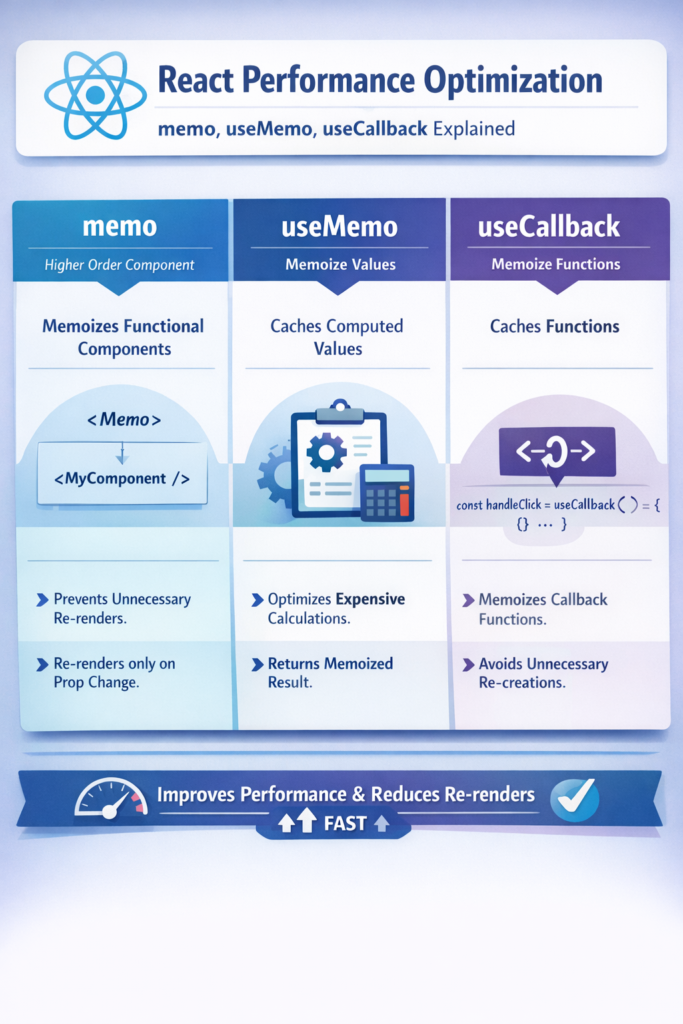
React.memoavoids unnecessary re-rendersuseMemoavoids repeated calculationsuseCallbackavoids recreating functions
Even so, using all three everywhere is a red flag. Instead, focus on fixing real bottlenecks.
This approach aligns with the broader idea of measuring before optimizing, similar to what is discussed in Flutter performance optimization tips.
Measure First, Optimize Second
Before adding memoization:
- Use the React DevTools Profiler
- Identify components that re-render often
- Confirm that rendering or computation is expensive
Otherwise, optimization becomes guesswork.
Common Performance Mistakes
Avoid these patterns:
- Wrapping every component in
React.memo - Using
useCallbackfor every function - Memoizing values that are cheap to compute
- Ignoring state and prop design
In practice, most performance gains come from better component boundaries, not more hooks.
Practical Rules of Thumb
Use memoization when:
- You have measured a real issue
- Components re-render frequently
- Rendering or computation is costly
Avoid memoization when:
- Components are simple
- Code readability would suffer
- Performance is already acceptable
React is optimized by default. Therefore, trust it until profiling proves otherwise.
Conclusion
React performance optimization works best when you apply it intentionally.
First, measure real performance problems.
Next, identify components that re-render too often.
Only then should you introduce memoization.
In summary:
React.memoreduces unnecessary re-rendersuseMemoavoids repeated calculationsuseCallbackstabilizes function references
When used carefully, these tools improve performance. However, when used blindly, they make code harder to read and maintain. For that reason, optimize with purpose—and let React do the rest.



4 Comments