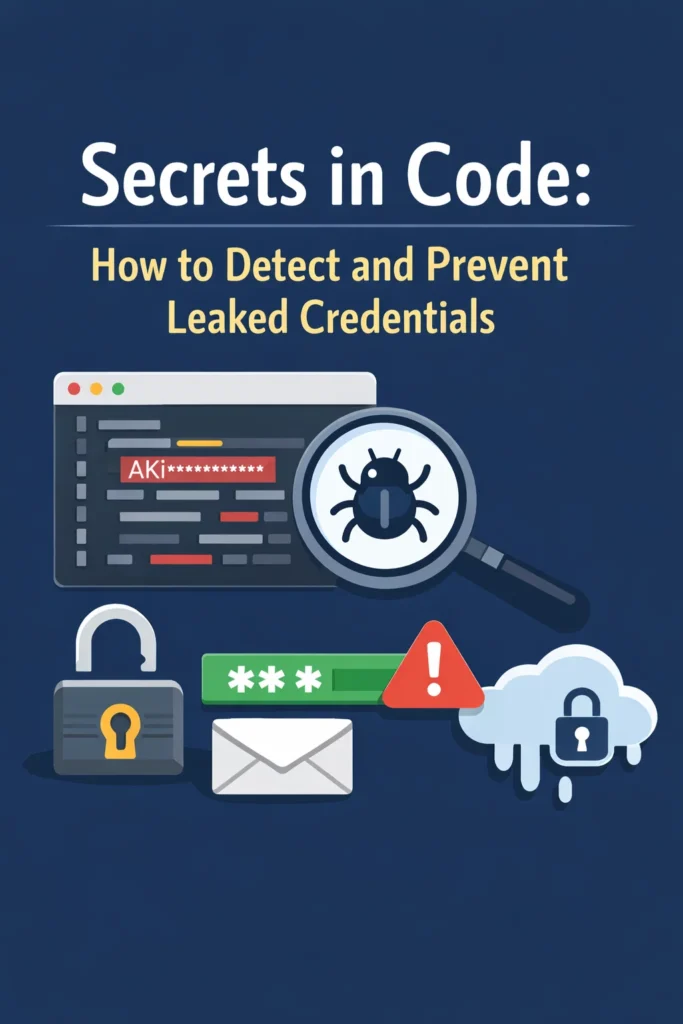
Hardcoded secrets in code are one of the most common and preventable security vulnerabilities. API keys, database passwords, private tokens, and encryption keys end up in source code every day — committed to Git, pushed to GitHub, and sometimes exposed to the entire internet. Once a secret hits a public repository, automated bots scrape it within minutes. Even in private repositories, secrets in code create unnecessary risk because anyone with repository access gains access to production systems.
However, preventing this problem is straightforward with the right tooling. Pre-commit hooks catch secrets before they enter your Git history. CI pipeline scanners detect secrets that slip past local checks. And proper secrets management eliminates the need to put credentials in code at all. This tutorial walks through how secrets leak, how to detect them at every stage, and how to build a workflow that makes accidental credential exposure nearly impossible.
How Secrets End Up in Code
Understanding the common patterns helps you recognize and prevent them in your own projects.
The “Quick Test” That Gets Committed
A developer hardcodes an API key to test a feature locally, intends to remove it before committing, and forgets. The secret enters the Git history, where it persists even after someone deletes the line in a later commit.
// This happens more often than anyone admits
const stripe = require('stripe')('sk_live_51ABC123realkey...');
Configuration Files Without Gitignore
Developers create .env files, config.json, or application.yml with real credentials and commit them because the gitignore was not configured properly. Consequently, production database passwords and API keys sit in version control for the entire team (or the public) to see.
Copy-Paste from Documentation
When following setup guides, developers copy example code that includes placeholder values, then replace the placeholders with real credentials directly in the source file instead of referencing environment variables.
Git History Retention
Even after removing a secret from the current codebase, the credential remains in the Git history. Running git log -p reveals every version of every file, including the commit that contained the secret. Therefore, removing the line is not sufficient — the entire Git history must be cleaned.
Detecting Secrets in Code with Gitleaks
Gitleaks is the most popular open-source tool for detecting secrets in code. It scans Git repositories for hardcoded credentials using pattern matching and entropy analysis.
Installing Gitleaks
# macOS
brew install gitleaks

# Linux
wget https://github.com/gitleaks/gitleaks/releases/download/v8.18.0/gitleaks_8.18.0_linux_x64.tar.gz
tar -xzf gitleaks_8.18.0_linux_x64.tar.gz

# Scan your repository
gitleaks detect --source . --verbose

# Scan only staged changes (for pre-commit use)
gitleaks protect --staged --verbose
Gitleaks Output
Finding:     AKIAIOSFODNN7EXAMPLE
Secret:      AKIAIOSFODNN7EXAMPLE
RuleID:      aws-access-key-id
Entropy:     3.52
File:        src/config/aws.js
Line:        12
Commit:      a1b2c3d4e5f6
Author:      dev@example.com
Date:        2026-03-15
Gitleaks identifies the secret type, its location, which commit introduced it, and who authored that commit. This information helps you triage findings quickly — you know exactly what credential to rotate and where the exposure occurred.
Custom Gitleaks Rules
Add project-specific patterns to catch internal credential formats that default rules might miss.
# .gitleaks.toml
[extend]
useDefault = true

[[rules]]
id = "internal-api-key"
description = "Internal API Key"
regex = '''MYAPP_KEY_[A-Za-z0-9]{32}'''
tags = ["key", "internal"]

[[rules]]
id = "internal-db-url"
description = "Database connection string"
regex = '''postgres://[^:]+:[^@]+@[^/]+/\w+'''
tags = ["database"]

[allowlist]
paths = [
  '''\.gitleaks\.toml$''',
  '''test/fixtures/.*''',
  '''\.example$''',
]
The allowlist prevents false positives from test fixtures and example files that intentionally contain fake credentials.
Pre-Commit Hooks for Secret Detection
The most effective place to catch secrets is before they enter Git history. Pre-commit hooks run automatically when you execute git commit and block the commit if they detect a secret.
Using Gitleaks as a Pre-Commit Hook
# .pre-commit-config.yaml
repos:
  - repo: https://github.com/gitleaks/gitleaks
    rev: v8.18.0
    hooks:
      - id: gitleaks
# Install pre-commit framework
pip install pre-commit

# Install the hooks
pre-commit install

# Now every git commit automatically scans for secrets
git commit -m "Add payment integration"
# If secrets are found, the commit is blocked
Using git-secrets (AWS-Focused)
For teams working heavily with AWS, git-secrets provides pattern matching specifically tuned for AWS credentials.
# Install git-secrets
brew install git-secrets

# Configure for AWS patterns
git secrets --register-aws

# Install hooks in your repository
git secrets --install

# Add custom patterns
git secrets --add 'PRIVATE_KEY_[A-Za-z0-9]+'
git secrets --add --allowed 'EXAMPLE_KEY'
After installation, git-secrets scans every commit, merge, and commit message for patterns matching AWS access keys, secret keys, and your custom patterns. For teams using AWS services in production, this tool catches the most common credential leak pattern.
Enforcing Pre-Commit Hooks Across a Team
Pre-commit hooks only work if every developer installs them. Add an installation step to your project setup documentation and verify hook presence in your CI pipeline.
// package.json — automatically install hooks after npm install
{
  "scripts": {
    "prepare": "pre-commit install || true"
  }
}
Alternatively, use husky for Node.js projects:
npm install --save-dev husky

npx husky init

# Add gitleaks check to pre-commit hook
echo "gitleaks protect --staged --verbose" > .husky/pre-commit
CI Pipeline Secret Scanning
Pre-commit hooks depend on developer machines, which means they can be bypassed (intentionally or accidentally). CI pipeline scanning provides a safety net that catches anything pre-commit hooks miss.
Gitleaks in GitHub Actions
# .github/workflows/security.yml
name: Secret Scanning
on:
  push:
    branches: [main, develop]
  pull_request:
    branches: [main]

jobs:
  gitleaks:
    runs-on: ubuntu-latest
    steps:
      - uses: actions/checkout@v4
        with:
          fetch-depth: 0  # Full history for thorough scanning

      - name: Run Gitleaks
        uses: gitleaks/gitleaks-action@v2
        env:
          GITHUB_TOKEN: ${{ secrets.GITHUB_TOKEN }}
The fetch-depth: 0 setting ensures Gitleaks scans the entire Git history, not just the latest commit. This catches secrets that were committed and later removed — they still exist in history and remain exploitable.
GitHub Secret Scanning
GitHub provides built-in secret scanning for public repositories and GitHub Advanced Security subscribers. It detects tokens from over 200 service providers (AWS, Stripe, Twilio, etc.) and automatically notifies the provider to revoke compromised credentials.
Enable it in Settings > Code security and analysis > Secret scanning. For teams already using GitHub Actions for CI/CD, GitHub’s native secret scanning adds another layer without any configuration effort.
Preventing Secrets in Code
Detection is reactive — prevention is better. These practices eliminate the need to put secrets in code at all.
Environment Variables
Store credentials in environment variables and reference them in your code. Never commit .env files to version control.
// WRONG: Hardcoded secret
const apiKey = 'sk_live_51ABC123realkey';

// RIGHT: Environment variable
const apiKey = process.env.STRIPE_API_KEY;

if (!apiKey) {
  throw new Error('STRIPE_API_KEY environment variable is required');
}
# Python equivalent
import os

api_key = os.environ.get("STRIPE_API_KEY")
if not api_key:
    raise RuntimeError("STRIPE_API_KEY environment variable is required")
Always validate that required environment variables exist at startup. Failing fast with a clear error message prevents debugging sessions caused by undefined credentials at runtime.
Gitignore for Sensitive Files
Ensure your .gitignore covers all files that might contain secrets.
# Environment files
.env
.env.local
.env.production
.env.*.local

# IDE and editor files that might cache secrets
.idea/
.vscode/settings.json

# Key files
*.pem
*.key
*.p12
*.jks

# Credential files
credentials.json
service-account.json
Example Configuration Files
Provide .env.example files with placeholder values so developers know which variables they need without exposing real credentials.
# .env.example (committed to Git)
DATABASE_URL=postgres://user:password@localhost:5432/myapp
STRIPE_API_KEY=sk_test_your_key_here
JWT_SECRET=generate_a_random_string_here
REDIS_URL=redis://localhost:6379
Secrets Management Tools
For production environments, use dedicated secrets management tools instead of environment variables alone. These tools provide encryption, access control, audit logging, and automatic rotation.
For comprehensive coverage of Vault, AWS KMS, and other tools, see secrets management: comparing Vault, AWS KMS, and other tools.
What to Do When a Secret Leaks
Despite best efforts, secrets sometimes leak. Acting quickly limits the damage.
Step 1: Rotate the Credential Immediately
Revoke the exposed credential and generate a new one. Do this before attempting to clean Git history — the secret is already exposed, so removing it from history does not undo the exposure.
Step 2: Assess the Blast Radius
Determine what the leaked credential can access. An API key with read-only permissions is less urgent than a database admin password. Check access logs for the affected service to identify unauthorized usage during the exposure window.
Step 3: Clean Git History
After rotating the credential, remove it from Git history using git filter-repo (the modern replacement for git filter-branch).
# Install git-filter-repo
pip install git-filter-repo

# Remove a specific file from all history
git filter-repo --invert-paths --path src/config/secrets.json

# Replace a specific string in all history
git filter-repo --replace-text <(echo 'sk_live_51ABC123realkey==>REDACTED')
After cleaning history, force-push the rewritten history and notify all collaborators to re-clone the repository. This is disruptive, which is why preventing leaks in the first place matters so much.
Step 4: Add Detection for the Leaked Pattern
Add the credential pattern to your pre-commit hooks and CI scanning to prevent the same type of leak from recurring.
Real-World Scenario: Securing a Development Team’s Workflow
A startup with a team of eight developers discovers during a security audit that their main repository contains 14 hardcoded secrets across various files — AWS access keys in configuration files, a Stripe test key in a utility module, and database connection strings in Docker Compose files intended for local development.
First, the team rotates all 14 exposed credentials, prioritizing the three production AWS keys. They verify no unauthorized access occurred by reviewing CloudTrail logs for the affected AWS accounts.
Next, they implement a three-layer prevention strategy. They install gitleaks as a pre-commit hook across all repositories using a shared .pre-commit-config.yaml. They add gitleaks scanning to their GitHub Actions CI pipeline to catch anything that bypasses local hooks. And they migrate all secrets from hardcoded values and committed .env files to AWS Secrets Manager, with a shared .env.example documenting required variables.
Finally, they clean their Git history using git-filter-repo to remove the 14 exposed credentials. The entire remediation takes three days. After implementation, zero new secrets appear in their codebase over the following quarter. The pre-commit hooks block an average of two accidental commits per month, validating that the tooling catches real mistakes.
When to Use Secret Detection Tools
- Every repository with more than one contributor should run pre-commit secret scanning
- All CI/CD pipelines should include a secret scanning step as a safety net
- Repositories that interact with external APIs, databases, or cloud services need scanning regardless of team size
- Open-source projects need scanning before any code reaches a public repository
When NOT to Rely on Detection Alone
- Detection cannot catch secrets that match no known pattern — custom credential formats need custom rules
- Scanning does not rotate exposed credentials — you must revoke and replace compromised secrets manually
- Pre-commit hooks run locally and developers can bypass them with
--no-verify— CI scanning provides the enforcement layer - Detection tools report but do not prevent poor practices — teams also need training on why secrets should never enter code
Common Mistakes with Secret Detection
- Installing pre-commit hooks but not enforcing them in CI, which allows bypassed hooks to go undetected
- Scanning only the latest commit instead of the full Git history, missing secrets in older commits
- Removing the secret from code but not rotating the credential, leaving the exposed key active
- Committing
.envfiles “temporarily” with the intention of removing them later - Ignoring test and fixture files in scanning rules, where real credentials sometimes hide behind “example” labels
- Not providing
.env.examplefiles, which pushes developers toward hardcoding values when they do not know which variables they need - Cleaning Git history without notifying collaborators, causing merge conflicts when they push stale branches
Making Secret Prevention Automatic
The most effective approach to preventing secrets in code combines three layers: pre-commit hooks that block secrets locally, CI pipeline scanning that enforces the policy server-side, and secrets management tools that eliminate the need for credentials in code entirely. When all three layers work together, accidental credential exposure becomes nearly impossible.
Start with gitleaks as a pre-commit hook — it takes five minutes to set up and catches the most common patterns immediately. Add CI scanning in your next pipeline update. Then gradually migrate hardcoded credentials to environment variables and secrets management tools. Each step reduces your exposure surface, and together they build a workflow where secrets stay out of code by default rather than by discipline alone.