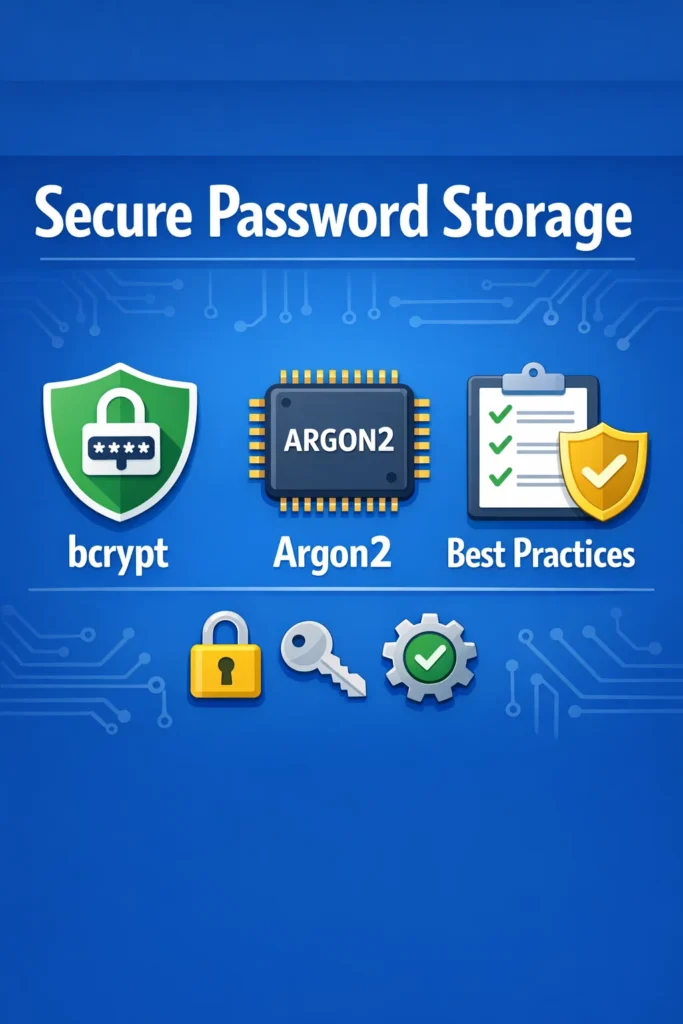
Storing passwords correctly is one of the most critical security decisions you will make in any application that handles user authentication. Get it wrong, and a single database breach exposes every user’s credentials. Get it right, and even a full database dump gives attackers nothing useful. The choice comes down to two algorithms that dominate modern secure password storage: bcrypt and Argon2.
Both algorithms are designed to be intentionally slow, which makes brute-force attacks impractical. However, they approach the problem differently, and choosing between them depends on your infrastructure, your threat model, and how much control you want over resource consumption. This comparison breaks down how each algorithm works, where each one excels, and how to implement both correctly in production.
Why Password Hashing Matters
Before comparing the algorithms, understanding why specialized password hashing exists clarifies what you need from either option.
General-purpose hash functions like SHA-256 and MD5 are designed to be fast. That speed is a feature for data integrity checks, but it becomes a vulnerability for password storage. A modern GPU can compute billions of SHA-256 hashes per second, which means an attacker with a stolen database can try every common password in minutes.
Secure password storage requires a hash function that is deliberately slow and resource-intensive. By making each hash computation take 100-500 milliseconds instead of nanoseconds, you limit an attacker to a few thousand guesses per second per machine — even with specialized hardware. Both bcrypt and Argon2 achieve this, but through different mechanisms.
Additionally, both algorithms incorporate a random salt into every hash. Salting ensures that two users with the same password produce different hash values, which prevents attackers from using precomputed tables (rainbow tables) to crack passwords in bulk.
How bcrypt Works
bcrypt was designed in 1999 specifically for password hashing. It derives from the Blowfish cipher and includes a configurable cost factor that controls how many rounds of computation the algorithm performs.
The Cost Factor
The cost factor (also called work factor or rounds) determines computational difficulty. Each increment doubles the time required. A cost factor of 10 means 2^10 = 1,024 iterations. A cost factor of 12 means 2^12 = 4,096 iterations — four times slower than cost 10.
import bcrypt from 'bcrypt';

// Cost factor of 12 is the current recommended minimum
const SALT_ROUNDS = 12;

async function hashPassword(password) {
  return bcrypt.hash(password, SALT_ROUNDS);
}

async function verifyPassword(password, hash) {
  return bcrypt.compare(password, hash);
}

// Example hash output:
// $2b$12$LJ3m4ys3Lg7RbhEF3DRxYOz1ZxH9dNm3GkVIiA5EIJfDknFMfW6S
//  │  │  │                          │
//  │  │  │                          └─ hash + salt (combined)
//  │  │  └─ 22-char salt
//  │  └─ cost factor (12)
//  └─ algorithm version (2b)
The hash output contains everything needed for verification: the algorithm version, cost factor, salt, and hash value. Consequently, you do not need to store the salt separately — bcrypt embeds it in the output string.
bcrypt’s Memory Characteristics
bcrypt uses a fixed 4 KB memory footprint during hashing. This was adequate in 1999, but modern attackers use GPUs and ASICs with massive parallelism. Because bcrypt’s memory requirement is small, attackers can run thousands of bcrypt computations in parallel on a single GPU. The cost factor increases CPU time, but does not address parallel attacks effectively.
Python Implementation
import bcrypt

COST_FACTOR = 12

def hash_password(password: str) -> str:
    salt = bcrypt.gensalt(rounds=COST_FACTOR)
    hashed = bcrypt.hashpw(password.encode('utf-8'), salt)
    return hashed.decode('utf-8')

def verify_password(password: str, hashed: str) -> bool:
    return bcrypt.checkpw(
        password.encode('utf-8'),
        hashed.encode('utf-8')
    )
Java Implementation
import org.springframework.security.crypto.bcrypt.BCryptPasswordEncoder;

public class PasswordService {
    // Cost factor of 12
    private final BCryptPasswordEncoder encoder = new BCryptPasswordEncoder(12);

    public String hashPassword(String password) {
        return encoder.encode(password);
    }

    public boolean verifyPassword(String password, String hash) {
        return encoder.matches(password, hash);
    }
}
For Spring Boot applications with JWT authentication, Spring Security provides BCryptPasswordEncoder as the default and recommended password encoder.
How Argon2 Works
Argon2 won the Password Hashing Competition (PHC) in 2015 and represents the current state of the art in secure password storage. Unlike bcrypt, Argon2 lets you configure three independent parameters: time cost, memory cost, and parallelism.
The Three Parameters
- Time cost — number of iterations (similar to bcrypt’s cost factor)
- Memory cost — amount of RAM the algorithm uses during hashing (in KB)
- Parallelism — number of threads the algorithm uses
import argon2 from 'argon2';

async function hashPassword(password) {
  return argon2.hash(password, {
    type: argon2.argon2id,  // Recommended variant
    memoryCost: 65536,       // 64 MB
    timeCost: 3,             // 3 iterations
    parallelism: 4,          // 4 threads
  });
}

async function verifyPassword(password, hash) {
  return argon2.verify(hash, password);
}

// Example hash output:
// $argon2id$v=19$m=65536,t=3,p=4$c2FsdHNhbHQ$hash...
//  │        │    │              │             │
//  │        │    │              │             └─ hash value
//  │        │    │              └─ salt (base64)
//  │        │    └─ memory=64MB, time=3, parallelism=4
//  │        └─ version 19
//  └─ argon2id variant
Argon2 Variants
Argon2 comes in three variants, each optimized for different threat models:
- Argon2d — data-dependent memory access, resistant to GPU attacks but vulnerable to side-channel attacks
- Argon2i — data-independent memory access, resistant to side-channel attacks but less GPU-resistant
- Argon2id — hybrid approach that combines both, recommended for password hashing in most scenarios
Always use Argon2id for password storage. It provides the best balance of side-channel resistance and GPU attack resistance.
Memory-Hardness Advantage
The key advantage of Argon2 over bcrypt is memory-hardness. By requiring 64 MB or more of RAM per hash computation, Argon2 makes parallel attacks on GPUs and ASICs dramatically more expensive. A GPU with 8 GB of memory can only compute around 125 concurrent Argon2 hashes at 64 MB each. In contrast, the same GPU could run thousands of bcrypt computations simultaneously because bcrypt only requires 4 KB per hash.
This memory requirement directly translates to attack cost. An attacker who needs specialized hardware for bcrypt cracking might spend a few hundred dollars. The same attacker targeting Argon2 with high memory settings needs significantly more investment in memory-rich hardware, which makes the attack economically less attractive.
Python Implementation
from argon2 import PasswordHasher

# OWASP recommended settings for Argon2id
ph = PasswordHasher(
    time_cost=3,
    memory_cost=65536,  # 64 MB
    parallelism=4,
    hash_len=32,
    salt_len=16,
    type=argon2.Type.ID,
)

def hash_password(password: str) -> str:
    return ph.hash(password)

def verify_password(password: str, hashed: str) -> bool:
    try:
        return ph.verify(hashed, password)
    except argon2.exceptions.VerifyMismatchError:
        return False
bcrypt vs Argon2: Side-by-Side Comparison
| Feature | bcrypt | Argon2id |
|---|---|---|
| Year introduced | 1999 | 2015 |
| Configurable CPU cost | Yes (cost factor) | Yes (time cost) |
| Configurable memory cost | No (fixed 4 KB) | Yes (adjustable, typically 64+ MB) |
| Configurable parallelism | No | Yes |
| GPU attack resistance | Moderate | Strong (due to memory-hardness) |
| Side-channel resistance | Limited | Strong (argon2id variant) |
| Library availability | Excellent (every language) | Good (most languages) |
| OWASP recommendation | Acceptable | Preferred |
| PHC winner | No | Yes |
| Max password length | 72 bytes | Unlimited |
| Output format | Self-contained | Self-contained |
Choosing Between bcrypt and Argon2
The decision depends on your specific constraints. Both algorithms provide strong secure password storage when configured correctly, but they fit different situations.
Choose bcrypt When
Your platform lacks Argon2 support. Some older frameworks and hosting environments do not include Argon2 libraries. bcrypt has universal support across every major language and framework. If adding Argon2 requires building native extensions or managing complex dependencies, bcrypt delivers strong protection with simpler deployment.
You are migrating from a weaker algorithm. If your application currently uses MD5, SHA-1, or unsalted SHA-256, migrating to bcrypt is a well-documented process with extensive community resources. The migration path is straightforward because bcrypt libraries are mature and widely tested.
Your server has limited memory. Shared hosting or memory-constrained containers may not accommodate Argon2’s memory requirements. At 64 MB per concurrent hash, a server handling 10 simultaneous login requests needs 640 MB just for password hashing. bcrypt’s 4 KB footprint eliminates this concern entirely.
Choose Argon2 When
You are building a new application. For greenfield projects, Argon2id is the better default. It provides stronger protection against modern attack hardware, and OWASP recommends it as the preferred algorithm.
You need protection against GPU/ASIC attacks. If your threat model includes well-funded attackers with access to specialized hardware, Argon2’s memory-hardness provides a significant advantage. The cost of parallel attacks scales with memory requirements, making Argon2 economically harder to crack.
You want fine-grained control over resource usage. Argon2’s three independent parameters let you balance security against server performance precisely. You can increase memory cost without increasing time cost, or adjust parallelism to match your server’s CPU cores.
Your application handles highly sensitive data. Financial services, healthcare, and government applications benefit from Argon2’s stronger theoretical foundation and its endorsement by the Password Hashing Competition panel.
Recommended Configuration
bcrypt
Cost factor: 12 (minimum recommended)
Target hash time: 250-500ms on your production hardware
Increase the cost factor as hardware improves. Test on your production servers — a cost factor that takes 300ms on your machine might take 50ms on newer hardware, at which point you should increase it.
Argon2id
Memory cost: 65,536 KB (64 MB) — increase if server allows
Time cost: 3 iterations
Parallelism: 4 threads
Target hash time: 250-500ms on your production hardware
OWASP recommends starting with 64 MB memory and adjusting upward if your server can handle it. For applications running on Express with JWT authentication, test hash times under realistic concurrent load to find the right balance.
Migrating Between Algorithms
If you need to switch from bcrypt to Argon2 (or from any older algorithm), use a gradual migration strategy. Both algorithms embed their parameters in the hash output, so you can identify which algorithm produced each hash.
import bcrypt from 'bcrypt';
import argon2 from 'argon2';

async function verifyAndMigrate(password, storedHash) {
  // Detect algorithm from hash prefix
  if (storedHash.startsWith('$argon2')) {
    return argon2.verify(storedHash, password);
  }

  if (storedHash.startsWith('$2b$') || storedHash.startsWith('$2a$')) {
    const valid = await bcrypt.compare(password, storedHash);

    if (valid) {
      // Rehash with Argon2 on successful login
      const newHash = await argon2.hash(password, {
        type: argon2.argon2id,
        memoryCost: 65536,
        timeCost: 3,
        parallelism: 4,
      });
      await updateUserHash(newHash); // Save the new hash
    }

    return valid;
  }

  throw new Error('Unknown hash format');
}
This approach rehashes passwords with the new algorithm when users log in successfully. Over time, all active users migrate to Argon2. Inactive accounts that never log in retain their bcrypt hashes, which remain secure. For managing authentication state during migration, consider how your session and token strategy interacts with the password verification flow.
Real-World Scenario: Choosing an Algorithm for a SaaS Platform
A team building a B2B SaaS platform evaluates bcrypt and Argon2 for their authentication system. The platform expects around 500 concurrent users at peak, runs on containerized infrastructure with 2 GB of memory per container, and processes sensitive business data.
Initially, the team chooses bcrypt with a cost factor of 12, which takes approximately 300ms per hash on their containers. The implementation works well during the first year.
During a security review, the team reassesses their threat model. Several competitors have experienced credential dumps, and the team’s customers handle financial data. The security consultant recommends Argon2id with 64 MB memory cost for stronger GPU resistance.
The team runs capacity calculations: 10 concurrent login requests at 64 MB each requires 640 MB — feasible within their 2 GB container limit, but it leaves less headroom for other operations. They adjust to 32 MB memory cost with 4 iterations, achieving a similar hash time (350ms) with a smaller memory footprint. Then they implement the gradual migration strategy, rehashing users to Argon2id on login.
After three months, 85% of active users have migrated to Argon2id. The remaining 15% retain bcrypt hashes, which still provide strong protection. The team schedules a forced password reset for accounts inactive longer than six months to complete the migration.
When to Use bcrypt
- Your framework provides bcrypt but lacks Argon2 support
- You run on memory-constrained infrastructure (shared hosting, small containers)
- You need the widest possible library and community support
- You are migrating from MD5/SHA and want the simplest upgrade path
When NOT to Use bcrypt
- You are building a new application and Argon2 libraries are available for your language
- Your threat model includes attackers with GPU or ASIC hardware
- You need fine-grained control over memory and parallelism parameters
- Compliance requirements specify a PHC-winning algorithm
When to Use Argon2
- You are starting a new project and can choose your dependencies freely
- Your application handles sensitive data (financial, healthcare, government)
- You want the strongest available protection against modern attack hardware
- Your infrastructure has sufficient memory for concurrent hashing
When NOT to Use Argon2
- Your hosting environment does not support native Argon2 libraries
- Memory constraints prevent allocating 32-64 MB per concurrent hash
- Your team lacks experience with Argon2 and cannot invest time in testing parameters
Common Mistakes with Password Storage
- Using a general-purpose hash (MD5, SHA-256) instead of a password-specific algorithm
- Setting bcrypt’s cost factor too low (below 10) or never increasing it as hardware improves
- Configuring Argon2 with insufficient memory cost (below 16 MB), negating its primary advantage
- Storing passwords in reversible encryption instead of one-way hashing
- Not testing hash times under concurrent load, which causes login timeouts during traffic spikes
- Truncating passwords before hashing (bcrypt’s 72-byte limit requires awareness, not silent truncation)
- Skipping the migration from legacy algorithms because “the existing hashes still work”
Making the Right Choice
Both bcrypt and Argon2 provide strong secure password storage when configured correctly. bcrypt is the safe, battle-tested choice with universal support and a 25-year track record. Argon2id is the modern, recommended choice with stronger theoretical properties and better resistance to hardware-based attacks.
For new applications, choose Argon2id. For existing applications on bcrypt, there is no urgent need to migrate — bcrypt at cost factor 12+ remains secure. However, if you handle high-value data or face sophisticated threat actors, a gradual migration to Argon2id strengthens your security posture without disrupting users. Whichever algorithm you choose, configure it to take 250-500ms per hash on your production hardware, and increase the difficulty as hardware improves.