SQL injection has been one of the most exploited vulnerabilities in web applications for over two decades. Despite being well-understood, it still appears consistently in the OWASP Top 10 and continues to cause data breaches across organizations of all sizes. The reason is straightforward: developers still build SQL queries by concatenating user input into query strings, and attackers still exploit that pattern to extract, modify, or delete data they should never touch.
However, SQL injection prevention is not complicated once you understand the core principle. Parameterized queries separate the SQL structure from the data values, making it structurally impossible for user input to alter the query’s logic. This tutorial walks through exactly how parameterized queries work, how ORMs provide additional protection, where developers still make mistakes despite using these tools, and how to build a defense-in-depth strategy that keeps your database layer secure.
How SQL Injection Works
Before diving into prevention, understanding the attack mechanics helps you recognize vulnerable patterns in your own code. SQL injection exploits the gap between “code” and “data” in a SQL statement.
The Classic Attack
When an application builds a SQL query by inserting user input directly into the query string, the database cannot distinguish between the intended query structure and the injected input.
// VULNERABLE: User input directly in query string
const username = req.body.username; // Attacker sends: ' OR '1'='1
const query = `SELECT * FROM users WHERE username = '${username}'`;
// Resulting query: SELECT * FROM users WHERE username = '' OR '1'='1'
// This returns ALL users from the database
Because the database treats the entire string as a SQL statement, the attacker’s input becomes part of the query logic. Consequently, the OR '1'='1' clause always evaluates to true, which means the query returns every row in the table.
Beyond Data Theft
SQL injection is not limited to reading data. Depending on database permissions, attackers can also modify records, drop tables, execute stored procedures, or even gain shell access to the server.
-- Drop a table
'; DROP TABLE users; --

-- Extract data from other tables (UNION-based)
' UNION SELECT credit_card_number, expiry_date, cvv FROM payment_cards --

-- Read files from the server (MySQL)
' UNION SELECT LOAD_FILE('/etc/passwd'), NULL --
These attacks succeed because the application trusts user input as part of the SQL command. Therefore, the fundamental fix is to ensure that user input can never be interpreted as SQL code.
Parameterized Queries: The Primary Defense
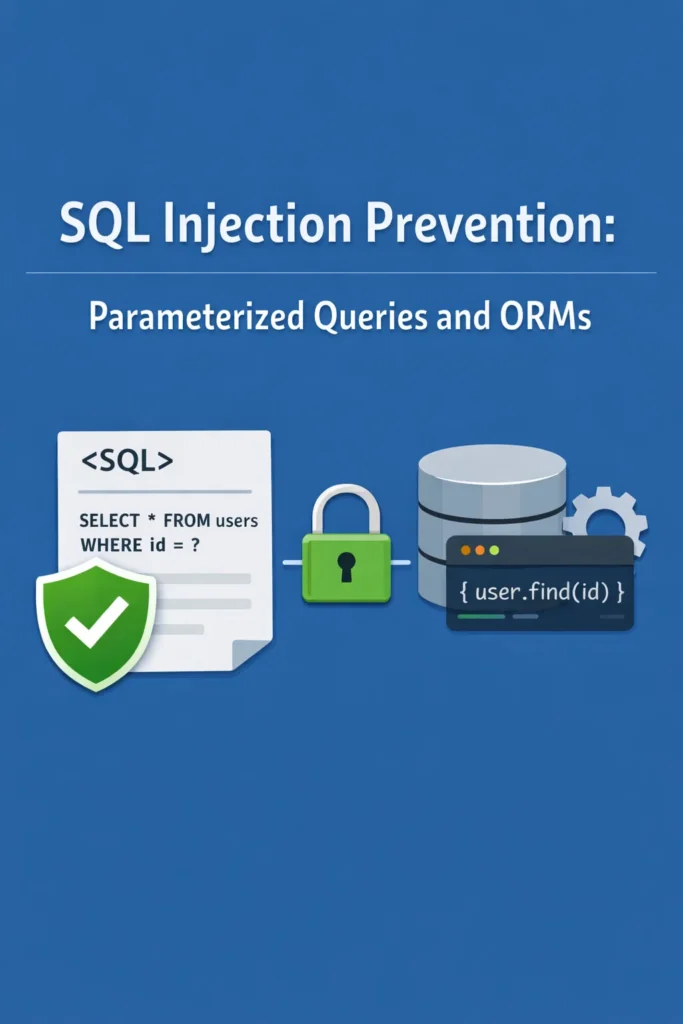
Parameterized queries (also called prepared statements) are the most effective SQL injection prevention technique. They work by separating the query structure from the data values at the database protocol level.
How Parameterized Queries Work
With a parameterized query, you write the SQL statement with placeholders where values should go. Then you pass the actual values separately. The database driver sends the query structure and the values through different channels, so the database never parses user input as SQL code.
// Node.js with pg (PostgreSQL)
import pg from 'pg';

const pool = new pg.Pool({ connectionString: process.env.DATABASE_URL });

// SECURE: Parameterized query with $1 placeholder
async function findUserByUsername(username) {
  const result = await pool.query(
    'SELECT id, username, email FROM users WHERE username = $1',
[username]
); return result.rows[0]; }
Even if an attacker sends ' OR '1'='1 as the username, the database treats the entire string as a literal value to match against the username column. As a result, it will not find a user with that exact username, and no data leaks.
Parameterized Queries Across Languages
The syntax varies by language and driver, but the principle remains identical across every platform.
Node.js with MySQL
import mysql from 'mysql2/promise';

const pool = mysql.createPool({
  host: process.env.DB_HOST,
  user: process.env.DB_USER,
  password: process.env.DB_PASSWORD,
  database: process.env.DB_NAME,
});

// SECURE: ? placeholders for MySQL
async function findOrdersByUser(userId, status) {
  const [rows] = await pool.execute(
    'SELECT * FROM orders WHERE user_id = ? AND status = ? ORDER BY created_at DESC',
    [userId, status]
  );
  return rows;
}
Python with psycopg2
import psycopg2
from contextlib import contextmanager

@contextmanager
def get_connection():
    conn = psycopg2.connect(dsn=os.environ["DATABASE_URL"])
    try:
        yield conn
    finally:
        conn.close()

# SECURE: %s placeholders for psycopg2
def find_user_by_email(email: str):
    with get_connection() as conn:
        with conn.cursor() as cur:
            cur.execute(
                "SELECT id, username, email FROM users WHERE email = %s",
                (email,)
            )
            return cur.fetchone()
Java with JDBC
import java.sql.*;

// SECURE: ? placeholders with PreparedStatement
public User findUserById(long userId) throws SQLException {
    String sql = "SELECT id, username, email FROM users WHERE id = ?";

    try (Connection conn = dataSource.getConnection();
         PreparedStatement stmt = conn.prepareStatement(sql)) {

        stmt.setLong(1, userId);
        ResultSet rs = stmt.executeQuery();

        if (rs.next()) {
            return new User(
                rs.getLong("id"),
                rs.getString("username"),
                rs.getString("email")
            );
        }
        return null;
    }
}
In every case, the pattern is the same: write the query with placeholders, pass values separately. The database driver handles escaping and type conversion internally, so you never need to manually sanitize SQL values.
Dynamic Query Building with Parameters
A common challenge is building queries with optional filters. Developers sometimes fall back to string concatenation because parameterized queries seem inflexible. However, you can build dynamic queries safely by constructing the SQL string with placeholders and the parameter array in parallel.
// SECURE: Dynamic query building with parameterized values
async function searchOrders(filters) {
  const conditions = [];
  const params = [];
  let paramIndex = 1;

  if (filters.userId) {
    conditions.push(`user_id = $${paramIndex++}`);
    params.push(filters.userId);
  }

  if (filters.status) {
    conditions.push(`status = $${paramIndex++}`);
    params.push(filters.status);
  }

  if (filters.minTotal) {
    conditions.push(`total >= $${paramIndex++}`);
    params.push(filters.minTotal);
  }

  if (filters.createdAfter) {
    conditions.push(`created_at >= $${paramIndex++}`);
    params.push(filters.createdAfter);
  }

  const whereClause = conditions.length > 0
    ? `WHERE ${conditions.join(' AND ')}`
    : '';

  const result = await pool.query(
    `SELECT * FROM orders ${whereClause} ORDER BY created_at DESC`,
    params
  );
  return result.rows;
}
This approach builds the SQL structure dynamically while keeping all values parameterized. Importantly, no user input ever enters the SQL string itself — only the placeholder positions and the parameter array grow together.
ORM Protection Against SQL Injection
Object-Relational Mappers (ORMs) provide an additional layer of SQL injection prevention by abstracting SQL queries into method calls. When used correctly, ORMs parameterize queries automatically.
Prisma (Node.js/TypeScript)
import { PrismaClient } from '@prisma/client';

const prisma = new PrismaClient();

// SECURE: Prisma parameterizes all values automatically
async function findUserByEmail(email: string) {
  return prisma.user.findUnique({
    where: { email },
    select: { id: true, username: true, email: true },
  });
}

// SECURE: Complex queries remain safe
async function searchOrders(userId: string, status: string, minTotal: number) {
  return prisma.order.findMany({
    where: {
      userId,
      status,
      total: { gte: minTotal },
    },
    orderBy: { createdAt: 'desc' },
  });
}
Because Prisma generates parameterized SQL under the hood, you get SQL injection prevention without writing any SQL. For teams already using Prisma as their ORM, the query builder handles parameterization transparently.
SQLAlchemy (Python)
from sqlalchemy import select
from sqlalchemy.orm import Session
from models import User, Order

# SECURE: SQLAlchemy parameterizes filter values
def find_active_orders(session: Session, user_id: int, min_total: float):
    stmt = (
        select(Order)
        .where(Order.user_id == user_id)
        .where(Order.status == "active")
        .where(Order.total >= min_total)
        .order_by(Order.created_at.desc())
    )
    return session.execute(stmt).scalars().all()
SQLAlchemy’s query builder converts filter values into parameterized placeholders in the generated SQL. As long as you use the query API rather than raw string interpolation, your queries are protected. For teams working with SQLAlchemy and PostgreSQL, the ORM’s built-in parameterization covers the majority of use cases.
TypeORM (Node.js/TypeScript)
import { Repository } from 'typeorm';
import { User } from './entities/User';

// SECURE: TypeORM query builder with parameterized values
async function searchUsers(repo: Repository<User>, name: string, role: string) {
  return repo.createQueryBuilder('user')
    .where('user.name LIKE :name', { name: `%${name}%` })
    .andWhere('user.role = :role', { role })
    .orderBy('user.createdAt', 'DESC')
    .getMany();
}
TypeORM’s query builder uses named parameters (:name, :role) that are automatically parameterized. The values you pass in the object are never interpolated into the SQL string.
Where ORMs Still Leave You Vulnerable
While ORMs provide strong default protection, they do not make SQL injection impossible. Several patterns bypass ORM safety.
Raw Queries in ORMs
Every ORM provides a way to execute raw SQL. When developers use raw queries with string interpolation, the ORM’s protection disappears entirely.
// VULNERABLE: Raw query with string interpolation in Prisma
async function unsafeSearch(searchTerm: string) {
  return prisma.$queryRawUnsafe(
    `SELECT * FROM users WHERE name LIKE '%${searchTerm}%'`
  );
}

// SECURE: Raw query with parameterized values in Prisma
async function safeSearch(searchTerm: string) {
  return prisma.$queryRaw`
    SELECT * FROM users WHERE name LIKE ${`%${searchTerm}%`}
  `;
}
Similarly in SQLAlchemy:
from sqlalchemy import text

# VULNERABLE: String formatting in raw SQL
def unsafe_search(session, search_term):
    return session.execute(
        text(f"SELECT * FROM users WHERE name LIKE '%{search_term}%'")
    ).fetchall()

# SECURE: Bound parameters in raw SQL
def safe_search(session, search_term):
    return session.execute(
        text("SELECT * FROM users WHERE name LIKE :term"),
        {"term": f"%{search_term}%"}
    ).fetchall()
The lesson is clear: using an ORM does not automatically protect you if you bypass its query builder with raw SQL. Whenever you write raw queries, always use the ORM’s parameterization support rather than string interpolation.
Dynamic Column and Table Names
Parameterized queries protect values, but they cannot parameterize identifiers like column names, table names, or sort directions. These structural elements must be validated through allowlists.
// VULNERABLE: Column name from user input
async function sortUsers(sortColumn) {
  const result = await pool.query(
    `SELECT * FROM users ORDER BY ${sortColumn}` // SQL injection possible
  );
  return result.rows;
}

// SECURE: Allowlist for column names
const ALLOWED_SORT_COLUMNS = ['username', 'email', 'created_at'];

async function sortUsers(sortColumn) {
  if (!ALLOWED_SORT_COLUMNS.includes(sortColumn)) {
    throw new Error('Invalid sort column');
  }

  const result = await pool.query(
    `SELECT * FROM users ORDER BY ${sortColumn}`
  );
  return result.rows;
}
Because the database protocol treats identifiers differently from values, you cannot use a $1 placeholder for a column name. Instead, validate the identifier against a known set of allowed values before including it in the query.
LIKE Pattern Injection
Even with parameterized queries, LIKE patterns can behave unexpectedly. The % and _ characters are wildcards in SQL LIKE clauses. If user input contains these characters, the search may return more results than intended.
// POTENTIALLY PROBLEMATIC: User can inject LIKE wildcards
async function searchProducts(searchTerm) {
  const result = await pool.query(
    'SELECT * FROM products WHERE name LIKE $1',
    [`%${searchTerm}%`] // If searchTerm is '%', this becomes '%%%'
  );
  return result.rows;
}

// BETTER: Escape LIKE wildcards in user input
function escapeLikePattern(pattern) {
  return pattern.replace(/[%_\\]/g, '\\$&');
}

async function searchProducts(searchTerm) {
  const escaped = escapeLikePattern(searchTerm);
  const result = await pool.query(
    "SELECT * FROM products WHERE name LIKE $1 ESCAPE '\\'",
    [`%${escaped}%`]
  );
  return result.rows;
}
This is not technically SQL injection since parameterization prevents code execution. Nevertheless, unescaped LIKE wildcards can cause performance issues or expose more data than intended, so handling them properly is still important.
Defense in Depth: Beyond Parameterization
Parameterized queries are the primary defense, but a robust SQL injection prevention strategy includes additional layers.
Input Validation
Validate user input before it reaches your database layer. If a field should contain an email address, validate the format. If a field should be a numeric ID, parse it as a number. Input validation catches many attack attempts before they reach the query.
import { z } from 'zod';

const searchSchema = z.object({
  query: z.string().min(1).max(100),
  category: z.enum(['electronics', 'clothing', 'books', 'home']),
  minPrice: z.number().min(0).optional(),
  maxPrice: z.number().min(0).optional(),
  page: z.number().int().min(1).default(1),
});

app.get('/api/products', async (req, res) => {
  const parsed = searchSchema.safeParse(req.query);

  if (!parsed.success) {
    return res.status(400).json({ errors: parsed.error.issues });
  }

  // At this point, all values are validated and typed
  const products = await searchProducts(parsed.data);
  res.json(products);
});
Using a validation library like Zod with your forms and API endpoints ensures that unexpected input shapes are rejected before any database interaction occurs.
Least Privilege Database Accounts
Your application’s database user should have only the permissions it needs. If your API only reads from certain tables, the database user should not have INSERT, UPDATE, or DELETE permissions on those tables. If an attacker does find an injection point, limited permissions reduce the damage they can cause.
-- Create a read-only user for the public API
CREATE USER api_readonly WITH PASSWORD 'secure_password';
GRANT SELECT ON users, products, categories TO api_readonly;

-- Create a user with limited write access for the order service
CREATE USER order_service WITH PASSWORD 'secure_password';
GRANT SELECT ON users, products TO order_service;
GRANT SELECT, INSERT, UPDATE ON orders, order_items TO order_service;
Web Application Firewall (WAF) Rules
A WAF can detect and block common SQL injection patterns before they reach your application. While a WAF should never be your only defense, it adds a useful layer that catches automated attacks and known exploitation patterns.
Stored Procedures with Parameterized Calls
For complex database operations, stored procedures provide an additional abstraction layer. When called with parameterized values, they keep the SQL logic inside the database where application-level injection cannot reach it.
-- PostgreSQL stored procedure
CREATE OR REPLACE FUNCTION get_user_orders(
  p_user_id BIGINT,
  p_status TEXT DEFAULT NULL
)
RETURNS TABLE (
  order_id BIGINT,
  total DECIMAL,
  status TEXT,
  created_at TIMESTAMP
) AS $$
BEGIN
  RETURN QUERY
  SELECT o.id, o.total, o.status, o.created_at
  FROM orders o
  WHERE o.user_id = p_user_id
    AND (p_status IS NULL OR o.status = p_status)
  ORDER BY o.created_at DESC;
END;
$$ LANGUAGE plpgsql;
// Call the stored procedure with parameterized values
async function getUserOrders(userId, status = null) {
  const result = await pool.query(
    'SELECT * FROM get_user_orders($1, $2)',
    [userId, status]
  );
  return result.rows;
}
Real-World Scenario: Migrating Legacy Queries
A team inherits a Node.js API that was built three years ago using raw SQL queries with string concatenation throughout. The application has around 80 database queries spread across 25 files. After a penetration test identifies SQL injection vulnerabilities in several endpoints, the team needs to migrate to parameterized queries without breaking existing functionality.
First, they audit all database queries by searching the codebase for template literals and string concatenation patterns involving SQL keywords. This identifies 80 queries, of which 34 use string interpolation with user-controlled input — direct SQL injection vectors.
Next, they prioritize the 34 vulnerable queries by exposure. Endpoints accessible without authentication get fixed first, followed by authenticated endpoints that accept user input in WHERE clauses. They convert each query from string interpolation to parameterized placeholders, testing each endpoint against its existing integration tests.
For the remaining 46 queries that use hardcoded values or server-generated IDs, they still convert to parameterized queries as a best practice. Even though these queries are not directly exploitable today, future code changes could introduce user-controlled values. Parameterizing all queries eliminates that risk.
The migration takes one week. During the process, they also introduce a linting rule that flags template literals containing SQL keywords, preventing future developers from reverting to vulnerable patterns. Additionally, they add database connection pooling to improve performance alongside the security fixes.
Testing for SQL Injection
After implementing parameterized queries, verify that your application is actually protected.
Manual Testing
Try common injection payloads in your application’s input fields and API parameters:
# Basic injection test
curl -X POST http://localhost:3000/api/login \
  -H "Content-Type: application/json" \
  -d '{"email": "admin@example.com\" OR \"1\"=\"1", "password": "anything"}'

# UNION-based injection test
curl "http://localhost:3000/api/products?search=' UNION SELECT username,password FROM users--"

# Time-based blind injection test
curl "http://localhost:3000/api/products?id=1; SELECT pg_sleep(5)--"
If any of these payloads return unexpected data or cause noticeable delays, you have a vulnerability. With proper parameterization, all of these should either return empty results or trigger a validation error.
Automated Security Scanning
Integrate SQL injection scanning into your CI/CD pipeline. Tools like SQLMap (for testing), OWASP ZAP, and Snyk Code can detect injection vulnerabilities automatically. For teams running CI/CD with GitHub Actions, adding a security scanning step ensures that new code is checked before it reaches production.
When to Use Each Approach
- Parameterized queries directly — when you need fine-grained control over SQL, work with complex joins or CTEs, or need maximum performance from hand-tuned queries
- ORM query builders — when working with standard CRUD operations, building dynamic filters, or when team members have varying SQL experience levels
- Raw ORM queries with parameters — when the ORM’s query builder cannot express the query you need, but you still want to stay within the ORM’s connection management
- Stored procedures — when you need to encapsulate complex business logic in the database layer or enforce data access patterns at the database level
When NOT to Use Each Approach
- String concatenation for SQL — never, under any circumstances, regardless of whether you “trust” the input source
- ORM-only without understanding SQL — if your team does not understand the SQL being generated, you cannot diagnose performance issues or recognize when the ORM generates inefficient queries
- Stored procedures for everything — adds deployment complexity and couples your application logic to a specific database vendor
Common Mistakes with SQL Injection Prevention
- Relying on client-side validation or escaping instead of server-side parameterized queries
- Using an ORM but bypassing it with raw queries that use string interpolation
- Parameterizing values but concatenating column names, table names, or sort directions from user input without allowlist validation
- Assuming that numeric IDs do not need parameterization because “they’re just numbers” — until someone passes a string
- Trusting internal service-to-service input without parameterization, creating second-order injection vulnerabilities
- Using database-specific escaping functions instead of parameterized queries, which is fragile and error-prone
- Forgetting to escape LIKE wildcards in search queries, leading to performance issues or unintended data exposure
Making SQL Injection Prevention Automatic
The most effective SQL injection prevention strategy makes secure patterns the default and insecure patterns difficult. Use an ORM as your primary data access layer so that most queries are automatically parameterized. For the cases where raw SQL is necessary, establish a team convention that all raw queries must use the ORM’s parameterized raw query methods. Add linting rules that flag SQL keywords inside template literals. Include SQL injection testing in your CI pipeline.
When secure coding patterns are easier than insecure ones, developers follow them naturally. Parameterized queries are not harder to write than concatenated strings — they are just different. Once the habit forms, SQL injection prevention becomes automatic rather than something you have to remember for every query. Combined with input validation, least-privilege database accounts, and automated security scanning, you build a defense-in-depth approach that protects your data even if one layer fails.