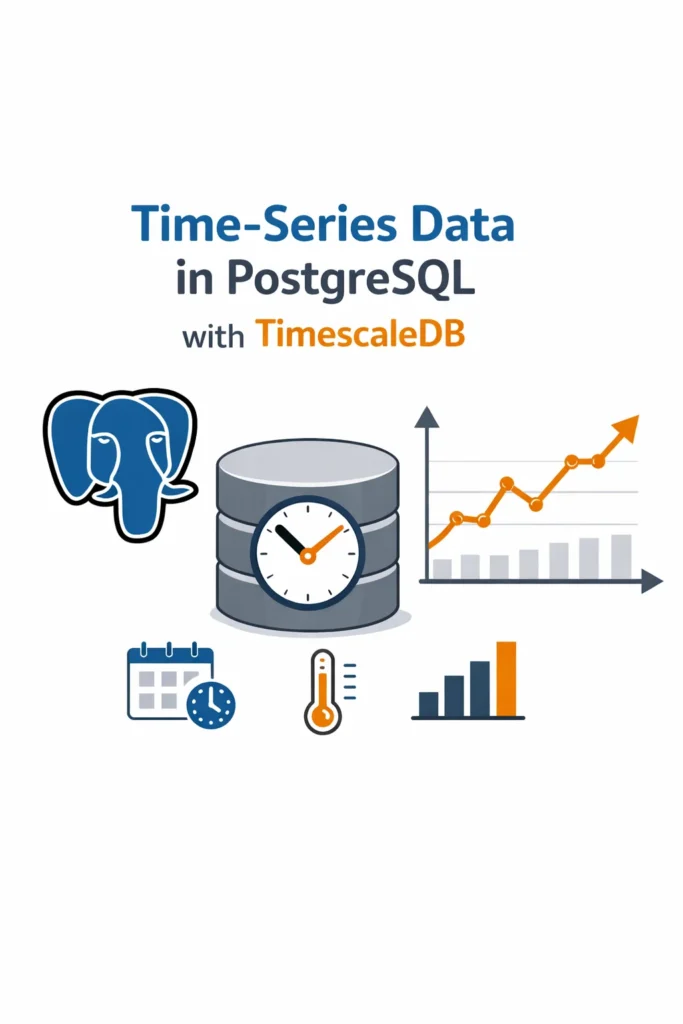
Time-series data appears everywhere: metrics, logs, financial events, sensor readings, and analytics dashboards. Although PostgreSQL can store time-based data, it struggles when write rates increase and tables grow quickly.
TimescaleDB extends PostgreSQL to handle time-series workloads efficiently. As a result, you keep SQL and Postgres tooling while gaining much better performance for time-ordered data.
In this guide, you will learn how TimescaleDB works, when to use it, and how to design systems that stay fast as data grows.
What Makes Time-Series Data Different
Time-series data has a few clear traits:
- Each record includes a timestamp
- Writes happen continuously
- Queries usually scan time ranges
- Aggregations matter more than single rows
Because of this, large time-series tables grow fast. Over time, indexes become heavy, queries slow down, and maintenance costs increase.
These issues often appear together with problems covered in PostgreSQL Performance Tuning: Indexes, EXPLAIN, and Query Optimization, especially when tables reach tens or hundreds of millions of rows.
Why TimescaleDB Exists
TimescaleDB solves these problems by extending PostgreSQL instead of replacing it.
It keeps:
- Standard SQL
- PostgreSQL indexes
- Existing extensions and tools
At the same time, it adds:
- Automatic time-based partitioning
- Faster range queries
- Built-in compression and retention
Because of this design, teams can scale time-series workloads without learning a new database.
Hypertables: The Core Idea
TimescaleDB introduces hypertables.
A hypertable looks like a normal table. Internally, however, TimescaleDB splits it into many smaller chunks based on time. Each insert goes directly into the correct chunk.
This approach improves performance in several ways:
- Writes stay fast
- Queries scan only relevant time ranges
- The planner can run queries in parallel
In practice, hypertables remove most of the pain that comes with manual table partitioning.
Indexing Time-Series Data Correctly
Indexes still matter, even with TimescaleDB.
In most cases, you should:
- Index the time column
- Use composite indexes like
(time, device_id) - Avoid extra indexes on high-write tables
Too many indexes slow down inserts. Therefore, you should keep only those that support real queries.
The same rules explained in Database Indexing Strategies: B-Tree, Hash, GIN, and GiST still apply. TimescaleDB does not change indexing fundamentals—it simply makes them scale better.
Continuous Aggregates
Continuous aggregates rank among TimescaleDB’s most useful features.
Instead of calculating aggregates on every query, TimescaleDB updates them incrementally as new data arrives. As a result, dashboards load quickly even with massive datasets.
Typical use cases include:
- Per-minute or per-hour summaries
- Monitoring dashboards
- Business and financial reports
Because aggregates update automatically, applications avoid heavy recalculations during peak traffic.
Compression and Retention Policies
Time-series data grows nonstop. If you keep everything uncompressed, storage costs rise fast.
TimescaleDB helps by offering:
- Automatic compression for older data
- Retention rules to drop stale records
- Clear control over data lifecycle
Compression reduces storage size while keeping data queryable. Meanwhile, retention policies prevent unbounded growth.
These controls support the same long-term stability goals discussed in Database Migrations in Production: Strategies and Tools, where safe data management matters as much as schema changes.
Writing Efficient Time-Series Queries
Even with TimescaleDB, query structure matters.
Good queries:
- Always filter by time
- Use narrow time windows
- Avoid full-table scans
TimescaleDB skips irrelevant chunks automatically, but only when queries include clear time conditions. Therefore, query discipline remains essential.
Transactions and Concurrency
TimescaleDB fully supports PostgreSQL transactions and isolation levels. However, long analytical queries can still conflict with heavy insert traffic.
To avoid problems, keep transactions short and focused. You should also understand isolation behavior, as explained in Database Transactions and Isolation Levels Explained.
Clear transaction boundaries reduce lock pressure and improve overall stability.
Scaling with Connection Pooling
High-ingest systems often hit connection limits before CPU or disk limits.
Because of this, TimescaleDB works best with proper connection pooling. Tools like PgBouncer help limit open connections and protect PostgreSQL under load.
Best practices from Database Connection Pooling: PgBouncer, HikariCP, and Best Practices apply directly to time-series workloads and should not be ignored.
When TimescaleDB Is a Good Choice
TimescaleDB works well when:
- Data arrives continuously
- Queries focus on time ranges
- PostgreSQL already exists in your stack
- SQL compatibility matters
It fits metrics, logs, events, and IoT pipelines especially well.
When TimescaleDB Is Not Ideal
TimescaleDB may struggle when:
- Data updates frequently
- Queries do not use time filters
- You need extreme horizontal scaling
In these cases, a different database may fit better.
A Practical Example
Imagine a system that records performance metrics every second.
The app stores raw data in a hypertable. Continuous aggregates create minute and hourly summaries. After one week, TimescaleDB compresses old chunks. After six months, it deletes them.
As a result, dashboards stay fast, storage remains under control, and PostgreSQL stays manageable.
Common Mistakes to Avoid
Teams often run into trouble when they:
- Treat hypertables like normal tables
- Add too many indexes
- Skip compression rules
- Run open-ended queries
Avoiding these mistakes keeps performance predictable.
TimescaleDB in Modern Systems
TimescaleDB fits naturally into:
- Monitoring platforms
- Analytics dashboards
- Event-driven backends
It complements ideas discussed in Event-Driven Microservices with Kafka by handling time-based data without adding another database.
Conclusion
TimescaleDB turns PostgreSQL into a strong time-series database while keeping SQL and familiar tools. Hypertables, continuous aggregates, and compression allow systems to grow without constant tuning.
As a next step, review your largest time-based tables. Converting even one of them into a hypertable often delivers immediate gains in performance and stability.
1 Comment