Introduction
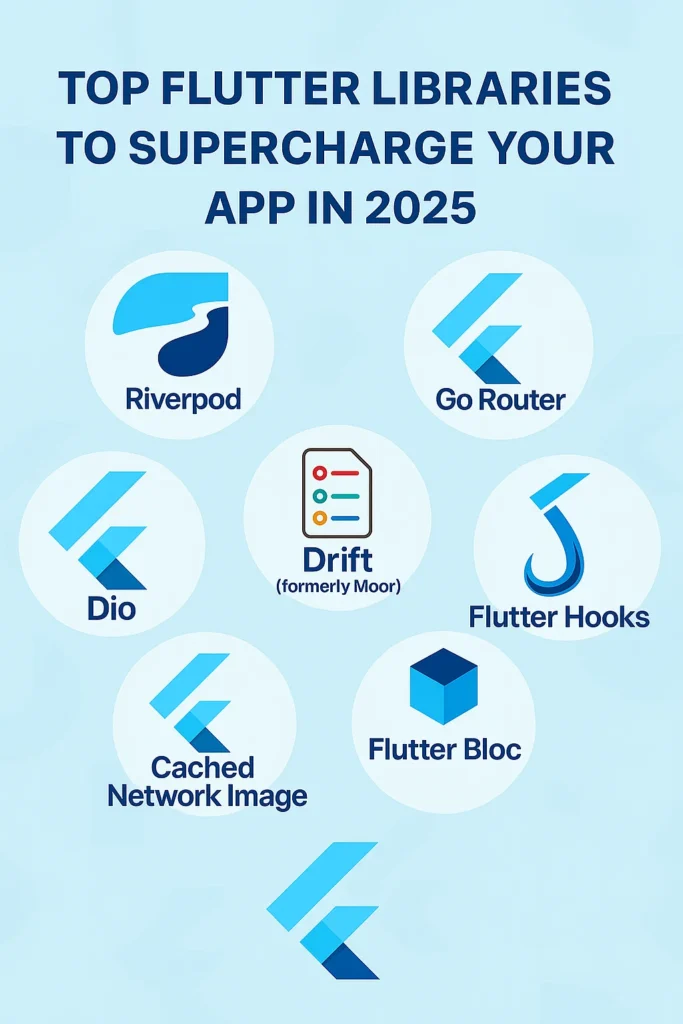
Flutter has become one of the most powerful frameworks for building beautiful, fast, cross-platform apps. With a single codebase, you can target iOS, Android, web, and desktop platforms while maintaining native-like performance. But part of what makes Flutter truly shine is its rich ecosystem of libraries and packages that extend its capabilities far beyond the core framework. In 2025, the Flutter ecosystem has matured significantly, offering battle-tested solutions for state management, networking, databases, and much more. If you want to speed up development, improve performance, or add advanced functionality to your app, choosing the right libraries is crucial. Here’s a comprehensive guide to the top Flutter libraries you should definitely be using in 2025, complete with practical examples and implementation tips.
1. Riverpod 3.0 – Modern State Management
Riverpod remains the go-to solution for state management in Flutter. It’s simple, powerful, and with the introduction of AsyncNotifiers and code generation, it’s more flexible than ever. Unlike its predecessor Provider, Riverpod is completely independent of the widget tree, making it easier to test and compose.
// Define a provider
@riverpod
class Counter extends _$Counter {
  @override
  int build() => 0;

  void increment() => state++;
  void decrement() => state--;
}

// Async provider for API data
@riverpod
Future> users(UsersRef ref) async {
  final response = await ref.watch(dioProvider).get('/users');
  return (response.data as List).map((e) => User.fromJson(e)).toList();
}

// Use in widget
class UserList extends ConsumerWidget {
  @override
  Widget build(BuildContext context, WidgetRef ref) {
    final usersAsync = ref.watch(usersProvider);

    return usersAsync.when(
      data: (users) => ListView.builder(
        itemCount: users.length,
        itemBuilder: (_, i) => UserTile(user: users[i]),
      ),
      loading: () => const CircularProgressIndicator(),
      error: (err, stack) => ErrorWidget(err),
    );
  }
}
Riverpod excels at handling async operations, caching API responses, and sharing state across your application. The new code generation features eliminate boilerplate while maintaining full type safety. For complex apps, Riverpod’s ability to override providers makes testing straightforward and dependency injection clean.
Key benefits: Type-safe providers, no dependency on widget tree, built-in async handling, excellent DevTools integration, and easy testing through provider overrides.
2. GoRouter – Declarative Navigation
Flutter’s official routing package has matured into a complete navigation solution with GoRouter. It makes deep linking, route guards, and nested routes simple and declarative, working seamlessly on mobile and web platforms.
// Define routes
final goRouter = GoRouter(
  initialLocation: '/home',
  redirect: (context, state) {
    final isLoggedIn = authNotifier.isAuthenticated;
    final isLoginRoute = state.matchedLocation == '/login';

    if (!isLoggedIn && !isLoginRoute) return '/login';
    if (isLoggedIn && isLoginRoute) return '/home';
    return null;
  },
  routes: [
    GoRoute(
      path: '/login',
      builder: (context, state) => const LoginScreen(),
    ),
    ShellRoute(
      builder: (context, state, child) => MainShell(child: child),
      routes: [
        GoRoute(
          path: '/home',
          builder: (context, state) => const HomeScreen(),
        ),
        GoRoute(
          path: '/users/:id',
          builder: (context, state) {
            final userId = state.pathParameters['id']!;
            return UserDetailScreen(userId: userId);
          },
        ),
        GoRoute(
          path: '/settings',
          builder: (context, state) => const SettingsScreen(),
        ),
      ],
    ),
  ],
);

// Navigate programmatically
context.go('/users/123');
context.push('/settings');
context.pop();
GoRouter handles web URLs automatically, enabling proper browser history and shareable deep links. The redirect mechanism provides a clean way to implement authentication guards and route protection. ShellRoute enables persistent navigation shells like bottom navigation bars that survive route changes.
Key benefits: Declarative route definitions, built-in deep linking support, route guards and redirects, nested navigation with ShellRoute, and full web URL support.
3. Dio – Powerful HTTP Client
When it comes to network requests in Flutter, Dio remains the preferred choice in 2025. It’s highly configurable, supports interceptors for request/response manipulation, and handles complex scenarios like file uploads and downloads with ease.
// Configure Dio with interceptors
final dio = Dio(BaseOptions(
  baseUrl: 'https://api.example.com',
  connectTimeout: const Duration(seconds: 10),
  receiveTimeout: const Duration(seconds: 30),
));

// Add authentication interceptor
dio.interceptors.add(InterceptorsWrapper(
  onRequest: (options, handler) async {
    final token = await secureStorage.read(key: 'auth_token');
    if (token != null) {
      options.headers['Authorization'] = 'Bearer $token';
    }
    return handler.next(options);
  },
  onError: (error, handler) async {
    if (error.response?.statusCode == 401) {
      // Handle token refresh
      final newToken = await refreshToken();
      if (newToken != null) {
        error.requestOptions.headers['Authorization'] = 'Bearer $newToken';
        final response = await dio.fetch(error.requestOptions);
        return handler.resolve(response);
      }
    }
    return handler.next(error);
  },
));

// Add logging interceptor
dio.interceptors.add(LogInterceptor(
  requestBody: true,
  responseBody: true,
));

// Make requests
final response = await dio.get('/users', queryParameters: {'page': 1});
final user = await dio.post('/users', data: {'name': 'John', 'email': 'john@example.com'});

// File upload with progress
await dio.post(
  '/upload',
  data: FormData.fromMap({
    'file': await MultipartFile.fromFile(filePath, filename: 'image.jpg'),
  }),
  onSendProgress: (sent, total) {
    print('Upload progress: ${(sent / total * 100).toStringAsFixed(0)}%');
  },
);
Dio’s interceptor system allows you to implement cross-cutting concerns like authentication, logging, caching, and error handling in a centralized location. This keeps your business logic clean and your HTTP handling consistent across the entire application.
Key benefits: Powerful interceptors, automatic JSON serialization, file upload/download with progress, request cancellation, and timeout configuration.
4. Flutter Hooks – Functional Widget Building
If you’re tired of managing widget lifecycle manually with StatefulWidget, Flutter Hooks offers a functional approach that reduces boilerplate and makes stateful logic reusable.
// Before: StatefulWidget with animation
class AnimatedButton extends StatefulWidget {
  @override
  _AnimatedButtonState createState() => _AnimatedButtonState();
}

class _AnimatedButtonState extends State
    with SingleTickerProviderStateMixin {
  late AnimationController _controller;

  @override
  void initState() {
    super.initState();
    _controller = AnimationController(
      vsync: this,
      duration: Duration(milliseconds: 300),
    );
  }

  @override
  void dispose() {
    _controller.dispose();
    super.dispose();
  }

  @override
  Widget build(BuildContext context) { /* ... */ }
}

// After: HookWidget
class AnimatedButton extends HookWidget {
  @override
  Widget build(BuildContext context) {
    final controller = useAnimationController(
      duration: const Duration(milliseconds: 300),
    );

    return ScaleTransition(
      scale: controller,
      child: ElevatedButton(
        onPressed: () => controller.forward(),
        child: const Text('Animate'),
      ),
    );
  }
}

// Custom hooks for reusable logic
T useDebounced(T value, Duration delay) {
  final debouncedValue = useState(value);

  useEffect(() {
    final timer = Timer(delay, () => debouncedValue.value = value);
    return timer.cancel;
  }, [value, delay]);

  return debouncedValue.value;
}

// Using custom hook
class SearchField extends HookWidget {
  @override
  Widget build(BuildContext context) {
    final searchText = useState('');
    final debouncedSearch = useDebounced(searchText.value, Duration(milliseconds: 500));

    useEffect(() {
      if (debouncedSearch.isNotEmpty) {
        performSearch(debouncedSearch);
      }
      return null;
    }, [debouncedSearch]);

    return TextField(
      onChanged: (value) => searchText.value = value,
    );
  }
}
Flutter Hooks shines when you need to share stateful logic between widgets. Instead of duplicating code or creating complex mixins, you can extract logic into custom hooks that are easy to test and compose.
Key benefits: Reduced boilerplate, reusable stateful logic, automatic resource cleanup, works seamlessly with Riverpod, and React-like development experience.
5. Cached Network Image – Optimized Image Loading
Loading images directly from the network can slow down your app and consume unnecessary bandwidth. CachedNetworkImage solves that by caching images locally, providing smooth loading experiences with placeholder and error widgets.
// Basic usage with placeholders
CachedNetworkImage(
  imageUrl: 'https://example.com/image.jpg',
  placeholder: (context, url) => const CircularProgressIndicator(),
  errorWidget: (context, url, error) => const Icon(Icons.error),
  fadeInDuration: const Duration(milliseconds: 300),
  fadeOutDuration: const Duration(milliseconds: 300),
)

// With image builder for transformations
CachedNetworkImage(
  imageUrl: user.avatarUrl,
  imageBuilder: (context, imageProvider) => CircleAvatar(
    backgroundImage: imageProvider,
    radius: 40,
  ),
  placeholder: (context, url) => const CircleAvatar(
    radius: 40,
    child: Icon(Icons.person),
  ),
  errorWidget: (context, url, error) => const CircleAvatar(
    radius: 40,
    child: Icon(Icons.error),
  ),
)

// Configure cache manager for custom behavior
final customCacheManager = CacheManager(
  Config(
    'customCacheKey',
    stalePeriod: const Duration(days: 7),
    maxNrOfCacheObjects: 100,
  ),
);

CachedNetworkImage(
  imageUrl: imageUrl,
  cacheManager: customCacheManager,
)

// Preload images
await precacheImage(
  CachedNetworkImageProvider(imageUrl),
  context,
);
CachedNetworkImage significantly improves perceived performance by showing cached images instantly on repeat views. The library handles memory and disk caching automatically, with configurable expiration policies for different use cases.
Key benefits: Automatic disk and memory caching, customizable placeholders and error widgets, built-in fade animations, cache configuration options, and preloading support.
6. Drift – Reactive SQLite Database
For apps requiring an offline-first approach, Drift provides a full reactive SQLite ORM for Flutter. It offers type-safe queries, automatic migrations, and reactive streams that update your UI automatically when data changes.
// Define tables
class Users extends Table {
  IntColumn get id => integer().autoIncrement()();
  TextColumn get name => text().withLength(min: 1, max: 50)();
  TextColumn get email => text().unique()();
  DateTimeColumn get createdAt => dateTime().withDefault(currentDateAndTime)();
}

class Posts extends Table {
  IntColumn get id => integer().autoIncrement()();
  IntColumn get authorId => integer().references(Users, #id)();
  TextColumn get title => text()();
  TextColumn get content => text()();
  BoolColumn get published => boolean().withDefault(const Constant(false))();
}

// Define database
@DriftDatabase(tables: [Users, Posts])
class AppDatabase extends _$AppDatabase {
  AppDatabase() : super(_openConnection());

  @override
  int get schemaVersion => 1;

  // Type-safe queries
  Future> getAllUsers() => select(users).get();

  Stream> watchAllUsers() => select(users).watch();

  Future getUserById(int id) {
    return (select(users)..where((u) => u.id.equals(id))).getSingle();
  }

  Future insertUser(UsersCompanion user) => into(users).insert(user);

  // Complex queries with joins
  Stream> watchPostsWithAuthors() {
    final query = select(posts).join([
      leftOuterJoin(users, users.id.equalsExp(posts.authorId)),
    ]);

    return query.watch().map((rows) {
      return rows.map((row) {
        return PostWithAuthor(
          post: row.readTable(posts),
          author: row.readTableOrNull(users),
        );
      }).toList();
    });
  }
}

// Use in widget with streams
class UserListScreen extends StatelessWidget {
  @override
  Widget build(BuildContext context) {
    return StreamBuilder>(
      stream: database.watchAllUsers(),
      builder: (context, snapshot) {
        if (!snapshot.hasData) return const CircularProgressIndicator();
        return ListView.builder(
          itemCount: snapshot.data!.length,
          itemBuilder: (_, i) => UserTile(user: snapshot.data![i]),
        );
      },
    );
  }
}
Drift’s reactive streams are perfect for building offline-first applications. Changes to the database automatically trigger UI updates through streams, eliminating the need for manual state management for database-driven screens.
Key benefits: Type-safe SQL queries, reactive streams for live updates, automatic migrations, pure Dart with no native dependencies, and comprehensive query builder.
7. Flutter Bloc – Structured State Management
If you prefer structured BLoC architecture, the flutter_bloc library continues to be a top choice for large-scale applications. Its event-driven approach makes complex state transitions explicit, testable, and easy to trace.
// Define events
abstract class AuthEvent {}
class LoginRequested extends AuthEvent {
  final String email;
  final String password;
  LoginRequested(this.email, this.password);
}
class LogoutRequested extends AuthEvent {}

// Define states
abstract class AuthState {}
class AuthInitial extends AuthState {}
class AuthLoading extends AuthState {}
class AuthAuthenticated extends AuthState {
  final User user;
  AuthAuthenticated(this.user);
}
class AuthError extends AuthState {
  final String message;
  AuthError(this.message);
}

// Define bloc
class AuthBloc extends Bloc {
  final AuthRepository _authRepository;

  AuthBloc(this._authRepository) : super(AuthInitial()) {
    on(_onLoginRequested);
    on(_onLogoutRequested);
  }

  Future _onLoginRequested(
    LoginRequested event,
    Emitter emit,
  ) async {
    emit(AuthLoading());
    try {
      final user = await _authRepository.login(event.email, event.password);
      emit(AuthAuthenticated(user));
    } catch (e) {
      emit(AuthError(e.toString()));
    }
  }

  Future _onLogoutRequested(
    LogoutRequested event,
    Emitter emit,
  ) async {
    await _authRepository.logout();
    emit(AuthInitial());
  }
}

// Use in widget
class LoginScreen extends StatelessWidget {
  @override
  Widget build(BuildContext context) {
    return BlocConsumer(
      listener: (context, state) {
        if (state is AuthAuthenticated) {
          context.go('/home');
        } else if (state is AuthError) {
          ScaffoldMessenger.of(context).showSnackBar(
            SnackBar(content: Text(state.message)),
          );
        }
      },
      builder: (context, state) {
        if (state is AuthLoading) {
          return const CircularProgressIndicator();
        }
        return LoginForm(
          onSubmit: (email, password) {
            context.read().add(LoginRequested(email, password));
          },
        );
      },
    );
  }
}
Flutter Bloc enforces separation of concerns by keeping business logic in blocs, away from UI code. This makes applications easier to understand, maintain, and scale as they grow in complexity.
Key benefits: Event-driven architecture, explicit state transitions, excellent testability, DevTools integration, and clear separation of concerns.
Choosing the Right Libraries
When selecting libraries for your Flutter project, consider these factors:
Team familiarity: Choose state management solutions your team understands. Riverpod is simpler for small teams, while BLoC provides more structure for larger teams.
App complexity: Simple apps may not need advanced state management. Start simple and add complexity only when necessary.
Maintenance and community: Prefer libraries with active maintenance, good documentation, and strong community support. All libraries listed here meet these criteria.
Performance requirements: CachedNetworkImage and Drift are essential for apps requiring offline support or handling large amounts of data.
Conclusion
The right libraries can supercharge your Flutter app — saving development time, improving code quality, and enhancing user experience. Start with Riverpod or BLoC for state management depending on your architecture preferences. Use GoRouter for declarative navigation with deep linking support. Choose Dio for network requests with its powerful interceptor system. Add Drift for offline-first database needs, and optimize image loading with CachedNetworkImage. Pair these with Flutter Hooks to reduce boilerplate in your widgets. Together, these battle-tested libraries form a solid foundation for building production-ready Flutter applications in 2025 and beyond. For more Flutter development insights, explore our guide on Dart Language Features for 2025, and check the official pub.dev for the latest package updates and documentation.