
Introduction
Every developer has committed code with missing semicolons, failed tests, or inconsistent formatting at least once. These small mistakes accumulate quickly, affecting overall codebase quality and team productivity. Git hooks provide an elegant solution by allowing you to automate code quality checks before commits or pushes happen. Rather than relying on manual code review to catch formatting issues or broken tests, hooks enforce standards automatically at the moment code changes enter your repository. In this comprehensive guide, you will learn what Git hooks are, explore every hook type available, master multiple tooling approaches, and build production-ready automation pipelines that catch issues before they reach your CI/CD system.
What Are Git Hooks?
Git hooks are executable scripts that run automatically in response to specific Git events. They live in the .git/hooks directory of every Git repository and execute at predefined points in the Git workflow. When you initialize a repository, Git creates sample hooks with a .sample extension that you can rename and customize.
Client-Side Hooks
Client-side hooks run on operations that affect only your local repository:
- pre-commit: Runs before you make a commit, perfect for linting and formatting
- prepare-commit-msg: Runs before the commit message editor opens, useful for templating
- commit-msg: Validates commit messages after you write them
- post-commit: Runs after a commit completes, useful for notifications
- pre-push: Executes before pushing to remote, ideal for running tests
- pre-rebase: Runs before rebasing begins
- post-checkout: Runs after git checkout completes
- post-merge: Runs after a successful merge
Server-Side Hooks
Server-side hooks run on network operations that affect the remote repository:
- pre-receive: Runs when handling a push before any refs are updated
- update: Similar to pre-receive but runs once per branch being updated
- post-receive: Runs after all refs have been updated
By leveraging these hooks strategically, you catch problems early and enforce team-wide quality standards automatically.
Why Use Git Hooks for Code Quality?
Git hooks create a local safety net that operates before your CI/CD pipeline even runs. This shift-left approach catches issues at the earliest possible moment, reducing feedback loops from minutes to seconds.
Key Benefits
- Instant feedback: Developers learn about issues immediately, not after pushing
- Reduced CI costs: Fewer broken builds means less compute time and faster pipelines
- Consistent formatting: Every commit follows the same style rules automatically
- Test verification: Prevents pushing untested or failing code
- Commit standardization: Enforces commit message conventions like Conventional Commits
- Team alignment: Everyone follows identical rules without manual enforcement
- Documentation enforcement: Require changelog updates or documentation changes
Git hooks transform quality from something you check into something you enforce.
Setting Up Hooks with Husky
Husky is the most popular Git hooks manager for JavaScript and TypeScript projects. It stores hooks in your repository, making them version-controlled and automatically installed when team members clone the project.
Modern Husky Setup
# Install Husky
npm install husky --save-dev

# Initialize Husky (creates .husky directory)
npx husky init

# This automatically adds the prepare script to package.json
# and creates a sample pre-commit hook
After initialization, your project structure includes:
.husky/
├── _/
│   └── husky.sh
└── pre-commit
Creating a Pre-Commit Hook
Edit the pre-commit hook to run your quality checks:
#!/usr/bin/env sh
. "$(dirname -- "$0")/_/husky.sh"

# Run linting
npm run lint

# Run type checking
npm run typecheck

# Run tests on changed files
npm test -- --changedSince=HEAD~1
Adding Pre-Push Hook
Create a pre-push hook for heavier operations:
# Create the hook file
echo '#!/usr/bin/env sh
. "$(dirname -- "$0")/_/husky.sh"

npm run build
npm test' > .husky/pre-push

# Make it executable
chmod +x .husky/pre-push
Commit Message Validation
Combine Husky with Commitlint for consistent commit messages:
# Install commitlint
npm install @commitlint/cli @commitlint/config-conventional --save-dev

# Create commitlint config
echo "export default { extends: ['@commitlint/config-conventional'] };" > commitlint.config.js

# Create commit-msg hook
echo '#!/usr/bin/env sh
. "$(dirname -- "$0")/_/husky.sh"

npx --no -- commitlint --edit ${1}' > .husky/commit-msg

chmod +x .husky/commit-msg
Now commits must follow the Conventional Commits format:
# Valid commits
feat: add user authentication
fix: resolve login redirect issue
docs: update API documentation
chore: upgrade dependencies

# Invalid commits (will be rejected)
Fixed stuff
updated code
wip
Optimizing with lint-staged
Running linters on your entire codebase for every commit is slow. lint-staged solves this by running linters only on staged files, making hooks fast enough for real-world use.
# Install lint-staged
npm install lint-staged --save-dev
lint-staged Configuration
Create .lintstagedrc.json with file-specific commands:
{
  "*.{js,jsx,ts,tsx}": [
    "eslint --fix",
    "prettier --write"
  ],
  "*.{css,scss}": [
    "stylelint --fix",
    "prettier --write"
  ],
  "*.{json,md,yml,yaml}": [
    "prettier --write"
  ],
  "*.py": [
    "black",
    "isort",
    "flake8"
  ],
  "*.go": [
    "gofmt -w",
    "go vet"
  ]
}
Integrating with Husky
Update your pre-commit hook to use lint-staged:
#!/usr/bin/env sh
. "$(dirname -- "$0")/_/husky.sh"

npx lint-staged
Advanced lint-staged Patterns
Use functions for complex logic:
// lint-staged.config.js
export default {
  '*.{ts,tsx}': (filenames) => {
    // Run type checking on the whole project (not per-file)
    const typeCheck = 'tsc --noEmit';

    // Run ESLint only on staged files
    const lint = `eslint --fix ${filenames.join(' ')}`;

    // Run tests related to changed files
    const test = `jest --findRelatedTests ${filenames.join(' ')} --passWithNoTests`;

    return [typeCheck, lint, test];
  },
  '*.css': ['stylelint --fix'],
};
Python pre-commit Framework
The pre-commit framework works with any language and provides a rich ecosystem of ready-to-use hooks. It downloads and manages hook dependencies automatically.
# Install pre-commit
pip install pre-commit

# Install hooks in your repository
pre-commit install
Configuration File
Create .pre-commit-config.yaml:
repos:
  # Built-in hooks
  - repo: https://github.com/pre-commit/pre-commit-hooks
    rev: v4.5.0
    hooks:
      - id: trailing-whitespace
      - id: end-of-file-fixer
      - id: check-yaml
      - id: check-json
      - id: check-merge-conflict
      - id: check-added-large-files
        args: ['--maxkb=1000']
      - id: detect-private-key
      - id: no-commit-to-branch
        args: ['--branch', 'main', '--branch', 'master']

  # Python formatting
  - repo: https://github.com/psf/black
    rev: 24.1.0
    hooks:
      - id: black
        language_version: python3.11

  # Python import sorting
  - repo: https://github.com/pycqa/isort
    rev: 5.13.2
    hooks:
      - id: isort
        args: ['--profile', 'black']

  # Python linting
  - repo: https://github.com/astral-sh/ruff-pre-commit
    rev: v0.1.14
    hooks:
      - id: ruff
        args: ['--fix']

  # JavaScript/TypeScript
  - repo: https://github.com/pre-commit/mirrors-eslint
    rev: v8.56.0
    hooks:
      - id: eslint
        files: \.[jt]sx?$
        additional_dependencies:
          - eslint@8.56.0
          - '@typescript-eslint/parser@6.19.0'
          - '@typescript-eslint/eslint-plugin@6.19.0'

  # Prettier
  - repo: https://github.com/pre-commit/mirrors-prettier
    rev: v4.0.0-alpha.8
    hooks:
      - id: prettier
        types_or: [javascript, typescript, css, json, yaml, markdown]
Running pre-commit Manually
# Run on all files
pre-commit run --all-files

# Run specific hook
pre-commit run black --all-files

# Update hooks to latest versions
pre-commit autoupdate
Lefthook: Cross-Platform Alternative
Lefthook is a fast, polyglot Git hooks manager written in Go. It excels in monorepos and projects with multiple languages.
# Install via npm
npm install lefthook --save-dev

# Or install globally
brew install lefthook
Lefthook Configuration
Create lefthook.yml:
pre-commit:
  parallel: true
  commands:
    lint:
      glob: "*.{js,ts,jsx,tsx}"
      run: npx eslint --fix {staged_files}
      stage_fixed: true

    format:
      glob: "*.{js,ts,jsx,tsx,json,md}"
      run: npx prettier --write {staged_files}
      stage_fixed: true

    typecheck:
      run: npx tsc --noEmit

    python-lint:
      glob: "*.py"
      run: ruff check --fix {staged_files}
      stage_fixed: true

pre-push:
  commands:
    test:
      run: npm test

    build:
      run: npm run build

commit-msg:
  commands:
    validate:
      run: npx commitlint --edit {1}
Lefthook Features
- Parallel execution: Run multiple commands simultaneously
- Glob patterns: Filter which files trigger each command
- stage_fixed: Automatically re-stage files modified by formatters
- Skip conditions: Skip hooks based on branch or environment
Manual Hooks Without Tools
For simple setups or non-Node projects, you can create hooks manually in the .git/hooks directory.
Basic Pre-Commit Script
#!/bin/bash

# .git/hooks/pre-commit

echo "Running pre-commit checks..."

# Get list of staged files
STAGED_FILES=$(git diff --cached --name-only --diff-filter=ACM)

# Check for debug statements
if grep -rn "console.log\|debugger\|binding.pry\|import pdb" $STAGED_FILES 2>/dev/null; then
    echo "Error: Debug statements found in staged files"
    exit 1
fi

# Run linting on staged JS/TS files
JS_FILES=$(echo "$STAGED_FILES" | grep -E '\.(js|ts|jsx|tsx)$')
if [ -n "$JS_FILES" ]; then
    echo "Linting JavaScript/TypeScript files..."
    npx eslint $JS_FILES
    if [ $? -ne 0 ]; then
        echo "ESLint failed. Please fix errors before committing."
        exit 1
    fi
fi

# Run Python checks
PY_FILES=$(echo "$STAGED_FILES" | grep -E '\.py$')
if [ -n "$PY_FILES" ]; then
    echo "Checking Python files..."
    python -m black --check $PY_FILES
    python -m flake8 $PY_FILES
fi

echo "Pre-commit checks passed!"
exit 0
Sharing Manual Hooks
Since .git/hooks is not version-controlled, store hooks elsewhere and use a setup script:
# Store hooks in project
mkdir -p .githooks

# Create setup script
echo '#!/bin/bash
git config core.hooksPath .githooks
echo "Git hooks configured!"' > setup-hooks.sh

chmod +x setup-hooks.sh
Team members run ./setup-hooks.sh after cloning to enable hooks.
Complete Production Setup
Here is a comprehensive configuration combining all the best practices for a TypeScript project:
package.json Scripts
{
  "scripts": {
    "prepare": "husky",
    "lint": "eslint . --ext .ts,.tsx",
    "lint:fix": "eslint . --ext .ts,.tsx --fix",
    "format": "prettier --write .",
    "format:check": "prettier --check .",
    "typecheck": "tsc --noEmit",
    "test": "jest",
    "test:staged": "jest --findRelatedTests --passWithNoTests",
    "build": "tsc && vite build",
    "validate": "npm run typecheck && npm run lint && npm run test"
  },
  "devDependencies": {
    "husky": "^9.0.0",
    "lint-staged": "^15.0.0",
    "@commitlint/cli": "^18.0.0",
    "@commitlint/config-conventional": "^18.0.0",
    "eslint": "^8.56.0",
    "prettier": "^3.2.0",
    "typescript": "^5.3.0",
    "jest": "^29.7.0"
  }
}
lint-staged Config
// lint-staged.config.js
export default {
  '*.{ts,tsx}': [
    'eslint --fix',
    'prettier --write',
    'jest --findRelatedTests --passWithNoTests',
  ],
  '*.{json,md,yml}': ['prettier --write'],
  '*.css': ['stylelint --fix', 'prettier --write'],
};
Husky Hooks
# .husky/pre-commit
#!/usr/bin/env sh
. "$(dirname -- "$0")/_/husky.sh"

npx lint-staged
# .husky/pre-push
#!/usr/bin/env sh
. "$(dirname -- "$0")/_/husky.sh"
npm run typecheck
npm run build
npm test# .husky/commit-msg
#!/usr/bin/env sh
. "$(dirname -- "$0")/_/husky.sh"
npx --no -- commitlint --edit ${1}Common Mistakes to Avoid
Running All Tests on Pre-Commit
Running your entire test suite on every commit frustrates developers and slows down workflows. Use --findRelatedTests or move comprehensive tests to pre-push.
Not Auto-Staging Fixed Files
When formatters modify files, those changes need to be staged again. Configure lint-staged or lefthook to automatically re-stage fixed files.
Forgetting to Share Hooks
Hooks in .git/hooks are not version-controlled. Always use a tool like Husky, pre-commit, or lefthook that stores configuration in your repository.
No Bypass Mechanism
Sometimes developers need to commit quickly for legitimate reasons. Document how to bypass hooks using --no-verify but discourage regular use.
Ignoring CI Redundancy
If hooks run the same checks as CI, consider making CI checks lighter. Hooks should catch most issues, with CI serving as a safety net.
Hooks Too Slow
If hooks take more than 5-10 seconds, developers will bypass them. Use lint-staged, parallel execution, and incremental checking to stay fast.
Silent Failures
Hooks should provide clear error messages explaining what failed and how to fix it. Cryptic errors lead to frustration and bypassed hooks.
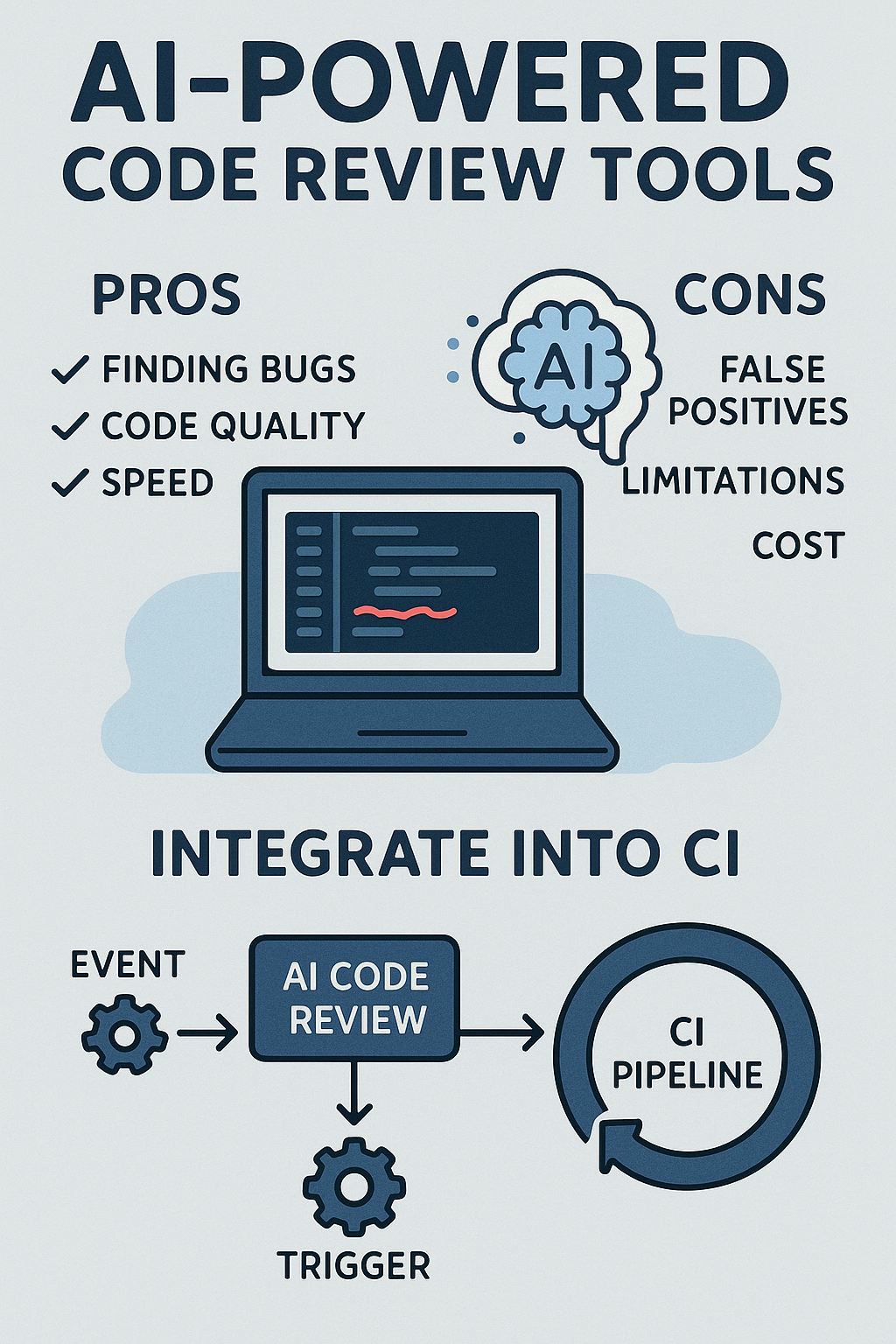
Integrating Hooks with CI/CD
Git hooks and CI/CD pipelines complement each other. Hooks provide instant local feedback while CI ensures nothing slips through.
# .github/workflows/ci.yml
name: CI

on:
  push:
    branches: [main]
  pull_request:
    branches: [main]

jobs:
  quality:
    runs-on: ubuntu-latest
    steps:
      - uses: actions/checkout@v4

      - name: Setup Node.js
        uses: actions/setup-node@v4
        with:
          node-version: '20'
          cache: 'npm'

      - name: Install dependencies
        run: npm ci

      - name: Type check
        run: npm run typecheck

      - name: Lint
        run: npm run lint

      - name: Format check
        run: npm run format:check

      - name: Test
        run: npm test -- --coverage

      - name: Build
        run: npm run build
Best Practices Summary
- Keep pre-commit fast: Under 10 seconds for staged file checks
- Use lint-staged: Only check files that actually changed
- Move heavy checks to pre-push: Full test suites and builds belong here
- Enforce commit messages: Use Commitlint for consistent history
- Version control configuration: Use tools that store hooks in your repository
- Provide clear errors: Help developers understand and fix issues
- Document bypass procedures: Allow
--no-verifyfor emergencies - Run hooks in CI too: Catch anything that slips through locally
Conclusion
Git hooks are one of the simplest yet most effective ways to automate quality checks and enforce coding standards. They act as your first line of defense, catching issues before CI/CD runs and preventing broken code from entering your repository. Whether you choose Husky for JavaScript projects, pre-commit for Python, or Lefthook for polyglot monorepos, the investment in hook automation pays dividends in code quality and team productivity. Start with basic linting on pre-commit, add comprehensive tests on pre-push, and enforce commit message standards throughout. For securing your entire pipeline, read Securing CI/CD Pipelines: Supply-Chain Best Practices. To complement hooks with proper linting configuration, explore Configuring Prettier and ESLint for TypeScript & JavaScript. For official references, see the Git Hooks documentation, the Husky documentation, and the pre-commit framework documentation. With hooks enforcing quality at every commit, you transform code review from catching formatting issues to discussing architecture and logic.

1 Comment