Introduction
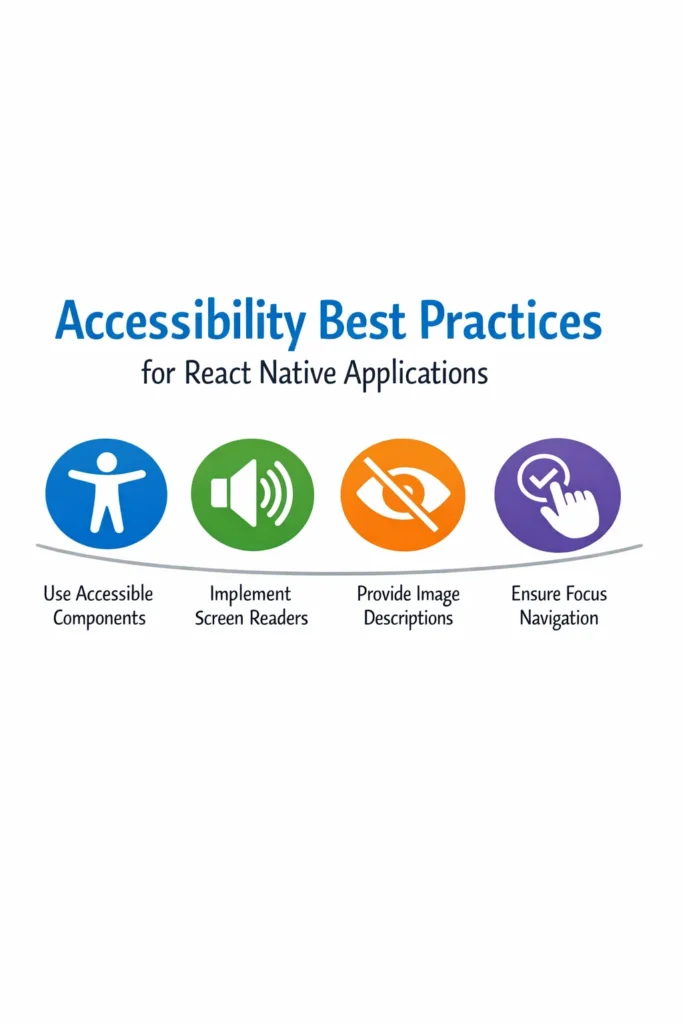
Accessibility ensures that mobile applications can be used by everyone, including users with visual, motor, hearing, or cognitive impairments. Despite affecting over 1 billion people worldwide, accessibility is often overlooked in mobile development. However, it directly impacts usability, legal compliance, App Store rankings, and user trust. React Native provides comprehensive built-in accessibility APIs that map directly to native platform features like VoiceOver on iOS and TalkBack on Android.
In this comprehensive guide, you’ll learn practical accessibility best practices for React Native applications, including semantic labeling, focus management, screen reader support, and automated testing strategies that help you build truly inclusive mobile experiences.
Why Accessibility Matters in Mobile Apps
Accessible apps are not only inclusive but also more usable for all users in various contexts—bright sunlight, noisy environments, or temporary impairments.
- Expands user base: 15% of the world’s population has some form of disability.
- Legal compliance: ADA, Section 508, and regional laws require accessible digital products.
- Improves SEO and discoverability: Semantic structure benefits app store optimization.
- Better UX for everyone: Accessibility improvements often enhance overall usability.
- Platform requirements: App Store and Play Store increasingly evaluate accessibility.
Understanding React Native Accessibility APIs
React Native maps accessibility props directly to native platform APIs, enabling seamless integration with assistive technologies.
// types/accessibility.ts - Accessibility Type Definitions
import { AccessibilityRole, AccessibilityState } from 'react-native';

export interface AccessibleComponentProps {
  accessible?: boolean;
  accessibilityLabel?: string;
  accessibilityHint?: string;
  accessibilityRole?: AccessibilityRole;
  accessibilityState?: AccessibilityState;
  accessibilityValue?: {
    min?: number;
    max?: number;
    now?: number;
    text?: string;
  };
  accessibilityActions?: Array<{
    name: string;
    label?: string;
  }>;
  onAccessibilityAction?: (event: { nativeEvent: { actionName: string } }) => void;
  accessibilityLiveRegion?: 'none' | 'polite' | 'assertive';
  importantForAccessibility?: 'auto' | 'yes' | 'no' | 'no-hide-descendants';
}

// Common accessibility roles
export type A11yRole =
  | 'none'
  | 'button'
  | 'link'
  | 'search'
  | 'image'
  | 'keyboardkey'
  | 'text'
  | 'adjustable'
  | 'header'
  | 'summary'
  | 'imagebutton'
  | 'alert'
  | 'checkbox'
  | 'combobox'
  | 'menu'
  | 'menubar'
  | 'menuitem'
  | 'progressbar'
  | 'radio'
  | 'radiogroup'
  | 'scrollbar'
  | 'spinbutton'
  | 'switch'
  | 'tab'
  | 'tablist'
  | 'timer'
  | 'toolbar';
Platform Mapping
// utils/accessibility.ts - Cross-Platform Accessibility Utilities
import { Platform, AccessibilityInfo } from 'react-native';

export const accessibilityUtils = {
  /**
   * Check if screen reader is enabled
   */
  async isScreenReaderEnabled(): Promise<boolean> {
    return await AccessibilityInfo.isScreenReaderEnabled();
  },

  /**
   * Check if reduce motion is enabled
   */
  async isReduceMotionEnabled(): Promise<boolean> {
    return await AccessibilityInfo.isReduceMotionEnabled();
  },

  /**
   * Announce message to screen reader
   */
  announce(message: string, options?: { queue?: boolean }): void {
    if (Platform.OS === 'ios') {
      // iOS supports queuing announcements
      AccessibilityInfo.announceForAccessibility(message);
    } else {
      // Android announcement
      AccessibilityInfo.announceForAccessibility(message);
    }
  },

  /**
   * Set accessibility focus to element
   */
  setFocus(ref: React.RefObject<any>): void {
    if (ref.current) {
      AccessibilityInfo.setAccessibilityFocus(
        ref.current._nativeTag || ref.current
      );
    }
  },

  /**
   * Subscribe to screen reader changes
   */
  onScreenReaderChanged(callback: (enabled: boolean) => void): () => void {
    const subscription = AccessibilityInfo.addEventListener(
      'screenReaderChanged',
      callback
    );
    return () => subscription.remove();
  }
};
Building Accessible Button Components
// components/AccessibleButton.tsx - Fully Accessible Button
import React, { useCallback, useRef } from 'react';
import {
TouchableOpacity,
Text,
StyleSheet,
ActivityIndicator,
View,
AccessibilityState,
GestureResponderEvent,
} from 'react-native';
interface AccessibleButtonProps {
onPress: (event: GestureResponderEvent) => void;
label: string;
hint?: string;
disabled?: boolean;
loading?: boolean;
variant?: 'primary' | 'secondary' | 'danger';
icon?: React.ReactNode;
testID?: string;
}
export const AccessibleButton: React.FC<AccessibleButtonProps> = ({
onPress,
label,
hint,
disabled = false,
loading = false,
variant = 'primary',
icon,
testID,
}) => {
const buttonRef = useRef<TouchableOpacity>(null);
const isDisabled = disabled || loading;
// Build accessibility state
const accessibilityState: AccessibilityState = {
disabled: isDisabled,
busy: loading,
};
// Build accessibility label
const accessibilityLabel = loading
? `${label}, loading`
: label;
// Build accessibility hint
const accessibilityHint = isDisabled
? undefined
: hint;
const handlePress = useCallback(
(event: GestureResponderEvent) => {
if (!isDisabled) {
onPress(event);
}
},
[isDisabled, onPress]
);
return (
{loading ? (
{icon && {icon} }
{label}
)}
);
};
const styles = StyleSheet.create({
button: {
paddingVertical: 12,
paddingHorizontal: 24,
borderRadius: 8,
minHeight: 48, // Minimum touch target size
minWidth: 48,
justifyContent: 'center',
alignItems: 'center',
},
primary: {
backgroundColor: '#007AFF',
},
secondary: {
backgroundColor: 'transparent',
borderWidth: 2,
borderColor: '#007AFF',
},
danger: {
backgroundColor: '#FF3B30',
},
disabled: {
opacity: 0.5,
},
content: {
flexDirection: 'row',
alignItems: 'center',
},
icon: {
marginRight: 8,
},
text: {
fontSize: 16,
fontWeight: '600',
},
primaryText: {
color: '#FFFFFF',
},
secondaryText: {
color: '#007AFF',
},
dangerText: {
color: '#FFFFFF',
},
});Accessible Form Inputs
// components/AccessibleTextInput.tsx - Accessible Text Input
import React, { useState, useRef, useCallback } from 'react';
import {
View,
TextInput,
Text,
StyleSheet,
TextInputProps,
AccessibilityInfo,
} from 'react-native';
interface AccessibleTextInputProps extends Omit<TextInputProps, 'accessibilityLabel'> {
label: string;
error?: string;
hint?: string;
required?: boolean;
}
export const AccessibleTextInput: React.FC<AccessibleTextInputProps> = ({
label,
error,
hint,
required = false,
value,
onChangeText,
...props
}) => {
const inputRef = useRef<TextInput>(null);
const [isFocused, setIsFocused] = useState(false);
// Build comprehensive accessibility label
const buildAccessibilityLabel = () => {
let accessibilityLabel = label;
if (required) {
accessibilityLabel += ', required';
}
if (value) {
accessibilityLabel += `, current value: ${value}`;
}
if (error) {
accessibilityLabel += `, error: ${error}`;
}
return accessibilityLabel;
};
const handleFocus = useCallback(() => {
setIsFocused(true);
}, []);
const handleBlur = useCallback(() => {
setIsFocused(false);
// Announce error when leaving field
if (error) {
AccessibilityInfo.announceForAccessibility(`Error: ${error}`);
}
}, [error]);
const handleChangeText = useCallback(
(text: string) => {
onChangeText?.(text);
},
[onChangeText]
);
return (
{/* Visible label */}
{label}
{required && * }
{/* Hint text */}
{hint && (
{hint}
)}
{/* Input field */}
{error}
)}
);
};
const styles = StyleSheet.create({
container: {
marginBottom: 16,
},
label: {
fontSize: 16,
fontWeight: '500',
color: '#333333',
marginBottom: 4,
},
labelError: {
color: '#FF3B30',
},
required: {
color: '#FF3B30',
},
hint: {
fontSize: 14,
color: '#666666',
marginBottom: 4,
},
input: {
borderWidth: 1,
borderColor: '#CCCCCC',
borderRadius: 8,
paddingHorizontal: 12,
paddingVertical: 12,
fontSize: 16,
minHeight: 48,
color: '#333333',
},
inputFocused: {
borderColor: '#007AFF',
borderWidth: 2,
},
inputError: {
borderColor: '#FF3B30',
},
error: {
fontSize: 14,
color: '#FF3B30',
marginTop: 4,
},
});Accessible Checkbox and Switch Components
// components/AccessibleCheckbox.tsx - Accessible Checkbox
import React, { useCallback } from 'react';
import {
TouchableOpacity,
View,
Text,
StyleSheet,
AccessibilityInfo,
} from 'react-native';
interface AccessibleCheckboxProps {
checked: boolean;
onChange: (checked: boolean) => void;
label: string;
hint?: string;
disabled?: boolean;
}
export const AccessibleCheckbox: React.FC<AccessibleCheckboxProps> = ({
checked,
onChange,
label,
hint,
disabled = false,
}) => {
const handlePress = useCallback(() => {
const newValue = !checked;
onChange(newValue);
// Announce state change
const announcement = newValue
? `${label}, checked`
: `${label}, unchecked`;
AccessibilityInfo.announceForAccessibility(announcement);
}, [checked, onChange, label]);
return (
{checked && ✓ }
{label}
);
};
// components/AccessibleSwitch.tsx - Accessible Toggle Switch
import { Switch } from 'react-native';
interface AccessibleSwitchProps {
value: boolean;
onValueChange: (value: boolean) => void;
label: string;
hint?: string;
disabled?: boolean;
}
export const AccessibleSwitch: React.FC<AccessibleSwitchProps> = ({
value,
onValueChange,
label,
hint,
disabled = false,
}) => {
const handleValueChange = useCallback(
(newValue: boolean) => {
onValueChange(newValue);
// Announce state change
const announcement = newValue
? `${label}, on`
: `${label}, off`;
AccessibilityInfo.announceForAccessibility(announcement);
},
[onValueChange, label]
);
return (
{label}
);
};
const styles = StyleSheet.create({
container: {
flexDirection: 'row',
alignItems: 'center',
paddingVertical: 8,
minHeight: 48,
},
disabled: {
opacity: 0.5,
},
checkbox: {
width: 24,
height: 24,
borderWidth: 2,
borderColor: '#007AFF',
borderRadius: 4,
marginRight: 12,
justifyContent: 'center',
alignItems: 'center',
},
checkboxChecked: {
backgroundColor: '#007AFF',
},
checkmark: {
color: '#FFFFFF',
fontSize: 16,
fontWeight: 'bold',
},
label: {
fontSize: 16,
color: '#333333',
flex: 1,
},
switchContainer: {
flexDirection: 'row',
justifyContent: 'space-between',
alignItems: 'center',
paddingVertical: 8,
minHeight: 48,
},
switchLabel: {
fontSize: 16,
color: '#333333',
flex: 1,
},
});Focus Management for Modals and Navigation
// components/AccessibleModal.tsx - Accessible Modal with Focus Trap
import React, { useRef, useEffect, useCallback } from 'react';
import {
  Modal,
  View,
  Text,
  TouchableOpacity,
  StyleSheet,
  AccessibilityInfo,
  findNodeHandle,
  BackHandler,
} from 'react-native';

interface AccessibleModalProps {
  visible: boolean;
  onClose: () => void;
  title: string;
  children: React.ReactNode;
}

export const AccessibleModal: React.FC<AccessibleModalProps> = ({
  visible,
  onClose,
  title,
  children,
}) => {
  const titleRef = useRef<Text>(null);
  const closeButtonRef = useRef<TouchableOpacity>(null);

  // Move focus to modal title when opened
  useEffect(() => {
    if (visible && titleRef.current) {
      // Small delay to ensure modal is rendered
      const timer = setTimeout(() => {
        const node = findNodeHandle(titleRef.current);
        if (node) {
          AccessibilityInfo.setAccessibilityFocus(node);
        }

        // Announce modal opening
        AccessibilityInfo.announceForAccessibility(
          `${title} dialog opened. Swipe right to navigate.`
        );
      }, 100);

      return () => clearTimeout(timer);
    }
  }, [visible, title]);

  // Handle back button on Android
  useEffect(() => {
    if (visible) {
      const backHandler = BackHandler.addEventListener(
        'hardwareBackPress',
        () => {
          onClose();
          return true;
        }
      );

      return () => backHandler.remove();
    }
  }, [visible, onClose]);

  const handleClose = useCallback(() => {
    AccessibilityInfo.announceForAccessibility('Dialog closed');
    onClose();
  }, [onClose]);

  return (


          {/* Modal header */}


              {title}


              ✕


          {/* Modal content */}

            {children}


  );
};

const styles = StyleSheet.create({
  overlay: {
    flex: 1,
    backgroundColor: 'rgba(0, 0, 0, 0.5)',
    justifyContent: 'center',
    alignItems: 'center',
    padding: 20,
  },
  modalContent: {
    backgroundColor: '#FFFFFF',
    borderRadius: 12,
    width: '100%',
    maxWidth: 400,
    maxHeight: '80%',
  },
  header: {
    flexDirection: 'row',
    justifyContent: 'space-between',
    alignItems: 'center',
    padding: 16,
    borderBottomWidth: 1,
    borderBottomColor: '#EEEEEE',
  },
  title: {
    fontSize: 18,
    fontWeight: '600',
    color: '#333333',
    flex: 1,
  },
  closeButton: {
    width: 44,
    height: 44,
    justifyContent: 'center',
    alignItems: 'center',
  },
  closeText: {
    fontSize: 20,
    color: '#666666',
  },
  body: {
    padding: 16,
  },
});
Custom Hooks for Screen Reader Support
// hooks/useAccessibility.ts - Accessibility Hooks
import { useState, useEffect, useCallback } from 'react';
import { AccessibilityInfo, Platform } from 'react-native';

/**
 * Hook to detect if screen reader is enabled
 */
export function useScreenReader() {
  const [isEnabled, setIsEnabled] = useState(false);

  useEffect(() => {
    // Check initial state
    AccessibilityInfo.isScreenReaderEnabled().then(setIsEnabled);

    // Subscribe to changes
    const subscription = AccessibilityInfo.addEventListener(
      'screenReaderChanged',
      setIsEnabled
    );

    return () => subscription.remove();
  }, []);

  return isEnabled;
}

/**
 * Hook to detect if reduce motion is enabled
 */
export function useReduceMotion() {
  const [isEnabled, setIsEnabled] = useState(false);

  useEffect(() => {
    AccessibilityInfo.isReduceMotionEnabled().then(setIsEnabled);

    const subscription = AccessibilityInfo.addEventListener(
      'reduceMotionChanged',
      setIsEnabled
    );

    return () => subscription.remove();
  }, []);

  return isEnabled;
}

/**
 * Hook to detect if bold text is enabled (iOS only)
 */
export function useBoldText() {
  const [isEnabled, setIsEnabled] = useState(false);

  useEffect(() => {
    if (Platform.OS === 'ios') {
      AccessibilityInfo.isBoldTextEnabled().then(setIsEnabled);

      const subscription = AccessibilityInfo.addEventListener(
        'boldTextChanged',
        setIsEnabled
      );

      return () => subscription.remove();
    }
  }, []);

  return isEnabled;
}

/**
 * Hook for announcing messages to screen readers
 */
export function useAnnounce() {
  const announce = useCallback((message: string) => {
    AccessibilityInfo.announceForAccessibility(message);
  }, []);

  const announcePolite = useCallback((message: string) => {
    // For Android, this uses polite interruption
    AccessibilityInfo.announceForAccessibility(message);
  }, []);

  return { announce, announcePolite };
}

/**
 * Hook for conditional rendering based on accessibility
 */
export function useAccessibilityPreferences() {
  const screenReaderEnabled = useScreenReader();
  const reduceMotionEnabled = useReduceMotion();
  const boldTextEnabled = useBoldText();

  return {
    screenReaderEnabled,
    reduceMotionEnabled,
    boldTextEnabled,
    // Computed preferences
    shouldReduceAnimations: reduceMotionEnabled || screenReaderEnabled,
    shouldUseLargerTouchTargets: screenReaderEnabled,
  };
}
Accessible List Components
// components/AccessibleList.tsx - Accessible FlatList Wrapper
import React, { useCallback, useRef } from 'react';
import {
  FlatList,
  View,
  Text,
  StyleSheet,
  FlatListProps,
  AccessibilityInfo,
} from 'react-native';

interface AccessibleListProps<T> extends FlatListProps<T> {
  listLabel: string;
  emptyMessage?: string;
  getItemAccessibilityLabel?: (item: T, index: number) => string;
}

export function AccessibleList<T>({
  listLabel,
  emptyMessage = 'No items',
  getItemAccessibilityLabel,
  data,
  renderItem,
  ...props
}: AccessibleListProps<T>) {
  const listRef = useRef<FlatList<T>>(null);

  const enhancedRenderItem = useCallback(
    ({ item, index, separators }: any) => {
      const accessibilityLabel = getItemAccessibilityLabel
        ? getItemAccessibilityLabel(item, index)
        : `Item ${index + 1} of ${data?.length || 0}`;

      return (

          {renderItem?.({ item, index, separators })}

      );
    },
    [data?.length, getItemAccessibilityLabel, renderItem]
  );

  const ListEmptyComponent = useCallback(
    () => (

        {emptyMessage}

    ),
    [emptyMessage]
  );

  return (


  );
}

const styles = StyleSheet.create({
  emptyContainer: {
    padding: 20,
    alignItems: 'center',
  },
  emptyText: {
    fontSize: 16,
    color: '#666666',
  },
});
Color Contrast and Visual Accessibility
// utils/colorContrast.ts - WCAG Color Contrast Utilities

/**
 * Calculate relative luminance of a color
 */
function getLuminance(r: number, g: number, b: number): number {
  const [rs, gs, bs] = [r, g, b].map((c) => {
    c = c / 255;
    return c <= 0.03928 ? c / 12.92 : Math.pow((c + 0.055) / 1.055, 2.4);
  });
  return 0.2126 * rs + 0.7152 * gs + 0.0722 * bs;
}

/**
 * Parse hex color to RGB
 */
function hexToRgb(hex: string): { r: number; g: number; b: number } | null {
  const result = /^#?([a-f\d]{2})([a-f\d]{2})([a-f\d]{2})$/i.exec(hex);
  return result
    ? {
        r: parseInt(result[1], 16),
        g: parseInt(result[2], 16),
        b: parseInt(result[3], 16),
      }
    : null;
}

/**
 * Calculate contrast ratio between two colors
 */
export function getContrastRatio(color1: string, color2: string): number {
  const rgb1 = hexToRgb(color1);
  const rgb2 = hexToRgb(color2);

  if (!rgb1 || !rgb2) return 0;

  const l1 = getLuminance(rgb1.r, rgb1.g, rgb1.b);
  const l2 = getLuminance(rgb2.r, rgb2.g, rgb2.b);

  const lighter = Math.max(l1, l2);
  const darker = Math.min(l1, l2);

  return (lighter + 0.05) / (darker + 0.05);
}

/**
 * Check if contrast meets WCAG requirements
 */
export function meetsContrastRequirements(
  foreground: string,
  background: string,
  level: 'AA' | 'AAA' = 'AA',
  isLargeText: boolean = false
): boolean {
  const ratio = getContrastRatio(foreground, background);

  if (level === 'AAA') {
    return isLargeText ? ratio >= 4.5 : ratio >= 7;
  }
  // AA level
  return isLargeText ? ratio >= 3 : ratio >= 4.5;
}

// theme/accessibleColors.ts - Accessible Color Palette
export const accessibleColors = {
  // Text colors with sufficient contrast on white
  text: {
    primary: '#1A1A1A',    // 15.3:1 on white
    secondary: '#595959',  // 7.0:1 on white
    tertiary: '#767676',   // 4.54:1 on white (AA minimum)
  },

  // Interactive colors
  interactive: {
    primary: '#0052CC',    // 7.5:1 on white
    primaryHover: '#003D99',
    error: '#CC0000',      // 7.0:1 on white
    success: '#006644',    // 7.0:1 on white
  },

  // Backgrounds
  background: {
    primary: '#FFFFFF',
    secondary: '#F4F5F7',
    tertiary: '#EBECF0',
  },
};
Supporting Dynamic Font Scaling
// components/ScalableText.tsx - Font Scaling Support
import React from 'react';
import { Text, TextProps, StyleSheet, PixelRatio } from 'react-native';

interface ScalableTextProps extends TextProps {
  maxFontMultiplier?: number;
  variant?: 'body' | 'heading' | 'caption';
}

export const ScalableText: React.FC<ScalableTextProps> = ({
  children,
  maxFontMultiplier = 1.5,
  variant = 'body',
  style,
  ...props
}) => {
  return (

      {children}

  );
};

// Utility for responsive sizing
export function scaleSize(size: number): number {
  const scale = PixelRatio.getFontScale();
  return Math.round(size * Math.min(scale, 1.5));
}

const styles = StyleSheet.create({
  body: {
    fontSize: 16,
    lineHeight: 24,
    color: '#333333',
  },
  heading: {
    fontSize: 24,
    lineHeight: 32,
    fontWeight: '600',
    color: '#1A1A1A',
  },
  caption: {
    fontSize: 14,
    lineHeight: 20,
    color: '#666666',
  },
});
Respecting Reduced Motion Preferences
// components/AccessibleAnimation.tsx - Motion-Safe Animations
import React from 'react';
import { Animated, ViewStyle } from 'react-native';
import { useReduceMotion } from '../hooks/useAccessibility';

interface AccessibleAnimationProps {
  children: React.ReactNode;
  animation: Animated.Value;
  style?: ViewStyle;
  reducedMotionStyle?: ViewStyle;
}

export const AccessibleAnimation: React.FC<AccessibleAnimationProps> = ({
  children,
  animation,
  style,
  reducedMotionStyle,
}) => {
  const reduceMotion = useReduceMotion();

  if (reduceMotion) {
    // Skip animation, show final state immediately
    return (

        {children}

    );
  }

  return (

      {children}

  );
};

// hooks/useAccessibleAnimation.ts - Animation Hook
import { useRef, useEffect } from 'react';
import { Animated, Easing } from 'react-native';

export function useAccessibleAnimation(
  reduceMotion: boolean,
  config: {
    toValue: number;
    duration: number;
    reducedDuration?: number;
  }
) {
  const animation = useRef(new Animated.Value(0)).current;

  useEffect(() => {
    Animated.timing(animation, {
      toValue: config.toValue,
      duration: reduceMotion
        ? (config.reducedDuration || 0)
        : config.duration,
      easing: Easing.out(Easing.cubic),
      useNativeDriver: true,
    }).start();
  }, [config.toValue, reduceMotion]);

  return animation;
}
Testing Accessibility
// __tests__/accessibility.test.tsx - Jest Accessibility Tests
import React from 'react';
import { render, screen } from '@testing-library/react-native';
import { AccessibleButton } from '../components/AccessibleButton';
import { AccessibleTextInput } from '../components/AccessibleTextInput';

describe('AccessibleButton', () => {
  it('has correct accessibility role', () => {
    render(
      <AccessibleButton
        onPress={() => {}}
        label="Submit"
        testID="submit-button"
      />
    );

    const button = screen.getByTestId('submit-button');
    expect(button.props.accessibilityRole).toBe('button');
  });

  it('announces loading state', () => {
    render(
      <AccessibleButton
        onPress={() => {}}
        label="Submit"
        loading={true}
        testID="submit-button"
      />
    );

    const button = screen.getByTestId('submit-button');
    expect(button.props.accessibilityLabel).toContain('loading');
    expect(button.props.accessibilityState.busy).toBe(true);
  });

  it('indicates disabled state', () => {
    render(
      <AccessibleButton
        onPress={() => {}}
        label="Submit"
        disabled={true}
        testID="submit-button"
      />
    );

    const button = screen.getByTestId('submit-button');
    expect(button.props.accessibilityState.disabled).toBe(true);
  });

  it('meets minimum touch target size', () => {
    render(
      <AccessibleButton
        onPress={() => {}}
        label="X"
        testID="small-button"
      />
    );

    const button = screen.getByTestId('small-button');
    const flattenedStyle = button.props.style;

    // Check minHeight and minWidth are at least 48 (44 iOS, 48 Android)
    expect(flattenedStyle).toEqual(
      expect.arrayContaining([
        expect.objectContaining({ minHeight: 48 })
      ])
    );
  });
});

describe('AccessibleTextInput', () => {
  it('includes error in accessibility label', () => {
    render(
      <AccessibleTextInput
        label="Email"
        value="invalid"
        error="Please enter a valid email"
      />
    );

    const input = screen.getByLabelText(/Email.*error/i);
    expect(input).toBeTruthy();
  });

  it('marks required fields appropriately', () => {
    render(
      <AccessibleTextInput
        label="Email"
        required={true}
      />
    );

    const input = screen.getByLabelText(/Email.*required/i);
    expect(input).toBeTruthy();
  });
});
# Testing with real devices and screen readers
# iOS - Enable VoiceOver
# Settings > Accessibility > VoiceOver > On
# Android - Enable TalkBack
# Settings > Accessibility > TalkBack > On
# iOS Accessibility Inspector (Xcode)
# Xcode > Open Developer Tool > Accessibility Inspector
# React Native Accessibility Testing
npx react-native-accessibility-engine ./App.tsx
# Automated accessibility audits
npm install @testing-library/jest-native --save-devCommon Mistakes to Avoid
1. Missing or Generic Labels
// WRONG - No label or generic label
<TouchableOpacity onPress={onDelete}>
  <Image source={trashIcon} />
</TouchableOpacity>

<TouchableOpacity
  accessibilityLabel="button"
  onPress={onDelete}
>
  <Image source={trashIcon} />
</TouchableOpacity>

// CORRECT - Descriptive, action-oriented label
<TouchableOpacity
  onPress={onDelete}
  accessible={true}
  accessibilityRole="button"
  accessibilityLabel="Delete item"
  accessibilityHint="Removes this item from your list"
>
  <Image source={trashIcon} accessibilityElementsHidden={true} />
</TouchableOpacity>
2. Incorrect Accessibility Roles
// WRONG - Using text role for interactive element
<TouchableOpacity
  accessibilityRole="text"
  onPress={onPress}
>
  <Text>Click me</Text>
</TouchableOpacity>

// CORRECT - Using button role for interactive element
<TouchableOpacity
  accessibilityRole="button"
  onPress={onPress}
>
  <Text>Click me</Text>
</TouchableOpacity>
3. Ignoring Dynamic Content Updates
// WRONG - State change not announced
const [count, setCount] = useState(0);

<TouchableOpacity onPress={() => setCount(c => c + 1)}>
  <Text>{count}</Text>
</TouchableOpacity>

// CORRECT - Announce state changes
const [count, setCount] = useState(0);

const increment = () => {
  const newCount = count + 1;
  setCount(newCount);
  AccessibilityInfo.announceForAccessibility(`Count updated to ${newCount}`);
};

<TouchableOpacity
  onPress={increment}
  accessibilityRole="button"
  accessibilityLabel={`Count is ${count}. Tap to increment.`}
>
  <Text>{count}</Text>
</TouchableOpacity>
4. Small Touch Targets
// WRONG - Touch target too small
<TouchableOpacity style={{ padding: 5 }} onPress={onPress}>
  <Icon name="settings" size={16} />
</TouchableOpacity>

// CORRECT - Minimum 44x44pt (iOS) or 48x48dp (Android)
<TouchableOpacity
  style={{
    minWidth: 48,
    minHeight: 48,
    justifyContent: 'center',
    alignItems: 'center'
  }}
  onPress={onPress}
  hitSlop={{ top: 10, bottom: 10, left: 10, right: 10 }}
>
  <Icon name="settings" size={24} />
</TouchableOpacity>
Best Practices Summary
- Label everything: Every interactive element needs a descriptive accessibilityLabel.
- Use semantic roles: Apply correct accessibilityRole values (button, link, header, etc.).
- Announce changes: Use AccessibilityInfo.announceForAccessibility for dynamic updates.
- Manage focus: Move focus appropriately when opening modals or navigating screens.
- Ensure contrast: Maintain 4.5:1 ratio for normal text, 3:1 for large text (WCAG AA).
- Support scaling: Allow font scaling with allowFontScaling and test with large fonts.
- Respect preferences: Check isReduceMotionEnabled and disable unnecessary animations.
- Test with devices: Use VoiceOver (iOS) and TalkBack (Android) on real devices.
Conclusion
Accessibility best practices help React Native applications become more inclusive, usable, and professional. By correctly labeling components, managing focus, supporting screen readers, ensuring color contrast, and respecting user preferences for motion and font size, you create experiences that work for everyone. Accessibility isn’t just about compliance—it’s about building better products that reach more users.
If you’re improving navigation and usability, read Implementing Deep Linking in React Native for Mobile Apps. For performance-sensitive UI behavior, see Animations in React Native Using Reanimated 3 and React Native Authentication Flow with Context API. For official documentation, explore the React Native accessibility documentation and the WCAG accessibility guidelines.