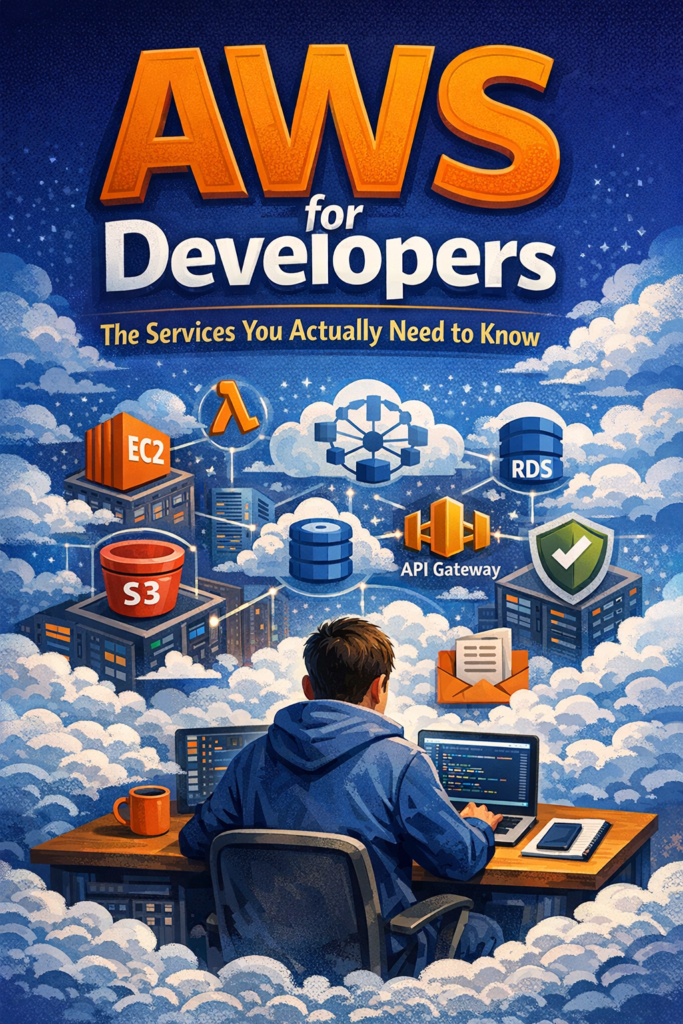
AWS offers hundreds of services, which makes it intimidating for developers who just want to ship reliable software. In practice, most production systems rely on a small, repeatable core of AWS services.
This post is written for developers who want to use AWS pragmatically. Instead of cataloging the platform, it focuses on the services that actually show up in real projects, explains why they exist, and highlights the mistakes teams repeatedly make. By the end, you should have a clear mental model for AWS for developers and enough confidence to ignore most of the AWS console.
Why AWS Feels Hard for Developers
AWS feels difficult because it favors composability over opinionated workflows. Rather than guiding you toward a single “correct” architecture, it gives you primitives and expects you to assemble them correctly.
This problem is not unique to infrastructure. Inside applications, poor architectural choices often come from wiring systems without understanding long-term consequences. The same issue appears when dependency boundaries are unclear, as explained in Dependency Injection in Flutter with Injectable and GetIt. AWS exposes the same weakness, just at an infrastructure level.
AWS itself acknowledges this trade-off in the AWS Well-Architected Framework, which emphasizes design principles over concrete prescriptions. Without a clear model, teams either overbuild early or postpone decisions until the system becomes brittle.
Compute Services Developers Actually Use
EC2: When You Truly Need Control
EC2 provides virtual machines with full access to the operating system. It is useful for legacy applications, custom runtimes, or workloads that cannot fit managed platforms.
However, EC2 shifts operational responsibility onto the team. Scaling, patching, monitoring, and recovery must all be handled manually. AWS describes this flexibility clearly in its EC2 overview, but flexibility alone does not make EC2 the right default choice. In modern systems, EC2 should be selected deliberately, not automatically.
AWS Lambda: Infrastructure That Gets Out of the Way
AWS Lambda removes server management entirely. It is commonly used for APIs, background jobs, and event-driven workflows.
The trade-off is constraint. Cold starts, execution time limits, and distributed debugging force developers to think carefully about execution flow. This is similar to handling asynchronous state in applications, where lifecycle and timing matter more than raw logic, as described in Riverpod Async Notifiers: Handling State from APIs the Right Way.
AWS positions Lambda as an event-driven service in its Lambda documentation, but in practice, Lambda works best when workloads are small, focused, and clearly scoped.
Storage Services That Matter in Practice
Amazon S3: Object Storage Done Right
S3 is one of the most widely used AWS services. Developers use it for file uploads, static assets, backups, and data pipelines.
S3 is durable, scalable, and simple when used correctly. Problems appear when developers treat it like a database or rely on frequent object mutation. AWS explicitly describes S3 as object storage in its S3 documentation, which helps explain why query-like access patterns perform poorly.
Understanding what S3 is not is just as important as understanding what it does well.
Databases Developers Choose in Production
Amazon RDS: The Reliable Default
For most backend systems, RDS is the safest database option. It supports relational engines such as PostgreSQL and MySQL with automated backups, replication, and failover.
Relational databases remain dominant because they handle transactions, constraints, and schema evolution well. AWS emphasizes operational simplicity in its RDS documentation, but the real benefit is predictability. As systems grow, predictability matters more than raw flexibility.
DynamoDB: Fast but Unforgiving
DynamoDB offers consistent performance at scale when access patterns are known upfront. It excels in systems that require predictable latency and simple queries.
Teams struggle when they attempt to model relational data in DynamoDB. AWS repeatedly stresses access-pattern-first design in its DynamoDB best practices because ignoring this rule leads to expensive redesigns later.
Networking and API Exposure
VPC: The Foundation You Cannot Skip
Every AWS service runs inside a VPC, whether you configure one explicitly or not. Networking issues are a common source of production failures, even when individual services appear healthy.
AWS’s VPC documentation focuses on flexibility, but developers mainly need to understand isolation, routing, and security boundaries. These concerns resemble coordination problems inside applications, where poorly defined boundaries cause unexpected behavior, similar to over-animating UI state instead of respecting lifecycle constraints, as discussed in How to Animate Your Flutter App Like a Pro (Without Overkill).
API Gateway: Useful Until Scale Changes the Rules
API Gateway integrates cleanly with Lambda and provides authentication, throttling, and monitoring.
At low to moderate scale, it simplifies API management significantly. As traffic grows, however, latency and pricing become important factors. AWS makes these trade-offs explicit in its API Gateway pricing model, which is why many teams eventually migrate to container-based APIs once usage stabilizes.
Security and Access Control
IAM: Essential and Easy to Misconfigure
IAM defines permissions across AWS. Small mistakes can have wide-reaching consequences.
Best practices such as using roles, avoiding long-lived credentials, and enforcing least-privilege access are covered in AWS’s IAM documentation. These principles mirror lessons learned in shared package ecosystems, where careless publishing creates long-term risk, a topic explored in Complete Guide to Flutter Package Publishing on pub.dev.
Security discipline must be established early, not retrofitted later.
A Realistic AWS Setup
Consider a mid-sized SaaS application with a REST API, background jobs, file uploads, and a relational database.
A practical AWS setup usually combines Lambda for APIs and async processing, S3 for file storage, RDS PostgreSQL for transactional data, and IAM roles for secure service communication. This configuration aligns closely with guidance in the AWS Well-Architected Framework and minimizes infrastructure overhead while remaining flexible enough for growth.
When to Use AWS for Developers
- You need scalable infrastructure without managing hardware
- You want mature managed services
- You expect traffic variability
- You value ecosystem depth and long-term support
When NOT to Use AWS for Developers
- Your application is extremely small
- You want minimal configuration and setup
- Your team lacks cloud experience
- Operational simplicity outweighs scalability
Common Mistakes
- Adopting too many AWS services too early
- Treating DynamoDB like a relational database
- Ignoring IAM until late in development
- Optimizing costs before understanding usage
Conclusion
AWS for developers is not about mastering the entire platform. It is about understanding which small set of services solves most real-world problems and ignoring everything else until it becomes necessary.
Start with compute, storage, databases, and IAM. Once those foundations are clear, evaluating advanced AWS services becomes significantly easier and far less risky.

1 Comment