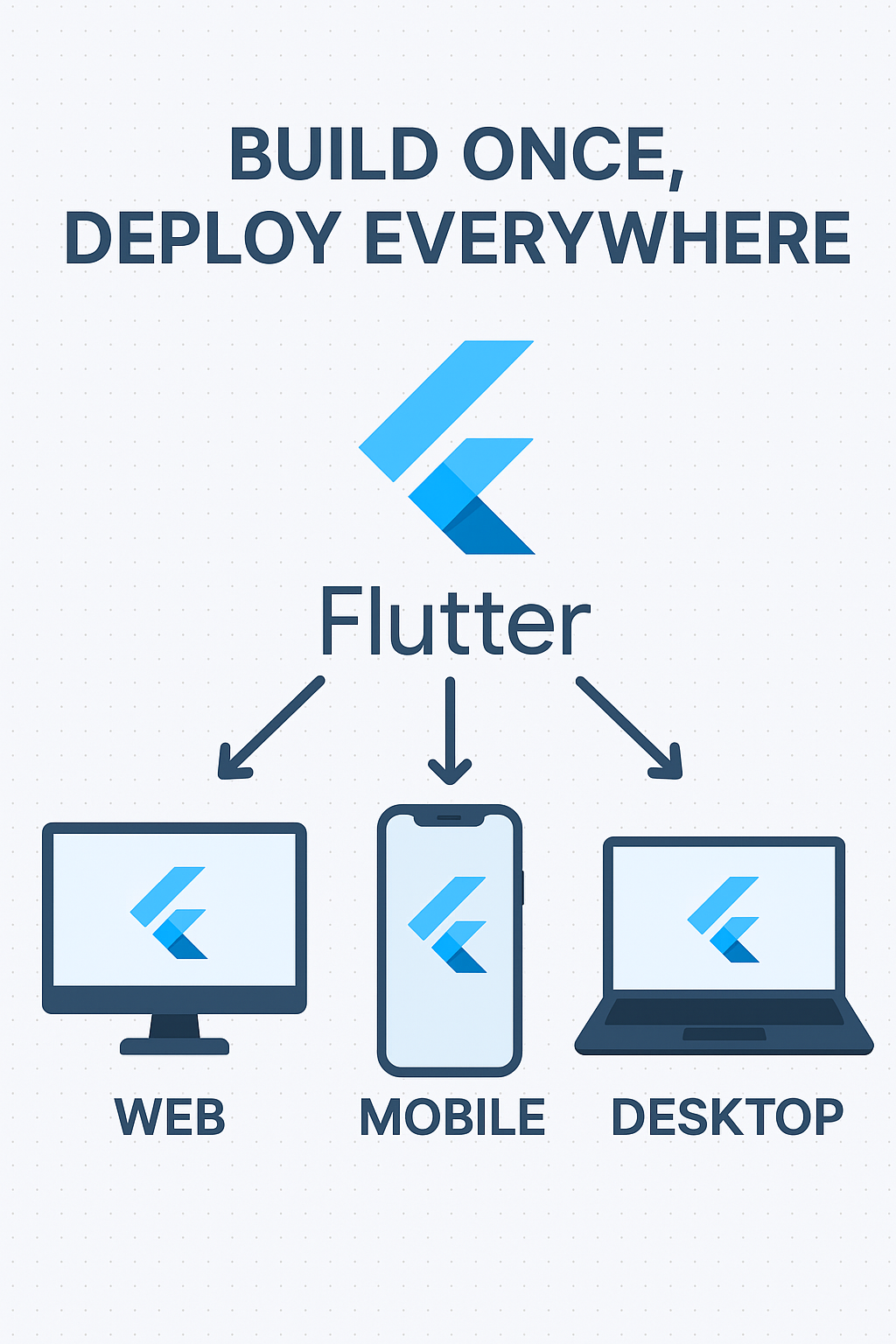
In today’s tech landscape, users expect apps to work everywhere — mobile phones, web browsers, desktops, and even tablets. Rewriting the same app for each platform is a massive waste of time and resources. Flutter offers a build once, run anywhere solution; Google’s UI toolkit lets you write a single Dart codebase and deploy to iOS, Android, Web, macOS, Windows, and Linux.
In this comprehensive guide, we’ll break down a practical Flutter Web, Mobile, and Desktop strategy that helps you maintain one codebase and launch your app across platforms without chaos. You’ll learn project architecture, responsive design patterns, platform-specific abstractions, and deployment pipelines that actually work in production.
Why Flutter for Multi-Platform Development?
Flutter allows you to:
- Use a single Dart codebase for iOS, Android, Web, macOS, Windows, and Linux
- Share UI and business logic with typically 80-95% code reuse
- Maintain platform-specific behavior with minimal branching
- Deliver native performance using Flutter’s Skia rendering engine
- Hot reload for rapid development across all platforms
This “build once, deploy everywhere” philosophy works if you plan it right — so let’s walk through how.
Scalable Project Structure
A well-organized project structure is critical for multi-platform success. Here’s a production-ready architecture:
lib/
├── main.dart                    # Entry point (minimal)
├── app.dart                     # App configuration
├── core/
│   ├── constants/
│   │   ├── app_constants.dart
│   │   └── api_constants.dart
│   ├── theme/
│   │   ├── app_theme.dart
│   │   ├── colors.dart
│   │   └── typography.dart
│   ├── utils/
│   │   ├── platform_utils.dart
│   │   └── responsive_utils.dart
│   └── di/
│       └── injection_container.dart
├── platform/
│   ├── platform_service.dart         # Abstract interface
│   ├── platform_service_mobile.dart  # Mobile implementation
│   ├── platform_service_web.dart     # Web implementation
│   └── platform_service_desktop.dart # Desktop implementation
├── features/
│   ├── auth/
│   │   ├── data/
│   │   ├── domain/
│   │   └── presentation/
│   ├── home/
│   └── settings/
└── shared/
    ├── widgets/
    │   ├── responsive_scaffold.dart
    │   ├── platform_button.dart
    │   └── adaptive_layout.dart
    └── services/
        ├── storage_service.dart
        └── navigation_service.dart
Clean Entry Point
// main.dart
import 'package:flutter/material.dart';
import 'package:flutter/foundation.dart' show kIsWeb;
import 'dart:io' show Platform;

import 'app.dart';
import 'core/di/injection_container.dart' as di;

void main() async {
  WidgetsFlutterBinding.ensureInitialized();

  // Initialize dependencies
  await di.init();

  // Platform-specific initialization
  await _initializePlatform();

  runApp(const MyApp());
}

Future<void> _initializePlatform() async {
  if (kIsWeb) {
    // Web-specific initialization
    // e.g., configure URL strategy
  } else if (Platform.isAndroid || Platform.isIOS) {
    // Mobile-specific initialization
    // e.g., Firebase, push notifications
  } else {
    // Desktop-specific initialization
    // e.g., window size configuration
  }
}
Responsive UI Architecture
Different platforms mean different screen sizes, input methods, and user expectations. A robust responsive system is non-negotiable.
Responsive Breakpoints
// core/utils/responsive_utils.dart
import 'package:flutter/material.dart';

enum DeviceType { mobile, tablet, desktop }

class ResponsiveUtils {
  static const double mobileBreakpoint = 600;
  static const double tabletBreakpoint = 900;
  static const double desktopBreakpoint = 1200;

  static DeviceType getDeviceType(BuildContext context) {
    final width = MediaQuery.of(context).size.width;
    if (width < mobileBreakpoint) return DeviceType.mobile;
    if (width < desktopBreakpoint) return DeviceType.tablet;
    return DeviceType.desktop;
  }

  static bool isMobile(BuildContext context) =>
      getDeviceType(context) == DeviceType.mobile;

  static bool isTablet(BuildContext context) =>
      getDeviceType(context) == DeviceType.tablet;

  static bool isDesktop(BuildContext context) =>
      getDeviceType(context) == DeviceType.desktop;

  static double getContentWidth(BuildContext context) {
    final width = MediaQuery.of(context).size.width;
    if (width < mobileBreakpoint) return width;
    if (width < tabletBreakpoint) return width * 0.9;
    if (width < desktopBreakpoint) return width * 0.8;
    return 1100; // Max content width
  }
}
Adaptive Layout Widget
// shared/widgets/adaptive_layout.dart
import 'package:flutter/material.dart';
import '../../core/utils/responsive_utils.dart';

class AdaptiveLayout extends StatelessWidget {
  final Widget mobile;
  final Widget? tablet;
  final Widget? desktop;

  const AdaptiveLayout({
    super.key,
    required this.mobile,
    this.tablet,
    this.desktop,
  });

  @override
  Widget build(BuildContext context) {
    return LayoutBuilder(
      builder: (context, constraints) {
        if (constraints.maxWidth >= ResponsiveUtils.desktopBreakpoint) {
          return desktop ?? tablet ?? mobile;
        }
        if (constraints.maxWidth >= ResponsiveUtils.mobileBreakpoint) {
          return tablet ?? mobile;
        }
        return mobile;
      },
    );
  }
}
Responsive Scaffold with Navigation
// shared/widgets/responsive_scaffold.dart
import 'package:flutter/material.dart';
import '../../core/utils/responsive_utils.dart';

class ResponsiveScaffold extends StatelessWidget {
  final String title;
  final Widget body;
  final int currentIndex;
  final Function(int) onNavigationChanged;
  final List<NavigationItem> navigationItems;

  const ResponsiveScaffold({
    super.key,
    required this.title,
    required this.body,
    required this.currentIndex,
    required this.onNavigationChanged,
    required this.navigationItems,
  });

  @override
  Widget build(BuildContext context) {
    final deviceType = ResponsiveUtils.getDeviceType(context);

    return Scaffold(
      appBar: deviceType == DeviceType.mobile
          ? AppBar(title: Text(title))
          : null,
      body: Row(
        children: [
          // Side navigation for tablet/desktop
          if (deviceType != DeviceType.mobile)
            NavigationRail(
              extended: deviceType == DeviceType.desktop,
              selectedIndex: currentIndex,
              onDestinationSelected: onNavigationChanged,
              leading: deviceType == DeviceType.desktop
                  ? Padding(
                      padding: const EdgeInsets.all(16),
                      child: Text(
                        title,
                        style: Theme.of(context).textTheme.headlineSmall,
                      ),
                    )
                  : null,
              destinations: navigationItems
                  .map((item) => NavigationRailDestination(
                        icon: Icon(item.icon),
                        selectedIcon: Icon(item.selectedIcon),
                        label: Text(item.label),
                      ))
                  .toList(),
            ),
          // Main content
          Expanded(
            child: Center(
              child: ConstrainedBox(
                constraints: BoxConstraints(
                  maxWidth: ResponsiveUtils.getContentWidth(context),
                ),
                child: body,
              ),
            ),
          ),
        ],
      ),
      // Bottom navigation for mobile
      bottomNavigationBar: deviceType == DeviceType.mobile
          ? NavigationBar(
              selectedIndex: currentIndex,
              onDestinationSelected: onNavigationChanged,
              destinations: navigationItems
                  .map((item) => NavigationDestination(
                        icon: Icon(item.icon),
                        selectedIcon: Icon(item.selectedIcon),
                        label: item.label,
                      ))
                  .toList(),
            )
          : null,
    );
  }
}

class NavigationItem {
  final IconData icon;
  final IconData selectedIcon;
  final String label;

  const NavigationItem({
    required this.icon,
    required this.selectedIcon,
    required this.label,
  });
}
Platform-Specific Abstractions
Use conditional imports to create platform-specific implementations without polluting your business logic.
Abstract Platform Service
// platform/platform_service.dart
abstract class PlatformService {
  String get platformName;
  bool get isMobile;
  bool get isDesktop;
  bool get isWeb;

  Future<void> openUrl(String url);
  Future<String?> pickFile({List<String>? allowedExtensions});
  Future<void> saveFile(String fileName, List<int> bytes);
  Future<void> shareContent(String text, {String? subject});

  // Factory constructor with conditional import
  factory PlatformService() => getPlatformService();
}

// Stub for conditional import
PlatformService getPlatformService() =>
    throw UnsupportedError('Platform not supported');
// platform/platform_service_mobile.dart
import 'dart:io';
import 'package:file_picker/file_picker.dart';
import 'package:path_provider/path_provider.dart';
import 'package:share_plus/share_plus.dart';
import 'package:url_launcher/url_launcher.dart';
import 'platform_service.dart';
PlatformService getPlatformService() => MobilePlatformService();
class MobilePlatformService implements PlatformService {
@override
String get platformName => Platform.isIOS ? 'iOS' : 'Android';
@override
bool get isMobile => true;
@override
bool get isDesktop => false;
@override
bool get isWeb => false;
@override
Future<void> openUrl(String url) async {
final uri = Uri.parse(url);
if (await canLaunchUrl(uri)) {
await launchUrl(uri, mode: LaunchMode.externalApplication);
}
}
@override
Future<String?> pickFile({List<String>? allowedExtensions}) async {
final result = await FilePicker.platform.pickFiles(
type: allowedExtensions != null ? FileType.custom : FileType.any,
allowedExtensions: allowedExtensions,
);
return result?.files.single.path;
}
@override
Future<void> saveFile(String fileName, List<int> bytes) async {
final directory = await getApplicationDocumentsDirectory();
final file = File('${directory.path}/$fileName');
await file.writeAsBytes(bytes);
}
@override
Future<void> shareContent(String text, {String? subject}) async {
await Share.share(text, subject: subject);
}
}// platform/platform_service_web.dart
import 'dart:html' as html;
import 'dart:typed_data';
import 'package:file_picker/file_picker.dart';
import 'package:url_launcher/url_launcher.dart';
import 'platform_service.dart';
PlatformService getPlatformService() => WebPlatformService();
class WebPlatformService implements PlatformService {
@override
String get platformName => 'Web';
@override
bool get isMobile => false;
@override
bool get isDesktop => false;
@override
bool get isWeb => true;
@override
Future<void> openUrl(String url) async {
final uri = Uri.parse(url);
await launchUrl(uri, webOnlyWindowName: '_blank');
}
@override
Future<String?> pickFile({List<String>? allowedExtensions}) async {
final result = await FilePicker.platform.pickFiles(
type: allowedExtensions != null ? FileType.custom : FileType.any,
allowedExtensions: allowedExtensions,
);
return result?.files.single.name;
}
@override
Future<void> saveFile(String fileName, List<int> bytes) async {
final blob = html.Blob([Uint8List.fromList(bytes)]);
final url = html.Url.createObjectUrlFromBlob(blob);
final anchor = html.AnchorElement(href: url)
..setAttribute('download', fileName)
..click();
html.Url.revokeObjectUrl(url);
}
@override
Future<void> shareContent(String text, {String? subject}) async {
// Use Web Share API if available
if (html.window.navigator.share != null) {
await html.window.navigator.share({'text': text, 'title': subject});
} else {
// Fallback: copy to clipboard
await html.window.navigator.clipboard?.writeText(text);
}
}
}Conditional Import Setup
// platform/platform_service_stub.dart
import 'platform_service.dart';

// Import the correct implementation based on platform
export 'platform_service_stub.dart'
    if (dart.library.io) 'platform_service_mobile.dart'
    if (dart.library.html) 'platform_service_web.dart';
Routing for All Platforms
Use go_router for declarative routing that works across all platforms with proper URL handling.
// core/routing/app_router.dart
import 'package:flutter/material.dart';
import 'package:go_router/go_router.dart';

import '../../features/auth/presentation/pages/login_page.dart';
import '../../features/home/presentation/pages/home_page.dart';
import '../../features/settings/presentation/pages/settings_page.dart';

class AppRouter {
  static final _rootNavigatorKey = GlobalKey<NavigatorState>();
  static final _shellNavigatorKey = GlobalKey<NavigatorState>();

  static final router = GoRouter(
    navigatorKey: _rootNavigatorKey,
    initialLocation: '/',
    debugLogDiagnostics: true,
    routes: [
      // Auth routes (no shell)
      GoRoute(
        path: '/login',
        name: 'login',
        builder: (context, state) => const LoginPage(),
      ),
      // Main app routes (with shell for navigation)
      ShellRoute(
        navigatorKey: _shellNavigatorKey,
        builder: (context, state, child) => MainShell(child: child),
        routes: [
          GoRoute(
            path: '/',
            name: 'home',
            builder: (context, state) => const HomePage(),
            routes: [
              GoRoute(
                path: 'item/:id',
                name: 'item-detail',
                builder: (context, state) {
                  final id = state.pathParameters['id']!;
                  return ItemDetailPage(id: id);
                },
              ),
            ],
          ),
          GoRoute(
            path: '/settings',
            name: 'settings',
            builder: (context, state) => const SettingsPage(),
          ),
        ],
      ),
    ],
    redirect: (context, state) {
      // Add authentication redirect logic here
      final isLoggedIn = /* check auth state */;
      final isLoggingIn = state.matchedLocation == '/login';

      if (!isLoggedIn && !isLoggingIn) return '/login';
      if (isLoggedIn && isLoggingIn) return '/';
      return null;
    },
    errorBuilder: (context, state) => ErrorPage(error: state.error),
  );
}
Web URL Strategy
// main.dart - Configure web URL strategy
import 'package:flutter_web_plugins/url_strategy.dart';

void main() {
  // Use path-based URLs instead of hash (#)
  usePathUrlStrategy();

  runApp(const MyApp());
}
Desktop Window Configuration
// main.dart - Desktop window setup
import 'dart:io';
import 'package:flutter/material.dart';
import 'package:window_manager/window_manager.dart';

void main() async {
  WidgetsFlutterBinding.ensureInitialized();

  if (Platform.isWindows || Platform.isLinux || Platform.isMacOS) {
    await windowManager.ensureInitialized();

    const windowOptions = WindowOptions(
      size: Size(1200, 800),
      minimumSize: Size(800, 600),
      center: true,
      backgroundColor: Colors.transparent,
      skipTaskbar: false,
      titleBarStyle: TitleBarStyle.hidden, // Custom title bar
    );

    await windowManager.waitUntilReadyToShow(windowOptions, () async {
      await windowManager.show();
      await windowManager.focus();
    });
  }

  runApp(const MyApp());
}
Cross-Platform Storage
// shared/services/storage_service.dart
import 'package:hive_flutter/hive_flutter.dart';

class StorageService {
  static const String _userBox = 'user';
  static const String _settingsBox = 'settings';

  static Future<void> init() async {
    await Hive.initFlutter();
    await Hive.openBox(_userBox);
    await Hive.openBox(_settingsBox);
  }

  // Generic get/set methods
  static T? getValue<T>(String box, String key) {
    return Hive.box(box).get(key) as T?;
  }

  static Future<void> setValue<T>(String box, String key, T value) {
    return Hive.box(box).put(key, value);
  }

  // User-specific methods
  static String? get authToken => getValue(_userBox, 'authToken');
  static set authToken(String? value) => setValue(_userBox, 'authToken', value);

  // Settings methods
  static bool get isDarkMode => getValue(_settingsBox, 'isDarkMode') ?? false;
  static set isDarkMode(bool value) => setValue(_settingsBox, 'isDarkMode', value);

  static String get locale => getValue(_settingsBox, 'locale') ?? 'en';
  static set locale(String value) => setValue(_settingsBox, 'locale', value);
}
Build and Deploy Pipelines
GitHub Actions Workflow
# .github/workflows/build-all-platforms.yml
name: Build All Platforms

on:
  push:
    branches: [main]
  pull_request:
    branches: [main]

jobs:
  build-android:
    runs-on: ubuntu-latest
    steps:
      - uses: actions/checkout@v4
      - uses: subosito/flutter-action@v2
        with:
          flutter-version: '3.16.0'
          channel: 'stable'
      - run: flutter pub get
      - run: flutter test
      - run: flutter build apk --release
      - uses: actions/upload-artifact@v3
        with:
          name: android-apk
          path: build/app/outputs/flutter-apk/app-release.apk

  build-ios:
    runs-on: macos-latest
    steps:
      - uses: actions/checkout@v4
      - uses: subosito/flutter-action@v2
        with:
          flutter-version: '3.16.0'
          channel: 'stable'
      - run: flutter pub get
      - run: flutter build ios --release --no-codesign

  build-web:
    runs-on: ubuntu-latest
    steps:
      - uses: actions/checkout@v4
      - uses: subosito/flutter-action@v2
        with:
          flutter-version: '3.16.0'
          channel: 'stable'
      - run: flutter pub get
      - run: flutter build web --release --web-renderer canvaskit
      - uses: actions/upload-artifact@v3
        with:
          name: web-build
          path: build/web

  build-macos:
    runs-on: macos-latest
    steps:
      - uses: actions/checkout@v4
      - uses: subosito/flutter-action@v2
        with:
          flutter-version: '3.16.0'
          channel: 'stable'
      - run: flutter pub get
      - run: flutter build macos --release

  build-windows:
    runs-on: windows-latest
    steps:
      - uses: actions/checkout@v4
      - uses: subosito/flutter-action@v2
        with:
          flutter-version: '3.16.0'
          channel: 'stable'
      - run: flutter pub get
      - run: flutter build windows --release
Build Commands Reference
# Build for each platform
flutter build apk --release            # Android APK
flutter build appbundle --release      # Android App Bundle (Play Store)
flutter build ios --release            # iOS
flutter build web --release            # Web
flutter build macos --release          # macOS
flutter build windows --release        # Windows
flutter build linux --release          # Linux

# Web-specific options
flutter build web --web-renderer canvaskit  # Better for complex graphics
flutter build web --web-renderer html       # Smaller size, better text

# Debug builds for testing
flutter run -d chrome                  # Web
flutter run -d macos                   # macOS
flutter run -d windows                 # Windows
Common Mistakes to Avoid
1. Ignoring Platform Differences
// BAD: Assuming dart:io is always available
import 'dart:io';
final isAndroid = Platform.isAndroid; // Crashes on web!

// GOOD: Check for web first
import 'package:flutter/foundation.dart' show kIsWeb;

bool get isAndroid {
  if (kIsWeb) return false;
  return Platform.isAndroid;
}
2. Hardcoded Sizes
// BAD: Fixed width that breaks on different screens
Container(
  width: 400,
  child: content,
)

// GOOD: Use responsive constraints
ConstrainedBox(
  constraints: BoxConstraints(
    maxWidth: ResponsiveUtils.getContentWidth(context),
  ),
  child: content,
)
3. Touch-Only Interactions
// BAD: No hover states for desktop
GestureDetector(
  onTap: () => doSomething(),
  child: Card(...),
)

// GOOD: Add hover effects for desktop
MouseRegion(
  cursor: SystemMouseCursors.click,
  child: InkWell(
    onTap: () => doSomething(),
    onHover: (hovering) => setState(() => _isHovered = hovering),
    child: AnimatedContainer(
      duration: Duration(milliseconds: 200),
      transform: _isHovered
          ? Matrix4.identity()..scale(1.02)
          : Matrix4.identity(),
      child: Card(...),
    ),
  ),
)
4. Keyboard Navigation Ignored
// GOOD: Support keyboard shortcuts for desktop
Shortcuts(
  shortcuts: {
    LogicalKeySet(LogicalKeyboardKey.control, LogicalKeyboardKey.keyS):
        SaveIntent(),
    LogicalKeySet(LogicalKeyboardKey.escape): DismissIntent(),
  },
  child: Actions(
    actions: {
      SaveIntent: CallbackAction<SaveIntent>(
        onInvoke: (intent) => _save(),
      ),
    },
    child: Focus(
      autofocus: true,
      child: yourWidget,
    ),
  ),
)
5. Not Testing on All Platforms
// Use platform-specific test utilities
import 'package:flutter_test/flutter_test.dart';

void main() {
  testWidgets('renders correctly on mobile', (tester) async {
    tester.binding.window.physicalSizeTestValue = Size(375, 812);
    tester.binding.window.devicePixelRatioTestValue = 3.0;

    await tester.pumpWidget(MyApp());

    expect(find.byType(BottomNavigationBar), findsOneWidget);
    expect(find.byType(NavigationRail), findsNothing);
  });

  testWidgets('renders correctly on desktop', (tester) async {
    tester.binding.window.physicalSizeTestValue = Size(1920, 1080);
    tester.binding.window.devicePixelRatioTestValue = 1.0;

    await tester.pumpWidget(MyApp());

    expect(find.byType(NavigationRail), findsOneWidget);
    expect(find.byType(BottomNavigationBar), findsNothing);
  });
}
Recommended Packages
| Feature | Package | Notes |
|---|---|---|
| Routing | go_router |
Declarative, web-friendly URLs |
| State Management | flutter_bloc or riverpod |
Platform-agnostic |
| Storage | hive_flutter |
Fast, works everywhere |
| HTTP | dio |
Interceptors, cancellation |
| File Picker | file_picker |
Cross-platform file selection |
| URL Launcher | url_launcher |
Open URLs, emails, phone |
| Share | share_plus |
Native share dialogs |
| Window Management | window_manager |
Desktop window control |
| Responsive UI | responsive_framework |
Breakpoints, auto-scale |
Conclusion
You can build once and deploy everywhere with Flutter — but it takes planning, responsive design, platform awareness, and strong project structure. The key is building abstractions early: responsive layouts that adapt to screen size, platform services that hide implementation details, and routing that works with URLs on web and deep links on mobile.
By following this Flutter Web, Mobile, and Desktop strategy, you’ll avoid duplication, reduce maintenance costs, and reach a broader audience without losing performance or user experience. Start with mobile, expand to web, and add desktop when you’re ready — Flutter’s architecture makes it possible to grow incrementally.
For more Flutter architecture patterns, check out our Clean Architecture with BLoC in Flutter guide. For responsive design specifics, see our Responsive UI in Flutter tutorial. For official platform-specific guidance, visit the Flutter Platform Adaptations documentation.