Introduction
Flutter offers multiple ways to manage navigation—and as apps grow in complexity, choosing the right system becomes essential. The transition from simple Navigator.push() calls to a declarative routing system can dramatically improve maintainability, deep linking support, and web compatibility.
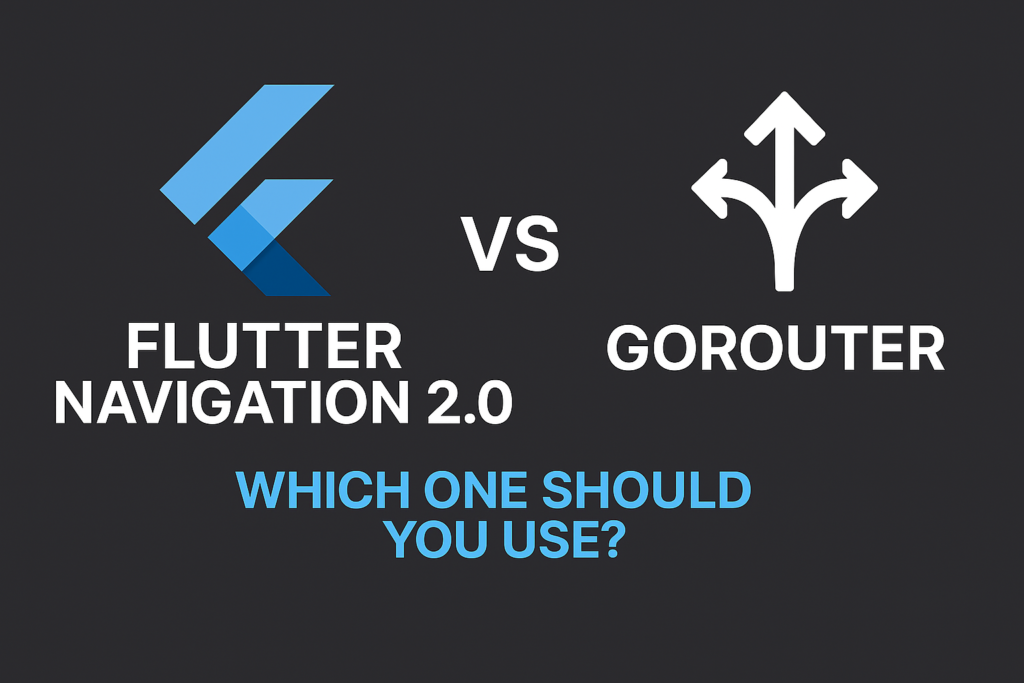
In this comprehensive guide, we’ll compare Flutter Navigation 2.0 with GoRouter, helping you decide which one fits your project best. We’ll cover everything from basic setup to advanced patterns like authentication guards, nested navigation, and state preservation.
What Is Flutter Navigation 2.0?
Flutter’s Navigation 2.0 system is a declarative, flexible API introduced to give developers full control over navigation state. Unlike Navigation 1.0’s imperative approach (Navigator.push/pop), Navigation 2.0 treats routes as state that can be fully controlled by your application.
Key Features:
- Declarative routing: Define routes based on application state
- URL sync support: Essential for Flutter web applications
- Back/forward browser button handling: Proper history management
- Full control via
Router,RouteInformationParser, andRouterDelegate
Navigation 2.0 Core Components
// lib/navigation/app_router_delegate.dart
import 'package:flutter/material.dart';

// The RouterDelegate controls what pages are displayed
class AppRouterDelegate extends RouterDelegate
    with ChangeNotifier, PopNavigatorRouterDelegateMixin {

  @override
  final GlobalKey navigatorKey = GlobalKey();

  // Application state that determines navigation
  bool _isLoggedIn = false;
  String? _selectedProductId;
  bool _showProductDetails = false;
  bool _show404 = false;

  // Getters and setters that notify listeners
  bool get isLoggedIn => _isLoggedIn;
  set isLoggedIn(bool value) {
    _isLoggedIn = value;
    notifyListeners();
  }

  String? get selectedProductId => _selectedProductId;
  set selectedProductId(String? value) {
    _selectedProductId = value;
    _showProductDetails = value != null;
    notifyListeners();
  }

  @override
  AppRoutePath get currentConfiguration {
    if (_show404) return AppRoutePath.unknown();
    if (!_isLoggedIn) return AppRoutePath.login();
    if (_selectedProductId != null) {
      return AppRoutePath.productDetails(_selectedProductId!);
    }
    return AppRoutePath.home();
  }

  @override
  Widget build(BuildContext context) {
    return Navigator(
      key: navigatorKey,
      pages: [
        // Always show login if not authenticated
        if (!_isLoggedIn)
          const MaterialPage(
            key: ValueKey('LoginPage'),
            child: LoginScreen(),
          ),

        // Show home page when logged in
        if (_isLoggedIn)
          const MaterialPage(
            key: ValueKey('HomePage'),
            child: HomeScreen(),
          ),

        // Show product details on top of home
        if (_isLoggedIn && _showProductDetails && _selectedProductId != null)
          MaterialPage(
            key: ValueKey('ProductPage-$_selectedProductId'),
            child: ProductDetailsScreen(productId: _selectedProductId!),
          ),

        // Show 404 page for unknown routes
        if (_show404)
          const MaterialPage(
            key: ValueKey('404Page'),
            child: NotFoundScreen(),
          ),
      ],
      onPopPage: (route, result) {
        if (!route.didPop(result)) return false;

        // Handle back navigation
        if (_selectedProductId != null) {
          _selectedProductId = null;
          _showProductDetails = false;
          notifyListeners();
          return true;
        }

        return true;
      },
    );
  }

  @override
  Future setNewRoutePath(AppRoutePath configuration) async {
    _show404 = configuration.isUnknown;

    if (configuration.isLoginPage) {
      _isLoggedIn = false;
      _selectedProductId = null;
    } else if (configuration.isHomePage) {
      _selectedProductId = null;
    } else if (configuration.isProductDetailsPage) {
      _selectedProductId = configuration.productId;
    }
  }
}

// Route path representation
class AppRoutePath {
  final String? productId;
  final bool isUnknown;
  final bool isLoginPage;

  AppRoutePath.home()
      : productId = null,
        isUnknown = false,
        isLoginPage = false;

  AppRoutePath.login()
      : productId = null,
        isUnknown = false,
        isLoginPage = true;

  AppRoutePath.productDetails(String this.productId)
      : isUnknown = false,
        isLoginPage = false;

  AppRoutePath.unknown()
      : productId = null,
        isUnknown = true,
        isLoginPage = false;

  bool get isHomePage => !isLoginPage && !isUnknown && productId == null;
  bool get isProductDetailsPage => productId != null;
}
// lib/navigation/app_route_parser.dart
import 'package:flutter/material.dart';
// Parses URLs into route paths and vice versa
class AppRouteInformationParser extends RouteInformationParser {
@override
Future parseRouteInformation(
RouteInformation routeInformation,
) async {
final uri = Uri.parse(routeInformation.location ?? '/');
// Handle root path
if (uri.pathSegments.isEmpty) {
return AppRoutePath.home();
}
// Handle /login
if (uri.pathSegments.length == 1 && uri.pathSegments[0] == 'login') {
return AppRoutePath.login();
}
// Handle /products/:id
if (uri.pathSegments.length == 2 && uri.pathSegments[0] == 'products') {
final productId = uri.pathSegments[1];
return AppRoutePath.productDetails(productId);
}
// Unknown route
return AppRoutePath.unknown();
}
@override
RouteInformation? restoreRouteInformation(AppRoutePath configuration) {
if (configuration.isLoginPage) {
return const RouteInformation(location: '/login');
}
if (configuration.isHomePage) {
return const RouteInformation(location: '/');
}
if (configuration.isProductDetailsPage) {
return RouteInformation(location: '/products/${configuration.productId}');
}
return const RouteInformation(location: '/404');
}
}
// Usage in main.dart
class MyApp extends StatefulWidget {
@override
State createState() => _MyAppState();
}
class _MyAppState extends State {
final AppRouterDelegate _routerDelegate = AppRouterDelegate();
final AppRouteInformationParser _routeParser = AppRouteInformationParser();
@override
Widget build(BuildContext context) {
return MaterialApp.router(
title: 'Navigation 2.0 Demo',
routerDelegate: _routerDelegate,
routeInformationParser: _routeParser,
);
}
} Pros of Navigation 2.0:
- Full control over every aspect of routing logic
- Perfect for advanced web apps and custom navigation flows
- Deep link support with complete URL control
- State-driven navigation matches well with state management solutions
Cons of Navigation 2.0:
- Significant boilerplate code required
- Complex for beginners to understand and implement
- Requires manual state synchronization
- Debugging can be challenging
What Is GoRouter?
GoRouter is an officially supported routing package built on top of Navigation 2.0. It abstracts away the complexity while keeping the power of the underlying API. Maintained by the Flutter team, it’s the recommended solution for most applications.
GoRouter Setup and Basic Configuration
# pubspec.yaml
dependencies:
  flutter:
    sdk: flutter
  go_router: ^14.0.0
  riverpod: ^2.5.0  # Optional: for state management integration
// lib/router/app_router.dart
import 'package:flutter/material.dart';
import 'package:go_router/go_router.dart';
// Route path constants for type safety
class AppRoutes {
static const home = '/';
static const login = '/login';
static const register = '/register';
static const products = '/products';
static const productDetails = '/products/:productId';
static const cart = '/cart';
static const checkout = '/checkout';
static const profile = '/profile';
static const settings = '/profile/settings';
static const orders = '/profile/orders';
static const orderDetails = '/profile/orders/:orderId';
}
// Router configuration
class AppRouter {
final AuthService authService;
AppRouter({required this.authService});
late final GoRouter router = GoRouter(
initialLocation: AppRoutes.home,
debugLogDiagnostics: true, // Enable for development
// Global redirect for authentication
redirect: (context, state) {
final isLoggedIn = authService.isAuthenticated;
final isLoggingIn = state.matchedLocation == AppRoutes.login;
final isRegistering = state.matchedLocation == AppRoutes.register;
// Redirect to login if not authenticated and not on auth pages
if (!isLoggedIn && !isLoggingIn && !isRegistering) {
// Save the intended destination
return '${AppRoutes.login}?redirect=${state.matchedLocation}';
}
// Redirect away from login if already authenticated
if (isLoggedIn && (isLoggingIn || isRegistering)) {
return AppRoutes.home;
}
return null; // No redirect needed
},
// Refresh router when auth state changes
refreshListenable: authService,
// Error page for unknown routes
errorBuilder: (context, state) => NotFoundScreen(
error: state.error?.toString(),
),
routes: [
// Home route
GoRoute(
path: AppRoutes.home,
name: 'home',
builder: (context, state) => const HomeScreen(),
),
// Auth routes
GoRoute(
path: AppRoutes.login,
name: 'login',
builder: (context, state) {
final redirect = state.uri.queryParameters['redirect'];
return LoginScreen(redirectPath: redirect);
},
),
GoRoute(
path: AppRoutes.register,
name: 'register',
builder: (context, state) => const RegisterScreen(),
),
// Products routes
GoRoute(
path: AppRoutes.products,
name: 'products',
builder: (context, state) => const ProductsScreen(),
routes: [
// Nested route: /products/:productId
GoRoute(
path: ':productId',
name: 'product-details',
builder: (context, state) {
final productId = state.pathParameters['productId']!;
return ProductDetailsScreen(productId: productId);
},
),
],
),
// Cart and checkout
GoRoute(
path: AppRoutes.cart,
name: 'cart',
builder: (context, state) => const CartScreen(),
),
GoRoute(
path: AppRoutes.checkout,
name: 'checkout',
builder: (context, state) => const CheckoutScreen(),
),
// Profile section with nested routes
GoRoute(
path: AppRoutes.profile,
name: 'profile',
builder: (context, state) => const ProfileScreen(),
routes: [
GoRoute(
path: 'settings',
name: 'settings',
builder: (context, state) => const SettingsScreen(),
),
GoRoute(
path: 'orders',
name: 'orders',
builder: (context, state) => const OrdersScreen(),
routes: [
GoRoute(
path: ':orderId',
name: 'order-details',
builder: (context, state) {
final orderId = state.pathParameters['orderId']!;
return OrderDetailsScreen(orderId: orderId);
},
),
],
),
],
),
],
);
}Shell Routes for Bottom Navigation
GoRouter’s ShellRoute enables persistent UI elements like bottom navigation bars:
// lib/router/shell_router.dart
import 'package:flutter/material.dart';
import 'package:go_router/go_router.dart';

class AppRouterWithShell {
  late final GoRouter router = GoRouter(
    initialLocation: '/home',
    routes: [
      // Login route outside the shell
      GoRoute(
        path: '/login',
        builder: (context, state) => const LoginScreen(),
      ),

      // Shell route wraps all main app content
      ShellRoute(
        builder: (context, state, child) {
          return ScaffoldWithNavBar(child: child);
        },
        routes: [
          GoRoute(
            path: '/home',
            name: 'home',
            pageBuilder: (context, state) => const NoTransitionPage(
              child: HomeScreen(),
            ),
          ),
          GoRoute(
            path: '/search',
            name: 'search',
            pageBuilder: (context, state) => const NoTransitionPage(
              child: SearchScreen(),
            ),
          ),
          GoRoute(
            path: '/cart',
            name: 'cart',
            pageBuilder: (context, state) => const NoTransitionPage(
              child: CartScreen(),
            ),
          ),
          GoRoute(
            path: '/profile',
            name: 'profile',
            pageBuilder: (context, state) => const NoTransitionPage(
              child: ProfileScreen(),
            ),
            routes: [
              // This route still shows within the shell
              GoRoute(
                path: 'settings',
                builder: (context, state) => const SettingsScreen(),
              ),
            ],
          ),
        ],
      ),

      // Full-screen routes outside the shell
      GoRoute(
        path: '/products/:id',
        builder: (context, state) => ProductDetailsScreen(
          productId: state.pathParameters['id']!,
        ),
      ),
    ],
  );
}

// Scaffold with persistent bottom navigation
class ScaffoldWithNavBar extends StatelessWidget {
  final Widget child;

  const ScaffoldWithNavBar({super.key, required this.child});

  @override
  Widget build(BuildContext context) {
    return Scaffold(
      body: child,
      bottomNavigationBar: BottomNavigationBar(
        currentIndex: _calculateSelectedIndex(context),
        onTap: (index) => _onItemTapped(index, context),
        items: const [
          BottomNavigationBarItem(icon: Icon(Icons.home), label: 'Home'),
          BottomNavigationBarItem(icon: Icon(Icons.search), label: 'Search'),
          BottomNavigationBarItem(icon: Icon(Icons.shopping_cart), label: 'Cart'),
          BottomNavigationBarItem(icon: Icon(Icons.person), label: 'Profile'),
        ],
      ),
    );
  }

  int _calculateSelectedIndex(BuildContext context) {
    final location = GoRouterState.of(context).matchedLocation;
    if (location.startsWith('/home')) return 0;
    if (location.startsWith('/search')) return 1;
    if (location.startsWith('/cart')) return 2;
    if (location.startsWith('/profile')) return 3;
    return 0;
  }

  void _onItemTapped(int index, BuildContext context) {
    switch (index) {
      case 0:
        context.go('/home');
        break;
      case 1:
        context.go('/search');
        break;
      case 2:
        context.go('/cart');
        break;
      case 3:
        context.go('/profile');
        break;
    }
  }
}
Navigation Methods in GoRouter
// Different navigation methods and when to use them

class NavigationExamples extends StatelessWidget {
  @override
  Widget build(BuildContext context) {
    return Column(
      children: [
        // go() - Replaces current route stack to match the path
        // Use for tab navigation or when you want to clear history
        ElevatedButton(
          onPressed: () => context.go('/products'),
          child: const Text('Go to Products'),
        ),

        // push() - Adds a new route on top of the stack
        // Use when you want back navigation to return here
        ElevatedButton(
          onPressed: () => context.push('/products/123'),
          child: const Text('Push Product Details'),
        ),

        // pushNamed() - Push using route name
        ElevatedButton(
          onPressed: () => context.pushNamed(
            'product-details',
            pathParameters: {'productId': '123'},
            queryParameters: {'highlight': 'true'},
          ),
          child: const Text('Push Named Route'),
        ),

        // pop() - Go back to previous route
        ElevatedButton(
          onPressed: () => context.pop(),
          child: const Text('Go Back'),
        ),

        // pop() with result - Return data to previous screen
        ElevatedButton(
          onPressed: () => context.pop({'selected': true}),
          child: const Text('Go Back with Result'),
        ),

        // pushReplacement() - Replace current route without back
        ElevatedButton(
          onPressed: () => context.pushReplacement('/home'),
          child: const Text('Replace Current Route'),
        ),

        // goNamed() with extra data
        ElevatedButton(
          onPressed: () => context.goNamed(
            'product-details',
            pathParameters: {'productId': '123'},
            extra: Product(id: '123', name: 'Widget'),  // Pass complex objects
          ),
          child: const Text('Go with Extra Data'),
        ),
      ],
    );
  }
}
Advanced GoRouter Patterns
Type-Safe Routes with Code Generation
# pubspec.yaml
dependencies:
  go_router: ^14.0.0

dev_dependencies:
  build_runner: ^2.4.0
  go_router_builder: ^2.4.0
// lib/router/routes.dart
import 'package:flutter/material.dart';
import 'package:go_router/go_router.dart';
part 'routes.g.dart';
// Type-safe route definitions
@TypedGoRoute(path: '/')
class HomeRoute extends GoRouteData {
const HomeRoute();
@override
Widget build(BuildContext context, GoRouterState state) {
return const HomeScreen();
}
}
@TypedGoRoute(
path: '/products/:productId',
)
class ProductRoute extends GoRouteData {
final String productId;
final String? highlight; // Query parameter
const ProductRoute({
required this.productId,
this.highlight,
});
@override
Widget build(BuildContext context, GoRouterState state) {
return ProductDetailsScreen(
productId: productId,
highlight: highlight == 'true',
);
}
}
@TypedGoRoute(path: '/checkout')
class CheckoutRoute extends GoRouteData {
final Cart $extra; // Extra data from navigation
const CheckoutRoute({required this.$extra});
@override
Widget build(BuildContext context, GoRouterState state) {
return CheckoutScreen(cart: $extra);
}
}
// Usage with type safety
void navigateTypeSafe(BuildContext context) {
// Compile-time checked route parameters
const ProductRoute(productId: '123', highlight: 'true').go(context);
// Extra data with proper typing
CheckoutRoute($extra: myCart).push(context);
} Integration with Riverpod
// lib/router/router_provider.dart
import 'package:flutter_riverpod/flutter_riverpod.dart';
import 'package:go_router/go_router.dart';

// Auth state provider
final authStateProvider = StateNotifierProvider((ref) {
  return AuthNotifier();
});

// Router provider that reacts to auth changes
final routerProvider = Provider((ref) {
  final authState = ref.watch(authStateProvider);

  return GoRouter(
    initialLocation: '/',
    redirect: (context, state) {
      final isAuthenticated = authState.isAuthenticated;
      final isAuthRoute = state.matchedLocation == '/login' ||
                          state.matchedLocation == '/register';

      if (!isAuthenticated && !isAuthRoute) {
        return '/login?redirect=${state.matchedLocation}';
      }

      if (isAuthenticated && isAuthRoute) {
        final redirect = state.uri.queryParameters['redirect'];
        return redirect ?? '/';
      }

      return null;
    },
    routes: [
      // ... routes
    ],
  );
});

// Main app with Riverpod
class MyApp extends ConsumerWidget {
  @override
  Widget build(BuildContext context, WidgetRef ref) {
    final router = ref.watch(routerProvider);

    return MaterialApp.router(
      routerConfig: router,
    );
  }
}
Feature Comparison
| Feature | Navigation 2.0 | GoRouter |
|---|---|---|
| Setup complexity | High (boilerplate) | Low (declarative config) |
| Learning curve | Steep | Gentle |
| Deep linking | Manual implementation | Built-in |
| Redirects/Guards | Manual implementation | Built-in redirect |
| Nested routes | Complex | Simple nested GoRoutes |
| Shell routes | Manual Pages stack | ShellRoute widget |
| Type safety | Manual | go_router_builder |
| Official support | Core Flutter | Flutter team maintained |
| Web URL sync | Manual parser | Automatic |
| State management | Full control | refreshListenable |
When to Use Each Approach
Use Navigation 2.0 Directly When:
- You need complete control over route transitions and animations
- You’re building a large, complex Flutter web app with custom URL schemes
- You need to implement very custom navigation flows (wizard-style, conditional branching)
- You’re creating a navigation package or library
Use GoRouter When:
- You want a clean and quick setup with minimal boilerplate
- You’re building mobile or hybrid (mobile + web) applications
- You need deep linking, redirects, and guards out of the box
- You want official Flutter team support and regular updates
- You’re working on small to large apps with standard navigation patterns
Common Mistakes to Avoid
Mixing go() and push() incorrectly: Use go() for declarative navigation (changes the entire path), and push() for imperative navigation (adds to stack). Mixing them causes unexpected back behavior.
Forgetting to handle deep links in redirect: When implementing authentication redirects, always preserve the original destination so users land where they intended after login.
Not using path parameters for IDs: Use /products/:id instead of query parameters for resource identifiers. This gives you proper deep linking and cleaner URLs.
Overcomplicating simple navigation: For apps with just a few screens and no deep linking needs, even Navigator 1.0 (Navigator.push) might be sufficient. Don’t over-engineer.
Ignoring route names: Always define route names for easier refactoring and debugging. context.goNamed('product-details') is more maintainable than hardcoded paths.
Conclusion
If you’re building a large, custom web experience and want full control over every navigation detail, Navigation 2.0 is powerful—but be ready for significant boilerplate and complexity.
For most Flutter developers, especially those building mobile-focused or hybrid apps, GoRouter is the better choice. It’s cleaner, easier to maintain, and officially supported by the Flutter team. It handles deep linking, authentication guards, nested routes, and shell navigation with minimal configuration.
Recommendation: Start with GoRouter. If you ever hit its limitations (rare), you can migrate specific flows to custom Navigation 2.0 implementations.
For more on structuring your Flutter app, check out Flutter clean architecture patterns. For official documentation, see the Flutter navigation guide and GoRouter on pub.dev.