Introduction
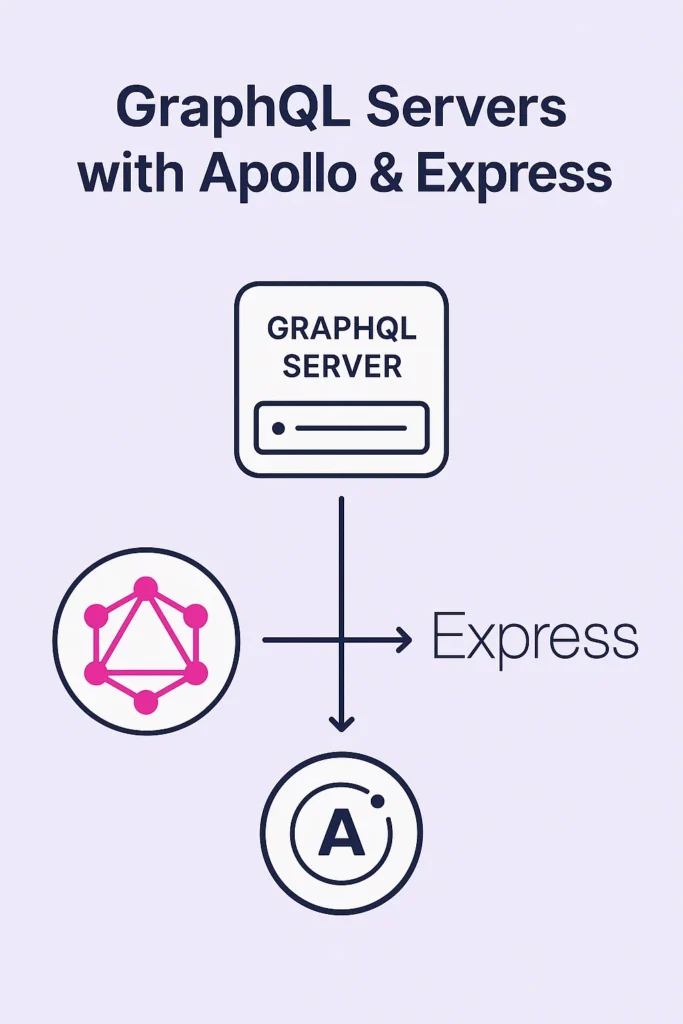
GraphQL has transformed how developers design modern APIs by offering flexible querying, predictable schemas, and efficient data fetching. When combined with Apollo Server and Express, it becomes a powerful stack for building reliable and scalable GraphQL backends in JavaScript. In this guide, you will learn how Apollo integrates with Express, how to define schemas and resolvers, and how to apply best practices for building production-ready GraphQL APIs. These techniques help you craft performant and maintainable API layers that support modern web and mobile applications.
Why Choose GraphQL with Apollo and Express?
REST APIs work well for many applications, but they often lead to over-fetching or under-fetching data. GraphQL solves these issues with a strongly typed schema and client-driven queries. When paired with Apollo and Express, developers gain a flexible architecture that supports rapid iteration and robust capabilities.
GraphQL allows clients to query only the data they need, eliminating wasted bandwidth. Strong type-safety through schemas catches errors at development time rather than runtime. Built-in tools for caching, tracing, and performance monitoring simplify production operations. Easy integration with Node.js middleware enables authentication, logging, and rate limiting. Simple onboarding for existing REST projects allows gradual migration. This combination remains one of the most effective ways to build GraphQL servers in production environments.
How Apollo Server Works
Apollo Server is a GraphQL implementation for Node.js that integrates seamlessly with frameworks like Express. It provides tools for schema definition, resolver execution, caching, error handling, and performance monitoring.
Key Concepts
The Schema defines your types, queries, mutations, and relationships using GraphQL SDL (Schema Definition Language). Resolvers contain the logic for how fields fetch their data from databases, APIs, or other sources. Context provides shared information across resolvers such as authentication data, database connections, and request metadata. Data Sources are reusable components for database or API access that handle caching and batching.
These components work together to create a clean and modular architecture that scales with your application.
Setting Up Apollo Server with Express
Modern Apollo Server (v4) runs independently from Express, but you can integrate the two using middleware for maximum flexibility.
Install Dependencies
npm install express @apollo/server graphql body-parser corsConfigure Apollo with Express
import express from 'express';
import { ApolloServer } from '@apollo/server';
import { expressMiddleware } from '@apollo/server/express4';
import { ApolloServerPluginDrainHttpServer } from '@apollo/server/plugin/drainHttpServer';
import http from 'http';
import cors from 'cors';
import bodyParser from 'body-parser';

// Define your schema
const typeDefs = `#graphql
  type User {
    id: ID!
    username: String!
    email: String!
    posts: [Post!]!
  }

  type Post {
    id: ID!
    title: String!
    content: String!
    author: User!
    createdAt: String!
  }

  type Query {
    users: [User!]!
    user(id: ID!): User
    posts: [Post!]!
    post(id: ID!): Post
  }

  type Mutation {
    createUser(input: CreateUserInput!): User!
    createPost(input: CreatePostInput!): Post!
  }

  input CreateUserInput {
    username: String!
    email: String!
  }

  input CreatePostInput {
    title: String!
    content: String!
    authorId: ID!
  }
`;

// Define resolvers
const resolvers = {
  Query: {
    users: async (_, __, { dataSources }) => {
      return dataSources.userAPI.getUsers();
    },
    user: async (_, { id }, { dataSources }) => {
      return dataSources.userAPI.getUser(id);
    },
    posts: async (_, __, { dataSources }) => {
      return dataSources.postAPI.getPosts();
    },
    post: async (_, { id }, { dataSources }) => {
      return dataSources.postAPI.getPost(id);
    },
  },
  Mutation: {
    createUser: async (_, { input }, { dataSources }) => {
      return dataSources.userAPI.createUser(input);
    },
    createPost: async (_, { input }, { dataSources }) => {
      return dataSources.postAPI.createPost(input);
    },
  },
  User: {
    posts: async (user, _, { dataSources }) => {
      return dataSources.postAPI.getPostsByAuthor(user.id);
    },
  },
  Post: {
    author: async (post, _, { dataSources }) => {
      return dataSources.userAPI.getUser(post.authorId);
    },
  },
};

async function startServer() {
  const app = express();
  const httpServer = http.createServer(app);

  const server = new ApolloServer({
    typeDefs,
    resolvers,
    plugins: [ApolloServerPluginDrainHttpServer({ httpServer })],
  });

  await server.start();

  app.use(
    '/graphql',
    cors(),
    bodyParser.json(),
    expressMiddleware(server, {
      context: async ({ req }) => ({
        token: req.headers.authorization,
        dataSources: {
          userAPI: new UserAPI(),
          postAPI: new PostAPI(),
        },
      }),
    })
  );

  await new Promise((resolve) => httpServer.listen({ port: 4000 }, resolve));
  console.log('Server running at http://localhost:4000/graphql');
}

startServer();
This setup gives you a fully working GraphQL endpoint with clean separation between Express middleware and Apollo execution.
Schema Design Best Practices
Good schema design is essential for building predictable and maintainable GraphQL APIs. A clear schema improves developer experience and makes your API easier to evolve.
Use Meaningful Type Names
Avoid generic type names and focus on domain clarity. Use OrderLineItem instead of Item, and CustomerAddress instead of just Address.
Apply Input Types for Mutations
input CreateOrderInput {
  customerId: ID!
  items: [OrderItemInput!]!
  shippingAddress: AddressInput!
}

input OrderItemInput {
  productId: ID!
  quantity: Int!
}

input AddressInput {
  street: String!
  city: String!
  country: String!
  postalCode: String!
}

type Mutation {
  createOrder(input: CreateOrderInput!): Order!
}
Use Non-Null Fields Thoughtfully
Non-null fields (marked with !) require careful thinking to avoid breaking changes. Fields that might be null in edge cases should remain nullable to prevent entire query failures.
Implement Pagination
type Query {
  posts(first: Int, after: String): PostConnection!
}

type PostConnection {
  edges: [PostEdge!]!
  pageInfo: PageInfo!
  totalCount: Int!
}

type PostEdge {
  cursor: String!
  node: Post!
}

type PageInfo {
  hasNextPage: Boolean!
  hasPreviousPage: Boolean!
  startCursor: String
  endCursor: String
}
Following these guidelines ensures your schema remains scalable and readable.
Resolver Best Practices
Resolvers define how your fields fetch data, making them critical for performance and maintainability.
Keep Resolvers Thin
// Bad: Business logic in resolver
const resolvers = {
  Mutation: {
    createOrder: async (_, { input }, { dataSources, user }) => {
      // Too much logic here
      const items = await Promise.all(
        input.items.map(item => dataSources.productAPI.getProduct(item.productId))
      );
      const total = items.reduce((sum, item, i) => {
        return sum + item.price * input.items[i].quantity;
      }, 0);
      // ... more logic
    },
  },
};

// Good: Delegate to service layer
const resolvers = {
  Mutation: {
    createOrder: async (_, { input }, { dataSources, user }) => {
      return dataSources.orderService.createOrder(input, user);
    },
  },
};
Use Context for Shared Data
// Setting up context with authentication
expressMiddleware(server, {
  context: async ({ req }) => {
    const token = req.headers.authorization || '';
    const user = await authenticateToken(token);

    return {
      user,
      dataSources: {
        userAPI: new UserAPI({ user }),
        postAPI: new PostAPI({ user }),
      },
    };
  },
});
Add Error Handling
import { GraphQLError } from 'graphql';

const resolvers = {
  Mutation: {
    createPost: async (_, { input }, { dataSources, user }) => {
      if (!user) {
        throw new GraphQLError('You must be logged in to create a post', {
          extensions: { code: 'UNAUTHENTICATED' },
        });
      }

      if (input.title.length < 5) {
        throw new GraphQLError('Title must be at least 5 characters', {
          extensions: { code: 'BAD_USER_INPUT', field: 'title' },
        });
      }

      return dataSources.postAPI.createPost(input, user.id);
    },
  },
};
Solving the N+1 Problem with DataLoader
The N+1 problem occurs when fetching related data triggers separate database queries for each item. DataLoader solves this by batching and caching requests.
import DataLoader from 'dataloader';

class UserAPI {
  constructor() {
    this.userLoader = new DataLoader(async (userIds) => {
      // Single query fetches all users at once
      const users = await db.users.findMany({
        where: { id: { in: userIds } },
      });

      // Return in same order as input IDs
      const userMap = new Map(users.map(u => [u.id, u]));
      return userIds.map(id => userMap.get(id));
    });
  }

  async getUser(id) {
    return this.userLoader.load(id);
  }

  async getUsersByIds(ids) {
    return this.userLoader.loadMany(ids);
  }
}

// In context setup - create fresh loaders per request
context: async ({ req }) => ({
  dataSources: {
    userAPI: new UserAPI(),  // New instance per request
    postAPI: new PostAPI(),
  },
})
DataLoader batches multiple load() calls within a single tick into one batch request, dramatically reducing database queries.
Authentication and Authorization
GraphQL servers benefit from context-aware authentication strategies.
import jwt from 'jsonwebtoken';

async function authenticateToken(authHeader) {
  if (!authHeader || !authHeader.startsWith('Bearer ')) {
    return null;
  }

  const token = authHeader.substring(7);

  try {
    const decoded = jwt.verify(token, process.env.JWT_SECRET);
    const user = await db.users.findUnique({ where: { id: decoded.userId } });
    return user;
  } catch (error) {
    return null;
  }
}

// Role-based authorization in resolvers
const resolvers = {
  Mutation: {
    deleteUser: async (_, { id }, { user }) => {
      if (!user) {
        throw new GraphQLError('Authentication required', {
          extensions: { code: 'UNAUTHENTICATED' },
        });
      }

      if (user.role !== 'ADMIN' && user.id !== id) {
        throw new GraphQLError('Not authorized to delete this user', {
          extensions: { code: 'FORBIDDEN' },
        });
      }

      return dataSources.userAPI.deleteUser(id);
    },
  },
};
Performance and Scaling Strategies
Production GraphQL servers require careful optimization strategies.
Query Complexity Limiting
import { createComplexityPlugin } from 'graphql-query-complexity';

const server = new ApolloServer({
  typeDefs,
  resolvers,
  plugins: [
    ApolloServerPluginDrainHttpServer({ httpServer }),
    {
      async requestDidStart() {
        return {
          async didResolveOperation({ request, document }) {
            const complexity = getComplexity({
              schema,
              query: document,
              variables: request.variables,
              estimators: [
                fieldExtensionsEstimator(),
                simpleEstimator({ defaultComplexity: 1 }),
              ],
            });

            if (complexity > 100) {
              throw new GraphQLError('Query too complex', {
                extensions: { code: 'QUERY_TOO_COMPLEX', complexity },
              });
            }
          },
        };
      },
    },
  ],
});
Response Caching
import responseCachePlugin from '@apollo/server-plugin-response-cache';

const server = new ApolloServer({
  typeDefs,
  resolvers,
  plugins: [
    responseCachePlugin({
      sessionId: ({ request }) => request.http?.headers.get('authorization') || null,
    }),
  ],
});
Real-World Production Scenario
Consider a content management platform serving a React frontend and mobile apps. The team migrated from REST to GraphQL to reduce API calls and improve developer experience.
The original REST API required multiple endpoints to load a dashboard: one for user data, one for recent posts, one for notifications. Clients made three separate requests, each returning more data than needed. With GraphQL, a single query fetches exactly the required fields from all three resources.
Using DataLoader, the team eliminated N+1 queries when loading posts with their authors. Query complexity limits prevent malicious deeply-nested queries from overwhelming the database. The Apollo Server plugin ecosystem provides production monitoring through Apollo Studio integration.
When to Use Apollo with Express
Apollo with Express is an excellent choice for flexible GraphQL APIs with modular schemas. Integration with existing Express applications becomes straightforward. Middleware-heavy systems benefit from custom routing and authentication layers. Fast onboarding for teams already familiar with Node.js accelerates development.
When NOT to Use Apollo with Express
Simple CRUD APIs with few relationships may not benefit from GraphQL's complexity. Extremely high-throughput systems might prefer lighter alternatives like Mercurius with Fastify. Teams without GraphQL experience face a learning curve that may not be justified for small projects.
Common Mistakes
Exposing database structure directly in the schema couples your API to implementation details. Design schemas around client needs, not database tables.
Not implementing DataLoader leads to severe N+1 performance problems. Always batch related queries.
Skipping query complexity limits allows malicious queries to crash servers. Implement limits before production deployment.
Conclusion
Apollo Server combined with Express offers a powerful and flexible foundation for building GraphQL APIs. Its modular schema design, clean resolver architecture, and extensive ecosystem make it ideal for scalable applications. By implementing DataLoader for batching, proper authentication, and query complexity limits, you can build production-ready GraphQL servers that perform well under load.
If you want to continue improving your backend skills, read "Framework Showdown: Flask vs FastAPI vs Django in 2025." For real-time features, see "Real-Time Notifications with Socket.io and Redis." To explore official references, visit the Apollo Server documentation and the GraphQL specification. With the right design patterns, Apollo and Express enable you to deliver high-performance GraphQL services that scale with your application.


1 Comment
Comments are closed.