Introduction
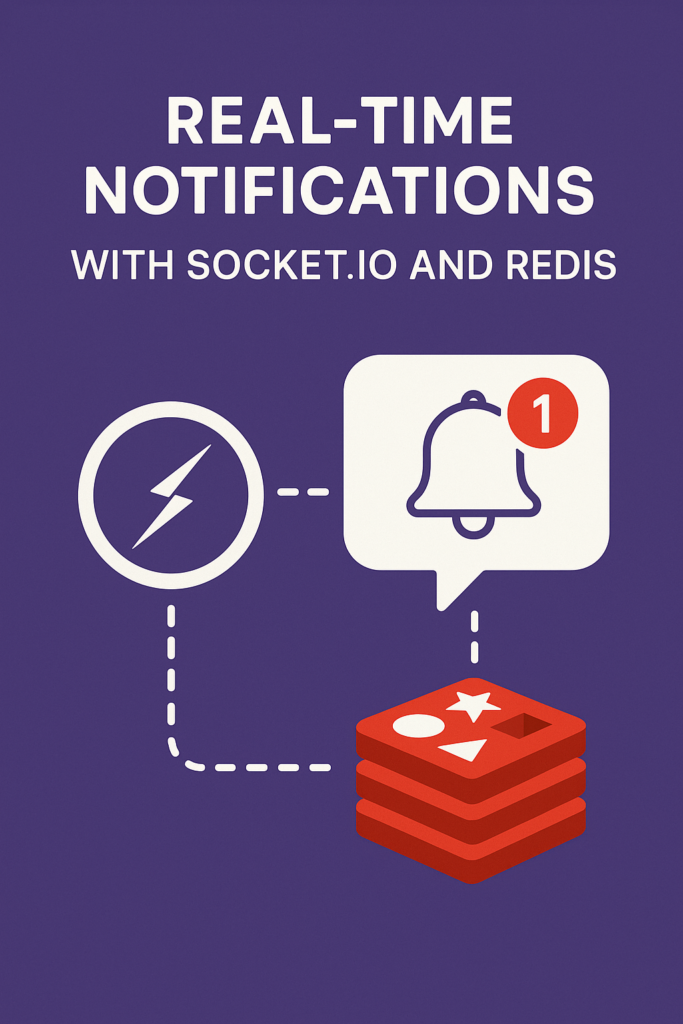
Real-time notifications have become a core feature in modern applications. Users expect live updates for chat messages, system alerts, order status changes, and collaborative actions. To support these experiences, developers often rely on Socket.io for WebSocket communication and Redis for message distribution across multiple servers. In this guide, you will learn how real-time notifications work, how Socket.io handles bidirectional communication, and how Redis ensures scalability across distributed systems. These patterns will help you design fast, reliable, and production-ready notification systems.
Why Use Socket.io and Redis Together?
Socket.io simplifies real-time communication by providing a WebSocket-like API with automatic fallbacks that ensure broad client support. However, when your application scales to multiple instances behind a load balancer, you need a shared messaging layer to deliver events across all connected clients. Redis solves this by acting as a central message broker through its Pub/Sub capabilities.
Socket.io manages real-time connections and event delivery on each server instance. Redis synchronizes messages across all servers, ensuring users receive notifications regardless of which instance they connected to. Together, they support horizontal scaling without losing consistency. Both tools offer simple APIs and strong performance characteristics. They integrate smoothly into Node.js environments with official adapters and extensive documentation.
Because of this combination, many production systems use Socket.io and Redis to power dynamic user experiences at scale.
How Real-Time Notifications Work
Real-time systems rely on persistent connections between the client and server. These connections support instant event delivery without the overhead and latency of polling.
Connection Flow
When a user opens your application, the browser establishes a WebSocket connection to your backend. Socket.io handles protocol upgrades and fallbacks automatically, starting with HTTP long-polling and upgrading to WebSocket when available.
Once connected, the server can push events directly to the client without waiting for requests. Chat messages, order updates, or system announcements arrive immediately. When running multiple backend instances, Redis publishes events to all nodes subscribed to a channel, ensuring every connected user receives the notification.
Setting Up Socket.io
Socket.io provides a clean API for real-time communication. A basic server setup looks like this:
import { Server } from 'socket.io';
import { createServer } from 'http';
import express from 'express';

const app = express();
const httpServer = createServer(app);

const io = new Server(httpServer, {
  cors: {
    origin: process.env.CLIENT_URL || 'http://localhost:3000',
    methods: ['GET', 'POST']
  },
  pingTimeout: 60000,
  pingInterval: 25000
});

io.on('connection', (socket) => {
  console.log(`User connected: ${socket.id}`);

  // Join user to their personal room for targeted notifications
  socket.on('join-user-room', (userId) => {
    socket.join(`user:${userId}`);
    console.log(`User ${userId} joined their personal room`);
  });

  // Handle disconnection
  socket.on('disconnect', (reason) => {
    console.log(`User disconnected: ${socket.id}, reason: ${reason}`);
  });
});

httpServer.listen(3001, () => {
  console.log('Socket.io server running on port 3001');
});
The pingTimeout and pingInterval settings help detect disconnected clients and clean up stale connections.
Integrating Redis for Horizontal Scaling
When running multiple Node.js instances behind a load balancer, Socket.io instances cannot communicate directly. Redis provides the shared messaging layer needed for event synchronization.
Install Dependencies
npm install @socket.io/redis-adapter redisConfigure the Redis Adapter
import { createAdapter } from '@socket.io/redis-adapter';
import { createClient } from 'redis';

const pubClient = createClient({
  url: process.env.REDIS_URL || 'redis://localhost:6379'
});
const subClient = pubClient.duplicate();

// Handle Redis connection errors
pubClient.on('error', (err) => console.error('Redis pub error:', err));
subClient.on('error', (err) => console.error('Redis sub error:', err));

async function setupRedisAdapter() {
  await Promise.all([pubClient.connect(), subClient.connect()]);

  io.adapter(createAdapter(pubClient, subClient));
  console.log('Redis adapter configured');
}

setupRedisAdapter();
Now all Socket.io instances forward events through Redis. A notification emitted on server A reaches users connected to servers B, C, and D automatically.
Sending Targeted Notifications
Effective notification systems send messages to specific users or groups rather than broadcasting everything.
// Send notification to a specific user
function notifyUser(userId, event, data) {
  io.to(`user:${userId}`).emit(event, data);
}

// Send notification to all members of a team
function notifyTeam(teamId, event, data) {
  io.to(`team:${teamId}`).emit(event, data);
}

// Example: Order status update
app.post('/api/orders/:orderId/status', async (req, res) => {
  const { orderId } = req.params;
  const { status } = req.body;

  // Update order in database
  const order = await updateOrderStatus(orderId, status);

  // Notify the order owner in real-time
  notifyUser(order.userId, 'order:status-updated', {
    orderId: order.id,
    status: order.status,
    updatedAt: new Date().toISOString()
  });

  res.json({ success: true });
});
Designing Notification Channels
Clear channel design keeps your system scalable and predictable. Use separate rooms for different features and contexts.
// Room naming conventions
const rooms = {
  user: (userId) => `user:${userId}`,           // Personal notifications
  team: (teamId) => `team:${teamId}`,           // Team-wide updates
  project: (projectId) => `project:${projectId}`, // Project collaborators
  channel: (channelId) => `chat:${channelId}`,  // Chat channels
};

// Socket connection handler with room management
io.on('connection', (socket) => {
  const userId = socket.handshake.auth.userId;

  // Auto-join user's personal room
  socket.join(rooms.user(userId));

  // Join team rooms based on user's memberships
  socket.on('subscribe-teams', async (teamIds) => {
    for (const teamId of teamIds) {
      socket.join(rooms.team(teamId));
    }
  });

  // Leave rooms when switching contexts
  socket.on('leave-project', (projectId) => {
    socket.leave(rooms.project(projectId));
  });
});
A well-organized channel structure reduces unnecessary message distribution and improves user experience.
Handling Authentication and Security
Real-time systems often include private or sensitive notifications. Implement authentication during the WebSocket handshake.
import jwt from 'jsonwebtoken';

io.use(async (socket, next) => {
  const token = socket.handshake.auth.token;

  if (!token) {
    return next(new Error('Authentication required'));
  }

  try {
    const decoded = jwt.verify(token, process.env.JWT_SECRET);
    socket.userId = decoded.userId;
    socket.userRole = decoded.role;
    next();
  } catch (err) {
    next(new Error('Invalid token'));
  }
});

// Validate room access before joining
socket.on('join-team', async (teamId) => {
  const hasAccess = await checkTeamMembership(socket.userId, teamId);

  if (hasAccess) {
    socket.join(`team:${teamId}`);
    socket.emit('team:joined', { teamId });
  } else {
    socket.emit('error', { message: 'Access denied' });
  }
});
Always validate permissions before allowing users to join rooms or receive notifications. Use HTTPS and secure WebSocket connections (WSS) in production.
Real-World Production Scenario
Consider a project management application with 10-15 active teams, each containing 5-20 members. The app needs to deliver notifications for task assignments, comment mentions, due date reminders, and status changes.
Without Redis, running multiple server instances creates notification gaps. A user connected to server A would not receive updates triggered on server B. With the Redis adapter, all instances share a common message bus. When a team lead assigns a task on server A, the assigned user receives the notification immediately, even if connected to server C.
Teams implementing this architecture commonly report significant improvements in user engagement with real-time updates. Notification delivery becomes reliable regardless of which server handles each connection. The Redis Pub/Sub overhead remains minimal even with thousands of concurrent connections.
Performance Best Practices
Keep notification payloads small. Large payloads slow down both network transmission and Redis distribution. Send minimal data and let clients fetch details via API calls when needed.
Use acknowledgements for critical messages that require delivery confirmation:
socket.emit('critical:notification', data, (ack) => {
  if (ack.received) {
    console.log('Client confirmed receipt');
  }
});
Throttle high-frequency events like typing indicators or cursor positions to avoid overwhelming the system.
When to Use Socket.io with Redis
This stack is ideal for chat systems and messaging platforms where real-time delivery matters. Live dashboards and activity streams benefit from instant updates. Real-time collaboration tools need synchronized state across users. Multi-node deployments requiring event synchronization work well with this architecture. Notification systems that must scale across many server instances are natural fits.
When NOT to Use Socket.io with Redis
For extremely high-throughput scenarios requiring raw WebSocket performance, Socket.io’s abstraction layer adds overhead. Systems already using event brokers like Kafka might not benefit from adding Redis. Simple applications with single-server deployments can use Socket.io without Redis complexity.
Common Mistakes
Not handling Redis connection failures gracefully causes notification outages. Implement reconnection logic and consider fallback behavior.
Broadcasting to all users instead of targeting specific rooms wastes bandwidth and can leak information to unauthorized users.
Storing too much state in Socket.io connections makes horizontal scaling difficult. Keep socket state minimal and use Redis or your database for persistent data.
Conclusion
Socket.io and Redis provide a powerful foundation for building fast, scalable, and reliable real-time notification systems. Socket.io manages live client communication while Redis ensures consistent event delivery across distributed servers. Start with targeted room-based notifications, implement proper authentication, and add Redis when you need to scale beyond a single server.
If you want to explore backend frameworks, read “Framework Showdown: Flask vs FastAPI vs Django in 2025.” For developers interested in advanced API techniques, see “GraphQL Servers with Apollo & Express.” You can also review the Socket.io documentation and the Redis documentation for more details. With these tools and patterns, you can build real-time notification features that remain responsive and scalable under production traffic.

1 Comment