Introduction
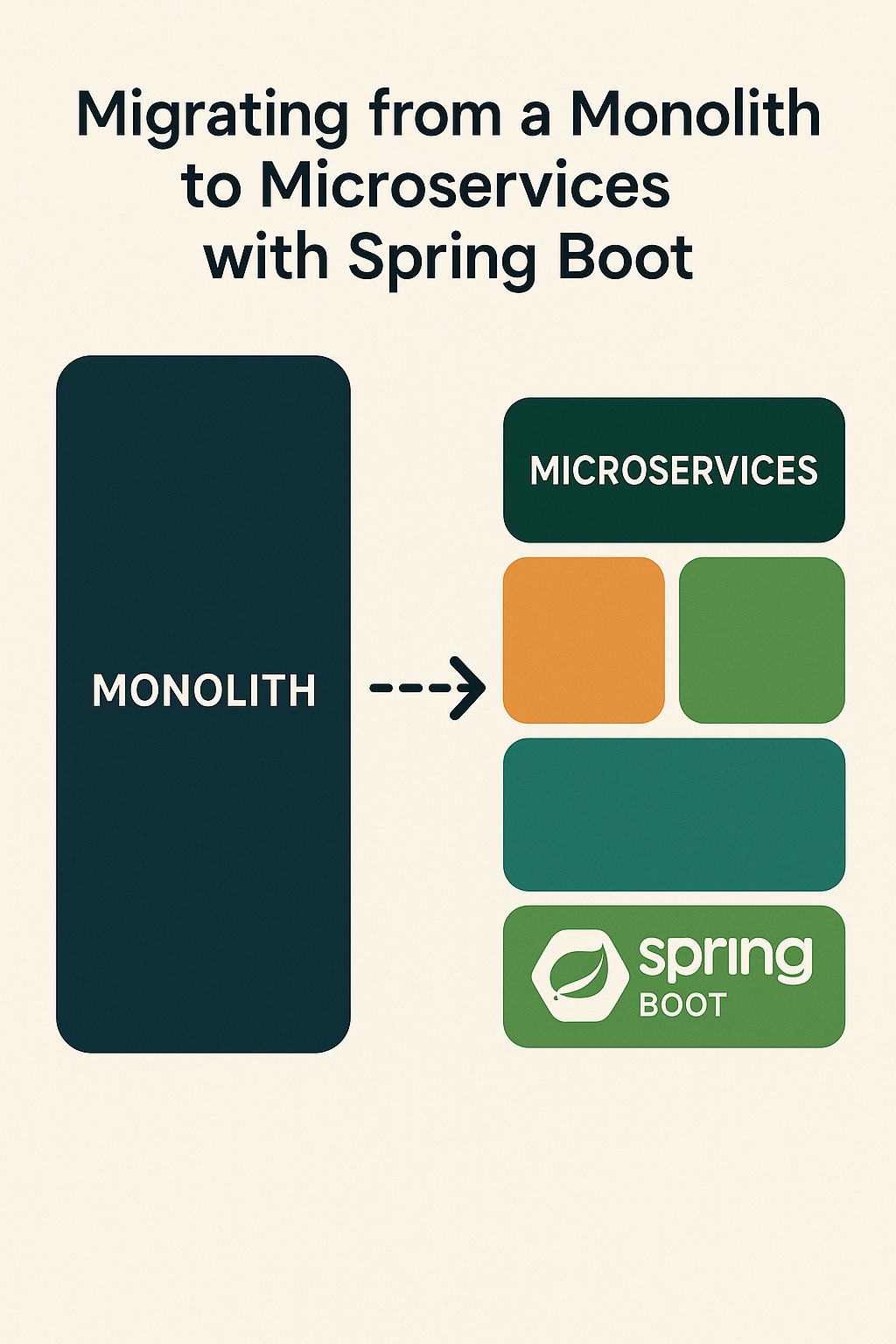
Many teams start with a monolithic application because it is simple and fast to build. However, as features grow and the codebase expands, the monolith becomes harder to maintain, test, and scale. Deployment velocity slows, teams step on each other’s code, and a bug in one module can bring down the entire system. Migrating to microservices can solve these issues by breaking the system into smaller, independent services that can be developed, deployed, and scaled independently. In this comprehensive guide, you will learn how to plan and execute a migration from a monolith to microservices using Spring Boot, understand the Strangler Fig pattern, implement inter-service communication, handle database decomposition, and navigate the challenges you will encounter during the process.
Why Migrate to Microservices
Migrating to microservices brings several benefits when your organization has outgrown the monolith’s constraints.
• Independent scaling – Scale only the services that need it
• Faster deployments – Deploy individual services without affecting others
• Team autonomy – Teams own their services end-to-end
• Technology flexibility – Use the right tool for each service
• Improved fault isolation – Failures are contained to individual services
• Clear ownership boundaries – Domain responsibilities are explicit
• Easier testing – Smaller codebases are easier to test thoroughly
However, microservices also introduce operational complexity, distributed system challenges, and require mature DevOps practices. Not every system needs microservices, so ensure your reasons justify the migration cost.
When NOT to Migrate
• Small team with limited DevOps expertise
• Simple domain with few bounded contexts
• Application that rarely changes
• No clear performance or scaling bottlenecks
• Premature optimization without evidence
Step 1: Understand Your Monolith
Before breaking anything apart, you need a clear picture of your current system. Map your modules, identify dependencies, and analyze database relationships. This discovery phase helps you discover natural service boundaries and avoid random fragmentation.
// Example: Analyzing package dependencies in a monolith
// com.example.shop (Monolith)
// ├── com.example.shop.order (Order Module)
// │   ├── OrderController
// │   ├── OrderService
// │   ├── Order (Entity)
// │   └── OrderRepository
// ├── com.example.shop.inventory (Inventory Module)
// │   ├── InventoryController
// │   ├── InventoryService
// │   ├── Product (Entity)
// │   └── ProductRepository
// ├── com.example.shop.user (User Module)
// │   ├── UserController
// │   ├── UserService
// │   ├── User (Entity)
// │   └── UserRepository
// └── com.example.shop.notification (Notification Module)
//     ├── NotificationService
//     └── EmailClient

// Dependency analysis questions:
// 1. Which modules depend on each other?
// 2. Are there circular dependencies?
// 3. Which modules share database tables?
// 4. What are the transaction boundaries?
Recommended Analysis Activities
• Domain analysis – Apply Domain-Driven Design to identify bounded contexts
• Package dependency review – Use tools like JDepend or ArchUnit
• Database schema analysis – Map foreign key relationships
• Transaction boundary identification – Find distributed transaction risks
• Hot spot analysis – Identify frequently changing vs stable modules
• Performance profiling – Find bottlenecks that need independent scaling
Step 2: The Strangler Fig Pattern
The Strangler Fig pattern is the safest approach for migrating from monolith to microservices. Named after the strangler fig tree that grows around a host tree until it replaces it, this pattern involves gradually extracting functionality while keeping the monolith running.
// Phase 1: Monolith handles everything
// [Client] --> [Monolith: Orders, Inventory, Users, Notifications]

// Phase 2: Extract first service, route via facade
// [Client] --> [API Gateway]
//                 ├── [Notification Service] (extracted)
//                 └── [Monolith: Orders, Inventory, Users]

// Phase 3: Continue extraction
// [Client] --> [API Gateway]
//                 ├── [Notification Service]
//                 ├── [Inventory Service] (extracted)
//                 └── [Monolith: Orders, Users]

// Phase 4: Complete migration
// [Client] --> [API Gateway]
//                 ├── [Notification Service]
//                 ├── [Inventory Service]
//                 ├── [Order Service]
//                 └── [User Service]
Implementing Strangler Facade
// StranglerFacadeController.java - Routes to new or old implementation
@RestController
@RequestMapping("/api")
public class StranglerFacadeController {

    private final FeatureFlagService featureFlags;
    private final NotificationClient notificationClient; // New service
    private final LegacyNotificationService legacyService; // Old monolith code

    @PostMapping("/notifications")
    public ResponseEntity sendNotification(
            @RequestBody NotificationRequest request) {

        // Feature flag controls routing
        if (featureFlags.isEnabled("use-notification-service")) {
            // Route to new microservice
            return notificationClient.send(request);
        } else {
            // Use legacy monolith code
            return legacyService.send(request);
        }
    }
}
Step 3: Choose Your First Service
Do not migrate everything at once. Start with a small, low-risk module with clear business boundaries. Your first extraction teaches the team patterns and reveals infrastructure gaps.
Good First Service Candidates
• Notification service – Usually stateless, few dependencies
• File storage service – Clear boundary, independent data
• Search/analytics – Read-heavy, can tolerate eventual consistency
• Authentication service – Well-defined boundary (but security-critical)
• Reporting service – Often separate database anyway
Poor First Service Candidates
• Core domain with many dependencies
• Services requiring distributed transactions
• Tightly coupled modules with shared state
• Mission-critical paths without fallback options
Step 4: Build Independent Microservices with Spring Boot
Each microservice should be truly independent with its own codebase, data model, and deployment lifecycle.
Microservice Project Structure
notification-service/
├── src/
│   ├── main/
│   │   ├── java/com/example/notification/
│   │   │   ├── NotificationServiceApplication.java
│   │   │   ├── controller/
│   │   │   │   └── NotificationController.java
│   │   │   ├── service/
│   │   │   │   └── NotificationService.java
│   │   │   ├── domain/
│   │   │   │   └── Notification.java
│   │   │   ├── repository/
│   │   │   │   └── NotificationRepository.java
│   │   │   ├── client/
│   │   │   │   └── EmailClient.java
│   │   │   └── config/
│   │   │       └── NotificationConfig.java
│   │   └── resources/
│   │       ├── application.yml
│   │       └── db/migration/
│   │           └── V1__initial_schema.sql
│   └── test/
├── Dockerfile
├── docker-compose.yml
├── pom.xml
└── README.md
Spring Boot Application
// NotificationServiceApplication.java
@SpringBootApplication
@EnableDiscoveryClient
public class NotificationServiceApplication {
    public static void main(String[] args) {
        SpringApplication.run(NotificationServiceApplication.class, args);
    }
}

// application.yml
spring:
  application:
    name: notification-service
  datasource:
    url: jdbc:postgresql://localhost:5432/notifications
    username: ${DB_USERNAME}
    password: ${DB_PASSWORD}
  jpa:
    hibernate:
      ddl-auto: validate

server:
  port: 8081

eureka:
  client:
    service-url:
      defaultZone: http://localhost:8761/eureka/

management:
  endpoints:
    web:
      exposure:
        include: health,info,prometheus
Notification Service Implementation
// Notification.java - Domain entity
@Entity
@Table(name = "notifications")
public class Notification {
    @Id
    @GeneratedValue(strategy = GenerationType.UUID)
    private UUID id;

    @Column(nullable = false)
    private String recipientId;

    @Column(nullable = false)
    private String channel; // EMAIL, SMS, PUSH

    @Column(nullable = false)
    private String subject;

    @Column(columnDefinition = "TEXT")
    private String content;

    @Enumerated(EnumType.STRING)
    private NotificationStatus status = NotificationStatus.PENDING;

    private LocalDateTime sentAt;
    private LocalDateTime createdAt = LocalDateTime.now();

    // Getters, setters...
}

public enum NotificationStatus {
    PENDING, SENT, FAILED, DELIVERED
}

// NotificationService.java
@Service
@Transactional
public class NotificationService {

    private final NotificationRepository repository;
    private final EmailClient emailClient;
    private final MeterRegistry meterRegistry;

    public NotificationService(
            NotificationRepository repository,
            EmailClient emailClient,
            MeterRegistry meterRegistry) {
        this.repository = repository;
        this.emailClient = emailClient;
        this.meterRegistry = meterRegistry;
    }

    public Notification send(NotificationRequest request) {
        var notification = new Notification();
        notification.setRecipientId(request.recipientId());
        notification.setChannel(request.channel());
        notification.setSubject(request.subject());
        notification.setContent(request.content());

        notification = repository.save(notification);

        try {
            switch (request.channel()) {
                case "EMAIL" -> emailClient.send(
                    request.recipientEmail(),
                    request.subject(),
                    request.content()
                );
                case "SMS" -> smsClient.send(request.recipientPhone(), request.content());
                case "PUSH" -> pushClient.send(request.recipientId(), request.content());
            }

            notification.setStatus(NotificationStatus.SENT);
            notification.setSentAt(LocalDateTime.now());
            meterRegistry.counter("notifications.sent", "channel", request.channel()).increment();

        } catch (Exception e) {
            notification.setStatus(NotificationStatus.FAILED);
            meterRegistry.counter("notifications.failed", "channel", request.channel()).increment();
            throw new NotificationException("Failed to send notification", e);
        }

        return repository.save(notification);
    }
}

// NotificationController.java
@RestController
@RequestMapping("/api/v1/notifications")
public class NotificationController {

    private final NotificationService notificationService;

    @PostMapping
    public ResponseEntity send(
            @Valid @RequestBody NotificationRequest request) {
        var notification = notificationService.send(request);
        return ResponseEntity
            .status(HttpStatus.CREATED)
            .body(NotificationResponse.from(notification));
    }

    @GetMapping("/{id}")
    public ResponseEntity getById(@PathVariable UUID id) {
        return notificationService.findById(id)
            .map(NotificationResponse::from)
            .map(ResponseEntity::ok)
            .orElse(ResponseEntity.notFound().build());
    }
}
Step 5: Inter-Service Communication
Services communicate through APIs (synchronous) or messaging (asynchronous). Choose based on consistency requirements and coupling tolerance.
Synchronous Communication with Feign
// Add dependency
// implementation 'org.springframework.cloud:spring-cloud-starter-openfeign'

// Enable Feign clients
@SpringBootApplication
@EnableFeignClients
public class OrderServiceApplication { }

// NotificationClient.java - Feign client in Order Service
@FeignClient(
    name = "notification-service",
    fallback = NotificationClientFallback.class
)
public interface NotificationClient {

    @PostMapping("/api/v1/notifications")
    NotificationResponse sendNotification(@RequestBody NotificationRequest request);
}

// Fallback for circuit breaker
@Component
public class NotificationClientFallback implements NotificationClient {

    private final Logger log = LoggerFactory.getLogger(NotificationClientFallback.class);

    @Override
    public NotificationResponse sendNotification(NotificationRequest request) {
        log.warn("Notification service unavailable, queuing for retry: {}", request);
        // Queue for async retry or return graceful degradation
        return new NotificationResponse(null, "QUEUED", "Will retry when service available");
    }
}

// Using the client
@Service
public class OrderService {

    private final NotificationClient notificationClient;

    public Order createOrder(OrderRequest request) {
        // Create order logic...
        var order = orderRepository.save(newOrder);

        // Notify customer
        notificationClient.sendNotification(
            new NotificationRequest(
                order.getCustomerId(),
                "EMAIL",
                "Order Confirmation",
                "Your order " + order.getId() + " has been placed."
            )
        );

        return order;
    }
}
Asynchronous Communication with Kafka
// application.yml for Kafka
spring:
  kafka:
    bootstrap-servers: localhost:9092
    producer:
      key-serializer: org.apache.kafka.common.serialization.StringSerializer
      value-serializer: org.springframework.kafka.support.serializer.JsonSerializer
    consumer:
      group-id: notification-service
      key-deserializer: org.apache.kafka.common.serialization.StringDeserializer
      value-deserializer: org.springframework.kafka.support.serializer.JsonDeserializer
      properties:
        spring.json.trusted.packages: com.example.*

// OrderCreatedEvent.java - Shared event contract
public record OrderCreatedEvent(
    UUID orderId,
    String customerId,
    String customerEmail,
    BigDecimal totalAmount,
    LocalDateTime createdAt
) {}

// OrderService.java - Publishing events
@Service
public class OrderService {

    private final KafkaTemplate kafkaTemplate;

    public Order createOrder(OrderRequest request) {
        var order = orderRepository.save(newOrder);

        // Publish event instead of direct call
        var event = new OrderCreatedEvent(
            order.getId(),
            order.getCustomerId(),
            order.getCustomerEmail(),
            order.getTotalAmount(),
            order.getCreatedAt()
        );

        kafkaTemplate.send("order-events", order.getId().toString(), event);

        return order;
    }
}

// NotificationEventListener.java - Consuming events
@Service
public class NotificationEventListener {

    private final NotificationService notificationService;
    private final Logger log = LoggerFactory.getLogger(NotificationEventListener.class);

    @KafkaListener(topics = "order-events", groupId = "notification-service")
    public void handleOrderCreated(OrderCreatedEvent event) {
        log.info("Received order created event: {}", event.orderId());

        try {
            notificationService.send(new NotificationRequest(
                event.customerId(),
                event.customerEmail(),
                "EMAIL",
                "Order Confirmation #" + event.orderId(),
                buildOrderConfirmationEmail(event)
            ));
        } catch (Exception e) {
            log.error("Failed to send notification for order: {}", event.orderId(), e);
            // Dead letter queue handling
        }
    }
}
Step 6: Database Decomposition
The biggest migration challenge is splitting the monolithic database. Microservices work best with one database per service, but reaching that goal takes time and careful planning.
Database Decomposition Strategy
// Phase 1: Shared database with schema separation
// ┌─────────────────────────────────────────┐
// │            PostgreSQL Instance          │
// │  ┌─────────────┐  ┌─────────────────┐   │
// │  │ order_schema│  │notification_schema│  │
// │  │  - orders   │  │  - notifications │   │
// │  │  - items    │  │  - templates     │   │
// │  └─────────────┘  └─────────────────┘   │
// └─────────────────────────────────────────┘

// Phase 2: Separate databases
// ┌──────────────┐    ┌──────────────────┐
// │ Order DB     │    │ Notification DB  │
// │  - orders    │    │  - notifications │
// │  - items     │    │  - templates     │
// └──────────────┘    └──────────────────┘

// Data synchronization with Change Data Capture (CDC)
// Debezium connector configuration
{
  "name": "order-connector",
  "config": {
    "connector.class": "io.debezium.connector.postgresql.PostgresConnector",
    "database.hostname": "postgres",
    "database.port": "5432",
    "database.user": "debezium",
    "database.password": "secret",
    "database.dbname": "orders",
    "table.include.list": "public.orders",
    "topic.prefix": "dbserver1",
    "plugin.name": "pgoutput"
  }
}
Handling Data Consistency
// Saga Pattern for distributed transactions
@Service
public class CreateOrderSaga {

    private final OrderRepository orderRepository;
    private final InventoryClient inventoryClient;
    private final PaymentClient paymentClient;

    @Transactional
    public Order execute(CreateOrderCommand command) {
        // Step 1: Create order in PENDING state
        var order = Order.pending(command);
        order = orderRepository.save(order);

        try {
            // Step 2: Reserve inventory
            var reservation = inventoryClient.reserve(
                new ReserveInventoryRequest(order.getId(), command.items())
            );

            if (!reservation.success()) {
                order.setStatus(OrderStatus.FAILED);
                order.setFailureReason("Insufficient inventory");
                return orderRepository.save(order);
            }

            // Step 3: Process payment
            var payment = paymentClient.charge(
                new ChargeRequest(order.getId(), order.getTotalAmount())
            );

            if (!payment.success()) {
                // Compensating transaction: release inventory
                inventoryClient.release(reservation.reservationId());
                order.setStatus(OrderStatus.FAILED);
                order.setFailureReason("Payment failed");
                return orderRepository.save(order);
            }

            // Step 4: Confirm order
            order.setStatus(OrderStatus.CONFIRMED);
            order.setPaymentId(payment.paymentId());

        } catch (Exception e) {
            // Compensate on any failure
            compensate(order);
            order.setStatus(OrderStatus.FAILED);
            order.setFailureReason(e.getMessage());
        }

        return orderRepository.save(order);
    }
}
Step 7: API Gateway
Once you have multiple services, clients need a single entry point. Spring Cloud Gateway provides routing, filtering, and cross-cutting concerns.
// application.yml for Spring Cloud Gateway
spring:
  application:
    name: api-gateway
  cloud:
    gateway:
      routes:
        - id: order-service
          uri: lb://order-service
          predicates:
            - Path=/api/v1/orders/**
          filters:
            - StripPrefix=0
            - AddRequestHeader=X-Request-Source, gateway

        - id: notification-service
          uri: lb://notification-service
          predicates:
            - Path=/api/v1/notifications/**
          filters:
            - StripPrefix=0

        - id: inventory-service
          uri: lb://inventory-service
          predicates:
            - Path=/api/v1/inventory/**
          filters:
            - StripPrefix=0

      default-filters:
        - name: RequestRateLimiter
          args:
            redis-rate-limiter.replenishRate: 100
            redis-rate-limiter.burstCapacity: 200
        - name: CircuitBreaker
          args:
            name: defaultCircuitBreaker
            fallbackUri: forward:/fallback

// GatewaySecurityConfig.java
@Configuration
@EnableWebFluxSecurity
public class GatewaySecurityConfig {

    @Bean
    public SecurityWebFilterChain springSecurityFilterChain(ServerHttpSecurity http) {
        return http
            .csrf(ServerHttpSecurity.CsrfSpec::disable)
            .authorizeExchange(exchanges -> exchanges
                .pathMatchers("/actuator/**").permitAll()
                .pathMatchers("/api/v1/auth/**").permitAll()
                .anyExchange().authenticated()
            )
            .oauth2ResourceServer(oauth2 -> oauth2.jwt(Customizer.withDefaults()))
            .build();
    }
}
Step 8: Observability and Monitoring
Distributed systems require strong visibility. Implement the three pillars of observability: logs, metrics, and traces.
// application.yml - Observability configuration
management:
  endpoints:
    web:
      exposure:
        include: health,info,prometheus,metrics
  tracing:
    sampling:
      probability: 1.0 # 100% in dev, lower in prod
  metrics:
    tags:
      application: ${spring.application.name}

logging:
  pattern:
    level: "%5p [${spring.application.name:},%X{traceId:-},%X{spanId:-}]"

// build.gradle dependencies
dependencies {
    implementation 'io.micrometer:micrometer-tracing-bridge-otel'
    implementation 'io.opentelemetry:opentelemetry-exporter-otlp'
    implementation 'io.micrometer:micrometer-registry-prometheus'
}

// Custom business metrics
@Service
public class OrderService {

    private final MeterRegistry meterRegistry;
    private final Timer orderProcessingTimer;

    public OrderService(MeterRegistry meterRegistry) {
        this.meterRegistry = meterRegistry;
        this.orderProcessingTimer = Timer.builder("orders.processing.time")
            .description("Time to process an order")
            .register(meterRegistry);
    }

    public Order createOrder(OrderRequest request) {
        return orderProcessingTimer.record(() -> {
            var order = processOrder(request);

            meterRegistry.counter("orders.created",
                "status", order.getStatus().name(),
                "region", order.getRegion()
            ).increment();

            return order;
        });
    }
}
Common Mistakes to Avoid
Avoid these common pitfalls that derail microservices migrations.
1. Big Bang Migration
// ❌ Bad: Migrate everything at once
// Risk: Massive failure, no rollback path

// ✅ Good: Strangler Fig pattern, one service at a time
// Start with low-risk, well-bounded services
2. Distributed Monolith
// ❌ Bad: Tight coupling between services
@Service
public class OrderService {
    // Direct database query to another service's data
    @Autowired
    private InventoryRepository inventoryRepository; // WRONG!
}

// ✅ Good: Services own their data, communicate via APIs
@Service
public class OrderService {
    private final InventoryClient inventoryClient; // API call
}
3. No Fallback Handling
// ❌ Bad: Cascading failures
public Order createOrder(OrderRequest req) {
    inventoryClient.reserve(req); // If this fails, everything fails
    paymentClient.charge(req);
    return order;
}

// ✅ Good: Circuit breakers and graceful degradation
@CircuitBreaker(name = "inventory", fallbackMethod = "reserveFallback")
public ReservationResponse reserve(ReserveRequest req) {
    return inventoryClient.reserve(req);
}

public ReservationResponse reserveFallback(ReserveRequest req, Exception e) {
    // Queue for later or use cached inventory data
    return ReservationResponse.queued();
}
4. Shared Libraries Creating Coupling
// ❌ Bad: Giant shared library with domain logic
// common-lib: entities, services, utilities - everything shared

// ✅ Good: Minimal shared contracts only
// shared-api: DTOs and API contracts only
// Each service has its own domain model
Conclusion
Migrating from a monolith to microservices using Spring Boot can transform your system’s flexibility, scalability, and maintainability. The key is to approach the migration incrementally using the Strangler Fig pattern, starting with well-bounded services that have clear ownership and minimal dependencies. Extract one service at a time, prove the patterns work, and build team expertise before tackling more complex extractions.
Remember that microservices are not inherently better than monoliths – they are a trade-off that exchanges code complexity for operational complexity. Ensure your organization has the DevOps maturity, observability infrastructure, and team structure to support distributed systems before committing to this path.
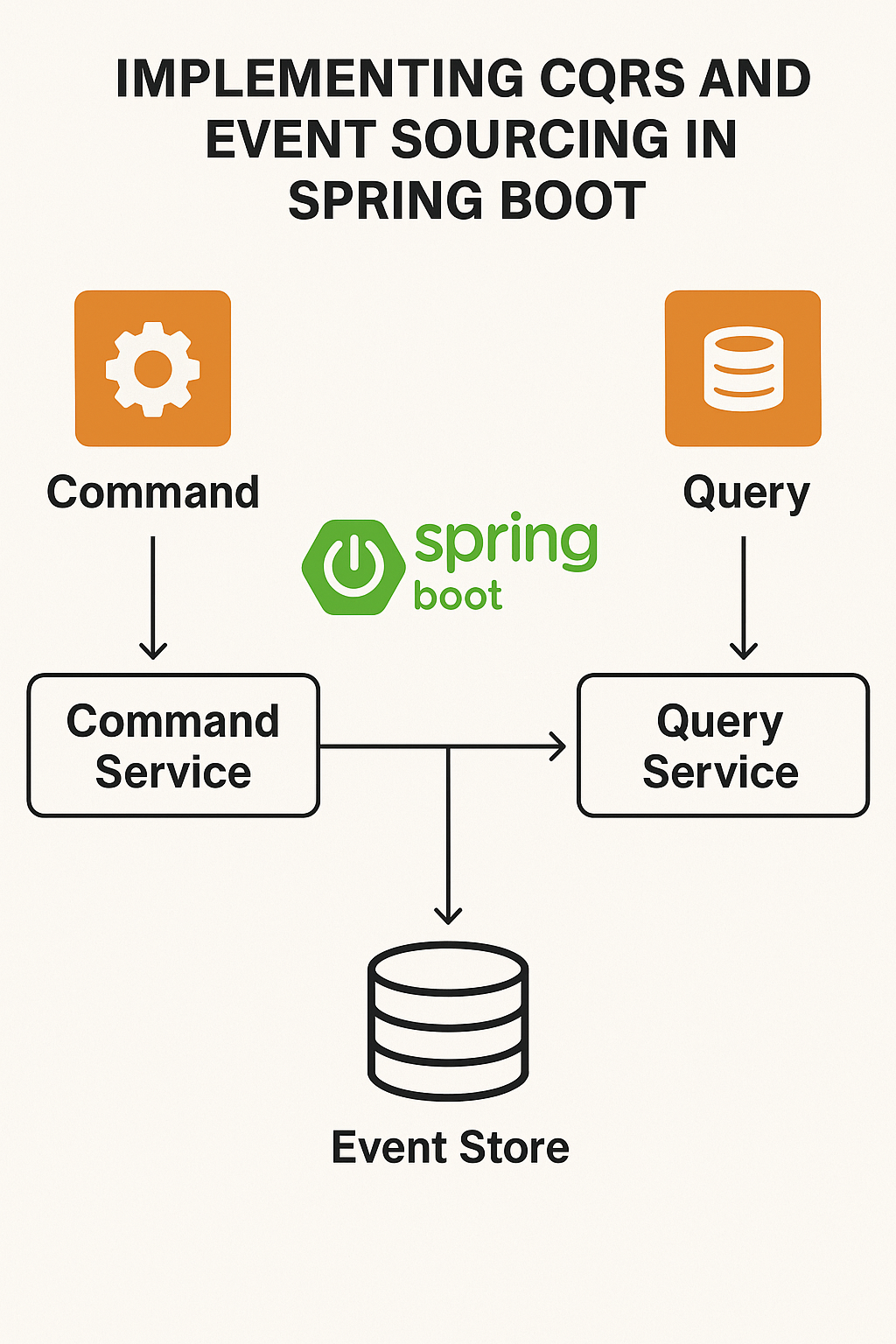
To dive deeper into Spring microservice patterns, read API Routing with Spring Cloud Gateway. For event-driven architecture patterns, see Implementing CQRS and Event Sourcing in Spring Boot. You can also explore the Microservices.io patterns, the Spring Cloud documentation, and Sam Newman’s book “Building Microservices” for comprehensive guidance on this architectural journey.