If you are shipping an LLM feature and your prompts have grown into a sprawling wall of instructions and examples, you have probably wondered whether the OpenAI fine-tuning API would help. Most teams reach for retrieval-augmented generation (RAG) first, and for good reason. However, there is a specific set of problems where fine-tuning produces cleaner, cheaper, and more reliable results than stuffing context into every request.
This guide is for backend and AI engineers who already run a model in production and want a clear decision: should you fine-tune, keep using RAG, or combine both? You will see how the OpenAI fine-tuning API actually works end to end, what a production dataset looks like, and exactly when fine-tuning beats retrieval. By the end, you will be able to make this call with evidence instead of guesswork.
What Is the OpenAI Fine-Tuning API?
The OpenAI fine-tuning API lets you train a custom version of a base model (such as gpt-4o-mini or gpt-4.1-mini) on your own examples. You upload a dataset of input/output pairs, start a training job, and receive a private model ID you can call exactly like any other chat model. It teaches the model a behavior, format, or tone, not new facts.
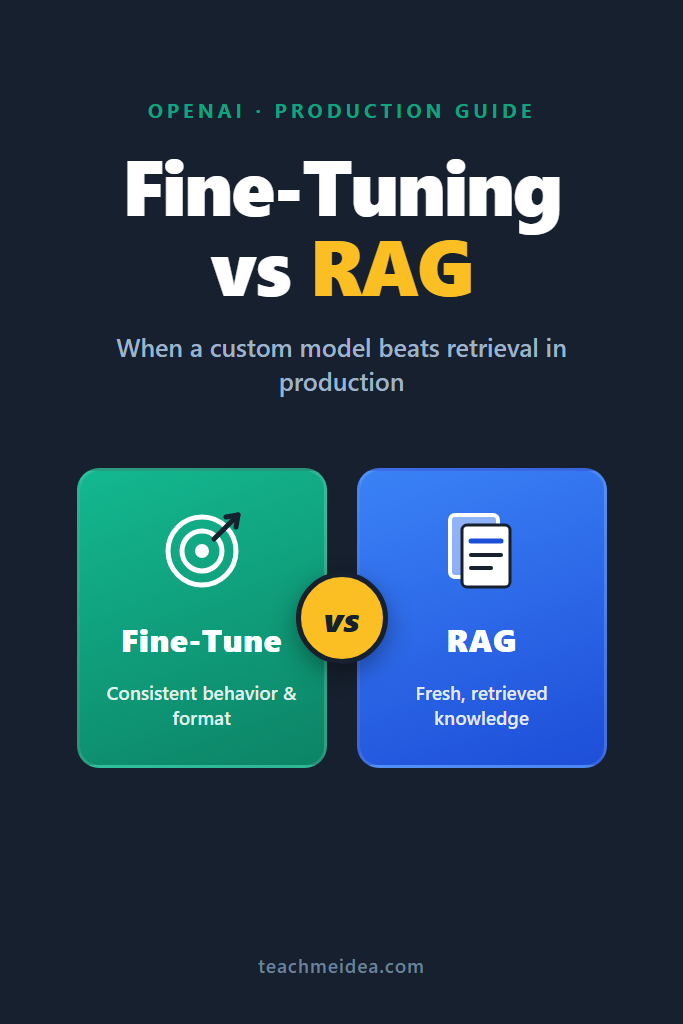
That last sentence is the whole game. Fine-tuning changes how a model responds, not what it knows. RAG, by contrast, injects fresh knowledge at request time. Confusing these two responsibilities is the single most common mistake teams make, so it is worth anchoring early.
Fine-Tuning vs RAG: What Each Actually Solves
Before writing any code, you need a sharp mental model of the trade-off. The two approaches solve different problems, even though they often get pitched as competitors. We covered the conceptual split in depth in fine-tuning vs RAG, but here is the production-focused version.
| Dimension | OpenAI Fine-Tuning API | RAG |
|---|---|---|
| Best for | Consistent behavior, format, tone | Fresh or proprietary facts |
| Knowledge freshness | Frozen at training time | Live, updated per query |
| Per-request cost | Lower (short prompts) | Higher (large context) |
| Setup effort | Dataset curation + training | Vector store + retrieval pipeline |
| Latency | Lower (fewer tokens) | Higher (retrieval + big prompt) |
| Updating | Retrain the model | Update the index |
Notice the pattern. RAG wins whenever the answer depends on information that changes or is too large to memorize. Fine-tuning wins whenever the shape of the answer matters more than the underlying facts. As a result, the strongest production systems frequently use both, a point we return to later.
When Fine-Tuning Beats RAG in Production
Here is the direct answer for a featured-snippet-style reader: the OpenAI fine-tuning API beats RAG when you need consistent output structure, a specific tone, reliable classification, or short prompts at high volume. In those cases, retrieval adds latency and cost without improving quality, because the task does not depend on external facts.
Three concrete scenarios make this obvious. First, strict output formatting at scale. If you need every response to follow a precise schema or style, baking that into the weights is more reliable than repeating instructions in a 2,000-token system prompt. Second, high-volume classification or extraction, where a small fine-tuned model matches a large prompted model at a fraction of the cost. Third, domain tone and conventions, such as a support assistant that must always sound a particular way.
Meanwhile, RAG remains the right tool when answers depend on documents, product catalogs, or anything that updates frequently. You cannot fine-tune yesterday’s prices into a model and expect them to stay correct. Therefore, the decision is rarely “either/or” in the abstract; it depends on whether your bottleneck is behavior or knowledge.
How to Fine-Tune a Model With the OpenAI API
Now for the hands-on part. The workflow has four stages: prepare the dataset, upload it, run the training job, and call the resulting model. We will walk through each with production-grade code.
Step 1: Prepare Your Training Dataset
OpenAI expects a JSONL file where each line is one training example in chat format. Each example contains a messages array, just like a normal chat completion. Critically, the assistant message is the “correct” answer you want the model to learn.
{"messages": [{"role": "system", "content": "You are a support classifier. Respond with one label: billing, technical, or account."}, {"role": "user", "content": "I was charged twice this month."}, {"role": "assistant", "content": "billing"}]}
{"messages": [{"role": "system", "content": "You are a support classifier. Respond with one label: billing, technical, or account."}, {"role": "user", "content": "The app crashes when I open settings."}, {"role": "assistant", "content": "technical"}]}
Aim for quality over quantity. In practice, 50 to 100 high-quality, consistent examples often outperform thousands of noisy ones. Furthermore, your examples must be internally consistent: if two near-identical inputs map to different outputs, the model learns confusion instead of a rule.
Before uploading, validate the file programmatically. The following script catches the formatting errors that cause most failed jobs.
import json

def validate_dataset(path: str) -> None:
    """Validate a fine-tuning JSONL file before upload.

    Catches the three most common failures: malformed JSON,
    missing message roles, and examples with no assistant reply.
    """
    with open(path, "r", encoding="utf-8") as f:
        for line_number, line in enumerate(f, start=1):
            try:
                record = json.loads(line)
            except json.JSONDecodeError as error:
                raise ValueError(f"Line {line_number}: invalid JSON - {error}")

            messages = record.get("messages", [])
            roles = [m.get("role") for m in messages]

            if "assistant" not in roles:
                raise ValueError(f"Line {line_number}: missing assistant message")

    print("Dataset is valid and ready to upload.")

validate_dataset("training_data.jsonl")
This step matters because the API rejects an entire job for a single malformed line. Validating locally saves you the slow round trip of a failed remote job.
Step 2: Upload the Training File
With a clean dataset, upload it using the official Python SDK. The purpose field must be "fine-tune" so the file is routed to the right system.
from openai import OpenAI

client = OpenAI()  # reads OPENAI_API_KEY from the environment

training_file = client.files.create(
    file=open("training_data.jsonl", "rb"),
    purpose="fine-tune",
)

print(f"Uploaded file ID: {training_file.id}")
If you are new to the SDK setup and authentication, our guide on building apps with the OpenAI API covers client configuration and key management in detail.
Step 3: Create the Fine-Tuning Job
Now start the training job. You reference the uploaded file, choose a base model, and optionally set hyperparameters. For most tasks, the defaults work well, so resist the urge to tune n_epochs until you have a baseline.
job = client.fine_tuning.jobs.create(
    training_file=training_file.id,
    model="gpt-4o-mini-2024-07-18",
    suffix="support-classifier",  # appears in the final model name
)

print(f"Job created: {job.id} (status: {job.status})")
Training runs asynchronously and can take anywhere from a few minutes to a few hours, depending on dataset size and queue load. Rather than blocking, poll the job status and surface progress. The snippet below retrieves the current state and the final model name once training completes.
import time

def wait_for_job(job_id: str, poll_seconds: int = 30) -> str:
    """Poll a fine-tuning job until it finishes and return the model name."""
    while True:
        job = client.fine_tuning.jobs.retrieve(job_id)

        if job.status == "succeeded":
            print(f"Done. Model: {job.fine_tuned_model}")
            return job.fine_tuned_model

        if job.status in {"failed", "cancelled"}:
            raise RuntimeError(f"Job {job_id} ended with status: {job.status}")

        print(f"Status: {job.status} ... waiting")
        time.sleep(poll_seconds)

model_name = wait_for_job(job.id)
In production, you would not run a blocking loop on a request thread. Instead, trigger the job from a background worker and store the resulting model name in your configuration once the job succeeds.
Step 4: Use Your Fine-Tuned Model
The payoff is that calling your custom model is identical to calling any base model. You simply pass the fine-tuned model ID instead of a public model name. Notice how short the prompt becomes: the formatting rules now live in the weights, not the request.
response = client.chat.completions.create(
    model=model_name,  # e.g. "ft:gpt-4o-mini-2024-07-18:acme:support-classifier:abc123"
    messages=[
        {"role": "system", "content": "You are a support classifier. Respond with one label: billing, technical, or account."},
        {"role": "user", "content": "My subscription renewed but I wanted to cancel."},
    ],
)

print(response.choices[0].message.content)  # -> "billing"
That shrinking prompt is exactly where the cost savings come from. A prompted classifier might need a long system message with a dozen examples, whereas the fine-tuned version needs almost none.
How to Evaluate a Fine-Tuned Model
Do not ship a fine-tuned model on vibes. Always hold out a test set the model never saw during training, then measure accuracy against it. For classification or extraction tasks, a simple exact-match comparison is enough to start.
def evaluate(model: str, test_set: list[dict]) -> float:
    """Return accuracy of the fine-tuned model on a held-out test set."""
    correct = 0

    for example in test_set:
        result = client.chat.completions.create(
            model=model,
            messages=example["messages"][:-1],  # drop the gold answer
        )
        predicted = result.choices[0].message.content.strip()
        expected = example["messages"][-1]["content"].strip()

        if predicted == expected:
            correct += 1

    return correct / len(test_set)

accuracy = evaluate(model_name, held_out_examples)
print(f"Test accuracy: {accuracy:.1%}")
Compare this number against your existing prompted or RAG baseline on the same test set. If the fine-tuned model is not clearly better on quality, cost, or latency, you have learned something valuable: this task did not need fine-tuning. That negative result is worth the experiment.
A Real-World Scenario: Replacing a Bloated Prompt
Consider a mid-sized SaaS team running a support-triage feature that routes incoming tickets to the right queue. They started with a single large prompt: a long system message packed with rules, edge cases, and roughly fifteen few-shot examples. It worked, but every request carried over 2,000 tokens of instructions, and latency crept up as the example list grew during several weeks of tuning.
The team faced a familiar trade-off. They could keep expanding the prompt, which raised both cost and latency on every call, or they could fine-tune. Because the task was pure classification with a fixed set of labels, retrieval added nothing. The “knowledge” never changed; only the behavior needed to be reliable. As a result, fine-tuning was the natural fit.
After converting their best few-shot examples into a training set of a few hundred labeled tickets, they fine-tuned gpt-4o-mini and cut the system prompt down to two sentences. The practical wins were a much shorter prompt per request, lower latency, and accuracy that held steady on the held-out set. Importantly, they kept the old prompted version behind a feature flag so they could roll back instantly if quality regressed in real traffic.
Combining Fine-Tuning and RAG
The most capable production systems often use both techniques together, because they solve different halves of the problem. Fine-tuning handles the consistent behavior, while RAG supplies the live facts. For instance, a customer-facing assistant might be fine-tuned to always answer in your brand voice and preferred structure, then use retrieval to pull current account details or documentation at query time.
If you have not built a retrieval pipeline yet, start with RAG from scratch to understand the retrieval half, and review vector databases compared to pick a store. The combination plays to each tool’s strength: the fine-tuned model guarantees the form of the answer, and retrieval guarantees the facts. Neither alone delivers both.
One practical note: when you combine them, fine-tune on examples that include retrieved context in the user message. This teaches the model how to use retrieved snippets in your preferred format, rather than leaving that behavior to chance at inference time.
When to Use the OpenAI Fine-Tuning API
- Your task needs consistent output structure or a specific format the model keeps drifting from
- You run high-volume classification, extraction, or routing where a small model can replace a large prompted one
- Your prompts have ballooned with instructions and few-shot examples, raising cost and latency
- You need a particular tone or domain style applied reliably across every response
- The underlying knowledge is stable and does not change between requests
When NOT to Use the OpenAI Fine-Tuning API
- Your answers depend on facts that change frequently (prices, inventory, news) — use RAG instead
- You have fewer than a few dozen clean, consistent examples to train on
- You are still iterating on the task definition; prompts are far cheaper to change than retraining
- You need full source attribution or citations, which retrieval provides naturally
- A well-written prompt already meets your quality, cost, and latency targets
Common Mistakes With the OpenAI Fine-Tuning API
- Expecting fine-tuning to teach new facts; it shapes behavior, so changing knowledge means retraining or using RAG
- Training on inconsistent examples where similar inputs map to different outputs, which teaches the model noise
- Skipping a held-out test set and shipping without comparing against the prompted baseline
- Over-tuning hyperparameters like
n_epochsbefore establishing a clean default-settings baseline - Fine-tuning too early, before a strong prompt has proven the task is even worth automating
- Forgetting to keep the previous version behind a flag, leaving no fast rollback path if quality regresses
Conclusion
The OpenAI fine-tuning API is not a bigger hammer than RAG; it is a different tool entirely. Reach for it when you need consistent behavior, tight formatting, or cheaper high-volume calls, and reach for retrieval when answers depend on facts that change. Most mature systems eventually use both, fine-tuning for form and RAG for knowledge.
Your next step is to run the experiment on a single task: convert your best few-shot prompt into a small training set, fine-tune gpt-4o-mini, and compare it against your current baseline on a held-out set. To go deeper, read fine-tuning vs RAG for the conceptual foundation, explore open-source training with Unsloth fine-tuning for LLMs, and see how OpenAI structured outputs can sometimes deliver reliable formatting without any training at all.