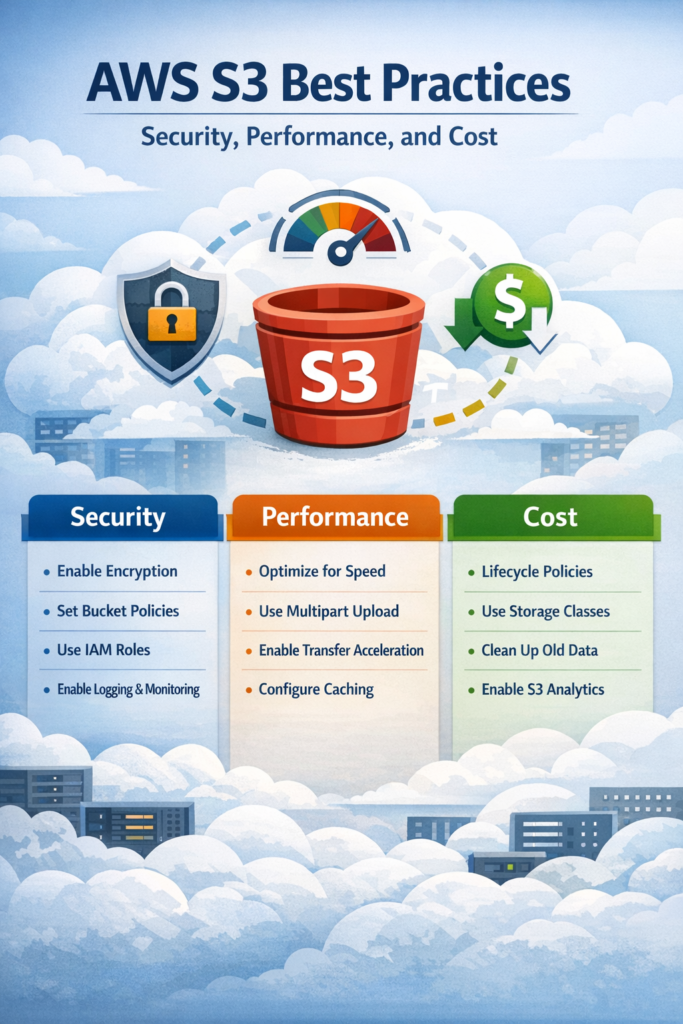
AWS S3 is one of the most widely used storage services in modern cloud architectures, yet it is also one of the easiest to misuse in production. Teams often start with basic file uploads and gradually accumulate security risks, performance bottlenecks, and rising costs that become difficult to reverse later. This guide focuses on AWS S3 best practices that matter in real systems, helping you design storage that stays secure, fast, and cost-efficient as your application scales.
Why AWS S3 Requires a Different Mental Model
S3 is object storage, not a traditional filesystem. Objects are immutable, accessed over HTTP, and optimized for parallel workloads rather than frequent in-place updates. Treating S3 like local disk storage often leads to inefficient overwrite patterns, excessive API calls, and fragile access control rules. AWS highlights this distinction clearly in its own documentation, which is why architectural decisions made early have long-term impact.
In client-heavy applications, uploads are usually coordinated from application state rather than backend batch jobs. If you already manage complex client state, patterns similar to those explained in Using Redux for State Management in Flutter: A Beginner’s Guide help keep upload progress, retries, and error handling predictable instead of scattered across UI components.
AWS S3 Security Best Practices in Production
Most S3 security incidents are caused by configuration mistakes, not missing features.
Enforce Least Privilege Access
IAM policies should grant the minimum permissions required for a specific task. Broad permissions such as full bucket access or wildcard actions significantly increase the impact of leaked credentials. In practice, access should be limited to specific buckets, prefixes, and operations. This approach follows AWS S3 best practices and aligns with the principle of least privilege described in the official AWS IAM best practices.
Block Public Access by Default
Production buckets should never be public unless there is a clearly isolated use case. AWS provides a global Block Public Access setting that prevents accidental exposure even when a policy or ACL is misconfigured. This recommendation is strongly emphasized in the Amazon S3 security best practices documentation because unintended public access remains the most common cause of S3 data leaks.
Encrypt Data Automatically
Server-side encryption should be enabled for all buckets. Using AWS KMS keys provides better auditing and access control than basic S3-managed encryption. For most applications, this strikes the right balance between security and operational simplicity. Versioning should be paired with lifecycle rules to ensure protection does not turn into silent cost growth.
AWS S3 Performance Best Practices
Although S3 scales automatically, application design still determines perceived performance.
Design for Parallel Requests
S3 performs best when requests are parallelized. Sequential uploads and downloads underutilize available throughput and amplify the impact of failures. Multipart uploads and concurrent downloads improve both speed and resilience, especially for large objects or unstable networks.
Choose Object Sizes Deliberately
Very small objects increase request overhead, while extremely large objects reduce flexibility and retry efficiency. In practice, moderate object sizes combined with multipart uploads provide the best balance. This pattern is particularly important for media uploads and analytics pipelines.
Avoid Inefficient Access Patterns
Polling S3 for object availability or relying heavily on LIST operations increases latency and cost. Event-driven designs using notifications or metadata tracking are more efficient and easier to scale. These patterns align closely with the storage guidance in the AWS Well-Architected Framework.
AWS S3 Cost Optimization Best Practices
Cost problems with S3 tend to grow gradually, which makes them easy to overlook until they become serious.
Apply Lifecycle Policies Early
Lifecycle rules automate transitions between storage classes and deletion of obsolete data. Logs, backups, and historical assets should not remain in the Standard tier indefinitely. Applying lifecycle rules early is one of the most effective AWS S3 best practices for keeping costs predictable.
Monitor Request-Level Costs
Storage size is only part of the bill. PUT, GET, and LIST requests contribute heavily at scale. Excessive retries, inefficient upload flows, or chatty APIs increase costs without adding value. Reviewing request patterns alongside pricing data helps identify optimizations early.
Serve Public Assets Through a CDN
Serving public assets directly from S3 increases latency and data transfer costs. Placing CloudFront in front of S3 improves performance and shifts traffic to cheaper edge locations. This setup is especially important for frontend applications where asset delivery directly affects perceived responsiveness.
Real-World Scenario: Scaling User-Generated Media
Consider a growing application that allows users to upload images and short videos. Initially, all files live in a single S3 bucket using the default storage class. As traffic increases, upload failures appear during peak hours and storage costs rise steadily. By applying AWS S3 best practices, the team separates private and public data, introduces lifecycle rules for older media, and serves public assets through a CDN. As a result, upload reliability improves and monthly costs become predictable, even as total storage volume grows.
Handling failures correctly on the client side is just as important. Techniques described in How to Handle API Errors Gracefully in Flutter help prevent corrupted uploads and inconsistent UI states when network conditions are poor.
When to Use Amazon S3
- Large-scale object storage with high durability
- Static asset hosting for web and mobile applications
- Backups, archives, and data lakes
- Event-driven storage workflows
When NOT to Use Amazon S3
- Low-latency workloads requiring frequent in-place writes
- Applications that depend on filesystem semantics
- Highly transactional data storage
Common Mistakes
- Leaving buckets publicly accessible
- Using overly permissive IAM policies
- Ignoring lifecycle rules until costs spike
- Treating S3 like a traditional filesystem
How S3 Fits into Modern App Development
S3 rarely exists in isolation. It usually supports frontend clients, backend APIs, and background processing jobs. Understanding lifecycle constraints is critical when handling background uploads or retries, especially on mobile platforms. This is where concepts from Understanding App Lifecycle Events in Flutter and React Native become directly relevant.
Tooling also influences how quickly teams detect and fix storage-related issues. Development workflows discussed in VS Code vs Android Studio for Flutter Development: My 2025 Setup often determine how early S3 misconfigurations are caught. Broader shifts in developer tooling and automation are explored in ChatGPT 5 Is Here – Everything You Need to Know About the Next Generation of AI.
Conclusion
AWS S3 best practices revolve around three pillars: strict security boundaries, performance-aware design, and proactive cost management. When applied early, these practices prevent data exposure, reduce latency, and keep storage costs predictable. Start by auditing permissions and lifecycle rules, then refine performance and cost strategies as your system evolves. Done correctly, S3 becomes a stable foundation for production-scale applications rather than a hidden operational risk.