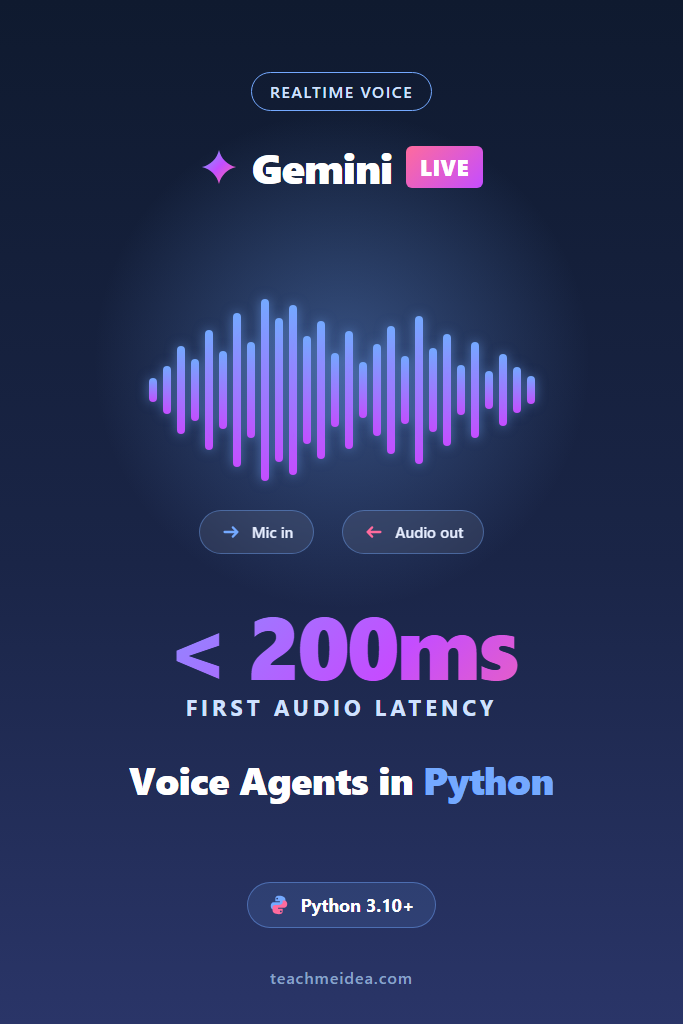
If you have ever built a voice assistant by chaining speech-to-text, an LLM call, and text-to-speech, you already know the problem. Each hop adds 200 to 600 milliseconds, conversations feel laggy, and barge-in is nearly impossible. The Gemini Live API replaces that pipeline with a single bidirectional WebSocket session that streams audio in both directions, typically returning the first audio chunk in well under 200 milliseconds.
This tutorial walks through building a production-shaped voice agent in Python: connecting to the Gemini Live API, streaming microphone audio up, playing model audio back, handling interruptions, and wiring in tool calls. The target reader is an intermediate Python developer who has used the standard Gemini API but has not yet touched the realtime bidirectional endpoint. By the end, you will have a working agent and a clear picture of where it fits in production.
What Is the Gemini Live API?
The Gemini Live API is Google’s bidirectional streaming endpoint that lets a client send audio, video, or text to a Gemini model and receive audio or text back as a continuous stream over a single WebSocket. Unlike the standard Gemini API, it keeps the session open, handles voice activity detection server-side, and supports mid-response interruption, which is what makes sub-200ms first-token latency possible.
In practical terms, you open one connection, push raw PCM audio chunks as the user speaks, and start receiving synthesized audio chunks while they are still talking. The model handles turn detection for you. Tool calls, function results, and text transcripts arrive on the same socket as structured messages.
Why Sub-200ms Latency Matters for Voice Agents
Human conversation tolerates pauses of roughly 200 milliseconds before they start to feel awkward. Any voice agent that consistently exceeds that threshold for first audio output crosses the line from “responsive assistant” into “frustrating IVR.” Traditional STT plus LLM plus TTS pipelines almost always cross that line on the first hop alone.
Furthermore, latency compounds. A 400ms first-response delay does not just feel slow once; it adds up across every turn, and users learn to talk over the agent or hang up. The Gemini Live API targets the conversational threshold directly because the model emits audio tokens incrementally rather than waiting for the full response.
Prerequisites and Setup
Before writing any code, make sure you have:
- Python 3.10 or newer
- A Google AI Studio API key with access to a Live API model
- The
google-genaiSDK - A working audio I/O library (this tutorial uses
pyaudioandnumpy)
Install the dependencies:
pip install google-genai pyaudio numpy
On Linux you may also need portaudio19-dev. On macOS, brew install portaudio is enough. On Windows, the wheel from PyPI usually works without extra steps.
Then set your key:
export GOOGLE_API_KEY="your-key-here"
Now you are ready to open your first session.
Step 1: Connecting to the Gemini Live API
The Live API uses a session-based pattern. You open a connection, configure it, then send and receive messages until you close it. The google-genai Python SDK wraps the WebSocket handshake behind an async context manager.
import asyncio
import os
from google import genai
from google.genai import types

MODEL = "gemini-2.5-flash-preview-native-audio-dialog"

client = genai.Client(
    api_key=os.environ["GOOGLE_API_KEY"],
    http_options={"api_version": "v1beta"},
)

config = types.LiveConnectConfig(
    response_modalities=["AUDIO"],
    system_instruction=types.Content(
        parts=[types.Part(text="You are a concise voice assistant. Keep replies under 30 seconds.")]
    ),
    speech_config=types.SpeechConfig(
        voice_config=types.VoiceConfig(
            prebuilt_voice_config=types.PrebuiltVoiceConfig(voice_name="Aoede")
        )
    ),
)

async def main():
    async with client.aio.live.connect(model=MODEL, config=config) as session:
        await session.send_client_content(
            turns=[types.Content(role="user", parts=[types.Part(text="Say hello.")])],
            turn_complete=True,
        )
        async for response in session.receive():
            if response.data:
                print(f"Got {len(response.data)} bytes of audio")

asyncio.run(main())
Why this works: client.aio.live.connect returns an async session object, and session.receive() is an async generator that yields every server message until the turn ends. The response_modalities=["AUDIO"] setting tells the model to reply with synthesized speech instead of text. The voice name Aoede is one of several prebuilt voices the Live API ships with.
Run this and you should see a sequence of byte counts printed as audio chunks arrive. That confirms the session is healthy.
Step 2: Streaming Audio Input From a Microphone
Sending audio is where most beginners trip up. The Gemini Live API expects 16-bit signed PCM at 16,000 Hz, mono, little-endian. Any other format will either get rejected or transcribed as garbled noise.
Here is a microphone reader that pushes chunks into the session as they arrive:
import pyaudio

SEND_SAMPLE_RATE = 16000
CHUNK_SIZE = 1024

async def stream_microphone(session):
    pya = pyaudio.PyAudio()
    mic_info = pya.get_default_input_device_info()
    stream = pya.open(
        format=pyaudio.paInt16,
        channels=1,
        rate=SEND_SAMPLE_RATE,
        input=True,
        input_device_index=mic_info["index"],
        frames_per_buffer=CHUNK_SIZE,
    )

    try:
        while True:
            data = await asyncio.to_thread(stream.read, CHUNK_SIZE, False)
            await session.send_realtime_input(
                audio=types.Blob(data=data, mime_type="audio/pcm;rate=16000")
            )
    finally:
        stream.stop_stream()
        stream.close()
        pya.terminate()
Why this works: send_realtime_input is the method designed for continuous streams, and it does not require turn boundaries. The blocking stream.read call is wrapped in asyncio.to_thread so it does not freeze the event loop. The MIME type audio/pcm;rate=16000 tells the server the sample rate explicitly; omit it and the server has to guess.
Notice that we never call turn_complete=True here. Server-side voice activity detection handles turn segmentation for us, which is one of the headline features of the Gemini Live API.
Step 3: Playing Streaming Audio Output
The model returns audio at 24,000 Hz, also 16-bit signed PCM, mono. You cannot just dump it through the same stream you used for input because the sample rates differ. Open a separate output stream:
RECEIVE_SAMPLE_RATE = 24000

async def play_responses(session):
    pya = pyaudio.PyAudio()
    output_stream = pya.open(
        format=pyaudio.paInt16,
        channels=1,
        rate=RECEIVE_SAMPLE_RATE,
        output=True,
    )

    try:
        async for response in session.receive():
            if response.data:
                await asyncio.to_thread(output_stream.write, response.data)

            if response.server_content and response.server_content.interrupted:
                # Drain any buffered playback so the agent stops talking mid-sentence
                continue
    finally:
        output_stream.stop_stream()
        output_stream.close()
        pya.terminate()
The response.data field carries the raw PCM bytes. Writing them straight to the output stream gives you continuous playback. Importantly, response.server_content.interrupted is a signal that the user spoke over the model. When you see it, stop playing the buffered audio immediately; otherwise the agent will keep monologuing while the user tries to ask a follow-up.
To run input and output in parallel, kick them off as tasks:
async def main():
    async with client.aio.live.connect(model=MODEL, config=config) as session:
        async with asyncio.TaskGroup() as tg:
            tg.create_task(stream_microphone(session))
            tg.create_task(play_responses(session))

asyncio.run(main())
asyncio.TaskGroup (Python 3.11+) cancels both tasks cleanly if either one fails, which matters for long-running voice sessions where a microphone error should tear down the whole agent rather than silently leaking the session.
Step 4: Handling Interruptions and Barge-In
Out of the box, the Gemini Live API does server-side voice activity detection (VAD) and stops generating when the user starts talking. However, your client still needs to drain its playback buffer; otherwise the user hears the tail end of the previous response.
A simple queue-based approach handles this cleanly:
import asyncio
from collections import deque

class AudioPlayer:
    def __init__(self):
        self.queue: deque[bytes] = deque()
        self.event = asyncio.Event()

    def enqueue(self, chunk: bytes):
        self.queue.append(chunk)
        self.event.set()

    def clear(self):
        self.queue.clear()

    async def play_loop(self, output_stream):
        while True:
            if not self.queue:
                self.event.clear()
                await self.event.wait()
                continue
            chunk = self.queue.popleft()
            await asyncio.to_thread(output_stream.write, chunk)


async def play_responses(session, player: AudioPlayer):
    async for response in session.receive():
        if response.data:
            player.enqueue(response.data)
        if response.server_content and response.server_content.interrupted:
            player.clear()
Why this matters: without player.clear() on interruption, you get the classic “AI keeps talking after the user starts” failure mode. With it, barge-in feels natural — the agent stops mid-syllable, and the user can ask the next question without waiting.
If you want client-side VAD instead of server-side (for example, to filter background noise before sending), pass realtime_input_config=types.RealtimeInputConfig(automatic_activity_detection=types.AutomaticActivityDetection(disabled=True)) and call session.send_realtime_input(activity_start=...) and activity_end=... manually based on your own VAD.
Step 5: Adding Tool Use to a Voice Session
A voice agent that cannot look up data is just a fancy chatbot. The Live API supports function calling on the same session, so your agent can pause speaking, run a tool, and resume with the result.
Here is a tool definition for a hypothetical order-status lookup:
get_order_status = types.FunctionDeclaration(
    name="get_order_status",
    description="Look up the status of a customer order by order number.",
    parameters=types.Schema(
        type=types.Type.OBJECT,
        properties={
            "order_id": types.Schema(type=types.Type.STRING, description="The order number"),
        },
        required=["order_id"],
    ),
)

config = types.LiveConnectConfig(
    response_modalities=["AUDIO"],
    tools=[types.Tool(function_declarations=[get_order_status])],
    system_instruction=types.Content(
        parts=[types.Part(text="You are a customer support voice agent. Use tools to look up order info.")]
    ),
)
Then handle the tool call inside your receive loop:
async def handle_responses(session):
    async for response in session.receive():
        if response.data:
            # play audio (omitted for brevity)
            pass

        if response.tool_call:
            results = []
            for fc in response.tool_call.function_calls:
                if fc.name == "get_order_status":
                    order_id = fc.args["order_id"]
                    status = await lookup_order(order_id)  # your DB call
                    results.append(types.FunctionResponse(
                        id=fc.id,
                        name=fc.name,
                        response={"status": status},
                    ))
            await session.send_tool_response(function_responses=results)
Why this works: when the model decides to call a tool, it emits a tool_call message instead of audio. You execute the function locally (here, lookup_order is your business logic), then call session.send_tool_response with the results. The model resumes speaking with the tool output incorporated. For a deeper look at how function calling works in the standard Gemini API, see Gemini API Function Calling.
One thing to watch: tool calls run inside the same session, so a slow lookup will create dead air. Cache aggressively, or have the model say something like “let me check on that” before calling the tool.
Production Considerations for the Gemini Live API
A working demo is not a production system. Several issues become important once you move past localhost.
Session lifetime. Live API sessions have a maximum duration (currently around 15 minutes for audio-only sessions, less for audio plus video). Build session resumption with the session_resumption config option so the next session inherits relevant context.
Network reliability. A dropped WebSocket on a flaky mobile network destroys the user experience. Wrap your session loop in a reconnect-with-backoff pattern, and persist the recent transcript on the server so you can rehydrate context on reconnect. For background on streaming transport choices, see Real-Time APIs: WebSockets vs Server-Sent Events.
Audio quality on the wire. Browsers and mobile devices love to deliver Opus or Web Audio output at 48 kHz. You must resample to 16 kHz mono PCM before sending, or the model will receive distorted input and transcription quality will drop. Libraries like soxr or scipy.signal.resample_poly do this cleanly.
Cost and rate limits. Live API sessions are billed by input and output tokens, with audio tokens priced separately from text. A 10-minute conversation can easily run into the tens of thousands of tokens. Track usage per session and set hard caps to avoid surprise bills. If you need to compare against streaming text-based agents, our AI Chatbot Streaming Responses guide covers the cost profile of text streaming.
Observability. Log every turn boundary, every tool call, and every interruption. Voice bugs are nearly impossible to diagnose without server-side logs because users rarely have the patience to reproduce them.
Real-World Scenario: a Tier-1 Support Voice Agent
Consider a SaaS company replacing its tier-1 phone support with a Gemini Live API voice agent. The typical conversation involves three to five turns: greeting, identification, problem statement, lookup, resolution or escalation.
For a small support team handling a few hundred calls a day, the engineering challenge is rarely the model itself. The real work is in the surrounding infrastructure: connecting Twilio for the phone bridge, handling 8 kHz telephony audio (which must be upsampled to 16 kHz for the Live API), building a session resumption path for dropped calls, and instrumenting every interruption so you can tune the system prompt when the agent talks over customers.
In practice, teams report that the first week is dominated by audio plumbing problems — wrong sample rates, mismatched encodings, output buffering. Once the audio path is solid, prompt tuning takes another week to dial in the brevity and tone. Tool integration usually goes faster because most teams already have internal APIs for order lookup, account status, and ticket creation. The Gemini Live API itself is rarely the bottleneck after the first few days.
When to Use the Gemini Live API
- You need natural, low-latency voice conversation, not push-to-talk or transcription
- Barge-in and interruption handling are core to the user experience
- You want one provider for speech recognition, reasoning, and synthesis
- Your latency budget for first audio output is under 300ms
- You can tolerate the 15-minute session cap with resumption logic
When NOT to Use the Gemini Live API
- You only need transcription; standard speech-to-text APIs cost less
- Your use case is asynchronous (voicemail summaries, meeting notes); a non-streaming pipeline is simpler and cheaper
- You need deterministic, scripted IVR flows where an LLM is overkill
- You require on-device inference for privacy or offline reasons
- Your team has zero experience with realtime audio and a tight deadline; the audio plumbing alone takes time
Common Mistakes With the Gemini Live API
- Sending audio at the wrong sample rate (must be 16 kHz mono PCM) and wondering why transcription is bad
- Forgetting to clear the playback buffer on interruption, causing the agent to keep talking over the user
- Running blocking audio I/O on the asyncio event loop instead of
asyncio.to_thread - Treating sessions as immortal and not implementing reconnect or session resumption
- Skipping observability; voice bugs are almost impossible to reproduce without server-side logs
- Calling slow tools synchronously inside the receive loop, creating dead air during the lookup
Conclusion + Next Steps
The Gemini Live API replaces the brittle STT-plus-LLM-plus-TTS pipeline with a single streaming session, and it lands first audio output well under 200ms when wired up correctly. Most of the engineering effort is in the surrounding plumbing — sample rate conversion, interruption handling, session resumption, and observability — not in the model itself. Start with the minimal client from this tutorial, get audio flowing in both directions, then layer in tool use once the basics feel solid.
Next, deepen your Gemini coverage with Gemini API Multimodal Vision and Video for handling images and video, or revisit Python WebSocket Servers with FastAPI if you plan to put a server in front of the Live API for telephony or browser clients. For the broader async patterns this code relies on, Async Programming in Python: asyncio and Trio covers the foundations.