If you’re running a RAG system on a self-managed vector database and watching the infrastructure bill creep into four digits, Pinecone Serverless is worth a serious look. This tutorial walks through Pinecone Serverless from index creation to production traffic, covering schema design, hybrid search, namespaces for multi-tenancy, and the cost levers that actually matter. By the end, you will have a working pipeline that scales from zero to millions of vectors without provisioning a single pod.
This guide targets intermediate Python developers who have built a basic RAG prototype and now need to ship something that handles real traffic. Familiarity with embeddings and vector similarity helps, but the patterns translate to any production search workload. For background on the broader RAG pattern, see RAG from scratch.
Why Pinecone Serverless Changes the Math
Pinecone Serverless is a fully managed vector database where compute and storage scale independently and you pay per read, write, and gigabyte stored. The classic Pinecone pod model required reserving capacity up front. As a result, teams paid for idle compute during low-traffic windows. Serverless flips the model: you provision nothing, queries are routed to compute that spins up on demand, and storage sits in cheap object storage with hot vectors cached.
The practical consequence is that small teams can run production-grade vector search for tens of dollars a month while still scaling to millions of vectors per index. Furthermore, you avoid the operational headache of resizing pods when your corpus grows.
Quick Reference: Serverless vs Pod-Based Pinecone
| Feature | Serverless | Pod-Based |
|---|---|---|
| Capacity planning | None required | Choose pod type and count |
| Pricing | Per read/write/storage | Hourly per pod |
| Cold start | Yes, first query is slower | None |
| Max vectors per index | Billions | Tied to pod size |
| Best for | Variable or growing workloads | Predictable high QPS |
| Hybrid search | Yes (sparse-dense) | Yes |
| Namespaces | Unlimited per index | Unlimited per index |
For comparison against other vector stores, see Vector databases compared.
Prerequisites
You need:
- A Pinecone account with a free tier project (sign up at pinecone.io)
- Python 3.10 or higher
- An OpenAI API key for generating embeddings
- About 30 minutes for the full walkthrough
Install the dependencies:
pip install pinecone openai tiktoken python-dotenv
Create a .env file at the project root:
PINECONE_API_KEY=your_key_here
OPENAI_API_KEY=your_key_here
Step 1: Create a Serverless Index
The first decision is your embedding dimension and distance metric. For OpenAI’s text-embedding-3-small, that is 1536 dimensions with cosine similarity. Most teams pick the smaller model for the cost-to-quality ratio; the large variant is ~6x more expensive and only meaningfully better for retrieval-heavy reranking workflows. For a deeper comparison of embedding models, see Hybrid search BM25 and vector RAG.
import os
from dotenv import load_dotenv
from pinecone import Pinecone, ServerlessSpec

load_dotenv()

pc = Pinecone(api_key=os.environ["PINECONE_API_KEY"])

INDEX_NAME = "rag-production"

if not pc.has_index(INDEX_NAME):
    pc.create_index(
        name=INDEX_NAME,
        dimension=1536,
        metric="cosine",
        spec=ServerlessSpec(cloud="aws", region="us-east-1"),
    )

index = pc.Index(INDEX_NAME)
print(index.describe_index_stats())
Why this works: has_index makes the script idempotent, which matters when the same code runs on every container startup. The ServerlessSpec block tells Pinecone to run the index in the AWS us-east-1 region; pick the region closest to your application servers to keep query latency under 100ms. Free-tier accounts are limited to specific regions, so check the dashboard before deploying.
A successful run prints something like {'dimension': 1536, 'index_fullness': 0.0, 'namespaces': {}, 'total_vector_count': 0}. The index is ready for writes.
Step 2: Chunk and Embed Your Documents
Pinecone stores vectors but does not generate them. You need an embedding model and a chunking strategy. The chunking step matters more than most teams realize: chunks that are too small lose context, while chunks that are too large dilute the embedding signal. A reasonable default is 400-800 tokens with 50-token overlap, but optimal sizing depends on your content. For a deeper treatment, see RAG chunking strategies: fixed, recursive, semantic.
import tiktoken
from openai import OpenAI

openai = OpenAI(api_key=os.environ["OPENAI_API_KEY"])
encoder = tiktoken.encoding_for_model("text-embedding-3-small")

def chunk_text(text: str, max_tokens: int = 500, overlap: int = 50) -> list[str]:
    """Split text into overlapping token windows."""
    tokens = encoder.encode(text)
    chunks = []
    start = 0
    while start < len(tokens):
        end = min(start + max_tokens, len(tokens))
        chunks.append(encoder.decode(tokens[start:end]))
        if end == len(tokens):
            break
        start = end - overlap
    return chunks

def embed_batch(texts: list[str]) -> list[list[float]]:
    """Embed up to 100 texts at once. OpenAI's batch limit is 2048."""
    response = openai.embeddings.create(
        model="text-embedding-3-small",
        input=texts,
    )
    return [item.embedding for item in response.data]
Why this works: Using tiktoken for chunking matches the tokenizer the embedding model actually uses, so your chunk sizes are accurate. Batching embeddings is essential because each API call has roughly 200ms of overhead; sending 100 chunks per request cuts your ingest time by orders of magnitude.
A common mistake is embedding each chunk in a separate API call. That works for a hundred documents but becomes painful past a few thousand. Always batch.
Step 3: Upsert Vectors With Metadata
Vectors alone are not useful in production. You also need metadata for filtering, citations, and audit trails. Pinecone allows up to 40KB of metadata per vector, which is generous but worth treating as expensive: every byte gets cached in memory during queries.
import uuid

def upsert_documents(documents: list[dict], namespace: str = "default"):
    """
    documents: [{"text": str, "source": str, "title": str, ...}]
    """
    batch_size = 100
    for i in range(0, len(documents), batch_size):
        batch = documents[i:i + batch_size]
        texts = [doc["text"] for doc in batch]
        embeddings = embed_batch(texts)

        vectors = []
        for doc, embedding in zip(batch, embeddings):
            vector_id = doc.get("id") or str(uuid.uuid4())
            vectors.append({
                "id": vector_id,
                "values": embedding,
                "metadata": {
                    "text": doc["text"][:1000],
                    "source": doc["source"],
                    "title": doc["title"],
                    "created_at": doc.get("created_at"),
                },
            })

        index.upsert(vectors=vectors, namespace=namespace)
        print(f"Upserted batch {i // batch_size + 1}")
Why this works: The text field is truncated to 1000 characters to keep metadata small. Store the full text in your primary database (Postgres, MongoDB) and reference it by id after retrieval. Truncating text in metadata is a habit that saves you when a single document balloons past the 40KB cap.
The namespace parameter is the key to multi-tenancy. Each namespace is isolated within the index, queried independently, and billed separately. As a result, you can use one index for a hundred customers without their data ever mixing.
Step 4: Query With Metadata Filters
A naive query returns the top K vectors by cosine similarity. In production, you almost always want to filter by metadata first, then rank by similarity. For instance, return only documents from a specific user or only documents created in the last 30 days.
def search(
    query: str,
    top_k: int = 10,
    namespace: str = "default",
    filters: dict | None = None,
) -> list[dict]:
    query_embedding = embed_batch([query])[0]

    response = index.query(
        vector=query_embedding,
        top_k=top_k,
        namespace=namespace,
        filter=filters,
        include_metadata=True,
    )

    return [
        {
            "id": match.id,
            "score": match.score,
            "text": match.metadata["text"],
            "source": match.metadata["source"],
            "title": match.metadata["title"],
        }
        for match in response.matches
    ]

# Example: filter by source and recency
results = search(
    query="How do I configure SSL certificates?",
    top_k=5,
    namespace="acme-corp",
    filters={
        "source": {"$in": ["docs", "kb"]},
        "created_at": {"$gte": "2024-01-01"},
    },
)
Why this works: Pinecone’s filter syntax mirrors MongoDB’s query operators ($eq, $ne, $in, $gte, etc.). Filters are applied before vector ranking, so you do not waste compute scoring vectors that will be discarded. Importantly, fields you plan to filter on should be indexed when you create the index — covered next.
Step 5: Selective Metadata Indexing
By default, Pinecone indexes all metadata fields. For high-cardinality fields like timestamps or UUIDs, this wastes memory and slows queries. As a result, you should explicitly declare which fields are filterable.
pc.create_index(
    name="rag-production",
    dimension=1536,
    metric="cosine",
    spec=ServerlessSpec(cloud="aws", region="us-east-1"),
    metadata_config={
        "indexed": ["source", "title", "tenant_id"],
    },
)
In this configuration, only source, title, and tenant_id are filterable. Other fields are returned with results but cannot appear in filters. The trade-off is a meaningful reduction in memory footprint and query latency, particularly for indexes past 10 million vectors.
Step 6: Hybrid Search With Sparse Vectors
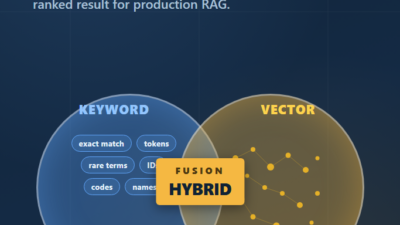
Dense vector search excels at semantic similarity but stumbles on exact-match queries like product SKUs, error codes, or proper nouns. Hybrid search combines a sparse vector (typically BM25-encoded) with a dense vector, then merges the results. Pinecone Serverless supports this natively.
from pinecone_text.sparse import BM25Encoder

# Train BM25 on your corpus once
bm25 = BM25Encoder()
bm25.fit([doc["text"] for doc in documents])

def upsert_hybrid(documents: list[dict], namespace: str = "default"):
    texts = [doc["text"] for doc in documents]
    dense_vectors = embed_batch(texts)
    sparse_vectors = bm25.encode_documents(texts)

    vectors = []
    for doc, dense, sparse in zip(documents, dense_vectors, sparse_vectors):
        vectors.append({
            "id": doc["id"],
            "values": dense,
            "sparse_values": sparse,
            "metadata": {"text": doc["text"][:1000], "source": doc["source"]},
        })
    index.upsert(vectors=vectors, namespace=namespace)

def hybrid_search(query: str, alpha: float = 0.5, top_k: int = 10):
    """alpha: 1.0 = pure dense, 0.0 = pure sparse, 0.5 = balanced"""
    dense = embed_batch([query])[0]
    sparse = bm25.encode_queries(query)

    # Scale by alpha
    dense_scaled = [v * alpha for v in dense]
    sparse_scaled = {
        "indices": sparse["indices"],
        "values": [v * (1 - alpha) for v in sparse["values"]],
    }

    response = index.query(
        vector=dense_scaled,
        sparse_vector=sparse_scaled,
        top_k=top_k,
        include_metadata=True,
    )
    return response.matches
Why this works: The alpha parameter lets you tune the balance between semantic and keyword matching per query. A common pattern is alpha=0.3 for documentation search (where exact terms matter) and alpha=0.7 for conversational queries. For a deeper treatment, see Hybrid search BM25 and vector RAG.
Step 7: Add Reranking for Quality
Top-K retrieval returns candidates, but the order is often imperfect. A cross-encoder reranker re-scores the top 20-50 candidates with a more expensive but more accurate model. Pinecone offers integrated reranking through their inference API, or you can use Cohere or a self-hosted model.
from pinecone import Pinecone

def search_with_rerank(query: str, top_k: int = 5, candidates: int = 30):
    # First pass: retrieve more candidates than needed
    initial = search(query=query, top_k=candidates)

    # Rerank with a cross-encoder
    rerank_response = pc.inference.rerank(
        model="bge-reranker-v2-m3",
        query=query,
        documents=[r["text"] for r in initial],
        top_n=top_k,
        return_documents=False,
    )

    # Map reranked indices back to original results
    return [initial[item.index] for item in rerank_response.data]
Why this works: Retrieving 30 candidates and reranking to 5 typically lifts NDCG@5 by 15-25% over pure vector search, at the cost of one extra API call. The added latency is usually 100-300ms, which is acceptable for most chat applications. For background on reranker selection, see Reranking in RAG with Cohere and cross-encoders.
Production Scenario: Multi-Tenant SaaS Knowledge Base
Consider a B2B SaaS company building a documentation chatbot for each customer. With a small engineering team and dozens of tenants ranging from a few hundred to a few hundred thousand documents, the per-tenant infrastructure cost cannot grow linearly with customer count.
A pragmatic architecture uses one Pinecone Serverless index with namespaces per tenant. Each tenant’s documents are isolated, queryable independently, and billable per usage. When a customer with 50,000 documents asks ten questions a day, the cost is dominated by the small storage footprint plus embedding calls — typically a few dollars a month per tenant. Meanwhile, a customer with 500,000 documents shares the same infrastructure but pays proportionally more.
The biggest operational win is that adding a new tenant is a single namespace operation with no provisioning. As a result, customer onboarding scripts can create the namespace, kick off the embedding job, and have the tenant queryable within minutes.
Cost monitoring matters at this scale. Pinecone bills separately for read units, write units, and storage. A typical read costs about 1 RU per 10 vectors scanned (filtered or unfiltered), and queries cost roughly 5-10 RU each on a moderately sized namespace. Watch the metrics dashboard for namespaces with anomalous read patterns — usually they indicate a poorly cached client or a runaway query loop.
Cost Optimization Patterns
Three levers move the bill the most:
Embedding caching. For documents that change rarely, hash the chunk text and look up cached embeddings before calling OpenAI. A simple Redis cache with a 7-day TTL typically cuts embedding spend by 60-80% during reindex jobs.
Sparse metadata indexing. As shown in Step 5, explicitly declaring indexed fields reduces memory cost. For indexes past a million vectors, the savings are noticeable on the monthly bill.
Namespace pruning. Inactive tenant namespaces still incur storage costs. Add a TTL or scheduled cleanup job that deletes namespaces with no reads in the last 90 days. Furthermore, archive the source documents in cold storage so you can rebuild if the tenant returns.
When to Use Pinecone Serverless
- You need managed infrastructure and have no appetite for operating a vector database
- Your workload has variable traffic (low baseline, occasional spikes)
- You require multi-tenant isolation with simple namespacing
- You want hybrid search and reranking without integrating multiple services
- Your team is small and engineering cycles are precious
When NOT to Use Pinecone Serverless
- You have predictable, sustained high-QPS workloads where pod-based pricing is cheaper
- You need to run on-premise or in a private cloud (Pinecone is cloud-only)
- Your data has strict residency requirements not covered by Pinecone’s regions
- You are running a hobby project where pgvector or Chroma is more than enough — see pgvector for Postgres RAG and Qdrant setup and Python integration for self-hosted alternatives
- You need sub-50ms p99 latency consistently; serverless cold starts can spike the tail
Common Mistakes with Pinecone Serverless
- Storing full document text in metadata instead of a reference key, hitting the 40KB cap unexpectedly
- Indexing every metadata field by default and paying memory cost for fields you never filter
- Treating namespaces as throwaway, then losing track of which tenants own which data
- Skipping batching on upserts and embedding calls, turning a one-hour ingest into a six-hour ingest
- Forgetting that the first query after idle has a cold start; warm the index from a scheduled job if you need consistent latency
- Hard-coding the index name and region in application code instead of environment variables, making region migrations painful
Conclusion
Pinecone Serverless is the right default for production RAG when your team is small, your traffic is variable, and you do not want to operate vector infrastructure. The combination of namespaces, hybrid search, and integrated reranking covers most production retrieval needs without stitching together three services. As your workload matures, the per-namespace billing model lets you reason about per-tenant cost in a way that self-hosted databases make awkward.
Start by creating an index, ingesting a small corpus, and measuring query quality against your real questions. From there, layer in hybrid search and reranking. For the next step, explore Hybrid search BM25 and vector RAG to understand when sparse vectors materially improve recall, or compare alternatives in Vector databases compared before committing.