If you want to build a working RAG demo this afternoon without provisioning Pinecone, running a Docker container for Qdrant, or installing a Postgres extension, the Chroma vector store is the path of least resistance. It runs inside your Python process, persists to a local directory, and ships with a sensible default embedding function. For prototypes, hackathons, and small internal tools, that combination is hard to beat.
This tutorial walks through installing Chroma, building a small RAG pipeline over a folder of markdown files, persisting the collection between runs, adding metadata filters, and switching to a remote Chroma server when the embedded mode stops fitting. It also covers the cases where Chroma is the wrong choice and you should reach for pgvector, Qdrant, or Pinecone Serverless instead.
What Is Chroma?
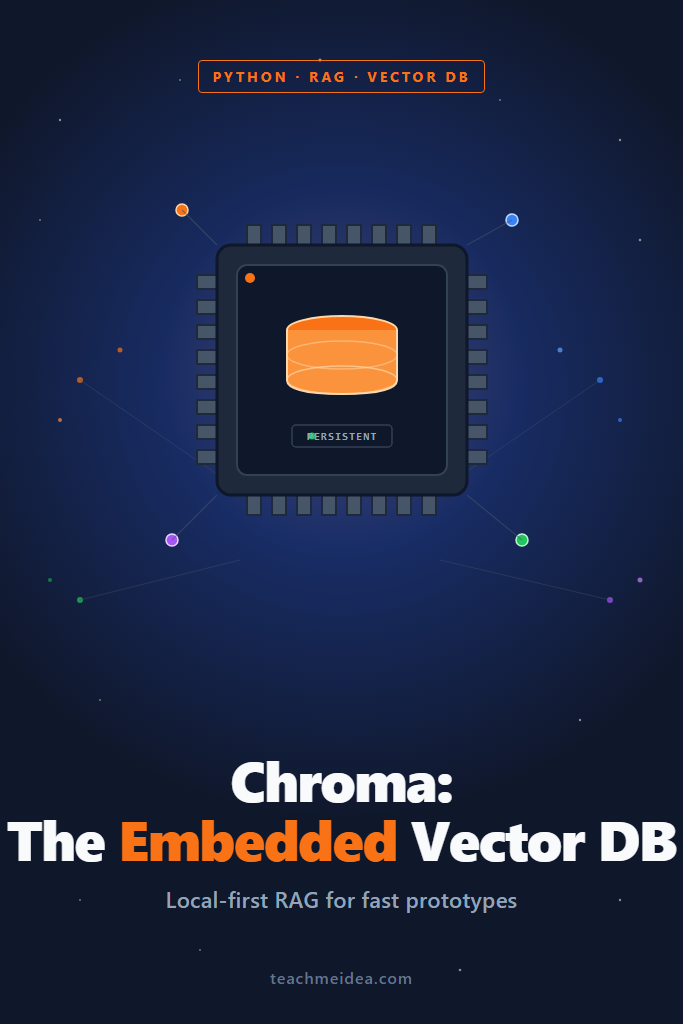
Chroma is an open-source vector database designed for embedded use first and remote deployment second. The Python client runs in-process by default, stores collections in a local SQLite-backed directory using DuckDB and Parquet, and exposes a small API with four primary operations: add, query, update, and delete. There is no separate server, no network hop, and no schema migration to write before you can index your first document.
The library handles embeddings for you if you do not pass any. By default, it uses the all-MiniLM-L6-v2 Sentence Transformers model, which downloads the first time you call add. You can swap in OpenAI, Cohere, or any custom embedding function with a one-line change. That default behavior is what makes the chroma vector store so quick to demo, but it is also the first thing you will want to override in production.
Installing Chroma and Your First Collection
Install the client with pip. The default install pulls in the embedded persistence layer, the Sentence Transformers default model, and the Python API:
pip install chromadb
The minimum viable program looks like this. It creates a persistent client, gets or creates a collection, adds three documents, and runs a similarity query:
import chromadb

client = chromadb.PersistentClient(path="./chroma_store")
collection = client.get_or_create_collection(name="notes")

collection.add(
    ids=["n1", "n2", "n3"],
    documents=[
        "Postgres supports JSONB columns with GIN indexes for fast lookups.",
        "Redis is an in-memory key-value store often used for session caching.",
        "SQLite is a single-file embedded database used in mobile and desktop apps.",
    ],
    metadatas=[
        {"topic": "postgres"},
        {"topic": "redis"},
        {"topic": "sqlite"},
    ],
)

results = collection.query(
    query_texts=["Which database is good for caching?"],
    n_results=2,
)

print(results["documents"])
print(results["distances"])
A few details matter here. First, PersistentClient writes to ./chroma_store on every add call, so the data survives process restarts. Second, IDs must be unique per collection. Calling add twice with the same ID raises a DuplicateIDError, which is intentional. Use upsert if you want overwrite semantics. Third, the first query downloads the default embedding model, so cold-starts on a fresh machine take a few seconds longer than you might expect.
Picking the Right Embedding Function
The default embedding function is fine for English prose at small scale, but you should make a deliberate choice as soon as you care about retrieval quality. Chroma ships embedding adapters for OpenAI, Cohere, Google PaLM, Hugging Face, Jina, and several others. You pass the function when you create the collection, and Chroma calls it for both indexing and querying.
For OpenAI’s text-embedding-3-small, the setup looks like this:
import os
import chromadb
from chromadb.utils.embedding_functions import OpenAIEmbeddingFunction

openai_ef = OpenAIEmbeddingFunction(
    api_key=os.environ["OPENAI_API_KEY"],
    model_name="text-embedding-3-small",
)

client = chromadb.PersistentClient(path="./chroma_store")
collection = client.get_or_create_collection(
    name="notes_openai",
    embedding_function=openai_ef,
    metadata={"hnsw:space": "cosine"},
)
The hnsw:space metadata field sets the distance metric for the underlying HNSW index. Cosine is the right default for OpenAI and most modern embedding models because they are trained with cosine similarity in mind. The other options are l2 (Euclidean) and ip (inner product). Pick once when you create the collection. You cannot change the metric later without rebuilding the index.
One subtle behavior to watch: if you later open the same collection with get_collection and forget to pass the same embedding function, Chroma will fall back to the default model and your queries will return garbage because they are embedded in a different space. Always pin the embedding function when you reopen a collection, and treat the collection name plus the embedding model as a single unit.
Building a Small RAG Pipeline Over Markdown
A common starting use case is “answer questions about my notes” or “search my internal docs.” Here is a complete example that walks a directory of markdown files, chunks them, indexes the chunks into a chroma vector store, and answers a question using OpenAI. The chunking strategy here is a simple fixed-size split with overlap. For production-grade chunking, see our guide on RAG chunking strategies.
import os
import glob
import hashlib
import chromadb
from chromadb.utils.embedding_functions import OpenAIEmbeddingFunction
from openai import OpenAI

CHUNK_SIZE = 800
CHUNK_OVERLAP = 100

def chunk_text(text: str) -> list[str]:
    chunks = []
    start = 0
    while start < len(text):
        end = min(start + CHUNK_SIZE, len(text))
        chunks.append(text[start:end])
        start += CHUNK_SIZE - CHUNK_OVERLAP
    return chunks

def stable_id(path: str, idx: int) -> str:
    return hashlib.sha1(f"{path}:{idx}".encode()).hexdigest()

openai_ef = OpenAIEmbeddingFunction(
    api_key=os.environ["OPENAI_API_KEY"],
    model_name="text-embedding-3-small",
)

client = chromadb.PersistentClient(path="./notes_store")
collection = client.get_or_create_collection(
    name="notes",
    embedding_function=openai_ef,
    metadata={"hnsw:space": "cosine"},
)

def index_directory(folder: str) -> None:
    ids, documents, metadatas = [], [], []
    for path in glob.glob(f"{folder}/**/*.md", recursive=True):
        with open(path, "r", encoding="utf-8") as f:
            text = f.read()
        for idx, chunk in enumerate(chunk_text(text)):
            ids.append(stable_id(path, idx))
            documents.append(chunk)
            metadatas.append({"source": path, "chunk_idx": idx})
    collection.upsert(ids=ids, documents=documents, metadatas=metadatas)

def answer(question: str, k: int = 4) -> str:
    hits = collection.query(query_texts=[question], n_results=k)
    context = "\n\n---\n\n".join(hits["documents"][0])
    sources = {m["source"] for m in hits["metadatas"][0]}

    llm = OpenAI()
    response = llm.chat.completions.create(
        model="gpt-4o-mini",
        messages=[
            {"role": "system", "content": "Answer using only the provided context. If unsure, say so."},
            {"role": "user", "content": f"Context:\n{context}\n\nQuestion: {question}"},
        ],
    )
    return f"{response.choices[0].message.content}\n\nSources: {sorted(sources)}"

if __name__ == "__main__":
    index_directory("./notes")
    print(answer("What did I write about Postgres indexes?"))
The stable ID function is the small detail that makes this script idempotent. Each chunk gets an ID derived from its source path plus its position. When you re-run index_directory, upsert overwrites changed chunks instead of duplicating them. That alone separates a toy demo from something you can run on a cron job.
Metadata Filters: The Feature That Pays the Bills
Pure similarity search is rarely enough on real data. You almost always want to scope a query: “only documents from this user,” “only the last 30 days,” “only files in this folder.” Chroma supports a MongoDB-style where clause that filters by metadata before or during the vector search.
results = collection.query(
    query_texts=["How do I tune query performance?"],
    n_results=5,
    where={"source": {"$contains": "postgres"}},
)

results = collection.query(
    query_texts=["Recent decisions on caching"],
    n_results=5,
    where={
        "$and": [
            {"team": {"$eq": "backend"}},
            {"created_at": {"$gte": 1714000000}},
        ]
    },
)
The supported operators are $eq, $ne, $gt, $gte, $lt, $lte, $in, $nin, $and, and $or. For full-text predicates on the document body itself, use where_document with $contains or $not_contains. Combining both lets you write queries like “find vector-similar chunks from the backend team in the last 30 days that mention ‘replica’,” which is what real applications need.
One thing to internalize: metadata is stored as a JSON-like map per document, but Chroma indexes it as columnar SQLite under the hood. Equality filters on small cardinality fields are fast. Range filters and $contains predicates on large collections get slower because they cannot use the HNSW index for pruning. Keep filter fields short, well-typed, and small.
Persistence, Backups, and the SQLite File
When you use PersistentClient(path=...), Chroma writes a directory layout containing a SQLite database (chroma.sqlite3) and an HNSW index folder per collection. Backing up a chroma vector store is, refreshingly, just copying that directory. There is no proprietary dump format.
A few operational notes that catch teams off guard:
- The SQLite file is locked by the process that opens it. Two Python processes pointing at the same path will get an error. Use a single writer, or move to client/server mode.
- The HNSW index lives in memory while the client is open. Large collections need RAM proportional to
num_vectors x embedding_dim x 4 bytesplus index overhead. A million 1536-dim OpenAI vectors is roughly 6 GB of raw floats before HNSW graph overhead. - Closing the client cleanly matters. Call
client.reset()only when you intend to wipe everything. For graceful shutdown, simply let the process exit; Chroma flushes on every write. - The on-disk format has changed across major versions. Pin
chromadbin yourrequirements.txtand read the migration notes before upgrading a persisted store.
When You Outgrow Embedded Mode
The same package that runs embedded can also run as a server. Start it with the CLI:
chroma run --path ./chroma_store --host 0.0.0.0 --port 8000
Then point a client at it from anywhere on the network:
import chromadb

client = chromadb.HttpClient(host="chroma.internal", port=8000)
collection = client.get_or_create_collection(name="notes")
That is the entire migration. Your application code does not change. This is the right move when you need multiple processes to share a collection, when your app server runs on a separate machine from the index, or when you want to put authentication and TLS in front of the database. For production deployments, Chroma also offers Chroma Cloud, a managed multi-tenant service that handles scaling and backups for you.
If you find yourself needing strong tenancy isolation, transactional updates against your relational data, complex filtering at scale, or sub-50ms p99 at millions of vectors, this is the point where you stop bending Chroma to fit and start evaluating purpose-built options. See our vector databases compared breakdown for a wider survey.
Hybrid Search and the Reranking Question
Chroma does pure dense vector search. It does not natively support BM25 or hybrid lexical-plus-vector retrieval out of the box. If your corpus contains keyword-heavy content like product SKUs, error codes, or proper nouns, pure dense retrieval will miss exact-match queries. You have two practical options.
First, layer your own BM25 over the document set using rank-bm25 and fuse the results with reciprocal rank fusion. This works but means maintaining two indexes. Second, switch to a database that supports hybrid retrieval natively, such as Weaviate or pgvector with full-text. We covered the trade-offs in hybrid search with BM25 and vectors.
Reranking is independent of your vector store choice. You can fetch top 20 from Chroma and rerank with Cohere or a cross-encoder before sending to the LLM. The pattern is well-documented in our reranking RAG guide.
A Realistic Use Case: Internal Documentation Search
Consider a small engineering team with a few thousand markdown pages of internal documentation spread across a Git repo. The goal is a Slack bot that answers “how does our auth flow work?” or “what’s the standard for error responses?” without sending the docs to a third-party service for indexing.
For this team, the chroma vector store hits the sweet spot. The corpus fits comfortably in memory on a single VM. Updates happen on a nightly cron when the docs repo changes. There is one writer (the cron job) and one reader (the Slack bot), each running in its own process but coordinated by reading from a shared persistent path mounted as a read-only volume for the bot. The bot uses HttpClient against a small Chroma server container so the writer and reader can run independently.
The deliberate trade-off is that this team is accepting a single point of failure on the Chroma server and no built-in horizontal scaling. For a team of a dozen engineers querying the bot a few times a day, that is the right call. A managed vector database would solve problems they do not have, while adding cost and a network dependency that complicates the local development story.
When to Use the Chroma Vector Store
- You are prototyping a RAG application and want to skip infrastructure entirely.
- Your dataset is under a few million vectors and fits on one machine.
- You need to ship a working demo today and iterate on retrieval quality before scaling.
- You want local-first development with no cloud dependency or API key for the vector store itself.
- You are building an internal tool, a hackathon project, or a small SaaS feature where a single-node database is sufficient.
When NOT to Use the Chroma Vector Store
- You need multi-region deployment, automatic failover, or 99.95%+ availability guarantees.
- Your dataset already exceeds tens of millions of vectors and is growing.
- You need strict tenant isolation between many customers in a multi-tenant SaaS.
- Your application requires hybrid lexical-plus-vector search out of the box.
- You already run Postgres and would rather not add another stateful service. Use pgvector instead.
- You need transactional updates that participate in your relational database’s commit log.
Common Mistakes with the Chroma Vector Store
- Reopening a collection without specifying the original embedding function, which silently falls back to the default model and returns nonsensical results.
- Using the default embedding model in production without measuring its retrieval quality on your actual data.
- Sharing a single SQLite-backed path between multiple writer processes and hitting lock errors.
- Skipping stable IDs and re-indexing the full corpus on every cron run, creating duplicate vectors and inflating storage.
- Stuffing large blob fields into metadata when only filterable, small-cardinality fields belong there.
- Forgetting that the HNSW index lives in RAM and being surprised by memory usage when collections grow into the millions.
- Treating Chroma’s persistent directory as portable across major version upgrades without reading migration notes.
How Chroma Compares to Other Vector Stores
| Feature | Chroma (embedded) | pgvector | Qdrant | Pinecone Serverless |
|---|---|---|---|---|
| Setup time | Seconds | Minutes (extension) | Minutes (Docker) | Account + API key |
| Runs in-process | Yes | No | No | No |
| Hybrid search | No (native) | Yes (with FTS) | Yes | Yes |
| Metadata filters | Yes | Yes (SQL) | Yes | Yes |
| Best for | Prototypes, small apps | Postgres-native apps | Self-hosted, high throughput | Managed, large scale |
| Cost at small scale | Free | Free | Free (self-hosted) | Pay-per-use |
This table is a quick decision aid, not a benchmark. For deeper trade-offs see our vector databases compared post and the foundational RAG from scratch walkthrough.
Testing Chroma in Your Codebase
For unit tests, use an in-memory client so each test starts from a clean slate without touching the filesystem:
import chromadb

def test_query_returns_expected_topic():
    client = chromadb.EphemeralClient()
    col = client.create_collection("test")
    col.add(
        ids=["a", "b"],
        documents=["redis caching tips", "postgres indexing tips"],
        metadatas=[{"db": "redis"}, {"db": "postgres"}],
    )
    res = col.query(query_texts=["caching"], n_results=1)
    assert res["metadatas"][0][0]["db"] == "redis"
EphemeralClient keeps everything in memory and is destroyed when the client object goes out of scope. This is the right primitive for tests because it isolates each case and runs in milliseconds. Avoid pointing PersistentClient at a temp directory in tests; the SQLite locking semantics make parallel test runners painful.
For integration tests against a real persistent store, run a Chroma server container in CI and use HttpClient. That mirrors production behavior and surfaces any client/server protocol differences early.
Where to Go Next
The chroma vector store is the fastest way to go from “I read a RAG tutorial” to “I have a working RAG demo my team can poke at.” Use it to learn the shape of your data, validate retrieval quality with real users, and decide which trade-offs actually matter for your application. When the cracks show, they will show clearly: lock contention, memory pressure, missing hybrid search, or operational requirements that need a managed service.
For your next step, pick the post that matches the constraint pushing you out of embedded mode. If you already run Postgres, read pgvector for Postgres RAG. If you want a self-hosted server with hybrid search, see Qdrant setup and Python integration. If you need managed scale without operational overhead, jump to Pinecone Serverless. And if you want to layer Chroma into a larger framework, our LangChain fundamentals walkthrough shows how the pieces fit together.