If your Cursor agent keeps suggesting the wrong test framework, the wrong import style, or code that ignores your project’s architecture, you don’t have a model problem. You have a context problem. Cursor rules are how you fix it. This guide walks through the modern Project Rules system, the legacy .cursorrules file, and the patterns that actually keep your AI aligned with the conventions your team has already agreed on.
This is a practical tutorial for engineers who already use Cursor and want their AI suggestions to stop feeling generic. By the end, you will know how to structure rules, when to scope them tightly versus broadly, what belongs in a rule versus a prompt, and the mistakes that quietly degrade your codebase over weeks.
What Are Cursor Rules?
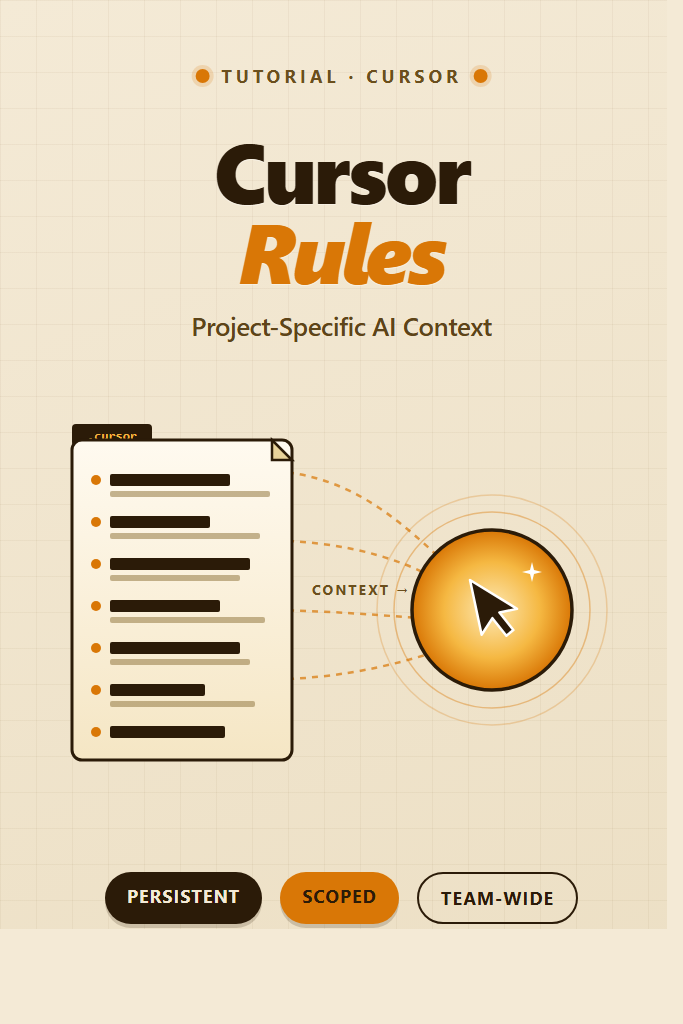
Cursor rules are persistent instructions that Cursor injects into the AI’s context every time it reads, writes, or edits code in your project. In other words, they are the team-wide system prompt for your repo. Whereas a one-off chat message tells the model what to do right now, a rule tells it what to do every time. As a result, your AI behaves more like a teammate who already read the architecture doc, instead of a stranger who keeps suggesting the wrong patterns.
Cursor supports two formats. The newer Project Rules system stores rules as .mdc files inside .cursor/rules/ and lets you scope them by file glob, attach them on demand, or always apply them. Furthermore, the legacy .cursorrules file at the repo root still works and acts as a single global rule for the whole project. Both ship the same kind of content to the model. However, Project Rules give you finer control, which matters in monorepos and large codebases.
Why Cursor Rules Matter for Real Projects
A foundation model does not know your project’s conventions. It does not know that your team uses Vitest instead of Jest, that you pass errors as Result<T, E> instead of throwing, or that your API layer wraps fetch in a custom client. Without rules, the model defaults to the most statistically likely pattern from its training data — which is rarely the pattern your codebase actually uses.
Therefore, every accepted suggestion that drifts from your conventions becomes a small future tax: someone has to refactor it, the linter complains, or worse, it ships and rots in production. Rules cut that drift at the source. Furthermore, rules document conventions in a place where they are actually enforced, which is more durable than a Notion page no one reads.
For broader context on AI coding tools and how they differ, see AI Code Assistants Compared.
Cursor Rules vs .cursorrules: Which to Use
Both files do the same job — they inject context into the AI’s prompt. However, they differ in granularity, lifecycle, and team ergonomics.
| Feature | Project Rules (.cursor/rules/*.mdc) | .cursorrules (legacy) |
|---|---|---|
| Location | .cursor/rules/ directory | Repo root |
| Format | Multiple .mdc files with frontmatter | Single plain-text file |
| Scoping | Glob patterns, on-demand, always | Always-on, project-wide |
| Granularity | Per-domain (frontend, backend, tests) | Single bucket |
| Status | Current, recommended | Supported, legacy |
| Team review | One PR per rule, easy diffs | One file, larger diffs |
For new projects, use Project Rules. They scale better as your codebase grows. For small projects or quick experiments, .cursorrules is fine — and Cursor still reads it. If you have an existing .cursorrules file and your project is growing, splitting it into Project Rules is a low-risk migration: copy each section into its own .mdc file, add appropriate scoping, and delete the original.
How to Set Up Project Rules in Cursor
The directory structure Cursor expects is straightforward:
your-project/
├── .cursor/
│   └── rules/
│       ├── general.mdc
│       ├── frontend.mdc
│       ├── backend.mdc
│       └── testing.mdc
├── src/
└── package.json
To create your first rule, open Cursor’s command palette and run “New Cursor Rule”, or create the file manually. Each .mdc file is plain Markdown with a YAML frontmatter block at the top. The frontmatter controls how and when the rule applies.
Here is the minimum viable rule:
---
description: General project conventions
alwaysApply: true
---

# Project Conventions

- Use TypeScript for all new code; do not add new .js files.
- Use named exports, not default exports.
- Prefer `const` over `let`. Never use `var`.
- API errors return `Result<T, E>`; do not throw across module boundaries.
Save the file, restart Cursor’s AI panel if it doesn’t pick up the change, and the rule will now ship with every prompt. To verify, ask the AI a generic question like “create a new utility module” — you should see it follow the conventions without being asked.
For a deeper walkthrough of Cursor itself, including general setup and workflow integration, see Cursor IDE Setup for Full-Stack Development.
Anatomy of an .mdc Rule File
Every .mdc file has four properties you can set in the frontmatter:
---
description: Backend service conventions for our API layer
globs:
  - "src/server/**/*.ts"
  - "src/api/**/*.ts"
alwaysApply: false
type: auto-attached
---

# Backend Conventions
...
description is a one-line summary the model uses to decide whether the rule is relevant when type: agent-requested. Therefore, write it as a question the model would ask itself: “what conventions apply to backend code?”
globs restricts the rule to files matching these patterns. Cursor only attaches the rule when the AI is reading or editing a matching file. As a result, your frontend rules don’t pollute backend prompts, and vice versa.
alwaysApply forces the rule into every request, regardless of file. Use sparingly — every always-on rule eats context window tokens. Reserve it for genuinely cross-cutting rules like commit message format or core architectural principles.
type determines attachment behavior. The four options are: always (same as alwaysApply: true), auto-attached (attached when a matching glob is touched), agent-requested (the model decides whether to pull it in based on the description), and manual (only attached when you explicitly reference it with @RuleName in a prompt).
For most teams, auto-attached is the sweet spot. Specifically, it gives you scoping without forcing the model to reason about which rules to load.
Writing Rules That Actually Work
A rule is a system prompt fragment, not a documentation page. Therefore, the best rules are short, declarative, and unambiguous. Here is a pattern that consistently produces good results:
---
description: React component conventions
globs:
  - "src/components/**/*.tsx"
type: auto-attached
---

# React Component Rules

## Structure
- One component per file. File name matches component name in PascalCase.
- Co-locate component, styles, and test in the same directory.

## State
- Use `useState` for local state, `useReducer` for state with multiple transitions.
- Server state goes through TanStack Query, not `useEffect` + `useState`.

## Styling
- Use Tailwind utility classes. Do not write inline styles or styled-components.
- Extract repeated class strings into a `cva` variant when used in 3+ places.

## Forbidden
- Default exports.
- `useEffect` for data fetching.
- Inline arrow functions in JSX props for components rendered in lists.

## Example
```tsx
import { useQuery } from '@tanstack/react-query';

export function UserCard({ userId }: { userId: string }) {
  const { data, isPending } = useQuery({
    queryKey: ['user', userId],
    queryFn: () => fetchUser(userId),
  });

  if (isPending) return <Skeleton />;
  return <div className="rounded-md p-4">{data.name}</div>;
}
Notice the structure: declarative bullet points, an explicit "Forbidden" section, and a small concrete example that demonstrates the conventions in action. The model anchors heavily on examples, so a 10-line example is often more effective than 30 lines of prose explanation.

## Common Cursor Rules Patterns

Different projects need different rules, but some patterns recur across most codebases. Here are the ones worth copying.

### Pattern 1: Architecture Boundaries

If your project has a layered architecture (controllers → services → repositories, or similar), encode the boundaries explicitly:

```mdc
---
description: Architecture boundaries for the backend
globs:
  - "src/server/**/*.ts"
type: auto-attached
---

# Architecture Boundaries

- Controllers handle HTTP only — no business logic, no database access.
- Services contain business logic — never import from `src/server/http/`.
- Repositories own database access — return domain objects, not ORM models.
- Never import a higher layer from a lower layer (no service imports a controller).
This kind of rule prevents one of the most common AI suggestion problems: shortcut imports that violate your architecture because the model “saw a similar pattern” elsewhere.
Pattern 2: Test Conventions
Test code has its own dialect. Lock it in:
---
description: Test conventions
globs:
  - "**/*.test.ts"
  - "**/*.spec.ts"
type: auto-attached
---

# Test Rules

- Use Vitest. Do not introduce Jest, Mocha, or Jasmine.
- Use `describe` / `it` blocks. Each `it` tests one behavior, named with "should...".
- Mock at the module boundary with `vi.mock`, never inside the function under test.
- Integration tests hit the real database via a test container — do not mock the DB.
- Snapshot tests are forbidden for component output. Use explicit assertions.
For more on testing AI-generated code thoughtfully, see Generating Unit Tests With Large Language Models.
Pattern 3: Library Preferences
When your team has standardized on specific libraries, say so:
---
description: Approved libraries and forbidden alternatives
alwaysApply: true
---

# Library Choices

- HTTP client: ky (not axios, not raw fetch).
- Date handling: date-fns (not moment, not dayjs).
- Validation: zod (not yup, not joi, not ajv).
- ORM: Drizzle (not Prisma, not TypeORM).
- Forms: react-hook-form + zod (not Formik).

If a task seems to need a different library, suggest it in chat — do not install it silently.
The “do not install it silently” line matters. Without it, models will sometimes add packages to package.json to solve a problem, which is rarely what you want.
Pattern 4: Output Format for Specific Tasks
For tasks the model performs frequently, like generating commit messages or PR descriptions, encode the format directly:
---
description: Commit message format
type: agent-requested
---

# Commit Messages

- Format: `type(scope): subject` — e.g., `feat(auth): add password reset flow`.
- Types: feat, fix, refactor, test, docs, chore.
- Subject: imperative mood, no trailing period, under 72 chars.
- Body: explain WHY, not WHAT. Wrap at 80 chars.
- Reference issues with `Closes #123` or `Refs #123` in the footer.
Real-World Scenario: Mid-Sized Codebase Adoption
In a mid-sized TypeScript monorepo with a Next.js frontend, a Fastify backend, and shared packages, teams that adopt Project Rules typically see the biggest wins in three places. First, frontend AI suggestions stop reaching for useEffect for data fetching, because a frontend.mdc rule explicitly routes server state through TanStack Query. Second, backend suggestions stop adding try/catch blocks at every call site, because a backend.mdc rule documents the project’s Result pattern. Third, test files stay consistent across contributors, because a testing.mdc rule pins Vitest as the framework and forbids snapshot tests for component output.
The common pattern in adoption: teams start with one bloated .cursorrules file copied from another project, notice it’s getting ignored on long files (context window pressure), and eventually split it into 3-5 scoped .mdc files. The migration takes an afternoon. After that, AI suggestions feel meaningfully more aligned, and code review comments about “the AI got it wrong again” drop noticeably.
When to Use Cursor Rules
- Your project has any non-default convention (custom error handling, specific library choices, layered architecture).
- More than one engineer uses Cursor on the same repo and you want consistent suggestions across the team.
- You’re seeing recurring “the AI keeps doing X wrong” complaints in code review.
- You have a monorepo where different packages need different conventions.
- You want new contributors to absorb conventions without reading the docs first — the AI will guide them.
When NOT to Use Cursor Rules
- The rule duplicates something the linter already enforces — let ESLint, Biome, or your formatter handle it. Rules should cover semantics, not syntax.
- You’re tempted to write a rule for a one-off task — use a chat prompt instead.
- The convention is genuinely fluid and the team is still arguing about it. Encoding a half-decided convention as a rule freezes the bad version.
- The rule would be more than ~200 lines for a single domain. That is a sign you are documenting too much, and the model will start ignoring lower priorities under context pressure.
Common Mistakes With Cursor Rules
- Treating rules as documentation. Rules are prompts, not docs. Long prose paragraphs get ignored. Use bullet points and short examples.
- Setting
alwaysApply: trueon everything. Each always-on rule consumes context. Five always-on rules of 100 lines each will crowd out the actual file content the AI is supposed to be editing. - Forgetting the negatives. “Use Vitest” is weaker than “Use Vitest. Do not use Jest, Mocha, or Jasmine.” Models follow explicit prohibitions more reliably than implied ones.
- Hand-wavy globs. A glob like
**/*.tsdefeats the purpose of scoping. Use specific paths:src/server/**/*.ts,packages/ui/src/**/*.tsx. - Burying conventions in a single mega-file. When a
.cursorrulesfile grows past ~100 lines, split it. Otherwise the model starts treating low-priority sections as background noise. - Forgetting to commit
.cursor/rules/. Rules belong in version control. Otherwise each engineer ends up with their own slightly different conventions, which defeats the entire point. - Writing rules without examples. A two-line example often anchors the model better than a 30-line description.
- Conflicting rules. If
general.mdcsays “use named exports” andfrontend.mdcshows a default export in its example, the AI gets confused. Audit examples against your declared rules.
How Cursor Rules Differ From .clinerules and Claude Code
If you also use other AI coding tools, the format differs but the principle is the same. Specifically, .clinerules (Cline) and CLAUDE.md (Claude Code) play similar roles. Furthermore, Claude Code also supports slash commands for repeatable prompts, which is closer to Cursor’s manual-type rules invoked with @RuleName.
In practice, you’ll often want the same conventions in both formats. Therefore, keep a canonical version (often a Markdown file in your docs) and copy it into each tool’s expected format. A short script or pre-commit hook can sync them, though for most teams it is fine to update by hand when conventions change.
Sharing Rules Across a Team
Three guidelines for team adoption:
- Treat rule changes like code changes. Open a PR. Get review. Merge. The same discipline you use for code applies to the prompts that generate code.
- Owner per rule file. Assign each
.mdcfile to a person or team inCODEOWNERS. Without this, rules drift. - Periodic audit. Once a quarter, read through your rules. Some will be stale. Some will conflict with new conventions. Some will be redundant with the linter. Delete or merge them.
For background on writing prompts that hold up under real use, see Prompt Engineering Best Practices.
Debugging Why a Rule Is Being Ignored
When the AI is ignoring a rule, work through these in order:
- Confirm the rule is loaded. In a Cursor chat, ask “what rules are currently attached?” Cursor will list them.
- Check the glob. If the rule has
globsset and the file you are editing doesn’t match, the rule is not attached. Either edit the glob or change the rule’stypetoalways. - Look for conflicts. If two rules give contradictory advice, the model picks one and ignores the other. Search your rules for the topic and reconcile.
- Watch for context pressure. On a 2,000-line file, the model may drop lower-priority rules to fit in the file content. Either trim the rule or split the file.
- Make the rule more specific. “Be careful with errors” is too vague. “All async functions return
Promise<Result<T, E>>and never throw” is enforceable. - Test in isolation. Open a fresh chat in a small file and ask for a tiny task. If the rule works there but not in your real workflow, the issue is context window pressure, not the rule itself.
Wrapping Up
Cursor rules are the difference between an AI that suggests generic code and one that writes code that fits your project. Furthermore, the cost is low: an afternoon to set up Project Rules, and an hour every quarter to keep them clean. Therefore, the impact compounds across every accepted suggestion, every contributor onboarded, and every code review that doesn’t have to flag a convention violation.
Start with one always-on rule covering core architecture, add scoped rules per major directory, and resist the temptation to write rules as documentation. Keep them short, keep them declarative, and treat them as the team-wide system prompt they actually are. Next, if you haven’t already set up your full Cursor environment, walk through Cursor IDE Setup for Full-Stack Development to make sure the rest of your AI workflow is dialed in.