Introduction
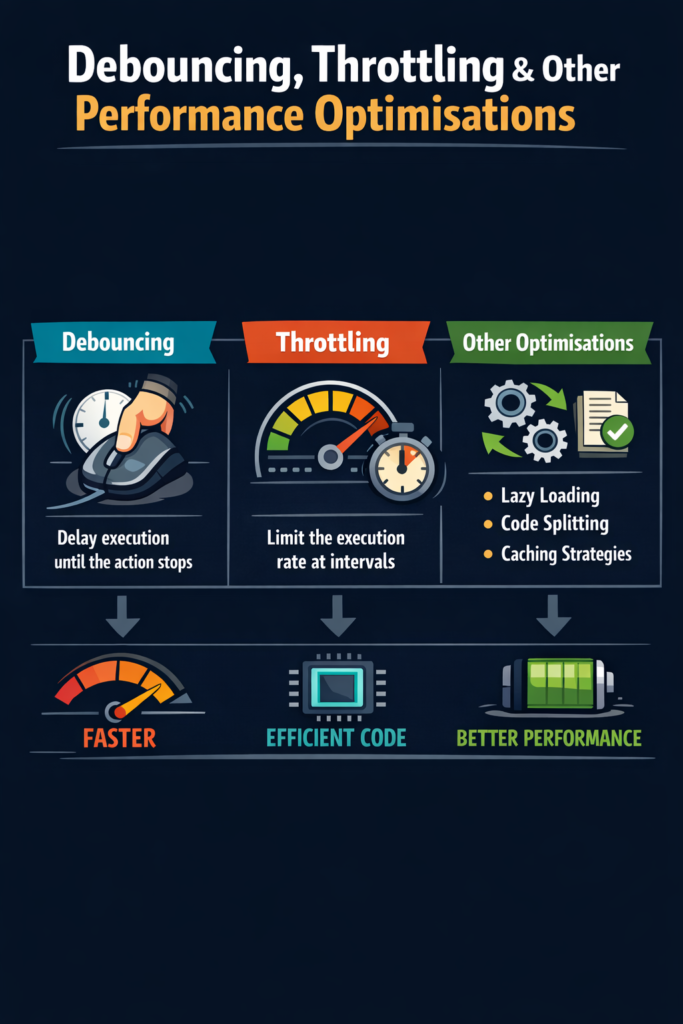
User interfaces feel slow when apps react too often to rapid events like scrolling, resizing, or typing. As applications grow, unnecessary work can quickly degrade performance and battery life. Debouncing and throttling are simple yet powerful techniques that limit how frequently code runs. In this guide, you will learn how debouncing and throttling work, when to use each one, and which additional optimisations help keep JavaScript applications fast and responsive. Whether you are building web applications or React Native mobile apps, these patterns remain essential for delivering smooth user experiences.
Why Performance Optimisation Matters
Performance issues often appear long before code becomes complex. Therefore, proactive optimisation improves user experience and long-term stability.
• Faster UI responses keep users engaged
• Lower CPU and memory usage extends device life
• Better battery life on mobile devices improves retention
• Fewer dropped frames and jank enhance perceived quality
• Higher Lighthouse scores improve SEO rankings
Studies show that a 100ms delay in response time can reduce conversion rates by several percent. Because performance directly affects business metrics, these techniques matter in real projects far more than developers often realize.
Understanding Event Flooding
Many browser and mobile events fire repeatedly in short bursts. A single scroll gesture can trigger hundreds of events within a second.
• Scroll events fire on every pixel movement
• Resize events trigger during window adjustments
• Mouse movement generates continuous position updates
• Keyboard input fires on each keystroke
• Window focus changes cascade multiple events
Without control, handlers may run hundreds of times per second. Consider a scroll handler that updates header visibility and recalculates layout. At 60 frames per second, that handler could execute 60 times per second. If each execution takes 20ms, you have already consumed 1.2 seconds of CPU time every second, which is impossible to sustain without dropping frames.
What Is Debouncing?
Debouncing delays execution until an event stops firing for a defined period. As a result, the function runs only once after the activity finishes. Think of it like an elevator door: it waits for people to stop entering before closing.
Debouncing Example
function debounce(fn, delay) {
  let timer;
  return (...args) => {
    clearTimeout(timer);
    timer = setTimeout(() => fn(...args), delay);
  };
}
Each time the debounced function is called, it clears any existing timer and starts a new one. Only when the delay passes without interruption does the actual function execute.
Using Debounce for Search
const handleSearch = debounce((query) => {
  fetchResults(query);
}, 300);

input.addEventListener("input", e => {
  handleSearch(e.target.value);
});
This pattern is ideal for search inputs and autocomplete fields. Without debouncing, typing “react” would trigger five separate API calls. With a 300ms debounce, only one call fires after the user stops typing.
Advanced Debounce with Immediate Option
Sometimes you want the function to fire immediately on the first call, then debounce subsequent calls.
function debounce(fn, delay, immediate = false) {
  let timer;
  return (...args) => {
    const callNow = immediate && !timer;
    clearTimeout(timer);
    timer = setTimeout(() => {
      timer = null;
      if (!immediate) fn(...args);
    }, delay);
    if (callNow) fn(...args);
  };
}
This version provides instant feedback while still preventing rapid repeated calls.
When to Use Debouncing
Debouncing works best when you care about the final result, not intermediate steps.
• Search inputs where API calls should wait for complete queries
• Form validation that should run after typing pauses
• Auto-saving drafts that capture final content
• Window resize logic that recalculates layout once
• API calls triggered by typing in filters
In these cases, fewer executions improve performance and reduce network usage. A search input without debouncing might make 10 API calls for a single query, while debounced input makes just one.
What Is Throttling?
Throttling ensures a function runs at most once during a fixed interval. Therefore, execution happens regularly but not excessively. Think of it like a rate limiter: it allows steady flow but prevents flooding.
Throttling Example
function throttle(fn, limit) {
  let inThrottle;
  return (...args) => {
    if (!inThrottle) {
      fn(...args);
      inThrottle = true;
      setTimeout(() => (inThrottle = false), limit);
    }
  };
}
Using Throttle for Scroll
const handleScroll = throttle(() => {
  updateHeader();
}, 100);

window.addEventListener("scroll", handleScroll);
This approach keeps updates smooth during continuous events. The handler executes every 100ms instead of every frame, reducing CPU usage by 85% while maintaining responsive feedback.
Throttle with Trailing Call
A more complete throttle implementation ensures the final state is captured.
function throttle(fn, limit) {
  let lastRan;
  let lastArgs;
  return (...args) => {
    if (!lastRan) {
      fn(...args);
      lastRan = Date.now();
    } else {
      lastArgs = args;
      clearTimeout(lastArgs.timer);
      lastArgs.timer = setTimeout(() => {
        if (Date.now() - lastRan >= limit) {
          fn(...lastArgs);
          lastRan = Date.now();
        }
      }, limit - (Date.now() - lastRan));
    }
  };
}
This version guarantees the final call runs even if the event stream stops mid-throttle.
When to Use Throttling
Throttling fits scenarios where regular updates are needed during continuous interaction.
• Scroll position tracking for sticky headers
• Infinite scrolling that loads content during scroll
• Mouse movement handlers for drag operations
• Window resizing with live preview feedback
• Analytics events that track user behavior
Here, controlled frequency matters more than final state. Users expect continuous feedback during scrolling, but that feedback need not update on every pixel.
Debounce vs Throttle: Decision Guide
Choosing between debounce and throttle depends on user expectations and technical requirements.
Choose Debounce When
• You only care about the final value
• Network calls are expensive and should be minimized
• The action should complete after user interaction stops
• Intermediate states have no value to the user
Choose Throttle When
• Users expect continuous visual feedback
• The event represents ongoing state like scroll position
• Regular sampling provides sufficient accuracy
• You need guaranteed periodic execution
Comparison Table
• Debounce waits for inactivity before executing
• Throttle limits execution rate during activity
• Debounce suits final-result logic like form submission
• Throttle suits continuous feedback like scroll tracking
• Both reduce unnecessary work significantly
A practical example: search suggestions should use debounce because you want results for the complete query. Scroll-triggered header animations should use throttle because users expect smooth transitions during scrolling.
Using requestAnimationFrame for UI Work
For visual updates, requestAnimationFrame aligns work with the browser’s render cycle. This is especially important for animations and smooth transitions.
let ticking = false;

window.addEventListener("scroll", () => {
  if (!ticking) {
    requestAnimationFrame(() => {
      updateUI();
      ticking = false;
    });
    ticking = true;
  }
});
This technique prevents layout thrashing and improves smoothness. The browser schedules your update to run just before the next repaint, ensuring work happens at the optimal time.
Combining Throttle with RAF
function rafThrottle(fn) {
  let rafId = null;
  return (...args) => {
    if (rafId) return;
    rafId = requestAnimationFrame(() => {
      fn(...args);
      rafId = null;
    });
  };
}

const smoothScroll = rafThrottle(() => {
  parallaxElement.style.transform = `translateY(${scrollY * 0.5}px)`;
});
This approach provides optimal throttling for visual updates, naturally limiting execution to the display refresh rate.
Avoiding Layout Thrashing
Repeated reads and writes to the DOM cause expensive reflows. Each time you read a layout property after writing one, the browser must recalculate styles.
// Bad: causes layout thrashing
elements.forEach(el => {
  el.style.height = container.offsetHeight + "px"; // read then write
});

// Good: batch reads then writes
const height = container.offsetHeight; // single read
elements.forEach(el => {
  el.style.height = height + "px"; // batch writes
});
• Batch DOM reads together at the start
• Batch DOM writes together afterward
• Avoid forced synchronous layouts in loops
• Use CSS transforms instead of layout properties when possible
Reducing layout thrashing can improve frame rates from 10fps to 60fps in extreme cases.
Memoization for Expensive Calculations
Memoization caches results of expensive functions, preventing repeated computation. This complements functional programming techniques where pure functions always return the same output for identical inputs.
function memoize(fn) {
  const cache = new Map();
  return (...args) => {
    const key = JSON.stringify(args);
    if (!cache.has(key)) {
      cache.set(key, fn(...args));
    }
    return cache.get(key);
  };
}

const expensiveFilter = memoize((data, criteria) => {
  return data.filter(item => complexMatch(item, criteria));
});
This is useful when the same calculations repeat often. In React applications, useMemo and useCallback provide built-in memoization for components.
Optimising Event Listeners
Poorly managed listeners waste resources and cause memory leaks.
• Remove listeners when components unmount
• Avoid anonymous handlers when cleanup is required
• Use passive listeners for scroll events
• Delegate events to parent elements when possible
// Passive listener for scroll performance
window.addEventListener("scroll", handleScroll, { passive: true });

// Event delegation instead of individual listeners
parentElement.addEventListener("click", (e) => {
  if (e.target.matches(".item")) {
    handleItemClick(e.target);
  }
});
Passive listeners tell the browser that preventDefault() will never be called, allowing optimized scrolling. Event delegation reduces the number of listeners from hundreds to one.
Reducing Work in Hot Paths
Hot paths execute frequently and must stay lightweight. Profiling tools like those in Flipper for React Native or Chrome DevTools help identify these critical sections.
• Keep logic minimal in event handlers
• Avoid object allocations inside loops
• Move heavy work outside handlers
• Defer non-critical tasks with requestIdleCallback
// Defer non-critical work
requestIdleCallback(() => {
  analyticsTracker.logEvent(eventData);
});

// Pre-allocate outside hot path
const reusableVector = { x: 0, y: 0 };

function handleMouseMove(e) {
  reusableVector.x = e.clientX;
  reusableVector.y = e.clientY;
  updateCursor(reusableVector);
}
Optimising hot paths often delivers the biggest performance gains with minimal code changes.
Using Web Workers for Heavy Tasks
For CPU-intensive work, offload processing to background threads. This is particularly relevant for performance-critical applications using WebAssembly.
// main.js
const worker = new Worker("processor.js");

worker.postMessage({ data: largeDataset });
worker.onmessage = (e) => {
  renderResults(e.data);
};

// processor.js
self.onmessage = (e) => {
  const result = expensiveComputation(e.data);
  self.postMessage(result);
};
Common use cases for Web Workers include:
• Parsing large JSON or CSV datasets
• Image processing and filtering
• Data compression and encryption
• Complex sorting and filtering algorithms
Web Workers prevent blocking the main thread, keeping the UI responsive during heavy computation.
Common Performance Mistakes to Avoid
Over-Optimising Too Early
Measure first before adding complexity. Premature optimization often targets code that is not actually slow while missing real bottlenecks.
Ignoring Real Devices
Desktop performance hides mobile issues. Always test on actual devices with throttled CPU and network conditions.
Forgetting Cleanup
Unused timers and listeners cause memory leaks. Always clear timeouts and remove event listeners when components unmount.
Wrong Delay Values
Choosing arbitrary delay values without testing leads to poor UX. Test debounce and throttle values with real users to find the right balance.
Avoiding these mistakes keeps code maintainable and actually fast.
When Performance Optimisation Is Necessary
Optimisation is critical when you observe specific symptoms:
• Laggy scrolling with visible stuttering
• Delayed input responses over 100ms
• High CPU usage during normal interaction
• Battery drain complaints from users
• Dropped animation frames below 60fps
In these cases, debouncing and throttling provide quick wins. However, always profile first to identify the actual bottleneck rather than guessing.
Library Alternatives
While implementing debounce and throttle yourself provides learning value, production code often benefits from battle-tested libraries.
• Lodash: Provides _.debounce and _.throttle with extensive options
• Underscore: Similar utilities with smaller footprint
• RxJS: Operators like debounceTime and throttleTime for reactive streams
• React hooks: Libraries like use-debounce integrate with React lifecycle
These libraries handle edge cases that simple implementations miss, such as proper cleanup and context binding.
Conclusion
Debouncing, throttling, and related performance optimisations help JavaScript applications stay responsive under heavy interaction. By limiting unnecessary work, batching UI updates, and managing event handlers carefully, you can deliver smoother experiences without complex rewrites. The key is choosing the right technique for each situation: debounce for final-value scenarios, throttle for continuous feedback, and requestAnimationFrame for visual updates. If you want to deepen your JavaScript fundamentals, read Functional Programming Techniques in JavaScript. For handling asynchronous operations effectively, explore JavaScript Async/Await Guide. You can also reference the MDN performance guides and the requestAnimationFrame documentation. With the right techniques, performance optimisation becomes a practical and repeatable process that significantly improves user experience.


2 Comments