If your LLM application handles customer records, medical notes, or internal source code, sending every prompt and completion to a third-party SaaS dashboard is usually a non-starter. Self-hosting Langfuse solves that problem: you get traces, cost tracking, prompt versioning, and evaluation scores, but the data never leaves infrastructure you control. This guide walks through a production deployment on a single VM, covers the parts the quickstart glosses over, and shows how to instrument a Python service against it.
This post targets backend and AI engineers who already have an LLM feature in production and now need visibility into what it is actually doing. Consequently, it assumes you know Docker, reverse proxies, and basic Postgres administration.
What Is Langfuse (and Why Self-Host It)?
Langfuse is an open-source LLM engineering platform that records traces of your AI application, tracks token cost per request, versions your prompts, and stores evaluation scores. It is MIT-licensed for the core product, so you can run the entire stack on your own servers without a license key or a usage cap.
The self-hosted option matters for three practical reasons. First, prompt and completion payloads frequently contain regulated data, and a self-hosted instance keeps that inside your compliance boundary. Second, trace volume grows fast — a single agent run can emit dozens of spans — and per-event SaaS pricing scales unpleasantly. Third, you get direct SQL access to the underlying data instead of whatever the vendor’s export endpoint offers.
That said, self-hosting is not free. You are taking on a six-container stack with two databases to back up. Weigh that against LangSmith tracing for debugging LLM apps, which is faster to adopt but keeps your data on someone else’s servers.
The Langfuse Architecture: Six Containers, One Platform
Before you deploy anything, understand what you are running. Langfuse v3 split the old monolith into an async architecture, and knowing which piece does what makes debugging far less painful later.
| Container | Role | Why it exists |
|---|---|---|
langfuse-web | Next.js UI and ingestion API | Serves the dashboard and accepts SDK batches on port 3000 |
langfuse-worker | Background processor | Drains the queue, writes to ClickHouse, runs evaluators on port 3030 |
postgres | Transactional store | Users, projects, prompts, API keys, dataset definitions |
clickhouse | Analytical store | Traces, observations, and scores — the high-volume data |
redis | Queue and cache | Buffers ingestion events so the API returns immediately |
minio | S3-compatible blob store | Raw event payloads and multimodal attachments |
The key insight is that ingestion is asynchronous. When your SDK posts a batch, langfuse-web writes the raw payload to blob storage, pushes a job onto Redis, and returns a 207 almost immediately. Afterwards the worker picks the job up and materializes it into ClickHouse. Therefore, a trace appearing in the UI a few seconds late is normal behavior, not a bug.
Because Redis holds the queue, it is not an optional cache here. If Redis loses its data, you lose whatever events were still queued. In production, you should configure Redis with AOF persistence rather than treating it as disposable.
Prerequisites
You need the following before starting:
- A Linux VM with at least 4 vCPU and 16 GB RAM (ClickHouse is the memory-hungry component)
- Docker Engine 24+ and the Compose v2 plugin
- At least 100 GB of disk, ideally on a separate volume for the database data directories
- A DNS record pointing at the host, plus ports 80 and 443 open for TLS
opensslfor generating secrets
For a purely local evaluation you can get away with 8 GB RAM and skip the reverse proxy entirely. However, do not size a production instance off the local experience — ClickHouse behaves very differently once you have millions of observations.
Step 1: Clone the Repo and Start the Stack
The official Compose file lives in the Langfuse repository. Start by pinning to a release tag rather than tracking main, because main occasionally carries schema changes that have not shipped yet.
# Clone and check out a specific release, not the moving main branch
git clone https://github.com/langfuse/langfuse.git
cd langfuse
git tag --list 'v3*' --sort=-v:refname | head -5   # pick the newest stable tag
git checkout v3.x.y                                 # substitute the tag you chose

# Bring the full stack up in the background
docker compose up -d

# Watch the worker until migrations finish — this takes 30-60 seconds on first boot
docker compose logs -f langfuse-worker
Expected output once migrations complete:
langfuse-worker  | Applying ClickHouse migrations...
langfuse-worker  | Migrations applied successfully
langfuse-worker  | Listening on port 3030
At this point http://localhost:3000 serves the UI. Nevertheless, do not expose it yet — the shipped Compose file is deliberately insecure so that docker compose up works with zero configuration.
If Compose orchestration is new to you, the patterns in Docker Compose for local development translate directly to what follows.
Step 2: Replace Every CHANGEME Secret
Every sensitive value in the shipped file is marked with a # CHANGEME comment. Leaving even one in place is the single most common self-hosting mistake, because the defaults are published in a public repository.
Generate real secrets first:
# 64 hex characters exactly — Langfuse rejects anything else
openssl rand -hex 32   # ENCRYPTION_KEY

# 32+ random bytes, base64 is fine for these two
openssl rand -base64 32   # NEXTAUTH_SECRET
openssl rand -base64 32   # SALT
Then wire them into an .env file next to the Compose file:
# .env — never commit this
DATABASE_URL=postgresql://langfuse:REPLACE_ME@postgres:5432/langfuse
NEXTAUTH_URL=https://langfuse.internal.example.com
NEXTAUTH_SECRET=Yk3f...   # from openssl rand -base64 32
SALT=Qz8p...              # from openssl rand -base64 32
ENCRYPTION_KEY=a1b2...    # from openssl rand -hex 32

CLICKHOUSE_URL=http://clickhouse:8123
CLICKHOUSE_MIGRATION_URL=clickhouse://clickhouse:9000
CLICKHOUSE_USER=clickhouse
CLICKHOUSE_PASSWORD=REPLACE_ME

REDIS_HOST=redis
REDIS_PORT=6379
REDIS_AUTH=REPLACE_ME

LANGFUSE_S3_EVENT_UPLOAD_BUCKET=langfuse
LANGFUSE_S3_EVENT_UPLOAD_ENDPOINT=http://minio:9000
LANGFUSE_S3_EVENT_UPLOAD_ACCESS_KEY_ID=REPLACE_ME
LANGFUSE_S3_EVENT_UPLOAD_SECRET_ACCESS_KEY=REPLACE_ME
LANGFUSE_S3_EVENT_UPLOAD_FORCE_PATH_STYLE=true
The ENCRYPTION_KEY deserves special attention. Langfuse uses it to encrypt LLM provider API keys and any secrets you store in the UI. Rotating it later is not a supported operation, so treat it like a database master key and back it up somewhere your team can recover it. Losing that key means losing every encrypted credential in the instance.
SALT hashes the Langfuse API keys themselves. Changing it invalidates every SDK key you have distributed, which is a memorable way to take your tracing offline.
Step 3: Harden the Compose File for a Real Server
The default file publishes ClickHouse, Redis, Postgres, and MinIO on the host. On a public VM that is an open invitation. Remove those ports: blocks so the services only reach each other over the internal Compose network:
services:
  clickhouse:
    image: clickhouse/clickhouse-server:24.3
    # ports:            # <- delete; nothing outside the network needs 8123/9000
    #   - "8123:8123"
    ulimits:
      nofile: { soft: 262144, hard: 262144 }
    volumes:
      - langfuse_clickhouse_data:/var/lib/clickhouse
      - langfuse_clickhouse_logs:/var/log/clickhouse-server
    healthcheck:
      test: wget --no-verbose --tries=1 --spider http://localhost:8123/ping || exit 1
      interval: 5s
      retries: 10

  langfuse-web:
    image: langfuse/langfuse:3.x.y     # pin an exact tag, never use :latest
    ports:
      - "127.0.0.1:3000:3000"          # bind to loopback; the proxy handles public traffic
    env_file: .env
    environment:
      AUTH_DISABLE_SIGNUP: "true"      # after you create the first admin account
      TELEMETRY_ENABLED: "false"
    depends_on:
      clickhouse: { condition: service_healthy }

volumes:
  langfuse_clickhouse_data:
  langfuse_clickhouse_logs:
Three changes matter most here. Binding the web port to 127.0.0.1 means only the reverse proxy can reach it. Setting AUTH_DISABLE_SIGNUP=true closes public registration once your team has accounts, which otherwise lets anyone who finds the URL create an org. Finally, the raised nofile ulimit prevents ClickHouse from hitting file descriptor limits under sustained ingestion — a failure that shows up as mysteriously dropped traces rather than a clean error.
Pinning the image tag is equally important. Langfuse runs schema migrations on startup, so an unpinned :latest can silently upgrade your database during an unrelated host reboot.
Step 4: Put Langfuse Behind a Reverse Proxy with TLS
Caddy is the shortest path to automatic certificates. Add it to the same Compose project:
  caddy:
    image: caddy:2-alpine
    ports:
      - "80:80"
      - "443:443"
    volumes:
      - ./Caddyfile:/etc/caddy/Caddyfile:ro
      - caddy_data:/data
    depends_on:
      - langfuse-web
The Caddyfile itself stays short:
langfuse.internal.example.com {
    # Trace batches can be large; raise the default body limit
    request_body {
        max_size 50MB
    }
    reverse_proxy langfuse-web:3000
}
That max_size line prevents a subtle failure. The SDK batches events, and a single batch containing long RAG contexts can exceed a proxy’s default body limit. When that happens the SDK logs a 413 and drops the batch, so you lose exactly the traces you most wanted — the ones with unusually large payloads.
Set NEXTAUTH_URL to the same public HTTPS origin. A mismatch there breaks the login redirect with an error message that does not point at the cause.
Step 5: Bootstrap the Org, Project, and API Keys Headlessly
Clicking through the setup wizard works once. For anything you rebuild — CI environments, staging, disaster recovery — use headless initialization instead. Langfuse creates the resources on startup if they do not already exist.
  langfuse-web:
    environment:
      LANGFUSE_INIT_ORG_ID: internal-platform
      LANGFUSE_INIT_ORG_NAME: Internal Platform
      LANGFUSE_INIT_PROJECT_ID: support-assistant
      LANGFUSE_INIT_PROJECT_NAME: Support Assistant
      LANGFUSE_INIT_PROJECT_PUBLIC_KEY: pk-lf-bootstrap-key
      LANGFUSE_INIT_PROJECT_SECRET_KEY: sk-lf-bootstrap-key
      LANGFUSE_INIT_USER_EMAIL: platform@example.com
      LANGFUSE_INIT_USER_NAME: Platform Admin
      LANGFUSE_INIT_USER_PASSWORD: ${LANGFUSE_ADMIN_PASSWORD}
One gotcha catches nearly everyone: do not wrap these values in double quotes inside the Compose file. Docker passes the quotes through literally, and Langfuse then creates an org named "Internal Platform" with the quote characters included — or fails the key comparison outright.
Because the API keys are predefined, your application configuration no longer depends on a human copying values out of a UI. Consequently, the whole deployment becomes reproducible from source control. Keep the actual secret values in a vault and inject them at deploy time rather than committing them next to the Compose file.
Step 6: Instrument Your Application
With the server running, point the SDK at it. Install the Python package and set three environment variables:
pip install langfuse openai
# .env in your application, not the Langfuse server
LANGFUSE_PUBLIC_KEY=pk-lf-bootstrap-key
LANGFUSE_SECRET_KEY=sk-lf-bootstrap-key
LANGFUSE_BASE_URL=https://langfuse.internal.example.com
Tracing OpenAI Calls With the Drop-In Client
The fastest instrumentation path replaces your OpenAI import. Everything else in your code stays identical.
# Swap `import openai` for this line — the wrapper has the same interface
from langfuse.openai import openai

response = openai.chat.completions.create(
    model="gpt-5",
    messages=[
        {"role": "system", "content": "You summarize support tickets in two sentences."},
        {"role": "user", "content": ticket_body},
    ],
    # These kwargs are consumed by Langfuse, not forwarded to OpenAI
    name="summarize-ticket",
    metadata={"ticket_source": "zendesk"},
)
Why this works: the wrapper intercepts the call, records model, latency, token counts, and both payloads, then forwards the request unchanged. As a result you get cost attribution without touching your business logic. If you already route traffic through a gateway, the same data is available via the LiteLLM proxy setup, which can emit Langfuse traces for every downstream provider.
Tracing Custom Logic With @observe
Model calls are rarely the interesting part. Retrieval, reranking, and tool execution are where latency hides. The @observe decorator wraps arbitrary functions into spans.
from langfuse import observe, get_client
from langfuse.openai import openai

langfuse = get_client()

@observe()
def retrieve_context(question: str, top_k: int = 5) -> list[str]:
    """Vector search. Becomes a child span with its own timing."""
    hits = vector_store.similarity_search(question, k=top_k)
    # Attach retrieval quality signals to the span for later filtering
    langfuse.update_current_span(
        metadata={"top_k": top_k, "hit_count": len(hits)}
    )
    return [h.page_content for h in hits]

@observe()
def answer_question(question: str, user_id: str, session_id: str) -> str:
    context = retrieve_context(question)

    # Trace-level attributes make the UI filterable by customer and conversation
    langfuse.update_current_trace(
        user_id=user_id,
        session_id=session_id,
        tags=["support-assistant", "production"],
    )

    completion = openai.chat.completions.create(
        model="gpt-5",
        messages=[
            {"role": "system", "content": "Answer using only the provided context."},
            {"role": "user", "content": f"Context:\n{chr(10).join(context)}\n\nQ: {question}"},
        ],
    )
    return completion.choices[0].message.content
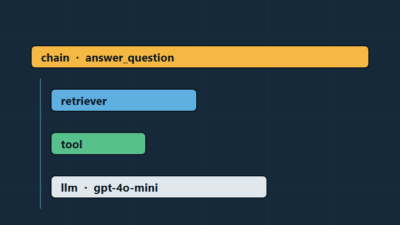
The nesting is automatic. Because retrieve_context is called inside answer_question, Langfuse renders it as a child span with its own duration. Consequently, a slow trace immediately shows you whether retrieval or generation is the bottleneck.
Setting user_id and session_id is worth the two extra lines. Without them, a complaint like “the bot gave a wrong answer this morning” turns into scrolling through thousands of traces. With them, you filter to that user’s session and read the exact conversation.
Flushing in Serverless and Short-Lived Processes
The SDK batches events in the background. In a long-running server that is ideal, but a Lambda function that returns immediately will terminate before the batch ships.
from langfuse import get_client

def handler(event, context):
    result = answer_question(event["question"], event["user_id"], event["session_id"])
    # Block until pending events are sent — otherwise the runtime freezes the process
    get_client().flush()
    return {"statusCode": 200, "body": result}
Use flush() between invocations and shutdown() when the process is genuinely exiting. Skipping this is the reason most “my serverless traces are missing” reports resolve in one line.
Step 7: Attach Scores and Evaluations
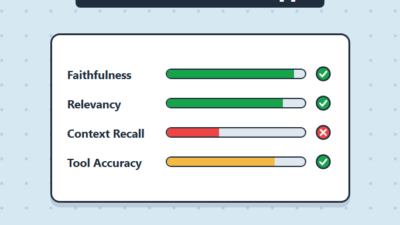
Traces tell you what happened. Scores tell you whether it was any good. Langfuse stores both numeric and categorical scores against a trace, an observation, or a whole session.
from langfuse import get_client

langfuse = get_client()

# Explicit user feedback from a thumbs-up widget
langfuse.create_score(
    trace_id=trace_id,
    name="user_feedback",
    value=1,
    data_type="NUMERIC",
    comment="Thumbs up from support agent",
)

# Automated check running in the same request path
langfuse.create_score(
    trace_id=trace_id,
    name="citation_present",
    value="pass" if "[source:" in answer else "fail",
    data_type="CATEGORICAL",
)
Cheap deterministic checks like the citation test above catch more regressions than most teams expect, and they cost nothing per call. Reserve LLM-as-judge evaluators for the subjective dimensions where a rule cannot work.
Step 8: Move Prompts Into Langfuse
Prompt management is the feature that most justifies the operational overhead. Once prompts live in Langfuse, you can edit and roll them back without a deployment.
from langfuse import get_client
from langfuse.openai import openai

langfuse = get_client()

# Fetches the version labelled 'production'; cached client-side after first call
prompt = langfuse.get_prompt("support-reply", type="chat")
messages = prompt.compile(tone="concise", context=retrieved_context)

response = openai.chat.completions.create(
    model="gpt-5",
    messages=messages,
    langfuse_prompt=prompt,   # links the generation to this prompt version
)
Passing langfuse_prompt is what makes this useful rather than merely convenient. Every generation gets linked to the exact prompt version that produced it, so when quality drops after a prompt edit, the dashboard shows the before-and-after split directly.
The client caches prompts and revalidates in the background. Therefore a fetch on the hot path does not add a network round trip after the first call, though you should still set a sensible max_retries for the cold-start case.
Backups: What Actually Needs to Be Saved
The Compose quickstart has no backup story at all. You have to build one, and the two databases need different treatment.
| Component | Contents | Backup approach | Loss impact |
|---|---|---|---|
| Postgres | Users, projects, prompts, API keys | pg_dump on a cron, offsite | Catastrophic — prompts and auth gone |
| ClickHouse | Traces, observations, scores | BACKUP TABLE ... TO S3, or accept loss | Painful but survivable |
| MinIO | Raw event payloads, attachments | Bucket replication or mc mirror | Multimodal traces break |
.env secrets | ENCRYPTION_KEY, SALT | Secret manager, separate from backups | Encrypted credentials unrecoverable |
Prioritize Postgres. Your prompt library and API keys live there, and losing them means rebuilding configuration by hand. ClickHouse holds historical traces, which are valuable but reproducible going forward — many teams accept a weekly snapshot rather than continuous backup for that tier.
A minimal Postgres backup job looks like this:
#!/usr/bin/env bash
set -euo pipefail

STAMP=$(date +%Y%m%d-%H%M)
docker compose exec -T postgres \
  pg_dump -U langfuse -Fc langfuse > "/backups/langfuse-${STAMP}.dump"

# Ship offsite and prune anything older than 30 days
aws s3 cp "/backups/langfuse-${STAMP}.dump" "s3://ops-backups/langfuse/"
find /backups -name 'langfuse-*.dump' -mtime +30 -delete
Test the restore path at least once. An untested backup is a hypothesis, not a safety net.
Upgrading Without Losing Data
Langfuse applies migrations automatically when a new image boots. That convenience becomes a hazard if you upgrade casually.
- Take a fresh Postgres dump and verify it is non-empty
- Read the release notes for the target version, specifically the breaking-change section
- Bump the pinned tag in your Compose file for both
langfuse-webandlangfuse-worker - Run
docker compose up -d --pull alwaysand follow the worker logs - Confirm new traces land in the UI before declaring the upgrade done
Never skip more than a couple of minor versions at once. Migrations are tested against sequential upgrades, so jumping several releases occasionally hits a path nobody exercised.
Real-World Scenario: Finding a Slow RAG Pipeline
Consider a mid-sized internal knowledge assistant serving a few hundred employees, built by a small platform team. Users report that answers “sometimes take forever,” but the complaint is intermittent and never reproduces during a demo. Application logs show only total request duration, which confirms the problem without locating it.
After instrumenting with @observe on retrieval, reranking, and generation, the trace view makes the shape obvious within a day. Most requests complete quickly, but a long tail spends the majority of its time in the reranking span rather than in the model call. Filtering to slow traces and inspecting inputs reveals the pattern: questions phrased as long pasted paragraphs retrieve far more candidate chunks, and the cross-encoder reranker scores each one sequentially.
The fix turns out to be capping candidates before reranking rather than optimizing the model call everyone initially suspected. Notably, without span-level timing the team would likely have spent that week tuning the LLM request instead. The trade-off is real though — capping candidates slightly reduces recall on genuinely broad questions, which is a decision you can only evaluate once the scores are attached to traces. If your retrieval quality is the underlying issue, revisiting RAG chunking strategies usually beats adding another reranking stage.
When to Use Self-Hosted Langfuse
- Prompts or completions contain regulated data that cannot leave your network
- Your organization requires observability data to stay in a specific jurisdiction
- Trace volume is high enough that per-event SaaS pricing exceeds infrastructure cost
- You want direct SQL access to trace data for custom internal reporting
- You already operate Postgres and container workloads, so the stack fits existing runbooks
- Air-gapped or VPC-only environments rule out an external endpoint entirely
When NOT to Use Self-Hosted Langfuse
- You are a solo developer or small team without on-call coverage for a stateful service
- Your prototype needs observability today and you have no ops budget — use Langfuse Cloud first
- Nobody on the team has operated ClickHouse or is willing to learn its failure modes
- Trace volume is low enough that the free cloud tier covers it comfortably
- You need enterprise SSO and audit logs, which sit behind the commercial license anyway
- Your existing stack already centralizes on a vendor whose tracing you are contractually committed to
Common Mistakes with Self-Hosting Langfuse
- Leaving
CHANGEMEdefaults in place, which publishes your instance credentials to anyone reading the public repo - Losing the
ENCRYPTION_KEYafter storing provider credentials, making them permanently unrecoverable - Running
:latestimage tags, so an unrelated host reboot triggers an unplanned schema migration - Exposing ClickHouse, Redis, or Postgres ports on a public VM instead of keeping them on the internal network
- Treating Redis as a disposable cache when it holds the ingestion queue, then wondering where events went
- Forgetting
flush()in serverless handlers and concluding the SDK is broken - Undersizing the VM, since ClickHouse degrades sharply once it cannot keep working sets in memory
- Backing up ClickHouse diligently while ignoring Postgres, which holds the prompts and API keys
- Double-quoting
LANGFUSE_INIT_*values in Compose, which bakes literal quote characters into resource names
Self-Hosted Langfuse vs Langfuse Cloud vs LangSmith
| Dimension | Self-hosted Langfuse | Langfuse Cloud | LangSmith |
|---|---|---|---|
| Data location | Your infrastructure | Vendor (EU/US/JP regions) | Vendor |
| Setup time | Hours to a day | Minutes | Minutes |
| Ongoing ops | You own backups and upgrades | None | None |
| Cost model | Infrastructure only | Per-event tiers | Per-trace tiers |
| Framework coupling | Any framework, OpenTelemetry-based | Any framework | Strongest with LangChain |
| SQL access to raw data | Yes | Export API only | Export API only |
Choose self-hosting when data residency is a hard requirement or when volume makes the economics obvious. Otherwise start on the cloud tier and migrate later, since the SDK code is identical and only LANGFUSE_BASE_URL changes. That portability is genuinely the strongest argument for adopting Langfuse in the first place.
For a broader operational view, pairing traces with infrastructure metrics from a Prometheus and Grafana monitoring stack gives you both the application-level and system-level picture during an incident.
Conclusion
Self-hosting Langfuse is a realistic weekend project that pays off in permanent visibility into your LLM application. The stack is six containers, the real work is secrets management and backups, and the instrumentation is a decorator plus one import swap. Start by running it locally to confirm the traces look useful for your workload, then harden the deployment with pinned tags, a reverse proxy, and a tested Postgres restore before pointing production traffic at it.
Once traces are flowing, the natural next step is controlling what they reveal about spend. Our guide to token counting and budget management in LLM apps shows how to turn Langfuse cost data into enforced per-tenant limits.