If you ship an LLM feature and your only quality check is reading a handful of outputs before deploy, you already know how fragile that is. A prompt tweak that fixes one edge case quietly breaks three others, and nobody notices until a user complains. DeepEval LLM evaluation solves that problem by turning subjective output quality into pytest assertions that fail your build. This guide is for backend and AI engineers who already have something working — a RAG pipeline, a support chatbot, an agent — and now need a regression suite around it. You will learn how test cases and metrics fit together, which of the built-in metrics actually earn their keep, how to write custom judges with G-Eval and DAG, and how to run the whole thing in CI without burning your API budget.
What Is DeepEval?
DeepEval is an open-source Python framework for evaluating LLM applications. It works like pytest for model outputs: you define test cases, attach metrics that score each case between 0 and 1, and set thresholds that decide pass or fail. Most metrics use an LLM as the judge, so they measure things regular assertions cannot.
That last point matters. Traditional testing checks whether a function returns 42. LLM testing checks whether an answer is relevant, grounded in retrieved context, and free of contradictions — none of which reduce to string equality. DeepEval handles this by prompting a judge model with a structured rubric, then parsing a numeric score and a written explanation back out.
The project is maintained by Confident AI, which also sells a hosted dashboard. However, the library itself runs entirely locally. Without an API key for their platform, no evaluation data leaves your machine.
Installing DeepEval and Running Your First Metric
Install the package and set a judge model key. DeepEval defaults to OpenAI models for judging, so OPENAI_API_KEY is the fastest path to a working setup.
# Install the framework
pip install -U deepeval

# The judge model needs credentials
export OPENAI_API_KEY="sk-..."

# Optional: opt out of anonymous usage telemetry
export DEEPEVAL_TELEMETRY_OPT_OUT=true
Next, score a single output. The example below checks whether a support bot’s reply actually answers the question asked.
from deepeval import evaluate
from deepeval.metrics import AnswerRelevancyMetric
from deepeval.test_case import LLMTestCase

test_case = LLMTestCase(
    input="What if these shoes don't fit?",
    # This is the real string your application returned
    actual_output="We offer a 30-day full refund at no extra cost.",
    retrieval_context=[
        "All customers are eligible for a 30 day full refund at no extra cost."
    ],
)

# threshold=0.7 means scores below 0.7 are treated as failures
metric = AnswerRelevancyMetric(threshold=0.7)

evaluate(test_cases=[test_case], metrics=[metric])
Why this works: AnswerRelevancyMetric decomposes actual_output into individual statements, then asks the judge model whether each statement addresses input. The score is the ratio of relevant statements to total statements. Consequently, a reply that answers the question but rambles for three extra paragraphs scores lower than a tight one — which is usually what you want.
Run it and you get a table with the score, the pass/fail verdict, and a plain-English reason. That reason field is the reason DeepEval beats hand-rolled scoring scripts: when a test fails at 2 a.m., you need to know why without re-reading the prompt.
The LLMTestCase: The Unit DeepEval Evaluates
Every metric consumes an LLMTestCase. Understanding its fields tells you which metrics you can actually run, because each metric requires a specific subset.
| Field | What it holds | Required by |
|---|---|---|
input | The user’s query or prompt | Nearly every metric |
actual_output | What your app returned | Nearly every metric |
expected_output | The ideal answer, if you have one | Correctness-style G-Eval metrics |
retrieval_context | Chunks your retriever returned | Faithfulness, contextual precision/recall |
context | Ground-truth background facts | Hallucination |
tools_called / expected_tools | Tool invocations by an agent | Tool correctness |
The practical implication is that your evaluation quality is capped by your instrumentation. If your RAG service does not expose the retrieved chunks to the caller, you cannot measure faithfulness at all. Therefore, before writing tests, make sure your pipeline can return its intermediate state — the same plumbing you need for LangSmith tracing and debugging pays off here too.
Note the naming: retrieval_context is what your system actually retrieved, while context is what the truth should have been. Mixing them up is a common early mistake, and it produces scores that look fine while measuring nothing useful.
What Those 50+ Metrics Actually Cover
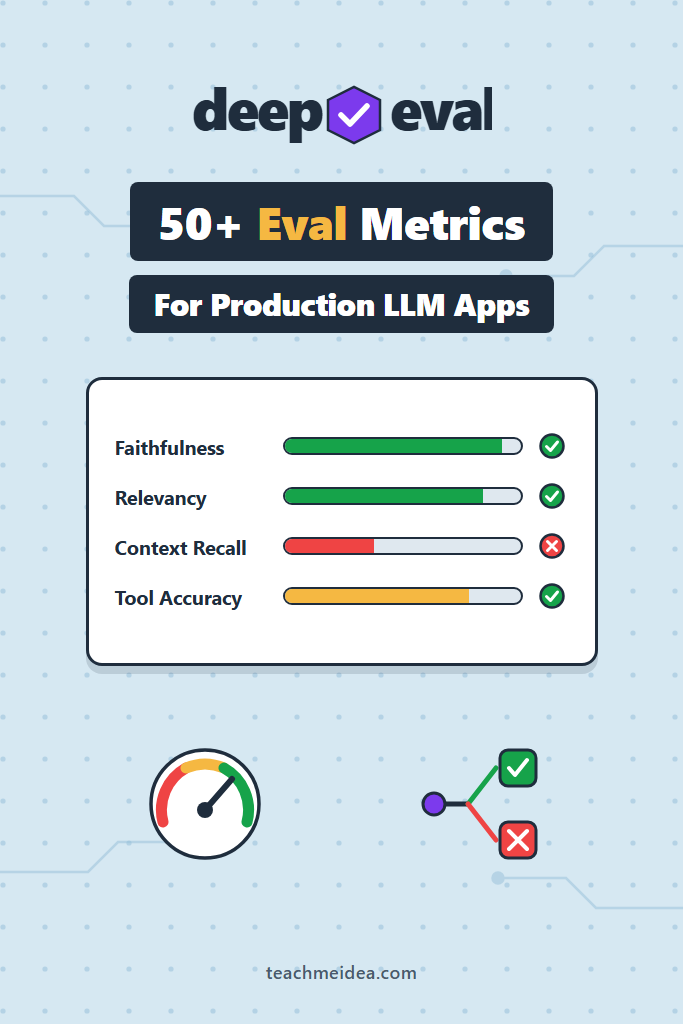
The “50+” figure counts every metric across single-turn, conversational, multimodal, and academic-benchmark categories. In practice, most teams use six to ten. Here are the ones that matter, grouped by what you are building.
RAG Metrics
These four form the standard RAG scorecard, and they split cleanly into retriever problems versus generator problems.
| Metric | What it catches | Fix it by |
|---|---|---|
ContextualPrecisionMetric | Relevant chunks ranked below irrelevant ones | Adding a reranker |
ContextualRecallMetric | Retriever missed chunks needed for the answer | Better chunking or embeddings |
FaithfulnessMetric | Generator contradicted the retrieved context | Stricter prompt, lower temperature |
AnswerRelevancyMetric | Answer drifted off the question | Prompt or model change |
That mapping is the real value. When precision drops but recall holds, your retriever is finding the right documents in the wrong order — a ranking problem, not a search problem. In that case, adding reranking with Cohere or cross-encoders fixes it. When recall drops instead, revisit your RAG chunking strategy, because no reranker recovers a chunk that was never retrieved.
from deepeval import evaluate
from deepeval.metrics import (
    AnswerRelevancyMetric,
    ContextualPrecisionMetric,
    ContextualRecallMetric,
    FaithfulnessMetric,
)
from deepeval.test_case import LLMTestCase

def rag_scorecard(threshold: float = 0.7, judge: str = "gpt-4.1"):
    """Standard four-metric RAG suite, reused across every test module."""
    return [
        ContextualPrecisionMetric(threshold=threshold, model=judge),
        ContextualRecallMetric(threshold=threshold, model=judge),
        FaithfulnessMetric(threshold=threshold, model=judge),
        AnswerRelevancyMetric(threshold=threshold, model=judge),
    ]

test_case = LLMTestCase(
    input="How long do I have to return an item?",
    actual_output="You have 30 days from delivery to request a full refund.",
    expected_output="Returns are accepted within 30 days of delivery.",
    retrieval_context=[
        "Refund policy: customers may return items within 30 days of delivery.",
        "Shipping is free on orders over $50.",
    ],
)

evaluate(test_cases=[test_case], metrics=rag_scorecard())
Why the factory function: thresholds and judge models change as a project matures. Centralizing them means you tune once instead of editing forty test files.
Conversational Metrics
Single-turn metrics miss the failures that actually annoy users — bots that forget what you said four messages ago, or that answer every message individually while never resolving the request. For those, DeepEval uses ConversationalTestCase with a list of Turn objects.
from deepeval.metrics import ConversationCompletenessMetric
from deepeval.test_case import ConversationalTestCase, Turn

convo = ConversationalTestCase(
    turns=[
        Turn(role="user", content="I want to return the boots I bought."),
        Turn(role="assistant", content="Sure — could you share your order number?"),
        Turn(role="user", content="It's 88214."),
        Turn(
            role="assistant",
            content="Thanks. Order 88214 is within the 30-day window, "
                    "so I've started the return and emailed you a label.",
        ),
    ]
)

metric = ConversationCompletenessMetric(threshold=0.5)
metric.measure(convo)
print(metric.score, metric.reason)
ConversationCompletenessMetric extracts the user’s intentions across the whole thread, then checks how many were satisfied. Similarly, KnowledgeRetentionMetric flags assistants that re-ask for information the user already provided, and RoleAdherenceMetric catches persona drift.
Agentic Metrics
Agents fail differently. Instead of bad prose, you get the wrong tool, the right tool with garbage arguments, or an endless loop. ToolCorrectnessMetric compares tools_called against expected_tools and, unlike most metrics here, requires no judge model at all — it is deterministic. TaskCompletionMetric takes the opposite approach, using the judge to decide whether the agent’s trace actually accomplished what the user asked.
from deepeval.metrics import ToolCorrectnessMetric
from deepeval.test_case import LLMTestCase, ToolCall

test_case = LLMTestCase(
    input="What's the weather in Lisbon tomorrow?",
    actual_output="Tomorrow in Lisbon: 22°C and mostly sunny.",
    tools_called=[ToolCall(name="get_forecast")],
    expected_tools=[ToolCall(name="get_forecast")],
)

# Deterministic and free — no judge model involved
metric = ToolCorrectnessMetric()
metric.measure(test_case)
print(metric.score)
Because it costs nothing to run, tool correctness belongs in every agent test suite. Add it first, then layer the judge-based TaskCompletionMetric on top once the mechanical checks pass.
Safety and Correctness Metrics
HallucinationMetric compares output against ground-truth context, BiasMetric and ToxicityMetric screen generated text, and SummarizationMetric checks whether a summary preserves the source’s key facts. One important quirk: for ToxicityMetric and BiasMetric, the threshold is a maximum, not a minimum. A score of 0.0 is perfect and anything above the threshold fails. Getting that backwards produces a suite that passes only when your model is offensive.
These metrics complement rather than replace runtime protection. Evaluation tells you what your model did on a fixed test set; input and output guardrails block bad content on live traffic. You need both.
Building Custom Metrics with G-Eval
Built-in metrics cover generic quality. Your product, though, has rules nobody else has — never quote a price, always cite a policy number, refuse medical advice. GEval handles those. You describe the criterion in plain English, and DeepEval turns it into a chain-of-thought rubric the judge applies consistently.
from deepeval.metrics import GEval
from deepeval.test_case import LLMTestCase, SingleTurnParams

policy_citation = GEval(
    name="Policy Citation",
    criteria=(
        "Determine whether the actual output cites a specific policy section "
        "number whenever it states a rule about refunds, shipping, or warranties. "
        "General statements with no rule claim do not require a citation."
    ),
    evaluation_params=[
        SingleTurnParams.INPUT,
        SingleTurnParams.ACTUAL_OUTPUT,
    ],
    threshold=0.8,
)

test_case = LLMTestCase(
    input="Can I return a used blender?",
    actual_output="Used items are not eligible for return under policy 4.2(b).",
)

policy_citation.measure(test_case)
print(policy_citation.score, policy_citation.reason)
Why this works: G-Eval generates evaluation steps from your criteria once, then scores against those fixed steps. As a result, you get more consistency than you would from pasting an ad-hoc “rate this 1-10” prompt into the API yourself.
Two practical notes. First, evaluation_params controls which test case fields the judge can see — omit EXPECTED_OUTPUT and the judge will not reference it. Second, older DeepEval versions import this enum as LLMTestCaseParams; recent versions renamed it to SingleTurnParams. Check your installed version if the import fails.
Keep criteria narrow. One metric per rule scores far more reliably than a single metric asked to judge tone, accuracy, and formatting simultaneously.
When G-Eval Is Too Fuzzy: The DAG Metric
G-Eval is still an LLM guessing a number, so scores wobble between runs. For criteria that are genuinely binary — did the output include a disclaimer or not — that wobble is unacceptable. DAGMetric solves this by letting you build a decision tree where each node asks one narrow question and routes to the next.
from deepeval.metrics import DAGMetric
from deepeval.metrics.dag import (
    BinaryJudgementNode,
    DeepAcyclicGraph,
    VerdictNode,
)
from deepeval.test_case import SingleTurnParams

has_disclaimer = BinaryJudgementNode(
    criteria="Does the output include a disclaimer that this is not medical advice?",
    children=[
        VerdictNode(verdict=False, score=0),
        VerdictNode(verdict=True, score=10),
    ],
)

metric = DAGMetric(
    name="Medical Disclaimer",
    dag=DeepAcyclicGraph(root_nodes=[has_disclaimer]),
    evaluation_params=[SingleTurnParams.ACTUAL_OUTPUT],
    threshold=1.0,
)
Each judgement is a yes/no question rather than a holistic score, which makes the result far more stable. Furthermore, you can nest G-Eval nodes deeper in the tree, so structural rules stay deterministic while subjective quality still gets graded. Use DAG for compliance-style checks and G-Eval for taste.
Datasets and Goldens: Evaluating More Than One Example
One test case proves nothing. DeepEval’s EvaluationDataset holds a collection, and Golden objects represent inputs that do not have outputs yet — you generate the output at evaluation time by calling your real application.
from deepeval.dataset import EvaluationDataset, Golden

from myapp.rag import answer_question  # your production entry point

dataset = EvaluationDataset(
    goldens=[
        Golden(input="How long do I have to return an item?"),
        Golden(input="Do you ship to Canada?"),
        Golden(input="Is the warranty transferable?"),
    ]
)

for golden in dataset.evals_iterator(metrics=rag_scorecard()):
    # Calling the real pipeline is the point: you are testing the system,
    # not a stored transcript that may be months out of date.
    answer_question(golden.input)
This distinction matters more than it first appears. A dataset of frozen LLMTestCase objects tests outputs you captured last quarter. A dataset of goldens tests the code as it exists right now, which is what a regression suite is supposed to do.
Start with 20 to 50 goldens drawn from real production queries rather than invented ones. Invented questions are cleaner than what users actually type, so they systematically overstate quality.
Running DeepEval in CI with pytest
DeepEval ships a pytest plugin. Write normal test functions, call assert_test(), and run them through the deepeval test run command, which adds parallelism and caching on top of plain pytest.
# tests/test_support_bot.py
import pytest
from deepeval import assert_test
from deepeval.dataset import EvaluationDataset
from deepeval.metrics import AnswerRelevancyMetric, FaithfulnessMetric
from deepeval.test_case import LLMTestCase

from myapp.rag import answer_question

dataset = EvaluationDataset()
dataset.pull(alias="support-bot-regression")  # or build goldens in code


@pytest.mark.parametrize("golden", dataset.goldens)
def test_support_bot(golden):
    response = answer_question(golden.input)

    test_case = LLMTestCase(
        input=golden.input,
        actual_output=response.answer,
        retrieval_context=response.chunks,
    )

    # Raises AssertionError if any metric scores below its threshold
    assert_test(test_case, [
        FaithfulnessMetric(threshold=0.8),
        AnswerRelevancyMetric(threshold=0.7),
    ])
# Run with 4 concurrent test cases and cache passing results
deepeval test run tests/test_support_bot.py -n 4 -c
The -c flag is worth understanding. It caches results for test cases whose inputs and metric configuration have not changed, so a pull request touching one prompt does not re-judge your entire suite. Judge calls are the expensive part of DeepEval LLM evaluation, and caching is the single biggest lever on that cost.
In GitHub Actions, treat it as any other test job — the only additions are the API key secret and a longer timeout, since judge calls are slower than unit tests.
- name: Run LLM evaluation suite
  env:
    OPENAI_API_KEY: ${{ secrets.OPENAI_API_KEY }}
    DEEPEVAL_TELEMETRY_OPT_OUT: "true"
  run: deepeval test run tests/ -n 4 -c
  timeout-minutes: 20
Swapping the Judge Model to Control Cost
Judging with a frontier model on every commit gets expensive quickly, because each metric may issue several judge calls per test case. DeepEval accepts either a model string or a custom class implementing DeepEvalBaseLLM, so you can route judging anywhere — a cheaper hosted model, Azure, or a local server.
from deepeval.models.base_model import DeepEvalBaseLLM
from openai import AsyncOpenAI, OpenAI


class LocalJudge(DeepEvalBaseLLM):
    """Route judging to any OpenAI-compatible endpoint, including a local vLLM server."""

    def __init__(self, model_name: str, base_url: str, api_key: str = "not-needed"):
        self.model_name = model_name
        self._client = OpenAI(base_url=base_url, api_key=api_key)
        self._async_client = AsyncOpenAI(base_url=base_url, api_key=api_key)

    def load_model(self):
        return self._client

    def generate(self, prompt: str) -> str:
        response = self._client.chat.completions.create(
            model=self.model_name,
            messages=[{"role": "user", "content": prompt}],
            temperature=0,  # deterministic judging matters more than creativity
        )
        return response.choices[0].message.content

    async def a_generate(self, prompt: str) -> str:
        response = await self._async_client.chat.completions.create(
            model=self.model_name,
            messages=[{"role": "user", "content": prompt}],
            temperature=0,
        )
        return response.choices[0].message.content

    def get_model_name(self) -> str:
        return self.model_name


judge = LocalJudge("qwen2.5-32b-instruct", base_url="http://localhost:8000/v1")
metric = AnswerRelevancyMetric(threshold=0.7, model=judge)
Why implement both methods: DeepEval runs metrics concurrently by default (async_mode=True). If you only define generate, you lose that parallelism and the suite crawls.
One caution before you switch: smaller judges are noticeably worse at the structured-output parsing these metrics depend on, and a judge that fails to return valid JSON produces errors rather than scores. Validate a local judge against your frontier-model baseline on the same 20 cases before trusting it. If you are already running self-hosted LLM serving with vLLM, the marginal cost of judging locally is close to zero, which makes the validation effort worth it.
A Realistic Scenario: The Retriever That Quietly Regressed
Consider a mid-sized support RAG bot — a few thousand indexed help-center articles, a small team maintaining it, and roughly a hundred queries an hour. During a routine sprint, someone swaps the embedding model for a newer one with better benchmark numbers and re-indexes the corpus. Spot checks look fine. Deploy goes out.
Two weeks later, ticket escalations climb. The bot is confidently answering billing questions with shipping policies. Without evaluation in CI, the team spends days bisecting prompts, the model version, and the retriever before landing on the re-index.
With a DeepEval suite of even 30 goldens, that investigation is a five-minute CI failure on the pull request. The signature is specific: ContextualRecallMetric collapses while FaithfulnessMetric stays high. Read together, those two scores say the generator is behaving correctly and faithfully summarizing whatever it receives — the retriever is simply handing it the wrong documents. That is a diagnosis the metrics hand you directly, and it points at the embedding change immediately.
The trade-off is real, though. Those 30 goldens cost money on every pull request and add several minutes to CI. Most teams settle on a fast subset for pull requests and the full suite nightly, which keeps the feedback loop tight without the full bill.
When to Use DeepEval
- You have an LLM feature in production and prompt changes ship regularly
- Your quality criteria are subjective enough that string matching cannot express them
- You need regression detection in CI rather than one-off quality reports
- You are building RAG or agents and want retriever-versus-generator attribution
- You want an evaluation framework that runs locally with no vendor lock-in
- Your team already writes pytest, so the mental model transfers for free
When NOT to Use DeepEval
- Your outputs are strictly structured and validatable with a schema — use Pydantic instead
- You need live production monitoring rather than pre-deploy testing
- You are prototyping and the prompt changes hourly, making any fixed test set stale
- Your evaluation budget cannot absorb judge model calls on every commit
- You need human preference data at scale, which no automated judge substitutes for
Common Mistakes with DeepEval
- Inverting threshold semantics on safety metrics. For toxicity and bias, the threshold is a ceiling. Higher scores are worse, so a 0.5 threshold means “fail if toxicity exceeds 0.5.”
- Confusing
contextwithretrieval_context. The first is ground truth for hallucination checks; the second is what your retriever returned. Swapping them silently invalidates your RAG scores. - Setting every threshold to 0.9 on day one. Run the suite first, look at the actual distribution, then set thresholds just below your current baseline so the suite catches regressions instead of failing constantly.
- Testing against stored outputs instead of goldens. Frozen transcripts test history, not your current code.
- Building test sets from imagined questions. Real users type fragments and typos. Pull goldens from production logs.
- Skipping the
-ccache flag in CI. Without it, every run re-judges unchanged cases and the bill scales with commit frequency, not with change size. - Trusting a single run of a G-Eval metric. Judge scores vary. For borderline criteria, prefer a DAG metric or accept a wider threshold band.
Where DeepEval LLM Evaluation Fits Against Tracing Tools
Evaluation and observability answer different questions, and teams often buy one expecting the other. DeepEval scores a fixed test set before you deploy. Tracing platforms record what actually happened after you deployed.
| Concern | DeepEval | Tracing platform |
|---|---|---|
| When it runs | Pre-deploy, in CI | Continuously, in production |
| Input | Curated goldens | Live user traffic |
| Primary output | Pass/fail gate | Searchable traces and dashboards |
| Catches | Regressions before release | Unknown failure modes after release |
In practice, the two feed each other. Production traces surface queries your test set never imagined, and those become new goldens. A self-hosted Langfuse deployment covers the observability half while DeepEval covers the gate, and DeepEval integrates with both Langfuse and LangSmith if you want scores attached to traces.
Conclusion
DeepEval LLM evaluation gives you the thing that separates a demo from a production system: an automated answer to “did this change make the app worse?” Start narrow — pull 20 real queries from your logs, wire up faithfulness and answer relevancy, and set thresholds just below whatever your current build scores. Once that suite is green and stable, add one G-Eval metric for the product rule you care most about, then move it into CI behind the -c cache flag.
The scores themselves are less valuable than the attribution. Knowing that recall fell while faithfulness held tells you exactly which component to fix, which is worth far more than a single blended quality number. For the observability side of the same problem, read our guide to tracing and debugging LLM apps with LangSmith next.