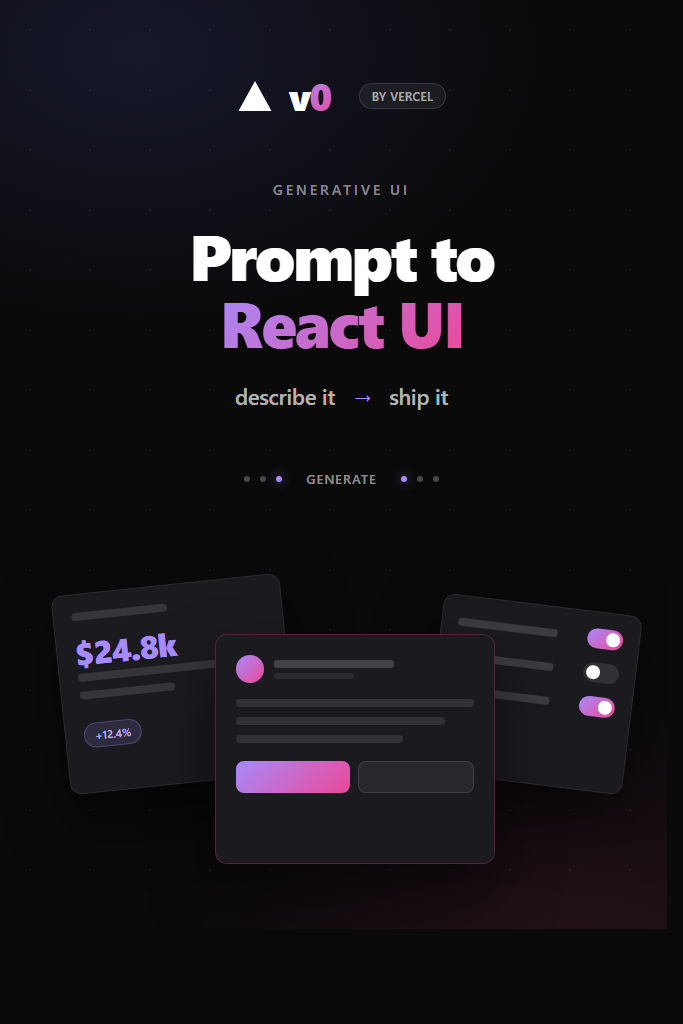
If you have ever spent two days hand-rolling a settings page or a pricing table that the designer will rework next sprint, v0 by Vercel is built for that exact pain. It is a generative UI tool that turns a plain English prompt into a working React component, styled with Tailwind CSS and built on top of shadcn/ui. This tutorial walks through how v0 actually works under the hood, how to write prompts that produce code you would ship, and how to drop the output into a real Next.js project without inheriting a mess of conventions you did not choose. By the end, you will know when v0 saves you a day and when it costs you one.
What Is v0 by Vercel?
v0 by Vercel is a generative UI assistant that produces React, Next.js, Svelte, and HTML components from natural language prompts. It runs on Vercel’s own AI models tuned for UI generation and ships output as TypeScript files using Tailwind CSS, shadcn/ui primitives, and Radix UI under the hood. In short, it is a prompt-to-component pipeline that matches the stack most modern frontend teams already use.
The product has two surfaces. First, there is the chat interface at v0.dev, where you describe what you want and watch the component render live. Then there is the npm-installable v0 CLI, which lets you pull a generated block straight into your repo with a single command. Both share the same generation backend, so what you preview in the browser is what lands on disk.
What makes v0 different from a general-purpose assistant like ChatGPT or Claude is the opinionated stack and the iterative loop. Generated code uses consistent component primitives, follows accessibility patterns from Radix, and respects shadcn’s copy-paste-not-package philosophy. As a result, the output reads like code a senior frontend engineer would write on a good day, not like a Stack Overflow collage.
For a broader survey of options in this space, see our breakdown of AI coding assistants compared.
How v0 Generates React UIs
When you submit a prompt to v0, the system does three things in sequence. First, it parses your description for layout intent, component types, and content. Then it plans a component tree, deciding which shadcn primitives map to your request. Finally, it streams TypeScript and JSX into the preview pane while the styles compile in a sandboxed Next.js runtime.
The output is not a screenshot or a static mockup. It is real, runnable React code with imports, props, and state. For instance, asking for a “dashboard with a sidebar, three stat cards, and a recent activity table” produces a single-file component with a Sidebar, Card, Table, and Badge from shadcn, plus mock data shaped to match the cards. You can edit the component live by selecting elements and giving follow-up instructions, which v0 applies as targeted patches rather than full regenerations.
Behind the scenes, v0 uses a model fine-tuned on UI patterns rather than a general code model. This is why prompts like “make the spacing tighter” or “change the empty state to a friendlier illustration” actually work without you specifying class names. The model has seen enough Tailwind dialect to translate vague design language into concrete utility classes.
One detail worth knowing: v0 generates React Server Components by default when targeting Next.js App Router. If your project uses the Pages Router, you may need to convert async components or remove the 'use server' directives. For a primer on the difference, see our guide on the Next.js App Router vs Pages Router.
Setting Up v0 Step by Step
Getting started with v0 by Vercel takes about five minutes. Here is the full path from zero to a generated component in your project:
- Sign up at v0.dev with a Vercel account or GitHub login.
- Pick a plan. The free tier gives you a small monthly credit pool; paid plans start at $20/month for hobbyists and scale up for teams.
- Submit your first prompt in the chat box and review the streamed component.
- Iterate by clicking elements in the preview and asking for tweaks in plain English.
- Click “Add to codebase” to get a CLI install command for the component.
- Run the command in your project root to drop the files into your repo.
The CLI command looks like npx shadcn@latest add "https://v0.dev/chat/b/abc123...". It uses the shadcn registry format, which means v0 components install the same way any shadcn block does. Files land in components/ui/ or wherever your shadcn config points, and dependencies get added to package.json automatically.
Before installing, make sure your project meets v0’s expectations. Specifically, you need Tailwind CSS configured, the shadcn CLI initialized via npx shadcn@latest init, and TypeScript turned on. If any of those are missing, the install command will warn you but may still leave broken imports behind. Initialize shadcn properly first to avoid that mess.
For a working Next.js baseline that meets all the prerequisites, walk through our Next.js setup tutorial before integrating v0 components.
Crafting Effective Prompts for v0
The single biggest factor in v0 output quality is prompt specificity. A prompt like “build a login form” produces a generic two-field form with no validation, no loading state, and a flat layout. By contrast, a prompt that specifies layout, content, and behavior produces something close to production-ready on the first try.
A useful prompt template breaks down into four parts: structure, content, states, and constraints. For example, instead of “build a login form”, try this:
Build a login form for a SaaS dashboard. Layout: centered card on a gradient background, max width 400px. Fields: email and password with show/hide toggle. Include a “remember me” checkbox, a primary “Sign in” button, and a “Forgot password?” link. Add loading and error states. Use shadcn Form with react-hook-form and zod for validation.
This prompt tells v0 the wrapper layout, the exact fields, the interactive states, and the validation library. Consequently, the output uses the right primitives and saves you from rewiring form state by hand. For a deeper look at the validation setup it produces, see our guide on React Hook Form with Zod validation.
A few tactical prompt tips that actually move the needle:
- Reference shadcn primitives by name when you know which one you want. “Use a Sheet component” beats “use a slide-out panel.”
- Specify content in concrete terms. “Three pricing tiers: Free $0, Pro $29/mo, Team $99/mo” produces real copy. “Pricing tiers” produces lorem ipsum.
- Always mention loading, empty, and error states explicitly. v0 rarely adds them on its own.
- Pin a Tailwind dialect. “Use rounded-2xl and shadow-sm consistently” keeps the visual style coherent across components.
Customizing Generated Components
The first generation rarely lands perfect. Instead, treat it as a draft and iterate. v0 supports two iteration modes: chat follow-ups and inline element selection. Chat follow-ups apply changes globally, like “switch the color palette to slate and emerald.” Inline edits target a specific element you click on in the preview, like changing one button’s variant.
For larger changes, regenerate from scratch with an updated prompt rather than patching. v0’s patching is good but not surgical, and a long chain of small edits can drift from your intent. As a rule of thumb, after five or six follow-ups the diff gets noisy. At that point, copy your final prompt, refine it, and start a fresh generation.
You can also feed v0 an image to copy. Upload a screenshot of a Figma design, a competitor’s landing page, or a hand sketch, and it will produce a React component that matches the layout. The fidelity is surprisingly good for clean designs and noticeably worse for cluttered ones, so crop tightly before uploading. This image-to-component flow is the fastest way to translate a design comp into shippable code without the usual back-and-forth.
Once the component is in your codebase, you should treat it like any other source file. Rename props to match your conventions, extract repeated subcomponents, and replace mock data with real props. The output uses Tailwind utilities heavily, so a quick pass through your own Tailwind conventions will save your reviewer some pain.
Integrating v0 Output Into Your Codebase
Generated components are a starting point, not a finished feature. The integration step is where most teams either get value from v0 or generate technical debt. There are four things worth doing before you merge.
First, run the components through your linter and formatter. v0 output uses its own Prettier-ish style, which may clash with your repo’s ESLint rules. A quick npm run lint --fix usually clears the diff. If your repo enforces import ordering or absolute imports, configure your editor to apply those on save.
Second, replace the mock data with real props. v0 hardcodes sample content because it has to render something in the preview. In production, you want a <DashboardCard data={data}> shape, not a component with the dashboard data baked in. This refactor is mechanical but mandatory.
Third, audit the dependencies. Each v0 install can pull in new shadcn primitives, Radix packages, or icon libraries. Most are fine, but check that you are not adding a fourth icon library when you already use Lucide. Run npm ls to spot duplicates and prune them before they become a maintenance issue.
Fourth, write tests for the integration logic, not for the visual layer. v0 components handle rendering, but the data flow is yours. Test the props contract, the loading state, and the error boundary at the integration point. Visual regression tests are useful for design systems, but they are overkill for one-off marketing pages.
// Example: integrating a v0-generated PricingCard with real props
import { PricingCard } from '@/components/ui/pricing-card';

interface Plan {
  name: string;
  price: number;
  features: string[];
  highlighted?: boolean;
}

interface PricingSectionProps {
  plans: Plan[];
}

export function PricingSection({ plans }: PricingSectionProps) {
  return (
    <section className="grid gap-6 md:grid-cols-3">
      {plans.map((plan) => (
        <PricingCard
          key={plan.name}
          name={plan.name}
          price={plan.price}
          features={plan.features}
          highlighted={plan.highlighted}
        />
      ))}
    </section>
  );
}
This kind of thin wrapper around v0 output is the pattern that scales. The generated component handles presentation, your wrapper handles data, and the rest of the app stays unaware that any AI was involved.
Real-World Scenario: Shipping a Marketing Site in Two Days
Consider a small startup with three engineers preparing for a product launch. The marketing site needs a landing page, a pricing page, a docs index, and a blog template, all built in a single sprint. Without v0, this is roughly a week of work for one frontend engineer balancing layout, accessibility, and responsive states.
With v0 in the loop, the same scope shrinks to about two days. The engineer prompts v0 for each section using specific layout language, iterates on the output for ten or fifteen minutes per page, and pulls the result into the codebase via the CLI. The remaining time goes to data wiring, copy refinement, and the responsive breakpoints v0 occasionally gets wrong on the first pass.
The trade-off shows up later, when the design changes. Because v0 components use Tailwind utilities densely rather than design tokens, a global style change like “switch from emerald to indigo” requires either a search-and-replace across files or wrapping the components in a custom theme layer. Teams that plan for this up front by extracting tokens to a Tailwind config save themselves a refactor down the road.
This pattern repeats across mid-sized greenfield projects. The win is biggest at the start of a feature, when there is no design system to follow yet and the goal is to ship something visible. The cost grows over time as the codebase accumulates components that share visual DNA but not actual primitives. Plan for the consolidation pass before you reach 30 or 40 generated components.
When to Use v0 by Vercel
- You need to ship UI fast and have not yet committed to a design system
- Your stack already uses Tailwind, shadcn/ui, and Next.js
- You are prototyping landing pages, dashboards, or admin panels with conventional layouts
- You want a starting point you can refactor, not a final answer
- A designer hands you a Figma comp and you would rather not pixel-push class names
When NOT to Use v0 by Vercel
- You have a mature design system with custom primitives that v0 will not respect
- Your project uses a non-Tailwind styling approach like CSS Modules or styled-components
- You need pixel-perfect output matching a strict brand guideline
- The component requires complex interactions like drag-and-drop, virtualization, or real-time collaboration that v0 routinely gets wrong
- You are working on accessibility-critical surfaces where you cannot trust generated code without a full audit
Common Mistakes With v0 by Vercel
- Treating output as final. Generated components need integration work, type tightening, and data wiring before they are production-ready.
- Skipping the shadcn init step. Installing v0 components without a configured shadcn registry leaves broken imports and missing primitives.
- Vague prompts. “Build a dashboard” produces a generic dashboard. Specific prompts with layout, content, and states produce code you can ship.
- Ignoring dependency drift. Each install can add packages. Without a periodic audit, you end up with three icon libraries and two date pickers.
- Patching too long. After five or six follow-up edits, regenerate from a refined prompt instead of stacking patches that drift from your intent.
- Forgetting accessibility checks. v0 inherits Radix’s accessibility defaults, but custom layouts and overrides can break keyboard navigation. Run an axe audit on anything user-facing.
Conclusion: v0 by Vercel as a Component Accelerator
v0 by Vercel is at its best when you treat it as a senior pair programmer who writes the first draft of a component while you focus on the integration. It will not replace a design system, and it will not absolve you of the need to understand React, Tailwind, or accessibility. However, it will compress the timeline of routine UI work from days to hours, which is where the real value lives.
If you are starting a new project, install shadcn first, write a focused prompt, and keep your initial generations small. Then, for each component, ask whether the integration cost is lower than rebuilding from scratch. When the answer is yes, ship it. When it is no, write the component yourself and feed v0 a smaller subproblem next time. To compare v0 against other AI coding tools in your workflow, see our overview of AI tools for coding productivity.

1 Comment
Comments are closed.