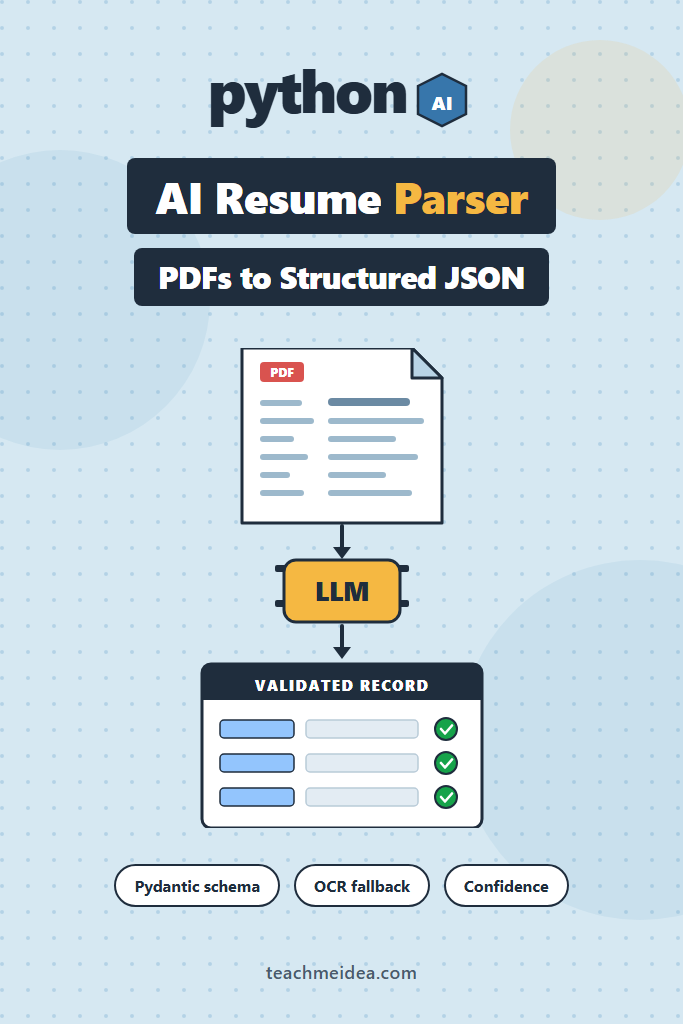
If you have ever tried to pull candidate data out of PDF resumes with regex, you already know how that ends. Every resume uses a different layout, a different date format, and a different idea of what counts as a section heading. This walkthrough builds a production-shaped AI resume parser in Python: it extracts text from a PDF, sends it to an LLM under a strict Pydantic schema, falls back to a vision model for scanned documents, and normalizes the result before anything touches your database.
The post is aimed at intermediate backend developers who are comfortable with Python and have called an LLM API at least once. By the end, you will have a four-stage pipeline you can drop behind an HTTP endpoint, plus a clear picture of where this approach costs more than it saves.
What an AI Resume Parser Actually Does
An AI resume parser converts unstructured resume documents into typed, machine-readable records. Instead of matching patterns against raw text, it passes the document to a language model constrained by a JSON schema, then validates the output. The result is a predictable object with fields like name, email, work history, and skills, regardless of the original layout.
That constraint matters more than the model choice. A model asked to “return JSON” will occasionally return prose, a markdown fence, or an invented field. A model constrained by a schema returns the shape you asked for or it refuses, which is a failure mode you can actually handle.
Why Regex and Template Parsers Break on Resumes
Before reaching for an AI resume parser, it helps to understand exactly what the older approach gets wrong. Traditional parsers assume structure that resumes do not have. They look for a “Work Experience” heading, then read downward until the next heading. However, plenty of resumes label that section “Professional History”, “Relevant Experience”, or nothing at all.
Dates are worse. A single corpus will contain Jan 2020 – Present, 01/2020-current, 2020–2023, and Spring 2020. Writing rules for each variant is possible, but the rule set grows without ever converging.
Then there is layout. Two-column resumes are common in design-heavy templates, and most PDF text extractors read them in the wrong order. Consequently, a job title from the right column ends up glued to a company name from the left. LLMs handle this ambiguity well because they reason about meaning rather than position.
The Four-Stage AI Resume Parser Pipeline
Every reliable implementation follows roughly the same sequence:
- Extract raw text from the PDF, and detect when extraction produced nothing usable
- Define the target schema as Pydantic models, so the contract lives in code
- Parse by sending the text to the LLM under that schema, with retries on transient failures
- Normalize the parsed output, applying date rules, deduplication, and a confidence score
Notably, stage 4 is the one most tutorials skip. A schema guarantees the shape of the response, not the quality of it, so you still need a validation layer before the data becomes a candidate record.
Prerequisites and Project Setup
You need Python 3.10 or newer, an OpenAI API key, and three libraries. Install them first:
# pypdf handles text extraction; pypdfium2 renders pages for the vision fallback
pip install openai pydantic pypdf pypdfium2
Set your key as an environment variable rather than hardcoding it, since resume pipelines usually run in a shared service:
export OPENAI_API_KEY="sk-..."
The project splits into four small modules, one per pipeline stage. That separation matters because the extraction and normalization stages are pure functions you can unit test without spending a cent on API calls.
Step 1: Extract Text From the PDF
Start with pypdf, which is fast and dependency-light. The important part is not the extraction itself but the quality check that follows it, because a scanned resume returns an empty string rather than an error.
# extract.py
from dataclasses import dataclass
import pypdf

# Below this many characters per page, the PDF is almost certainly
# image-based (a scan or an exported design file) rather than text-based.
MIN_CHARS_PER_PAGE = 100


@dataclass
class ExtractionResult:
    text: str
    page_count: int
    needs_ocr: bool


def extract_text(pdf_path: str) -> ExtractionResult:
    reader = pypdf.PdfReader(pdf_path)
    pages = []

    for page in reader.pages:
        # extract_text() returns None on pages with no text layer
        pages.append(page.extract_text() or "")

    text = "\n\n".join(pages).strip()
    page_count = len(reader.pages)
    needs_ocr = len(text) < MIN_CHARS_PER_PAGE * page_count

    return ExtractionResult(text=text, page_count=page_count, needs_ocr=needs_ocr)
Why the threshold works: a real resume page carries 1,500 to 3,000 characters of text. A scanned page carries zero, and a mostly-graphical page carries a handful. Therefore, 100 characters per page separates the two cases cleanly without tuning.
Resist the urge to clean the extracted text aggressively. Collapsing whitespace or stripping punctuation destroys the layout cues the model uses to tell sections apart. Pass the text through roughly as-is.
Step 2: Define the Schema With Pydantic
The schema is the contract for the entire AI resume parser, so it deserves more thought than the prompt does. Model it around what your downstream system actually stores, not around everything a resume might contain.
# schema.py
from typing import Literal, Optional
from pydantic import BaseModel, Field


class WorkExperience(BaseModel):
    company: str
    title: str
    # Raw strings here on purpose — normalization happens in stage 4
    start_date: Optional[str] = Field(description="As written, e.g. 'Jan 2020'")
    end_date: Optional[str] = Field(description="As written, or 'Present'")
    location: Optional[str]
    highlights: list[str] = Field(description="Bullet points, verbatim")


class Education(BaseModel):
    institution: str
    degree: Optional[str]
    field_of_study: Optional[str]
    graduation_year: Optional[str]


class ParsedResume(BaseModel):
    full_name: Optional[str]
    email: Optional[str]
    phone: Optional[str]
    location: Optional[str]
    summary: Optional[str]
    work_experience: list[WorkExperience]
    education: list[Education]
    skills: list[str]
    # Lets the model flag its own uncertainty instead of silently guessing
    extraction_quality: Literal["complete", "partial", "unreadable"]
Why dates stay as strings: if you type start_date as datetime.date, the model has to normalize and extract in a single step. In practice it will invent a day-of-month to satisfy the type. Keeping the raw string preserves the distinction between “January 2020” and “15 January 2020”, and normalization becomes a testable function instead of a model behavior.
Two constraints of OpenAI’s strict schema mode are worth knowing before you go further. First, every field is emitted as required, so optional data arrives as an explicit null rather than a missing key. Second, string constraints such as pattern, min_length, and format are not supported and will cause the API to reject your schema. Enforce those with Pydantic validators after parsing instead. Our guide to structured LLM outputs with Instructor and Pydantic covers the wider set of schema tricks in more depth.
Step 3: Call the LLM With Structured Outputs
With the schema defined, the API call itself is short. The responses.parse() helper converts the Pydantic model to a strict JSON schema, sends it, and hands back a typed object.
# parse.py
import logging
from openai import OpenAI, APIStatusError
from schema import ParsedResume

client = OpenAI()
logger = logging.getLogger(__name__)

SYSTEM_PROMPT = """You extract structured data from resumes.

Rules:
- Copy values verbatim from the document. Never infer or embellish.
- If a field is genuinely absent, return null rather than guessing.
- Preserve the candidate's own wording in highlights; do not summarize.
- Set extraction_quality to "partial" when major sections are missing
  or the text appears garbled, and "unreadable" when you cannot
  identify a candidate at all.
"""


def parse_resume(text: str, model: str = "gpt-5") -> ParsedResume:
    try:
        response = client.responses.parse(
            model=model,
            input=[
                {"role": "system", "content": SYSTEM_PROMPT},
                {"role": "user", "content": f"Resume document:\n\n{text}"},
            ],
            text_format=ParsedResume,
        )
    except APIStatusError as exc:
        logger.error("Resume parse failed: %s", exc.status_code)
        raise

    parsed = response.output_parsed
    if parsed is None:
        # The model refused, usually because the document was not a resume
        raise ValueError("Model returned no parsed output")

    return parsed
Why the prompt forbids inference: models are cooperative by default, so a resume listing “React, Node” will often come back with “JavaScript” added to the skills array. That is helpful in a chat interface and dangerous in a hiring pipeline, where a fabricated skill can surface a candidate for a role they never claimed. The verbatim rule costs nothing and eliminates the category.
For transient errors, wrap this call in exponential backoff rather than retrying immediately. The patterns in LLM rate limiting and retry strategies apply directly here, since batch resume ingestion is exactly the workload that trips rate limits. Also note that a refusal is not a retryable error, so do not loop on it.
Step 4: Normalize and Score Confidence
Now the parsed object becomes a record you can trust. Normalization handles the date formats the schema deliberately left alone, and the confidence score decides whether a human needs to look at the result.
# normalize.py
import re
from datetime import date
from schema import ParsedResume

MONTHS = {
    "jan": 1, "feb": 2, "mar": 3, "apr": 4, "may": 5, "jun": 6,
    "jul": 7, "aug": 8, "sep": 9, "oct": 10, "nov": 11, "dec": 12,
}
CURRENT = {"present", "current", "now", "ongoing"}


def normalize_date(raw: str | None) -> str | None:
    """Convert a resume date string to YYYY-MM, or None if unparseable."""
    if not raw:
        return None

    value = raw.strip().lower()
    if value in CURRENT:
        today = date.today()
        return f"{today.year}-{today.month:02d}"

    # Matches "Jan 2020", "January 2020", "jan. 2020"
    if match := re.search(r"([a-z]{3})[a-z.]*\s+(\d{4})", value):
        month = MONTHS.get(match.group(1))
        if month:
            return f"{match.group(2)}-{month:02d}"

    # Matches "01/2020" and "2020-01"
    if match := re.search(r"(\d{1,2})[/-](\d{4})", value):
        return f"{match.group(2)}-{int(match.group(1)):02d}"
    if match := re.search(r"(\d{4})[/-](\d{1,2})", value):
        return f"{match.group(1)}-{int(match.group(2)):02d}"

    # Year only — common on education entries
    if match := re.search(r"\b(19|20)\d{2}\b", value):
        return match.group(0)

    return None
Notice that regex is doing real work again, but only after the LLM has isolated a single date into a single field. That is the division of labor worth internalizing: the model handles ambiguity, deterministic code handles format.
The confidence score is deliberately blunt. It flags records for review rather than trying to be precise:
# normalize.py (continued)
EMAIL_RE = re.compile(r"^[^@\s]+@[^@\s]+\.[a-z]{2,}$", re.IGNORECASE)


def confidence_score(resume: ParsedResume) -> float:
    """Rough 0-1 signal for routing records to human review."""
    checks = [
        bool(resume.full_name),
        bool(resume.email and EMAIL_RE.match(resume.email)),
        len(resume.work_experience) > 0,
        len(resume.skills) >= 3,
        # Every job needs at least a company and a title to be useful
        all(job.company and job.title for job in resume.work_experience),
        resume.extraction_quality == "complete",
    ]
    return sum(checks) / len(checks)
Why a self-reported quality field helps: the model sees the garbled text before you do. When a two-column layout interleaves badly, it reliably reports partial, which gives you a signal that no amount of downstream validation would recover. Combining that with structural checks catches most bad extractions. If you want stricter guarantees on the validation layer itself, advanced Pydantic validation in FastAPI shows how to push these rules into the model definitions.
Handling Scanned Resumes With a Vision Fallback
Roughly speaking, a meaningful slice of any real resume corpus arrives as scans or image-only exports. Those return needs_ocr=True from stage 1, and a text model has nothing to work with. Instead of adding a separate OCR engine, render the pages and send them to the same model as images.
# vision_fallback.py
import base64
import io
import pypdfium2
from openai import OpenAI
from schema import ParsedResume
from parse import SYSTEM_PROMPT

client = OpenAI()
MAX_PAGES = 4  # Resumes past page 4 are almost never candidate-relevant


def render_pages(pdf_path: str) -> list[str]:
    """Render PDF pages to base64 PNGs at a resolution OCR can read."""
    pdf = pypdfium2.PdfDocument(pdf_path)
    images = []

    for page in pdf[:MAX_PAGES]:
        # scale=2 gives ~144 DPI, enough for 9pt body text
        bitmap = page.render(scale=2)
        buffer = io.BytesIO()
        bitmap.to_pil().save(buffer, format="PNG")
        images.append(base64.b64encode(buffer.getvalue()).decode())

    return images


def parse_scanned_resume(pdf_path: str, model: str = "gpt-5") -> ParsedResume:
    content = [{"type": "input_text", "text": "Resume document (scanned):"}]
    for image in render_pages(pdf_path):
        content.append({
            "type": "input_image",
            "image_url": f"data:image/png;base64,{image}",
        })

    response = client.responses.parse(
        model=model,
        input=[
            {"role": "system", "content": SYSTEM_PROMPT},
            {"role": "user", "content": content},
        ],
        text_format=ParsedResume,
    )

    if response.output_parsed is None:
        raise ValueError("Vision parse returned no output")

    return response.output_parsed
Why render at scale=2: at default scale, a rendered page lands near 72 DPI, and 9pt body text becomes unreliable for the model. Doubling it roughly quadruples the token cost per page, which is why the page cap matters. For a deeper look at resolution and cost trade-offs across providers, see our breakdown of vision models for image analysis.
One subtlety: the vision path reuses the same schema and the same system prompt. Consequently, downstream code never needs to know which path produced a record.
Wiring It Together Behind an Endpoint
The dispatcher is small, which is the point. Each stage stays independently testable.
# pipeline.py
from extract import extract_text
from parse import parse_resume
from vision_fallback import parse_scanned_resume
from normalize import normalize_date, confidence_score

REVIEW_THRESHOLD = 0.7


def process_resume(pdf_path: str) -> dict:
    extraction = extract_text(pdf_path)

    if extraction.needs_ocr:
        resume = parse_scanned_resume(pdf_path)
        source = "vision"
    else:
        resume = parse_resume(extraction.text)
        source = "text"

    for job in resume.work_experience:
        job.start_date = normalize_date(job.start_date)
        job.end_date = normalize_date(job.end_date)

    score = confidence_score(resume)

    return {
        "resume": resume.model_dump(),
        "source": source,
        "confidence": round(score, 2),
        "needs_review": score < REVIEW_THRESHOLD,
    }
Set REVIEW_THRESHOLD from your own tolerance for bad records. Starting strict and loosening it once you have seen a few hundred real documents beats starting loose and discovering the problem in production.
What This Costs at Volume
Running an AI resume parser is cheap per document and surprising in aggregate. Cost is dominated by input tokens, since a resume is long and the JSON output is short. A two-page text resume runs roughly 1,200 to 2,000 input tokens. The vision path is far heavier, because each rendered page at scale=2 costs substantially more than the equivalent text.
Three levers move the number meaningfully:
- Route by document type. Only pay for vision when
needs_ocris true, which is what the dispatcher above already does. - Use a smaller model for the text path. Extraction under a strict schema is not a reasoning-heavy task, so a mini-tier model often matches the flagship at a fraction of the cost. Measure on your own corpus before committing.
- Cap the input. Truncating to the first four pages removes publication lists and reference sections that add tokens without adding fields.
Before scaling up, instrument the pipeline so you know your actual per-document cost rather than an estimate. The approach in token counting and budget management for LLM apps works well for batch jobs like this one.
Common Errors and How to Fix Them
| Symptom | Root cause | Fix |
|---|---|---|
| API rejects the schema | Pydantic pattern or min_length on a string field | Move the constraint to a field_validator that runs after parsing |
All optional fields come back as null keys | Strict mode marks every field required | Expected behavior — check for None, not for a missing key |
Empty work_experience on a valid resume | Text extraction returned a garbled column order | Check extraction_quality; route partial results to the vision path |
output_parsed is None | The model refused, usually a non-resume upload | Surface a validation error to the user; do not retry |
| Skills the candidate never listed | Model inferring related technologies | Add or strengthen the verbatim rule in the system prompt |
| Timeouts on large batches | Concurrent requests exceeding rate limits | Add exponential backoff and cap concurrency |
A Production Scenario: Two-Column Layouts in an ATS Pipeline
Consider a small team building resume ingestion for an applicant tracking system, processing a few thousand documents during an initial import. The pipeline runs clean in testing, because the test set came from a handful of standard templates. Once real applications arrive, roughly one batch in ten produces records where job titles are attached to the wrong companies.
The cause is layout, not the model. Design-oriented resume templates place dates and locations in a narrow left column and job details on the right. Most PDF extractors read the text in creation order rather than visual order, so the model receives a stream where a date from one job sits between the title and company of another. Because the text is grammatically plausible, nothing downstream flags it.
Two mitigations address this, with a real trade-off between them. Routing extraction_quality == "partial" results to the vision path is accurate, since the model sees the actual layout, but it costs several times more per document. Alternatively, a layout-aware extractor that preserves column boundaries costs nothing extra at inference time, though it adds a dependency and still fails on unusual designs. For a one-time import, the vision fallback on a small subset is usually the cheaper engineering decision; for continuous high-volume ingestion, the layout-aware extractor pays for itself.
The broader lesson generalizes beyond layout. An AI resume parser fails silently more often than it fails loudly. A parser that returns confident, well-formed, wrong data is worse than one that errors, which is exactly why the confidence score and review queue exist.
When to Use an AI Resume Parser
- You are ingesting resumes from many sources with no control over formatting
- Your schema needs semantic fields like skills or seniority, not just contact details
- Volume is high enough that manual entry is the bottleneck, but a review queue is still affordable
- You need the parser to work across languages without maintaining per-language rules
- Document formats change often enough that maintaining template rules is a recurring cost
When NOT to Use an AI Resume Parser
- Every document comes from one controlled template, where a deterministic parser is cheaper and exact
- You need bit-for-bit reproducibility, since model outputs can vary between runs and versions
- The extracted fields feed automated rejection decisions without human review, which raises fairness and compliance concerns you should address before building
- Per-document cost matters more than accuracy, for example when parsing millions of records
- You only need an email address and a phone number, which regex handles reliably on its own
Common Mistakes with AI Resume Parsers
- Typing dates as
datein the schema, which pushes the model to invent day values it never saw - Cleaning the extracted text too aggressively, stripping the whitespace and line breaks the model relies on to detect sections
- Skipping the confidence layer, so silently wrong records enter the database looking identical to correct ones
- Sending every document down the vision path because it is more accurate, which multiplies cost for the majority of files that never needed it
- Retrying refusals, which burns budget on a request that will refuse again for the same reason
- Storing raw resumes indefinitely, since resumes are dense personal data and retention limits usually apply
- Testing only on clean templates, which hides exactly the layout problems that break production
Conclusion: Ship the Pipeline, Then Tighten It
An AI resume parser is not one API call. It is an extraction stage that knows when it failed, a schema that defines the contract, a constrained model call, and a normalization layer that turns plausible output into trustworthy records. The schema and the confidence score do most of the heavy lifting, so invest there before tuning prompts.
Start by running the four-stage pipeline over fifty real resumes from your own corpus and reading the flagged results by hand. That single exercise will tell you more about your threshold and your schema than any amount of upfront design. From there, OpenAI structured outputs is the natural next read for pushing more guarantees into the schema layer itself.