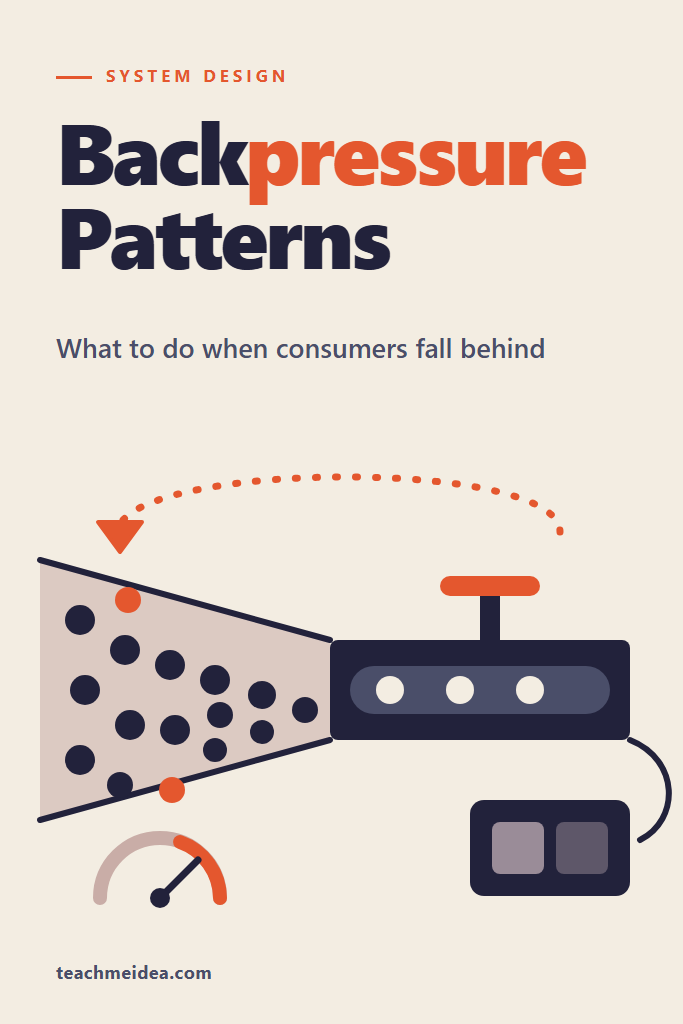
If you run a service where something produces work faster than something else can finish it, this post is for you. That covers a queue consumer behind a busy topic, an API in front of a slow database, and a stream writing to a slow client. Backpressure patterns decide what happens in the gap: the producer slows down, the excess gets rejected, or the system quietly absorbs it until memory or latency gives out. This guide walks through six failure modes in the order they tend to appear, from ignoring a signal the runtime already gives you to adding consumers that make a downstream bottleneck worse. For each one you get the default that causes it, the fix, and a measurement or documented limit behind the claim.
Three of the stages rest on scripts run on the machine below. Each script is included in full, so you can run it yourself and compare.
Measured 2026-10-22
Windows 11 Pro (build 26200), AMD Ryzen 5 8600G, 15 GB
Node.js 24.22.1 (official win-x64 zip, SHA-256 checked)
drain.mjs run five times per mode; bound.mjs and consumers.mjs run three times per setting.
Every run is shown. Results did not differ between runs beyond a few percent.
Vendor limits were read the same day from the RabbitMQ consumer acknowledgements guide, the Kafka 4.3 consumer configuration reference and the AWS Lambda SQS scaling page.
What Is Backpressure?
Backpressure is a signal that travels from a slow consumer back to a fast producer, telling it to slow down, wait, or stop sending. Without it, the gap between the two rates has to go somewhere, and it usually goes into a buffer that grows until it costs memory, latency, or an outage.
In practice, the signal takes many shapes. For instance, a Node stream returns false from write(). Similarly, TCP shrinks its receive window, RabbitMQ stops delivering once a consumer holds too many unacknowledged messages, and an HTTP service answers 503 with a Retry-After header. All of them say the same thing: the consumer is full, so do not hand it more.
Why Falling Behind Is a Rate Problem, Not a Queue Problem
A queue cannot fix a rate mismatch. It can only delay the moment you notice it. If producers send 1,200 messages per second and consumers finish 1,000, the backlog grows by 200 every second, no matter how the queue is built. Consequently, the only questions are where the backlog lives and who pays for it.
Little’s law makes the cost concrete. The time a message waits equals the queue depth divided by the drain rate. A backlog of 4,000 messages draining at 1,000 per second means a four-second wait for the newest message, before any work happens. Therefore every message you buffer is latency you have promised to someone.
That leaves exactly three honest options when consumers fall behind:
- Slow the producer down. Block it, pause it, or make it wait for a credit.
- Reject or drop the excess. Shed load on purpose, and tell the caller.
- Add capacity. This works only if the consumer, and not something behind it, is the bottleneck.
A fourth option, buffering without limit, looks like a choice but is really option 2 with the drop scheduled for later, usually as an out-of-memory kill. The six stages below are the common ways teams end up there.
Backpressure Patterns in Order: Quick Reference
| Stage | Failure mode | What you see | Fix |
|---|---|---|---|
| 1 | Ignoring the backpressure signal | Memory grows with load, then the process dies | Respect write(), use pipeline() |
| 2 | A bound so large it is only latency | No errors, but requests take seconds | Size the bound from acceptable wait time |
| 3 | Blocking the producer inside a request | Timeouts upstream, sockets pile up | Reject fast with 503 and Retry-After |
| 4 | Shedding the wrong messages | Stale data served, fresh data lost | Pick reject, drop-oldest or drop-newest per stream |
| 5 | Broker pushes faster than you finish | Consumer heap grows, redeliveries after crashes | Prefetch limits, pause(), maximum concurrency |
| 6 | Adding consumers for a downstream bottleneck | Same throughput, higher latency, pool exhaustion | Concurrency limit sized to the downstream |
Stage 1: Ignoring the Backpressure Signal You Already Have
Most runtimes already expose backpressure. The first failure is code that receives the signal and throws it away. In Node, writable.write() returns false once the internal buffer passes the stream’s highWaterMark. However, the write still succeeds. Node accepts the data and keeps it in memory, so code that ignores the return value runs without any error, right up until memory runs out.
What Node Streams Do When write() Returns false
The script below writes 200,000 chunks of 1 KiB into a deliberately slow Writable, which finishes one chunk per event-loop turn. In ignore mode the producer keeps writing. In respect mode it waits for the drain event whenever write() returns false.
// drain.mjs: a fast producer writing into a slow Writable, with and without honoring write()'s return value
// Usage: node drain.mjs ignore|respect
import { Writable } from 'node:stream';
import { once } from 'node:events';

const mode = process.argv[2];
const CHUNKS = 200_000;
const chunk = Buffer.alloc(1024, 'x'); // 1 KiB per write

// Slow consumer: finishes one chunk per event-loop turn, like a socket to a slow client
const sink = new Writable({
  write(data, _enc, callback) {
    setImmediate(callback);
  },
});

let peakBuffered = 0;
let peakRss = 0;
const sample = setInterval(() => {
  peakBuffered = Math.max(peakBuffered, sink.writableLength);
  peakRss = Math.max(peakRss, process.memoryUsage().rss);
}, 5);

const started = performance.now();
for (let i = 0; i < CHUNKS; i++) {
  const ok = sink.write(Buffer.from(chunk)); // copy, as a real producer would hand over fresh data
  peakBuffered = Math.max(peakBuffered, sink.writableLength);
  if (!ok && mode === 'respect') {
    await once(sink, 'drain'); // pause until the consumer catches up
  }
}
sink.end();
await once(sink, 'finish');
clearInterval(sample);
peakRss = Math.max(peakRss, process.memoryUsage().rss);

const mb = (n) => (n / 1024 / 1024).toFixed(1);
console.log(
  `mode=${mode.padEnd(7)} highWaterMark=${sink.writableHighWaterMark} ` +
    `peakBuffered=${(peakBuffered / 1024).toFixed(0)} KiB peakRss=${mb(peakRss)} MB ` +
    `elapsed=${((performance.now() - started) / 1000).toFixed(2)} s`,
);
for i in 1 2 3 4 5; do node drain.mjs ignore; node drain.mjs respect; done
mode=ignore  highWaterMark=16384 peakBuffered=200000 KiB peakRss=313.8 MB elapsed=0.33 s
mode=respect highWaterMark=16384 peakBuffered=16 KiB peakRss=46.3 MB elapsed=0.33 s
mode=ignore  highWaterMark=16384 peakBuffered=200000 KiB peakRss=313.6 MB elapsed=0.32 s
mode=respect highWaterMark=16384 peakBuffered=16 KiB peakRss=46.8 MB elapsed=0.33 s
mode=ignore  highWaterMark=16384 peakBuffered=200000 KiB peakRss=326.6 MB elapsed=0.34 s
mode=respect highWaterMark=16384 peakBuffered=16 KiB peakRss=46.6 MB elapsed=0.32 s
mode=ignore  highWaterMark=16384 peakBuffered=200000 KiB peakRss=327.4 MB elapsed=0.33 s
mode=respect highWaterMark=16384 peakBuffered=16 KiB peakRss=46.8 MB elapsed=0.33 s
mode=ignore  highWaterMark=16384 peakBuffered=200000 KiB peakRss=314.9 MB elapsed=0.33 s
mode=respect highWaterMark=16384 peakBuffered=16 KiB peakRss=45.9 MB elapsed=0.33 s
The ignore runs buffered the entire 200,000 KiB payload, and resident memory reached 313 to 327 MB. In contrast, the respect runs never held more than 16 KiB, which is the default highWaterMark on Node 24.22.1 (16,384 bytes for byte streams, confirmed with stream.getDefaultHighWaterMark(false)). Notably, the elapsed time was identical at 0.32 to 0.34 seconds in every run. Respecting backpressure cost nothing here, because the consumer set the pace either way. The only difference was where the waiting data lived.
Now scale that up. This was one stream writing 195 MB. A server streaming exports to a hundred slow mobile clients, each ignoring write(), holds every unsent byte for every client at once. That is how a service that “only streams” ends up killed for memory.
Using pipeline() Instead of Hand-Written Loops
The hand-written await once(sink, 'drain') loop is correct, but it tends to break quietly in the next refactor. For most code, stream.pipeline() is the better default. It wires backpressure between every stage, propagates errors, and destroys all the streams when one fails.
import { pipeline } from 'node:stream/promises';
import { createReadStream } from 'node:fs';
import { createGzip } from 'node:zlib';

// Each stage pauses the one before it when its own buffer fills
export async function streamExport(filePath, res) {
  await pipeline(createReadStream(filePath), createGzip(), res);
}
If you write into a stream from a loop or from an async iterator, the same rule applies: check the return value of write() or let pipeline() do it. The Node.js streams guide covers the rest of the stream API in more depth.
Stage 2: A Bound So Large It Is Only Latency
The usual fix for Stage 1 is “make the queue bounded”. That is correct, and yet it fails in a quieter way when the bound is chosen to protect memory rather than latency. Teams pick a round, generous number such as 10,000 or 100,000, because a larger buffer feels safer. As a result, the bound is never reached during a normal overload, and the queue behaves exactly like an unbounded one.
Measuring Wait Time at Four Queue Bounds
The script below produces 1,200 messages per second against a consumer that finishes 1,000 per second, a 20 percent overload, for 20 seconds. When the queue is full, the new message is rejected. It reports how long accepted messages waited before a consumer picked them up.
// bound.mjs: producer at 1,200 msg/s, consumer at 1,000 msg/s, queue bounded at N.
// Full queue rejects the new message. Reports how long accepted messages waited.
// Usage: node bound.mjs <bound|unbounded> [seconds]
const bound = process.argv[2] === 'unbounded' ? Infinity : Number(process.argv[2]);
const seconds = Number(process.argv[3] ?? 20);
const PRODUCE_PER_MS = 1.2;
const CONSUME_PER_MS = 1.0;

const queue = []; // enqueue timestamps
const waits = [];
let produced = 0, consumed = 0, rejected = 0, peakDepth = 0;
const t0 = performance.now();

await new Promise((resolve) => {
  const tick = setInterval(() => {
    const now = performance.now();
    const elapsed = now - t0;
    // Rate accounting on the real clock, so timer granularity does not change the ratio
    const produceTarget = Math.floor(elapsed * PRODUCE_PER_MS);
    for (; produced < produceTarget; produced++) {
      if (queue.length >= bound) { rejected++; continue; }
      queue.push(now);
    }
    peakDepth = Math.max(peakDepth, queue.length);
    const consumeTarget = Math.floor(elapsed * CONSUME_PER_MS);
    while (consumed < consumeTarget && queue.length > 0) {
      waits.push(now - queue.shift());
      consumed++;
    }
    if (consumed < consumeTarget) consumed = consumeTarget; // idle capacity is lost, not banked
    if (elapsed >= seconds * 1000) { clearInterval(tick); resolve(); }
  }, 1);
});

waits.sort((a, b) => a - b);
const pct = (p) => waits[Math.min(waits.length - 1, Math.floor(p * waits.length))].toFixed(0);
console.log(
  `bound=${String(process.argv[2]).padEnd(9)} served=${waits.length} rejected=${rejected} ` +
    `(${((rejected / produced) * 100).toFixed(1)}%) peakDepth=${peakDepth} ` +
    `wait p50=${pct(0.5)} ms p99=${pct(0.99)} ms max=${waits.at(-1).toFixed(0)} ms ` +
    `leftInQueue=${queue.length}`,
);
for i in 1 2 3; do for b in 100 1000 10000 unbounded; do node bound.mjs $b 20; done; done
bound=100       served=20000 rejected=3919 (16.3%) peakDepth=100 wait p50=83 ms p99=100 ms max=110 ms leftInQueue=81
bound=1000      served=20008 rejected=3018 (12.6%) peakDepth=1000 wait p50=982 ms p99=999 ms max=1003 ms leftInQueue=983
bound=10000     served=20003 rejected=0 (0.0%) peakDepth=4016 wait p50=1667 ms p99=3300 ms max=3345 ms leftInQueue=4000
bound=unbounded served=20011 rejected=0 (0.0%) peakDepth=4018 wait p50=1667 ms p99=3299 ms max=3334 ms leftInQueue=4002
bound=100       served=20012 rejected=3919 (16.3%) peakDepth=100 wait p50=83 ms p99=100 ms max=103 ms leftInQueue=84
bound=1000      served=20002 rejected=3016 (12.6%) peakDepth=1000 wait p50=982 ms p99=999 ms max=1004 ms leftInQueue=984
bound=10000     served=20010 rejected=0 (0.0%) peakDepth=4018 wait p50=1665 ms p99=3301 ms max=3335 ms leftInQueue=4002
bound=unbounded served=20010 rejected=0 (0.0%) peakDepth=4018 wait p50=1670 ms p99=3301 ms max=3335 ms leftInQueue=4002
bound=100       served=20008 rejected=3918 (16.3%) peakDepth=100 wait p50=83 ms p99=100 ms max=103 ms leftInQueue=84
bound=1000      served=20007 rejected=3018 (12.6%) peakDepth=1000 wait p50=982 ms p99=999 ms max=1003 ms leftInQueue=984
bound=10000     served=20006 rejected=0 (0.0%) peakDepth=4018 wait p50=1668 ms p99=3303 ms max=3340 ms leftInQueue=4002
bound=unbounded served=20007 rejected=0 (0.0%) peakDepth=4020 wait p50=1666 ms p99=3299 ms max=3350 ms leftInQueue=4002
Every bound served the same 20,000 messages, because the consumer ran at full speed in all of them. What changed was the wait. With a bound of 100, the slowest accepted message waited about 100 ms. With a bound of 1,000, it waited about one second. Meanwhile, the 10,000 bound produced output identical to the unbounded queue: the backlog peaked near 4,000 and never touched the limit, so the bound did nothing at all.
Two details in the output are worth reading closely. First, the 1,000 bound rejected 12.6 percent against 16.3 percent for the 100 bound. That is not a better policy. The larger queue took about five seconds to fill at a surplus of 200 per second, so fewer rejections fit inside the 20-second window. Over a longer overload, both converge on the surplus, one sixth of the traffic. Second, the unbounded wait grows without limit. Extrapolating the same 200 per second surplus, which is arithmetic and not a measurement, an hour of overload leaves 720,000 messages queued and a wait of twelve minutes.
Sizing a Bound From Time, Not From Memory
The useful way to size a queue is backwards from the wait you can tolerate:
bound = drain rate (messages per second) x maximum acceptable wait (seconds)
With a drain rate of 1,000 per second and a 100 ms latency budget, the bound is 100, and the measurement above shows exactly that ceiling. Furthermore, the formula forces a conversation that a round number skips: what is the oldest message still worth processing? For a payment confirmation it might be minutes. For a live price or a typing indicator, it is well under a second.
Stage 3: Blocking the Producer Where Blocking Is Expensive
A bounded queue needs a policy for the moment it is full, and the most common default is to block the producer. Blocking is genuine backpressure, and inside a single process it is often the right call. For example, a file importer that blocks when the parser falls behind costs nothing but time.
However, blocking breaks down when the producer is an HTTP request handler. Each blocked request still holds a socket, memory for its body, and often a slot in an upstream connection pool. The caller cannot tell “slow” apart from “dead”, so its own timeout fires, and many clients then retry. Consequently, the blocked work multiplies instead of shrinking, which is the opening move of a retry storm.
Rejecting Fast With 503 and Retry-After
At a request boundary, the better form of backpressure is a fast, explicit rejection. The server below admits 16 requests at a time, lets 32 more wait for at most 250 ms, and rejects everything else immediately with 503 Service Unavailable and a Retry-After header.
// shed-server.mjs: admit a bounded amount of work, reject the rest fast with 503 + Retry-After
import http from 'node:http';
import { setTimeout as sleep } from 'node:timers/promises';

const MAX_IN_FLIGHT = 16; // what the downstream can actually run at once
const MAX_WAITING = 32;   // short line, measured in requests not minutes
const MAX_WAIT_MS = 250;  // a request older than this is no longer worth serving

let inFlight = 0;
const waiting = [];

function acquire() {
  if (inFlight < MAX_IN_FLIGHT) {
    inFlight++;
    return Promise.resolve(true);
  }
  if (waiting.length >= MAX_WAITING) return Promise.resolve(false);
  return new Promise((resolve) => {
    const entry = { resolve, timer: null };
    entry.timer = setTimeout(() => {
      waiting.splice(waiting.indexOf(entry), 1);
      resolve(false); // waited too long, shed it rather than serve it late
    }, MAX_WAIT_MS);
    waiting.push(entry);
  });
}

function release() {
  const next = waiting.shift();
  if (next) {
    clearTimeout(next.timer);
    next.resolve(true); // hand the slot over directly, inFlight stays the same
  } else {
    inFlight--;
  }
}

async function handleOrder(req, res) {
  await sleep(50); // stands in for the database call
  res.writeHead(200, { 'content-type': 'application/json' });
  res.end(JSON.stringify({ ok: true }));
}

const server = http.createServer(async (req, res) => {
  if (!(await acquire())) {
    res.writeHead(503, { 'retry-after': '2', 'content-type': 'application/json' });
    res.end(JSON.stringify({ error: 'overloaded' }));
    return;
  }
  try {
    await handleOrder(req, res);
  } catch (err) {
    if (!res.headersSent) res.writeHead(500);
    res.end();
  } finally {
    release();
  }
});

server.listen(3000, () => console.log('listening on :3000'));
A client firing 200 concurrent requests at it, three times, produced the same split every time:
// shed-client.mjs: fire N concurrent requests and count status codes
const N = Number(process.argv[2] ?? 200);
const t0 = performance.now();
const results = await Promise.all(
  Array.from({ length: N }, async () => {
    const start = performance.now();
    const res = await fetch('http://127.0.0.1:3000/orders', { method: 'POST' });
    await res.arrayBuffer();
    return { status: res.status, ms: performance.now() - start };
  }),
);
const by = {};
for (const r of results) (by[r.status] ??= []).push(r.ms);
for (const [status, list] of Object.entries(by)) {
  list.sort((a, b) => a - b);
  console.log(`status=${status} count=${list.length} slowest=${list.at(-1).toFixed(0)} ms`);
}
console.log(`total=${(performance.now() - t0).toFixed(0)} ms`);
node shed-server.mjs &
for i in 1 2 3; do node shed-client.mjs 200; done
status=200 count=48 slowest=222 ms
status=503 count=152 slowest=69 ms
total=247 ms
status=200 count=48 slowest=233 ms
status=503 count=152 slowest=67 ms
total=258 ms
status=200 count=48 slowest=222 ms
status=503 count=152 slowest=71 ms
total=246 ms
The 48 successes are the 16 running requests plus the 32 allowed to wait. The other 152 callers learned they were rejected in under 71 ms, rather than holding a socket open until their own timeout. In other words, the overload became a clear, cheap answer that a well-behaved client can act on. The Retry-After value only helps if clients honor it, which is why load shedding and client retry policy belong in the same design review. For the client side of that contract, see the guide to rate limiting strategies like token bucket and leaky bucket.
Stage 4: Shedding the Wrong Messages
Once a system drops work on purpose, the next failure is dropping the wrong work. Many queue libraries and in-house buffers pick an overflow policy for you, and the default is rarely chosen with the data in mind. Specifically, there are three basic policies, and each one is right for a different kind of message.
Reject, Drop Oldest or Drop Newest
| Overflow policy | What it keeps | Right for | Wrong for |
|---|---|---|---|
| Reject (tell the producer) | Everything already queued | Commands, orders, payments, anything the caller must know failed | Fire-and-forget telemetry with no caller to tell |
| Drop oldest | The newest data | Prices, positions, presence, metrics snapshots, where only the latest value matters | Ordered event streams, where a gap corrupts state |
| Drop newest | The oldest data | Rarely the right choice; mostly an accident of if (full) return | Almost everything that changes over time |
The class below makes the policy an explicit constructor argument, so a reviewer can see it and question it. It also counts every drop and reports it through a callback, because a silent drop is the version of this failure that nobody finds until a customer does.
// policy.mjs: a bounded buffer whose overflow policy is a decision, not an accident
export class BoundedBuffer {
  #items = [];
  #dropped = 0;

  constructor({ capacity, overflow = 'reject', onDrop = () => {} }) {
    if (!['reject', 'drop-oldest', 'drop-newest'].includes(overflow)) {
      throw new Error(`unknown overflow policy: ${overflow}`);
    }
    Object.assign(this, { capacity, overflow, onDrop });
  }

  // Returns false only under 'reject', so the caller can push back on its own caller
  offer(item) {
    if (this.#items.length < this.capacity) {
      this.#items.push(item);
      return true;
    }
    this.#dropped++;
    switch (this.overflow) {
      case 'reject':
        return false;
      case 'drop-newest':
        this.onDrop(item, 'newest');
        return true;
      case 'drop-oldest': {
        const evicted = this.#items.shift();
        this.#items.push(item);
        this.onDrop(evicted, 'oldest');
        return true;
      }
    }
  }

  poll() {
    return this.#items.shift();
  }

  get size() { return this.#items.length; }
  get dropped() { return this.#dropped; }
}
Offering five price updates to a buffer with a capacity of three shows what each policy keeps:
reject      accepted=true,true,true,false,false kept=1,2,3 dropped=2
drop-oldest accepted=true,true,true,true,true kept=3,4,5 dropped=2
drop-newest accepted=true,true,true,true,true kept=1,2,3 dropped=2
For a price feed, drop-oldest keeps the three latest prices, which is the only useful outcome. Conversely, drop-newest keeps three stale prices and discards the current one while reporting success. Under reject, the producer gets false and must decide, which is correct for an order but noisy for a price ticker. One more refinement matters in production: priority. When a single queue carries both health checks and bulk work, shedding should start with the bulk work. Two bounded queues with separate policies are usually simpler than one queue with priorities inside it.
Stage 5: Letting the Broker Push Faster Than You Finish
Message brokers move the backlog out of your process, which is most of their value. Even so, the consumer still has a buffer: the messages the broker has already delivered but the consumer has not finished. If that window is unlimited, Stage 1 comes back inside the consumer, with the broker happily filling its memory. Each broker exposes a different control for this. For a broader comparison of the three, see RabbitMQ vs Kafka vs SQS.
RabbitMQ: Set a Prefetch Limit
RabbitMQ pushes messages to consumers. The prefetch count caps how many unacknowledged deliveries a consumer may hold, and the RabbitMQ acknowledgements guide states that “A value of 0 means “no limit””. The same guide warns that consumers holding many unacknowledged messages cause memory growth on the node, and that “Values in the 100 through 300 range usually offer optimal throughput”. It also notes that quorum queues cap consumer prefetch at 2,000.
import amqp from 'amqplib';
import { handleOrder } from './orders.js';

const connection = await amqp.connect(process.env.AMQP_URL);
const channel = await connection.createChannel();

// At most 50 unacknowledged deliveries for each consumer started after this call
await channel.prefetch(50);

await channel.consume('orders', async (msg) => {
  if (msg === null) return; // consumer cancelled by the broker
  try {
    await handleOrder(JSON.parse(msg.content.toString()));
    channel.ack(msg);
  } catch (err) {
    // requeue=false sends it to the dead-letter exchange if one is configured, otherwise it is discarded
    channel.nack(msg, false, false);
  }
}, { noAck: false });
The prefetch value is the backpressure here. Because amqplib does not await the async callback, the only thing limiting concurrent handleOrder calls is the prefetch count. In other words, prefetch is your concurrency limit, whether you meant it to be or not.
Kafka: Poll Less, and Pause When the Workers Are Full
Kafka consumers pull, so the broker never forces data on them. However, a consumer that hands records to a worker pool can still overflow its own pool. The Kafka 4.3 consumer configuration reference sets max.poll.records to 500 by default and max.poll.interval.ms to 300000 (five minutes). If poll() is not called within that interval, the consumer “is considered failed” and the group rebalances.
That second setting is why “stop polling” is the wrong way to apply backpressure in Kafka. Instead, keep polling and pause the partitions:
import java.time.Duration;
import java.util.concurrent.ArrayBlockingQueue;
import java.util.concurrent.BlockingQueue;
import org.apache.kafka.clients.consumer.ConsumerRecord;
import org.apache.kafka.clients.consumer.ConsumerRecords;
import org.apache.kafka.clients.consumer.KafkaConsumer;

// Simplified: offset commits after processing are omitted to keep the pause logic visible
public final class PausingPollLoop {
  private static final int MAX_POLL_RECORDS = 500; // must match max.poll.records
  private final BlockingQueue<ConsumerRecord<String, String>> work =
      new ArrayBlockingQueue<>(4 * MAX_POLL_RECORDS); // drained by a worker pool elsewhere

  public void run(KafkaConsumer<String, String> consumer) throws InterruptedException {
    while (!Thread.currentThread().isInterrupted()) {
      // Decide before polling, so a full batch always fits
      if (work.remainingCapacity() < 2 * MAX_POLL_RECORDS) {
        consumer.pause(consumer.assignment()); // also covers partitions assigned since last loop
      } else if (!consumer.paused().isEmpty()) {
        consumer.resume(consumer.paused());
      }
      // Keep calling poll() while paused: it keeps this member alive in the group
      ConsumerRecords<String, String> records = consumer.poll(Duration.ofMillis(100));
      for (ConsumerRecord<String, String> record : records) {
        work.put(record); // blocks only in the rare case a rebalance hands over unpaused partitions
      }
    }
  }
}
Paused partitions return no records from poll(), but the call still keeps the consumer in its group. The check runs before every poll and pauses the full assignment, so partitions that arrive in a rebalance get paused on the next loop. For reading the lag that results from all of this, the Kafka consumer lag guide covers what the number hides.
SQS With Lambda: Cap Maximum Concurrency
SQS is also pull-based, but with Lambda, AWS does the pulling and scales the pollers for you. According to the AWS Lambda SQS scaling documentation, standard mode adds up to 300 concurrent invocations per minute while messages remain, and an event source mapping can reach 1,250 concurrent invocations by default. That is great for draining a queue and dangerous for whatever the function calls.
The control is the maximum concurrency setting on the event source mapping, which accepts a value between 2 and 1,000:
aws lambda update-event-source-mapping \
  --uuid a1b2c3d4-5678-90ab-cdef-11111EXAMPLE \
  --scaling-config '{"MaximumConcurrency":20}'
The same page warns that maximum concurrency and reserved concurrency are independent. Keep the function’s reserved concurrency at or above the total maximum concurrency of its SQS sources, or Lambda may throttle the messages.
Stage 6: Adding Consumers When the Bottleneck Is Downstream
When lag grows, the reflex is to add consumers. That works when the consumer is the slow part. Often it is not: the consumer spends its time waiting on a database, an API, or a lock, and that resource has a fixed capacity. Adding consumers then adds queueing in front of the real bottleneck, and the extra connections can push it into failure.
Same Backlog, Five Consumer Counts
The script below drains a backlog of 2,000 messages against a simulated downstream with eight slots, where each call holds a slot for a 20 ms timer. It runs with 4, 8, 16, 64 and 256 concurrent consumers, plus an adaptive limit that is explained in the next section.
// consumers.mjs: drain a 2,000-message backlog with C concurrent consumers against a
// downstream that has 8 slots and takes 20 ms per call (about 400 calls/s at best).
// Usage: node consumers.mjs <C|aimd>
import { setTimeout as sleep } from 'node:timers/promises';

const BACKLOG = 2_000;
const DB_SLOTS = 8;
const DB_SERVICE_MS = 20;

// Downstream with fixed capacity: callers wait in line for a slot
let inUse = 0;
const waiting = [];
async function dbCall() {
  if (inUse >= DB_SLOTS) await new Promise((r) => waiting.push(r));
  inUse++;
  try {
    await sleep(DB_SERVICE_MS);
  } finally {
    inUse--;
    waiting.shift()?.();
  }
}

// Adaptive limit: additive increase while latency is healthy, multiplicative decrease when it is not
class AimdLimit {
  constructor({ initial = 4, min = 1, max = 256, latencyTargetMs }) {
    Object.assign(this, { limit: initial, min, max, latencyTargetMs });
  }
  onSample(latencyMs) {
    if (latencyMs > this.latencyTargetMs) {
      this.limit = Math.max(this.min, Math.floor(this.limit * 0.9));
    } else {
      this.limit = Math.min(this.max, this.limit + 1 / this.limit);
    }
  }
}
The driver below keeps up to limit calls in flight and records each call’s latency, including the time spent waiting for a slot:
const arg = process.argv[2];
const aimd = arg === 'aimd' ? new AimdLimit({ latencyTargetMs: DB_SERVICE_MS * 2 }) : null;
const fixed = aimd ? null : Number(arg);
const latencies = [];
let next = 0, inFlight = 0, peakInFlight = 0;
const t0 = performance.now();

await new Promise((resolve) => {
  const pump = () => {
    const limit = aimd ? Math.floor(aimd.limit) : fixed;
    while (next < BACKLOG && inFlight < limit) {
      next++;
      inFlight++;
      peakInFlight = Math.max(peakInFlight, inFlight);
      const start = performance.now();
      dbCall().then(() => {
        const ms = performance.now() - start;
        latencies.push(ms);
        aimd?.onSample(ms);
        inFlight--;
        if (latencies.length === BACKLOG) resolve();
        else pump();
      });
    }
  };
  pump();
});

const secs = (performance.now() - t0) / 1000;
latencies.sort((a, b) => a - b);
const pct = (p) => latencies[Math.floor(p * (latencies.length - 1))].toFixed(0);
console.log(
  `consumers=${String(arg).padEnd(4)} peakInFlight=${String(peakInFlight).padEnd(3)} ` +
    `throughput=${(BACKLOG / secs).toFixed(0)}/s drain=${secs.toFixed(2)} s ` +
    `call latency p50=${pct(0.5)} ms p99=${pct(0.99)} ms` +
    (aimd ? ` finalLimit=${aimd.limit.toFixed(1)}` : ''),
);
for i in 1 2 3; do echo "-- run $i"; for c in 4 8 16 64 256 aimd; do node consumers.mjs $c; done; done
-- run 1
consumers=4    peakInFlight=4   throughput=125/s drain=16.00 s call latency p50=32 ms p99=36 ms
consumers=8    peakInFlight=8   throughput=249/s drain=8.03 s call latency p50=32 ms p99=36 ms
consumers=16   peakInFlight=16  throughput=252/s drain=7.94 s call latency p50=65 ms p99=70 ms
consumers=64   peakInFlight=64  throughput=252/s drain=7.93 s call latency p50=251 ms p99=269 ms
consumers=256  peakInFlight=256 throughput=251/s drain=7.98 s call latency p50=1016 ms p99=1050 ms
consumers=aimd peakInFlight=10  throughput=238/s drain=8.41 s call latency p50=33 ms p99=68 ms finalLimit=7.7
-- run 2
consumers=4    peakInFlight=4   throughput=124/s drain=16.08 s call latency p50=32 ms p99=36 ms
consumers=8    peakInFlight=8   throughput=250/s drain=8.01 s call latency p50=32 ms p99=36 ms
consumers=16   peakInFlight=16  throughput=252/s drain=7.95 s call latency p50=65 ms p99=70 ms
consumers=64   peakInFlight=64  throughput=251/s drain=7.96 s call latency p50=252 ms p99=269 ms
consumers=256  peakInFlight=256 throughput=247/s drain=8.10 s call latency p50=1033 ms p99=1068 ms
consumers=aimd peakInFlight=10  throughput=237/s drain=8.43 s call latency p50=33 ms p99=68 ms finalLimit=8.2
-- run 3
consumers=4    peakInFlight=4   throughput=124/s drain=16.16 s call latency p50=32 ms p99=37 ms
consumers=8    peakInFlight=8   throughput=251/s drain=7.96 s call latency p50=33 ms p99=36 ms
consumers=16   peakInFlight=16  throughput=250/s drain=8.00 s call latency p50=66 ms p99=70 ms
consumers=64   peakInFlight=64  throughput=258/s drain=7.76 s call latency p50=249 ms p99=269 ms
consumers=256  peakInFlight=256 throughput=261/s drain=7.66 s call latency p50=969 ms p99=1046 ms
consumers=aimd peakInFlight=10  throughput=239/s drain=8.37 s call latency p50=33 ms p99=68 ms finalLimit=8.4
First, a result that did not match the design. The script expected 20 ms calls and about 400 calls per second. Instead, every call took 32 to 33 ms even with no queueing, because Windows timer granularity stretched the 20 ms timer. So the real ceiling was about 250 calls per second, and that is what the output shows. The conclusions do not depend on the exact figure.
Going from 4 to 8 consumers doubled throughput, since the downstream had eight slots. Beyond that, throughput stayed flat at 247 to 261 per second in every run. Median latency, on the other hand, doubled to 65 ms at 16 consumers, reached about 250 ms at 64, and passed one second at 256. The backlog drained no faster. Every consumer past the eighth only added time spent waiting in line.
This simulation is also the optimistic case. The simulated downstream queues callers politely and keeps its throughput no matter how many are waiting. A real database does worse: each extra connection costs memory and scheduling, contention on hot rows grows, and past the connection limit new clients fail outright. The Postgres connection limit failure modes post walks through what that looks like on a real server. If callers also carry a timeout, the one-second waits at 256 consumers would turn into errors and retries, which is how a backlog drain after an incident knocks the dependency over a second time.
An Adaptive Limit That Finds the Ceiling
A fixed limit of eight works when you know the downstream has eight slots. In production you rarely know, and the number changes with load, deploys and noisy neighbours. An adaptive limit discovers it instead. The AimdLimit class above uses additive increase and multiplicative decrease, the same idea TCP congestion control uses: it raises the limit slowly while latency stays under target, and cuts it by 10 percent when latency goes over.
Starting from four, with a target of twice the expected 20 ms call time, the limit settled at 7.7, 8.2 and 8.4 in the three runs. In each case it peaked at 10 calls in flight. Median latency stayed at 33 ms, the same as the hand-tuned limit of eight. The cost was about 5 percent of throughput (237 to 239 per second against 249 to 251), because the limit keeps probing above the ceiling and backing off. That is a fair price for a limit that adjusts itself when the database gets slower.
Production versions of this idea add smoothing and a better latency baseline. For instance, Netflix’s concurrency-limits library implements gradient-based and AIMD limits for Java services. The principle stays the same: let measured latency, not a guess, decide how much concurrency the downstream gets.
How Do You Know Consumers Are Falling Behind?
Consumers are falling behind when the age of the oldest unprocessed message keeps rising, not merely when the queue is deep. A deep queue that drains in seconds is healthy. A short queue whose oldest message is ten minutes old is not. Watch these signals:
- Age of the oldest message. On SQS this is the
ApproximateAgeOfOldestMessagemetric; on Kafka it is time lag, which the consumer lag guide shows how to compute. - Arrival rate against completion rate. If arrivals exceed completions for longer than your queue’s wait budget, Stage 2 is coming.
- Rejection and drop counters. A shed request is fine. An unexplained rise in shed requests is a capacity problem announcing itself.
- Process memory that tracks load. Memory that climbs with traffic and falls when it stops is Stage 1 or Stage 5.
- Downstream latency and saturation. If the database is at its connection limit, adding consumers is Stage 6.
Real-World Scenario: A Webhook Ingest During a Partner Backfill
Consider a small platform team running a webhook ingest service. Partners send events to an HTTP endpoint, which writes them to an SQS queue. A Lambda consumer then validates each event and writes it to a shared Postgres database that also serves the main product. On a normal day the queue is near empty and nobody thinks about backpressure patterns at all.
Then a large partner runs a backfill and sends several days of history over a few hours. The HTTP side copes, since writing to SQS is cheap. The queue grows, so Lambda keeps adding concurrent invocations, and each invocation opens its own database connection. Within minutes the database hits its connection limit. As a result, product traffic starts failing, even though the product has nothing to do with webhooks. The team’s first instinct, raising the Lambda concurrency so the backlog clears faster, would make it worse.
The fix maps directly onto the stages. Setting maximum concurrency on the event source mapping caps the consumers at what the database can absorb, which is Stage 6, and the backlog then waits in SQS, which is the cheapest place for it to wait. Next, the team adds a queue-age alarm, so a growing backlog is visible long before it matters. Finally, the HTTP endpoint gets a per-partner rate limit that answers 429 with Retry-After, which is Stage 3 applied at the edge. The trade-off is explicit: backfill events now take hours to land instead of minutes. That is acceptable for history, and the team writes it into the partner documentation so it reads as a policy rather than an outage.
When to Use Backpressure
- A producer can outrun a consumer for longer than a few seconds, even occasionally
- The consumer depends on something with a hard limit, such as a database connection pool or a third-party rate limit
- Memory use in a streaming or queueing service rises and falls with traffic
- Callers can do something useful with a rejection, such as retry later, fall back, or show the user a message
- A backlog drain after an incident could hit a dependency harder than normal traffic does
When NOT to Use Backpressure
- The producer cannot slow down or be told no, such as sensor data or market feeds; there, use a drop policy and accept the loss on purpose
- The work is cheap, the consumer is idle most of the time, and overload is not a realistic scenario
- A durable broker already absorbs bursts and the drain time stays within what the business accepts
- Adding throttling would hide a real capacity problem that needs more consumers or a faster downstream instead
Common Mistakes With Backpressure Patterns
- Ignoring the return value of
write()or pushing into an array with no limit - Choosing queue bounds as round numbers instead of from drain rate times acceptable wait
- Blocking HTTP handlers while they wait for queue space, instead of rejecting fast
- Dropping messages without counting them or telling anyone
- Leaving RabbitMQ prefetch unlimited, or letting Lambda scale to its defaults in front of a database
- Stopping
poll()in a Kafka consumer instead of pausing partitions - Scaling consumers when lag grows without checking whether the downstream is the bottleneck
- Draining a large backlog at full speed right after an incident, when the dependency is weakest
Backpressure, Retries and Rate Limits Are One Contract
These three topics usually live in separate design documents, yet they describe one conversation between a caller and a service. Backpressure is the service saying “not now”. Retry policy is how the caller hears it, and rate limiting is the agreement about how often it may ask. If any of the three is missing, the others stop working. A 503 with Retry-After is useless against a client that retries immediately. Similarly, a careful retry policy cannot help when the service accepts every request and quietly queues it for minutes.
The practical consequence is to review them together. When a service adds load shedding, check that its callers back off with jitter and honour Retry-After. Likewise, when a consumer gets a concurrency limit, check what happens to the backlog it leaves in the queue, and whether anyone is alerted on its age.
Conclusion
Backpressure patterns all answer one question: when consumers fall behind, where does the extra work go, and who finds out? The measurements above show the cost of each wrong answer. Ignoring the signal cost about 270 MB of extra memory for a single stream. A bound of 10,000 behaved exactly like no bound at all, and 256 consumers drained a backlog no faster than eight while making every call 30 times slower.
As a next step, pick one queue or stream in your own system and write down three numbers: its drain rate, the oldest message still worth processing, and the capacity of whatever the consumer calls. Those three numbers give you the queue bound, the shedding policy and the concurrency limit. After that, read the retry storms guide to make sure the callers on the other side of your backpressure respond to it the way you expect.