Kafka consumer lag is the number most teams graph and the number most teams misread. If you run Kafka consumers in production and your lag alert either fires constantly or stays quiet through real incidents, this post is for you. It walks through six failure modes in the order they tend to appear, from a lag count that hides its age to a group that reads zero lag after losing thousands of records. For each one you get what the lag number shows, what is actually happening, and the signal that catches it before customers do.
Every lag reading below came from a real broker, not from a diagram. The commands and their raw output are included, so you can rerun any of them against your own cluster.
Measured 2026-10-21
Windows 11 Pro (build 26200), AMD Ryzen 5 8600G, 16 GB
Apache Kafka 4.3.1, single-node KRaft broker, kafka-clients 4.3.1, Java 18.0.2.1
Each scenario run once. Offsets and record counts are exact; ages are clock readings at the timestamp shown.
What Is Kafka Consumer Lag?
Kafka consumer lag is the distance between the newest record in a partition (the log-end offset) and the last offset a consumer group has committed for that partition. It is counted in records, per partition. A lag of zero means the group has committed everything written so far. Growing lag means producers are writing faster than the group is finishing work.
That definition is accurate and almost useless on its own. In particular, the most common tool reports lag from the committed offset, not from what the consumer has read. The client metric records-lag-max measures from the consumer’s fetch position instead, and the Kafka 4.x consumer metrics reference says so explicitly. As a result, two dashboards can disagree about the same group, and both are correct about different things.
Why the Lag Number Misleads
Lag in records answers “how many,” but an outage is about “how late.” A thousand records behind is nothing for a consumer that does fifty thousand a second, and it is hours of delay for one that does one a second. In other words, the same number means different things on different topics.
Moreover, a lag figure has three blind spots that matter in production. First, it is usually summed across partitions, which hides a single stuck partition. Second, it only exists while a committed offset exists, so a consumer that never manages to commit can show no lag value at all. Third, it is computed against the log-end offset without checking the log-start offset, so records that retention already deleted still count as lag right up until they silently stop counting.
Each of those blind spots is one of the stages below.
Kafka Consumer Lag Failure Modes in Order: Quick Reference
| Stage | What the lag shows | What is actually happening | Signal that catches it |
|---|---|---|---|
| 1. Count without age | A modest record count | Records are minutes old | Age of the oldest unprocessed record |
| 2. Hot partition | A healthy-looking total | One partition carries almost all of it | Max lag per partition, not sum |
| 3. Downstream ceiling | Lag rising while consumers are busy | The database, not Kafka, is the bottleneck | Consumer processing time and downstream saturation |
| 4. Rebalance loop | No lag value at all | Batches exceed max.poll.interval.ms, nothing commits | Committed offset not moving, member IDs changing |
| 5. Stuck partition | Lag growing on one partition | One bad record is retried forever | Committed offset frozen while lag is above zero |
| 6. Retention overrun | Lag drops to zero | Unread records were deleted and the offset reset skipped the rest | Committed offset below log-start offset |
The order is roughly the order of damage. Stages 1 to 3 are slow consumers. Stages 4 and 5 are consumers that look alive but make no progress. Stage 6 is data loss that reads as recovery.
Stage 1: Reading Lag as a Message Count
The first failure is reading Kafka consumer lag as a size instead of as a delay. Teams set a threshold such as “alert above 10,000,” pick the number from a quiet week, and then watch it fire on harmless bursts while staying silent on a small, stale backlog.
Same Lag Count, Different Ages
To see this, a topic named orders was created with six partitions. A group called billing caught up fully, and the consumer was then stopped. Next, a burst of 12,000 records was produced, with 90 percent of them using one key, tenant-acme. About 45 seconds later, the stock tool read the group:
bin/kafka-consumer-groups.sh --bootstrap-server localhost:9092 --describe --group billing
Consumer group 'billing' has no active members.

GROUP           TOPIC           PARTITION  CURRENT-OFFSET  LOG-END-OFFSET  LAG             CONSUMER-ID     HOST            CLIENT-ID
billing         orders          0          5601            5849            248             -               -               -
billing         orders          1          4146            4323            177             -               -               -
billing         orders          2          7301            18290           10989           -               -               -
billing         orders          3          3755            3929            174             -               -               -
billing         orders          4          4727            4949            222             -               -               -
billing         orders          5          4470            4660            190             -               -               -
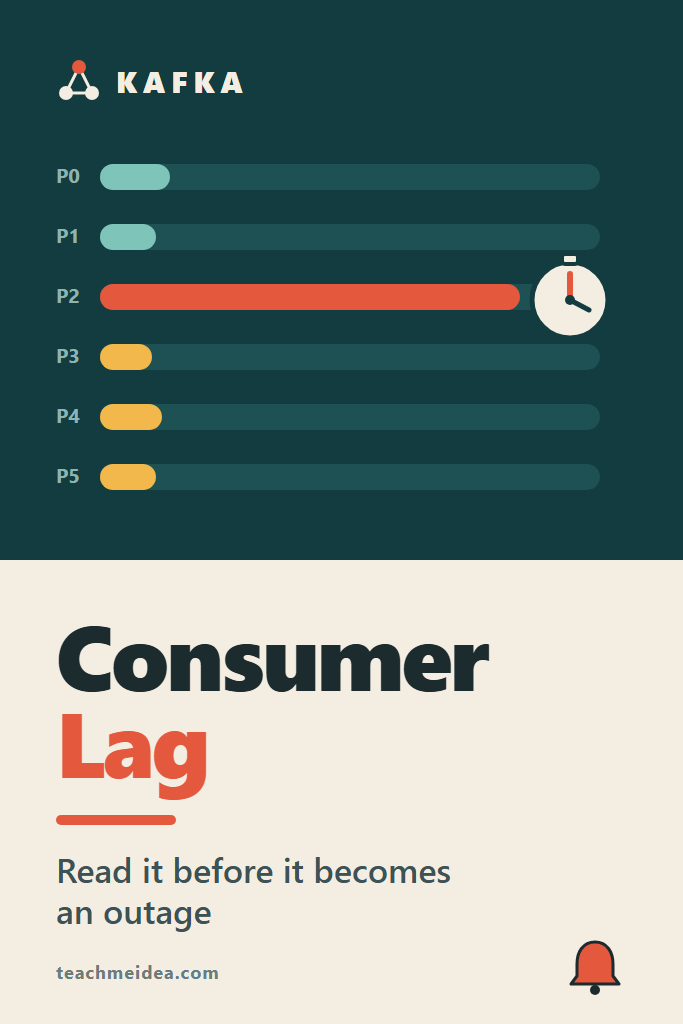
Partition 2 is 10,989 records behind and partition 3 is 174 behind, a 63x difference. However, the time view of the same moment says something else entirely:
PARTITION       COMMITTED    LOG-END        LAG   OLDEST-AGE  STATUS
orders-0             5601       5849        248          47s  ok
orders-1             4146       4323        177          47s  ok
orders-2             7301      18290      10989          47s  ok
orders-3             3755       3929        174          47s  ok
orders-4             4727       4949        222          47s  ok
orders-5             4470       4660        190          47s  ok
Every partition’s oldest unprocessed record is 47 seconds old. For a payment confirmation, all six partitions are equally late. The record count told you where the volume is, but it did not tell you who is waiting.
Measuring Time Lag With the Admin Client
The OLDEST-AGE column above comes from a small Kafka consumer lag tool that uses the Java Admin client. For each partition it reads the committed offset, the log-end offset and the log-start offset. Then it fetches the one record sitting at the committed offset and reports how long ago it was written. Because it compares against the log-start offset, it also catches stage 6.
import java.time.Duration;
import java.time.Instant;
import java.util.HashMap;
import java.util.List;
import java.util.Map;
import java.util.Properties;
import java.util.function.Function;
import java.util.stream.Collectors;

import org.apache.kafka.clients.admin.Admin;
import org.apache.kafka.clients.admin.AdminClientConfig;
import org.apache.kafka.clients.admin.OffsetSpec;
import org.apache.kafka.clients.consumer.ConsumerConfig;
import org.apache.kafka.clients.consumer.ConsumerRecord;
import org.apache.kafka.clients.consumer.KafkaConsumer;
import org.apache.kafka.clients.consumer.OffsetAndMetadata;
import org.apache.kafka.common.TopicPartition;
import org.apache.kafka.common.serialization.ByteArrayDeserializer;

/** Usage: java LagReport.java <bootstrap> <group> */
public class LagReport {
    public static void main(String[] args) throws Exception {
        String bootstrap = args[0], group = args[1];
        try (Admin admin = Admin.create(Map.of(AdminClientConfig.BOOTSTRAP_SERVERS_CONFIG, bootstrap));
             KafkaConsumer<byte[], byte[]> reader = timestampReader(bootstrap)) {

            Map<TopicPartition, OffsetAndMetadata> committed =
                admin.listConsumerGroupOffsets(group).partitionsToOffsetAndMetadata().get();
            Map<TopicPartition, Long> end = offsets(admin, committed, OffsetSpec.latest());
            Map<TopicPartition, Long> start = offsets(admin, committed, OffsetSpec.earliest());

            System.out.printf("%-14s %10s %10s %10s %12s  %s%n",
                "PARTITION", "COMMITTED", "LOG-END", "LAG", "OLDEST-AGE", "STATUS");
            for (TopicPartition tp : committed.keySet().stream()
                    .sorted((a, b) -> a.toString().compareTo(b.toString())).toList()) {
                long pos = committed.get(tp).offset();
                long lag = end.get(tp) - pos;
                String age = "-", status = "ok";
                if (pos < start.get(tp)) {
                    // Retention already deleted records this group never read.
                    status = "OUT OF RANGE: " + (start.get(tp) - pos) + " records deleted unread";
                } else if (lag > 0) {
                    age = ageOfRecordAt(reader, tp, pos);
                }
                System.out.printf("%-14s %10d %10d %10d %12s  %s%n",
                    tp, pos, end.get(tp), lag, age, status);
            }
        }
    }
The helpers stay short. Notably, the timestamp reader has no group.id, so it can never commit and never joins the group it is inspecting.
    static Map<TopicPartition, Long> offsets(Admin admin, Map<TopicPartition, ?> tps, OffsetSpec spec)
            throws Exception {
        Map<TopicPartition, OffsetSpec> request = tps.keySet().stream()
            .collect(Collectors.toMap(Function.identity(), tp -> spec));
        Map<TopicPartition, Long> result = new HashMap<>();
        admin.listOffsets(request).all().get().forEach((tp, info) -> result.put(tp, info.offset()));
        return result;
    }

    /** Time lag: how long ago the oldest unprocessed record was written. */
    static String ageOfRecordAt(KafkaConsumer<byte[], byte[]> reader, TopicPartition tp, long offset) {
        reader.assign(List.of(tp));
        reader.seek(tp, offset);
        for (ConsumerRecord<byte[], byte[]> r : reader.poll(Duration.ofSeconds(5)).records(tp)) {
            Duration age = Duration.between(Instant.ofEpochMilli(r.timestamp()), Instant.now());
            return age.toSeconds() + "s";
        }
        return "unknown";
    }

    static KafkaConsumer<byte[], byte[]> timestampReader(String bootstrap) {
        Properties p = new Properties();
        p.put(ConsumerConfig.BOOTSTRAP_SERVERS_CONFIG, bootstrap);
        p.put(ConsumerConfig.ENABLE_AUTO_COMMIT_CONFIG, "false"); // no group.id: never commits
        p.put(ConsumerConfig.MAX_POLL_RECORDS_CONFIG, "1");
        p.put(ConsumerConfig.KEY_DESERIALIZER_CLASS_CONFIG, ByteArrayDeserializer.class.getName());
        p.put(ConsumerConfig.VALUE_DESERIALIZER_CLASS_CONFIG, ByteArrayDeserializer.class.getName());
        return new KafkaConsumer<>(p);
    }
}
It runs as a single-file Java program against the client jars shipped with Kafka: java -cp "libs/*" LagReport.java localhost:9092 billing. In practice, you would export the age as a gauge rather than print it. Note also that record timestamps are producer-set by default (CreateTime), so a producer with a wrong clock skews the age.
Managed services offer a second kind of time lag. For example, Amazon MSK publishes EstimatedMaxTimeLag in its consumer-lag metrics, which is an estimate of how long the current lag will take to drain. That is a forecast, whereas the age of the oldest record is a fact about who is already waiting. Both are useful, but alert on the fact.
Stage 2: One Hot Partition Inside a Healthy Sum
The second failure is summing Kafka consumer lag across partitions. Kafka orders records per partition, and a key always lands on the same partition. Therefore, one heavy key means one heavy partition, and that partition drains at the speed of a single consumer no matter how many consumers the group has.
What a Live Consumer Did With the Hot Partition
The same backlog was then drained by a single consumer that spent 2 ms per record. Twenty seconds in, the time lag looked like this:
PARTITION       COMMITTED    LOG-END        LAG   OLDEST-AGE  STATUS
orders-0             5849       5849          0            -  ok
orders-1             4323       4323          0            -  ok
orders-2            13376      18290       4914          79s  ok
orders-3             3755       3929        174          79s  ok
orders-4             4727       4949        222          79s  ok
orders-5             4470       4660        190          79s  ok
This run is the more interesting result. The consumer had drained partitions 0 and 1 and was working through partition 2. Meanwhile, partitions 3, 4 and 5 had not moved at all since the first reading: still 174, 222 and 190 records behind, but now 79 seconds old. A record-count alert with any sensible threshold would ignore them. Thirteen seconds later, all six partitions read zero.
So the hot partition did two kinds of damage in this run. It held most of the lag, and the small partitions sharing its consumer waited behind it. With more consumers in the group, partitions 3 to 5 would likely have landed on other members and drained right away. Partition 2 would still have had one consumer.
Why Adding Consumers Does Not Drain a Hot Partition
A consumer group assigns each partition to exactly one member. Consequently, a group cannot have more active consumers than partitions, and a single partition never gets more than one. Autoscalers respect this. The KEDA Kafka scaler caps replicas at the topic’s partition count by default, and its limitToPartitionsWithLag option caps them at the number of partitions that currently have lag. With one hot partition, that option caps the group at one consumer, which is the honest answer.
The real fixes are upstream of the consumer:
- Spread the key. If ordering only matters per order and not per tenant, key by order ID instead of tenant ID.
- Split the heavy tenant. Append a bounded suffix (
tenant-acme#0totenant-acme#7) when strict per-tenant ordering is not required. - Make the work cheaper per record. Batch writes for the hot partition, since it sees the most records per poll anyway.
- Use a share group for unordered work. Kafka 4.2 made share groups production-ready, according to the 4.2.0 release announcement. They let several consumers process one partition with per-record acknowledgement, at the cost of ordering.
For alerting, track the maximum lag per partition alongside the sum. A total that looks flat while one partition grows is the shape of this stage.
Stage 3: The Database Behind the Consumer Sets the Ceiling
The third failure is treating rising Kafka consumer lag as a Kafka problem when the consumer is waiting on something else. Most consumers write to a database, call an API or both. When that dependency slows down, every consumer slows with it, and lag rises even though Kafka is fine.
This is where autoscaling on lag backfires. More consumers mean more open database connections and more concurrent writes against the thing that is already struggling. If the database is near its connection limit, the new consumers fail to connect, retry, and add load. The Postgres connection limit failure modes post walks through exactly that wall. Similarly, if the consumer retries failed writes without a cap, the retry storm patterns apply here too.
The decision is to cap the scaler by the dependency’s budget, not by the partition count:
apiVersion: keda.sh/v1alpha1
kind: ScaledObject
metadata:
  name: billing-consumer
spec:
  scaleTargetRef:
    name: billing-consumer
  pollingInterval: 30
  minReplicaCount: 2
  # 6 partitions, but each replica holds a pool of 10 connections and the
  # database budget for this service is 40: 4 replicas, not 6.
  maxReplicaCount: 4
  triggers:
    - type: kafka
      metadata:
        bootstrapServers: kafka:9092
        consumerGroup: billing
        topic: orders
        lagThreshold: "500"
        activationLagThreshold: "50"
        limitToPartitionsWithLag: "true"
Lag alone cannot tell you which side is slow. To tell them apart, put a timer around the processing of each batch and export it next to lag. If lag rises while batch time stays flat, producers sped up and more consumers will help. However, if lag rises because batch time rose, the consumer is waiting on its dependency, and scaling makes the dependency worse. A dashboard that shows both lines on one chart answers this in seconds.
Stage 4: Rebalance Loops From Slow Batches
The fourth failure is the first one where the consumer looks busy, makes no progress, and Kafka consumer lag stops being reported at all. A consumer must call poll() again within max.poll.interval.ms, which defaults to 300,000 ms (five minutes) according to the Kafka 4.3 consumer configs. Each poll() can return up to max.poll.records records, 500 by default. If 500 records take longer than the interval to process, the consumer is removed from the group before it can commit.
What It Looks Like With the Classic Protocol
To reproduce this, a consumer spent 40 ms per record with max.poll.interval.ms set to 10,000. A 500-record batch therefore took about 20 seconds against a 10-second limit. The topic payments had 3,000 records across three partitions. The consumer logged:
2026-10-21T08:46:14.113400400Z CommitFailedException after 24767 ms: Offset commit cannot be completed since the consumer is not part of an active group for auto partition assignment; it is likely that the consumer was kicked out of the group
2026-10-21T08:46:41.827778200Z CommitFailedException after 24691 ms: Offset commit cannot be completed since the consumer is not part of an active group for auto partition assignment; it is likely that the consumer was kicked out of the group
2026-10-21T08:47:09.546745100Z CommitFailedException after 24701 ms: Offset commit cannot be completed since the consumer is not part of an active group for auto partition assignment; it is likely that the consumer was kicked out of the group
2026-10-21T08:47:09.555827100Z processed 1500
It processed 1,500 records and committed none. Since nothing was ever committed, each rejoin started again from the earliest offsets, so it most likely processed the same 500 records three times. Meanwhile, the group description during the run showed this:
GROUP           TOPIC           PARTITION  CURRENT-OFFSET  LOG-END-OFFSET  LAG             CONSUMER-ID                                            HOST            CLIENT-ID
settle          payments        0          -               1035            -               consumer-settle-1-56929a75-db10-40ad-aa93-6e25c58a5da1 /127.0.0.1      consumer-settle-1
settle          payments        1          -               972             -               consumer-settle-1-56929a75-db10-40ad-aa93-6e25c58a5da1 /127.0.0.1      consumer-settle-1
settle          payments        2          -               993             -               consumer-settle-1-56929a75-db10-40ad-aa93-6e25c58a5da1 /127.0.0.1      consumer-settle-1
The LAG column is a dash, not a number. Any alert built as “lag above N” sees no data and does not fire. The only visible change across three readings was the consumer ID: 56929a75, then 3f628441, then feb5f699. Each was a new member rejoining after being removed.
The New Consumer Protocol Changes the Symptom, Not the Cause
Kafka 4.0 made the new consumer rebalance protocol from KIP-848 generally available, and the broker enables it by default. The client still defaults to classic, so you opt in with group.protocol=consumer, as the consumer rebalance protocol docs describe. The same experiment was rerun with that setting, and the client logged the cause clearly:
[2026-10-21 10:47:49,811] WARN [Consumer clientId=consumer-settle-v2-1, groupId=settle-v2] Time between subsequent calls to poll() was longer than the configured max.poll.interval.ms, exceeded approximately by 14680 ms. Member JxWBLKDuSPmm7znalBEvhw will rejoin the group now. (org.apache.kafka.clients.consumer.internals.ConsumerHeartbeatRequestManager)
The application log, however, said this:
2026-10-21T08:47:49.785707Z committed batch of 500 in 24627 ms
2026-10-21T08:48:14.539006500Z committed batch of 500 in 24616 ms
2026-10-21T08:48:39.473496500Z committed batch of 500 in 24698 ms
2026-10-21T08:48:39.480751700Z processed 1500
The commitSync() call returned normally three times, and the group still ended the run with no committed offsets at all. A likely reading is that the poll timeout had already revoked the assignment, so commitSync() had nothing to commit and nothing to complain about. Either way, code that relies on CommitFailedException to detect this stage will never see it under the new protocol. Watch for the max.poll.interval.ms warning in the client log and for committed offsets that stop moving.
The fix is the same under both protocols. Make sure one poll’s worth of records fits comfortably inside the interval:
// Worst-case time per record x max.poll.records must stay well under max.poll.interval.ms.
// Here: 40 ms x 50 = 2 s per poll against a 300 s limit.
props.put(ConsumerConfig.MAX_POLL_RECORDS_CONFIG, "50");
props.put(ConsumerConfig.MAX_POLL_INTERVAL_MS_CONFIG, "300000");
Raising max.poll.interval.ms also works, but it slows down detection of a consumer that is truly hung. Lowering max.poll.records keeps detection fast and costs only a few extra fetch round trips.
Stage 5: A Stuck Partition Behind One Bad Record
The fifth failure is a single record that can never be processed. It might be a malformed payload, a schema the consumer does not know, or a foreign key that will never exist. A consumer that retries it forever keeps polling, keeps its heartbeat, and stays a healthy member of a stable group. As a result, nothing about the group looks wrong except one partition’s Kafka consumer lag.
What the Naive Retry Loop Did
The invoices topic got 3,000 records across three partitions, one of them a poison record. The consumer rewound to the failed record on every error, which is a common hand-written retry. Partway through, 1,500 more records arrived. Two readings, 28 seconds apart:
GROUP           TOPIC           PARTITION  CURRENT-OFFSET  LOG-END-OFFSET  LAG             CONSUMER-ID                                            HOST            CLIENT-ID
ledger          invoices        0          1019            1019            0               consumer-ledger-1-2fc6444e-18f8-4bfe-9bb4-fd05078a40e6 /127.0.0.1      consumer-ledger-1
ledger          invoices        1          417             1016            599             consumer-ledger-1-2fc6444e-18f8-4bfe-9bb4-fd05078a40e6 /127.0.0.1      consumer-ledger-1
ledger          invoices        2          965             965             0               consumer-ledger-1-2fc6444e-18f8-4bfe-9bb4-fd05078a40e6 /127.0.0.1      consumer-ledger-1
GROUP           TOPIC           PARTITION  CURRENT-OFFSET  LOG-END-OFFSET  LAG             CONSUMER-ID                                            HOST            CLIENT-ID
ledger          invoices        0          1520            1520            0               consumer-ledger-1-2fc6444e-18f8-4bfe-9bb4-fd05078a40e6 /127.0.0.1      consumer-ledger-1
ledger          invoices        1          417             1546            1129            consumer-ledger-1-2fc6444e-18f8-4bfe-9bb4-fd05078a40e6 /127.0.0.1      consumer-ledger-1
ledger          invoices        2          1434            1434            0               consumer-ledger-1-2fc6444e-18f8-4bfe-9bb4-fd05078a40e6 /127.0.0.1      consumer-ledger-1
The same consumer ID holds the whole time, so there is no rebalance. Partitions 0 and 2 keep up with new traffic. Partition 1 sits at offset 417 while its lag grows from 599 to 1,129. The consumer’s own log ended with this:
2026-10-21T08:50:25.649739200Z failed p1@417 (attempt 177501), rewinding
2026-10-21T08:50:25.676975800Z processed 3371
It made 177,501 attempts on one record in about 75 seconds. Every record behind offset 417 on that partition waited the whole time, including records for customers who had nothing to do with the bad one.
Bounded Retries and a Dead-Letter Topic
The fix is to give each record a fixed number of attempts and then park it somewhere with enough context to replay it. The consumer below retries three times with a short pause, publishes the failed record to invoices.dlt with its source partition, offset and error as headers, waits for that write to succeed, and moves on.
import java.nio.charset.StandardCharsets;
import java.time.Duration;
import java.util.List;
import java.util.Properties;

import org.apache.kafka.clients.consumer.ConsumerConfig;
import org.apache.kafka.clients.consumer.ConsumerRecord;
import org.apache.kafka.clients.consumer.KafkaConsumer;
import org.apache.kafka.clients.producer.KafkaProducer;
import org.apache.kafka.clients.producer.ProducerConfig;
import org.apache.kafka.clients.producer.ProducerRecord;
import org.apache.kafka.common.serialization.StringDeserializer;
import org.apache.kafka.common.serialization.StringSerializer;

public class InvoiceConsumer {
    private static final int MAX_ATTEMPTS = 3;

    public static void main(String[] args) throws Exception {
        String topic = args[0], deadLetterTopic = topic + ".dlt";
        try (KafkaConsumer<String, String> consumer = new KafkaConsumer<>(consumerProps());
             KafkaProducer<String, String> dlt = new KafkaProducer<>(producerProps())) {
            consumer.subscribe(List.of(topic));
            while (!Thread.currentThread().isInterrupted()) {
                for (ConsumerRecord<String, String> record : consumer.poll(Duration.ofMillis(500))) {
                    Exception lastError = null;
                    for (int attempt = 1; attempt <= MAX_ATTEMPTS; attempt++) {
                        try {
                            process(record);
                            lastError = null;
                            break;
                        } catch (Exception e) {
                            lastError = e;
                            Thread.sleep(100L * attempt); // short, bounded: transient faults only
                        }
                    }
                    if (lastError != null) {
                        // Park the record with enough context to replay it, then move on.
                        ProducerRecord<String, String> parked =
                            new ProducerRecord<>(deadLetterTopic, record.key(), record.value());
                        parked.headers()
                            .add("source.partition", bytes(record.partition()))
                            .add("source.offset", bytes(record.offset()))
                            .add("error", lastError.toString().getBytes(StandardCharsets.UTF_8));
                        dlt.send(parked).get(); // block: never commit past an unparked record
                        System.out.printf("parked %s-%d@%d: %s%n",
                            record.topic(), record.partition(), record.offset(), lastError);
                    }
                }
                consumer.commitSync();
            }
        }
    }
The rest is the processing function and plain client configuration. Note that acks=all on the dead-letter producer matters here, because the consumer commits past the bad record as soon as the park succeeds.
    static void process(ConsumerRecord<String, String> record) {
        if (!record.value().startsWith("{")) {
            throw new IllegalArgumentException("not JSON: " + record.value());
        }
        // ... write the invoice
    }

    static byte[] bytes(long n) {
        return Long.toString(n).getBytes(StandardCharsets.UTF_8);
    }

    static Properties consumerProps() {
        Properties p = new Properties();
        p.put(ConsumerConfig.BOOTSTRAP_SERVERS_CONFIG, "localhost:9092");
        p.put(ConsumerConfig.GROUP_ID_CONFIG, "ledger-v2");
        p.put(ConsumerConfig.ENABLE_AUTO_COMMIT_CONFIG, "false");
        p.put(ConsumerConfig.AUTO_OFFSET_RESET_CONFIG, "earliest");
        p.put(ConsumerConfig.KEY_DESERIALIZER_CLASS_CONFIG, StringDeserializer.class.getName());
        p.put(ConsumerConfig.VALUE_DESERIALIZER_CLASS_CONFIG, StringDeserializer.class.getName());
        return p;
    }

    static Properties producerProps() {
        Properties p = new Properties();
        p.put(ProducerConfig.BOOTSTRAP_SERVERS_CONFIG, "localhost:9092");
        p.put(ProducerConfig.ACKS_CONFIG, "all");
        p.put(ProducerConfig.KEY_SERIALIZER_CLASS_CONFIG, StringSerializer.class.getName());
        p.put(ProducerConfig.VALUE_SERIALIZER_CLASS_CONFIG, StringSerializer.class.getName());
        return p;
    }
}
Run against a fresh invoices topic with the poison record at partition 1, offset 386, it parked the one record and drained everything else:
parked invoices-1@386: java.lang.IllegalArgumentException: not JSON: POISON
GROUP           TOPIC           PARTITION  CURRENT-OFFSET  LOG-END-OFFSET  LAG             CONSUMER-ID                                               HOST            CLIENT-ID
ledger-v2       invoices        0          989             989             0               consumer-ledger-v2-1-9e5f7f45-28fb-429b-8982-71fb4b443303 /127.0.0.1      consumer-ledger-v2-1
ledger-v2       invoices        1          986             986             0               consumer-ledger-v2-1-9e5f7f45-28fb-429b-8982-71fb4b443303 /127.0.0.1      consumer-ledger-v2-1
ledger-v2       invoices        2          1025            1025            0               consumer-ledger-v2-1-9e5f7f45-28fb-429b-8982-71fb4b443303 /127.0.0.1      consumer-ledger-v2-1
Reading the dead-letter topic shows the record with its replay context intact:
bin/kafka-console-consumer.sh --bootstrap-server localhost:9092 --topic invoices.dlt \
  --from-beginning --formatter-property print.headers=true --max-messages 1
source.partition:1,source.offset:386,error:java.lang.IllegalArgumentException: not JSON: POISON	POISON
Processed a total of 1 messages
There is one trade-off to accept consciously. A dead-letter topic breaks ordering for that key, because later records for the same key are processed before the parked one. For most invoice or notification flows that is fine. On the other hand, for a ledger where each event depends on the last, the safer choice is to stop the partition and page someone, which makes the stuck-partition alert below even more important.
Stage 6: Lag Passes Retention and Reads Zero
The last failure is the one that ends in data loss. A topic keeps records for retention.ms, seven days by default. If a group’s Kafka consumer lag grows past that window, the records it has not read get deleted. When the consumer next starts, its committed offset points at a record that no longer exists. Kafka then applies auto.offset.reset, which defaults to latest in the consumer config reference. In practice, that means “skip to the end.”
Reproducing the Silent Skip
A topic named audit-events was given 1,000 records, and a group called archiver read and committed all of them. Then 4,000 more were produced while the group was offline, and the first 3,000 offsets were removed with kafka-delete-records. That command moves the log-start offset forward exactly as time-based retention does. It stood in for retention here because Kafka’s segment deletion fails on Windows (KAFKA-1194), and the broker in this environment crashed on its first retention pass.
echo '{"partitions":[{"topic":"audit-events","partition":0,"offset":3000}],"version":1}' > delete.json
bin/kafka-delete-records.sh --bootstrap-server localhost:9092 --offset-json-file delete.json
Executing records delete operation
Records delete operation completed:
partition: audit-events-0	low_watermark: 3000
The stock tool still reports the deleted records as lag:
GROUP           TOPIC           PARTITION  CURRENT-OFFSET  LOG-END-OFFSET  LAG             CONSUMER-ID     HOST            CLIENT-ID
archiver        audit-events    0          1000            5000            4000            -               -               -
That lag of 4,000 includes 2,000 records that are already gone. The LagReport tool from stage 1 checks the log-start offset and says so:
PARTITION       COMMITTED    LOG-END        LAG   OLDEST-AGE  STATUS
audit-events-0       1000       5000       4000            -  OUT OF RANGE: 2000 records deleted unread
Next, the group restarted with the default reset policy, and three new records were produced while it ran:
bin/kafka-console-consumer.sh --bootstrap-server localhost:9092 --topic audit-events --group archiver \
  --command-property auto.offset.reset=latest --formatter-property print.offset=true --timeout-ms 15000
The consumer rebalance protocol (KIP-848) is production-ready! Set group.protocol=consumer to try it out. See https://kafka.apache.org/documentation/#consumer_rebalance_protocol
Offset:5000	a
Offset:5001	b
Offset:5002	c
[2026-10-21 10:56:54,151] ERROR Error processing message, terminating consumer process:  (org.apache.kafka.tools.consumer.ConsoleConsumer)
org.apache.kafka.common.errors.TimeoutException
The TimeoutException is the console consumer’s --timeout-ms exit, not a failure. The important part is the first offset it printed: 5000. And then the group:
GROUP           TOPIC           PARTITION  CURRENT-OFFSET  LOG-END-OFFSET  LAG             CONSUMER-ID     HOST            CLIENT-ID
archiver        audit-events    0          5003            5003            0               -               -               -
Lag is zero. The group never read offsets 1000 to 4999. That is 2,000 records retention deleted plus 2,000 records that still existed at offsets 3000 to 4999, and the latest reset skipped those too. A lag dashboard shows this as a large backlog that cleared instantly, which looks exactly like a good recovery.
Choosing a Reset Policy on Purpose
The default exists for new groups that should not replay a topic’s history, and it is the wrong choice for an existing group that falls behind. Kafka 4.x gives three better options:
nonethrows an exception instead of guessing. The consumer stops, someone looks, and nothing is skipped without a decision. This is the right default for anything financial or audited.earliestresumes from the oldest surviving record. In the run above, it would have recovered offsets 3000 to 4999 and lost only what retention had already deleted.by_duration:PT6H(ISO 8601 duration) resets to records from that far back. This suits consumers where very old data is useless but the recent window matters.
Beyond the policy, alert well before retention: compare the age of the oldest unprocessed record against the topic’s retention.ms. Once the age passes half of retention, the incident has a deadline.
How Do You Know Kafka Consumer Lag Is Becoming an Outage?
Kafka consumer lag becomes an outage when the oldest unprocessed record is older than the business can tolerate, or when a partition stops making progress. Watch these five signals, in this order of urgency:
- Committed offset below the log-start offset on any partition: data is being lost right now.
- Committed offset unchanged for ten minutes while lag is above zero: a stuck partition or a rebalance loop.
- Age of the oldest unprocessed record above the topic’s agreed delay: customers are waiting.
- Max lag per partition growing while the summed lag stays flat: a hot partition.
- Summed lag growing with batch processing time flat: producers outpaced consumers, so scale.
If you run the widely used kafka_exporter for Prometheus, the first two signals can be written as rules. The following was not run for this post; check the metric names against the exporter version you deploy:
groups:
  - name: kafka-consumer-lag
    rules:
      - alert: KafkaPartitionStuck
        expr: kafka_consumergroup_lag > 0 and changes(kafka_consumergroup_current_offset[10m]) == 0
        for: 5m
      - alert: KafkaOffsetBelowRetention
        expr: |
          kafka_consumergroup_current_offset
            < on (topic, partition) group_left kafka_topic_partition_oldest_offset
For the general setup of exporters and dashboards, the Prometheus and Grafana monitoring guide covers the plumbing these rules sit on.
Real-World Scenario: An Order Pipeline After a Marketing Push
Consider a mid-sized e-commerce platform with a small backend team, where an order service publishes to a Kafka topic with a dozen partitions. Downstream, a fulfilment consumer writes to Postgres and a separate analytics consumer feeds a warehouse. The topic is keyed by merchant ID, because fulfilment needs per-merchant ordering. Retention is the default seven days, and the only Kafka consumer lag alert is a summed threshold on the fulfilment group.
One of the larger merchants runs a flash sale. Order volume for that merchant jumps several times over for a few hours, and nearly all of it lands on one partition. The summed lag rises but stays under the threshold, because the other partitions are near zero (stage 2). The on-call engineer notices slow fulfilment from support tickets, not from an alert, and scales the consumer deployment up. That changes nothing for the hot partition. Worse, the extra replicas open more Postgres connections during the busiest hour of the week (stage 3).
Meanwhile, the analytics consumer has been crash-looping since a schema change earlier in the week, and nobody watches it closely because “analytics can wait.” Its offsets sit unchanged for days, so the age of its oldest unprocessed record creeps toward the seven-day retention. When someone finally fixes and redeploys it, the reset policy is the default latest. It comes up with zero lag and a week of orders missing from the warehouse (stage 6).
None of these failures needed a new tool. The age-based alert would have caught the flash sale within minutes. The per-partition view would have pointed at the merchant key. A frozen-offset alert would have flagged the analytics consumer on day one. The trade-off is that per-partition and per-group alerting costs more dashboard and on-call attention than one summed number, which is why teams skip it until after the first incident.
When to Use Consumer Lag as an Alert Signal
- Every consumer group whose output a person or another system waits on, measured as the age of the oldest unprocessed record
- Topics where retention is short relative to plausible downtime, such as one-day retention on a consumer that deploys weekly
- Groups that feed autoscaling, provided the scaler is capped by downstream capacity
- Capacity planning, using the trend of summed lag over weeks rather than any single reading
- Incident triage, where per-partition lag next to batch processing time separates “consumers too slow” from “dependency too slow”
When NOT to Use Consumer Lag as an Alert Signal
- Batch consumers that run on a schedule, where large lag between runs is the design, not a fault
- Groups where a record-count threshold was picked without knowing the consumer’s throughput, since that number fires on harmless bursts
- As the only health check for a consumer, because a rebalance loop can show no lag value at all
- As proof that a recovery succeeded, because a reset to
latestproduces the same zero as a real catch-up - On compacted topics, where offsets have gaps and record counts overstate the remaining work
Common Mistakes With Kafka Consumer Lag
- Summing lag across partitions and missing the one partition that holds all of it
- Leaving
auto.offset.resetatlatestfor long-lived groups that must not skip data - Scaling consumers past what the database or downstream API can absorb
- Retrying a failed record forever in the poll loop instead of parking it after a fixed number of attempts
- Relying on
CommitFailedExceptionto detect a slow consumer, which the new consumer protocol did not throw in the run above - Tuning
max.poll.interval.msup to hours instead of loweringmax.poll.records - Trusting record timestamps for time lag without checking that producers set them from a correct clock
Kafka Consumer Lag and Queue Choice Are Linked
Several of these stages exist because of how Kafka works. Records are ordered per partition, a partition goes to one consumer, and offsets are positions rather than per-message acknowledgements. That model is why Kafka is fast and why one hot key or one bad record can hold a partition hostage. If your workload is unordered work items rather than ordered events, the comparison in RabbitMQ vs Kafka vs SQS is worth rereading, as is Kafka’s own share groups feature. For the event-driven side, where ordering is the point, the patterns in event-driven microservices with Kafka assume consumers that keep up, and this post is about what happens when they do not.
Conclusion
Kafka consumer lag is a useful number read the wrong way. The record count says where the volume is, while the age of the oldest unprocessed record says who is waiting. Summed lag hides hot partitions, a missing lag value can mean a rebalance loop, a frozen committed offset means a stuck partition, and a sudden drop to zero can mean records were skipped rather than processed.
The practical takeaway for today: add the oldest-record age and the “committed offset below log-start” check to your existing dashboard, and set auto.offset.reset deliberately on every long-lived group. Then pick one consumer, write down the delay its users can tolerate, and alert on that instead of a record count. If the consumer retries failures against a database, read the retry storms breakdown next, because a lagging consumer with an uncapped retry policy is how stage 3 becomes an outage.