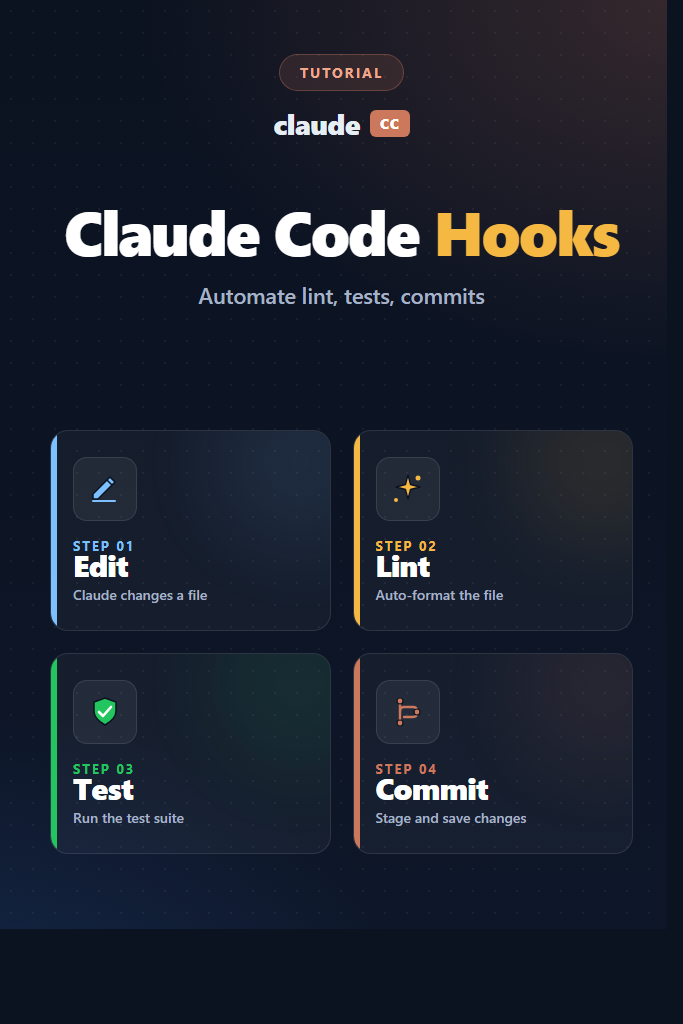
If you use Claude Code daily and want every AI-generated edit to land already formatted, linted, tested, and committed, Claude Code hooks are the piece you are missing. This guide explains what hooks are, which event types exist, and how to wire them up so your workflow enforces standards automatically — without asking Claude politely every time. By the end, you will have working configurations for auto-formatting after every edit, blocking dangerous commands, running the test suite before a session ends, and generating conventional commits on a quiet directory.
Hooks shift responsibility from the model to the runtime. Instead of hoping the assistant remembers your style rules, you guarantee them at the process boundary. In practice, that means fewer “please run prettier again” follow-ups and fewer PRs that fail CI on a trailing whitespace.
What Are Claude Code Hooks?
Claude Code hooks are shell commands that the CLI runs automatically at specific points in your session. They live in your settings.json file, they receive context as JSON on stdin, and they can shape what Claude does by returning data or exit codes. Hooks are deterministic, run outside the model, and execute whether the model asks for it or not.
Think of them as middleware for your agent. A hook fires when something happens — a tool runs, the user submits a prompt, the session ends — and it can observe, modify, or block that event. For example, a PostToolUse hook firing after every Edit can format and lint the touched file. A PreToolUse hook can deny a Bash command that matches rm -rf. Moreover, hooks compose: several can listen to the same event and run in parallel.
Because hooks are plain shell, you can reuse existing tooling — prettier, eslint, pytest, cargo fmt, git. You do not need a plugin API. If it runs from your terminal, it runs from a hook.
Hook Event Types: A Quick Reference
Each event fires at a different moment in a session. Choosing the right event is more important than the command itself.
| Event | When It Fires | Can Block? | Typical Use |
|---|---|---|---|
PreToolUse | Before a tool runs | Yes | Block dangerous commands, require approval |
PostToolUse | After a tool succeeds | No | Format, lint, re-run tests on edits |
UserPromptSubmit | When you submit a prompt | Yes | Inject project context, gate prompts |
Stop | When Claude finishes a response | Yes | Run full test suite, commit work |
SubagentStop | When a subagent returns | Yes | Validate subagent output |
SessionStart | At session start | No | Load environment, warm caches |
SessionEnd | When the session closes | No | Cleanup, telemetry |
Notification | On tool approval or idle | No | Forward notifications to Slack |
PreCompact | Before conversation compaction | No | Snapshot important state |
In practice, PostToolUse and Stop handle most day-to-day automation. Consequently, we will spend most of our time there.
Setting Up Your First Claude Code Hook
Hooks belong in one of three settings files, and the order matters:
- User settings:
~/.claude/settings.json— applies to every project - Project settings:
.claude/settings.json— checked into the repo, shared with the team - Project local settings:
.claude/settings.local.json— your personal overrides, gitignored
The shape is the same in all three. Moreover, entries merge additively — a project hook does not replace a user hook; both fire.
Here is the minimal example, a PostToolUse hook that writes a log line after every tool call:
{
  "hooks": {
    "PostToolUse": [
      {
        "matcher": "",
        "hooks": [
          {
            "type": "command",
            "command": "echo \"[claude] tool ran at $(date -u +%FT%TZ)\" >> ~/.claude/tool-usage.log"
          }
        ]
      }
    ]
  }
}
The matcher field is a regex tested against the tool name. An empty string matches everything. For instance, to target only file edits, use "matcher": "Edit|Write|MultiEdit". Each matcher has an array of hook objects so that you can run several commands in parallel at the same event.
If you are new to Claude Code itself, start with our Claude Code setup and first workflow guide before wiring hooks into production configs.
Auto-Format and Lint on Every Edit
The most useful hook on day one is a PostToolUse hook that formats and lints whatever file Claude just touched. First, create a small shell script you can version with the repo:
# .claude/hooks/format-on-edit.sh
#!/usr/bin/env bash
set -euo pipefail

# Claude Code pipes a JSON payload to stdin with tool_name, tool_input, etc.
INPUT=$(cat)
FILE_PATH=$(echo "$INPUT" | jq -r '.tool_input.file_path // empty')

# Skip if no file path (e.g., MultiEdit groups are handled per-edit)
if [[ -z "$FILE_PATH" ]]; then
  exit 0
fi

cd "$CLAUDE_PROJECT_DIR"

case "$FILE_PATH" in
  *.ts|*.tsx|*.js|*.jsx|*.json|*.md)
    npx --no-install prettier --write "$FILE_PATH" 2>&1 || true
    npx --no-install eslint --fix "$FILE_PATH" 2>&1 || true
    ;;
  *.py)
    ruff format "$FILE_PATH" 2>&1 || true
    ruff check --fix "$FILE_PATH" 2>&1 || true
    ;;
esac
Then wire it up in .claude/settings.json:
{
  "hooks": {
    "PostToolUse": [
      {
        "matcher": "Edit|Write|MultiEdit",
        "hooks": [
          {
            "type": "command",
            "command": "bash $CLAUDE_PROJECT_DIR/.claude/hooks/format-on-edit.sh",
            "timeout": 30
          }
        ]
      }
    ]
  }
}
Why this works: the hook reads the file path from the JSON payload on stdin, dispatches on extension, and uses --no-install so it fails fast if your devDependencies are missing instead of pulling packages mid-edit. Furthermore, the || true guards prevent a linter error from exiting with 2, which would otherwise be surfaced back to Claude as a blocker. In most cases, you want format-on-edit to be best-effort.
If your project already uses pre-commit tooling, this hook overlaps with git hooks for code quality checks — the difference is that Claude Code hooks fire on every edit, while git hooks fire at commit time. Both layers catch different bugs.
For the underlying prettier and eslint configuration, our prettier and eslint configuration guide covers the TypeScript-specific setup this hook assumes.
Run Tests Before You Stop
A Stop hook fires when Claude finishes generating a response — the natural moment to run your test suite. However, there is a subtlety: if the hook exits with code 2, Claude is prompted to continue working. You almost never want to loop tests forever, so you must check the stop_hook_active flag.
# .claude/hooks/run-tests.sh
#!/usr/bin/env bash
set -euo pipefail

INPUT=$(cat)
ALREADY_LOOPING=$(echo "$INPUT" | jq -r '.stop_hook_active // false')

# If Claude is already retrying because of us, bail out
if [[ "$ALREADY_LOOPING" == "true" ]]; then
  exit 0
fi

cd "$CLAUDE_PROJECT_DIR"

# Only run tests if relevant files changed in the working tree
if git diff --quiet --name-only -- '*.ts' '*.tsx' '*.js' '*.py' 2>/dev/null; then
  exit 0
fi

if ! npm test --silent; then
  # Exit 2 tells Claude the tests failed and to fix them
  echo "Tests failed. Review the output above and fix before ending." >&2
  exit 2
fi
Then configure:
{
  "hooks": {
    "Stop": [
      {
        "matcher": "",
        "hooks": [
          {
            "type": "command",
            "command": "bash $CLAUDE_PROJECT_DIR/.claude/hooks/run-tests.sh",
            "timeout": 180
          }
        ]
      }
    ]
  }
}
Why the stop_hook_active guard matters: without it, a failing test causes Claude to try a fix, which triggers another Stop event, which runs tests again, which may still fail. Consequently, you can burn through your quota in a runaway loop. The guard ensures the hook runs once per stop, lets Claude take one remediation pass, and then yields.
The timeout of 180 seconds applies per-hook and is one of the few places Claude Code imposes a ceiling. Therefore, for test suites longer than three minutes, either increase the timeout or scope the hook to a subset of tests.
Auto-Commit with Conventional Messages
Auto-commit is tempting and dangerous. On one hand, it removes the “what did Claude change?” friction. On the other hand, a bad auto-commit buries mistakes under a neat commit graph. The safe pattern is to stage on edit and commit at stop time only when tests pass and there is something worth committing.
Here is a pragmatic approach. First, stage edits incrementally with a PostToolUse hook:
# .claude/hooks/stage-edit.sh
#!/usr/bin/env bash
set -euo pipefail

INPUT=$(cat)
FILE_PATH=$(echo "$INPUT" | jq -r '.tool_input.file_path // empty')
[[ -z "$FILE_PATH" ]] && exit 0

cd "$CLAUDE_PROJECT_DIR"
git add -- "$FILE_PATH" 2>/dev/null || true
Then commit at stop time — but only after the test hook has already passed, and only if the diff is non-trivial:
# .claude/hooks/autocommit.sh
#!/usr/bin/env bash
set -euo pipefail

cd "$CLAUDE_PROJECT_DIR"

# Nothing staged? Nothing to do.
if git diff --cached --quiet; then
  exit 0
fi

# Generate a simple conventional commit message from staged files
FILES=$(git diff --cached --name-only | head -3 | xargs -I{} basename {} | paste -sd ", " -)
TYPE="chore"
git diff --cached --name-only | grep -q "^tests\|\.test\." && TYPE="test"
git diff --cached --name-only | grep -qE '^src/|\.(ts|tsx|js|py)$' && TYPE="feat"

git commit -m "${TYPE}: update ${FILES}" --no-verify >/dev/null
Wire both into settings.json:
{
  "hooks": {
    "PostToolUse": [
      {
        "matcher": "Edit|Write|MultiEdit",
        "hooks": [
          { "type": "command", "command": "bash $CLAUDE_PROJECT_DIR/.claude/hooks/stage-edit.sh" }
        ]
      }
    ],
    "Stop": [
      {
        "matcher": "",
        "hooks": [
          { "type": "command", "command": "bash $CLAUDE_PROJECT_DIR/.claude/hooks/autocommit.sh" }
        ]
      }
    ]
  }
}
Why this is the safer pattern: staging is reversible — git restore --staged . undoes it. A commit is also reversible, but once you push it, you are explaining history to teammates. By staging continuously and committing only on stop, you get a clean commit per turn instead of per edit, and you keep the option to review before pushing. Notably, the commit message is coarse; for better messages, pipe the diff into a separate classifier or a small Claude API call.
Block Dangerous Commands with PreToolUse
A PreToolUse hook can refuse a tool call before it runs. This is the right place to put hard safety rules — not style preferences, but the things you absolutely do not want Claude to do without explicit approval.
# .claude/hooks/guard-bash.sh
#!/usr/bin/env bash
set -euo pipefail

INPUT=$(cat)
COMMAND=$(echo "$INPUT" | jq -r '.tool_input.command // empty')

# Deny patterns that wipe data or bypass safeguards
if echo "$COMMAND" | grep -qE 'rm[[:space:]]+-rf[[:space:]]+/|git[[:space:]]+push[[:space:]]+.*--force|chmod[[:space:]]+777'; then
  cat <<EOF
{
  "decision": "block",
  "reason": "Command matches a blocked pattern (rm -rf /, force push, chmod 777). Ask the user to run it manually."
}
EOF
  exit 0
fi

exit 0
Configuration:
{
  "hooks": {
    "PreToolUse": [
      {
        "matcher": "Bash",
        "hooks": [
          { "type": "command", "command": "bash $CLAUDE_PROJECT_DIR/.claude/hooks/guard-bash.sh" }
        ]
      }
    ]
  }
}
Why JSON output over exit code 2: the structured response lets you pass a reason that Claude sees and can act on. As a result, the model knows why it was blocked and can suggest an alternative, rather than retrying blindly.
For a fuller picture of safety-focused tooling around AI assistants, compare what is built-in across popular agents in AI code assistants compared.
A Realistic Scenario: Hooks in a Node.js Monorepo
Consider a small backend team using Claude Code on a TypeScript monorepo with roughly 12 packages and a 40-second test suite. Before hooks, every Claude-assisted feature required a manual cleanup pass: run prettier, fix three eslint warnings, run tests, write a commit message. Over a week, that adds up to hours of context-switching and a handful of PRs with obvious formatting diffs bundled in.
After adopting the four hooks above — format-on-edit, test-on-stop, stage-on-edit, commit-on-stop — the workflow collapses. Claude edits a file; the file is already formatted and linted. The conversation ends; the test suite runs and either passes or kicks Claude back in with a failure. A tidy commit lands without anyone touching git. Moreover, the PreToolUse guard blocks the one force-push attempt per month that always seems to happen during a merge conflict.
The trade-off is startup cost. Authoring and testing the four hooks typically takes a couple of hours, plus a few days of tuning timeouts and matchers. Additionally, the hooks add 1–5 seconds of overhead per tool call on a laptop, which is usually invisible but occasionally noticeable on the 20th consecutive edit. For a solo developer on a small repo, the math rarely pencils out. However, for a team sharing a checked-in .claude/settings.json, the standards enforcement alone pays back within a sprint.
When to Use Claude Code Hooks
- You want deterministic enforcement of formatting, linting, or testing that does not depend on the model remembering
- Your team shares a repo and wants standards applied uniformly across everyone’s sessions
- You have specific commands you never want the model to run without approval
- Your existing git hooks or CI are too late in the loop to catch mistakes while iterating
- You need to inject project context (branch, recent failures, service status) into every prompt
When NOT to Use Claude Code Hooks
- You are prototyping a throwaway script and speed matters more than correctness
- Your formatter or linter takes longer than 30 seconds on a typical file
- You cannot write shell scripts and do not have the bandwidth to maintain them
- The rule you want to enforce is subjective — “good naming”, “clear logic” — and belongs in code review, not a hook
- You already run the same checks in a watch mode and running them twice adds friction
Common Mistakes with Claude Code Hooks
- Forgetting the
stop_hook_activeguard onStophooks and creating a retry loop that burns tokens - Using
exit 2for non-blocking style issues, which surfaces them to Claude and wastes a turn - Running the full test suite in a
PostToolUsehook so every edit triggers a 60-second wait - Hard-coding absolute paths instead of using
$CLAUDE_PROJECT_DIR, breaking the hook on other machines - Skipping timeouts, so a hung hook blocks the whole session indefinitely
- Committing
.claude/settings.local.jsoninstead of.claude/settings.json, leaking personal overrides to the team - Writing a matcher as a literal string (
"Bash") and expecting partial matches — it is a regex, so"Bash|Edit"is what you want
Debugging Hooks That Misbehave
When a hook does not fire, check three things. First, confirm the event name and matcher syntax — regexes like Edit|Write|MultiEdit need no extra escaping, but . in a matcher is a wildcard. Second, run the hook script manually with a mocked stdin payload:
echo '{"tool_input":{"file_path":"src/app.ts"}}' | bash .claude/hooks/format-on-edit.sh
Third, check the Claude Code transcript — hooks that exit non-zero typically surface their stderr there, and a malformed JSON response produces a telltale parse error. Finally, remember that hooks run in a non-login shell, so anything in .bash_profile will not be sourced. If your hook depends on nvm or pyenv shims, source them explicitly at the top of the script.
Conclusion
Claude Code hooks turn the AI assistant from a helpful collaborator into a process that enforces your standards automatically. Start with a PostToolUse format-and-lint hook, add a Stop hook that runs your tests with the stop_hook_active guard, and layer in a PreToolUse safety hook for commands you never want to run unattended. Commit the configuration to .claude/settings.json so your team inherits the same behavior. Next, explore the broader landscape of AI tools for coding productivity or wire Claude Code hooks into a Node.js workflow that also uses the Claude API directly for structured tasks outside the CLI.

1 Comment
Comments are closed.