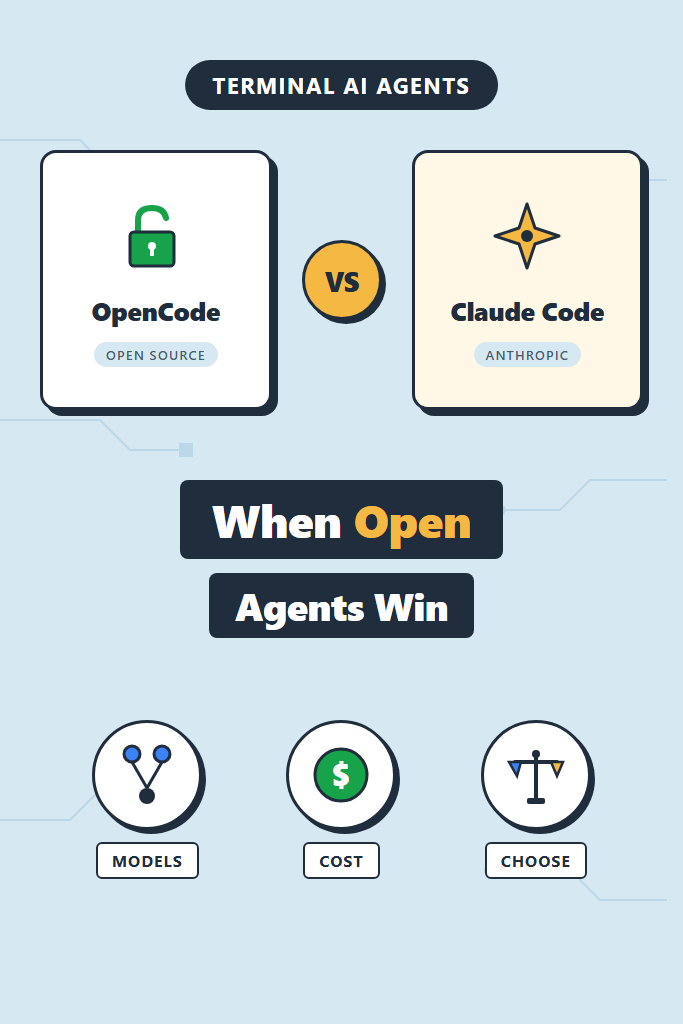
If you spend most of your day in a terminal and want an AI coding agent that runs there too, the choice between OpenCode vs Claude Code is one of the more practical decisions you can make this year. Both ship a TUI agent that edits files, runs commands, and follows multi-step plans. However, they take very different positions on lock-in, model choice, and how the agent loop is exposed. This comparison is for backend, infra, and full-stack engineers who already know what an agent harness is and want to pick the right one for daily work.
By the end, you will know which agent fits which job, where each one quietly falls short, and how to switch between them without rewriting your habits.
OpenCode vs Claude Code at a Glance
The fastest way to frame the trade-off: Claude Code is the polished first-party agent for one model family, and OpenCode is the open-source alternative that runs against any model with strong cost and customization controls. The day-to-day experience is similar. The constraints around them are not.
| Dimension | OpenCode | Claude Code |
|---|---|---|
| License | Open source (MIT) | Proprietary CLI |
| Model providers | Claude, GPT, Gemini, Grok, local (Ollama, LM Studio) | Claude (via Anthropic API or subscription) |
| Pricing model | Pay per token through your own keys | Bundled with Claude Pro/Max or pay-as-you-go API |
| Plugin system | TypeScript plugins, custom providers, modes | Hooks, slash commands, subagents, MCP |
| Config style | opencode.json plus per-project .opencode/ | .claude/settings.json, CLAUDE.md, slash commands |
| TUI features | Split sessions, share links, mode switching | Plan mode, todo tracking, IDE extensions |
| Best fit | Teams that need provider neutrality, audit, or local models | Teams already standardized on Claude with no provider switching plans |
For more general context on terminal-first agents, our AI tools for coding productivity overview covers the broader landscape.
What Is OpenCode?
OpenCode is an open-source, model-agnostic coding agent that runs in your terminal. Specifically, it pairs a Bun-based TUI with a server that talks to whichever LLM provider you configure, so the same workflow can run against Claude, GPT-5, Gemini, Grok, or a local Ollama model without changing your shortcuts. Because the entire stack is on GitHub under a permissive license, teams can audit it, fork it, or self-host the share endpoint behind their own VPN.
The project ships a plugin SDK in TypeScript, a modes system for swapping prompts and tool sets per task, and providers that read from environment variables or ~/.opencode/auth.json. Furthermore, it supports session sharing through public links, parallel agents, and a permission system that mirrors the gradient most engineers already expect. For setup details, see our walkthrough on OpenCode setup guide.
In practice, OpenCode behaves less like a finished product and more like a kit. You get the agent loop, you bring the model, and you wire in the policies that match how your team works.
What Is Claude Code?
Claude Code is Anthropic’s first-party CLI agent, built around Claude Opus, Sonnet, and Haiku. It runs in the terminal but also integrates with VS Code, Cursor, and JetBrains through dedicated extensions, so the same session can hop between editor and shell. The agent harness exposes a rich set of primitives: slash commands for repeatable prompts, hooks that fire on tool events, subagents for parallel exploration, plan mode for read-only design passes, and MCP servers for external tool access.
Pricing comes through either the Claude Pro/Max subscriptions or the Anthropic API. The subscription path bundles agent usage with the regular chat product, which makes cost predictable for solo engineers and small teams. For the broader setup, our Claude Code setup and first workflow tutorial walks through it end-to-end, and Claude Code MCP servers covers the extension model.
The trade-off is straightforward: you get a tightly tuned agent that only speaks Claude. If Claude is your model of choice, that is a feature. If your team is bound to Azure OpenAI or runs everything against Gemini for cost, it becomes a wall.
OpenCode vs Claude Code: Key Differences
The headline differences are model lock-in, configuration surface, and how the agent loop is observed. Several smaller choices follow from those three.
Model and provider flexibility. OpenCode treats the model as a runtime parameter. You can swap providers per session, per mode, or per file type, which makes A/B testing models on real tasks straightforward. Claude Code does not expose this lever. As a result, if you want Gemini reviewing your tests while Claude writes the implementation, OpenCode is the only option that does it natively.
Cost control. With OpenCode, every token is billed through your own API key, so cost lives in your provider dashboard. Furthermore, you can route cheaper subtasks (commit messages, summaries) to a smaller or local model. Claude Code’s subscription bundles cost, which is simpler but lacks the same per-task tuning. For teams in the early stages of shipping AI features, our notes on building apps with the OpenAI API cover the same trade-off from a developer-app angle.
Hooks, modes, and customization. Claude Code ships a hooks system that fires on PreToolUse, PostToolUse, Stop, and other events. This is the cleanest way to wire linting, tests, and notifications into the agent loop without rewriting prompts. OpenCode’s plugin model is more general but requires more code. Both support MCP servers, so external tool access is roughly at parity.
Sharing and observability. OpenCode’s built-in session share link is unique in the open-source agent space. You hit a key, get a URL, and a teammate can replay the entire conversation including file diffs. Claude Code does not have a public share equivalent today, though its IDE integration partially fills the gap by letting reviewers read diffs in-editor.
Polish. Claude Code feels finished. The plan mode, todo tracking, and IDE extensions reduce friction in ways that matter on a busy day. OpenCode is improving fast but still has more rough edges, especially around very large repos.
OpenCode: When It Wins and When to Skip
Pick this agent when provider flexibility, cost transparency, or self-hosting actually matter to your team. It is not the right call when polish and zero-config setup outweigh those concerns.
Reach for OpenCode When
- Your team needs to route different models to different tasks or A/B test providers on real work
- Compliance, procurement, or air-gapped environments make a closed-source CLI a non-starter
- Cost is sensitive enough that you want per-task model selection, not a flat subscription
- You run local models through Ollama or LM Studio and need an agent that respects that
- Session sharing through self-hosted infrastructure is a hard requirement for code review
Skip OpenCode When
- You want a finished product and have no interest in wiring providers, plugins, or modes yourself
- Your only realistic model choice is Claude and your subscription already covers usage
- You depend on tight IDE integration with VS Code or JetBrains as a primary surface
- The team does not have anyone comfortable maintaining a TypeScript plugin or custom provider
Claude Code: When It Wins and When to Skip
Claude Code wins on polish, depth of harness features, and predictable pricing for individual engineers. It loses ground when the team needs provider flexibility or runs against models other than Claude.
Reach for Claude Code When
- Claude is already your default model and your team has buy-in for the API or subscription
- You want hooks, plan mode, slash commands, and subagents working out of the box
- IDE integration is part of how you work and a CLI-only experience would feel limiting
- A predictable monthly cost beats per-token tracking for your team’s accounting
Skip Claude Code When
- You need to use GPT-5, Gemini, or a local model for some tasks (no native multi-provider support)
- Procurement requires open-source licensing or self-hosting of the agent itself
- Cost ceiling is so tight that running a smaller model for cheap subtasks is essential
- You want to fork the agent harness itself to embed your own auth, telemetry, or policy logic
Real-World Scenario: A Mid-Sized Team Choosing Between Them
Consider a 12-person backend team running a Postgres-heavy service in AWS. They have been using Claude Code for several months and the developer experience is strong. However, two new requirements arrived in the same quarter: a security review that flagged closed-source agents on production machines, and a cost target that capped monthly AI spending at a level the subscription bundle could not match for heavy users.
The team ran a two-week parallel evaluation. They kept Claude Code on developer laptops for general work and stood up OpenCode on a hardened build server, routing it through their existing API key with usage caps per engineer. Specifically, they wired commit message generation and quick summaries to a local Llama model through Ollama, while heavier refactors stayed on Claude through OpenCode’s provider config.
The outcome was a split adoption. Engineers kept Claude Code for IDE-integrated work, particularly anything where plan mode and IDE diff review made the loop fast. The build server’s automated tasks moved to OpenCode for the auditability and cost ceiling. The team reported that the biggest friction was not the tools themselves but the cognitive cost of remembering which agent ran which workflow. As a result, they standardized two slash commands with the same name across both tools, mapped to similar but tool-appropriate prompts, so muscle memory stayed intact.
The lesson is that the choice is not always exclusive. If the constraints are different per environment, running both is a defensible answer.
Migration and Daily Workflow Differences
Switching from one to the other is mostly a matter of relearning where things live. The agent loop, file editing, and command execution behave similarly. Furthermore, both respect a project-level instructions file: Claude Code uses CLAUDE.md and OpenCode reads AGENTS.md. If you keep both files in sync (or symlink one to the other), the same context flows into both agents.
The shape of customizations is where the gap shows up. A small Claude Code hooks block looks like this:
{
  "hooks": {
    "PostToolUse": [
      {
        "matcher": "Edit|Write",
        "hooks": [
          {
            "type": "command",
            "command": "npm run lint -- --fix"
          }
        ]
      }
    ]
  }
}
The hook fires after each file edit and runs the project’s linter. Specifically, this works because Claude Code exposes lifecycle events as native settings, so no plugin code is required. For more on this pattern, see Claude Code hooks for automated linting and tests.
OpenCode achieves the same thing through a plugin. A minimal version looks like this:
import type { Plugin } from "@opencode/sdk"

export const lintAfterEdit: Plugin = {
  name: "lint-after-edit",
  hooks: {
    "tool.after": async ({ tool, cwd, exec }) => {
      if (tool === "edit" || tool === "write") {
        await exec("npm", ["run", "lint", "--", "--fix"], { cwd })
      }
    }
  }
}
The plugin runs after every edit or write tool call and triggers the linter the same way. It is more code, but the trade-off is that the plugin can do anything TypeScript can do, including calling external services, mutating state, or routing to different models. Both approaches reach the same outcome through different surfaces.
For slash commands and subagent design, our notes on Claude Code slash commands and Claude Code subagents for parallel execution cover patterns that translate to OpenCode’s modes and parallel agents with minor renames.
Common Mistakes Choosing Between Them
The most common mistakes happen when teams treat the decision as purely about features instead of constraints.
- Picking on price alone without modeling real usage. Claude Code’s subscription is cheaper if a single engineer hits the agent hard daily. A team where most engineers use the agent occasionally may be cheaper on OpenCode with usage caps. Run a one-month measurement before committing.
- Assuming OpenCode means free. The agent is free, but the model is not. Token costs through your own keys can exceed a Claude Max subscription if you do not configure caps.
- Ignoring the IDE integration question. Claude Code’s IDE extensions are a real productivity multiplier on certain workflows. If half the team lives in VS Code or Cursor, an OpenCode-only setup will get pushback.
- Wiring plugins or hooks before the basics work. Both tools reward boring use first. Customize once you know which actions you reach for daily, not on day one.
- Skipping the agent context file. A well-written
CLAUDE.mdorAGENTS.mddoes more for output quality than any hook or plugin. Treat it as a first-class artifact. - Mixing cursor-style code completion with agent expectations. These are agents, not autocomplete. For a comparison of the broader category, see Cursor vs Claude Code and AI code assistants compared.
Conclusion: Pick the Constraint, Not the Brand
The OpenCode vs Claude Code decision usually comes down to a single question: do you need the model to be a parameter, or is Claude already the right answer for everything you do? Claude Code is the better default for engineers who want a polished, batteries-included terminal agent and are happy on Anthropic’s model line. OpenCode wins when provider flexibility, cost control, or open-source licensing is a hard requirement rather than a nice-to-have.
If you are unsure, install both today and run them on a single non-trivial ticket each. The differences will surface in an hour, and you will know which one belongs in your daily loop. Next, read Aider AI pair programming in the terminal and Windsurf editor setup with the Cascade agent to see how the broader landscape of terminal and editor-native agents compares.