If you have ever wired up Selenium or Playwright to scrape a stubborn dashboard, you know the pain. Selectors break, modal dialogs appear out of nowhere, and a small redesign nukes a week of work. Claude Computer Use offers a different approach: instead of scripting clicks against brittle selectors, you let an AI model see the screen and decide where to click, what to type, and when to stop.
This tutorial is for backend and full-stack developers who want a practical, production-ready foundation for the Claude Computer Use API. By the end, you will have a working agent that can drive a real browser inside a sandboxed Linux container, complete a multi-step form, and hand control back to your code. Furthermore, you will understand the trade-offs that separate a fun demo from a workflow you can actually ship.
We will use Anthropic’s Python SDK with Claude Sonnet 4.6, the Docker reference container Anthropic publishes, and a small async loop you can drop into any service. No fictional benchmarks, no hand-waved code — just the patterns that survive contact with real users.
What Is Claude Computer Use?
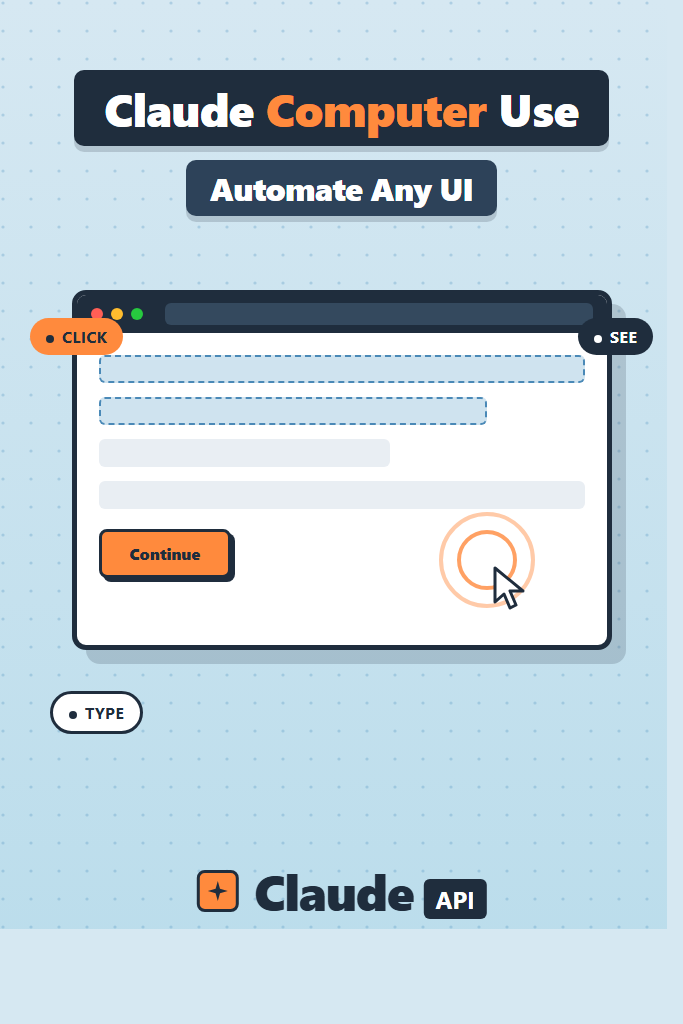
Claude Computer Use is a beta capability of the Anthropic API that lets Claude control a computer by taking screenshots, moving the mouse, clicking, typing, and reading what appears on screen. It works as a specialized tool definition Claude calls in a loop, and it is currently supported on Claude Sonnet 4.6, Claude Opus 4.7, and select prior 4.x models. Anthropic ships it behind a beta header and provides a reference Docker image so you can experiment safely.
In other words, Computer Use is vision plus action. Regular Claude tool use lets the model call functions you define. Computer Use adds three predefined tools — computer, text_editor, and bash — that map onto a real desktop. The computer tool is the interesting one: it can take a screenshot, click XY coordinates, type text, press key combinations, scroll, and drag.
Notice how this differs from traditional browser automation. With Playwright, you write the navigation logic and the model only generates content. With Computer Use, you describe a goal in plain English and Claude figures out the navigation. As a result, you trade determinism for flexibility — which is exactly the right trade-off for some workflows and exactly wrong for others. We will cover both cases.
How Computer Use Works Under the Hood
Under the hood, Computer Use is a simple agentic loop. Your code starts a conversation with a goal (“book the cheapest flight from JFK to LHR next Friday”), and Claude responds with a tool call instead of text. You execute that tool call against a real machine, capture the result (usually a fresh screenshot), feed it back, and repeat until Claude returns a final text answer.
Each turn looks like this:
- Send the conversation history plus a new screenshot to the API
- Claude returns one or more tool_use blocks:
screenshot,mouse_move,left_click,type,key,scroll, etc. - Your runtime executes each action against the virtual display
- You capture the resulting screenshot and post it back as a
tool_result - The loop continues until Claude stops calling tools
The model sees the world through screenshots only. It does not have DOM access, accessibility tree access, or anything semantic about the page. Therefore, it relies on visual reasoning — which is impressive but not magic. Tiny text, low-contrast UIs, and elements that overlap will trip it up.
Crucially, every screenshot consumes vision tokens. A 1024×768 PNG runs around 1,500–2,000 input tokens depending on detail. Multiply by 30 turns per task and you see why cost control matters. Prompt caching helps a great deal here, and the techniques covered in Anthropic prompt caching apply directly to this loop.
Prerequisites and Setup
Before you build, you need three things installed:
- Python 3.10+ with
pipavailable - Docker Desktop (the reference container ships as an image)
- An Anthropic API key with access to Claude Sonnet 4.6 or Opus 4.7
Set your API key as an environment variable. On Linux or macOS use export ANTHROPIC_API_KEY=sk-ant-...; on Windows PowerShell use $env:ANTHROPIC_API_KEY = "sk-ant-...". Confirm it is set with echo $ANTHROPIC_API_KEY.
Next, install the SDK and a couple of helpers we will need:
pip install "anthropic>=0.40.0" pillow python-dotenv
For the safest first run, use Anthropic’s reference container. It ships a hardened Linux desktop with Firefox and a VNC viewer pre-wired:
docker run \
  -e ANTHROPIC_API_KEY=$ANTHROPIC_API_KEY \
  -v $HOME/.anthropic:/home/computeruse/.anthropic \
  -p 5900:5900 \
  -p 8501:8501 \
  -p 6080:6080 \
  -p 8080:8080 \
  -it ghcr.io/anthropics/anthropic-quickstarts:computer-use-demo-latest
Open http://localhost:8080 in your browser to see the agent’s screen and a chat panel. Try a task like “open Wikipedia and find the article on the Voyager 1 spacecraft.” You will see Claude take screenshots, click the address bar, and navigate. This is the system you will replicate in your own code below.
If you cannot run Docker locally, an alternative is a cloud sandbox like E2B, Modal, or a small EC2 instance running Xvfb plus Firefox. The principles are identical.
Building Your First Computer Use Agent
Now let us write the agent loop ourselves rather than rely on the demo wrapper. The structure works the same whether you target a Docker desktop, an EC2 box, or a remote VM.
import os
import base64
import subprocess
from pathlib import Path
from anthropic import Anthropic

client = Anthropic(api_key=os.environ["ANTHROPIC_API_KEY"])

MODEL = "claude-sonnet-4-6"
DISPLAY_WIDTH = 1024
DISPLAY_HEIGHT = 768

TOOLS = [
    {
        "type": "computer_20250124",
        "name": "computer",
        "display_width_px": DISPLAY_WIDTH,
        "display_height_px": DISPLAY_HEIGHT,
        "display_number": 1,
    },
    {"type": "bash_20250124", "name": "bash"},
    {"type": "text_editor_20250124", "name": "str_replace_editor"},
]

SYSTEM_PROMPT = (
    "You are an automation agent that completes browser tasks for the user. "
    "Always start by taking a screenshot to assess the current state. "
    "Use small, deliberate actions. Stop when the task is complete and "
    "summarize what you did in one short paragraph."
)
The computer_20250124 tool type is the current versioned identifier. Whenever Anthropic ships a new revision, the date suffix changes — pin to a specific version in production rather than relying on “latest” to avoid surprise behavior shifts.
Next, implement the action executors. These translate Claude’s tool calls into real OS-level events. On the reference container, xdotool and scrot do the heavy lifting:
def take_screenshot() -> str:
    """Capture the X display and return base64-encoded PNG."""
    out = Path("/tmp/screen.png")
    subprocess.run(
        ["scrot", "-o", "-z", str(out)],
        check=True,
        env={**os.environ, "DISPLAY": ":1"},
    )
    return base64.standard_b64encode(out.read_bytes()).decode()


def execute_computer_action(action: dict) -> dict:
    """Run a single action from Claude and return a tool_result payload."""
    op = action["action"]
    env = {**os.environ, "DISPLAY": ":1"}

    if op == "screenshot":
        return {"type": "image", "source": {
            "type": "base64", "media_type": "image/png",
            "data": take_screenshot(),
        }}

    if op == "left_click":
        x, y = action["coordinate"]
        subprocess.run(["xdotool", "mousemove", str(x), str(y), "click", "1"],
                       check=True, env=env)
    elif op == "type":
        subprocess.run(["xdotool", "type", "--delay", "20", action["text"]],
                       check=True, env=env)
    elif op == "key":
        subprocess.run(["xdotool", "key", action["text"]],
                       check=True, env=env)
    elif op == "scroll":
        x, y = action["coordinate"]
        direction = "5" if action["scroll_direction"] == "down" else "4"
        subprocess.run(["xdotool", "mousemove", str(x), str(y),
                        "click", "--repeat", str(action["scroll_amount"]), direction],
                       check=True, env=env)

    # Most actions return a fresh screenshot so Claude sees the result.
    return {"type": "image", "source": {
        "type": "base64", "media_type": "image/png",
        "data": take_screenshot(),
    }}
Why return a screenshot after every action? Because Claude has no other way to verify what happened. If you click “Submit” and the page reloads with an error, the next decision must be informed by that error. Skipping screenshots is the single most common cause of agents that “hallucinate” successful steps.
Finally, the agent loop itself:
def run_agent(goal: str, max_steps: int = 30) -> str:
    messages = [{"role": "user", "content": goal}]

    for step in range(max_steps):
        response = client.beta.messages.create(
            model=MODEL,
            max_tokens=4096,
            tools=TOOLS,
            system=SYSTEM_PROMPT,
            messages=messages,
            betas=["computer-use-2025-01-24"],
        )

        messages.append({"role": "assistant", "content": response.content})

        if response.stop_reason == "end_turn":
            text_blocks = [b.text for b in response.content if b.type == "text"]
            return "\n".join(text_blocks)

        tool_results = []
        for block in response.content:
            if block.type != "tool_use":
                continue
            if block.name == "computer":
                result = execute_computer_action(block.input)
            else:
                result = {"type": "text", "text": "tool not implemented in this demo"}
            tool_results.append({
                "type": "tool_result",
                "tool_use_id": block.id,
                "content": [result],
            })

        messages.append({"role": "user", "content": tool_results})

    raise RuntimeError(f"Agent hit the {max_steps}-step limit without finishing")
That is the complete loop. Every iteration sends the full message history (cached aggressively by the API), receives one decision, executes it, and records the screenshot. The betas parameter is mandatory — without it the API rejects the computer_20250124 tool type.
Adding Application Logic and Safety Rails
A bare loop will run anything Claude wants. In production you almost always need three more layers: action whitelisting, step accounting, and human-in-the-loop checkpoints.
Action whitelisting filters tool calls before you execute them. For example, if your goal is “fill out the application form on company.com,” there is no reason for the agent to type into a terminal. Reject bash calls that match dangerous patterns and refuse navigation outside an allowed domain list:
ALLOWED_DOMAINS = {"company.com", "auth.company.com"}

def is_action_safe(action: dict) -> bool:
    if action.get("action") == "type" and "rm -rf" in action.get("text", ""):
        return False
    return True
Step accounting caps how many actions the agent can take before it must summarize and ask for confirmation. The demo above uses a hard max_steps, but a softer pattern is to budget cost: track the input/output tokens per turn and abort once spend exceeds a threshold. This pattern matters most for long-running tasks where Claude might quietly loop on an unsolvable captcha.
Human-in-the-loop checkpoints pause the agent at sensitive moments. Before any “Submit” click on a form that spends money, send the screenshot to a Slack channel and wait for a thumbs-up. Anthropic explicitly documents this pattern in its Computer Use guidance, and it is the only realistic way to deploy Computer Use against systems with real consequences.
Pair these guardrails with the techniques from building AI agents with tools, planning, and execution — the same control patterns apply, just with vision in the loop.
Real-World Scenario: A Multi-Step Form Workflow
Consider a mid-sized B2B SaaS that needs to onboard 200 enterprise customers a month onto a partner portal that has no API. Each signup requires logging into the partner portal, navigating four nested menus, copying a license key from an internal CRM, and pasting it into a custom field that does not appear until two earlier dropdowns are set. A small ops team handles this manually today.
A naive Playwright script would be possible, but the partner portal redesigns roughly every quarter, and each redesign breaks selectors. Computer Use changes the calculation. Because Claude looks at pixels rather than DOM nodes, a button that moves from the top-right to the sidebar still gets found — the visual affordance of a primary blue “Continue” button is stable across redesigns even when its CSS is not.
In a setup like this, expect each onboarding to take 60–120 seconds of agent time and 30–80k tokens including screenshots. The right architecture queues onboarding jobs in something like Redis, runs the agent in an ephemeral container per job, and pushes results back to your CRM. Crucially, you keep a deterministic fallback: if the agent fails twice on the same form, route it to a human queue. That hybrid is the realistic shape of Computer Use in production today — not full autonomy, but a force multiplier that compresses 200 manual hours into a few hours of review.
If you have built RPA workflows before, this pattern will feel familiar. The difference is robustness against UI churn, plus the model’s ability to recover from unexpected popups (“Your password expires in 7 days”) without scripting every dialog explicitly.
When to Use Claude Computer Use
- The target system has no API and a brittle DOM (legacy ERPs, partner portals, third-party admin consoles)
- The workflow involves visual reasoning a regex cannot capture, such as “click the row whose status badge is red”
- You can tolerate seconds-per-step latency and a non-trivial cost per task
- You can sandbox the workload in a disposable container or VM
- You have a human review path for high-consequence actions
When NOT to Use Claude Computer Use
- The site exposes a stable API or GraphQL endpoint — call that instead, every time
- Latency must stay under a second (real-time UIs, customer-facing flows)
- You need bit-perfect determinism (regulatory audit trails, payments, contract execution)
- The task runs millions of times a day and cost-per-run dominates the design
- You cannot meaningfully sandbox the runtime — Computer Use should never share a host with sensitive data
Common Mistakes with Claude Computer Use
The first common mistake is skipping the screenshot after each action to “save tokens.” Without that visual feedback, Claude blindly stacks actions on top of stale assumptions, and a small UI change cascades into wildly wrong behavior. Always return a fresh screenshot unless the action is purely informational.
The second pitfall is running the agent against your real desktop. Computer Use is a beta capability and Claude can — and occasionally does — click the wrong thing. Run it in a disposable container with no access to your file system, browser cookies, password manager, or VPN. Treat it like any other untrusted process.
The third mistake is asking for goals that are too open-ended. “Book me a cheap flight” gives Claude unlimited latitude and produces unreliable results. “On united.com, find economy round-trip flights JFK→LHR departing 2026-06-12, returning 2026-06-19, and report the three cheapest options as text” produces consistent runs. Specificity is the difference between a demo and a tool.
A fourth issue is ignoring rate limits and pricing. Each turn typically costs more than a regular chat call because of the screenshot tokens, so a 30-turn task can easily run $0.20–$0.50 on Sonnet 4.6. Multiply by the 200 jobs/month from the earlier scenario and you see why budgeting and observability matter from day one. The patterns from getting started with the Claude API — request logging, structured retries, idempotency keys — apply directly here.
Finally, do not forget that Computer Use shares the same conversation primitives as the rest of the API. Long-running tasks benefit massively from prompt caching for the system prompt, and complex multi-step planning often improves with Claude extended thinking enabled. Both are orthogonal optimizations — turn them on once your agent is stable, not before.
Conclusion + Next Steps
Claude Computer Use turns Claude into a vision-driven agent that can drive any UI a human can. For workflows trapped behind brittle DOMs and missing APIs, it is the most practical way to ship automation today — provided you sandbox the runtime, cap step counts, and keep humans in the loop for consequential actions.
Start with the reference Docker container and a tightly-scoped goal. Once the loop runs reliably for one workflow, add the safety rails described above and connect it to your job queue. From there, the next logical step is layering structured output and tool definitions on top, which is exactly what Claude tool use patterns are built for.
Computer Use will not replace Playwright everywhere, and it should not. But for the long tail of legacy software where every other approach gives up, it is a force multiplier worth learning now.