If you have ever built a voice assistant, a live coding helper, or a chat product that streams tokens, you know latency is the silent killer. A model that answers in three seconds feels brilliant in a demo and broken in production. The Groq API targets exactly this gap. It runs open-weight models like Llama 3.3, Qwen, and DeepSeek on custom Language Processing Unit (LPU) hardware, and it consistently returns the first token in under 300 milliseconds with sustained throughput in the hundreds of tokens per second. This tutorial walks through setting up the Groq API in Python and TypeScript, streaming responses cleanly, picking the right model for your workload, and recognizing the cases where you should still reach for OpenAI or Anthropic instead.
By the end, you will have a working chat completion, a streaming endpoint, a tool-use example, and a clear decision framework for choosing Groq in real-time apps.
What Is Groq (and Why the API Feels So Fast)
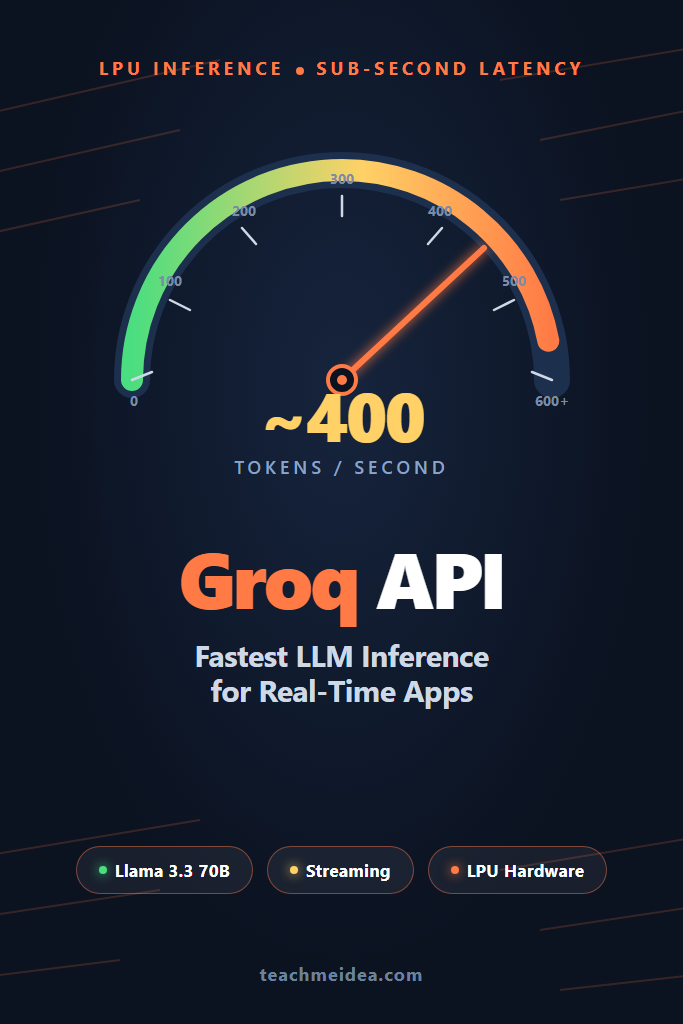
Groq is not another GPU provider. The company designs its own silicon — the LPU — which is purpose-built for sequential, low-latency inference rather than parallel training. On a typical Llama 3.3 70B request, Groq returns the first token in roughly 200-300 ms and sustains 250-500 tokens per second. For comparison, the same model on a generic GPU stack usually peaks around 50-80 tokens per second. The Groq API exposes this hardware through an OpenAI-compatible interface, which means most existing SDKs work with a single base URL change.
The trade-off is the model catalog. Groq does not host proprietary frontier models like GPT-5 or Claude Opus. You get open-weight models — currently Llama 3.3 70B, Llama 3.1 8B, Qwen 2.5 32B, DeepSeek R1 distilled variants, and a few specialized models for code and tool use. That constraint is the whole point: by locking the hardware to a tight set of open weights, Groq can ship inference speeds that GPU clouds physically cannot match.
When to Use the Groq API
- You need first-token latency under 500 ms (voice agents, live transcription, autocomplete).
- You are streaming tokens to a UI and want users to see motion immediately.
- An open-weight model like Llama 3.3 70B or Qwen 2.5 is good enough for your task.
- You want predictable per-token pricing with no negotiation (Groq publishes flat rates).
- You are prototyping and want zero infrastructure to spin up.
When NOT to Use the Groq API
- You depend on GPT-5, Claude Opus, or Gemini for reasoning quality you cannot get elsewhere.
- Your workload is batch processing where total throughput matters more than first-token latency (use the OpenAI Batch API at 50% off instead).
- You need long context windows beyond what current Groq-hosted models support (most cap at 32K-128K).
- Vision or audio multimodal input is a hard requirement (Groq’s lineup is text-first today, though a few vision variants exist).
- Compliance forces you to a specific cloud region or BYOC deployment that Groq does not offer.
Setting Up the Groq API
First, sign up at groq.com and create an API key from the console. The free tier gives you generous rate limits — enough to build and demo most apps without paying. Store the key in an environment variable; never commit it.
export GROQ_API_KEY="gsk_..."
Install the official SDK in Python:
pip install groq
Or in TypeScript / Node.js:
npm install groq-sdk
The SDKs mirror the OpenAI client structure deliberately. If you have used the OpenAI SDK before, the surface area is almost identical.
Your First Chat Completion
Here is the minimal working Python example. It loads the API key from the environment, sends a single user message, and prints the response.
import os
from groq import Groq

client = Groq(api_key=os.environ["GROQ_API_KEY"])

response = client.chat.completions.create(
    model="llama-3.3-70b-versatile",
    messages=[
        {"role": "system", "content": "You are a concise technical assistant."},
        {"role": "user", "content": "Explain LPU vs GPU in two sentences."},
    ],
    temperature=0.2,
    max_tokens=200,
)

print(response.choices[0].message.content)
print(f"\nTokens/sec: {response.usage.completion_tokens / response.usage.completion_time:.0f}")
The interesting line is the last one. The Groq API returns a completion_time field in the usage block, which lets you measure throughput in real terms. On Llama 3.3 70B you should see 250+ tokens per second consistently.
The TypeScript equivalent looks like this:
import Groq from "groq-sdk";

const client = new Groq({ apiKey: process.env.GROQ_API_KEY });

async function ask() {
  const response = await client.chat.completions.create({
    model: "llama-3.3-70b-versatile",
    messages: [
      { role: "system", content: "You are a concise technical assistant." },
      { role: "user", content: "Explain LPU vs GPU in two sentences." },
    ],
    temperature: 0.2,
    max_tokens: 200,
  });

  console.log(response.choices[0].message.content);
}

ask();
If you are migrating from OpenAI, the only meaningful change is the model name and the import. Everything else — message format, temperature, max_tokens, tool calling — follows the same contract.
Streaming Tokens for Real-Time UIs
The single biggest reason to use the Groq API is streaming. When users see tokens appearing within 200-300 ms of pressing Enter, the product feels qualitatively different from a 2-second wait. Below is a production-shape streaming handler in Python:
import os
from groq import Groq

client = Groq(api_key=os.environ["GROQ_API_KEY"])

def stream_response(user_message: str):
    stream = client.chat.completions.create(
        model="llama-3.3-70b-versatile",
        messages=[
            {"role": "system", "content": "You are a helpful assistant."},
            {"role": "user", "content": user_message},
        ],
        temperature=0.3,
        max_tokens=1024,
        stream=True,
    )

    for chunk in stream:
        delta = chunk.choices[0].delta.content
        if delta:
            yield delta

if __name__ == "__main__":
    for token in stream_response("Write a haiku about latency."):
        print(token, end="", flush=True)
The generator pattern is important. By yielding tokens as they arrive, you can pipe them straight into a FastAPI Server-Sent Events endpoint, a WebSocket, or a CLI. There is no buffering, no waiting for the full response.
For a Next.js or Express backend, the TypeScript version is similar:
import Groq from "groq-sdk";

const client = new Groq({ apiKey: process.env.GROQ_API_KEY });

export async function* streamResponse(userMessage: string) {
  const stream = await client.chat.completions.create({
    model: "llama-3.3-70b-versatile",
    messages: [
      { role: "system", content: "You are a helpful assistant." },
      { role: "user", content: userMessage },
    ],
    temperature: 0.3,
    max_tokens: 1024,
    stream: true,
  });

  for await (const chunk of stream) {
    const delta = chunk.choices[0]?.delta?.content;
    if (delta) yield delta;
  }
}
If you have not built streaming UIs before, our walkthrough on AI chatbot streaming responses covers the frontend side — Server-Sent Events, EventSource, and React patterns for rendering tokens as they arrive.
Picking the Right Groq Model
Groq’s catalog is small but each model has a distinct sweet spot. Here is a practical guide based on the current lineup:
| Model | Best For | Approx. Tokens/sec | Context Window |
|---|---|---|---|
| llama-3.3-70b-versatile | General chat, reasoning, tool use | 250-400 | 128K |
| llama-3.1-8b-instant | High-throughput simple tasks | 800-1200 | 128K |
| qwen-2.5-32b | Coding, multilingual | 300-500 | 128K |
| deepseek-r1-distill-llama-70b | Step-by-step reasoning | 250-400 | 128K |
| llama-guard-3-8b | Content moderation, safety filters | 1000+ | 8K |
For most chatbots, start with llama-3.3-70b-versatile. It hits the best balance of quality and speed. Drop to llama-3.1-8b-instant when you have a classification, routing, or rewriting task that does not need deep reasoning — you will see 3-4x the throughput at a fraction of the cost.
Importantly, model availability and exact names change. Always check the Groq console for the current production list before hardcoding a model name.
Tool Use and Function Calling
The Groq API supports OpenAI-style tool calling on the Llama 3.3 70B model. The schema is identical, so existing tool definitions port over without changes. Here is a working example that defines a weather lookup tool:
import json
import os
from groq import Groq

client = Groq(api_key=os.environ["GROQ_API_KEY"])

tools = [
    {
        "type": "function",
        "function": {
            "name": "get_weather",
            "description": "Get the current weather for a city.",
            "parameters": {
                "type": "object",
                "properties": {
                    "city": {"type": "string", "description": "City name"},
                    "unit": {"type": "string", "enum": ["celsius", "fahrenheit"]},
                },
                "required": ["city"],
            },
        },
    }
]

def get_weather(city: str, unit: str = "celsius"):
    return {"city": city, "temperature": 14, "unit": unit, "condition": "rainy"}

messages = [{"role": "user", "content": "What is the weather in Lisbon?"}]

response = client.chat.completions.create(
    model="llama-3.3-70b-versatile",
    messages=messages,
    tools=tools,
    tool_choice="auto",
)

tool_call = response.choices[0].message.tool_calls[0]
args = json.loads(tool_call.function.arguments)
result = get_weather(**args)

messages.append(response.choices[0].message)
messages.append({
    "role": "tool",
    "tool_call_id": tool_call.id,
    "content": json.dumps(result),
})

final = client.chat.completions.create(
    model="llama-3.3-70b-versatile",
    messages=messages,
)

print(final.choices[0].message.content)
The two-step pattern — first request returns tool calls, second request feeds the tool result back — is identical to OpenAI’s. If you need a deeper primer on the pattern, our guide on Claude tool use explains the underlying flow in detail.
Real-World Scenario: Voice Agent Backend
A common production use of the Groq API is the language layer of a voice agent. A typical pipeline looks like this: a phone or browser stream is transcribed by a speech-to-text service, the transcript hits an LLM for a reply, and the reply is synthesized back to audio.
In that pipeline, every 100 ms of LLM latency translates directly into perceived response delay. A small team building a customer support voice bot will often hit an unacceptable 2-3 second silence with a standard GPU-hosted Llama deployment, even after streaming optimizations. Switching the language layer to the Groq API typically cuts that gap to 400-600 ms end to end — a range users perceive as “natural conversation.” The team does not need to retrain or change prompts. They only change the API base URL and the model name.
The trade-off they accept is locking the language layer to open-weight models. For voice agents this is usually fine. The hard cognitive work is short, conversational, and well within Llama 3.3 70B’s capability. For longer-form reasoning tasks the team can still route to GPT-5 or Claude on a separate code path.
Common Mistakes with the Groq API
- Treating it as a drop-in for proprietary models without re-testing prompts. Llama 3.3 70B is strong but it has different quirks than GPT-5 or Claude. Eval before you cut over.
- Ignoring rate limits in production. The free tier is generous but capped. For production traffic, you need a paid plan or a fallback to a second provider.
- Hardcoding model names. Groq deprecates and renames models periodically. Read names from config so a swap is a one-line change.
- Skipping the OpenAI-compatible endpoint. If you already have an OpenAI integration, point it at
https://api.groq.com/openai/v1and you can use the OpenAI SDK directly — no rewrite needed. - Sending huge contexts unnecessarily. Groq is fast, but every additional input token still costs time and money. Keep prompts tight.
Pricing and Rate Limits
The Groq API charges per million tokens with separate input and output rates. As of early 2026, Llama 3.3 70B sits around $0.59 per million input tokens and $0.79 per million output tokens — roughly 5-10x cheaper than GPT-5 for comparable workloads on open-weight models. Llama 3.1 8B is roughly 10x cheaper again, making it a strong choice for high-volume routing or classification.
Rate limits vary by plan but are tracked in three dimensions: requests per minute, tokens per minute, and concurrent requests. Plan ahead by instrumenting your usage metrics from day one. The Groq dashboard exposes per-key usage, and you can also derive throughput from the completion_time field in every response.
OpenAI-Compatible Endpoint: When to Use It
If you already have an OpenAI client wired into your codebase, the OpenAI-compatible endpoint is the fastest path to trying Groq. Point the base URL at https://api.groq.com/openai/v1 and swap the API key:
from openai import OpenAI

client = OpenAI(
    api_key=os.environ["GROQ_API_KEY"],
    base_url="https://api.groq.com/openai/v1",
)

response = client.chat.completions.create(
    model="llama-3.3-70b-versatile",
    messages=[{"role": "user", "content": "Hello!"}],
)
This works because Groq implements the OpenAI chat completions contract exactly. Streaming, tool calls, temperature, max_tokens — they all map. The native Groq SDK adds a few helpers (better error types, the completion_time shortcut) but for migration, OpenAI compatibility is the lowest-friction route.
Combining Groq With Other Providers
Most production AI stacks are multi-provider. A common pattern is: route latency-sensitive traffic to Groq, heavier reasoning to a frontier model, and bulk offline jobs to a batch API. If you are designing that fabric, you may want a unified gateway that handles routing, retries, and fallbacks. Our guide on building apps with the OpenAI API and the Claude API getting started tutorial cover the other two anchor providers you will probably integrate alongside Groq.
For RAG-heavy workloads where Groq handles the LLM step but you still need embeddings and vector search, our vector databases compared breakdown helps pick a store that matches Groq’s latency profile.
Conclusion: Where the Groq API Wins
The Groq API is the fastest path to sub-second LLM inference for real-time apps today. If your product hinges on first-token latency — voice agents, live coding helpers, streaming chat — Groq’s LPU hardware will move your perceived response times from “noticeable wait” to “instant.” For raw reasoning quality on frontier tasks, you will still want GPT-5 or Claude in the mix, but a multi-provider stack with the Groq API as the fast-path is increasingly the default for production AI products.
The next practical step is to wire a streaming endpoint into your app and measure end-to-end latency yourself. Pick one user-facing surface where wait time hurts most, swap the LLM call to the Groq API, and watch what changes. From there, evolve toward a routing layer that sends each request to the right provider for its quality-versus-latency profile.