A commit message like “fix stuff” tells you nothing. A message like “fix(auth): prevent session token leak on logout redirect” tells you exactly what changed, where it changed, and why it matters. The difference between these two messages compounds across hundreds of commits — one produces a git log that is a useful changelog, the other produces noise.
Conventional commits is a specification for structuring commit messages in a consistent, machine-readable format. It standardizes how developers communicate changes through commit messages, enabling automated tooling for changelog generation, semantic versioning, and release management. More practically, it makes git log useful again.
This tutorial covers the conventional commits specification, the commit types you will actually use, how to set up tooling that enforces the convention, and how it integrates with CI/CD pipelines and release automation.
The Conventional Commits Format
Every conventional commit follows this structure:
<type>[optional scope]: <description>[optional body]
[optional footer(s)]
A Real Example
feat(search): add autocomplete to product search bar

Implement typeahead suggestions using the existing search API.
Results appear after 3 characters with a 300ms debounce.

Closes #234
Let’s break this down:
- type:
feat— this commit adds a new feature - scope:
search— the change is in the search module - description:
add autocomplete to product search bar— what changed, in imperative mood - body: Additional context explaining the implementation details
- footer:
Closes #234— links to the issue this commit resolves
The Rules
- The type is required and must be one of the defined types
- The scope is optional but recommended for larger codebases
- The description must immediately follow the colon and space after type/scope
- The description uses imperative mood (“add feature” not “added feature”)
- The body is optional and separated from the description by a blank line
- The footer is optional and follows the body after a blank line
Commit Types You Actually Use
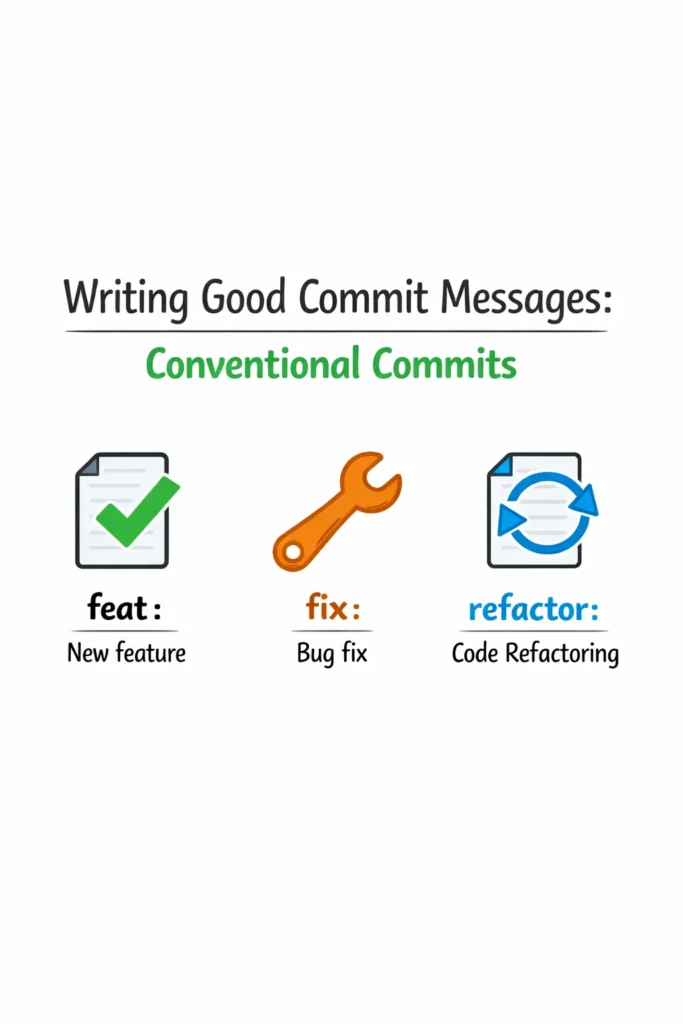
The specification defines feat and fix as the two types that affect semantic versioning. Most teams add several more for non-versioned changes.
Core Types
feat — A new feature visible to users. Triggers a minor version bump in semantic versioning.
feat(cart): add quantity selector to cart items
feat(api): expose endpoint for bulk user import
feat: implement dark mode toggle
fix — A bug fix. Triggers a patch version bump.
fix(auth): prevent infinite redirect loop on expired tokens
fix(checkout): calculate tax correctly for multi-state orders
fix: resolve race condition in WebSocket reconnection
Supporting Types
docs — Documentation changes only. No code changes.
docs: update API rate limit section in README
docs(contributing): add branch naming conventions
style — Code formatting changes that do not affect behavior (whitespace, semicolons, quotes). No logic changes.
style: apply prettier formatting to auth module
style(api): fix indentation in route handlers
refactor — Code changes that neither fix a bug nor add a feature. Internal restructuring.
refactor(db): extract connection pool into separate module
refactor: replace callbacks with async/await in payment service
test — Adding or modifying tests. No production code changes.
test(cart): add edge cases for discount calculation
test: increase coverage for user registration flow
chore — Maintenance tasks that do not modify source or test files. Dependency updates, build configuration, tooling.
chore: upgrade TypeScript from 5.3 to 5.5
chore(deps): bump express from 4.18 to 4.21
chore(ci): add Node 22 to test matrix
perf — Performance improvements.
perf(search): add database index for full-text search queries
perf: lazy-load dashboard charts to reduce initial bundle size
ci — Changes to CI/CD configuration files and scripts.
ci: add automated release workflow
ci(github): cache node_modules in Actions pipeline
build — Changes that affect the build system or external dependencies.
build: migrate from webpack to vite
build(docker): optimize multi-stage build for smaller image
Breaking Changes
When a commit introduces a breaking change, add ! after the type/scope or include BREAKING CHANGE: in the footer. Breaking changes trigger a major version bump.
feat(api)!: change authentication from API keys to OAuth2

Migrate all API endpoints to use OAuth2 bearer tokens.
API key authentication is removed.

BREAKING CHANGE: API key authentication is no longer supported.
Clients must migrate to OAuth2. See migration guide at /docs/auth-migration.
Using Scopes Effectively
Scopes identify which part of the codebase a commit affects. They are optional but valuable for larger projects.
Choose Scopes by Feature Area
feat(auth): add two-factor authentication
fix(billing): correct proration calculation for plan upgrades
refactor(notifications): switch from polling to WebSocket
Scopes should be consistent across the team. Document your project’s scopes so developers use the same terms:
# Defined scopes for this project:
# auth     - Authentication and authorization
# billing  - Payment processing and subscriptions
# api      - REST API endpoints
# ui       - Frontend components
# db       - Database schema and migrations
# deps     - Dependency updates
# ci       - CI/CD pipeline configuration
Scopes in Monorepos
For monorepo setups, scopes often map to package names:
feat(web-app): add user settings page
fix(api-server): handle malformed JSON in request body
chore(shared-utils): export date formatting functions
This makes it clear which package each commit affects, which is critical when multiple teams work in the same repository and need to filter the log for their area.
Setting Up Tooling
Conventional commits are only useful if the team actually follows them. Tooling transforms the convention from a suggestion into an enforced standard.
Commitlint: Validate Commit Messages
Commitlint checks commit messages against the conventional commits specification and rejects non-conforming messages.
npm install --save-dev @commitlint/cli @commitlint/config-conventional
Create a commitlint.config.js:
export default {
  extends: ['@commitlint/config-conventional'],
  rules: {
    'type-enum': [2, 'always', [
      'feat', 'fix', 'docs', 'style', 'refactor',
      'test', 'chore', 'perf', 'ci', 'build',
    ]],
    'scope-enum': [1, 'always', [
      'auth', 'billing', 'api', 'ui', 'db', 'deps', 'ci',
    ]],
    'subject-max-length': [2, 'always', 72],
  },
};
Husky: Run Commitlint on Every Commit
Git hooks trigger commitlint automatically before each commit is finalized. Husky makes hook installation straightforward.
npm install --save-dev husky
npx husky init
Add the commit-msg hook:
# .husky/commit-msg
npx --no -- commitlint --edit $1
Now every commit message is validated locally. A developer who writes updated things sees an immediate error:
⧗   input: updated things
✖   subject may not be empty [subject-empty]
✖   type may not be empty [type-empty]

✖   Found 2 problems, 0 warnings
Commitizen: Interactive Commit Prompts
For developers unfamiliar with the format, Commitizen provides an interactive prompt that guides them through writing a conventional commit.
npm install --save-dev commitizen cz-conventional-changelog
Add to package.json:
{
  "scripts": {
    "commit": "cz"
  },
  "config": {
    "commitizen": {
      "path": "cz-conventional-changelog"
    }
  }
}
Running npm run commit walks the developer through type selection, scope, description, body, and breaking changes step by step. This lowers the barrier to adoption for teams new to conventional commits.
CI Validation
In addition to local hooks, validate commit messages in CI pipelines to catch commits made without hooks (direct pushes, web UI edits).
# .github/workflows/commitlint.yml
name: Lint Commits
on: [pull_request]

jobs:
  commitlint:
    runs-on: ubuntu-latest
    steps:
      - uses: actions/checkout@v4
        with:
          fetch-depth: 0
      - uses: actions/setup-node@v4
        with:
          node-version: 20
      - run: npm install
      - run: npx commitlint --from ${{ github.event.pull_request.base.sha }} --to ${{ github.event.pull_request.head.sha }}
This workflow validates every commit in a pull request against the conventional commits specification. PRs with non-conforming messages fail the check, giving the developer a chance to fix them before merging.
Automated Changelog Generation
One of the most tangible benefits of conventional commits is automated changelog generation. Because commit types are machine-readable, tools can group commits by type and generate a structured changelog for each release.
Standard-Version / Release-Please
npm install --save-dev standard-version
Add to package.json:
{
  "scripts": {
    "release": "standard-version"
  }
}
Running npm run release does three things:
- Analyzes commits since the last release tag
- Determines the version bump (major for breaking changes, minor for
feat, patch forfix) - Generates a
CHANGELOG.mdentry and creates a version tag
# Changelog

## [2.3.0](https://github.com/org/repo/compare/v2.2.0...v2.3.0) (2026-04-15)

### Features

* **search:** add autocomplete to product search bar ([#234](https://github.com/org/repo/issues/234))
* **cart:** implement quantity selector for cart items ([#228](https://github.com/org/repo/issues/228))

### Bug Fixes

* **auth:** prevent infinite redirect loop on expired tokens ([#231](https://github.com/org/repo/issues/231))
* **checkout:** calculate tax correctly for multi-state orders ([#229](https://github.com/org/repo/issues/229))
The changelog groups features and bug fixes automatically, links to issues, and includes the version number with a comparison link. Teams that previously spent time manually writing release notes save that effort entirely.
Semantic Versioning Integration
Conventional commits map directly to semantic versioning:
| Commit Type | Version Bump | Example |
|---|---|---|
fix | Patch (1.0.0 → 1.0.1) | Bug fixes |
feat | Minor (1.0.0 → 1.1.0) | New features |
BREAKING CHANGE | Major (1.0.0 → 2.0.0) | Breaking API changes |
docs, style, refactor, etc. | No bump | Internal changes |
This automation eliminates the “what version should this be?” discussion. The commit history determines the version, and the tooling enforces consistency.
Writing Good Descriptions
The conventional commits format provides structure, but the description quality determines whether the commit history is actually useful.
Good Descriptions
feat(search): add autocomplete to product search bar
fix(auth): prevent session leak when user logs out from multiple tabs
refactor(db): extract query builder into reusable module
perf(api): add Redis cache for frequently accessed user profiles
Each description answers “what changed” in a complete, specific sentence. A developer reading the log understands the change without opening the diff.
Poor Descriptions
feat: update                    # What was updated?
fix: bug fix                    # Which bug?
refactor: clean up             # What was cleaned up?
chore: stuff                   # What stuff?
These descriptions add no value beyond the type. If the description does not tell you something the type alone does not, it needs to be rewritten.
Description Guidelines
- Use imperative mood: “add feature” not “added feature” or “adds feature”
- Be specific: “add retry logic to payment webhook handler” not “improve payment handling”
- Keep it under 72 characters — longer descriptions belong in the body
- Do not end with a period
- Focus on what changed, not why (the “why” goes in the body)
Real-World Scenario: Adopting Conventional Commits in an Existing Project
A team of eight developers maintains a Node.js API service with roughly 2,000 commits. Commit messages range from detailed (“Migrate user authentication from session cookies to JWT tokens for stateless API compatibility”) to useless (“wip”, “asdf”, “fix fix fix”). The team wants to start generating changelogs automatically and needs consistent commit history to do it.
The team adopts conventional commits in three phases.
Week 1: Tooling setup. They install commitlint, Husky, and Commitizen. The commit-msg hook rejects non-conforming messages immediately. The first two days produce some friction as developers adjust to the format, but the Commitizen interactive prompt helps those who find the format unfamiliar.
Week 2: Scope definition. The team agrees on eight scopes matching their module structure (auth, api, db, billing, notifications, ui, ci, deps). They document these scopes in the project’s contributing guide and add them to the commitlint configuration as a warning-level rule (not a hard error) to allow flexibility for edge cases.
Week 3: Automation. They integrate Release Please (Google’s automated release tool) into their GitHub Actions pipeline. Every merge to main triggers Release Please to analyze new commits, update the changelog, and open a release PR with the correct version bump. When the team merges the release PR, it tags the version and publishes the changelog.
After one month, the team’s git log reads like a structured project history. New developers use the changelog to understand recent changes without reading code. The product manager pulls feature lists for customer communication directly from the generated changelog. Release versioning happens automatically — no more debates about whether a release is a minor or patch version.
When to Use Conventional Commits
- Your team wants automated changelog generation and semantic version bumping
- Multiple developers contribute to the same repository and commit message quality varies significantly
- The project publishes releases (libraries, APIs, applications) where a changelog adds value for consumers
- You want to enforce commit message standards without relying on code review to catch poorly written messages
- The team is growing and you need a shared convention that scales with onboarding
When NOT to Enforce Conventional Commits
- Solo projects or two-person teams where communication is direct and formal structure adds friction without proportional benefit
- Very early prototypes where development speed matters more than commit history quality — you can always clean up history before the project matures
- Projects where squash-and-merge is the standard and individual commit messages are discarded at merge time — enforce the convention on the squash commit message instead
Common Mistakes with Conventional Commits
- Using
chorefor everything that is not clearlyfeatorfix—refactor,perf,test,docs, andciexist for a reason and make the changelog more informative - Writing descriptions that repeat the type: “feat: add new feature” or “fix: fix a bug” — the type already communicates this; the description should specify what
- Adding scopes that are too granular (individual file names) or too broad (“app”) — scopes should map to modules or feature areas that the team recognizes
- Setting up commitlint but not Husky or CI validation, so the convention is documented but not enforced — unenforced conventions erode within weeks
- Treating every commit as a
featto inflate the changelog — a refactor that does not change user-visible behavior is arefactor, not afeat - Not including the
BREAKING CHANGEfooter when a change actually breaks backward compatibility, causing the automated version bump to under-count the severity
Building Better Commit History with Conventional Commits
Conventional commits turn your git history from unstructured notes into a structured record that drives automation. The format is minimal — a type, an optional scope, and a description — but the consistency it provides enables changelog generation, semantic versioning, and meaningful git logs that help teams understand what changed and why.
Start by installing commitlint and Husky to enforce the format locally. Add Commitizen for developers who prefer guided prompts. Integrate CI validation to catch commits that bypass hooks. Once the convention is established, add automated changelog generation and version bumping to turn your commit history into a release management system that requires zero manual effort.