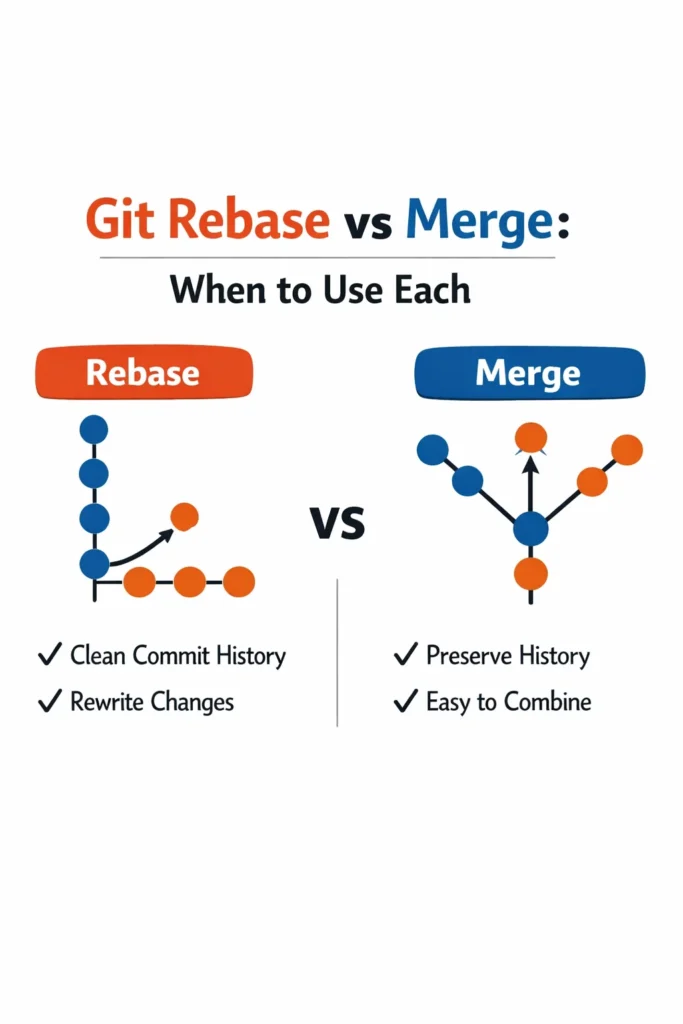
The git rebase vs merge debate is one of the most polarizing discussions in software teams. Both commands integrate changes from one branch into another, but they produce fundamentally different commit histories. Merge preserves the exact sequence of events — who branched when, which commits happened in parallel, and when branches converged. Rebase rewrites history to produce a clean, linear sequence that looks like all work happened sequentially.
Neither approach is universally correct. The right choice depends on whether you value a truthful record of how development happened or a clean, readable history that is easier to navigate. This comparison explains how git rebase vs merge works under the hood, when each approach is appropriate, and the team conventions that prevent both from causing problems.
How Merge Works
A merge combines two branches by creating a new merge commit that has two parents — the tip of each branch. The commit history of both branches is preserved exactly as it happened.
# Starting point
git checkout main
git checkout -b feature/search

# Make commits on the feature branch
git commit -m "Add search input component"
git commit -m "Implement search API call"

# Meanwhile, main has new commits from other developers
# Merge main into feature branch to get latest changes
git checkout feature/search
git merge main

# Or merge feature into main when done
git checkout main
git merge feature/search
What the History Looks Like
*   Merge branch 'feature/search' into main
|\
| * Implement search API call
| * Add search input component
* | Fix header alignment (someone else's commit on main)
* | Update dependencies (someone else's commit on main)
|/
* Previous commit on main
The merge commit connects the two branches, and the parallel development is visible in the graph. You can see that the search feature was developed simultaneously with other work on main.
Fast-Forward Merge
If main has not received any new commits since the feature branch was created, Git performs a fast-forward merge — it simply moves the main pointer forward to the feature branch tip. No merge commit is created.
# Force a merge commit even when fast-forward is possible
git merge --no-ff feature/search
Many teams use --no-ff to always create merge commits. This makes it clear where feature branches started and ended, even when a fast-forward was possible. Without --no-ff, short-lived branches become invisible in the history.
How Rebase Works
A rebase moves your branch’s commits to a new base point. Instead of creating a merge commit, Git takes each commit from your branch, computes the changes it introduced, and replays those changes on top of the target branch.
# Starting point
git checkout feature/search
git commit -m "Add search input component"
git commit -m "Implement search API call"

# Main has moved forward with new commits
# Rebase feature branch onto latest main
git checkout feature/search
git rebase main

# Now merge to main (will be a fast-forward)
git checkout main
git merge feature/search
What the History Looks Like
* Implement search API call
* Add search input component
* Fix header alignment (someone else's commit)
* Update dependencies (someone else's commit)
* Previous commit on main
The history is linear — all commits appear in a single line as if the search feature was developed after the other work completed. The parallel development is invisible.
What “Rewriting History” Means
When you rebase, Git creates new commits with new SHA hashes. The original commits still exist in Git’s object store (until garbage collected), but they are no longer reachable from any branch. The rebased commits have the same diffs and messages as the originals, but they have different parent commits and therefore different hashes.
This distinction matters because anyone who based work on the original commits now has a divergent history. This is why the golden rule exists: never rebase commits that have been pushed to a shared branch and that others may have based work on.
Git Rebase vs Merge: Comparison
| Factor | Merge | Rebase |
|---|---|---|
| History shape | Non-linear (branching graph) | Linear (straight line) |
| Merge commits | Created (with –no-ff) | None |
| Commit SHAs | Preserved | Changed (rewritten) |
| Parallel work visibility | Visible | Hidden |
| Conflict resolution | Once per merge | Once per rebased commit |
| Safety for shared branches | Safe | Dangerous (rewrites history) |
| Bisect friendliness | Merge commits can complicate bisect | Clean linear history helps bisect |
| Reversibility | Easy (revert the merge commit) | Harder (must find original commits) |
When Merge Is the Better Choice
Shared Branch Integration
When merging a feature branch into main (or any shared branch), merge is the safe default. It preserves the complete history and does not rewrite commits that other developers may have pulled.
# Safe: merging feature into shared main branch
git checkout main
git merge --no-ff feature/search
Preserving Context
Merge commits serve as documentation. A merge commit that says “Merge feature/user-dashboard into main” tells future developers that all commits between the branch point and the merge were part of a single feature. Without merge commits, that grouping is lost in a linear history.
Team Collaboration on Feature Branches
If multiple developers collaborate on the same feature branch, merging main into the feature branch is safer than rebasing. Rebasing the feature branch rewrites commits that other developers have already pulled, causing divergence.
# Safe: multiple developers on same feature branch
git checkout feature/big-refactor
git merge main  # Brings in latest main without rewriting existing commits
Regulatory and Audit Requirements
Some industries require an unmodified commit history for audit purposes. Merge preserves the exact chronological record of what happened. Rebase produces a cleaner history but one that does not reflect the actual development timeline.
When Rebase Is the Better Choice
Keeping Feature Branches Up to Date
Before merging a feature branch into main, rebasing the feature branch onto the latest main produces a cleaner merge. The feature’s commits sit neatly on top of main, and the eventual merge is a fast-forward (or a clean merge commit with no conflicts).
# Before creating a pull request
git checkout feature/search
git fetch origin
git rebase origin/main

# Resolve any conflicts once, then push
git push --force-with-lease  # Safe force push for your own branch
This workflow keeps the feature branch clean and conflict-free before review. The --force-with-lease flag ensures you do not accidentally overwrite someone else’s push to the same branch.
Cleaning Up Local Commits
Interactive rebase lets you squash, reorder, and edit commits before sharing them. A feature branch with commits like “WIP”, “fix typo”, “actually fix the thing” benefits from squashing into meaningful commits before merging.
# Squash the last 3 commits into one
git rebase -i HEAD~3

# In the editor:
# pick abc1234 Add search functionality
# squash def5678 Fix search input styling
# squash ghi9012 Handle empty search results
After squashing, you have one commit (“Add search functionality”) that contains all the changes. This makes the main branch history readable — each commit represents a complete, logical change rather than a sequence of work-in-progress snapshots.
Linear History for Bisect
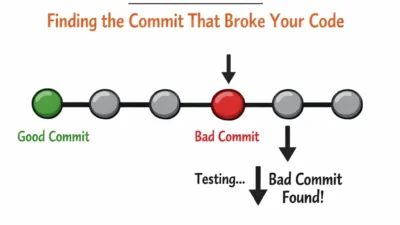
git bisect binary-searches through commit history to find which commit introduced a bug. A linear history makes bisect straightforward — every commit is a potential test point. With merge commits, bisect can follow the wrong branch of the merge, testing commits that are not relevant to the bug. Teams that rely on bisect for debugging benefit from rebased, linear histories.
Solo Feature Branches
When you are the only developer working on a feature branch, rebasing is safe because no one else has commits based on your branch. Rebase freely to keep the branch current with main and to clean up commits before merging.
The Golden Rule: Do Not Rebase Shared History
The single most important rule for git rebase vs merge is: never rebase commits that exist on a remote branch that others are working from. Rebasing rewrites commit SHAs. If another developer has pulled those commits and built on them, their history diverges from yours. Resolving this divergence is painful and error-prone.
# SAFE: rebasing your own feature branch before anyone else uses it
git checkout feature/my-work
git rebase main

# DANGEROUS: rebasing main after others have pulled it
git checkout main
git rebase some-other-branch  # DO NOT DO THIS
When in doubt, merge. Merge is always safe. Rebase requires you to know that no one else depends on the commits you are rewriting.
Team Conventions That Work
Most successful teams do not choose exclusively between rebase and merge. They use both for different purposes, guided by clear conventions.
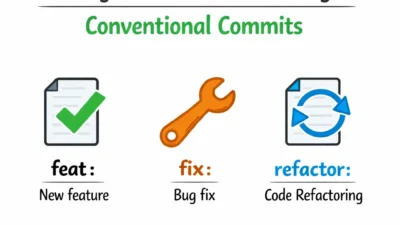
Convention 1: Rebase Locally, Merge Publicly
Developers rebase their feature branches onto main before creating a pull request. The PR merge into main uses a merge commit (or squash merge). This gives you clean feature branches and a clear main branch history with merge commits marking each feature.
# Developer workflow
git checkout feature/notifications
# ... develop ...
git fetch origin
git rebase origin/main          # Clean up before PR
git push --force-with-lease     # Update remote feature branch

# PR merge (done by GitHub/GitLab)
# Creates a merge commit on main
Convention 2: Squash and Merge
GitHub and GitLab offer “squash and merge” — all commits from the feature branch are squashed into a single commit on main. This produces a linear main history where each commit represents one complete feature or fix, regardless of how many intermediate commits the feature branch had.
* Add user notification preferences (#342)
* Fix payment timeout handling (#341)
* Implement search functionality (#340)
* Update dependency versions (#339)
This convention is popular because it keeps main readable without requiring developers to manually rebase or squash. The trade-off is that individual commit granularity from the feature branch is lost on main.
Convention 3: Enforce with Hooks and CI
Whatever convention your team chooses, enforce it with automation. Git hooks can prevent pushes to protected branches, and CI pipelines can verify that PRs are rebased onto the latest main before allowing merges.
# Pre-push hook: prevent direct pushes to main
#!/bin/bash
protected_branch="main"
current_branch=$(git symbolic-ref HEAD | sed -e 's,.*/,,')

if [ "$current_branch" = "$protected_branch" ]; then
  echo "Direct push to $protected_branch is not allowed. Use a pull request."
  exit 1
fi
Handling Rebase Conflicts
Merge conflicts during a rebase require resolving conflicts for each commit being replayed, not just once for the entire branch. If your feature branch has 10 commits and a conflict exists, you might resolve conflicts multiple times as each commit is replayed.
# During rebase, a conflict occurs
git rebase main
# CONFLICT in src/search.ts

# Fix the conflict in the file, then:
git add src/search.ts
git rebase --continue

# If a later commit also conflicts:
# Fix and continue again

# If the rebase is too painful, abort:
git rebase --abort  # Returns to the state before rebase
When conflicts compound: If each rebased commit builds on the previous one and the base has changed significantly, you can end up resolving the “same” conflict in slightly different forms for each commit. In this situation, squash your feature branch commits first (reducing the number of replay points), then rebase the single squashed commit onto main.
# Squash all feature commits into one, then rebase
git checkout feature/search
git rebase -i --root  # Or use HEAD~N for N commits
# Squash all into one commit
git rebase main       # Now only one commit to replay = one conflict resolution at most
Real-World Scenario: Establishing Git Conventions for a Growing Team
A startup with five developers has no formal branching conventions. Some developers merge main into their feature branches, others rebase, and one developer occasionally rebases the shared develop branch. The inconsistency creates three recurring problems.
First, the git log on main is unreadable — a mix of merge commits, rebased linear sections, and orphaned commits from forced pushes make it impossible to understand what changed when.
Second, a developer rebases a shared feature branch that two others are collaborating on. Both collaborators spend an afternoon resolving the resulting divergence. The team loses roughly 6 developer-hours to a single rebase mistake.
Third, git bisect fails to produce useful results because the non-linear history sends bisect down merge branches that are not relevant to the bug being investigated.
The team establishes three rules: developers rebase their own feature branches onto main before opening a pull request, all PRs use squash-and-merge to keep main linear, and rebasing any branch that more than one developer pushes to is prohibited. They enforce the squash-and-merge policy through GitHub branch protection rules that only allow squash merges to main.
Within a month, the main branch history becomes a clean list of one commit per feature or fix. Bisect works reliably because every commit on main is a complete, buildable change. New developers joining the team can read the main log and understand the project’s evolution without navigating a complex branch graph.
When to Use Merge
- Integrating feature branches into shared branches (main, develop) where other developers have pulled the history
- Collaborating with multiple developers on the same feature branch
- When you need to preserve the complete, unmodified development timeline
- As the default strategy when team conventions are not yet established — merge is always safe
When to Use Rebase
- Keeping your own feature branch up to date with main before creating a pull request
- Cleaning up messy local commits (squashing WIP commits) before sharing
- When the team convention requires linear history on the main branch
- Solo feature branches where no one else has based work on your commits
Common Mistakes with Git Rebase vs Merge
- Rebasing a shared branch that other developers have pulled, causing history divergence that wastes hours to resolve
- Using
git push --forceinstead of--force-with-leaseafter rebasing, which can overwrite a teammate’s commits without warning - Never rebasing and allowing the main branch to accumulate a complex merge graph that makes bisect and log navigation difficult
- Squashing all feature branch commits into one when the individual commits were meaningful and well-structured — squash messy history, but preserve intentional commit granularity
- Not aborting a painful rebase that is producing cascading conflicts — squash first, then rebase, rather than fighting through ten sequential conflict resolutions
- Mixing conventions within the same team without documenting which approach applies where, creating an inconsistent and unreadable history
- Rebasing in monorepo setups where feature branches touch many packages, causing unnecessary conflict resolution across unrelated changes
Choosing Between Git Rebase vs Merge
The git rebase vs merge decision is best resolved with a simple team convention rather than a per-situation judgment call. The most widely successful convention is: rebase your own branches to keep them current, squash-and-merge into main for a clean linear history, and never rebase commits that others depend on. This gives you the readability benefits of rebase with the safety of merge at integration points.
Start with merge as your default if the team has no convention yet. Introduce rebase gradually for local branch cleanup, and adopt squash-and-merge when the team is comfortable with the workflow. The goal is a readable main branch history where each commit represents a meaningful change — whether you achieve that through disciplined rebasing or squash-and-merge is a matter of team preference, not technical superiority.