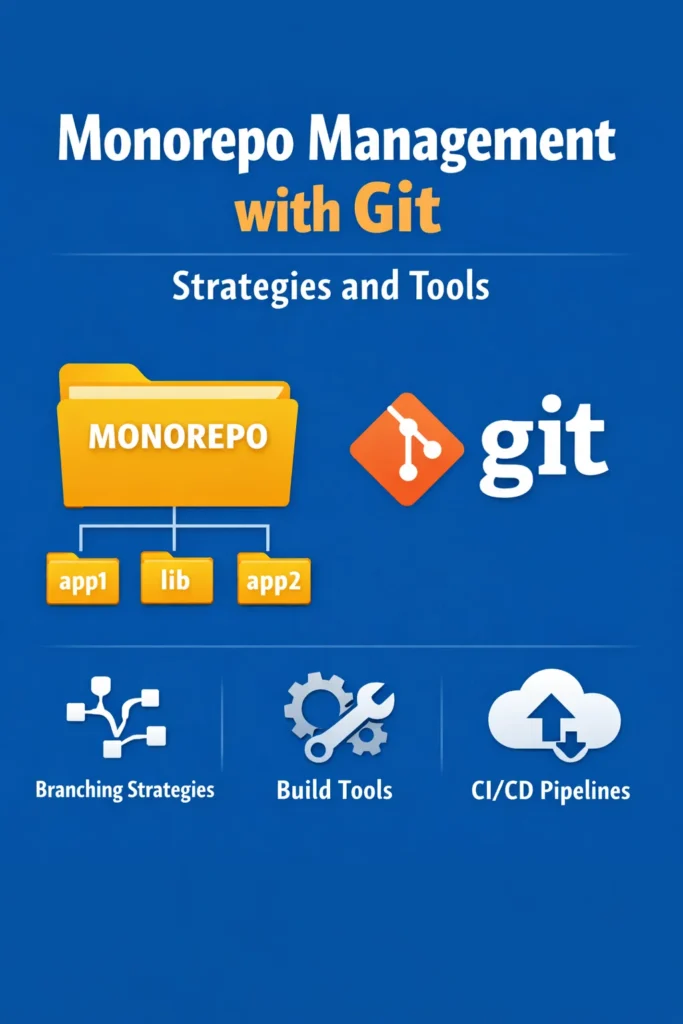
A monorepo stores multiple projects, packages, or services in a single Git repository. Instead of maintaining separate repositories for your API, web app, mobile app, and shared libraries, everything lives under one roof. Google, Meta, Microsoft, and Uber all use monorepos at massive scale — but the pattern works just as well for a small team managing a handful of related packages.
The appeal of monorepo management is coordination. When a shared library changes, you see the impact on every consumer in the same pull request. Cross-package refactoring happens in a single commit. Dependency versions stay synchronized. However, monorepos introduce challenges that do not exist in multi-repo setups: slower CI pipelines, complex dependency graphs, tooling that must understand which packages changed, and Git performance degradation as the repository grows.
This deep dive covers practical monorepo management with Git — workspace configuration, task orchestration, CI optimization, dependency management, and the scaling strategies that keep monorepos performant as they grow.
Why Monorepos Work
Before diving into tooling, understanding the benefits explains why teams adopt monorepos despite the additional complexity.
Atomic Changes Across Packages
In a multi-repo setup, changing a shared library’s API requires three coordinated steps: update the library, publish a new version, and update every consumer to use the new version. Each step is a separate PR in a separate repository. If one consumer forgets to update, it breaks when the old version is eventually removed.
In a monorepo, the library change and all consumer updates happen in a single PR. The CI pipeline builds everything together, so you discover breakages before merging — not after deploying.
# Single PR that updates a shared type and all consumers
packages/
├── shared-types/        # Changed: add 'status' field to Order type
├── api-server/          # Updated: handle new 'status' field
├── web-app/             # Updated: display order status
└── mobile-app/          # Updated: display order status
Shared Tooling and Configuration
ESLint, Prettier, TypeScript, and testing configurations can be defined once at the root and shared across all packages. New packages inherit the team’s standards automatically. In multi-repo setups, keeping these configurations synchronized across repositories is a constant maintenance burden.
Code Reuse Without Publishing
Shared code is consumed directly via workspace references rather than through a package registry. You do not need to publish, version, and install internal packages — they are always at the latest version because they live in the same repository.
Workspace Setup
Modern package managers provide workspace features that manage dependencies across multiple packages in a monorepo.
npm Workspaces
// Root package.json
{
  "name": "my-monorepo",
  "private": true,
  "workspaces": [
    "packages/*",
    "apps/*"
  ]
}
pnpm Workspaces
# pnpm-workspace.yaml
packages:
  - 'packages/*'
  - 'apps/*'
Directory Structure
A typical monorepo separates applications (deployable services) from packages (shared libraries):
my-monorepo/
├── package.json              # Root configuration
├── pnpm-workspace.yaml       # Workspace definition
├── turbo.json                # Task runner configuration
├── tsconfig.base.json        # Shared TypeScript config
├── .eslintrc.js              # Shared ESLint config
├── apps/
│   ├── api-server/
│   │   ├── package.json
│   │   ├── tsconfig.json     # Extends ../../tsconfig.base.json
│   │   └── src/
│   ├── web-app/
│   │   ├── package.json
│   │   └── src/
│   └── mobile-app/
│       ├── package.json
│       └── src/
└── packages/
    ├── shared-types/
    │   ├── package.json
    │   └── src/
    ├── ui-components/
    │   ├── package.json
    │   └── src/
    └── utils/
        ├── package.json
        └── src/
Internal Package References
Packages reference each other using workspace protocol instead of version numbers:
// apps/web-app/package.json
{
  "name": "@myorg/web-app",
  "dependencies": {
    "@myorg/shared-types": "workspace:*",
    "@myorg/ui-components": "workspace:*",
    "@myorg/utils": "workspace:*",
    "react": "^18.3.0"
  }
}
The workspace:* protocol tells the package manager to resolve the dependency from the local workspace rather than the npm registry. Changes to @myorg/shared-types are immediately available to all consumers without publishing or reinstalling.
Task Orchestration: Turborepo and Nx
The central challenge in monorepo management is running tasks (build, test, lint) efficiently across many packages. Running every task in every package on every change does not scale. Task runners solve this by understanding the dependency graph and executing only what is necessary.
Turborepo
Turborepo focuses on task orchestration with caching. It analyzes your workspace’s dependency graph, runs tasks in the correct order, and caches results so unchanged packages skip execution entirely.
// turbo.json
{
  "$schema": "https://turbo.build/schema.json",
  "tasks": {
    "build": {
      "dependsOn": ["^build"],
      "outputs": ["dist/**"]
    },
    "test": {
      "dependsOn": ["build"]
    },
    "lint": {}
  }
}
The ^build dependency means “build all dependencies first.” If web-app depends on shared-types and ui-components, Turborepo builds those packages before building web-app. Packages with no dependencies between them build in parallel.
# Build all packages (respecting dependency order)
npx turbo build

# Build only packages affected by recent changes
npx turbo build --filter=...[HEAD~1]

# Build a specific package and its dependencies
npx turbo build --filter=@myorg/web-app...
Nx
Nx provides a more comprehensive monorepo management toolkit with built-in generators, dependency graph visualization, and deeper framework integration. For teams already using Nx or Turborepo, the choice between them depends on how much structure and opinion you want from the tool.
# Run tests only for affected packages
npx nx affected --target=test

# Visualize the dependency graph
npx nx graph

# Run build for a specific project and its dependencies
npx nx build web-app
Task Caching
Both Turborepo and Nx cache task outputs. When a package has not changed since the last build, the cached result is restored instead of rebuilding. This transforms CI times from “rebuild everything” to “rebuild only what changed.”
# First run: builds everything
$ npx turbo build
# @myorg/shared-types: build (1.2s)
# @myorg/ui-components: build (3.4s)
# @myorg/web-app: build (8.1s)
# Total: 12.7s

# Second run (nothing changed): all cached
$ npx turbo build
# @myorg/shared-types: build (cache hit, 24ms)
# @myorg/ui-components: build (cache hit, 18ms)
# @myorg/web-app: build (cache hit, 22ms)
# Total: 0.3s
Remote caching shares the cache across developers and CI machines. When one developer builds a package, the cached output is available to every other developer and every CI run. Turborepo offers remote caching through Vercel, while Nx provides Nx Cloud.
CI Optimization for Monorepos
Without optimization, monorepo CI pipelines rebuild and test every package on every commit, regardless of what changed. For a monorepo with 10 packages, this wastes 90% of CI time on unchanged code.
Affected Package Detection
The most impactful CI optimization is running tasks only for packages affected by the changes in a PR.
# .github/workflows/ci.yml
name: CI
on: [pull_request]

jobs:
  build-and-test:
    runs-on: ubuntu-latest
    steps:
      - uses: actions/checkout@v4
        with:
          fetch-depth: 0  # Full history needed for change detection

      - uses: actions/setup-node@v4
        with:
          node-version: 20

      - run: npm install

      # Only build and test affected packages
      - run: npx turbo build test lint --filter=...[origin/main...HEAD]
The --filter=...[origin/main...HEAD] flag tells Turborepo to determine which packages changed between the PR branch and main, then run tasks only for those packages and their dependents. If a PR only changes @myorg/web-app, only the web app is built and tested. If it changes @myorg/shared-types, every package that depends on shared-types is also rebuilt and tested.
Caching in CI
Configure GitHub Actions to cache both dependencies and task outputs:
      - name: Cache turbo
        uses: actions/cache@v4
        with:
          path: .turbo
          key: turbo-${{ runner.os }}-${{ hashFiles('**/pnpm-lock.yaml') }}-${{ github.sha }}
          restore-keys: |
            turbo-${{ runner.os }}-${{ hashFiles('**/pnpm-lock.yaml') }}-

      - name: Cache node_modules
        uses: actions/cache@v4
        with:
          path: node_modules
          key: deps-${{ runner.os }}-${{ hashFiles('**/pnpm-lock.yaml') }}
With both affected detection and caching, a PR that changes one package in a 10-package monorepo completes CI in minutes instead of the full pipeline duration.
Parallel Jobs per Package
For larger monorepos, split CI into parallel jobs — one per package or package group. This leverages CI runner parallelism and provides clearer failure signals.
jobs:
  detect-changes:
    runs-on: ubuntu-latest
    outputs:
      packages: ${{ steps.detect.outputs.packages }}
    steps:
      - uses: actions/checkout@v4
        with:
          fetch-depth: 0
      - id: detect
        run: |
          # Output a JSON array of affected package names
          packages=$(npx turbo build --dry-run=json --filter=...[origin/main...HEAD] | jq -c '[.packages[].name]')
          echo "packages=$packages" >> $GITHUB_OUTPUT

  test:
    needs: detect-changes
    runs-on: ubuntu-latest
    strategy:
      matrix:
        package: ${{ fromJson(needs.detect-changes.outputs.packages) }}
    steps:
      - uses: actions/checkout@v4
      - run: npm install
      - run: npx turbo test --filter=${{ matrix.package }}
Dependency Management
Managing dependencies across many packages is one of the trickier aspects of monorepo management.
Single Version Policy
Enforce a single version of each external dependency across all packages. If web-app uses React 18.3 and mobile-app uses React 18.2, subtle incompatibilities can cause confusing bugs.
# Syncpack checks for version mismatches
npx syncpack list-mismatches

# Fix mismatches by aligning to the highest version
npx syncpack fix-mismatches
Add syncpack to your CI pipeline to prevent version drift:
      - name: Check dependency versions
        run: npx syncpack list-mismatches --fail
Hoisting Dependencies
pnpm’s strict dependency resolution prevents phantom dependencies (packages that work because they are hoisted to the root but are not explicitly declared). This strictness catches real dependency issues that npm and Yarn’s hoisting masks.
# .npmrc for pnpm
shamefully-hoist=false       # Do not hoist to root
strict-peer-dependencies=false  # Warn but don't fail on peer dep mismatches
Internal Package Versioning
For internal packages that are never published to npm, version numbers are irrelevant. Use "version": "0.0.0" or "private": true to signal that these packages are internal only.
For internal packages that are published (shared libraries used by other teams), use a tool like Changesets to manage versioning and changelogs:
# Add a changeset describing the change
npx changeset add

# When ready to release, version and publish
npx changeset version
npx changeset publish
Git Performance at Scale
As monorepos grow, Git operations slow down. A repository with 100,000 files and years of history challenges Git’s default behavior.
Sparse Checkout
If a developer only works on the web app, they do not need the mobile app’s source files in their working directory. Sparse checkout limits the files Git checks out.
# Enable sparse checkout
git sparse-checkout init --cone

# Only check out specific directories
git sparse-checkout set apps/web-app packages/shared-types packages/ui-components
The developer’s working directory contains only the relevant packages. Git operations (status, diff, checkout) are faster because they process fewer files.
Shallow Clone
CI environments rarely need the full commit history. Shallow cloning fetches only recent commits:
# Clone with limited history
git clone --depth=1 https://github.com/org/monorepo.git

# For change detection, fetch enough history to compare with main
git fetch --depth=50 origin main
Shallow clones reduce clone time and disk usage significantly for large repositories. The trade-off is that operations requiring full history (git log, git blame, git bisect) are limited.
Git LFS for Large Files
Binary assets (images, fonts, compiled artifacts) bloat Git’s history because Git stores full copies rather than diffs. Git LFS (Large File Storage) replaces large files with pointers, storing the actual content on a separate server.
# Track large file types with LFS
git lfs track "*.png" "*.jpg" "*.woff2" "*.pdf"

# Verify LFS tracking
git lfs ls-files
Filesystem Monitor
For repositories with tens of thousands of files, enable Git’s built-in filesystem monitor to speed up git status and related commands:
git config core.fsmonitor true
git config core.untrackedcache true
The filesystem monitor uses OS-level file change notifications instead of scanning every file, which dramatically reduces git status time on large repositories.
Real-World Scenario: Migrating Three Repositories into a Monorepo
A team maintains three separate repositories: api-server (Express.js), web-app (Next.js), and shared-types (TypeScript type definitions). The shared-types package is published to a private npm registry. Every time a type changes, the developer updates shared-types, publishes a new version, then updates both api-server and web-app to use the new version — three PRs across three repositories for one logical change.
The team migrates to a monorepo. They use pnpm workspaces for dependency management and Turborepo for task orchestration. The migration preserves Git history for all three repositories using git subtree add.
After migration, a type change is a single PR that updates the type definition and both consumers. CI runs affected detection and only builds packages that depend on the changed types. The private npm registry is no longer needed for shared-types — the workspace protocol resolves it locally.
CI time initially increases because the pipeline builds everything on every PR. After configuring Turborepo’s affected filter and remote caching, the average PR pipeline time drops below what the individual repositories’ pipelines took, because cached packages skip entirely.
The most significant unexpected benefit is cross-package refactoring. Renaming a type in shared-types triggers TypeScript errors in both api-server and web-app immediately. The developer fixes all consumers in the same PR, and the type rename is atomic. In the multi-repo setup, the rename would propagate through three releases over several days, with a window where one consumer uses the old name and the other uses the new one.
Six months after migration, the team adds a fourth package (admin-dashboard) that reuses shared-types and ui-components. Setting up the new package takes 30 minutes because it inherits the monorepo’s TypeScript, ESLint, and build configurations automatically.
When to Use a Monorepo
- Multiple packages share significant code (types, utilities, UI components) and cross-package changes are frequent
- A single team or closely collaborating teams own all the packages and coordinate releases
- You want atomic cross-package changes where a breaking change and all consumer updates land in one PR
- Shared tooling configuration (ESLint, Prettier, TypeScript) benefits from central management
- Internal package publishing overhead (versioning, registry, consumer updates) consumes meaningful development time
When NOT to Use a Monorepo
- Packages are truly independent with no shared code and different release cycles — separate repositories avoid unnecessary coupling
- Teams are organizationally separate and do not need to coordinate changes — a monorepo forces coordination that independent teams may not want
- The repository would exceed practical Git performance limits without significant investment in sparse checkout, LFS, and monitoring tooling
- Access control requirements mean some teams should not see other teams’ code — monorepos make all code visible to all contributors
Common Mistakes with Monorepo Management
- Not configuring affected detection in CI, causing every PR to build and test every package regardless of what changed — this is the single biggest source of monorepo CI frustration
- Skipping remote caching, which means every CI run and every developer machine rebuilds packages that have not changed
- Creating circular dependencies between packages (A depends on B, B depends on A) — task runners cannot build circular graphs, and the error messages are often cryptic
- Not enforcing a single version policy for external dependencies, leading to subtle version mismatches that cause runtime errors
- Using git hooks that run linting or testing across the entire monorepo on every commit — scope hooks to affected packages only
- Merging all repositories into one without restructuring the directory layout, creating a flat mess instead of a clear packages/apps hierarchy
- Not documenting package ownership and boundaries, which causes the monorepo to become a shared dumping ground where everyone modifies everything
Building Effective Monorepo Management
Monorepo management succeeds when the tooling matches the repository’s scale. Start with workspace configuration (pnpm or npm workspaces) for dependency resolution, add a task runner (Turborepo or Nx) for build orchestration and caching, and configure CI to build only affected packages. As the repository grows, adopt sparse checkout, filesystem monitoring, and remote caching to keep Git and CI performant.
The investment in monorepo management tooling pays off when cross-package changes become routine rather than exceptional. A type rename, a shared component update, or a dependency upgrade that affects every package happens in a single PR with a single CI run — and the team spends time writing features instead of coordinating releases across repositories.